

As a small business owner, you no longer need a large design budget to create marketing materials.
A free AI image generator app can help you make social media posts, product backgrounds, website banners, and ad concepts in minutes.
You only need to describe the image you want, choose a suitable format, and generate several options.
This guide explains how to use AI image tools in a practical way, even if you have no design experience.
What Is An AI Image Generator App?
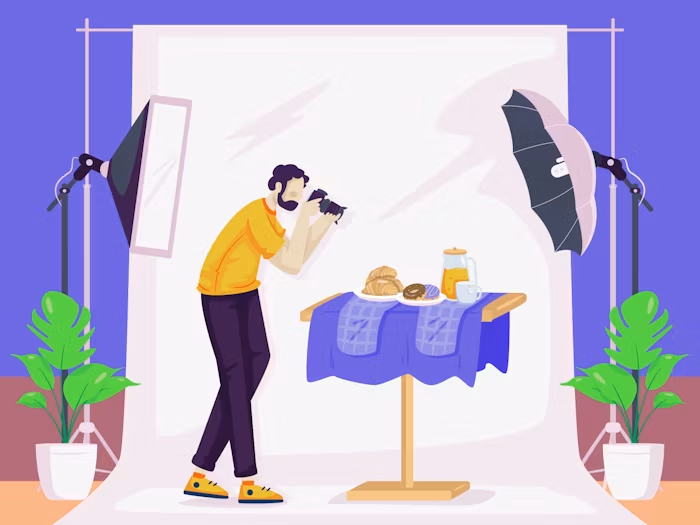
An AI image generator is a tool that creates images from text prompts.
A prompt can be as simple as “a cup of coffee on a wooden table,” but adding more specific details usually produces a better result.
Many apps can also edit an existing image.
You may be able to upload a product photo, replace its background, change the visual style, or create a new scene around it.
Free access may include limits on credits, image quantity, resolution, or advanced features.
Check the current plan before starting a large project or using generated images commercially.
How Small Businesses Can Use AI Images?
The best AI image generator app is not simply the one that makes attractive pictures. It should help you complete real business tasks faster.
1. Create Social Media Content
Use AI to create backgrounds and illustrations for posts for platforms like:
- Instagram,
- Facebook,
- Pinterest, and
Generate images in batches so that you have enough content for the week or month.
For better consistency, include your preferred colors and style in every prompt. Add important text, prices, and logos afterward in a design editor.
2. Build Product Scenes
A small online store can use an AI image generator to test lifestyle settings for products.
A candle could appear in a cozy bedroom, a modern bathroom, or on a holiday table.
Start with a clear product photo when using image-to-image features. Review the result carefully because AI may change the label, packaging, size, or color.
3. Design Website And Blog Graphics
AI can help create homepage banners, blog images, category backgrounds, and simple illustrations.
Tell the generator where the main subject should appear so that there is room for website text.
Before uploading, crop and compress the image to improve page speed.
4. Test Advertising Ideas
Instead of designing one complete advertisement immediately, generate several visual concepts first.
Compare different settings, colors, seasons, and compositions.
Select the strongest image, then add your final headline and call to action manually.
This approach is useful for testing ideas, but review the platform's advertising rules for the site where the image will appear.
Why Use Pollo AI?
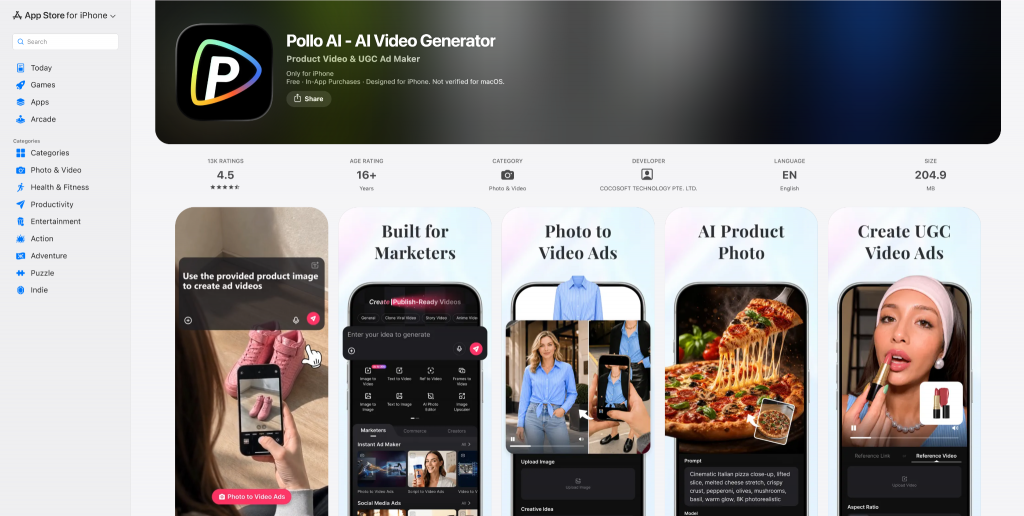
Pollo AI is a useful option because it brings many popular AI image tools and models together in the Pollo AI app.
Its selection includes GPT Image, Nano Banana, Recraft, Ideogram, Stable Diffusion, Flux AI, Seedream, DALL-E, Imagen, GPT-4o, Flux Kontext, Qwen Image, and Wan AI, among others.
Having these options on one platform makes it easier to compare results and find a suitable model for each project.
Pollo AI also provides LoRA models for more specific subjects and visual styles.
Small businesses can start with free access to check current pricing, credit limits, download options, and commercial-use terms before upgrading.
A Practical AI Image Workflow
Follow these steps for more reliable business images:
- Write a specific prompt. Describe the subject, setting, lighting, style, and layout.
- Generate several versions. Review at least three or four options before choosing one.
- Inspect small details. Check hands, faces, labels, product shapes, reflections, and background objects.
- Add branding manually. Insert accurate logos, prices, headlines, and contact details with an editing tool.
- Export for the platform. Resize and compress the file without blurring it.
Keep a document containing successful prompts, model names, brand colors, and preferred image sizes.
This will save time and help your business maintain a consistent look.
Web-Based Apps Vs. Open-Source Local Code
When sourcing free AI graphics, creators must decide between cloud-hosted web applications and running open-source code locally on their own computers.
Platforms like Microsoft Designer, Canva Magic Media, and stable-diffusion-based apps process data on corporate servers.
This means you can generate complex art on a low-end laptop or smartphone without draining your device's battery.
However, free cloud access always carries strict daily limits, queue waiting times during peak traffic hours, and automated filters that block specific phrasing triggers.
If you own a computer equipped with a high-end dedicated graphics card (ideally an NVIDIA card with 8GB+ of VRAM), you can download open-source code interfaces like Automatic1111 or ComfyUI completely free.
Running the models locally grants you absolute creative freedom.
You can run unlimited generations, train custom style adapters (LoRAs), and work in total privacy without sending your data over the web or dealing with restrictive token caps.
Important Checks Before Publishing
Never assume an AI-generated image is ready for business use.
Confirm that it does not include distorted products, false claims, unwanted logos, or copyrighted characters.
Get permission before uploading customer or employee photos, and avoid creating misleading images of real people.
You should also read the generator’s latest licensing and commercial-use conditions. Free plans may have different rules from paid plans.
The Importance Of A Free AI Image Generator For Businesses Explained
Deploying a free automated graphic application can help a small business accelerate visual content production while significantly reducing operational marketing overhead.
For instance, platforms like Pollo provide an accessible, streamlined entry point by centralizing multiple popular design tools and templates within a single interface.
To maximize this asset, begin with a clear commercial objective. Next, construct highly descriptive text prompts detailing specific textures and lighting profiles.
Then, generate and directly compare several layout variations to isolate the highest-performing option.
Consequently, while these machine learning tools drastically speed up initial asset creation, diligent human review remains absolutely essential.
Editors must carefully evaluate the final outputs to correct anatomic distortions or structural clipping errors. Finally, this collaborative workflow ensures your public promotional media remains accurate, professional, and trustworthy before deployment.
Read Also: