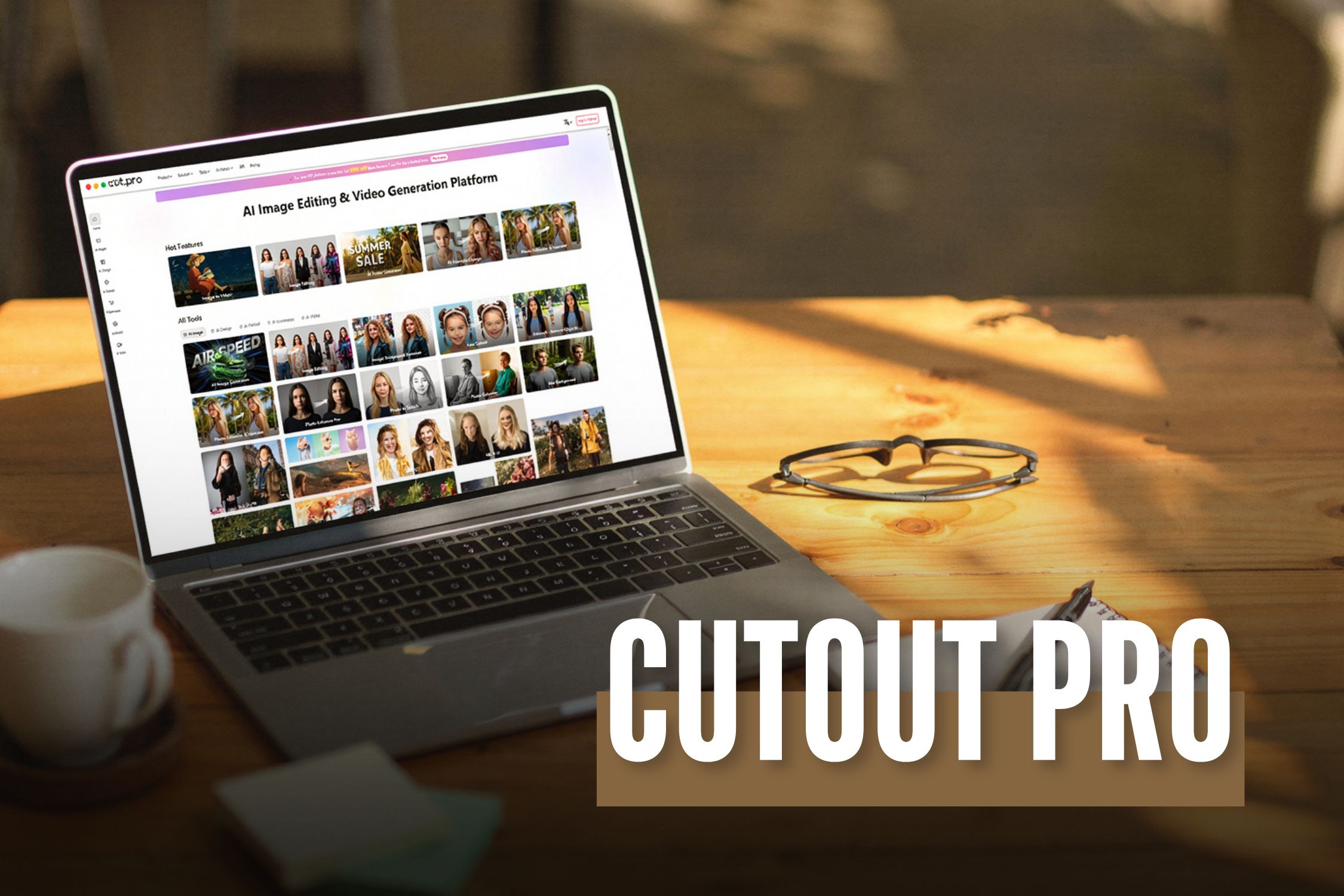
Cutout Pro: A Detailed Overview Of The Latest AI Editing Tool In 2026

cutout pro

Before I go straight to the topic, I would like you to have a little content. I am sure we all know how much audience visually captivating content attracts.  

There is no way to ignore this. It can be any sort of field, such as social media, blogs, or something else.  

Your content needs to be visually appealing.  

Of course, authenticity is important. So is value addition.  

However, the viewers or readers aren't restricting themselves to these two parameters anymore.  

Now, I would like to mention Cutout Pro here. It has successfully established itself as a reliable solution in the digital marketing world.  

It has a lot of helpful features that can give you great results for your platform and make it look visually aesthetic with minimal effort.  

In this guide, I will thoroughly discuss everything that you need to know about this platform.  

Additionally, I will also talk about its features in detail. 

What Is Cutout Pro?  

To put it simply, Cutout Pro is an AI-driven platform that you can use for creating appealing visual designs.  

It uses computer vision technology and AI for the efficient automation of video and photo editing tasks.  

The LibAI team established this platform in 2018. Also, its headquarters are in Hong Kong, China.  

In this platform, you will get access to various sorts of efficient tools for background removal and image enhancement.  

Additionally, you will also get some particular tools that will help you with creating creative content.  

What Are The Main Features Of This Platform? 

The main features of this platform include: 

  1. An efficient infrastructure that it 100% Cloud-driven. Also, its processing times are quick and effective.  
  1. Additionally, it is highly accessible. You can get your hands on this through web browsers, iOS, and Android mobile apps.  
  1. Also, it has a lot of capabilities for API integration. This is very important for all the developers out there.  
  1. It can process a large volume of images and videos.  
  1. It is reliable for a huge customer base. This means that thousands of businesses can depend on it.  
  1. It significantly reduces your need for complicated software such as Adobe Photoshop.  

What Are The Different Capabilities And Uses Of Cutout Pro?
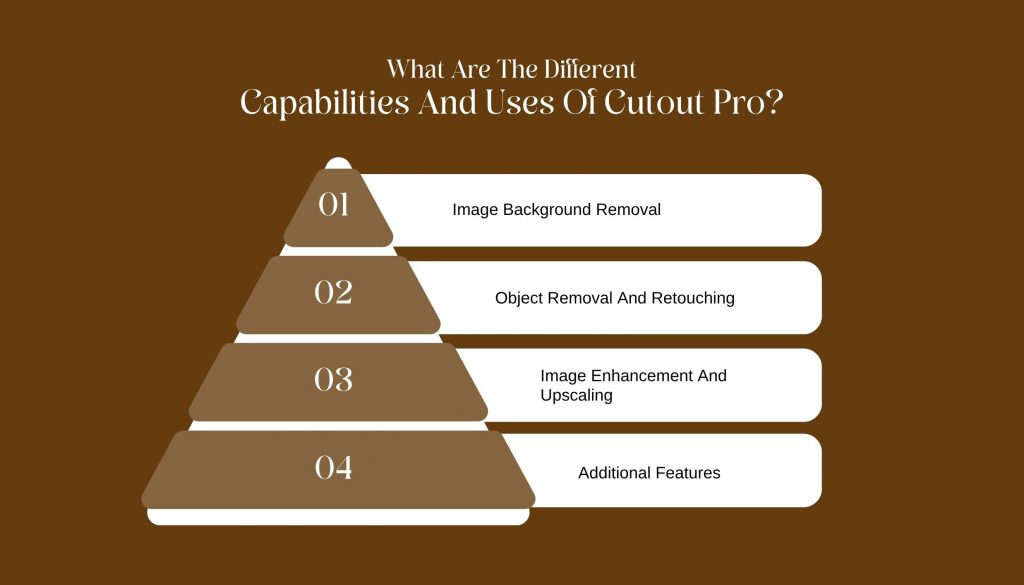
Now that we have a fair idea about this platform, let’s take a look at its various capabilities. This will let us know what we can use it for: 

1. Image Background Removal  

Cutout Pro makes it easy to remove backgrounds from images.  

This feature is great for creating clean photos for online stores, marketing, and social media.  

The software uses smart technology to quickly identify the background and separate it from the main subject, letting you remove backgrounds with just a few clicks. 

2. Object Removal And Retouching  

Cutout Pro also helps you remove unwanted objects from your photos.  

This includes things like photobombers or distracting items.  

You can adjust brightness, contrast, and saturation to make sure your photos look their best.  

3. Image Enhancement And Upscaling  

If you want to improve the quality of your images, Cutout Pro offers tools to enhance and upscale them.  

These tools increase clarity and detail, making your photos suitable for printing or high-resolution displays.  

They aim to boost image quality while keeping the original look of the photo.  

4. Additional Features  

In addition to its main features, Cutout Pro offers batch processing.  

This allows you to edit multiple images at the same time, saving you time and effort.  

The software works with many file formats, so it can easily connect with other editing tools and platforms. 

How To Get Started With Cutout Pro?

There are two ways by which you can access the platform of Cutout Pro. Both are quite easy and efficient. Let’s take a look: 

1. Web Interface 

Cutout Pro has a simple web interface that is easy to use.  

You can access the tool from any standard web browser.  

Just upload your images, and you can start editing right away.  

The user-friendly design makes it easy for everyone, no matter their skill level, to edit photos like a pro. 

2. Mobile Application  

If you need to edit photos while you’re on the go, Cutout Pro has a mobile app for both Android and iOS.  

The app includes the main features of the desktop version, so you can edit photos directly from your phone.  

Whether you’re a professional photographer needing quick edits or someone wanting to improve social media photos, the mobile app is a handy option. 

What Is The Plans And Pricing Structure Of Cutout Pro? 

If you are curious about the pricing structure of this platform, then this is the part that you must pay your full attention to.  

Firstly, I would like to clarify that Cutout Pro is nothing like the traditional SaaS tools that you are familiar with.  

Rather, this platform doesn’t have a subscription model altogether. In fact, it operates on a credit-based model.  

Therefore, this is way more efficient for the occasional users. But it can become a little expensive for daily usage.  

I have given you a table of the pricing structure below: 

Plan Type Price Credits Included Best For Notes 
Free Plan ₹0 Limited free credits Beginners, testing tool Low resolution output, watermark may apply 
Pay-as-you-go Credits Starts around ₹399–₹499 Varies by pack Freelancers, small projects Credits expire, no subscription lock-in 
Monthly Subscription Starts around ₹1,999/month Monthly credit refill Content creators, marketers Better value for regular users 
Business / API Plan Custom pricing High-volume credits E-commerce, SaaS, developers API access and bulk processing 

The Credit Structure Of Cutout Pro 

So basically, you need to assess the credit structure by looking at how many credits you need for each action. Let’s check this out: 

  1. Firstly, you need 1 credit for image background removal.  
  1. Secondly, if you have to do background removal in a batch, you will need up to 2-3 credits.  
  1. Thirdly, you will ned 1-2 credits for upscaling or image enhancement.  
  1. Additionally, you will need 1-2 credits for a portrait cutout. 
  1. Finally, for the API background removal, you will need credits based on the volume.  

Overview Of The Free Plan 

In the table below, I have explored all the benefits that you get with the free plan.  

This will help you decide properly if a free plan can get all the job done for you: 

Feature Available 
AI background remover Yes 
Image background remover quality Medium 
Batch processing No 
High-resolution downloads No 
Commercial usage Limited 

Overview Of The Paid Credit Packs 

Here, I have given you a table listing all the paid credit packs. These are packs that you can pay for according to the amount of credits you need.  

Credit Pack Approx Price Best Use Case 
Small Pack ₹399–₹499 One-time project 
Medium Pack ₹999–₹1,499 Freelancers 
Large Pack ₹2,999+ Agencies, bulk editing 

Which Cutout Pro Is Best For You? 

You need to choose the plan that is suitable for you. This will completely depend on the profession you have. Let’s take a look at it: 

User Type Recommended Plan 
Beginner / Student Free Plan 
Freelancer Pay-as-you-go 
Content Creator Monthly Subscription 
E-commerce Store Pro or API Plan 
Agency Business / API Plan 

How To Choose The Ideal AI Image Editor For Your Needs? 

If you need to quickly remove backgrounds from images in large numbers, Cutout AI photo editing is a good choice.  

However, if you want more creative control, including layers, text, and detailed editing, you'll need another design tool as well.  

Ask yourself these questions before making a decision: 

  • Do I need speed or creative flexibility? 
  • Am I editing one image or many? 
  • Is automation more important than manual control? 
  • Do I need API access for scaling? 

Cutout Pro is best when you prioritize automation and efficiency over fine artistic control.

Barsha Bhattacharya is a senior content writing executive. As a marketing enthusiast and professional for the past 4 years, writing is new to Barsha. And she is loving every bit of it. Her niches are marketing, lifestyle, wellness, travel and entertainment. Apart from writing, Barsha loves to travel, binge-watch, research conspiracy theories, Instagram and overthink.

View all posts

Leave a Reply

Your email address will not be published. Required fields are marked *

Related

Practices for Visual Regression Testing on Cloud

A Beginner’s Guide To Playwright Inspector

As the world continues to shift towards a more digital landscape, the significance of quality web applications has become progressively apparent. Given the vast array of tools and technologies at the disposal of web developers, determining an appropriate starting point can prove challenging. Debugging is the method of identifying and fixing bugs or errors in software. It is a vital aspect of web automation testing as it contributes significantly to the dependability and precision of the automated test results. Playwright is an open-source cross-browser testing framework released by Microsoft in 2020. As stated by Systems Sciences Institute, the expenditure of addressing an error or bug discovered after product release was 4 to 5 times higher than pinpointing it during the configuration phase. The detected value during the maintenance phase can be exceeded by up to 100 times. Playwright developers operate at the API level and offer comprehensive tooling through the integrated Playwright Inspector. Playwright Inspector is a powerful tool that authorizes developers to efficiently test and debug their web applications. Also, it facilitates creating automation scripts by furnishing auto code generation capabilities. Playwright Inspector allows you to inspect the Document Object Model (DOM) structure of a webpage, interact with web elements, and inspect CSS styles utilizing the Playwright API. It authorizes stepping through tests, picking locators, editing live locators, and seeing actionability logs. This blog will dive into the basics of Playwright Inspector and explore its many features. So if you're ready to take your web development skills to the next level, buckle up and dive into the world of Playwright Inspector. Before that, let's have a brief understanding of Playwright. What is Playwright? Developed by Microsoft, Playwright is an end-to-end open-source web testing and browser automation framework. Playwright offers outstanding cross-browser compatibility and convenient features. This makes it a perfect choice for automation and quality assurance purposes. The playwright is a flexible, robust, and efficient framework. It supports multiple languages like JavaScript, Java, Python, C#, and TypeScript. Playwright utilizes a single automation API. This makes it steadfast and quick and produces consistent outcomes while running cross-browser testing. It provides a powerful set of testing features. These features can be utilized to simulate end-user interactions with the web application. Also, the framework authorizes testing complex scenarios such as file uploads, login flows, and other interactions. These test scenarios can be tough to test with other testing frameworks. The software platform furnishes developers with a comprehensive selection of standard and personalized locators. This facilitates the straightforward and effective identification of elements on web pages. These locators can pinpoint elements based on a variety of attributes, including text content, position on the page, and other distinguishing features. With Playwright locators, developers can confidently identify elements on the DOM, ensuring the creation of substantial and steadfast test suites. What is a Playwright Inspector? Playwright Inspector is a Graphical User Interface based tool that helps testers and developers record scripts and debug Playwright tests. The tool helps generate boilerplate code. This can be a suitable starting point for building codes. Also, it assists developers and the Quality Assurance teams save time when writing the test script from scratch. Software developers can utilize the time saved to comprehensively understand the codebase and make informed modifications, as required, to enhance the efficacy of the testing suites. The Playwright Inspector simplifies the process of debugging web applications. It is a browser-based development tool that facilitates developers to inspect, debug, and troubleshoot web applications. The tool authorizes developers to record user interactions, capture screenshots, and inspect HTML elements, CSS styles, and JavaScript code. Playwright Inspector furnishes a console for developers and testers to run arbitrary JavaScript code in the context of the inspected page. To scale Playwright Inspector, an AI-powered test orchestration and test execution platform like LambdaTest offers an online farm of 3000+ browser and OS combinations to execute the Playwright test. You can effortlessly test your application as its scalable cloud infrastructure enables parallel test execution where you can run test cases altogether. It can also integrate with your existing testing infrastructure. It effortlessly plugs into your Playwright tool, eliminating the need for complex configurations. LambdaTest's Playwright Inspector  empowers you to debug and analyze Playwright scripts effortlessly. Inspect element properties, verify page behavior, and optimize automated tests using this user-friendly tool. Installation and Setup Instructions Installation and setup instructions are crucial for any software tool, and Playwright Inspector is no exception. As a beginner, it's essential to follow these instructions carefully to ensure that you can start using the tool without any issues. To install Playwright Inspector, first, you need to make sure that you have Node.js installed on your computer or laptop. Once you have Node.js, you can install Playwright Inspector through npm by running the command "npm i -g playwright-inspector" in your terminal. Upon successful installation, the tool can be initiated by executing the command "playwright-inspector" in your terminal. You can also use Playwright Inspector with other browsers like Firefox and Safari by installing the corresponding browser extensions. Following these instructions will give you a smooth and hassle-free experience of using Playwright Inspector, authorizing you to debug and troubleshoot your web applications with ease. How to Inspect Elements in Playwright Inspector If you are new to Playwright Inspector, you may be wondering how to inspect elements within your web page. Fortunately, Playwright Inspector comes equipped with a number of useful tools and features to assist you in efficiently identifying and inspecting elements on your web page. To start, simply launch Playwright Inspector and navigate to the web page you want to inspect. Once you are on the page, right-click on any element within the page and select "Inspect element" from the context menu. This will bring up the Playwright Inspector pane, where you can view the HTML and CSS code for the selected element. You can also view any associated styles and properties. From there, you can use the various tools and features within Playwright Inspector to further inspect and manipulate the element, making it easier than ever to identify and troubleshoot any issues within your web page. Benefits of Playwright Inspector The Playwright Inspector tool presents lots of benefits. Let us consider a few pivotal benefits of the Playwright Inspector: 1. Easy Debugging: Playwright Inspector facilitates the process of debugging Playwright scripts by furnishing a visual interface. This authorizes developers to inspect the page, make alterations to its state, and swiftly identify the cause of issues. 2. Record and Replay: The tool presents a record and replay feature that authorizes testers and QA teams to record end-user activities on the page and replay them for debugging purposes. The record and replay feature can help pinpoint issues that may occur only during specific user interactions. 3. Robust Logging: Playwright Inspector presents robust logging abilities that authorize testers and QA teams to outline the execution flow of the test script. This helps swiftly determine issues and fix them, thereby enhancing confidence in the code and application itself. 4. Intuitive Interface: The Playwright Inspector boasts an intuitive and user-friendly interface that is simple to navigate and operate, even for testers and QA teams who are new to the Playwright platform. 5. Cross-Browser Support: The Playwright Inspector facilitates the testing and debugging of applications across various platforms as it supports multiple Chromium-based browsers such as Chrome, Edge, and Firefox. This enables developers to ensure their applications perform optimally on different browsers. 6. Breakpoints: The Playwright Inspector tool is designed to enhance the testing process for software testers and QA teams. With this tool, users can set breakpoints in their test scripts, enabling them to pause test execution at specific points and thoroughly investigate the page's state. This increased level of control and visibility allows for improved efficiency and effectiveness in the testing process. Best Practices for Using Playwright Inspector The Playwright Inspector tool furnishes developers with an intuitive solution for testing web applications at scale. With the help of Inspector, developers and testers can debug their web automation scripts, view page elements and attributes, and pinpoint issues that may be causing the tests to fail. To make the most out of this tool, it is paramount to follow the best practices for using it. Here are eight best practices for using Playwright Inspector: ●        Familiarize yourself with the Inspector UI. ●        Utilize the search feature to swiftly pinpoint page elements. ●        Utilize the highlight feature to visually locate elements on the page. ●        Utilize the console to test JavaScript code and interact with the page. ●        Utilize the network tab to inspect network requests and responses. ●        Utilize the performance tab to pinpoint performance issues. ●        Utilize the snapshot feature to capture a snapshot of the current page state for later analysis. ●        Utilize the playback feature to replay test scripts and identify errors. By following these best practices, you can utilize Playwright Inspector to its full potential and optimize your web automation testing process. Conclusion Playwright Inspector is a powerful tool that can help developers troubleshoot issues and enhance the quality of their web applications. With its user-friendly interface and wide range of features, Playwright Inspector is a prominent addition to any developer's toolkit. By following the steps outlined in this beginner's guide, you can start utilizing Playwright Inspector today and take advantage of its many benefits. Whether you are a seasoned developer or just starting out, Playwright Inspector is a must-have tool for anyone looking to enhance their web development skills. Read Also: Mobile Testing With Appium On Lambdatest 10 Reliable Free Currency APIs For Your Business Using Tracking Code, Google Analytics Can Report On Data From Which Systems?

READ MOREDetails
Cloud Diffuser

How To Choose The Best Cloud Diffuser: Your Guide To Creating A Relaxing Atmosphere

In today's fast-paced world, creating a calm and soothing environment at home has become more important than ever. One effective way to achieve this is by using a cloud diffuser. Cloud diffusers not only add a touch of tranquility to any space but also provide a range of health benefits. If you're in the market for a cloud diffuser, this guide will help you select the best one for your needs. Here, we'll explore the qualities to look for in a cloud diffuser, the different types available, and some popular options like the [Weljoy Zen Raining Cloud]. With the right diffuser, you can create a relaxing atmosphere and promote a sense of wellness in your home.  What Is Meant By A Cloud Diffuser?  In order to understand the essentialities of a diffuser, one must first know what it is all about. A diffuser lets you experience the advantages of safe aromatherapy where inhalation is possible. Simply put, essential cloud diffusers help by purifying the air and making the ambiance pure.  People generally confuse cloud diffusers with humidifiers, but they are quite different. While the former mostly boosts the humidity level and improves health, cloud diffusers are exclusively meant for improving the mood. So, if you are thinking of getting a cloud diffuser for yourself, here are a few things to consider. The Qualities to Look for in a Cloud Diffuser A good cloud diffuser should have a few key qualities that set it apart from the rest. If you want the best results, it is better to search the listed qualities before purchasing. Hence, look for these features when making your selection: 1. Water Capacity The size of the water tank determines how long the diffuser can run before needing a refill. Opt for a cloud diffuser with a larger water capacity if you want to enjoy continuous mist for an extended period. Diffusers are responsible for releasing fragrance into the air, so it is a good idea to determine their water capacity.  2. Mist Output The mist output determines how much fragrance is dispersed in your space. Some cloud diffusers offer adjustable mist settings, allowing you to customize the intensity as per your preference. A lot of newbies are not acquainted with the various diffuser types available in the market. Hence, do not forget to consider the mist output as well.  3. Timer Settings The option to set timers can be a great addition to your cloud diffuser. It allows you to control the duration of diffusion, ensuring that it aligns with your daily routine. Apart from the timer, you might also want to consider the noise it produces. Generally, cloud diffusers do not produce sound, but if they do, try not to purchase them! Types of Cloud Diffusers Cloud diffusers come in various types, each with its own unique features and benefits. Here are a few popular choices: 1. Raindrop Cloud Humidifier This type of cloud diffuser mimics the appearance of raindrops falling from a cloud. It creates a soothing visual effect while diffusing your favorite essential oils. Those who find solace in raindrop sensations after a long, tiring day should definitely opt for this cloud humidifier. The good news is that it is quite cost-effective in nature.  2. Raining Humidifier With a design inspired by rain, this cloud diffuser creates a calming atmosphere. It is perfect for bedrooms, living rooms, or meditation spaces. Let’s admit, who doesn’t love rain? People with troubled sleep and extreme stress should consider buying this. Almost 94% of consumers said that after the use of this humidifier, they could experience better sleep.   3. Weljoy Zen Raining Cloud This unique cloud diffuser combines the calming effect of a rain cloud with the functionality of a night light. It provides a multi-sensory experience, making it ideal for relaxation and unwinding before bed. There is nothing to worry about for sinus patients because this cloud diffuser relieves congestion, too. Relieves symptoms of depression, stress, and anxiety, along with providing relief. Popular Cloud Diffusers When it comes to cloud diffusers, the market offers a wide range of options to choose from. Here are a few popular choices to consider: 1. Rain Cloud Humidifier and Oil Diffuser This versatile humidifier not only adds humidity to your space but also works as an essential oil diffuser. It combines the benefits of aromatherapy with the soothing visual of rain clouds. Bring it today to experience what it feels like to be in the open space on a cloudy day. With the first use, you can experience the changes in your sleep as it offers heightened mental peace.  2. Cloud Diffuser with Rain This cloud diffuser features a unique water drip design, simulating rain falling from a cloud. It creates a tranquil atmosphere that is perfect for relaxation or meditation. They are completely noiseless and promote healthy living by purifying the ambiance. Experience the calm of nature with rain-type cloud diffusers. Further, it doesn’t even block your nose or something- so sleep and relax peacefully! 3. Cloudy Melatonin This innovative cloud diffuser combines the calming effects of a cloud with the sleep-inducing properties of melatonin. It is designed to help you unwind and promote a restful night’s sleep. If somebody is seriously sick, just place it near their room, and they might feel a lot better. Most cloud diffusers come with features that relieve cough, headaches, and body pain. In conclusion A cloud diffuser can transform your space into a peaceful haven. By selecting a cloud diffuser that aligns with your needs and preferences, you can create a soothing atmosphere that promotes relaxation and well-being. Whether you choose a raindrop cloud humidifier, a Weljoy Zen Raining Cloud, or any other type of diffuser, the key is to prioritize quality and functionality. Invest in a cloud diffuser that brings you joy and enhances your overall well-being. Read Also: Hosted Mail Service That Runs on the Cloud

READ MOREDetails
who owns chat gpt

The Brains Behind ChatGPT: Who’s Pulling the Strings?

It appears to be all over the internet suddenly. ChatGPT aces are legal and medical exams. ChatGPT simplifies homework completion and learning. While completely rebuilding industries, ChatGPT is revolutionizing production processes. Although ChatGPT is capable of writing songs, poems, and movie scripts, it learns its tricks from humans. Given what it can do, ChatGPT has undoubtedly been making waves over the past few weeks. Even though this artificial intelligence (AI) tool is not new, its capabilities still represent a revolutionary leap in technology. Furthermore, it's not a passing fad either; Microsoft, the world's largest tech company, invested $10 billion (R173 billion) in OpenAI, the startup that created ChatGPT and is integrating the technology into a number of its products, including Microsoft Teams and the search engine Bing. So, who owns Chat GPT? Overview: Who Invented ChatGPT Image Source: media.bizj.us Though ChatGPT is currently gaining a lot of attention, we shouldn't overlook the unsung genius that created it. Meet the brains behind the machine, Ilya Sutskever. He is a pioneer in the area of artificial intelligence and has significantly influenced the state of the field today. He also keeps pushing the limits of machine learning. Sutskever is the Chief Scientist and Co-Founder of OpenAI. It is a research group committed to the safe and responsible advancement of artificial intelligence. The company has advanced the field of artificial intelligence and developed state-of-the-art technologies under his direction. This article will examine his development from an early researcher to a prominent figure in the artificial intelligence community. Whether you are a researcher, an enthusiast, or just interested in learning more, this article will undoubtedly provide you with useful knowledge and insights. Who Owns Chat GPT? On November 30, 22, Sutskever assisted in the launch of ChatGPT, a popular messaging app that attracted one million users in just five days. One of ChatGPT's primary functions is its ability to comprehend the context of a conversation and generate pertinent responses. The bot retains the thread of your conversation and uses the questions and answers from earlier exchanges to inform its next responses. As opposed to other chatbots, which can generate pre-programmed responses, ChatGPT has the ability to offer responses instantly. It enables it to engage in more engaging and diverse dialogues. Elon Musk, who was one of the founders of OpenAI, said, “ChatGPT is scary good. We are not far from dangerously strong AI.” Ilya Sutskever's revolutionary research in artificial intelligence has altered the direction of the field, driven by his passion for the field. His contributions to machine learning and deep learning have advanced the field's state of the art and shaped its future course. Who Owns Chat GPT: What Is Next? Image Source: substack-post-media.s3.amazonaws.com Sutskever has made the decision to follow his passion and concentrate on his research in spite of many generous financial opportunities; his commitment to his work is an inspiration to all researchers. We have already started to see Sutskever's influence in our world. But it seems like this is only the beginning. Early Life The 37-year-old Russian computer scientist spent the majority of his childhood in Israel before his family moved to Canada when he was a teenager. The five-year-old son of an engineer, Ilya, claims he was "utterly enchanted" when he saw a computer at an expo he and his father attended. When he was a teenager, he dreamt of creating computers that could perform tasks that were exclusive to humans. “I felt very strongly that learning was this mysterious thing: humans clearly learn, computers clearly don’t.” After earning three degrees from the University of Toronto, he co-founded AlexNet, an advanced artificial intelligence system that can recognize and classify images. Ilya then joined Google and brought a significant update to Google Translate. Then, he was approached to join the OpenAI team. What Can ChatGPT Do? It can write lyrics for songs, stanzas for poems, dialogue for screenplays, articles for medical journals, and love letters for Valentine's Day, among other things. You only need to give ChatGPT instructions to solve math problems and get complex question answers. Although it's not the original tool of its kind, it's the most user-friendly for typical consumers. You don't need a degree in computer science to use the online artificial intelligence tool developed by OpenAI. It opened to internet users in December of last year via the website chat.openai.com. It will respond to your inquiry in comprehensible terms. In contrast to a search engine that produces pages and pages of links, ChatGPT will respond in the form of a conversation. Additionally, it provides simple explanations of concepts; if a concept is too complex, you can instruct it to do so. Although it can't guarantee accuracy, ChatGPT is cautious in its responses. For instance, if you ask it to write a paragraph titled "Donald J. Trump, the greatest president in the history of the USA," it will say, "I apologize, but making subjective statements is not appropriate." While many welcome the way technology reduces resentment and boosts output, there will soon be a large number of job losses as a result of it. ChatGPT Aftermath AI is replacing white-collar workers. Pengcheng Shi, associate dean of computing and information sciences at Rochester Institute of Technology, says, "I don't think anyone can stop that." There are also moral dilemmas. When students in the US use ChatGPT to write essays, for instance, they are found to be cheating. The AI's developers have released software that allows teachers to recognize work produced by ChatGPT. But schools in New York have banned the tool. Bronwyn Hemsley is the head of speech pathology at the University of Technology in Sydney, Australia. He thinks it can benefit people with physical limitations. “What about people with a disability who are disadvantaged in getting a job interview – disadvantaged with having a level playing field because of their writing, spelling or grammar? What if this could be the polishing they need done?”    Wrapping Up There are already companies that are intelligent beyond human comprehension. For example, the combined power and capabilities of Google exceed those of any individual human. Therefore, there is no reason why a large network of computers would not also be much smarter than humans years or even decades later when supercomputers become smarter than computers; a network of these computers would be extremely intelligent in every sense of the word. If you have thoughts to share or questions to ask about who owns Chat GPT, please leave a comment below. We would love to hear from you! Learn More Also: How Artificial Intelligence Is Helping Banking And Financial Institutions? Can You Trust Online IQ Testing Platforms For Evaluating Your Intelligence Level? What Is Business Intelligence And How Modern It Gadgets may Improve Them Effectively?

READ MOREDetails