












Technologies For Creating A Startup Idea
Published on: 20 February 2023
Last Updated on: 09 February 2026

The implementation of a startup has specific needs, one of which is the need for the earliest possible entry of the product into the market. This is usually facilitated by a limited budget and the desire of startup owners to present their product to the target audience as soon as possible to take a leading market position. Below we will tell you what technologies and tools will help you with this.



Popular

How to Download Facebook Videos on Android?
07 Feb 2019

7 Rules of Effective Ecommerce Web Design
28 Jan 2021

Why Are Online Transactions Convenient?
07 Dec 2023

8 Reasons Why Canvas Is The Best Tent Material
23 Aug 2023

Recent
Related

Are IQ Testing Platforms Trustworthy for Evaluating Intelligence?
IQ tests are classic intelligence tests designed to measure your logical reasoning, memory, and problem-solving abilities. The test is often used to compare individuals with each other or predict school performance or job performance. Most online IQ test websites claim they can tell you how intelligent you are and suggest ideal careers based on your score. But is online IQ testing reliable? Can we trust online IQ tests? This blog will cover the history of IQ tests and the most trusted online providers of such tests. Read to find out! What Is IQ? IQ tests are standardized quantitative assessments of a person's intelligence, cognitive abilities, and intellectual ability. It tests a person's mental prowess in reasoning and problem-solving abilities. IQ tests are used to measure a person’s intelligence and gauge their level of mental functioning. They are popularly used in testing for academic achievement, assessing a person’s intellectual potential, and evaluating programs for individuals with intellectual disabilities. IQ tests are used for screening and measuring a person’s cognitive abilities over time. Schools, employers, and individuals commonly use them to test the aptitude of a child or adult. Online IQ tests are reliable enough if they follow the same test structure and test items as the traditional ones. However, online tests cannot be conducted offline, so online IQ tests cannot be given with the same level of precision as those conducted on paper. An IQ score can give you an idea about a person’s cognitive abilities and intelligence level. Additionally, it can help determine how successful that person could be in various areas of life. It also influences job performance and success in various fields, such as education and employment. What Is The Suitable IQ Score For Your Age? There are several online IQ test platforms available online. Before choosing a test, you must understand the different types of tests available online. The common types of online IQ tests include online tests, games, and puzzles. Online tests score your test-taking skills objectively and provide a score without errors or mistakes. This type of test is accurate and reliable. However, online games and puzzles aren’t as accurate and reliable as online tests since they don’t objectively score your test-taking abilities. It's vital to consider the accuracy and reliability of online testing platforms before taking any test on them for yourself. Further, if you're looking for detailed results and insights on your results, look for tests that offer a detailed report on results and insights. With these pointers, you can confidently take online IQ tests without hesitation. Once you have chosen which IQ test you want to take, you should check the results obtained with the normal results recorded for your age and see if the results are suitable for your age and intelligence. History of IQ Tests IQ tests have been around for more than a century. Psychologist Alfred Binet first developed the intelligence quotient (IQ) concept in 1905. This test was designed to measure a person’s level of intelligence and is used widely today to measure cognitive abilities. The first IQ test was created in France in 1916 and consisted of 30 questions designed to measure intelligence. The test has been adapted and improved to create modern versions used today. With the advent of online technology, online testing platforms have become popular. These online platforms offer free or for-a-fee tests similar to traditional IQ tests. However, it is essential to note that online testing platforms can only partially replace a traditional exam like the one offered by a test center or a school. Also, online tests can only accurately indicate a person's intelligence level if trained professionals administer them. The Most Trusted Online IQ Tests? IQexam.co: the Most Accurate IQ test IQexam.co is a reliable online platform for taking IQ tests. The tests are designed to accurately measure cognitive abilities and give a score for your intelligence quotient (IQ score). The test results are based on the latest scientific research and verified by experts in the field. The online test platform offers several IQ tests, from short quizzes to more complex tests that take up to two hours to complete. The test results provide detailed insights into your cognitive strengths and weaknesses and help you identify areas where you can improve. IQexam.co is a trusted online platform for taking IQ tests and provides accurate results backed by extensive research and expert validation. 123test.com : A Legit IQ Test Online 123test is a reliable online IQ test platform millions worldwide have used. It offers a comprehensive test that measures intelligence in various areas, from verbal and spatial to visual and non-verbal abilities. The test uses a variety of questions to assess different types of intelligence and covers multiple areas of cognitive ability. Generally speaking, the tests are based on scientifically sound principles and use a combination of different kinds of questions to test IQ.They provide users with detailed results that cover various aspects of cognitive ability. Explaining each answer will help users understand their thought process more accurately. Overall, 123 test is a trusted test that can be used to assess cognitive ability reliably and accurately. Free-IQTest.net: Trusted IQ Test Free-IQTest.net is a trusted online platform offering free, accurate, and reliable IQ tests. The test takes less than 15 minutes to complete and provides detailed results with an estimate of your IQ score and percentile ranking. The site also features other tests, such as personality, aptitude, and career tests. The test provides a secure test environment with no personal data being collected or stored. Free-IQTest.net is a great online test platform for users who want an accurate and free IQ test. Brain Metrix: Online IQ Test For Everyone Brain Metrix offers free online IQ tests designed to measure various cognitive abilities. The tests include a variety of questions covering different areas, such as problem-solving, logical reasoning, and verbal comprehension. The online test also provides detailed results and analysis of the user's performance on the test. Each test is based on data from over 500,000 users for comparison. The online test is reliable and accurate due to its large sample size and high test accuracy rate of around 99%. It also regularly updates tests to ensure users can track their progress over time. Overall, Brain Metrix’s online IQ test provides a free and convenient way for anyone to test their cognitive abilities. See My Personality: A Great Online Personality Test Online personality test platform See My Personality is a reliable online assessment tool for IQ and personality. The test is based on the Big Five personality theory, widely accepted in the psychological field. It accurately assesses your cognitive abilities, personal preferences, and social skills. The test takes only 10 minutes and provides a detailed report of your results. See My Personality compares your results and the average scores obtained by others who have taken this test. This online personality test is a great way to explore your personality and understand how you compare to others. Whether you are looking for an online test to assess your intelligence or just interested in seeing how you stack up against other individuals, See My Personality is a great online test platform to consider. Fun Education: a Good Test IQ for Students Fun Education is an online test preparation platform offering various tests and quizzes for elementary, middle, and high school students. The platform has been designed to test knowledge, critical thinking skills, and problem-solving abilities. It provides detailed feedback after each test so students can identify their strengths and weaknesses and improve their performance next time. Fun Education's results are reliable, and many educational institutions trust the platform due to its proven track record of helping students achieve their academic goals. Whether you're a student looking for a test prep solution or an educator seeking reliable results for your students, Fun Education is a great place to start. Conclusion Many online IQ testing platforms claim to test your intelligence quotient. However, it is essential to understand that online tests do not replace professional testing. They are simply a way of passing the time and exercising your brain muscles. Online tests may or may not be accurate, as they don’t measure intelligence quotient as accurately as a professional test. Therefore, if you want to test your intelligence online, go for it. But do not take the results too seriously. After all, you can only test your intelligence when you put your mind to it! Read Also: 5 Tips To Be A Great Teacher In 2023 7 Benefits Of Taking An Online Alcohol Certification Class NLP Certification: What Is It? And Is It Right For You?
READ MOREDetails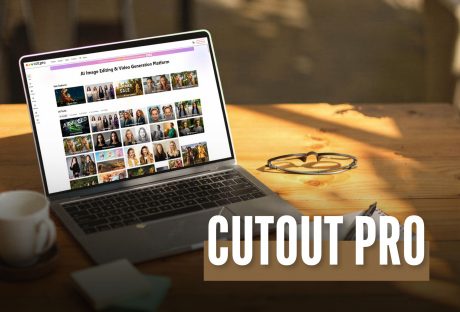
Cutout Pro: A Detailed Overview Of The Latest AI Editing Tool In 2026
Before I go straight to the topic, I would like you to have a little content. I am sure we all know how much audience visually captivating content attracts. There is no way to ignore this. It can be any sort of field, such as social media, blogs, or something else. Your content needs to be visually appealing. Of course, authenticity is important. So is value addition. However, the viewers or readers aren't restricting themselves to these two parameters anymore. Now, I would like to mention Cutout Pro here. It has successfully established itself as a reliable solution in the digital marketing world. It has a lot of helpful features that can give you great results for your platform and make it look visually aesthetic with minimal effort. In this guide, I will thoroughly discuss everything that you need to know about this platform. Additionally, I will also talk about its features in detail. What Is Cutout Pro? To put it simply, Cutout Pro is an AI-driven platform that you can use for creating appealing visual designs. It uses computer vision technology and AI for the efficient automation of video and photo editing tasks. The LibAI team established this platform in 2018. Also, its headquarters are in Hong Kong, China. In this platform, you will get access to various sorts of efficient tools for background removal and image enhancement. Additionally, you will also get some particular tools that will help you with creating creative content. What Are The Main Features Of This Platform? The main features of this platform include: An efficient infrastructure that it 100% Cloud-driven. Also, its processing times are quick and effective. Additionally, it is highly accessible. You can get your hands on this through web browsers, iOS, and Android mobile apps. Also, it has a lot of capabilities for API integration. This is very important for all the developers out there. It can process a large volume of images and videos. It is reliable for a huge customer base. This means that thousands of businesses can depend on it. It significantly reduces your need for complicated software such as Adobe Photoshop. What Are The Different Capabilities And Uses Of Cutout Pro? Now that we have a fair idea about this platform, let’s take a look at its various capabilities. This will let us know what we can use it for: 1. Image Background Removal Cutout Pro makes it easy to remove backgrounds from images. This feature is great for creating clean photos for online stores, marketing, and social media. The software uses smart technology to quickly identify the background and separate it from the main subject, letting you remove backgrounds with just a few clicks. 2. Object Removal And Retouching Cutout Pro also helps you remove unwanted objects from your photos. This includes things like photobombers or distracting items. You can adjust brightness, contrast, and saturation to make sure your photos look their best. 3. Image Enhancement And Upscaling If you want to improve the quality of your images, Cutout Pro offers tools to enhance and upscale them. These tools increase clarity and detail, making your photos suitable for printing or high-resolution displays. They aim to boost image quality while keeping the original look of the photo. 4. Additional Features In addition to its main features, Cutout Pro offers batch processing. This allows you to edit multiple images at the same time, saving you time and effort. The software works with many file formats, so it can easily connect with other editing tools and platforms. How To Get Started With Cutout Pro? There are two ways by which you can access the platform of Cutout Pro. Both are quite easy and efficient. Let’s take a look: 1. Web Interface Cutout Pro has a simple web interface that is easy to use. You can access the tool from any standard web browser. Just upload your images, and you can start editing right away. The user-friendly design makes it easy for everyone, no matter their skill level, to edit photos like a pro. 2. Mobile Application If you need to edit photos while you’re on the go, Cutout Pro has a mobile app for both Android and iOS. The app includes the main features of the desktop version, so you can edit photos directly from your phone. Whether you’re a professional photographer needing quick edits or someone wanting to improve social media photos, the mobile app is a handy option. What Is The Plans And Pricing Structure Of Cutout Pro? If you are curious about the pricing structure of this platform, then this is the part that you must pay your full attention to. Firstly, I would like to clarify that Cutout Pro is nothing like the traditional SaaS tools that you are familiar with. Rather, this platform doesn’t have a subscription model altogether. In fact, it operates on a credit-based model. Therefore, this is way more efficient for the occasional users. But it can become a little expensive for daily usage. I have given you a table of the pricing structure below: Plan Type Price Credits Included Best For Notes Free Plan ₹0 Limited free credits Beginners, testing tool Low resolution output, watermark may apply Pay-as-you-go Credits Starts around ₹399–₹499 Varies by pack Freelancers, small projects Credits expire, no subscription lock-in Monthly Subscription Starts around ₹1,999/month Monthly credit refill Content creators, marketers Better value for regular users Business / API Plan Custom pricing High-volume credits E-commerce, SaaS, developers API access and bulk processing The Credit Structure Of Cutout Pro So basically, you need to assess the credit structure by looking at how many credits you need for each action. Let’s check this out: Firstly, you need 1 credit for image background removal. Secondly, if you have to do background removal in a batch, you will need up to 2-3 credits. Thirdly, you will ned 1-2 credits for upscaling or image enhancement. Additionally, you will need 1-2 credits for a portrait cutout. Finally, for the API background removal, you will need credits based on the volume. Overview Of The Free Plan In the table below, I have explored all the benefits that you get with the free plan. This will help you decide properly if a free plan can get all the job done for you: Feature Available AI background remover Yes Image background remover quality Medium Batch processing No High-resolution downloads No Commercial usage Limited Overview Of The Paid Credit Packs Here, I have given you a table listing all the paid credit packs. These are packs that you can pay for according to the amount of credits you need. Credit Pack Approx Price Best Use Case Small Pack ₹399–₹499 One-time project Medium Pack ₹999–₹1,499 Freelancers Large Pack ₹2,999+ Agencies, bulk editing Which Cutout Pro Is Best For You? You need to choose the plan that is suitable for you. This will completely depend on the profession you have. Let’s take a look at it: User Type Recommended Plan Beginner / Student Free Plan Freelancer Pay-as-you-go Content Creator Monthly Subscription E-commerce Store Pro or API Plan Agency Business / API Plan How To Choose The Ideal AI Image Editor For Your Needs? If you need to quickly remove backgrounds from images in large numbers, Cutout AI photo editing is a good choice. However, if you want more creative control, including layers, text, and detailed editing, you'll need another design tool as well. Ask yourself these questions before making a decision: Do I need speed or creative flexibility? Am I editing one image or many? Is automation more important than manual control? Do I need API access for scaling? Cutout Pro is best when you prioritize automation and efficiency over fine artistic control.
READ MOREDetails
A Detailed Review Of Whatutalkingboutwillis com: Here’s Why You MUST Check It Out!
Have you ever found a blog that feels like a warm, inviting home filled with creativity and parenting tips? Well, I have! And guess what? It also has a sprinkle of humor? That’s what you get at Whatutalkingboutwillis com. Trust me, it will be so useful to you! Let’s say you want to zhuzh up your living room. Or, maybe you want to keep the kids entertained on a rainy day. Oh, another one! You want to get some real talk about family products. This blog is like a cozy hug that you didn’t know you were missing. WhatUTalkingBoutWillis com is a popular blog. It talks about lifestyle and entertainment. It covers topics like: Classic TV Parenting Tips Pop Culture Everyday Life Advice In this guide, we will look at the blog’s origins, purpose, and key topics, and explain why it is a favorite for readers seeking fun and relatable content. Where Did Whatutalkingboutwillis Com Come From: The Origin Of The Blog The name of the blog might catch you off guard, but that’s what makes it special. It’s inspired by the famous TV line “Whatchu talkin’ ‘bout, Willis?” and adds a fun twist to serious topics. The blog started from the wish to connect with others and spread small joys in everyday life. Now, it has become a popular resource for families everywhere. Who Is The Voice Behind Whatutalkingboutwillis Com? WhatUTalkingBoutWillis.com is the brainchild of Becky Knight. She is a lively mother of three. Also, she previously taught elementary school in Cincinnati, Ohio. She started the blog in 2015. Becky wanted to share her love for 80s sitcoms. Additionally, she wanted to navigate the ups and downs of parenthood in today’s tech-savvy world. She has a warm and honest writing style. Additionally, her writing is sprinkled with a bit of sass. Also, I must add that Becky creates a cozy feeling. Moreover, you will feel as if you’re chatting with your favorite neighbor over a cup of coffee. Her stories are filled with real-life struggles and victories. Additionally, they bring an authentic vibe that’s refreshing in a sea of online content. So, this makes her blog feel like a heartfelt conversation rather than just another website. What Are The Contents Of Whatutalkingboutwillis Com? WhatUTalkingBoutWillis.com isn’t just your average lifestyle blog. It’s a space that dives into a variety of topics. Additionally, all these topics appeal to all kinds of interests. Here’s a quick look at the main categories you’ll find on the blog: 1. Entertainment One of the best things about WhatUTalkingBoutWillis is its amazing entertainment content. So, let’s say you're into classic TV shows. Also, maybe you enjoy binge-watching the newest series on Netflix. Whatever you like, there's something here for everyone. This section really connects with those who want to keep up with the latest in entertainment. Additionally, you can also cherish your favorite shows and movies from the past. These are the content it covers under Entertainment: Movies And Series Reviews- These are pretty honest and catchy reviews. This helps an eager audience to know what they are looking for. Pop Culture- The blog discusses trendy pop culture topics. Oh, I must add that these topics go beyond Hollywood! Disney- Who doesn’t love to read articles about their favorite Disney shows! Well, I also love reading about what’s coming next. Nostalgic Throwbacks- There are also blogs about nostalgic discussions on the most-watched movies and TV shows. 2. Family And Parenting Tips The blog’s creator, who is a parent herself, shares real-life insights and advice about family life that many can relate to. This section resonates with parents looking for practical tips or simply some reassurance that they’re not alone in their challenges. Parenting Tips: Whether it’s managing tantrums or helping with schoolwork, this section provides straightforward advice for parents at all stages of their journey. Family Activities: Get inspired with fun ideas for activities that can help strengthen bonds within your family. Work-Life Balance: Discover helpful tips on how to manage the demands of parenting alongside work and personal time. Real-Life Stories: Read personal anecdotes that make parenting challenges feel more relatable and a bit less overwhelming. 3. Home And Lifestyle Well, well, well! This is one of my favorite sections. I honestly love their blogs on Lifestyle and Home Decor. The Home & Lifestyle section is all about making your life a little easier and a lot more enjoyable. So, if you’re on the hunt for handy home organization tips or some self-care advice, you’re in the right place. Here’s what you can expect: DIY Projects: Discover budget-friendly ideas to spruce up your home without breaking the bank. Decorating Tips: Get inspired with creative ways to refresh your living spaces. Organization Hacks: Find simple, practical methods to declutter your home and simplify your life. Wellness Advice: Explore self-care tips that will help you focus on your mental and physical well-being. This section is perfect for anyone looking to enhance their daily life. Additionally, you can do this without feeling overwhelmed by complicated strategies or pricey solutions. 4. Travelling If you're someone who loves discovering new places or planning family getaways, the travel section is an absolute goldmine! Here’s what you can expect to find: Family-Friendly Destinations: Reviews of spots that are fun for both kids and adults. Travel Tips: Smart hacks for saving money, packing like a pro, and keeping your trips enjoyable and stress-free. Destination Guides: In-depth guides to some of the most popular travel spots around the globe. Budget Travel Advice: Helpful tips for exploring new destinations without breaking the bank. Whether you're looking to plan a quick weekend trip or just dreaming about your next big adventure, this section is full of inspiration and practical advice! 5. Technology And Gadgets In today’s fast-paced digital world, keeping up with technology is more important than ever. That’s where WhatUTalkingBoutWillis comes in. Additionally, it makes it easy to navigate the tech landscape with a variety of content: Gadget Reviews: Get honest insights on the latest smartphones, tablets, and smart home devices to help you make informed choices. Tech Tips: Find practical tutorials that show you how to use apps and software effectively, like setting up parental controls. Digital Safety Advice: Learn how to protect your privacy online and ensure your kids stay safe in the digital space. Emerging Trends: Discover the newest technologies that are changing our lives, from AI advancements to the latest in wearable tech. This section is ideal for anyone looking for clear and straightforward tech advice without the confusing jargon or overly technical details. 6. Food If you love food, you’re in for a treat! This section is packed with recipes. Additionally, you will get cooking tips specifically for busy families. Whether you’re a seasoned cook or just starting, these recipes are not only easy to make but also delicious! Quick & Easy Meals: Firstly, you can discover recipes that are ready in a flash—ideal for those hectic weeknights! Family-Friendly Recipes: Additionally, you can find dishes that will please even the pickiest eaters in your household. Kitchen Gadgets Reviews: Also, you can check out our recommendations for handy tools that make cooking a breeze. Seasonal Recipes: Moreover, you can get inspired with ideas for festive meals or seasonal goodies. Why Is WhatUTalkingBoutWillis Com Getting The Hype? There are so many lifestyle blogs out there, but WhatUTalkingBoutWillis really sets itself apart with its unique vibe and content that puts readers first. The writing style is friendly and approachable, almost like you’re chatting with a buddy over coffee. Whether it’s tackling the ups and downs of parenting or diving into a nostalgic discussion about classic TV shows, there’s truly something for everyone. Additionally, the creator isn't afraid to share personal stories, which helps readers feel like they’re understood and not alone in their experiences. Plus, the blog offers practical tips that can be easily applied to everyday life. You’ll also find plenty of references to beloved pop culture from various eras, making it relatable to readers of all ages. Engagement is encouraged. Many readers share their thoughts in the comments. So, this creates an interactive community. Giveaways add an extra layer of fun, giving loyal followers a chance to win something special. With a social media presence, fans can connect even further, beyond just reading posts. It’s all about building a welcoming space where everyone can join in the conversation! The Current Popularity Of WhatUTalkingBoutWillis Com Explained If you’re on the hunt for an online space that really feels like home. This is where you can find crafts to get your creative juices flowing. Additionally, you can also share some laughs. Also, you can soak in love and gain valuable real-life insights. So, Whatutalkingboutwillis.com is just the place for you! It’s a wonderful mix of creativity and family vibes. Additionally, you will get that personal touch that’s hard to come by these days. So why not dive in, subscribe, and add a little extra sparkle to your everyday life? You deserve it!
READ MOREDetails