Everything You Need to Know About Dedicated Server Hosting

by

04 June 2022

Technology

Server Hosting

Are you tired of sharing the same server with other websites? The number of visitors to your website is growing, and you fear that your website will slow down.

Of course, you need more storage space as your website needs are outgrowing the present shared hosting plan. It’s time that you have thought about subscribing to dedicated server hosting.

With a dedicated hosting plan, you can have entire server space for your eCommerce store or website and applications - it is dedicated to you exclusively.    

You don’t have to share your server and its resources with others. Instead, it allows your business to have an optimal workload and be in complete control of it.

With several dedicated server hosting providers online, you can find a suitable one with the best plans for both managed and self-managed servers. Upgrading from shared hosting to dedicated server hosting offers ultimate experience, reliability, scalability, security, and high performance. 

What Is Dedicated Server Hosting?

When you hire a physical server for your website to use to itself, you call it dedicated hosting.

Other than not having to share the space with other websites, you don’t share the RAM, bandwidth, and disk space with others. You can optimize the server depending on your business needs.
edicated Server Hosting

By choosing the best hosting provider, you can have the ultimate dedicated server power, which can deal with the heaviest workloads. They can also support you with advanced hardware and protection against malware for guaranteed performance. 

With dedicated hosting, you can choose any server management level, like managed, managed-pro, and self-managed. Through managed and managed-pro servers, the service provider takes care of the application installation, upgrades, backups, email configurations, patch management, and technical support.

As with managed pro servers, you get additional services related to the customization of database software and installation of anti-malware tools. 

By opting for unmanaged hosting, you are provided only the initial software setup, and the rest of the things are managed by you based on your requirements.   

Some Benefits Of Choosing A Dedicated Server Plan

Your business is developing and your website receiving more and more organic traffic. right?

This is the right time to upgrade your hosting plan to a dedicated server for completer access to system resources and benefits.
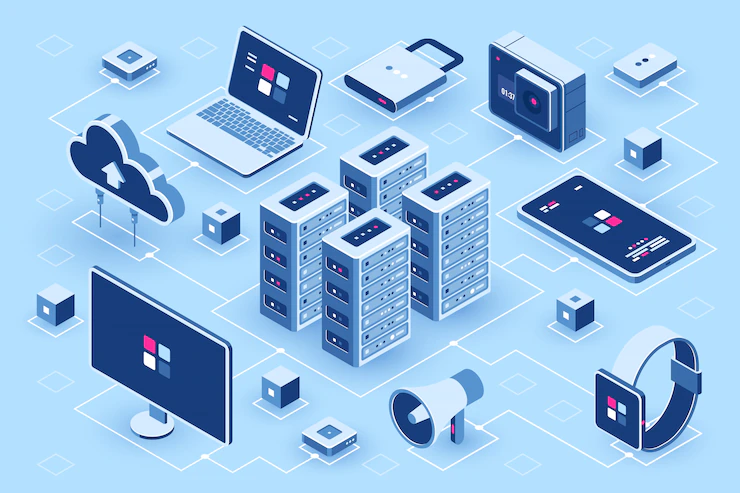
Some prominent benefits include:

Overview:

  1. High speed
  2. Install anything you want
  3. Have advanced security
  4. Quick scalability

1. High speed

With a single-tenant infrastructure, your website will experience high speed. There are no other websites to slow down your website when there are traffic spikes.

You also get to benefit from some hosting providers offering the fastest storage using SAS technology that spins the disk at 15000rpm. It helps load web pages ten times faster than before. 

Your website’s performance will affect when traffic spikes and if you fail to use an appropriate hosting service. With a dedicated server, you can easily deal with sudden traffic spikes and avoid site downtime and revenue loss. 

2. Install anything you want

With complete root-level access, you are permitted to install any plug-ins, library, applications, and server components. Thus you can change the hardware and software configurations by adding more storage space, processing power, and bandwidth and customize the server to suit your website requirements

3. Have advanced security

If you want customers to come again to your website, you need to ensure that your website is secure. Opting for a dedicated hosting service, you get to have advanced security.

Most hosting service companies offer Distributed Denial of Services (DDoS) protection, which safeguards your online store or website from downtime.  

4. Quick scalability

A dedicated server allows you to shift to a larger server space, as well as a smaller space, seamlessly without moving files and reconfiguring applications. 

To conclude, if your business profits from shifting to a dedicated server, you should consider it.

Additionals:

SEO Website Design Tips for Small Businesses

7 Advantages of Using Website Design Templates

The Beginners Guide To Dealing With Website Downtime

How do you choose an SEO-friendly theme for your website?

Content Rally wrapped around an online publication where you can publish your own intellectuals. It is a publishing platform designed to make great stories by content creators. This is your era, your place to be online. So come forward share your views, thoughts and ideas via Content Rally.

View all posts

Leave a Reply

Your email address will not be published. Required fields are marked *

Related

Blooket Bot

Heard About The Risky Technology Of Blooket Bot? For Tips To Prevent Your Child From Misusing It, Read The Whole Blog!!!

Guys! I am back with a critical review of yet another platform! But I will shift my focus a little bit today. I will explore a different part of the said platform. Keep reading! So, today I will talk about Blooket. First of all, I think it is a fantastic platform. It helps teachers turn learning into a fun and engaging experience for students. It’s become quite popular! Firstly, it creates fast-paced challenges and quizzes. This is more needed in classrooms and online learning environments in countries like the US and Canada. However, some students started finding ways to cheat the system. In fact, they even made sure to gain an unfair advantage. One of the tactics they used was something called a Blooket bot. Yes, this is the exact part I was talking about. In this blog, I’ll dive into what this bot is all about. Additionally, I will discuss the risks involved. In fact, I will also explore any safe ways to use it (if there are), and much more. What Is Blooket Bot All About? Some software tools can answer questions. Some can join games and gather points. These bots allow students to benefit from gameplay. But the trick is, they do so without actually participating. They work in the background. All they have to do is: Automatically joining games Responding to questions Collecting points People use these bots for different reasons. Some students might use them to play pranks on classmates. Maybe even their teachers, who knows! Others may want to win games, while some are just curious about how they work. When people look for ways to skip Blooket’s regular competitive setup, they usually want an easy way to gain an advantage. These unauthorized tools automate actions in a Blooket game session, creating an unfair benefit. These scripts claim to offer a simple way to get ahead. You might see promises of instant wins or unlimited resources. However, these unauthorized scripts generally fall into a few main categories. What Are The Different Types Of Blooket Bot You Will Find? When it comes to bots or unauthorized tools, the most common ones are simple scripts that automate network requests. Usually, people use these for a bit of chaos or to gain an easy win. 1. Flood Bots: These tools, often seen in the form of Blooket bot flooders, are meant to flood a single game with fake users. The main aim is to overwhelm the game's host, which can lead to crashes or significant lag. 2. Answer Bots: This type of script is designed to instantly find the correct answers for quizzes. By automating the quiz process, they promise users a guaranteed top spot on the leaderboard. 3. Disruption Scripts: Some unauthorized tools exploit minor programming bugs or weaknesses—sometimes called a Blooket bot glitch. These can cause minor confusion on the server or create visual glitches in the game. Why Has Blooket Bot Become Famous Suddenly? Blooket bots didn't just pop up out of nowhere; their rise in popularity can be traced back to three main reasons: 1. Blooket's Appeal Teachers really enjoy using Blooket because it makes learning more engaging and interactive. Students love getting involved in their subjects as they answer questions, earn coins, and compete against one another in real-time games. They can play solo or join a team, and the questions can cover just about any topic. This fun approach to learning has definitely caught the attention of both students and teachers, making Blooket a favorite in classrooms. However, as time went on, some students started exploiting the platform by using bots to rake in points unfairly. 2. High Competition Among Students Gamifying education naturally sparks a competitive spirit among students. See, I really believe that a little competition can be healthy. But the urge to win sometimes leads students to resort to unethical options. One of the most infamous ones is the Blooket bots. Many students find that using bots seems like an easier way to score points rather than putting in the hours on their studies. 3. Blooket Communities As Blooket gained popularity, students formed groups and communities. These share tips and tricks for quickly earning virtual currency. Additionally, they also circulate the tactics behind the points and those attractive “Blooks.” The temptation of these rewards, combined with peer pressure, encouraged even more students to get involved. Within these groups, students exchange methods to:   Automatically join Blooket games   Answer questions rapidly   Spam or disrupt games with fake players   Unlock items fast and collect coins efficiently What Are The Consequences Of Using A Blooket Bot? Using bots can be really risky, and here’s why: 1. Some Of Them May Have Viruses Firstly, some bots come with hidden dangers. Often, when you’re using these bots, you might be prompted to download something. This could be anything from viruses to malware or phishing links. Installing these can lead to stolen passwords, system disruptions, or even unwanted surveillance of your online activities. 2. They Can Trick You Additionally, it’s easy to get tricked by these bots. Certain sketchy websites that promote Blooket may ask you for your login information. It’s to avoid sharing your credentials with any suspicious websites because doing so can give them access to your account. 3. It Can Be Disruptive For The Gameplay Lastly, bots can ruin the gaming experience for everyone. Picture this: you’re in the middle of an exciting game with your classmates, and suddenly it freezes. That’s the type of disruption bots can cause when they spam the game. Not only is it unfair to other students, but it also takes away from the fun of learning together. I want to add something more to this. Let’s say a student is using the Blooket Bot. Then, he/she will have even more consequences: Your account may get suspended or banned.   If you use bots or other unfair methods, you risk losing access to Blooks or virtual coins.   Your school may take serious action against you and could even block your device.   If this happens, teachers might stop using Blooket games, which could affect students who really benefit from the platform. You Can Also Check: Techexample.Org: A Complete Guide To Modern Tech Learning What Are Some Fair Ways You Can Earn Blooket Rewards? Now that I have mentioned so much, I want to look at the brighter side. So, yes, I will tell you ways that you can use to earn rewards from Blooket, in a fair way! 1. Have a Study Session Before You Play   Wait! Before you dive into Blooket games, I have something important for you! See, it’s very important to keep in mind the purpose here. The makers have designed this game to boost your subject knowledge. Also, they aim to increase your general awareness. So, let’s say your goal is to rack up points and coins. Then it’s important that you have prepared well with the right answers. Additionally, I suggest that you consider setting aside some time for a solo study session. Also, you can gather a group of friends to study together. Trust me, I can assure you that doing this can really enhance your performance during the game. 2. Utilize Solo Mode   Blooket has a solo mode. I bet you didn’t know this! Well, honestly, I was quite surprised to find it out as well! So, you can take advantage of it anytime you want. This feature allows you to practice extensively. Additionally, you can also use this to earn some great rewards along the way. 3. Play Regularly The more you play and study, the better you’ll get at the game. Plus, playing often means more chances to earn coins. Don’t hesitate to explore different game modes to keep your skills sharp and your mind engaged. 4. Join Study Groups   Consider joining some online study groups or even forming one with your friends. In these groups, you can ask each other questions and help each other learn. It’s a fun and effective way to boost your knowledge quickly! 5. Understand Coding In The Right Way   Okay, hear me out! I know that using bots in Blooket can be a bad idea for gameplay. But that doesn’t mean you can’t learn about them. Right?! Also, the blooket code is also a very interesting topic! I will always suggest that you explore the world of bots as much as you can! Firstly, it can actually introduce you to coding. Then, once you become familiar with coding, you could start creating your own apps and games! There are some really fun and accessible websites that your kids can use to start coding. The Dynamics And Prevention Of Blooket Bot Explained Blooket bots may seem fun and harmless, but they can significantly impact students' learning. They create problems not only for students but also for teachers. These bots can disrupt the game, ruin the experience for others, and even steal personal information. Most importantly, they offer a false sense of success and can prevent you from studying effectively. It is essential to remember the main purpose of Blooket games. It is here to help you enjoy learning. So, you'd better use it right and just to test your knowledge in a fun way! Additional Resource: Is Techlokesh Org A Real Platform Of Information Or A Scam? Read On To Find It Out!

READ MOREDetails
Cloud Recruitment Software

Transitioning To Cloud Recruitment Software: Benefits And Considerations

In the fast-paced world of modern recruiting, staying competitive and efficient is crucial. As technology continues to evolve, traditional recruitment methods are being replaced by more advanced solutions. One such solution gaining popularity is cloud recruitment software. In this article, we will explore the benefits of transitioning to cloud recruitment software and discuss the considerations that recruiters must keep in mind during the process. What Is Cloud Recruitment Software? Cloud recruitment software, also known as applicant tracking systems (ATS), is a SaaS-based solution that enables organizations to streamline their recruitment process by managing candidates, job openings, and hiring workflows in a centralized, online platform. This software eliminates the need for manual data entry, provides real-time updates, and facilitates collaboration among team members. The ATS is a particular type of onboarding software. It is available as on-premise systems and cloud-based software. Any application tracking system takes time to deploy (irrespective of the models). Ultimately, the process becomes quite efficient and fast, and experts opine that it saves time for every hire.  However, the cloud-based application tracking system gives a major advantage compared to the on-premise recruitment software.  Benefits Of Cloud Recruitment Software Cloud recruitment software has evolved as one of the most suitable recruitment techniques compared to existing systems. The following section discusses some of the core advantages of cloud software.  1. Enhanced Accessibility And Collaboration Cloud recruitment software breaks down geographical barriers and allows recruiters to access the platform from anywhere with an internet connection. This increased accessibility leads to better collaboration among hiring teams, ensuring that everyone stays on the same page throughout the hiring process. 2. Improved Candidate Sourcing And Management With cloud recruitment software, recruiters can easily source candidates from various channels, such as job boards, social media, and employee referrals. The software's candidate relationship management systems help in building and nurturing relationships with potential candidates, ensuring a robust talent pool for future requirements. 3. Time And Cost Savings Automating repetitive tasks and streamlining the recruitment process results in significant time and cost savings. Cloud recruitment software reduces manual paperwork, shortens the time to fill positions, and optimizes the hiring budget. 4. Data-Driven Decision Making The software provides in-depth analytics and reporting features that enable data-driven decision-making. Recruiters can track key metrics, such as time-to-hire, cost-per-hire, and source of hire, to assess the effectiveness of their recruitment strategies and make necessary improvements. 5. Scalability And Flexibility Cloud recruitment software is designed to accommodate businesses of all sizes, from startups to large enterprises. Its scalable nature ensures that it can grow alongside the organization's needs. Additionally, the software's flexibility allows for customization to align with specific recruitment workflows. 6. Quick To Deploy The cloud-based software deployment can be done within days or weeks compared to the existing or, say, the premise-based hiring system. The entire deployment of the system includes creating user accounts, migrating the data, and then customizing the features and tools. Also, many cloud-based systems are armed with chatbots and training elements that enhance the knowledge base of the seeker.  The particular resources are much more effective in providing the training. But in contrast to it, the premise-based software takes months to integrate into the system.  7. Technical Support Technical support is included in the premium services of the SaaS recruitment system. The best cloud recruitment software is integrated with the technical prowess to cater to the needs of the stakeholders. When you compared it with the existing software, it required a full in-house team to maintain data security. A full-fledged IT team was also required for the software update and security of data.  8. Security  With the help of the on-premise hiring software, you can not mingle between security and control. The HR recruitment software, if powered by the cloud-based vendor, offers a far more secure system compared to the existing technology.  Cloud-based technology is quite safe, and bulk data management is quite easy. You do not have to hire local servers to safeguard your data.   9. Integration The best recruitment software integrates with that of the recruitment tool. Some examples of IT include job board applications and onboarding software. The HR tech integration integration has traversed huge distances. Thus, hiring the tools integrated with the voluminous HR system. 10. Access To Mobile Phones  There is nothing better than mobile phone compatibility. The same is considered for the cloud recruitment software. With systems integrated with mobile phones, you can allow your recruitment HR professionals to work from home. It is, therefore, a major advantage compared to what was used previously.  Besides this, the cloud-based recruitment software enhances the experience as they always seek an easy-to-use system. This is why companies are slowly thinking of shifting from legacy software to that of the cloud system. Considerations For Transitioning To Cloud Recruitment Software Are you looking to transition from on-premise hiring to cloud recruitment software? Then, in that case, you will have to keep certain considerations in mind.  1. Data Security And Compliance As recruiters handle sensitive candidate information, data security should be a top priority. When transitioning to cloud recruitment software, ensure that the provider adheres to industry-leading security standards and compliance regulations. 2. Integration With Existing Systems Before making the switch, consider the compatibility of the new software with your existing HR or CRM systems. Seamless integration ensures smooth data flow and avoids duplication of efforts. 3. User-Friendly Interface And Training Choose a cloud recruitment software with an intuitive user interface that is easy to navigate. Proper training and onboarding for the recruitment team will accelerate the adoption of the new system. 4. Vendor Support And Upgrades Select a reputable vendor that offers reliable customer support and regular software upgrades. This ensures that your recruitment software remains up-to-date with the latest features and security patches. Final Thoughts Transitioning to cloud recruitment software can revolutionize your hiring process and bring unparalleled efficiency to your recruitment efforts. Embracing this technology allows you to stay ahead of the competition in the ever-evolving talent landscape. Remember to consider data security, integration, user-friendliness, and vendor support when making the switch. Read Also: CRMDialer: A Zoho Alternative 6 Top CRM For Small Businesses In 2019 Cold Calling Script For Successful Sales Persons

READ MOREDetails
Scan

How To Scan From Printer To Computer?

Even been assigned the task to edit a file and scan it back? You might have wondered how exactly you would do that. The question of how to scan from a printer to PC can be tricky and you might need a little assistance in this aspect. Scanning a file from a printer to your PC can be an easy task for you if you follow the instructions given below. The following are the steps you need to follow to easily scan a document from your printer to your PC or laptop. Multifunction Color Laser Printers are the best when it comes to printing colorful images. Connect your computer to the scanner: First of all, you need to make sure that your PC or laptop is connected to the scanner. If it is not connected, then connect the scanner to your computer. Both the machines should be connected to a cord, as well as both of them, should be connected to your WiFi. Place the file on the scanner: Now you have to place the document, which you wish to scan, face-down on the scanner. Once you have properly placed the intended document, close the lid of the scanner. Open ‘Fax and Scan’ on your computer: Now, using your PC or laptop, select ‘Start’. You can find the ‘Select’ option on the lower-left corner of your screen. Now navigate to desktop apps and open ‘Fax and Scan.’ You can also open ‘Fax and Scan’ by typing this name on the search bar. Checking if the printer is correct or not: Once you have opened the ‘Fax and Scan,’ navigate to the ‘New Scan’ tab and click it. You can find the ‘New Scan’ tab on the upper left corner of the screen of your PC or laptop. A new window will be opened when you will click on the ‘New Scan’ tab. Now you need to make sure that the printer is correct. Navigate to the upper left corner of the newly opened window and check whether the printer is correct or not. If the printer is not correct, click on the ‘Change’ option, and choose the correct printer you want to use. Picking the right settings: Now, you need to pick up the right settings before scanning your file. Firstly, select the right type of file. You can choose the file type in the ‘Profile’ section. Now choose whether you want to print a ‘black and white’ document or a ‘colored’ one. Now choose the type of file you want your file to be saved as such as the PDF or JPEG format. Now, you can adjust other settings such as brightness, resolution, and contrast etcetera, if you want to. Scan the document: After you have picked the right settings, make sure that you preview the file before scanning it. If something does not look right, you can adjust it now. If you want to make any changes right now, you need to repeat the process to ensure that the document is completely right before you scan it. Finally, click on the ‘Scan’ option and your document will be scanned. If you want to find the scanned document, open file explorer, and navigate to the Documents folder. You will find the Scanned Documents folder in the Documents folder. Read also: Paper Authority: Basic Tips in Purchasing a Printer 7 Ways To Stop Spending So Much On Printing In Your Business Advance Copier: Printing Quality Business Cards On Your Own Computer

READ MOREDetails