











What Is The Role Of The Blooket Host In The Learning Journey? Read This Blog And Get The Answer, As Well As Many Tips!!!

by

06 January 2026

Education

Blooket Host

Hey there! Remember I mentioned about Blooket? Well, I am here to talk about a very important segment of it.  

In today’s digital classroom, you need to keep students engaged. This is more important than ever. That’s where Blooket Host comes in.  

Blooket is an exciting educational game platform. It allows teachers to transform quizzes into interactive sessions. 

Additionally, it creates unique and competitive learning experiences that students actually enjoy. 

As a Blooket Host, the teacher or organizer creates or selects a quiz. Then, he/she launches it for students to participate in live.  

Whether you’re teaching in person or online, Blooket is a great way to enhance participation. Also, you will be able to keep students engaged.  

It’s especially effective in U.S. classrooms, where digital learning tools are becoming more popular. 

What Does The Blooket Host Actually Need To Do? 

In Blooket, the "host" is the person who sets up and runs the game, and that’s usually a teacher.  

However, sometimes students can take on this role too! As the host, you get to pick the questions, choose the game mode, and help everyone play through the game.  

Blooket is perfect for classroom settings. This is because it encourages active learning through:  

  • Fun quizzes 
  • Games  

Plus, it’s super flexible with different game styles. This makes it easy to align with various teaching goals. 

How To Become A Blooket Host: A Step By Step Guide 

Now, in order to host a game carefully and efficiently, you must pay good attention to these steps. Let’s check these out: 

1. Pick Your Questions 

The first thing you need to do when hosting a game on Blooket is to choose a set of questions.  

You have the option to create your own set. Additionally, you can also browse the platform’s extensive collection. It has over 20 million sets!  

These cover a wide range of topics. So you’re sure to find something that fits your needs.  

Just head over to “My Sets” or “Discover” on the dashboard to get started. 

2. Choose a Game Mode 

Blooket offers a variety of fun game modes like:  

  • Monster Brawl 
  • Gold Quest  
  • Crypto Hack 

And the best part? You will find out that each with its own twist on gameplay.  

For example, in Gold Quest, students earn gold by answering questions. Additionally, in Tower Defense, they defend against challenges by answering correctly.  

Each mode provides a unique way for students to engage with the material. 

3. Launch the Game Session

Once you’ve picked a game mode, hit the “Host” button. Here, you can set the rules. 

Also, you can set the time limits based on what you want to achieve. Additionally, you have to keep in mind what your students can handle.  

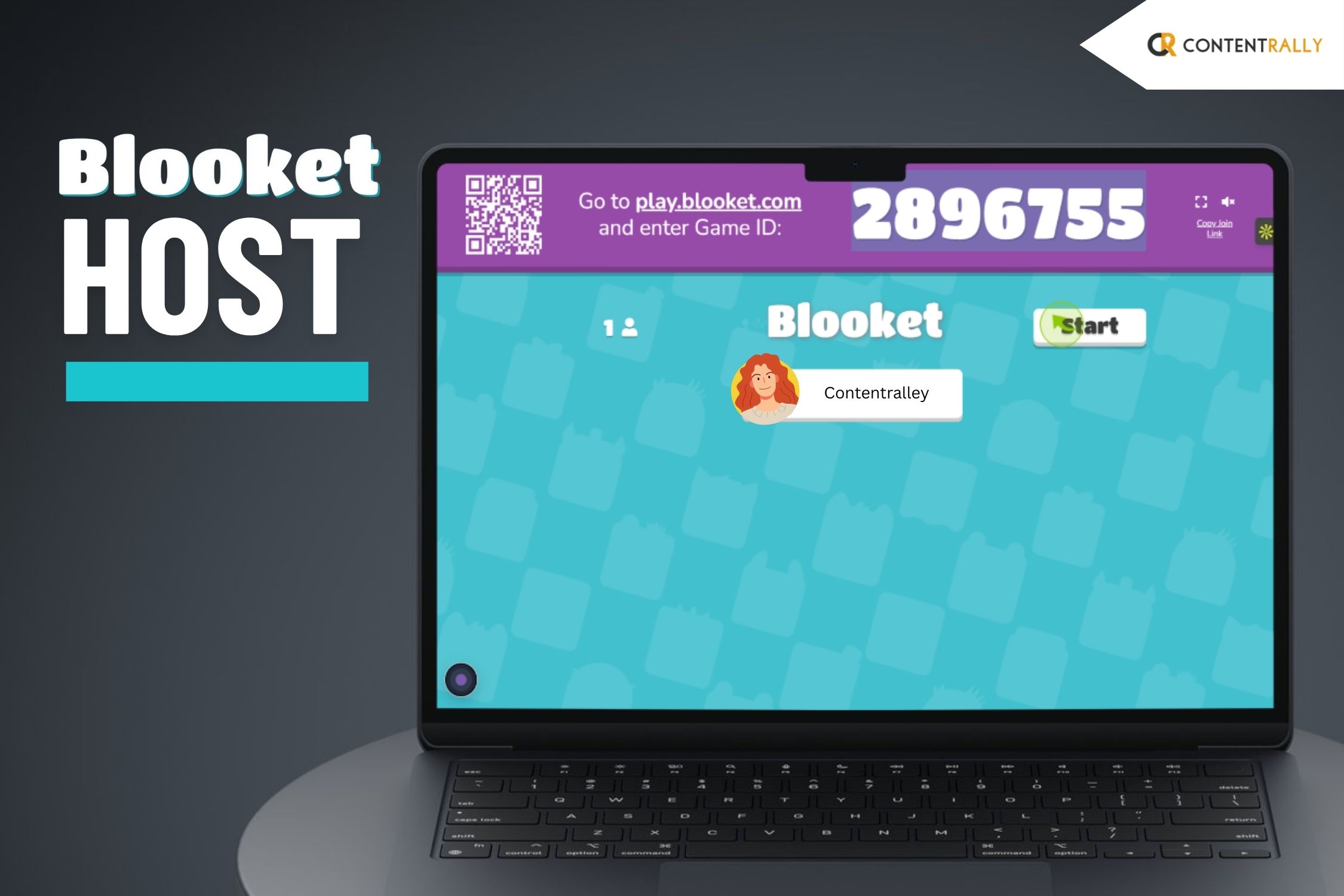
When you’re ready, click “Host Now”. This will generate a game code. Share this code with your students so they can join in on their devices. 

4. Invite Students to Join 

Students can jump into the game right away. They just have to enter the game code at play.blooket.com.  

They don’t need to create an account to play. But signing up gives them the chance to track their progress. Additionally, this will help them to access more features.  

For online classes, they can also join by scanning a QR code. Alo, they can use a shared link. 

This makes it super easy for everyone to get involved. 

5. Start the Game

I suppose by now, all your students have joined. Now, you simply click “Start” to kick off the game.  

During the session, students will answer questions. Additionally, they will compete based on the game mode you've chosen.  

You can monitor their performance in real-time. This helps you see how each student is doing. 

Also, you will be able to identify where they might need a little extra support.  

How Can You Create And Use Question Sets In Blooket? 

As a host, you will have complete control over what you wish to present to your students.  

1. Customize Questions:  

You have the freedom to create your own question sets from the ground up.  

This customization helps you tailor questions to align with your students' learning goals.  

Whether you're teaching math, history, or science, you can design fun and engaging questions that reinforce key concepts. 

2. Importing Question Sets:  

If you're already using Quizlet for quizzes, Blooket makes it easy to bring those question sets over.  

Additionally, you can do this with just a few clicks. Then you can import your existing questions into Blooket. 

After that, you can turn them into interactive games for your students in no time. 

3. Blooket’s Library:  

If you’re pressed for time or just need some fresh ideas, check out Blooket's library of pre-made question sets.  

It’s a great resource for inspiration and can give you new ways to approach topics in class. 

How Can A Blooket Host Games On The Platform? 

Blooket is a great tool for making learning fun and engaging in the classroom through exciting games. 

1. Choose a Game Mode:

Blooket offers different game modes to suit various learning styles. You can pick from fun options like Gold Quest. 

This is where students race to collect gold. You can also check out Tower Defense. This one challenges them to protect their towers while learning.  

There’s also Cafe Mode. It's my favorite. Here, students run a virtual cafe. They answer questions to serve customers.  

For those who enjoy competition, Battle Royale is an excellent choice. Blooket keeps students entertained and allows them to change the game based on the topic. 

2. Set Up a Live Game:  

It’s easy to host a live game. Just select the game mode and your question set. 

Then create a Game ID. Share this ID with your students, and they can join the game on their devices by entering the code on the Blooket website.  

This setup encourages active participation as students compete with each other in real-time. 

3. Assign Homework:  

Blooket isn’t just for live play; you can also use it for homework. You can assign a game for students to play at their own pace, making it a fun way to review class concepts outside of school hours.  

This approach allows for flexible learning and makes studying enjoyable for students. 

What Are The Additional Features Available for The Blooket Host? 

You thought that’s it? Well, seems like you're wrong! There are many more features that you will enjoy as a host. Let’s check these out: 

1. Personalizing Your Games:  

You have the flexibility to adjust the number of questions. Additionally, you can decide on how long the game lasts. 

In addition, you can also fix the difficulty level to match what your class needs. 

2. Insights and Feedback:  

Once the game wraps up, you’ll get in-depth reports. It will detail each student's performance.  

This includes what answers they got right. Also, it also shows you how long they spent on each question. 

Additionally, it will also include the overall results. So, this will help you fine-tune your future lessons. 

3. Homework Feature:  

Blooket is also great for homework! You can set up games for students to tackle outside of class. 

Additionally, you can also give them a chance to review material or practice extra. 

What Are The Benefits Of Using Blooket Host Across Grade Levels? 

Blooket is a fun learning tool for students of all ages. Additionally, it helps teachers engage students across different grade levels. 

1. Elementary School Students   

Blooket works well for young learners. It turns basic concepts into fun games.  

Game modes like Cafe Mode and Gold Quest are popular among this age group.  

These games help students practice basic math skills. In addition, they also work on other skills like reading and general knowledge.   

2. Middle School Students   

For middle school students who like competition, Blooket offers exciting game modes like Tower Defense and Battle Royale.  

These strategic games promote critical thinking and problem-solving. They motivate students to explore content and learn effectively.   

3. High School Students   

High school students need advanced thinking skills. So, Blooket supports their learning by providing games on complex topics in:  

  • Math 
  • Science  
  • History  
  • Literature  

High school teachers can even use Blooket for SAT lessons. Additionally, this adds fun to important study material.   

The Dynamics And Importance Of The Blooket Host Explained 

So, if you are an educator, I strongly suggest that you use Blooket in your classroom. 

Trust me, it can change how students learn. Additionally, Blooket helps teachers make lessons fun and memorable.  

You can use Blooket to create a learning engaging and motivating.  

In addition, you can also create an effective learning environment that your students will enjoy. 

The role of the Blooket host is even more important because the host is the one organizing and conducting the tests.
Barsha Bhattacharya is a senior content writing executive. As a marketing enthusiast and professional for the past 4 years, writing is new to Barsha. And she is loving every bit of it. Her niches are marketing, lifestyle, wellness, travel and entertainment. Apart from writing, Barsha loves to travel, binge-watch, research conspiracy theories, Instagram and overthink.

View all posts

Leave a Reply

Your email address will not be published. Required fields are marked *

Related

Qiuzziz

What Is Quizziz? Everything You Need To Know About This AI Tool!

Are you searching for an AI platform that can help you learn about your subjects and memorize that efficiently? If so, then you must have heard about Qiuzziz. There are a few effective ways to quickly remember your lessons. However, among all of them, Qiuzziz is the most effective one. To help you quickly comprehend the material, longer texts are broken up into manageable questions that you can read to quickly comprehend the material. If you have been searching for more information about this platform, you do not have to look any further. In this article, I will be focusing on Qiuzziz, the platform that you need to excel in your studies. So, keep reading this blog till the end to learn more… What Is Qiuzziz? Image Source: quizizz.com Quizizz is a unique learning platform that utilizes gamification in order to make content that is engaging and immersive. Any device, whether in person or remotely, is available to participants for live and asynchronous learning. Students participate in fun, competitive quizzes and interactive presentations with gamification features, while teachers and trainers receive immediate data and feedback. An Indian company based in Bangalore, the Silicon Valley of India, Qiuzziz is a completely web-based device. It is compatible with any platform, including Chrome apps, iOS, Android, and browsers. You can choose from a variety of pre-made learning tests or create your own. Join as an educator, pick a test, and afterward utilize the code to give your understudies admittance to a virtual homeroom, you can do it all with the help of this platform. According to the platform, they are “on a mission to motivate every student.” more than ten million people, mainly students, use this tool to grow. Founded in the year 2015 by two young guys named Deepak and Ankit, “Quizizz supports millions of students in over 100 countries and has offices in Bangalore and Santa Monica, California.” How Can You Teach With Quizizz? Image Source: selectedreads.com Quizizz can be used in a variety of classroom settings. While interactive lessons encourage more in-depth learning, straight-up quiz-show-style assessments can help students recall facts and prepare for traditional tests. For a speedy survey of content, make or snatch and alter a current test to measure where understudies need extra guidance. For more profound learning, go with an illustration that integrates recordings, sound, pictures, and questions that will assist messes with understanding ideas and give instructors and guardians valuable criticism to illuminate and change guidance. While instructors and teachers can make tests or examples without any preparation, there's likewise a convenient information base with lots of existing tests and illustrations that can be snatched and altered on a case-by-case basis. Not all are excellent, but rather you can really look at the quantity of plays to perceive how famous everyone is. It is simple to modify and personalize instruction using results from the post-quiz and lesson reports. Students' responses to each question can be viewed by teachers, who can then use that data to determine which students require individual or small-group reinforcement and which need to be retaught or readjusted. Teachers could invite different students each week to create sharable reviews of the week's content because Quizizz makes creating quizzes and lessons pretty simple. How Does Qiuzzis Work? Image Source: support.quizizz.com The tool Qiuzziz is free. It can help students improve their vocabulary. so that children can learn to comprehend increasingly difficult concepts written in English. This application costs nothing at all. It has distinct instructions for various students. The computer will make quizzes for you after you enter all of the lecture-related data into this platform. You must respond to each and every question there. You should put them into practice on a regular basis to achieve better results. After each test, the results are displayed. Consequently, you will be able to comprehend your place in the learning process fully.  “Qiuzziz is a learning platform with various tools that make learning fun. Students are more likely to participate and retain information when given this opportunity,” as per sources. In case you are wondering how it can help the students, here is the deal. Through quizzes, undergraduates can acquire new course-related terminology. It's not just for individuals who need to work on their jargon. In any case, you can use it for a different subject test. You'll gain a better understanding of your topic as a result. It will produce questions connected with your theme utilizing a man-made intelligence-based calculation. Utilizing the currently available prepaid test can save you time. Subjects Available At Qiuzziz Now that you know what Qiuzziz is, it is time for you to learn about the subjects that this platform will help you learn. Here is a list of all the subjects that you will be able to learn with the help of this AI platform: English Social Studies Science Languages Humanities Health Maths Education in the Arts Computers Various Modes Available At Quizziz! Image Source: support.quizizz.com Here are some of the things that you need to know about this platform. Check out these modes of making learning fun with the help of Quizziz: ModeWhat Is It?Assigned ModeThis is the mode that is set for assigning homework to the students. You can set a due date for your understudies here as well as booking the interactive discussion. Each student should take the quiz and complete it before the due date. As they do so, they will get their results once they submit their assignments. You can evaluate the performance as a whole by logging into your account.Class ModeThis is the mode that is set for assigning homework to the students. You can set a due date for your understudies here as well as book the interactive discussion. Each student should take the quiz and complete it before the due date. As they do so, they will get their results once they submit their assignments. You can evaluate the performance as a whole by logging into your account. What Is The Pricing Of Quizizz? If you are interested to use this platform to learn more every day and want the same for your children, you must be wondering about the pricing of the tool. Well, to understand the price of Quizizz, you need to know about the plans of the same. Take a look at the chart: PlansBasicSchoolsDistrictsOpen Library AccessLimitedAvailableAvailableUnlimited Storage20 activity limitAvailableAvailableTeleport from 30M+ teacher-created activitiesLimitedAvailableAvailableAll Question TypesLimitedAvailableAvailableImage & Video SearchLimitedAvailableAvailableImport from Google DriveAvailableAvailableAvailableGamified Learning ElementsAvailableAvailableAvailableMake activities PrivateNot AvailableAvailableAvailable These are just a few of the many services that are available in the three plans that Quizizz provides to the users. When it comes to the pricing of the same, here are the things that you need to know about: The Standard pricing starts at $19.00 per month. The Premier pricing starts at $48.00 per month. Based on your needs, you can choose the plan and the pricing to enjoy all the services of this tool. Frequently Asked Questions (FAQs) Now that you are almost at the end of this blog, you might be feeling like you know it all. However, I would advise you to look at the following questions that readers often ask about Quizizz before you leave. 1. Where Is The Headquarters Of Quizizz Located? The headquarters of Quizizz is located in Santa Monica, California, United States. 2. What Are Some Alternative Platforms For Quizizz? There are some alternatives to Quizizz that you need to know about. They are: Mentimeter Crowdpurr Slido Quizlet Blackboard Learn 3. Can You Install Quizizz On Your Phone? Yes. you can easily install the platform on your smartphone. Quizizz is available for download and installation on both iOS as well as Android platforms. So just install it and learn as you are on the go! Wrapping It Up! Qiuzziz can be used by students to test a variety of subjects. You can demonstrate your mastery of the most important climbing routes or cooking methods. One that assesses your experience with a few overall dim gaming networks might exist! In case you were searching for information related to Qiuzziz, I hope that this article has been of help to you. If there are any other queries related to the same, feel free to let me know. All that you need to do is scroll down till you reach the bottom of the page. And then put in your suggestions and queries in the comment box below. And I will be there to answer them all for you as soon as possible. Read Also: How To Impress A Recruiter If You Are Still A Student? 5 Reasons Students Need Technology In The Classroom Never Forget French: 7 Ways To Memorize Vocabulary Quickly Mass communication students: (All You Need to Study at Home)

READ MOREDetails
Blooket Code

What Is The Blooket Code SO Important? How Can I Get It? You Know Where To Find The Answers!!!

There is something that I really like about the fast-changing world of education technology.  When I was a student, I missed out on a lot of cool opportunities and technologies.   But, I am happy that I have chosen a path where I can still write about it and spread the information to you guys!  So, I am going to discuss an important educational platform today. Well, I want to add a disclaimer that it is not conventional.   Yes, I am talking about Blooket. It has become a standout tool that mixes learning with fun and games.   It's caught the interest of both teachers and students. Additionally, it provides a new way to strengthen knowledge.  In fact, you will also be able to enhance your skills through interactive play.   In this detailed guide, I'm going to explore everything Blooket has to offer.  So, I will be talking about its features and benefits.  Also, I will mention how you can use it to create engaging educational experiences.  What Is The Blooket Code?  Blooket is a fun and engaging online learning platform. The best part? It turns traditional quizzes into interactive games.   Tom Stewart invented Blooket in 2018. It has quickly become a favorite among teachers.  Additionally, all the students also like it for its ability to make studying enjoyable.   Educators can create their own question sets. In fact, they can choose from a variety of pre-made ones.  And guess what? You can use this in different game modes. The students can play solo or in competition with each other. Just be careful of the Blooket Bot!   But then, how to join a live game? For this, you will need a Blooket code. It is typically a five or six-digit sequence.   When a teacher sets up a game, they receive this code. Then, they share it with their students.  This allows them to easily connect. Additionally, this allows them to be flexible and play from anywhere.   How To Use The Blooket Code?  To join a live Blooket game, all you need is the game code that your host provides.   Here's a straightforward guide to help you out:  Visit the Blooket Website   Start by heading over to the Blooket website. You’ll want to find the “Join Game” section.  You will find it easily. It is usually right at the top of the homepage.   It’s a user-friendly design. So you shouldn't have any trouble navigating through it.  Enter the Code   Once you land on the “Join Game” page, there’s a field labeled “Game ID.” This is where you’ll type in the code you received.  You can receive this code either from your teacher or the game host.   Double-check your entry to avoid typos; one small mistake could mean you can’t join the game at all!  Select Your Avatar (Blook)   After entering the code, you’ll likely get prompted to pick your avatar, or “Blook.”   Also, you must choose an avatar! It is part of the fun. So feel free to express yourself!   Some games even let you customize further, unlocking new avatars as you progress through different challenges.  Wait for the Game to Begin   Once you're in, you'll find yourself in the game’s lobby, just hanging out until the host starts the game.   It’s a great time to chat with other players or get ready for the excitement ahead.   The game kicks off when the teacher or host hits the start button, and you’ll soon see the questions on your screen.  Answer Questions   As the game unfolds, you'll be faced with multiple-choice questions. Your mission is to choose the correct answer as quickly as you can.   Speed and accuracy are your best friends here, as the more points you rack up, the better your chances of coming out on top against your fellow players!  How Can You Generate A Blooket Code And Host A Game?  With this system, you can easily run live quiz sessions during class. Additionally, you can use this to set them as homework for your students.   They just need to enter a code to join the quiz. Just imagine how easy it is!  This is why it is receiving so much hype! It makes it simple to handle large groups.  For teachers or anyone hosting the game, getting started is a breeze:  Create or Choose a Question Set: You can come up with your own questions. Also, you can pick from the ready-made sets. You will find it available on the Blooket platform.    Select a Game Mode: By now, you will have your questions. Then, you can choose a game mode that fits your class best. It can be the Classic mode. A lot of people go with the Crypto Hack as well.   Host the Game: When you’re ready to go, hit the “Host” button. This will generate a unique game code.  Share the Code: Just give your students the code so they can jump right into the game!  How To Use The Blooket Code Correctly?  See, I know I told you that using Blooket codes is a breeze. But there are a few important tips to keep in mind:  Enter the Code Correctly:   It's very, very important to have students type the code exactly as it a This is because they won't be able to join the session.   Additionally, you must encourage them to double-check their entry before hitting "join."   This is also very important as this simple step can save a lot of time.  Check Game Availability:   This step comes before the students attempt to join.  You need to ensure that the game is live. Codes can expire if the session has ended. Additionally, they can also expire if the game is paused.   What else can you do to avoid any confusion?  It’s a good idea to remind everyone to log in while the game is actively running.  This is also very important. This way, you can ensure a smooth experience for all.  Host Settings:   Now, let’s say you are the host. Read this section carefully, as it will be helpful to you.   You have the power to adjust various settings, such as the number of questions and time limits.   This allows you to tailor the game to fit your class’s needs. This makes it more engaging.   Additionally, you must consider whether you want to allow late joiners.  Well, you can also prefer to keep the game exclusive to those who were there from the start.   I will always suggest that you communicate these choices clearly can enhance the overall experience for everyone involved.  The Dynamics Of Blooket Code Explained  Blooket codes are essential for using the platform. This allows students to easily jump into quizzes.   Entering these codes is a straightforward process, so students can quickly join different game modes and enjoy interactive learning experiences.   The platform really boosts engagement. And for good reasons!  I mean, who would've thought that you can now teach and learn through game-based learning?  I know I didn’t. Also, I like this platform a little more because it gives teachers a flexible way to review their work.  In fact, now they can use this to even reinforce what’s been taught in class.

READ MOREDetails
English Literature Degree

Preparing for an English Literature Degree? Follow These Tips

If you love the written word, in all its power and persuasion, then chances are you have considered pursuing a University English degree. English degrees allow you to take a deep dive into different cultural and historical perspectives. They teach critical thinking and careful media literacy. Through the reading, they share necessary intersections with philosophy, creative writing, history, social science, and linguistics. In other words: it’s a well-rounded education. Further, English degrees have relevancy beyond university. Countless modern jobs benefit from a strong foundation in English: marketing director, communications manager, publisher, editor, advertising copywriter, or technical writer, to name just a few. Luckily, it’s easy to prepare for an English degree. Whether you’re a freshman in high school or an adult looking to head back to the classroom, here are a few ways to get ready. Get a Head Start on the Syllabi: One advantage that English degrees have over others is that the materials covered are often readily accessible and inexpensive. It’s not always easy to get your hands on a niche microbiology textbook (and, if you do, you pay through the nose). On the other hand, you can find a copy of, say, Great Expectations at the nearest bookstore or library. Use that access to your advantage. Research the syllabi of first-year classes and get a head start reading the material as you await enrollment. Enroll in Grade 12 English Online: To apply for a university English program, you need a prerequisite of English 12, usually with a minimum grade of 65 – 70% (though this varies according to the institution). If you don’t have that credit, or your grade in English 12 is less than the minimum required, don’t worry. You can easily, flexibly take ENG4U online at an E-learning high school. Because online high schools allow you to complete a course at your own pace over a twelve-month timeline, you can comfortably fit the course amid your current workload. Hone Your Close-Reading Skills: Whether you’re taking ENG4U at an online high school or simply spending your summer reading before university, try to hone your close reading skills. Don’t just read texts; study them. Stop frequently in your reading to ask direct questions about how the language, images, and syntactic structures inform and support the overall themes of the text. To help, start by reading a book on literary theory. This article lists a few great introductory and intermediate books on literary theory and criticism, including the comprehensive Norton Anthology. Join a Book Club: There are no objectively correct readings in English literature. Part of the beauty of learning English is seeing texts through different lenses according to critical studies (a feminist lens, for instance) or individual interpretations. One of the best ways to expose yourself to differing opinions is with a book club. Before you embark on your English journey, try joining (or starting) a reading group that tackles canonical and contemporary books. You might be surprised by what you can learn from others. Aside from the points above, just remember to stay curious and engaged. The best preparation for a major in English is an open mind. Read Also: Looking For An English Tutor? Here Is What To Look For English as a Second Language: Ways to Find Great Teaching Materials on a Budget The Many Benefits of Online Education

READ MOREDetails