What Is Sedecordle And How To Play It Like A Pro?

Published on: 12 July 2023 Last Updated on: 29 December 2025
sedecordle

Want to know more about Sedecordle, the chaotic perception of word puzzles? Read the article to learn to play like a pro. People have the intellectual power to solve word puzzles; however, it is not everyone's cup of tea.

Wordle was the starting point where players had to name one 5-letter word, and the maximum chance to guess the word was 6 times. With every developed game version, you stand at Sedecordle!

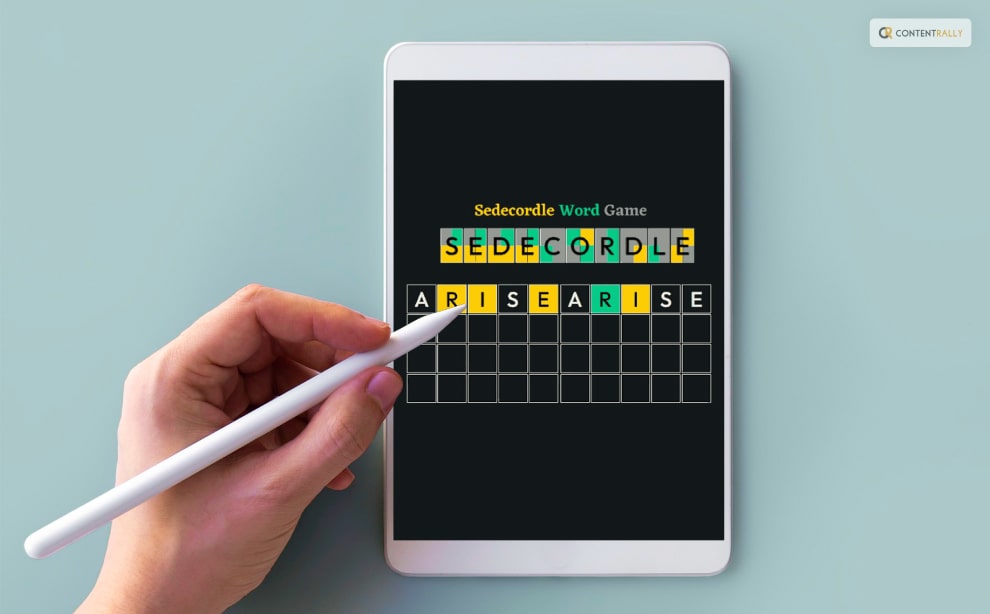
The game has 16 words in the form of puzzles that the players must guess. The chances to make attempts have become more limited to 21 times. You can play Sedecordle on their official website, www.sedecordle.com, which is compatible with mobile devices and desktops.

There is an accessible mode in the game where you can make as many attempts as possible. Sedecordle is more chaotic than Wordle as it is more straightforward, and the comprehension time to solve the puzzle is more restricted with the higher number of words.

What Is Sedecordle And How To Play It Like A Pro?  
What Is Sedecordle And How To Play It Like A Pro?  

The game is the developed version of Wordle which launched in 2021 and took the internet by storm. Thousands of players worldwide are playing this game, yet they need something more challenging.

Wordle is owned by the New York Times. However, people are getting bored from playing the same old game. Users face challenges from the updated versions of Wordle, such as Actorle, Crosswordle, Hurdle, and now Sedecordle.

These versions are all different spinoffs and variants, giving players a much more intense experience. These updated variants stimulate the brain further by increasing the probability of guessing the world correctly from the puzzle.

 What Is A Sedecordle?   

What Is A Sedecordle

The Sedordle game is an alternative to Wordle, an online game that is a word puzzle creating the most difficult of levels. The online word puzzle game has 16-word puzzles played simultaneously by players. The competition gives 21 attempts to guess and solve the puzzle.

It might seem similar to Wordle, but it is nothing like Wordle. It is more complicated as compared to Wordle. As a player, you have to note down 16 different hints which will come for you to solve the word puzzle.

Making the right decisions and strategies to eliminate the wrong options would be best. To create and implement the strategy, you have 5 chances to attempt 16 times to guess the 16 words. The possibility of losing the game is applicable for even one wrong attempt.

How To Play Sedecordle?  

How To Play Sedecordle?
Image Source: whdh.com

To play Sedecordle, open the official website and select "daily sedecordle" to access the daily puzzle. Another option is to select "free sedecordle," where you can play free puzzle games and learn from practice.

The first thing to notice is the puzzle numbers at the top of the page in the row version. There is a grid in which you have to identify the puzzle words. Each number resembles one word.

If you can guess the numbers correctly, you can keep track of the words you are guessing. Correctly guessing the number also means that you can jump to the corresponding numbers on the top.

There are many features, such as Fullscreen, Back, New, and Help, which can be used to learn how the Sedecordle game can be played on laptops and other devices. An essential characteristic of Sedecordle is that it provides feedback based on the action and reaction.

What Are The Rules To Play Sedecordle?  

What Are The Rules To Play Sedecordle

Specific rules must be followed when playing Sedecordle, which will help you understand the game better and make effective guesses.

  • The first rule is that the words are all 5-letter words; for each challenge, the players will have 16-word puzzles to solve.
  • Players can use 21 attempts for each challenge to make the correct guesses.
  • When you guess the words in the puzzle correctly, the color of the letters turns green.
  • When you guess the words incorrectly in the puzzle, the color of the letters turn gray.
  • Another helpful thing that the Sedecordle Wordle game does is turn the word yellow if the letter's position is wrong but present in the word.
  • Guesses can be repeated in the game.
  • The game does allow letters that have turned gray.
  • The words that are not acceptable turn red.

What Are The Tips And Tricks To Play Sedecordle?  

What Are The Tips And Tricks To Play Sedecordle?  

Some different tips and tricks can be used to play Sedecordle. It will ensure that you can maintain your winning streak in the game.

The first tip is that you can click on the top of the screen to change the number of puzzle boards constantly. For example, if you are at the 3rd puzzle board and want to solve it later, you can go to the 7th or 16th puzzle board by clicking on the top.

The second trick is to identify vowels because most words have at least one vowel in words; hence, you have to keep guessing the correct vowels appropriate for the comments.

An important tip is to attempt all the puzzle words by evaluating the green and yellow words to help you guess each word based on close attempts, mainly because you have just 21 attempts.

How To Fix A Sedecordle If It Does Not Work?  

There are significant glitches that might lead to Sedecordle not working. You won't be able to access the game; hence, there are some strategies that you can use to see if the game can be accessed or resumed.

First, you need to check your internet connection and any upcoming troubleshooting that might occur due to network issues. In most cases, the network issue is why the Sedecordle Wordle does not work.

At times, Custom DNS providers tend to fail in providing services concerning obscure websites. Due to the shortage of fulfilling these requirements, there might be an issue of Sedecordle not working. It would be best if you disabled custom DNS providers so that you can access the game.

VNS can also pose a threat when accessing the game of Sedecordle; hence, you must deactivate the VNS so that the website it has blocked can be accessed easily.

Conclusion   

Please read the article to learn more about Sedecordle and how it has successfully replaced Wordle.

Comment down below on your experience of Sedecordle and what changes you expect so that you can effectively play the game.

More Resources:

Content Rally wrapped around an online publication where you can publish your own intellectuals. It is a publishing platform designed to make great stories by content creators. This is your era, your place to be online. So come forward share your views, thoughts and ideas via Content Rally.

View all posts

Leave a Reply

Your email address will not be published. Required fields are marked *

Related

can you download on hbo max

HBO Max Downloads: Your Ticket To Binge-Watching Bliss

Are you ready to dive into the captivating world of HBO Max? Buckle up, because we're about to embark on a journey that will take your streaming experience to a whole new level. Downloading your favorite shows and movies from HBO Max is like having a treasure trove of entertainment at your fingertips, ready to accompany you on road trips, long flights, or those cozy nights in. Imagine this: You're lounging on your couch, remote in hand, and you suddenly realize you want to catch up on the latest episode of that gripping HBO series. But here's the twist - you don't need to be connected to the internet! With HBO Max's download feature, you can snatch your beloved content and keep it snugly tucked away on your device, ready to be enjoyed anytime, anywhere. But hold on, there's a bit of magic and finesse to this process, and that's where we come in. In the following paragraphs, we'll guide you through the seamless art of downloading from HBO Max, covering all the essential details and handy tips you need to know. So if you want to know how can you download on HBO Max, get cozy, and let's unravel the secrets of downloading on HBO Max… What Is HBO Max?   HBO Max is a top-tier streaming platform that offers a treasure trove of entertainment for avid viewers. Launched by WarnerMedia, this service combines the best of HBO with an extensive library of additional content, making it a one-stop-shop for all your streaming needs. One of the standout features of HBO Max is its vast array of high-quality original programming. From gripping dramas like "Game of Thrones" to laugh-out-loud comedies like "Friends," there's something for everyone. Moreover, they regularly release new exclusive content, ensuring you always have something exciting to watch. Transitioning from traditional cable to streaming? HBO Max has you covered with its live TV option. You can access a wide range of live channels, including news, sports, and more, all within the same platform. Say goodbye to channel surfing and hello to convenient streaming. HBO Max also excels in the movie department. It boasts an extensive collection of films, from blockbuster hits to critically acclaimed classics. With a subscription, you gain access to a rich tapestry of cinematic experiences, perfect for movie nights with friends or solo escapes. The platform is incredibly user-friendly, with a sleek and intuitive interface. You can create profiles for your family members, making it easy to keep your content separate and age-appropriate. Plus, you can download your favorite shows and movies for offline viewing, ideal for on-the-go entertainment. In conclusion, HBO Max is a streaming paradise, offering a diverse range of content that caters to every taste. Whether you're into binge-worthy series, the latest movies, or live TV, this platform has it all. Join the streaming revolution and dive into the world of HBO Max today! Can You Download On HBO Max?   Absolutely! When it comes to streaming services like HBO Max, the ability to download content for offline viewing is a game-changer. So, can you download on HBO Max? Let's dive into the details. HBO Max allows users to download their favorite movies and TV shows for offline enjoyment. This feature is perfect for those times when you're on the go, without a stable internet connection, or simply want to save on data usage. But how exactly can you make this happen? Firstly, ensure you have the HBO Max app installed on your device. Once you're logged in, you'll find a download icon next to eligible content. Simply tap on it, and the download will commence. You can choose between standard and high-quality downloads, depending on your preference and available storage space. The good news is that HBO Max's download feature is available on a wide range of devices, including smartphones, tablets, and even some smart TVs. So, whether you're using an Android or iOS device, you can enjoy your favorite HBO content without an internet connection. It's important to note that not all content on HBO Max is available for download due to licensing restrictions. However, a vast library of movies and TV series is ready to be saved for offline viewing. Keep an eye out for the download icon to identify downloadable content easily. So, to keep it short, yes, you can download on HBO Max, and it's a fantastic feature for users who want to enjoy their favorite HBO content without the need for a constant internet connection. So, grab your popcorn, download your chosen titles, and get ready to learn how to do it… How To Download On HBO Max?   In today's digital age, streaming platforms have become the go-to source for entertainment. HBO Max is no exception, offering a vast library of movies, TV shows, and original content. While streaming is convenient, there are times when you want to download your favorite content for offline viewing. Downloading on HBO Max is a convenient way to enjoy your favorite content offline. With the right device and a few simple steps, you can have your movies and TV shows ready to watch anytime, anywhere. In this guide, I will walk you through the steps of how to download on HBO Max, ensuring you can enjoy your favorite shows and movies even without an internet connection. Here are the steps that you might need to take to download something on HBO Max: Section 1: Getting Started   Let's kick things off by understanding the basics of HBO Max downloads. 1.1. Check Your Device Compatibility:   Before diving into the downloading process, ensure that your device is compatible with HBO Max downloads. Most smartphones and tablets running iOS or Android should support this feature. 1.2. Update HBO Max App:   Ensure that your HBO Max app is up to date. Developers often release updates to improve performance and add new features, including download enhancements. Section 2: Downloading Content   Now that you've prepared your device, let's proceed to the actual downloading process. 2.1. Select Your Content:   Open the HBO Max app and browse for the movie or TV show you want to download. Tap on it to open the details page. 2.2. Locate The Download Button:   Look for the download icon, usually represented by an arrow pointing downward. It's typically located near the title of the content. 2.3. Choose Your Download Quality:   HBO Max offers different download quality options, such as Standard or High. Select the quality that suits your preferences and available storage space on your device. 2.4. Start The Download:   Tap the download button, and HBO Max will begin downloading the content to your device. The download progress will be displayed, allowing you to monitor its status. Section 3: Managing Your Downloads   Now that you've successfully downloaded your content, let's explore how to manage and access it. 3.1. Accessing Your Downloads:   To access your downloaded content, go to the HBO Max app's main menu and find the "Downloads" section. Here, you'll see a list of all your downloaded movies and TV shows. 3.2. Play Downloaded Content:   Simply tap on the downloaded title you want to watch, and it will start playing. You don't need an internet connection to enjoy these downloads. 3.3. Deleting Downloads:   If you need to free up storage space or remove content you've finished watching, go to the "Downloads" section and select the content you want to delete. Tap the trash icon to remove it from your device. Section 4: Download Limits And Restrictions   It's important to be aware of the limitations and restrictions when it comes to HBO Max downloads. 4.1. Limited Offline Viewing Period:   HBO Max content you download has an expiration date. Typically, you'll have 30 days to start watching a downloaded title. Once you've started, you'll have 48 hours to finish it before it expires. 4.2. Maximum Number Of Downloads:   HBO Max may limit the number of titles you can download simultaneously. Be mindful of this restriction, especially if you plan to download multiple shows or movies. 4.3. Geographical Restrictions:   Keep in mind that HBO Max downloads are subject to geographical restrictions. Some content may not be available for download in certain regions due to licensing agreements. Section 5: Troubleshooting   In case you encounter issues while downloading on HBO Max, here are some common troubleshooting steps that you might try out: 5.1. Check Your Internet Connection:   Make sure you have a stable internet connection before attempting to download content. Downloads may fail or be slow with a weak connection. 5.2. Clear Cache And Data:   If you're facing issues with the HBO Max app, clearing its cache and data can resolve many problems. You can do this in your device's settings. 5.3. Reinstall The App:   If all else fails, uninstall and reinstall the HBO Max app. This can help resolve any software glitches that might be causing problems. How To Delete From HBO Max?   Are you looking to declutter your HBO Max library or remove a show or movie you no longer want to watch? Deleting content from your HBO Max account is a straightforward process. In this part of the article, I will walk you through the steps to help you free up some space and keep your streaming library organized. Step 1: Access HBO Max   First, open the HBO Max app or website and log in to your account. Ensure you are using the correct login credentials to access your profile. Step 2: Navigate To Your Library   Once you're logged in, go to the "Library" section. Here, you'll find all the content you've added to your HBO Max library, including your favorite shows and movies. Step 3: Find The Content To Delete   Scroll through your library to locate the content you want to remove. If you're using the app, you can easily swipe through your list. On the website, you can browse your library by category or use the search bar to find specific titles. Step 4: Select The Content   Click or tap on the content you want to delete. This will take you to the show or movie's details page. Step 5: Remove From The Library   On the show or movie's details page, you'll find an option to "Remove from Library" or "Delete." Click or tap on this option to initiate the removal process. Step 6: Confirm The Deletion   A confirmation prompt will appear to ensure you want to delete the selected content. Confirm your choice by clicking "Yes" or "Delete." Step 7: Check Your Library   Return to your library to make sure the content has been successfully removed. It should no longer appear in your list of saved titles. And there you have it! You've successfully deleted content from your HBO Max library, making room for new favorites. Keep in mind that this process works for both TV shows and movies, allowing you to customize your streaming experience. Things To Keep In Mind While You Download From HBO Max!   When it comes to downloading content from HBO Max, there are a few key things to keep in mind. First and foremost, it's essential to have a reliable internet connection. Without a stable connection, your download experience may be frustrating and prone to interruptions. Next, make sure you have enough storage space on your device. HBO Max offers a wide range of movies and TV shows, and these can take up a significant amount of space. Check your device's storage capacity and clear out unnecessary files if needed. Additionally, be mindful of your data usage, especially if you're downloading on a mobile device. Streaming and downloading can consume a lot of data, so it's a good idea to be on a Wi-Fi network whenever possible to avoid exceeding your data plan limits. When selecting content to download, consider your preferences and interests. HBO Max offers a diverse library, so choose shows and movies that align with your tastes. This will ensure a more enjoyable viewing experience. Once you've made your selections, double-check the download quality settings. HBO Max typically offers different quality options, such as Standard and High Definition. Adjust these settings according to your device's capabilities and your data constraints. Lastly, keep in mind that downloaded content may have a limited availability window. Some shows or movies may expire or become unavailable after a certain period. Check the details and expiration dates to make sure you don't miss out on your favorite content. Wrapping It Up!   Downloading from HBO Max can be a convenient way to enjoy content offline. By considering your internet connection, storage space, data usage, content preferences, quality settings, and expiration dates, you can make the most of your HBO Max download experience. In case you want to know the answer to “Can you download from HBO Max,” I hope that this blog has been of help to you. If there are any other queries related to the same, feel free to let me know. All that you need to do is scroll down till you reach the bottom of the page, Then leave your comments and queries in the box below. And I will be there to answer them all for you! Learn More About: A Perfect Guide To Cancel HBO Max In 2023 Movie Streaming Website Putlocker ch is Down; Here Are the Three Top Alternatives Streamlining Video Content For Global Audiences With Professional Subtitling Services

READ MOREDetails
how to cancel HBO Max

A Perfect Guide To Cancel HBO Max In 2023  

“How to cancel HBO Max?” If you are wondering why a lot of people are suddenly searching for this, I have some information to share! In the quest to manage your streaming expenses wisely, it's becoming increasingly challenging. In 2022, popular platforms such as Netflix, Disney+, Hulu, and Apple TV+ all implemented price hikes, and HBO Max followed suit in January. The landscape changed in May when HBO Max merged with Discovery+ to form Max. For those seeking ad-free 4K video quality and the ability to stream on more than two devices simultaneously, this enhanced service will require a monthly fee of $19.99, reflecting a $5 increase. If this price adjustment doesn't align with your budget or if you're dissatisfied with HBO Max's strategy of reducing available content while simultaneously raising costs, it may be time to consider canceling your HBO Max subscription. If you want to know how to cancel HBO max subscription, you will find this blog to be of help. Keep reading this article till the end to learn more… But First, What Is HBO Max?   HBO Max is a streaming platform that offers a wide range of content, including movies, TV shows, original series, documentaries, and more. It's owned by WarnerMedia and is the home to a vast library of content, including HBO's original programming like "Game of Thrones," as well as additional content from Warner Bros., New Line Cinema, DC, CNN, TNT, TBS, Cartoon Network, and more. HBO Max also produces its own exclusive content, making it a competitive player in the streaming market. Users can subscribe to HBO Max to access its extensive library of entertainment on various devices, including smartphones, tablets, smart TVs, and computers. It offers both on-demand streaming and live TV options, making it a comprehensive streaming service for a wide range of viewers. How To Cancel HBO Max?   To cancel your HBO Max subscription, you'll need to follow the cancellation process based on how you initially subscribed to the service. Here are the steps for various methods: 1. Canceling Via HBO Max Website:   Go to the HBO Max website (hbomax.com) and sign in to your account. Click on your profile icon, usually located in the upper right corner. Select "Billing Information." Find and click on "Manage Subscription." Follow the on-screen instructions to cancel your subscription. 2. Canceling Via Streaming Platform (e.g., Apple, Google Play, Roku, etc.):   If you subscribed to HBO Max through a third-party service, you'll need to access that service to cancel. For example, if you subscribed through the Apple App Store, go to your Apple ID settings to manage your subscriptions and cancel HBO Max from there. 3. Canceling Aia Cable Or TV Provider:   If you have an HBO Max subscription through your cable or TV provider, you'll need to contact your provider directly to cancel. Remember to cancel your subscription before your next billing cycle to avoid being charged for the following month. After canceling, you can continue to access HBO Max until the end of your current billing period. Note: The cancellation process may vary slightly depending on updates or changes made by HBO Max or the platform through which you subscribed, so it's a good idea to check the official HBO Max website or contact their customer support for the most up-to-date instructions. HBO Max Alternatives In 2023!   Certainly! Here are the top 10 alternatives to HBO Max, each offering its own unique selection of movies, TV shows, and original content: 1. Netflix:    Known for its vast library of original content, Netflix offers a wide variety of genres, including drama, comedy, documentaries, and international shows. 2. Amazon Prime Video:    This service comes bundled with an Amazon Prime membership and offers a diverse range of movies, TV series, and original programming. 3. Disney+:    Disney+ is the go-to platform for Disney, Pixar, Marvel, Star Wars, and National Geographic content, making it perfect for fans of these franchises. 4. Hulu:    Hulu provides a mix of current episodes of popular TV shows, original series, and a vast library of on-demand content from various networks. 5. Apple TV+:    Apple's streaming service focuses on original content, including acclaimed series like "The Morning Show" and "Ted Lasso." 6. Paramount+:    Formerly known as CBS All Access, Paramount+ offers a variety of content, including shows from CBS, BET, MTV, and Paramount Pictures. 7. Peacock:    Owned by NBCUniversal, Peacock features a mix of movies, TV shows, news, and sports, including popular series like "The Office." 8. YouTube TV:    YouTube TV is a live TV streaming service that provides access to a wide range of channels, including local networks and sports. 9. Vudu:    Vudu is a digital rental and purchase platform where you can buy or rent movies and TV shows. It's not a subscription-based service but offers a vast catalog of content. 10. Crave (Canada):    Crave is a Canadian streaming service that offers a combination of content from HBO, Showtime, STARZ, and more, making it a good alternative for HBO Max in Canada. Wrapping It Up!   The cancellation process may vary depending on how you initially subscribed to the service. If your account is linked to a TV or wireless provider, you'll need to reach out to them directly to initiate the cancellation. To keep your streaming costs in check and adapt to these changes in the streaming landscape, it's essential to assess your subscription options and make informed decisions that align with your budget and content preferences. In case you want to know how to cancel HBO Max, I hope that this blog has been of help to you. If there are any other queries related to the same, please feel free to let me know. All that you need to do is scroll down till you reach the bottom of the page. Then leave your comments and queries in the box below. And I will be there to answer them all for you! Learn More About: Why Modern Users Prefer Streaming? Movie Streaming Website Putlocker ch is Down; Here Are the Three Top Alternatives Streamlining Video Content For Global Audiences With Professional Subtitling Services

READ MOREDetails
How tubi.tvactivate works

Tubi.TV/Activate: What Is It And How Does it Work?

Though they can be much more, movies are intended to be entertaining. A little preparation on your part can make movie night both entertaining and educational for your kids. For a considerable amount of time, Friday nights have been the weekly "Movie Night" for our family. Rather than just renting a movie and letting the kids watch it, family movie nights are more planned. If you are looking for a free streaming service to watch movies with, learn the tricks behind tubi.tv/activate. What Is Tubi.tv/Activate? With a unique offering, Tubi is a free streaming service. The rapidly expanding company provides a variety of free-to-watch movies and TV series, original content (AVOD), and live TV streaming channels (FAST) without requiring a monthly membership. Consider it as a more marketed version of Netflix that doesn't require a subscription. However, since Tubi is free, you will need to make some allowances. Firstly, there are advertisements. They exist, but they're not overpowering. Secondly, the majority of on-demand content consists of reruns of older television series and films from cable and other broadcast services. Though Tubi hasn't yet created any original content of its own, the streamer has a ton of it created specifically for the service, which is available in its Tubi Originals section. How To Use The Code Tubi.tv/Activate? 1. Open your device's Tubi TV app, search for the "Sign In" link, and log into your account. You can quickly create a Tubi TV account by selecting the "Sign Up" option. Alternatively, you can sign up or log in using your Google account. 2. The "Activate Your Device" screen would block you after you logged into your account. Now, open a web browser on your computer or mobile device and go to www.tubi.tv/activate. (Note: make sure you remain on the page where the activation code is displayed for the device). 3. The webpage for Tubi TV activation loads in all web browsers. In addition, you would have to use the browser to log into your Tubi TV account. Once you did, a box would appear for you to enter the activation code that showed up on your device. 4. Tap or click the large "Activate" button after carefully entering the Tubi activation code in the designated box. And that's it! After this is finished, the activation screen will never appear again and you can stream Tubi TV on your device. YouTuFab Tubi TV Downloader A computer application called YouTuFab Tubi TV Downloader enables you to download movies and TV series from Tubi TV. This user-friendly software, which is compatible with both Windows and macOS operating systems, allows you to download videos from a variety of streaming services, including pornographic websites. With the YouTube downloader, you can store Tubi TV series and films in crisp HD resolution (up to 720p) with an AAC audio track. The subtitles can be saved as independent SRT files or remixed into the videos while the download is still in progress. The videos will be saved in MP4 format. Additionally, YouTuFab Downloader eliminates movie advertisements and offers Batch Mode, which allows you to download up to 10 videos at once. How To Download Shows Using Tubi.tv/Activate? 1. Installing YouTuFab on your MacBook or Windows PC should be your first step. After that, run the application and adhere to the instructions below. 2. Open the downloader, then select "VIP Services." Locate the Tubi TV card and give it a double-click. Please log in to your account. 3. Click the Play button after finding the movie you wish to download to your computer. When a movie or show begins to play, a download button will appear in the upper-left corner. Click the button to add the title that is currently "Playing" to your "Download Queue." 4. You can play other videos you want to download and add them to your queue by clicking the download button once the first video begins to download. Nevertheless, YouTuFab Downloader can recognize and download every episode of a series at once. Go to the "Downloading" tab to see the status of the download. The downloads can be stopped and resumed whenever you want. Alternatives For When Tubi.tv/Activate Does Not Work  Here are some other ways to watch movies for free on other online streaming platforms. Take a peak: Crackle  Crackle is a free streaming service that provides access to hundreds of movies and TV series, much like Tubi and Freevee. Among the more notable titles are Hollywood blockbusters like Mad Max: Fury Road, small independent films like Short Term 12, and network series like Shameless and Community. Though the ads are annoying and Crackle doesn't have nearly as many options as its rivals, it's still a respectable and affordable substitute that takes care of any streaming requirements you may have. The majority of popular streaming devices, including the Xbox and PlayStation game consoles, can also play it.  Stirr Sinclair Broadcast Group is the owner of the American ad-supported streaming service Stirr. 2019 saw its launch. In addition to being free, it offers access to more than 8,000 hours of on-demand movie content, 120+ TV series, and live local news. Those who don't want to pay a monthly cable fee and don't mind sporadic commercials while watching their favorite movies and TV shows should use this service. How To Plan A Movie Night? A family movie night is primarily about spending time together as a unit in a straightforward yet meaningful activity. Before you settle in to watch the movie, set a start time and finish all the work. My kids would occasionally even create custom tickets and pick them up as soon as they got inside the "theater." Before you begin, prepare a bowl of popcorn and some other snacks to set the mood of a movie. The movie and your snacks can be "matched" thematically for extra interest. Family Movies is a great way to introduce foods to your kids that they might not otherwise try. To watch the Chronicles Of Narnia, for instance, prepare a batch of "Turkish Delight." Or you can serve Indian bread and chutney while watching Bend It Like Beckham. It's simple to learn about the movie the night before, thanks to the internet. You can choose the best movies for your family by reading online reviews, which will also give you an idea of what It's simple to learn about the movie the night before, thanks to the internet. Additional research will likely yield activity suggestions or possibly a study guide covering the entire lesson plan and movie. Families can plan activities to do both before and after the movie by using these resources. Depending on the movie, our family may have knowledge of the backdrop and some background from a prior film. We can plan any intriguing activities we discover based on the film for the following day. You and your children will learn a great deal more by watching movies together and extending the movie-watching experience. Wrapping Up Tubi's content library is surprisingly extensive. Some of it may even be more recent. This makes sense as well since more recent and well-liked content generates more views, which increases the number of eyes on advertisements and puts more money in everyone's pocket .If you have thoughts to share or questions to ask about Tubi.tv/Activate, please leave a comment below. We would love to hear from you! Learn More About: M4UFree – Download Online Movies For Free Putlockers And Servers: Watch Movies Online Top 5 Sites Like Solarmovie To Watch Movies Online The Names Of Best Movies Which You Should Know On Max Right Now

READ MOREDetails