Action RPGs (Role-Playing Games) have captured the hearts of gamers worldwide, offering thrilling combat, immersive storytelling, and the opportunity to embark on epic journeys in fantastical realms. If you're a fan of intense battles, intricate character progression, and making impactful decisions that shape the game's narrative, then action RPGs are the genre for you.
In this blog post, we'll explore some of the must-play action RPGs that have left an indelible mark on the gaming landscape, inviting you to unleash your destiny in captivating virtual worlds.
The Witcher 3: Wild Hunt
[caption id="attachment_45540" align="aligncenter" width="1579"]source[/caption]
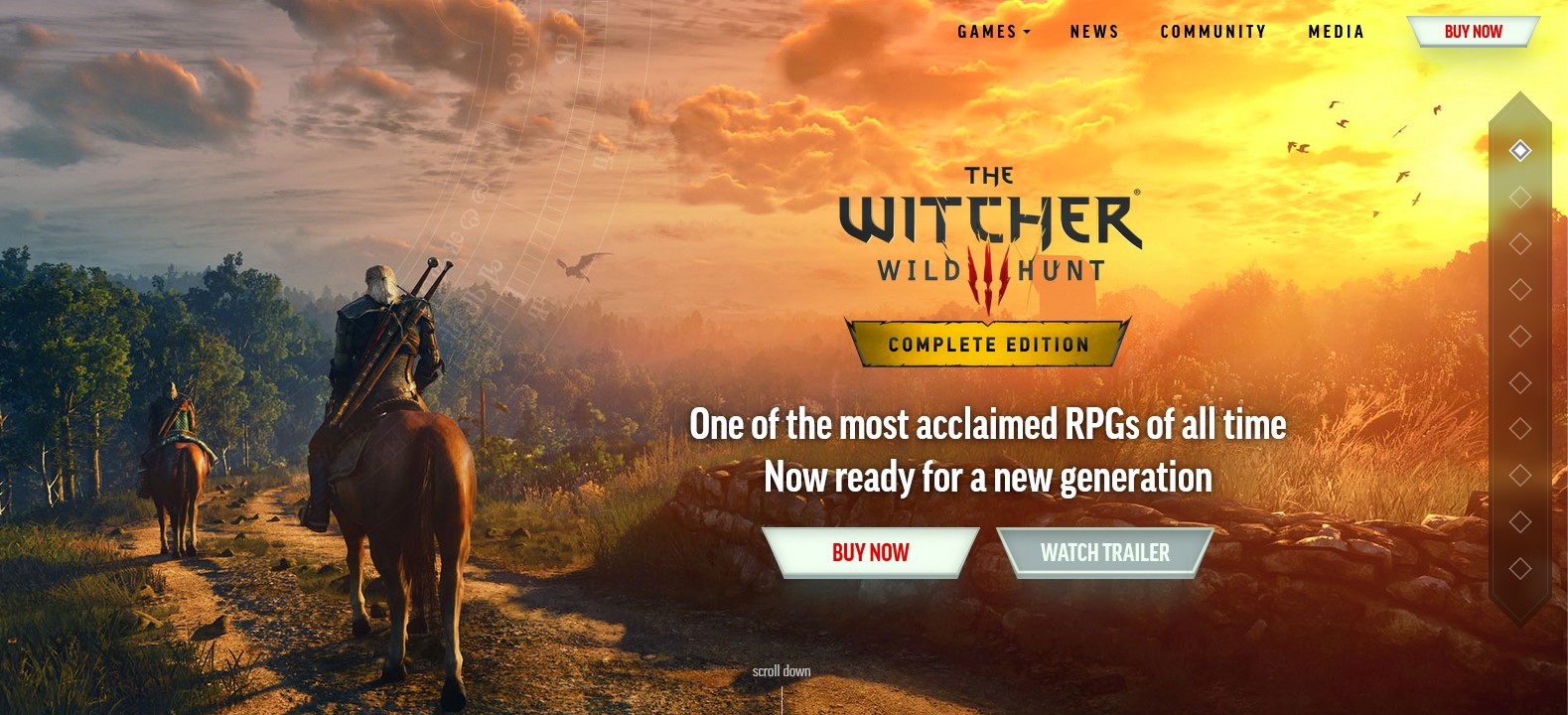
At the top of our list is The Witcher 3: Wild Hunt, an action RPG masterpiece developed by CD Projekt Red. As the skilled monster hunter Geralt of Rivia, players embark on an epic journey across a sprawling open world filled with captivating quests, morally complex choices, and memorable characters. The Witcher 3's rich storytelling, stunning visuals, and dynamic combat system ensure an unforgettable gaming experience that will keep you immersed for countless hours.
Dark Souls III
For those seeking a true test of skill and patience, Dark Souls III is the epitome of challenging action RPGs. Developed by FromSoftware, this dark and atmospheric title sets players in a decaying world where every step is fraught with danger. Combat is punishing yet rewarding, as players face monstrous foes and intricate boss battles. Dark Souls III's haunting world and intricate lore have earned it a reputation as one of the most iconic action RPGs of all time.
Bloodborne
From the creators of Dark Souls comes Bloodborne, a Gothic action RPG that trades medieval fantasy for a nightmarish Victorian-era city. Players become hunters in a world infested with grotesque and otherworldly creatures. Bloodborne's fast-paced combat, unique weapon mechanics, and enigmatic storyline create an atmospheric and intense gaming experience that will leave you craving more.
Monster Hunter: World
In Monster Hunter: World, developed by Capcom, you'll step into the shoes of a skilled hunter tasked with taking down colossal creatures. This action RPG emphasizes tactical gameplay, as you must study your prey's behavior, weaknesses, and attack patterns to succeed. The thrill of defeating massive monsters and the satisfaction of crafting powerful gear make Monster Hunter: World an addictive and rewarding experience.
Nioh
Set in a supernatural version of feudal Japan, Nioh offers fast-paced combat and intricate level design reminiscent of the Souls series. As skilled samurai, players must master the art of combat and navigate through challenging environments filled with deadly foes and powerful bosses. Nioh's blend of history, mythology, and action-packed gameplay creates a gripping experience that will test your reflexes and determination.
Horizon Zero Dawn
Horizon Zero Dawn, developed by Guerrilla Games, delivers a post-apocalyptic action RPG set in a lush and beautifully rendered world. Players control Aloy, a skilled hunter, as she navigates a world overrun by robotic creatures. The game's stunning visuals, engaging narrative, and dynamic combat against mechanized foes offer a unique and captivating gaming experience.
Diablo III
For fans of loot-filled adventures, Diablo III is a must-play action RPG from Blizzard Entertainment. Set in the dark fantasy world of Sanctuary, players explore dungeons, battle hordes of demons, and collect powerful gear to become legendary heroes. With its addictive gameplay loop and cooperative multiplayer, Diablo III has solidified its place as a classic action RPG.
Sekiro: Shadows Die Twice
Sekiro: Shadows Die Twice, another gem from FromSoftware, places players in the shoes of a shinobi in feudal Japan. The game's fast-paced combat, stealth mechanics, and challenging enemies demand precision and skill. With its captivating story and exhilarating boss battles, Sekiro offers a unique action RPG experience that stands apart from other titles.
NieR: Automata
NieR: Automata, developed by PlatinumGames, is a thought-provoking action RPG that blurs the line between humans and machines. Players control androids in a post-apocalyptic world, battling against robotic enemies in fast-paced combat. The game's deep narrative, emotional storytelling, and multiple endings make it a truly unforgettable experience.
God Of War (2018)
Santa Monica Studio's God of War reinvents the iconic series with a more mature and emotional storyline. Players follow Kratos and his son Atreus on a mythological adventure through Norse realms, complete with brutal combat and challenging puzzles. The game's character development, breathtaking visuals, and powerful storytelling have cemented God of War as a must-play action RPG.
Conclusion
The world of action RPGs is truly a magical place filled with endless possibilities. With vast open worlds and challenging foes to face off against, these games offer an exhilarating gaming experience that simply can't be beaten. However, if you want to take your gaming experience to the next level, consider building your own laptop.
A custom-built laptop will allow you to fully immerse yourself in these captivating virtual realms and experience the thrill of battle like never before. So, whether you're a seasoned gamer or just starting out, don't miss out on these must-play action RPGs and invest in the ultimate gaming setup today!
Content Rally wrapped around an online publication where you can publish your own intellectuals. It is a publishing platform designed to make great stories by content creators. This is your era, your place to be online. So come forward share your views, thoughts and ideas via Content Rally.
Hey there, fellow TV and streaming enthusiasts! Ready to dive into the world of HBO Max? Well, hold onto your remote because we're about to explore one of the most convenient ways to unlock all that HBO Max goodness on your television – the HBO Max/TV sign-in.
No more fumbling through endless menus or missing out on your favorite shows. In this article, I will walk you through the simple steps to get you binge-watching your favorite HBO Max content right on your big screen. So, grab your popcorn, find that comfy spot on the couch, and let's get your TV tuned in for some serious streaming action!
What Is HBO Max/TV Sign In?
HBO Max/TV sign-in refers to the process of logging into the HBO Max streaming service or app using your TV or cable provider's credentials. Many HBO Max users have the option to access the service by authenticating with their cable or satellite TV provider's information. This typically grants access to HBO Max content as part of their TV subscription package.
To sign in with HBO Max/TV, you would typically follow these steps:
Open the HBO Max app or go to the HBO Max website.
Look for the "Sign In" or "Log In" option.
Select the option to sign in with your TV or cable provider.
You may be prompted to enter your TV provider's username and password.
Once you've successfully signed in, you should have access to HBO Max content through your TV subscription.
How To Use HBO Max/TV Sign In?
Using HBO Max/TV sign-in to access HBO Max content with your cable or satellite TV provider's credentials is relatively straightforward. Here's a step-by-step guide on how to do it:
1. Install The HBO Max App (If Not Already Installed): If you don't already have the HBO Max app, download and install it on your preferred device, such as a smartphone, tablet, smart TV, or streaming device.
2. Launch The HBO Max App: Open the HBO Max app on your device.
3. Find The Sign-In Option: Look for the "Sign In" or "Log In" option on the app's main screen. It's typically located at the top right or bottom right corner of the screen.
4. Select Sign In With TV Provider: Tap on the option that allows you to sign in with your TV provider. This may be labeled as "Sign In with TV Provider" or something similar.
5. Choose Your TV Provider: You'll likely be presented with a list of TV providers. Scroll through the list and select your TV provider from the options provided.
6. Enter Your TV Provider Credentials: You will be prompted to enter your TV provider's username and password. These are the credentials you use to log in to your cable or satellite TV account.
7. Sign In: After entering your TV provider credentials, tap the "Sign In" or "Log In" button.
8. Access HBO Max: Once you've successfully signed in, you should gain access to HBO Max content based on your cable or satellite TV subscription. You can now browse and watch HBO Max movies, TV shows, and original content.
Please note that the specific steps and appearance of the HBO Max app may vary slightly depending on the device you're using and any updates made to the app. If you encounter any issues or have trouble signing in, you may need to contact your TV provider's customer support for assistance or visit the HBO Max website for troubleshooting guides specific to your provider.
How To Get HBO Max On TV?
Now that you know about the HBO Max/TV sign in option, you might be thinking about the ways to get the app or platform on your television. Well, I have you covered!
To get HBO Max on your TV, you can use several methods depending on your TV's capabilities and your preferences. Here are some common ways to access HBO Max on your TV:
1. HBO Max App On Smart TVs:
Many smart TVs come with an app store where you can download the HBO Max app. Simply go to your TV's app store, search for "HBO Max," download the app, and follow the on-screen instructions to sign in or subscribe.
2. Streaming Devices:
If your TV isn't a smart TV or doesn't have the HBO Max app available, you can use a streaming device such as Roku, Amazon Fire TV, Apple TV, Google Chromecast, or similar devices. Plug the streaming device into your TV's HDMI port and set it up. Then, download the HBO Max app from the device's app store and sign in or subscribe.
3. Game Consoles:
Some gaming consoles like Xbox and PlayStation also support the HBO Max app. Go to your console's app store, search for HBO Max, install the app, and sign in or subscribe.
4. Cable or Satellite TV Subscription:
If you have an existing cable or satellite TV subscription that includes HBO, you may have access to HBO Max. Use the HBO Max/TV sign-in method mentioned earlier in this conversation to log in to HBO Max using your TV provider's credentials.
5. Casting Or Screen Mirroring:
If you have a smartphone or tablet with the HBO Max app, you can cast or screen mirror content to your TV if it supports these features. This typically involves using technologies like Google Cast (for Chromecast) or Apple AirPlay (for Apple TV).
6. HDMI Cable From A Computer:
If you have a computer with an HDMI output, you can connect it to your TV using an HDMI cable. This allows you to play HBO Max content from your computer's web browser onto your TV screen.
7. HBO Max on Set-Top Boxes:
Some cable or satellite TV providers offer HBO Max as part of their set-top box services. Check with your TV provider to see if they offer HBO Max and how to access it through your set-top box.
Remember that the availability of HBO Max on different devices may vary by region and is subject to change. Always check the HBO Max website or consult your TV's user manual for specific instructions on how to get HBO Max on your particular TV model or device.
Can You Scan The HBO Max QR Code On TV?
Unlocking HBO Max on your TV via QR code is a breeze. To get started, follow these simple steps:
1. Launch The HBO Max App: Open the HBO Max application on your TV device and select 'Sign In.'
2. Prepare Your Phone or Computer: While keeping the screen displaying the QR code on your TV visible, grab your smartphone or computer.
3. Choose Your Method:
QR Code Scan - Use your smartphone's camera to scan the QR code displayed on your TV screen.
Manual Entry - If you prefer, visit max.com/signin on your phone or computer. Then, enter the 6-character sign-in code shown on your TV. If the code doesn't work, don't worry!
4. Sign In: Once you've completed the QR scan or entered the code, proceed to enter your HBO Max account email and password on your phone or computer. Then, select 'Sign In.'
5. Tailor Your Experience: Head back to your TV and choose the user profile you'd like to use, and you're all set to start streaming your favorite content.
Wrapping It Up!
In case you want to know about HBO Max/TV sign in and other details related to the same, I hope that this blog has been of help to you. If there are any other queries related to the same, feel free to let me know. All that you need to do is scroll down till you reach the bottom of the age. Then leave your comments and queries in the box below. And I will be there to answer them all for you!
Learn More About:
How To Stream On YouTube Effectively?
A Perfect Guide To Cancel HBO Max In 2023
Movie Streaming Website Putlocker ch is Down; Here Are the Three Top Alternatives
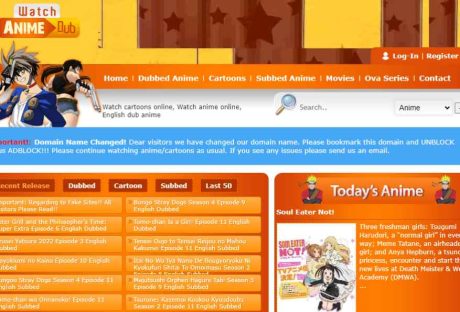
Among the various websites that are well-liked by anime enthusiasts, WcoStream is one of the most popular ones. The service allows you to view and enjoy your favorite anime without spending a thing.
Sadly, many anime streaming services operate in a gray area of the law. Some of these websites are also obvious frauds that won't think twice about stealing their customers' cash or private information at first chance they have.
Hence, if you're a passionate anime lover, you must proceed cautiously before accessing any anime streaming portal. Therefore, read this guide to understand how to access this website and watch anime online for free without any worries!
What Is WcoStream?
Users may watch their preferred anime for free on WcoStream, an internet streaming service. The website was only established in 2019, making it relatively recent. Nonetheless, WcoStream has seen a steady rise in traffic recently, mainly because of its free streaming options.
The extensive collection of anime that this website keeps up is another factor in its appeal. Also, it hosts anime movies on occasion, which could make it a favorite among those who enjoy movies.
How To Register For WcoStream?
In order to register on WcoStream, here are the steps that you need to follow:
Visit the official website of WcoStream.
Click on the option that reads Register located at the upper right corner of the page.
On the Registration window that appears on the screen, enter the preferred registration name that you want.
Enter your email address where you would like to receive mail from the platform.
Set your password. Make sure that it is strong enough.
Enter your first and last name on the panel.
Click on the option that reads “Register.”
Congratulations! You have finally created our account.
How To Stream And Download Anime From WcoStream?
It is easy to stream and download anime episodes and movies from WcoStream. Although its UI can be cluttered according to user preferences, it can still be easily navigable. However, do note that there is no Wcostream app or WcoStream apk.
If you wish to watch and stream anime from this website, here are the steps that you need to follow:
First, create a secure connection using any VPN tools. For this, I suggest using NordVPN since they are one of the best VPN tools in the market.
After establishing a secure VPN connection, it's time to visit the website www.wcostream.com.
After you open the website, you will land on its homepage. Here, you will get various anime recommendations. These recommendations are typically new anime and often include the trendiest ones too. Alternatively, you can search for any specific anime you wish to see on the search box at the top of the home page.
After selecting an anime you wish to watch, its episode and seasons list will open up. Pick the episode you wish to watch by clicking on it.
Now, you will be redirected to the page where you can watch the episode. If you wish to download it, there’s an option to do so below the player on the page itself. Simply click on it if you want to do so.
After clicking on the download button, you will be redirected to another page from where your downloads will start. You must select the folder destination to download the anime episode in your storage.
Is WcoStream Safe? Is WcoStream Legal?
Although being exact, the WcoStream anime website is illegal. This is because it does not possess anime copyrights. It is actually a pirate site to view and download anime without paying anything.
In addition, the website's webmaster does not own any anime series or movies shown on the website. Therefore, the legal team of the series can have the site blocked at any time.
It's crucial to know that this website is illegal and depends on advertisements. Some of the advertising may include dangerous viruses that damage your device (often called adware). In addition, there may be lags and network server errors while watching anime on this platform.
Do You Need To Pay To Enjoy WcoStream?
You don't need to establish a profile to use WcoStream because it is entirely free. Through the platform's homepage, you can instantly access content. However, some functions of the website might require a login.
Having said that, it is mandatory that you create and register yourself as an authentic user of the platform to enjoy the services of the site.
Is There A WcoStream APK?
YES, that is the shortest answer to this question. The app for WcoStream is rather popular.
The Wcostream App stands out as a top-tier anime streaming app, offering a diverse array of genres like romance, horror, science fiction, and comedy, both online and offline. With this app installed, you can bid farewell to the need to visit the website to enjoy manga and anime content.
If you wish to avoid ads, which may be bothersome, consider opting for the premium version of Wcostream APK. Whether you go for the free or subscription-based option, this application offers an excellent means of indulging in non-stop entertainment through animated series.
How Does WcoStream Make Money?
When considering anime streaming services, concerns about validity may arise. Many people might question the legitimacy of WcoStream. In essence, the assertion holds true, although this heavily relies on the criteria used to establish a website's legitimacy. WcoStream's authenticity is substantiated by its registered domain name.
An added benefit of WcoStream lies in its provision of lawful services. Users can access various anime and cartoons on the WcoStream website. Besides its legality, there are numerous additional advantages to choosing WcoStream as your primary anime streaming platform. The platform boasts an extensive collection of anime, cartoons, and even movies.
Furthermore, all content available on WcoStream's platform is freely accessible. This serves as the website's main selling point. The prospect of enjoying your favorite anime without charge presents a compelling reason to opt for the WcoStream streaming service.
Best Alternatives For WcoStream For Watching Anime
Is Wcostream not working for you? This can happen for various reasons, ranging from needing a proper VPN connection to the website being blocked in your country. In addition, the site often goes into maintenance mode, where all users are prohibited from entering the website.
Therefore, in such dire situations, you can watch anime from various Wcostream alternative websites, most of which are free.
1. Zoro.to
In 2023, Zoro.to emerged as one of the best anime streaming websites for Otakus and Weebbs. Unlike other anime streaming websites, this site is not blocked in most countries. Therefore, it is one of the most easily accessible anime streaming sites.
Named after the character Zoro from One Piece, this site allows you to stream anime episodes from various servers. In addition, you will see fewer advertisements throughout your entire streaming session compared to other free anime streaming sites.
2. KissAnime
KissAnime has been in the mouths of every otaku not from Japan for many years. Considered to be one of the OG free anime streaming websites, it has now become the biggest compared to all. It got so big that the developers have now developed various sibling sites like KissAsian (for Korean dramas), KissHentai (you guessed it right), and more!
However, several issues like unstable servers, an unending stream of advertisements, and more have recently plagued the site. This has led to an overall decline in its popularity and traffic.
3. Crunchyroll
Crunchyroll is by far the best website for watching anime. However, unlike the other sites I have mentioned in this post, this site has a premium version.
Crunchyroll is the first site that comes to everyone's mind if asked about the best website to watch anime legally. It has a free version, where you will be bombarded with ads twice per episode. This forces everyone to subscribe to the premium version eventually.
Conclusion
WcoStream is a popular anime website with an extensive collection of anime and cartoons you can watch for free. While this site is blocked in most countries globally, you should use a VPN to access this site. If you cannot access this site, you can take the help of other sites like Zoro.to, KissAnime, and Crunchyroll. These are also great sites to watch anime for free! If you know about any other anime websites, share their name in the comments below!
Read Also:
Animix Play Review – All You Need To Know
3 Reasons Dragon Ball Z is the Best Action Anime Show
What Is Reaperscans? Is It Illegal? How To Find Comics On It?
Are you searching for a church community where you can feel at home, regardless of your background, beliefs, or life journey? Look no further than Planetshakers Melbourne church.
Nestled in the heart of this vibrant Australian city, Planetshakers has earned a reputation for being a warm and inclusive haven for people from all walks of life.
Our Commitment To Inclusivity
At Planetshakers Melbourne Church, we firmly believe that every individual is God's valuable and unique creation. Regardless of your age, race, gender, sexual orientation, or religious background, you are welcome with open arms. We believe that love and acceptance should be extended to all, just as Christ did.
Our commitment to inclusivity is a statement and a way of life. We strive to create an environment where diversity is tolerated and celebrated. This diversity enriches our community and allows us to learn from one another. We believe that unity in diversity is one of the most powerful ways to reflect God's love.
A Diverse Congregation
Our community reflects the rich tapestry of Melbourne's cultural diversity. Step inside our doors, and you'll find individuals and families from various ethnic backgrounds coming together to worship and grow spiritually. The beauty of our diverse congregation lies in the unity we see in our shared faith.
Our multicultural congregation brings together people from different parts of the world who speak other languages and have unique traditions. Yet, we are bound together by our shared love for Jesus Christ. This unity in diversity is a testament to the inclusive spirit of Planetshakers Melbourne Church.
A Place Of Worship And Connection
Planetshakers Melbourne Church offers a dynamic and contemporary worship experience. Our services are designed to inspire, uplift, and empower. Whether you're a seasoned Christian or someone exploring spirituality for the first time, you'll find our worship services engaging and relevant.
Our worship is not just about songs and sermons; it's about encountering God accurately and meaningfully. The music is vibrant, the messages are practical, and the atmosphere is welcoming. You'll find a diverse group of people passionate about worshipping God and growing in their faith.
In addition to our Sunday services, we have midweek gatherings, prayer meetings, and special events that provide opportunities for you to connect with others on a deeper level. Building meaningful relationships is essential to your spiritual journey; we allow those connections to flourish.
Connecting Beyond Sunday
We understand that church is not just a Sunday event. That's why we offer a variety of programs and groups to help you connect with others and deepen your faith journey. Whether you're interested in joining a small group, participating in community outreach, or seeking counseling and support, we're here to walk with you.
Our small groups cover various topics and interests, from Bible study and prayer to fitness and parenting. These groups are where you can find support, share your experiences, and grow with others who share your interests and values.
Community outreach is another integral part of our church life. We believe in making a positive impact on our city and beyond. Whether feeding the hungry, supporting local schools, or partnering with organisations to address social issues, we are committed to being a force for good in our community.
Youth And Children
Families are essential to our community, and we have dedicated programs for children and youth. We believe in providing a safe, nurturing environment where young people can encounter God and learn about His love.
Our Sunday School classes are age-appropriate and engaging, designed to teach children about the Bible and the foundations of the Christian faith. We also have youth gatherings and events that allow teenagers to connect with their peers and grow in their relationship with God.
Music And Creativity
Planetshakers is quite popular for its vibrant and inspiring music ministry. Our talented worship team, known for its globally recognized music, leads us in heartfelt worship every week. If you are passionate about music or creative arts, you'll find a place to express your talents and contribute to the church's vibrant culture.
We believe that music and creativity are powerful tools for conveying the message of God's love. Whether you're a musician, a vocalist, a dancer, or an artist, there's a place to use your talents to glorify God and inspire others.
Get Involved
Becoming part of the Planetshakers Melbourne Church community is easy. Simply join us for one of our services, and you get a warm welcome by friendly faces eager to help you feel at home. We also encourage you to explore our website for information on upcoming events and opportunities to get involved.
One of the best ways to get connected is to attend our Newcomers' Orientation, where you can learn more about the church, meet our pastors and leaders, and discover how you can become a part of our vibrant community.
Conclusion
Planetshakers Melbourne Church is not just a place of worship; it's a place of belonging. You are welcome here regardless of where you've been or where you're going. Come as you are, and let's journey together in faith, hope, and love. We can't wait to meet you and welcome you into our loving community at Planetshakers Melbourne Church.
Read Also:
Ways To Improve Children’s Parties
6 Delicious Cakes That You Must Try This Winter














 source[/caption]
At the top of our list is The Witcher 3: Wild Hunt, an action RPG masterpiece developed by CD Projekt Red. As the skilled monster hunter Geralt of Rivia, players embark on an epic journey across a sprawling open world filled with captivating quests, morally complex choices, and memorable characters. The Witcher 3's rich storytelling, stunning visuals, and dynamic combat system ensure an unforgettable gaming experience that will keep you immersed for countless hours.
source[/caption]
At the top of our list is The Witcher 3: Wild Hunt, an action RPG masterpiece developed by CD Projekt Red. As the skilled monster hunter Geralt of Rivia, players embark on an epic journey across a sprawling open world filled with captivating quests, morally complex choices, and memorable characters. The Witcher 3's rich storytelling, stunning visuals, and dynamic combat system ensure an unforgettable gaming experience that will keep you immersed for countless hours.