

Unlucid AI is a free-to-start, browser-based platform for image generation, short video effects, and photo editing.
It is a low-friction tool, as it does not require downloads or a mandatory card on file.
Also, as a tool, it offers very few creative restrictions. That is why it wins over mainstream generators.
However, to be honest, "uncensored" and "free" are marketing hooks, not quality guarantees, and a growing body of independent testing in 2026 gives a clearer, more mixed picture than the homepage does.
What Is Unlucid AI?
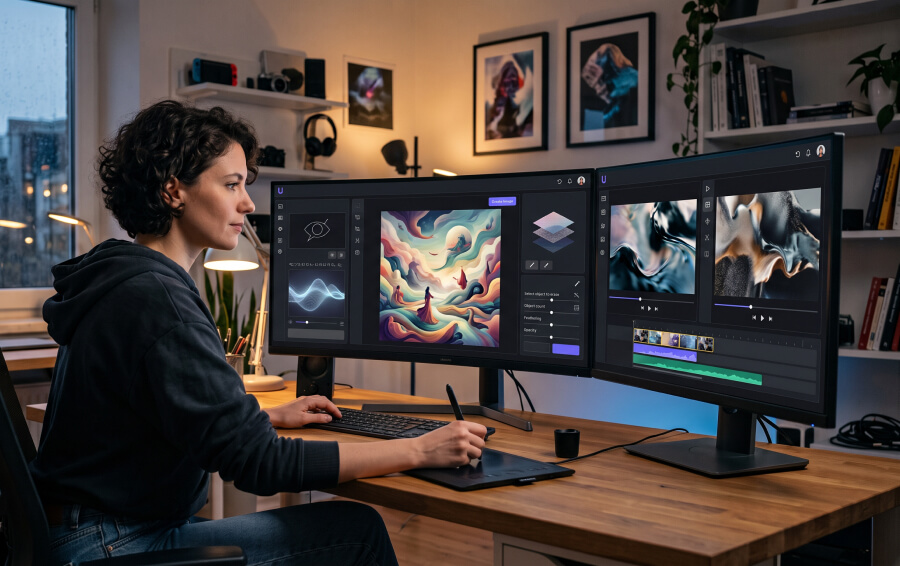
As a web-based tool, Unlucid AI is built around four entry points.
- Video AI
- Effects AI
- Create Image
- Edit Image.
It positions itself as an "Uncensored AI Tools" platform. So, as a creator, when I feel boxed in, this is a go-to tool over the conventional generators.
That nowhere places Unlucid AI as a rules-free zone.
However, the platform’s official terms still bar the following areas.
- Intimate Imagery Without Consent
- Depictions of Minors
- Impersonation
- Copyright or Trademark Infringement
In practice, this studio is for prompt-based images and effect-driven clips, best suited to exploratory, personal, or social content rather than client deliverables.
How Unlucid AI Works
The workflow is short by design:
| Step | Action | Description / Details |
|---|---|---|
| 1. Choose a Workspace | Pick a mode | Select from available tools.Edit ImageCreate ImageEffects AIVideo AI |
| 2. Provide Input | Through upload or a prompt | Enter text descriptions to generate new images from scratch, or upload a source photo required for edits and video effects. |
| 3. Apply Enhancements | Apply an Effect or Edit | Choose from short-clip animation presets, like: Dance, Zoom, Squish, Reveal, Smash. |
| 4. Process Generation | Spend Gems | Finalise your request by spending currency from the platform's individual Gem credit system rather than a flat monthly fee. |
| 5. Quality and Compliance | Manually Check the Result | Review the final output for proper usage rights, consent guidelines, and general platform compliance before sharing it publicly. |
Core Features Of Unlucid AI
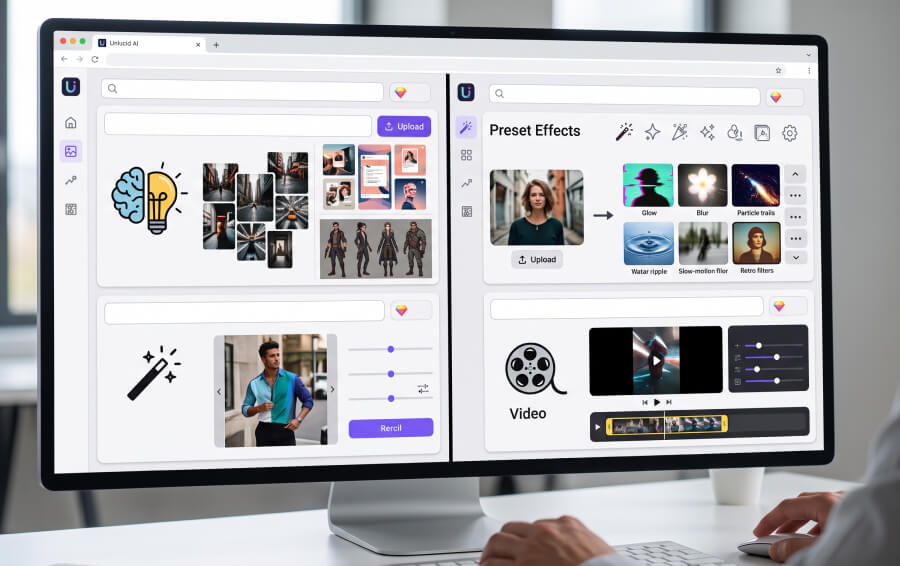
Unlucid's toolset splits into two still-image tools and two motion tools.
All four share the same prompt-or-upload logic and draw from the same Gem balance, but they differ sharply in how much control they actually give you.
Create Image And Edit Image
Create Image transforms a written prompt into a still image.
So, it is useful for moodboards, social posts, and character ideas.
Edit Image handles smaller adjustments to an existing photo, including a change-clothing function documented in independent testing.
Neither tool offers layered editing, pose locking, or a reusable asset library. So, users type a prompt, get a result, and either keep it or reroll.
Video AI And Effects AI
Video AI and Effects AI are kept as separate sections on the public site, though Unlucid gives limited detail on how their underlying generation controls differ.
Effects AI is the more approachable of the two.
It applies named presets to an uploaded image rather than requiring a full video prompt.
By July 2026 alone, Unlucid had announced eight additional effects added to Effects AI.
Also, the platform was promoting more than 15 video effects total, with independent tracking noting the effects library kept expanding.
The current lineup runs to more than 15 video animation effects alongside a text-to-image generator and photo editing tools, all usable in-browser without an account required just to browse.
Recent Product Activity
Unlike a static tool, Unlucid has kept shipping through 2026.
The company's website continued to actively publish product updates as of July 2026, and editorial trackers describe it as a functioning platform.
It has public pages for tutorials, pricing, and generation tools rather than an abandoned or dormant project.
That said, active shipping hasn't translated into heavier documentation.
The company still publishes little in the way of formal benchmarks.
So most of what is known about real output quality comes from third-party testing rather than official disclosures.
Independent Testing: The Hit-Rate Problem
The most useful new data point is not on Unlucid's own site.
It is from reviewers who actually ran the free tier through a full pipeline.
One outlet tested image generation, a clothing edit, and video animation using only the 10 free gems given at signup, to see what a first-time user could realistically produce before paying.
Across image generation, clothing edits, and video animation on the free tier, the output hit rate landed between 60 and 70 percent.
Also, the reviewers have been consistently converging on the same read.
So, roughly two-thirds of outputs are usable, and the remaining third misses the mark.
Separate testing that pushed the tool with prompts built around human faces reached a similar conclusion.
Unlucid AI generates quickly, but the results do not hold up to close inspection, particularly on face-based prompts.
That reroll rate has a direct financial consequence, since Gems are spent per attempt, not per successful output.
| Testing dimension | What independent reviewers found |
|---|---|
| Free-tier hit rate | 60 to 70% of outputs usable on a first pass |
| Face-based prompts | Fast generation, but results do not survive close inspection. |
| Effects library growth | 8 new effects added in July 2026 alone, making the number of effects more than 15. |
| Editing depth | No layered editing or reusable asset library reroll is the main iteration method. |
| Account requirement | No account needed just to browse the tool |
Pricing: Gems, Not A Subscription
Unlucid runs on a pay-as-you-go Gem system rather than a recurring plan.
As of the official Gems page, the free tier offers a limited daily allowance, with three paid bundles layered on top for higher volume and no-watermark output.
| Gem bundle | Listed price | "Up to" allowance | Best for |
|---|---|---|---|
| Free daily Gems | $0 | Amount can change | Testing the interface risk-free |
| 120 Gems | $8.99 | 120 images / 60 edits / 12 videos | Small trial with no-watermark output |
| 450 Gems | $29.99 | 450 images / 225 edits / 45 videos | Regular casual use |
| 1,250 Gems | $59.99 | 1,250 images / 625 edits / 125 videos | Higher-volume creators |
(Source: Unlucid AI's official Gems page, checked August 4, 2026. Prices and allowances change, so confirm at checkout.)
The catch sits in the phrase "up to."
Combined with the 60 to 70% hit rate reviewers reported.
So, when you finish a clip or image, the effective value can run meaningfully higher than the sticker price implies, since a failed generation still spends a Gem.
Safety And Rights Considerations

Unlucid is a real, operating platform with public terms and a privacy policy, but "legitimate" and "safe for your specific upload" are different questions.
Key rules worth knowing before uploading anything:
You have to be 18 or older under the platform's terms.
For face-based generation, you can use your face. You can also use an AI-generated face.
However, if you are using anyone else’s face, you will need proper written consent.
Uploaded content is reportedly held in temporary cloud storage. After processing, you can access it for up to 2 days.
Generated-content ownership is granted to the user, but that ownership doesn't override someone else's copyright, trademark, or likeness rights.
Refunds are generally not available once Gems are spent, and some payment methods (Telegram Stars, cryptocurrency) are non-refundable by policy.
Pros And Cons Of Unlucid AI
| Category | Key Factors | Experience Details |
|---|---|---|
| Strengths | Low-Friction Entry | Fast onboarding with no mandatory sign-up required to browse the platform. |
| Expanding Presets | A growing effects library featuring new presets added on a near-monthly cadence. | |
| Free-to-Test | Daily Gem allotments allow creators to test exact use cases before spending money. | |
| Transparent Pricing | Simple, clear-cut Gem currency bundles rather than opaque recurring subscriptions. | |
| Weaknesses | Inconsistent Success Rate | A 60–70% real-world hit rate means paying for retries is a common part of the cost. |
| Limited Control | Complete absence of layered editing, asset reuse, or fine-grained creative adjustments. | |
| Anatomy Rendering Issues | Faces and hands often remain noticeably weak or distorted under close inspection. | |
| Poor Documentation | Very thin official guidance regarding underlying model behavior, generation speed, or benchmarks. | |
| Incomplete Workflow | Lacks essential finishing tools like captioning, audio cleanup, and final aspect-ratio resizing. |
Unlucid AI Is A Reasonable Pick But With Limitations
Unlucid AI is a reasonable pick for fast, disposable, personal-use drafts, including meme edits, concept art, and short social loops.
It is actively maintained, and its effects catalog keeps growing.
Also, the free-Gem entry point genuinely lets you test before spending money.
However, independent testing in 2026 highlights the same limitations.
You cannot use roughly a third of the output as-is. The editing depth is shallow, and nothing in the product is for the post-generation work a real content pipeline needs!
So, treat it as an idea generator, not a finishing tool, and budget for rerolls when pricing out a Gem bundle.