













The Shared Blueprint: Decoding The Ecosystem Of Meigen AI

meigen ai

When you want to start a visual project with a blank text prompt, it can be quite an incredibly intimidating feeling. Most creators know the exact image or video concept they really want.

However, translating that exact mental image into a highly technical string of descriptive text takes hours of trial and error.

In order to bridge this gap, a multi-faceted prompt framework has surfaced across the digital art community. If you have spent any time tracking modern design trends lately, you have likely run into the phrase MeiGen AI.

Unlike a traditional standalone artificial intelligence (AI) system, this name represents a collection of creative services, design integrations, and community prompt libraries.

In order to avoid this account confusion while protecting your creative time, you need a straight-up look at the way this network operates.

Additionally, you need a detailed understanding of the visual formulas it relies on and the way it utlizes it to speed up your content workflows. 

Defining MeiGen AI: What Is The Creative Architecture?
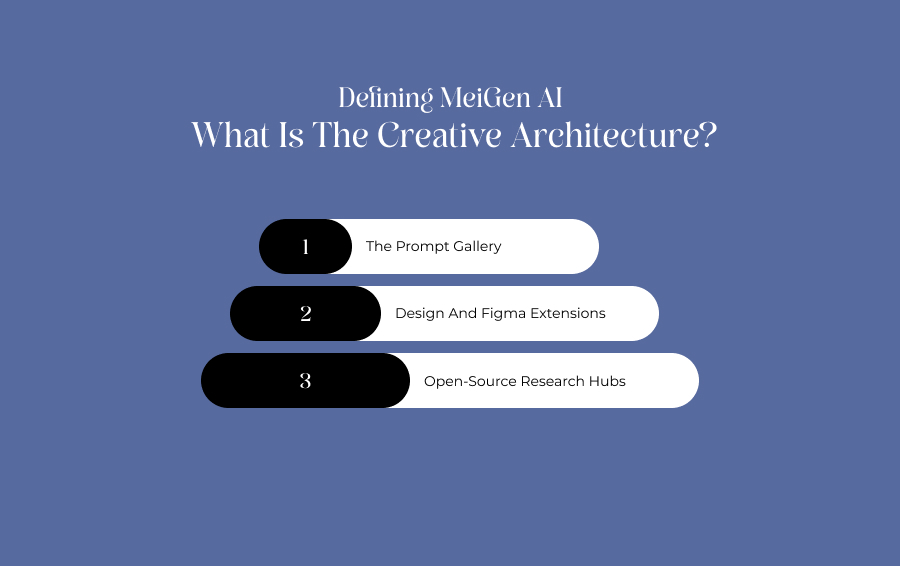
Defining MeiGen AI

At its most fundamental level, MeiGen AI serves as an inspiration layer for visual generation. Rather than forcing users to guess which descriptive words will yield high-fidelity graphics, the platform operates on a simple, loop-based workflow:

  • Discover
  • Copy 
  • Modify 
  • Generate

The broader ecosystem divides its functionality across several distinctive platforms, which is why verifying the exact destination domain is vital.

The Prompt Gallery

Websites like MeiGen.ai focus heavily on community-driven directories. Users browse completed, high-resolution AI renders, inspect the exact underlying instructions that built them, and clone them for free.

Design And Figma Extensions

Related sub-services cater strictly to product designers. 

These tools bundle standard automation features directly into existing interface design software. Additionally, the features the tool offers include quick background removal, asset vectorization, and rapid image upscaling.

Open-Source Research Hubs

Underneath the consumer platforms sits the official MeiGen-AI GitHub development repository. 

This arm creates advanced, open-source audiovisual frameworks like InfiniteTalk, which synthesizes highly realistic, audio-driven talking head videos.

The Master Generation Formula

The core value of analyzing a MeiGen AI prompt gallery is to learn how to structure instructions to communicate effectively with complex neural networks.

Clean, high-fidelity results generally follow a strict and multi-part human formula, instead of relying on generic fluff words. 

Subject + Environment + Composition + Lighting + Camera Context + Style

The Formula In Action

In case you want to create a premium visual asset for an Indian brand, you need to avoid vague sentences. 

For instance, sentences such as “make a nice living room picture” will not work for you. Instead, build the string using structural boundaries using the following prompt.

Modern Indian living room with warm beige walls + luxury apartment setting + wide-angle architectural composition + soft natural afternoon sunlight + contemporary interior photography style + 24mm lens calibration.

Cross-Model Support Matrix

Because a single text string will render drastically different visual aesthetics depending on the underlying engine, the MeiGen AI prompt database classifies its content by individual model compatibility. 

AI Model ArchitecturePrimary Creative DomainBest Used For
GPT ImageHigh-instruction adherence & graphic asset creation.Complex advertising layouts, text-in-image integration, and precise branding vector bases.
Nano BananaHigh-speed creative iteration & browser-native generation.Rapid concept prototyping, social media marketing variations, and content mood boards.
SeedanceDynamic motion synthesis & generative video paths.B-roll background footage, cinematic commercial loops, and short-form video transitions.
MidjourneyHyper-stylized, high-fidelity artistic concepts.Editorial fashion portraits, cinematic landscapes, and highly detailed digital matte paintings.

Figma-Specific Vector And Asset Workflows

Figma-Specific Vector And Asset Workflows

For product designers, the true utility of the MeiGen AI ecosystem shines when it transitions from an abstract web gallery into a hands-on production asset.

The deployment of the MeiGen AI Figma Community Plugin allows creators to bridge the gap between creative prompt inspiration and scalable UI design systems. 

Instead of jumping back and forth between a web browser and an external photo editor, designers can run automated image manipulation routines directly on their canvas.

Real-Time Vector Isolation And Conversion

When you generate a graphic asset using specialized models like GPT Image or Nano Banana through the plugin interface, it initially lands on your canvas as a rasterized layer. 

The integrated vector toolkit completely changes how you refine that asset.

Automated Background Extraction

With one click, the plugin's background removal engine isolates the primary subject. 

Additionally, it cleanly crops away solid backdrops or complex textures, rendering a crisp, transparent cutout ready for application. 

One-Click Image Vectorization

Once a graphic is isolated, designers can instantly run the image tracer utility. 

This process transforms the flat pixels of an icon, sketch, or illustration into mathematical paths and fully editable vector layers. 

Design System Scaling

The final output is converted into true vector nodes rather than a static image file. 

Because of this, you can manually adjust individual anchor points, alter fills, apply brand-specific Design Tokens, and scale the asset infinitely. 

Moreover, it can be done without losing visual fidelity.

Subscription Plans And Real-World Pricing Dynamics

Subscription Plans And Real-World Pricing Dynamics

There is no singular universal cost for the software. Since the name spans multiple independent developers and distinct service portals, the costs vary. 

The budget plans vary completely on the basis on whether you are looking for simple prompt discovery or heavy cloud-based asset rendering. 

The Prompt Repositories

Platforms like MeiGenAI.io and the primary MeiGen.ai gallery operate on completely free models. Users can browse thousands of templates, copy structures, and look up generation parameters without setting up a paid account.

The Design Platforms

The specialized design and vectorization toolkits operate on a multi-tiered monthly subscription or paid credit packages:

  • Free/Starter Baseline: Provides a small batch of daily credits allowing casual users to test basic background removal or render low-resolution image variations.
  • Paid Tiers ($5 to $30/Month): Expands access to priority high-speed cloud queues, enables high-fidelity vector conversions, unlocks full Figma plugin integration, and provides massive monthly credit allotments for professional design studios.

Technical Advantages And Structural Weaknesses

Deploying a prompt-centric design workflow carries specific functional trade-offs that content managers and digital artists must weigh carefully. 

The Clear Advantages

The single biggest asset is the dramatic reduction in prompt engineering friction.

For social media managers or e-commerce startups who know exactly what visual look they want but lack a design background, inspecting a pre-rendered template cuts out the expensive learning curve.

It turns a blank canvas into an adaptable and structural blueprint. 

The Core Weakness

The primary bottleneck is intense brand and domain confusion. 

The word is shared across prompt directories, open-source code repositories, and individual design add-ons. 

As a result, users frequently sign up for one portal expecting a video generation engine, only to find a static Figma extension.

In addition, public prompt galleries save community generations openly. 

Consequently, creators looking to secure proprietary product prototypes must verify their privacy settings. This ensures their commercial concepts stay hidden from public feeds. 

The Strategic Verdict

Ultimately, utilizing MeiGen AI frameworks is not about relying on a single magical software program. 

Instead, it is about integrating a community-backed inspiration layer directly into your existing content production pipeline.

It is advised to use the public directories as an educational reference to master prompt variables, or deploy the plugins to eliminate repetitive masking tasks.

Accordingly, this leads to it functioning as an exceptional productivity accelerator. 

However, just make sure to double-check the exact domain, read the commercial licensing terms, and test the free credit allotments. That is, before scaling it into your professional studio operations.


Sohini is a MarTech and business writer with over two years of experience creating and editing content in the digital marketing space. She has a strong interest in emerging digital trends, marketing strategies, and the evolving relationship between technology and business growth. Alongside writing, she also works on guest posting strategies, carefully aligning sponsored content with niche relevance to help maintain strong organic visibility and audience engagement. Outside of work, Sohini enjoys reading, exploring internet subcultures, and endlessly scrolling through Reddit, Pinterest, and Substack looking for new ideas and trends.

View all posts

Leave a Reply

Your email address will not be published. Required fields are marked *

Related

Opus Clip AI

OpusClip AI In 2027: Features, Pricing, And Whether It Is Still Worth It

I remember those days well when turning a 60-minute podcast into a stack of scroll-stopping vertical clips used to take an entire afternoon.  Then, OpusClip bridged the gap and shortened those long afternoons into minutes.  Now, in the latter half of 2026, it has already established itself as a full short-form content engine. So, it has outgrown its reputation as a clipping tool. No wonder the platform reports more than 10 million users and over 172 million clips generated. Also, if I solely go by user count, it is the largest AI video repurposing tool. In this guide, I will discuss what OpusClip actually does in 2026, what it costs after accounting for its credit system, how it stacks up against competitors, and where it still falls short. In a nutshell, it will give you an idea of how it is going to stay relevant in 2027 as well.  What Is OpusClip? OpusClip is an AI-powered video repurposing platform that ingests the following types of long-form videos. A Podcast Webinar Livestream Interview  Then, it returns a set of short, captioned, vertically formatted clips ready for TikTok, Instagram Reels, and YouTube Shorts.  The company has raised roughly $79 million across five funding rounds, with backers including DCM Ventures, AIGrant, and SoftBank Vision Fund 2, and its most recent round valued the company at $215 million. How The Clipping Engine Works OpusClip AI now uses the fourth-generation model for its core engine.  The core engine can analyze transcripts, tonal shifts, and visual engagement cues to identify moments most likely to perform well as standalone clips.  Once the processing is done, each candidate clip is returned with a Virality Score, an auto-generated vertical crop, and animated captions already applied. ClipAnything: The 2026 Differentiator In 2026, the standout feature ClipAnything has is ClipAnything.  It is a multimodal system that goes beyond simple transcript scanning.  Rather than only detecting talking-head segments, it reads visual cues, audio sentiment, and facial expressions together. Also, you can prompt in plain language. For example, suppose you are asking it to find every product demo or every emotional story in a video.  ClipAnything can also pull clips directly from a public video URL rather than requiring a fresh upload. It is a major workflow shortcut for teams repurposing other creators' long-form content (with permission) or their own back catalog. The Key Features Of Opus Clip AI In 2026: The Promises For 2027 While AI vitality score has always been there, the 2025-2026 feature additions make OpusClip AI more relevant in 2027.  AI Virality Score Every clip OpusClip generates is scored from 0–100 (some sources describe the range as 0–99), predicting the likelihood of strong engagement. The engagement is based on the following factors. Hook Strength  Pacing Topic Transitions Patterns Drawn from Large Volumes of Previously Viral Clips.  As a creator, I treat it as a triage tool rather than a guarantee. Sorting the queue by score, editing only the top few clips by hand, and auto-publishing or discarding the rest. Generative B-Roll And Active Speaker Detection A 2025–2026 addition lets OpusClip insert AI-generated or stock B-roll to cover visual gaps or reinforce a point being made.  Active Speaker Detection, meanwhile, uses computer vision to keep the current speaker centered in frame. It also works in multi-person, landscape-shot conversations while reframing the footage into 9:16. Negative Prompting And Automation The 2026 version also supports negative prompting. So, as a user, I can now exclude specific segment types (introductions, audio checks, sponsor reads) from consideration.  For scaled operations, native Zapier and Make.com integrations allow rules like auto-publishing only clips that score above a chosen virality threshold. OpusClip Pricing Breakdown OpusClip's pricing looks simple on the surface. It has four tiers. However, the credit system underneath changes the real cost significantly depending on how much source footage you process. PlanMonthly PriceCredits (Minutes)Key Limitations / AdditionsFree$060/MonthWatermarked ExportsFiles Expire After 3 DaysNo EditorStarter$15/Month150/MonthNo WatermarkAnimated Captions in 20+ LanguagesMost Editing Locked Behind ProPro$29/Month (or $174/Year)(As of now, an Offer of $14.5 USD/Month is Going On.)300/Month (3,600/Year)Full EditorAll Aspect Ratios Social SchedulerAI B-Roll2-Seat Team WorkspaceBusinessCustomCustomPriority SupportUnlimited UsersAPI Access How Credits Actually Work One credit equals one minute of source video processed. It is not one minute of finished clip.  Uploading a 60-minute podcast spends 60 credits whether OpusClip returns 5 clips or 15, because billing is tied to what goes in, not what comes out.  This trips up new users who assume pricing scales with output volume rather than input length. Hidden Costs To Watch You will not find these details on the main pricing page.  Hidden Cost FactorsDetailsProject Expiry on CancellationCancel a subscription, and remaining projects disappear after 3 days, even with unused credits still on the account.Unpublished Refill PricingWhen a plan's credit allocation runs out, OpusClip sells refill packs through a dynamic calculator rather than a published price list.API Access GatingProgrammatic access is limited to the custom-priced Business tier, which several reviewers flag as expensive relative to competitors that offer API access on lower tiers.No Traditional Free TrialPaid-tier features (the editor, all aspect ratios, the scheduler) cannot be trialed.So, only the capped free plan is available before upgrading. Opus Clip AI Vs. Competitors OpusClip remains the category leader by user count, but 2026 has brought several credible, cheaper alternatives into the conversation. ToolEntry Paid PriceNotable AngleOpusClip$15/monthLargest User Base Virality ScoreClipAnything Multimodal DetectionVizard~$14.50/Month (Annual)Comparable PriceStronger Review Scores on G2 (4.7/5) and Trustpilot (4.7/5)quso.aiLower Mid-Tier PricingLarger Free Tier (75 vs. 60 Minutes)Social Scheduling on Every Paid PlanMunch Studio$38/Month (Essential)Better fit for Larger Teams $60/Month Premium includes Unlimited Team MembersSsembleFrom $7.50/MonthPositions Itself as Roughly a Quarter of OpusClip's Cost for a Comparable Core Workflow Where OpusClip Still Wins I can point to three advantages that competitors have not fully matched. The Virality Score as a genuinely useful triage signal. ClipAnything's broader range of detectable video genres, and native XML export to Premiere Pro and DaVinci Resolve for creators who want to finish clips in professional editing software.  For agencies processing 50-plus hours of footage monthly, the credit system is also purpose-built for that scale. Where It Falls Behind Independent testing and user reviews raise recurring complaints. There are cases of processing failures on longer uploads. Also, credit costs are hard to predict in advance, and caption polish is rated below newer competitor Submagic by some reviewers.  Trustpilot reviews also cite friction canceling subscriptions and, in some cases, accounts flagged as "suspicious" when testing the free plan. Is OpusClip Worth It In 2027? It’s a Strong Fit IfIt’s Not Suitable IfYou Publish 3+ Shorts Weekly from Long-Form Content.Your Monthly Footage Volume is Low,  Inflating Per-Minute Costs.You Want AI-Generated Priority Ranking instead of Manual Scrubbing.You Need API Access without Paying for a Custom Business Plan.You Need A Professional-Editor Handoff via XML Export.Your Team has 4+ Seats, Making Flat-Rate Rivals Cheaper. Choosing Opus Clip AI In 2027 OpusClip earns its position as the most recognized name in AI video clipping largely on the strength of two features, ClipAnything and the Virality Score. Thus, it reduces the manual review burden more effectively than most competitors currently manage.  However, the credit-based pricing model rewards careful planning. Knowing your monthly source-footage minutes before committing to a tier matters more than comparing headline feature lists.  For high-volume creators and agencies, the math tends to work.  For lighter, occasional use, cheaper or more transparently priced alternatives are worth testing first.

READ MOREDetails
humata ai

The Ultimate Guide To Humata AI: Turning Massive PDFs Into Instant Conversations

If your day-to-day workflow involves wading through dense multi-page documents, you already know the sinking feeling of opening a fresh 150-page PDF.  Be it the fact that you are an academic researcher who is dissecting peer-reviewed studies or a lawyer who is auditing a corporate contract, manual screening is hectic.  Additionally, it eats away at your valuable creative hours, where you end up spending more time hunting down data than actually using it. Now, take Humata AI into consideration. It is a cloud-based document analysis platform that is built explicitly to solve this specific issue.  Frequently described across tech communities as “ChatGPT for your local files”, the platform transforms dense and static text documents into interactive, chat-ready interfaces.    The platform utilizes advanced semantic processing along with structured text extraction. Accordingly, it acts as an on-demand research assistant that instantly reads, summarizes, and extracts precise insights from your personal data library.  But does the platform live up to its viral reputation, and how exactly does it handle data isolation, team scaling, and competitive performance?  This comprehensive, data-driven deep dive maps out everything you need to know about the software's mechanics. Besides that, it will give a detailed outline of its operational workflows, pricing structures, and real-world performance limitations. The Overall Software Architecture Of Humata AI Conceptually, Humata AI is a browser-native software-as-a-service (SaaS) tool that combines machine learning algorithms with a dual-pane user interface.  Instead of relying on open-source vector databases or requiring manual Python coding to string together custom language models, users simply drag and drop standard files into a secure web dashboard. The technical architecture relies heavily on context-bounded data ingestion. When you upload a document, the system maps out the text, analyzes the conceptual links between words, and builds an isolated index.  When you ask a question, the platform queries only the specific data inside that folder. As a result, it radically mitigates the risk of structural hallucinations or artificial fabrications. Core Technical Capabilities The tool goes far beyond simple keyword searches, serving as a comprehensive data retrieval pipeline. Furthermore, the platform breaks its core utility down into four primary pillars.  Contextual Q&A Engine The foundational engine uses natural language processing to evaluate semantic intent over exact keywords.  This allows the AI to answer conceptual queries such as “identify systemic risks within section four” instead of just matching basic word phrases.  Anchor-Linked Citations The software connects generated text responses directly to the pixel coordinates on the source PDF.  Clicking a reference marker automatically highlights the exact source paragraph instantly, making verification effortless. Executive Summarization The engine automatically parses structural layouts to isolate methodologies and key findings.  This allows users to evaluate the relevance of lengthy technical papers in seconds without a cover-to-cover read. Direct Content Drafting The system uses the underlying text database as a rigid structural blueprint for generation.  It can rapidly create clean executive summaries, blog briefs, or report notes based strictly on your uploaded files. Subscription Plans And Real-World Pricing Dynamics The official pricing framework tracks usage by total page count rather than raw query volume.  Additionally, this design means budgeting must account for the actual length of your documents rather than how many questions you ask. Pricing TierBase Monthly CostMonthly Page AllowanceKey Administrative InclusionsFree Plan$060 PagesSingle user chat preview, standard citations.Expert Plan$9.99500 PagesBuilt for independent professionals and small teams.Team Plan$49 (per user)5,000 PagesBuilt-in OCR scanning and granular folder access controls.EnterpriseCustomCustomDedicated private clouds and explicit uptime SLAs. Note: For the Expert and Team plans, overage fees apply if you cross your monthly limit, typically tracking between $0.01 and $0.02 per extra page. Concrete Advantages And Operational Challenges No programmer can ever design a flawless productivity tool. Moreover, deploying artificial intelligence to scan specialized source text carries structural realities that every professional user must evaluate.  That is, before integrating it into their daily operations.  High Efficiency And Hallucination Prevention  Here, the biggest asset is pure workspace efficiency. The tool consolidates a split-view reader with instant page anchor links. As a result, it effectively eliminates the clunky process of jumping between a separate chatbot and a local PDF viewer. Additionally, the tool defaults to an isolated data layout. Thus, it rarely invents external facts, which makes it exceptionally reliable for checking figures or rigid legal terms.  Visual Extraction Failures And Workflow Disconnects However, users must be aware of specific performance bottlenecks.  Text extraction accuracy can drop sharply on the lower tiers if your PDFs feature the following: extremely dense and unoptimized visual diagrams complex multi-axis charts or handwriting Furthermore, the system does not currently feature built-in inline editing. One thing to note is that there is no built-in text editor.  You must copy your summaries over to Google Docs or Microsoft Word, letting you refine your final report. Alternative Solutions In The Document AI Space Depending on your specific operational goals, other tools in the market might supplement or replace your production pipeline. Google NotebookLM This platform focuses heavily on note-taking ecosystem integration.  In addition, it excels at automatically generating conversational audio overviews, multi-document study guides, and deeply interconnected research logs.  All of these are directly inside your workspace. Claude By Anthropic Because Claude is known for its massive, high-capacity native context windows, it is uniquely suited for large-scale thematic analysis. It allows you to upload multiple massive text blocks into a single prompt for heavy analytical syntheses. All of that can be done without needing to organize them into folders first. ChatPDF When it comes to ChatPDF, it can be described as a hyper-focused, incredibly lightweight alternative built for rapid, transactional file viewing.  Ideal for quick and one-off single interactions, here you do not need a permanent team archive or structured workspace management. A Crucial Upgrade For Modern Research The days of manually highlighting line-by-line through thousands of pages of text are now coming to a quick close.  Humata AI serves as a prime example of how context-bounded language models can fundamentally reshape deep information synthesis.  One of the most significant tasks it performs is to free up professionals to focus on high-level analysis and critical strategy instead. All of this is done by handling the heavy lifting of reading, data isolation, and text mapping.  Though it cannot replace the actual critical thinking that is done by humans, it still stands as an invaluable asset for speeding up your research pipelines.  Ultimately, Humata AI is also helpful in organizing complex information and making hidden data instantly searchable.

READ MOREDetails
Pika Ai

The Motion Director: Rethinking The Production Pipeline With Pika AI

Traditional filmmaking has always been bottlenecked by friction. If an independent creator or marketing studio wants to animate a static concept, they face an expensive choice.  That is, either hire an After Effects team, spend weeks mastering complex physics engines, or settle for flat and lifeless transitions.  However, the arrival of advanced generative video networks has fundamentally altered the economics of digital art. Leading this paradigm shift is Pika AI. The tool is a cloud-driven motion synthesis platform that is designed to transform flat pixels into dynamic cinematic assets.  Founded by Stanford researchers Demi Guo and Chenlin Meng, the ecosystem has moved past basic text-to-video generation.  With the introduction of hyper-granular canvas control, physics-based object manipulation, and advanced compositing tools, the software operates less like a simple text engine.  Instead, it operates more like a virtual camera crew and special studio bundled into a web browser.  For studios looking to scale their multimedia output, understanding how this generative pipeline works is essential to maintaining creative control.  From Text Prompts To Scene Ingredients Early iterations of AI video generators relied on a chaotic lottery system. That is, you typed a text string, clicked generate, and hoped the algorithm guessed your intent.  Pika AI breaks this cycle by prioritizing source asset integrity.  While text-to-video remains fully supported, the core workflow centre of the platform relies heavily on its advanced image-to-video engine and the foundational “Scene Ingredients” architecture.  Instead of forcing a neural network to construct a character, a background setting and an object from raw text descriptions, creators upload distinct pre-designed visual anchors. The system treats these uploads as rigid variables, smoothly animating the spaces between them while protecting the core details of your characters. This method solves the single largest issue that plagues automated content production. That is, character consistency across multiple sequential shots.  The Specialized Motion Toolkit The platform segments its creative capabilities into a suite of specialized manipulation engines. Consequently, this allows designers to target specific areas of a frame without rendering the entire canvas from scratch.  Pika Effects: Physics-Based Manipulation For rapid visual effects prototyping, the platform hosts a library of pre-tuned physical simulations that bypass prompt writing completely. Users select a static image, highlight an object, and apply targeted physical forces.  Crush & Inflate: Simulates realistic inward compression or outward pressure, causing objects to cave in or swell like balloons. Melt & Dissolve: Liquefies chosen structures or breaks them apart into fine, floating particles.  Cakeify: A viral structural effect that splits an object open to reveal an internal, realistic cake matrix. PikaSwaps And PikAdditions These targeted compositing modules function as intelligent video-to-video editors. In PikaSwaps, creators can select an individual actor or object with an existing moving video.  Furthermore, they can swap them out for a completely new asset while perfectly preserving the baseline camera pan and background motion.  Concurrently, PikAdditions lets creators seamlessly drop completely new elements into an ongoing video file without breaking the realistic lighting or environment.  Pika Frames: Keyframe Sequencing In order to map out longer storytelling arcs, the Pika Frames workspace allows users to upload up to five individual still images to serve as strict structural checkpoints. The engine calculates the optimal paths between each image. After this, they generate smooth and fluid transitions along with multi-second narrative progressions. These avoid the fast and unstable zooming common in older platforms.  Technical Allocation And Feature Matrix The platform organizes its rendering speeds, frame capacities, and usage terms across four distinct billing structures. Feature ComponentBasic Plan (Free)Standard PlanPro PlanMonthly Credit Allotment80 Credits700 Credits2,300 CreditsMax Output ResolutionFixed at 480pFull 1080p HDFull 1080p HDRendering Model AccessCore Image-to-Video onlyUnlocks All Pika Effects & FramesUnlocks Premium Scene IngredientsCommercial Usage RightsNot permittedFully includedFully includedQueue Processing SpeedStandard public queueTurbo generation priorityMax priority fast-pass Mastering The Prompt: Overcoming Motion Anomalies The achievement of commercial-grade output through Pika AI requires a strategic shift in how you write prompts.  Instead of functioning as a rigid command-line tool, the underlying model functions as a sensitive motion assistant.  As a result, over-specificationof actions can accidentally trigger visual artifacts, unnatural warpiung, or image instability during complex camera rotations.  Controlling The Force Variables If your generated video appears heavily distorted or robotic, the cause is usually an overload of aggressive descriptive words like "dynamic," "hyper-fast," or "explosion".  Clean, believable output relies on subtle, controlled nudges. Adding explicit camera context forces the algorithm to anchor the frame, resulting in significantly crisper and more professional visual assets.  For instance, commands such as "slow cinematic pan," "gentle push-in zoom," or "soft depth-of-field focus,” may cause such outputs.  It is further advised to keep the style cues down to one or two points. Consequently, this allows the physics engine to apply the movements smoothly across the scene. Strategic Market Alternatives If your production workflow demands full-scale world-building from scratch or different pricing models, competing platforms offer distinct strengths. Vidu AI This engine acts as a direct competitor in multi-entity tracking. It focuses heavily on providing highly affordable, long-duration high-definition output packages.  Consequently, this budget-friendly structure makes it an exceptionally popular choice for independent social media channels and solo content creators. Runway Gen-3 Widely recognized for its high-fidelity structural rendering and precise cinematic physics, this platform sets the industry standard.  It serves as a premier workspace for high-end commercial ad agencies, professional VFX studios, and advanced filmmaking workflows.  Additionally, it requires absolute control over movement. PicLumen PicLumen is a hybrid alternative that merges advanced AI image generation and video tools onto a single, interconnected workspace.  The tool blends both asset creation and motion synthesis into one dashboard.  As a result, it completely eliminates the need to constantly jump back and forth between separate apps. The Production Verdict Ultimately, Pika AI has shifted the landscape of automated multimedia creation. Moreover, it succeeds because it recognizes that professional creators do not want a software system that completely takes over the creative process, Instead, they want an intelligent assistant that will speed up repetitive execution.  By providing precise control over character consistency, physics-driven effects and targeted asset swapping, the platform allows solo creators to construct rich, cinematic visual campaigns that once required an entire post-production studio.  As long as you stay mindful of credit consumption limits on high-resolution generations, it serves as a powerful and essential upgrade for the modern digital workspace.

READ MOREDetails




