













Think about the last time you handed someone a multi-page operational report or a dense text document. Likely, they had just skimmed through it, missed the core message and just moved on.
The real bottleneck in modern business communication is not a lack of good ideas. Instead, it is the time-draining friction of turning raw paragraphs into clear visual assets.
While standard design software requires tedious layout manipulation, Napkin AI changes the game by reading your copy and instantly generating structured diagrams.
Moreover, it excels at breaking up massive text blocks into clear process maps without manual design steps.
However, it comes with its own flaws. If you need built-in reader analytics, advanced presentation automation or deep real-time collaborative editing, you will quickly hit its operational limits.
Instead of being an all-in-one graphics suite, it is a highly specialized text-to-visual engine created for speed.
Thus, this comprehensive guide is here to help you understand exactly how this tool works, along with its features, pricing and limitations.
What Napkin AI Refuses To Be: Why That’s The Point
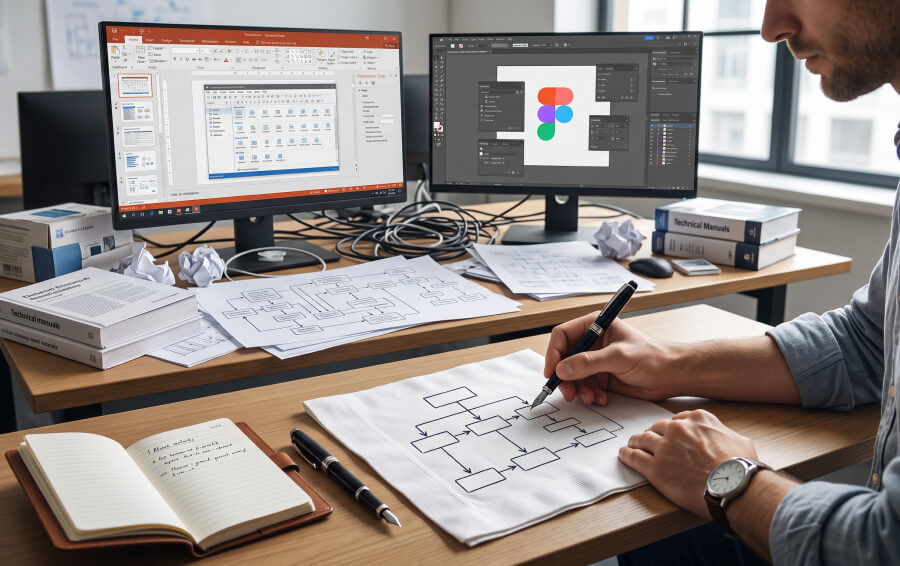
Most software reviews fail because they evaluate every new release as a tool that tries to do everything. To have a true understanding of Napkin AI, you need to first recognize what it completely refuses to be.
First, we need to understand what Napkin AI is not.
- A vector illustration workspace like Figma
- An enterprise business intelligence platform
- Traditional slide deck builder such as PowerPoint or Gamma
- A tool that manages your data warehouses or hosts massive interactive web content
Instead, Napkin AI focuses entirely on a single narrow task. That is to transform written text into crisp and structured informational graphics. With the help of having an absence of feature bloat, the platform succeeds.
By ignoring complex timeline editing, manual shape styling, and asset layers, it allows professionals to skip the learning curve entirely.
It strips away the overwhelming toolbars found in legacy software, providing a fast pathway from written thoughts to finished visual communication diagrams.
The One Workflow It's Built Around
The entire user experience is centred on a straightforward three-step action sequence.
First, you paste your text directly into the workspace canvas.
Next, the underlying engine proceeds to read your sentences to understand lists, step sequences and contrasting concepts.
Finally, clicking a blue lightning bolt icon displays several visual layout choices designed around copy.
There is no manual prompting required. Additionally, the system matches your natural language with appropriate structural layouts automatically.
Where It Actually Saves Time
Generic reviews often claim a tool is perfect for everyone from students to digital marketers.
In reality, Napkin AI proves its true value in highly specific, fast-moving work environments where manual design work creates a frustrating bottleneck.
Instead of dealing with endless menu options, professionals use the platform to solve real communication problems on the fly.
Breaking Up Text-Heavy Reports And Docs
Consider a compliance officer who must transform twenty pages of dense regulatory updates into something a team can actually scan and digest.
By pasting the text into the editor, they can instantly convert confusing legal paragraphs into a clear and step-by-step visual workflow.
Turning Meeting Notes Into A Process Diagram On The Spot
One thing Napkin AI absolutely excels in is during live corporate training or chaotic team syncs.
You can paste raw and unstructured meeting notes directly into the interface. Instantly, it will be able to generate a clean process diagram to show stakeholders before the call ends.
Prepping Visuals For Slides Without Opening A Design Tool
Additionally, when you need to prep sharp visual components for a major presentation, Napkin AI lets you build custom process flows. Besides that, you can also create matrices quickly without ever opening a heavy design tool.
Core Engine Capabilities: The Features That Drive Napkin AI
The initial automation engine handles basic layouts on autopilot. In addition, the specific internal features of Napkin AI give you precise control over your final communication assets.
These integrated tools are engineered to bridge the gap between instant automated generation and customized corporate design workflows.
| Feature Name | What It Does |
|---|---|
| Custom Graphic Overrides | Forces the AI to build a specific shape like a timeline, matrix, or Venn diagram. |
| Global Brand Kits | Locks in your company's exact color codes and fonts so you do not have to format them manually. |
| Sketch Overlay Mode | Lets you draw or scribble notes directly over the generated diagrams. |
| Multi-Format Exports | Saves your finished designs as PNG, SVG vector graphics, PDF documents, or PowerPoint slides. |
Tailoring Layout Formats
If the initial automated design choice does not perfectly match your vision, the custom override feature allows you to select specific paragraphs. Moreover, you can dictate the exact shape format.
Instead of relying on the software’s initial guess, you can manually force the engine to convert a text block into different visual items. That is, a Venn diagram, a chronological timeline or an interconnected mind map.
As a result, you can ensure your specific creative direction remains intact.
Maintaining Brand Consistency
Beyond structural layouts, Napkin AI offers dedicated brand identity kits to keep your visual style unified across corporate documents.
Instead of manually adjusting individual shape colors or border styles on every single graphic block, premium users can configure a global design scheme.
The system automatically applies your exact corporate hex codes, border widths, and custom typography across every single diagram you generate.
Direct Drawing Annotations
For professionals who want to add an organic, collaborative feel to their digital summaries, this mode introduces a hand-drawn annotation layer.
You can scribble notes, draw custom arrows, or highlight specific sections directly over the generated layouts as if you were brainstorming on a physical whiteboard.
Saving Multiple File Types
A versatile workflow requires flexible file compatibility. The export engine allows you to do a variety of things.
You can download your finished graphics in high-resolution PNG format. Besides that, you can also save them as scalable SVG vectors for deep editing. You can also export secure PDFs or fully editable PowerPoint slides.
This ensures your visual assets fit seamlessly into external platforms like Microsoft Word or Google Docs.
Where Napkin AI Actually Falls Short: A Review Of Its Limitations
To make an informed decision, you must look closely at where Napkin AI falls short compared to modern content tools.
No Analytics Or Engagement Tracking
The most significant gap is the complete absence of built-in reader analytics or engagement tracking metrics.
Platforms like Alai and Gamma allow you to see exactly who opened your document and which sections they viewed.
However, Napkin AI provides no audience data whatsoever.
Real-Time Collaboration Is Thin
Furthermore, its real-time collaboration features are surprisingly thin.
Although the platform is cloud-based, it lacks the deep, multi-user workspace tools found in full enterprise presentation suites. It works well for a single creator building assets.
Despite that, large teams trying to co-edit complex diagrams simultaneously will find the experience restrictive.
It's Online-Only
Finally, the desktop interface requires a live internet connection to function.
The lack of an offline mode means you cannot refine your visual workflows or edit diagrams while traveling without network access. This remains a clear limitation for busy professionals.
Pricing: What You Actually Get At Each Tier
Napkin AI uses a transparent pricing model fitting various project sizes and budgets. Rather than a vague need for more power, the choice of the right tier depends on specific business triggers.
| Evaluation Criteria | Free Plan | Plus Plan | Pro Plan |
|---|---|---|---|
| Monthly Price | $0 Forever | $12 Billed Monthly | $30 Billed Monthly |
| Annual Rate | $0 | $9 per Month | $22 per month |
| Processing Credits | 500 Credits Weekly | 10000 Credits Monthly | 30000 Credits Monthly |
| Asset Exports | PNG and PDF Only | PNG, PDF, SVG, PPTX | Custom Font Uploads |
| Brand Kits | Default Styles | 3 Custom Kits | Unlimited Brand Kits |
Free Plan Is Genuinely Usable
The free tier offered by Napkin AI remains exceptionally practical. Offering unlimited content editing and asset exports, the tools does not lock crucial design tools behind a paywall.
As a result, it becomes an excellent choice for casual creators who need clean vector graphics without a monthly financial commitment.
When Plus Or Pro Is Actually Worth It
You should upgrade when your workflow requires removing watermarks, using custom vector formats such as SVG or uploading official corporate typography files.
Also, the premium tiers offer expanded monthly processing credits while supporting multiple brand kits. This makes the paid plans ideal for agencies and corporate teams who handle high-volume client projects every week.
Napkin AI Vs. The Alternatives: A Quick And Honest Analysis

Choosing the right tool requires a quick and honest comparison with other options on the market.
Instead of assuming one application solves every business problem, you must weigh your specific presentation objectives against what each tool actually delivers.
If You Need Analytics Or Automation
Your corporate project may demand detailed viewer engagement tracking, automated slide layouts, or interactive web hosting. In that case, you should choose alternative suites like Alai or Gamma.
Those platforms are engineered from the ground up to handle client-facing data tracking and manage full, multi-screen presentations dynamically.
If You Just Need Fast, Clean Visuals
On the contrary, if your primary goal is to turn raw text documents into clear, professional diagrams as fast as humanly possible, Napkin AI is the clear winner.
It bypasses complex presentation setups entirely to deliver sharp, focused informational graphics in a single click.
Who Should Actually Use Napkin AI
The platform works best for technical writers, operations managers, and business consultants. These are individuals who regularly need to make complex documentation easier to read.
If your job involves turning messy data into clear, actionable steps, this tool will save you hours of work.
Conversely, you should skip this tool if you need to build intricate artistic illustrations, edit high-resolution photos, or design highly decorative marketing assets.
| Ideal Users for This Platform | Who Should Skip This Platform |
|---|---|
| Technical writers explaining processes | Fine artists requiring manual sketching |
| Managers transforming messy notes | Marketing teams needing complex photo editing |
| Consultants building corporate frameworks | Designers creating custom vector artwork |
Beyond Text: Navigating The New Era Of Visual Clarity
Successful content curation relies heavily on visual clarity. Here, Napkin AI solves the problem of text-heavy documentation by turning raw ideas into structured, presentation-ready diagrams with a single click.
Moreover, it does not replace the artistic depth of advanced illustration software, nor does it track reader engagement like specialized analytics platforms.
Instead, it serves as a fast, practical tool that bridges the gap between text drafts and clear visual communication.
By removing the technical hurdles of traditional graphic layout design, it helps professionals clarify their message. Ultimately, you can engage your audience and make important ideas stick.
References
- About Us. 2026. Napkin AI.
- 2026 SaaS Buyer’s Guide: How to Choose the Right Software for Your Business. 2026. Software Advice.
- Pricing. 2026. Napkin AI.
- How to design a brand kit with AI | GraphicsGen + Illustrator. 2025. Envanto.