










The Disadvantages Of Synthetic Text-To-Speech In Advertising

Speech to text conversion is commonly used in advertising as an alternative to using a real human voice. It works using technology that converts input text into speech that is designed to be as natural as possible.
There are a lot of variants on the type of technology used, but overall the software tends to be very similar and fairly easy to get hold of for businesses who want to use it in their advertising.
If you are considering using this modern software for your next advertising campaign, it’s definitely worth thinking carefully about. Despite it being somewhat cheaper than real human voiceovers, there are some pretty chunky downsides to be aware of.



Popular

Technologies For Creating A Startup Idea
20 Feb 2023

How to Download Facebook Videos on Android?
07 Feb 2019

7 Rules of Effective Ecommerce Web Design
28 Jan 2021

Why Are Online Transactions Convenient?
07 Dec 2023

Recent


Related
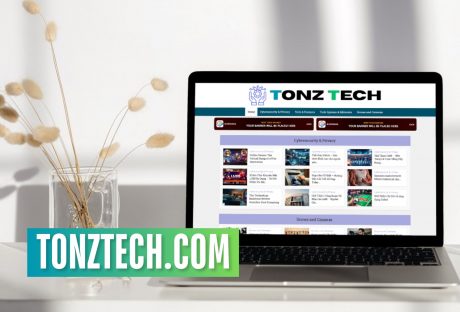
How Can Tonztech Com Make Your Digital Content Experience Better In 2026?
The technology information landscape is always changing. Every single day, I see new platforms emerge. Additionally, I can even imagine them promising as actual living entities to simplify complex topics! Also, they claim to provide valuable insights. I recently came across a platform called TonzTech com. It is one such platform that launched in May 2025. Additionally, it quickly gained attention from people like me, who are looking for easily understandable tech content. But what is this site? Can you trust its information? In addition, I also ask, should I include it in my tech resource toolkit? This analysis looks at TonzTech.com from different angles to help you decide if it deserves your attention and trust. What Is TonzTech.com? TonzTech.com is a technology-focused content platform. It publishes articles and tutorials. In addition, you will get a bunch of useful and honest reviews. I have seen that they also publish guides on a variety of digital topics. The site aims to make technology understandable for everyone, not just tech experts. The platform covers a range of topics. This includes gadget reviews and software tutorials. I personally liked their cybersecurity awareness content. Also, I have read all their artificial intelligence applications. Not going to lie, it's quite decent. Nothing that awes me, but atleast its useful and authentic. Also, you will find a lot of mobile app guidance and digital earning opportunities. Its content uses a conversational tone, avoiding heavy technical jargon. This makes it easier for you to get straightforward explanations instead of complex technical details. Unlike older tech media outlets with extensive histories and large editorial teams, TonzTech.com is a newer site trying to find its place in the crowded tech information space. The domain existed before but changed significantly in early 2025 when it shifted from being dormant to actively publishing content. As of January 2026, the platform continues to grow its content library and gain recognition through guest posts, search engine optimization, and being featured in various tech blogs discussing new platforms. What Are The Content Categories Tonztech Com Focuses On? TonzTech.com organizes its content into key categories that cover different areas of technology: 1. Tech News and Updates This section shares the latest news in the tech industry, such as product launches and new trends. The articles aim to keep readers updated without needing a technical background. 2. Gadget and Device Reviews Here, you will find reviews of smartphones, laptops, smartwatches, headphones, and other electronics. The reviews discuss features, performance, pricing, and value, without getting into deep technical details. 3. Software and App Guides This part explains how to use different apps, productivity tools, and digital services. The guides cover setup steps, feature descriptions, and solutions for common problems. 4. Cybersecurity and Privacy This content focuses on digital safety. Topics include how to recognize scams, protect your data, browse securely, and manage privacy settings on various platforms. 5. Artificial Intelligence This section looks at free AI tools and applications that you and small businesses can use. Articles explain how people without technical backgrounds can benefit from AI. 6. Online Earning Information This category discusses ways to make money through digital platforms, apps, and services. It covers topics like survey sites, freelance opportunities, and monetizing content creation. 7. Digital Tool Recommendations Here, you will find suggestions for useful apps, browser extensions, and software that solve specific problems or enhance productivity. What Are The Useful Features Of Tonztech Com? There are a lot of factors that successfully contribute to the fame of this platform. So, let’s check these out: 1. Accessibility Over Complexity The main appeal of TonzTech.com is that it makes technology easy to understand. Many of you feel overwhelmed by technical details. TonzTech.com simplifies explanations to help everyone grasp what technology does, how it can meet their needs, and how to use it effectively. This approach addresses a real need. While expert-level resources are great for advanced users, many people just want clear answers without feeling confused. 2. Free Content Without Barriers All content on TonzTech.com is free. There are no subscriptions, paywalls, or registration requirements. You can browse articles and guides without paying or sharing personal information. This open-access model is especially helpful for those in markets where paid content is too expensive or for individuals who want to explore topics without a long-term commitment. 3. Coverage Breadth The platform covers a wide range of topics, not just one narrow area of technology. You can find diverse content in one place, making it more convenient than visiting multiple specialized sites. However, this broader approach means the information may not be as detailed as what specialized publications offer. 4. SEO Visibility TonzTech.com shows up in search results for many technology-related questions. Well, I think that they use all the updated SEO strategies, which explains their visibility. Additionally, they also target common search terms that general you search for. Moreover, they also have a strategy for you who find helpful content through searches. So, they may return to TonzTech.com even if they didn’t initially seek it out. 5. Guest Contribution Opportunities Even though I am an outside contributor, I can still share my content on this platform. So, I think this has encouraged other writers and me to promote TonzTech.com across different channels. I mean, I am not ecavtl;y promoting it but, hey, I am writing about it! In addition, they have another benefit as contributors share articles within their networks. This way, TonzTech.com can reach a wider audience. However, it’s important to ensure that the quality of content and any potential bias are monitored. What Are The Pros Of Tonztech Com? Understanding the specific benefits of a platform helps determine if it meets user needs effectively. 1. Beginner-Friendly Content Approach TonzTech.com is good at explaining technology concepts for people who aren’t experts. The articles describe what technologies do, why they are important, and how you can work with them without assuming prior knowledge. This approach makes it easier for you. Now, you will be able to find technical documents easily, not intimidating. 2. Practical Application Focus The content focuses on practical uses rather than deep technical knowledge. What I mean by this is that these articles don’t dive into how technologies work in detail. Rather, the articles show what you can do with them. Also, you will get a thorough guide on how to get started. This focus on practical information helps those who want actionable advice more than a thorough technical education. For instance, a person wanting to learn how to use a productivity app would benefit more from simple step-by-step guides than from complex programming explanations. 3. Regular Content Updates The platform updates its content regularly, ensuring fresh information and quick coverage of new topics. This means you can return frequently to learn new things rather than running out of content quickly. Regular updates also help keep the site visible in search engines and show it is actively maintained. 4. Clean Website Design TonzTech.com has easy navigation. Also, it has a clear visual layout. So, I can find content categories easily here. Additionally, what works more for me is that the search function works well. Also, the pages load quickly! I think we have reached that age where if we can access any platform without too many ads or annoying pop-ups, it's a blessing. Also, I think this design helps you browse comfortably. No more frustration from ads cluttering the site. 5. Diverse Topic Coverage You will have a wide range of topics available at your request. So, this means that even though I have different interests, I can find relevant content. I will give you a good example. Let’s say I am someone who is interested in smartphone reviews and cybersecurity. But I am also excited about online earning methods. Good news! I can now explore all these topics in one place. So, this variety adds value for general audiences who want to stay informed about technology without focusing on just one area. 6. No Financial Commitment I think this one is my favorite part. I have free access to all content. So, I can read articles and follow tutorials without spending a dime. Additionally, I can also access guides without paying fees or facing paywalls. This open access is especially helpful for you in these two demographics: Developing Markets Budget-Conscious students In fact, I think it is important for anyone wanting to evaluate content quality before they make a financial commitment. What Are The Cons Of Tonztech Com? Balanced evaluation means recognizing serious issues that affect how reliable and trustworthy a platform is. 1. Limited Transparency and Accountability A major concern is the lack of transparency about who owns the platform, leads the editorial team, and creates the content. Users cannot easily find out who writes the articles, what their qualifications are, or if there are any conflicts of interest. Established publications usually offer detailed author backgrounds, clear editorial policies, and disclose relationships with tech companies, which helps users trust the content. In contrast, TonzTech.com provides little transparency, leaving users unsure about the credibility of the information. Without knowing the authors' expertise, users can't tell if the information is well-researched or just superficial. 2. Lack of Verification The platform does not have visible processes to verify factual claims, product details, or technical advice. The quality of content depends entirely on the accuracy of individual articles without any systematic fact-checking or editorial review. Because of this, misinformation, outdated details, or incorrect guidance may be available without any way to correct them. Users should verify critical information independently instead of trusting the platform outright. 3. Potential Promotional Bias Guest contributor programs and affiliate marketing can create conflicts of interest. Contributors might write promotional content that appears as unbiased reviews, or their relationship with companies could sway their recommendations. Without clear disclosure and oversight to prevent promotional material from posing as independent analysis, users cannot easily tell genuine recommendations from paid promotions. 4. Limited Depth and Expertise Content that aims to be accessible for beginners often lacks depth and technical detail. Users looking for a thorough understanding or expert-level insights might find TonzTech.com articles lacking. While the platform can explain basic ideas, it cannot replace specialized technical publications, academic research, or expert analysis. 5. Inconsistent Quality Without clear standards and quality control, the quality of content varies greatly between articles. Some may provide helpful information, while others could have superficial coverage, inaccuracies, or outdated information. This inconsistency means users must evaluate each article on its own for accuracy and usefulness rather than relying on a platform-wide standard. 6. No Community Verification The platform does not have robust systems for comments and user ratings. Additionally, they don’t have any community feedback as well. I mean, they don’t have anything feasible that could help verify content. Readers cannot easily share their experiences. Also, they won’t be able to flag inaccuracies. I myself couldn’t provide updates if the content becomes outdated. This lack of community input removes an important layer of verification, which can help identify issues in active user-supported platforms. 7. Unclear Business Model New platforms often struggle with sustainability. So now, let’s say they don’t have any clear revenue models for ongoing operations. Then, they may disappear. Additionally, they may also lower content quality. Also, there is a good chance they may shift toward aggressive monetization. Any of these could hurt user experience. TonzTech.com’s long-term viability is uncertain due to its recent launch and limited information about its financial sustainability. What Is The Future Of Tonztech Com? TonzTech is working on exciting plans for 2026 to make their site more helpful. They want to add more video reviews and tutorials, which are easier to follow than written text. They are also considering using augmented reality (AR) demos to showcase products. Additionally, they will offer interactive guides to help users decide if they need a technology upgrade. All these improvements show that TonzTech.com is evolving to meet the needs of its users.
READ MOREDetails
The Benefits of Using PRINCE2 During Periods of Turmoil
In the past few years, the demand for software to help in effective Project Management has increased. With businesses trying to derive every ounce of productivity and efficiency, working with project management tools, platforms and software is something that all businesses strive to integrate. Successful Project Management can help a business organization in multiple ways. The major ones are- Improve coordination between the various teams and verticals responsible for execution and completion. Saving time and improving the final delivery to the customers in terms of effective time management. Cutting down on duplication of work and preventing wastages thereby contributing to a company’s bottom line. In this article, we look at one of the highest-rated Project Management software in the market right now, PRINCE2. We look at what makes it great and why your business should think about adopting this specific project management software. Many credible PRINCE2 course training modules are available on the market. PRINCE2: Meaning and Definition PRINCE2 has a long history dating back to 1975 when it was first conceptualized and implemented by the United Kingdom government for its project on Information Systems. It is an abbreviated version that stands for PROJECTS IN CONTROLLED ENVIRONMENTS. The current version that many of the leading names in the world of government and private businesses use first made its appearance in 1996. What is more surprising is the fact that even though it is software that is used by governments, it is also open for public use and exists in the public domain. The best thing about PRINCE2 is that it focuses on organization and coordination. It helps track where exactly you are in the project and the correspondent timelines and responsibilities that have been assigned. Roles and Responsibilities in PRINCE2: What you need to know When it comes to using the PRINCE2 software, one thing is certain- the primacy of the Project Manager. Being a project management software, it accords the maximum importance to the Project Manager. You can compare the overall access, the power of adding or removing individuals from the point of view of a Super Admin. The Project Manager selects the teams that will work on the project, sets the timelines according to the milestones that are to be reached and any other comments with regards to the specificities of the project. In addition to the Project Manager and the internal teams, PRINCE2 also allows for the clients to be given access. This has been done with the intention of making the clients aware of how far the project completion has progressed and acquainting them with the teams that are working on it. This helps save a lot of time and effort in terms of externally informing the client about the project status. The Project Board is another critical component of the PRINCE2 software. It helps put all the details, reports, and other items like problems and challenges that the project is likely to face. Features of PRINCE2 that make it an Excellent Project Management Software: In this section, we list down some of the major features that make PRINCE2 an attractive project management software. PRINCE2 comes with real-time tracking and updates that can allow one to exactly know the precise status of a project. This helps avoid confusion, saves the lie, and builds credibility for the organization leading the project. The software is equipped to show data and other information with the help of interactive and engaging charts, graphs, and progress bars. This helps break down the project completion and visually depict the same using graphs and charts. If you want, you can also use the PRINCE2 software as a work management tool. In other words, with so much remote work taking place, promoting coordination among the employees can be possible using the software. The Bottom Line: There is a reason why international governments and billion-dollar businesses use PRINCE2. It is simple, effective, and detailed in every sense of the term. It allows for better cross-team promotions, cuts inefficiency, and fosters collaboration to ensure projects are completed within their allotted timelines. Read Also: Tips to Choose the Best Inventory Management Software Grant Management Best Practices This Is Why Every Organization Should Invest in Job Management Software
READ MOREDetails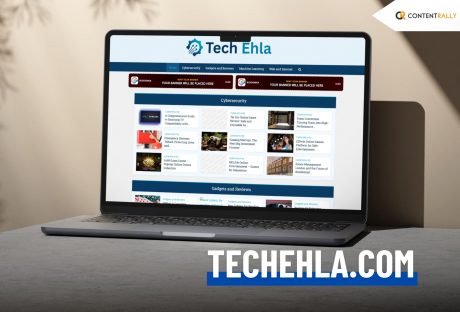
Find All The Trendy Business And Tech Topics On Techehla Com: But Is The Site Reliable?
I think it has become a daily warning/disclaimer that technology is changing fast. Like, rapidly! So, I see new platforms appear every day. Additionally, many claim to explain complex topics in simple terms. One of these is Techehla Com(TechEhla.com). It aims to help people better understand technology. Many users have questions about this site. However, finding trustworthy information can be challenging. Some misuse technology tools to represent them in the wrong way. On the other hand, others promote this content without proof. In this post, we will discuss the advantages and disadvantages of Tech Ehla and compare it with other reliable options. This will help you decide if Tech Ehla is worth your time. What Techehla Com Is All About? Techehla Com (TechEhla.com) is an online platform designed to make technology easier to understand for everyone, from beginners to professionals. The website simplifies complex tech concepts. In addition, it presents them clearly and engagingly. It covers many topics, including: Gadget Reviews How-To Guides Software Tips, Tech News Digital Learning Resources Tech Ehla wants to keep readers informed about the latest innovations and help them use technology in their daily lives. While the platform is still growing, it is a beginner-friendly and informative resource for anyone wanting to learn more about modern technology. What Techehla Com Provides? The platform focuses on four main areas: news, tutorials, product reviews, and analysis. 1. Stay Updated On Tech Trends: Firstly, you will get all the latest news on AI and automation. Additionally, you will also get helpful insights on cybersecurity and more. So, I can safely assure you that Tech Ehla’s curated news feeds keep you informed about important developments. 2. Experts Share Insights: This platform is very consistent with the articles. Additionally, it showcases webinars and interviews. Also, I really liked that these come from industry experts. Tech Ehla offers “expert-driven content.” This one simplifies complex topics into clear insights and practical guides. 3. Easy-to-Use Resources: You will find all the access to ready-made tools here. Firstly, you will get a huge amount of cheat sheets. Also, this platform will provide you with curated checklists. In fact, you will also have templates to kickstart your projects. Tech Ehla also provides detailed reviews of products and apps. These will help you choose the right tools and save time. 4. Join The Community: Connect with other learners and mentors. Tech Ehla focuses on creating “a tech-forward community” for innovation and learning. You can ask questions. Additionally, you can also share experiences. Also, you will get to receive personalized advice through forums and peer groups. There is an added feature or category in this platform called the guest contributor programs. This is of huge help as well. These categories are useful. Why? They show the platform’s goal of being a one-stop hub. However, it is hard to judge the content's quality without specific examples. Miscommunication Between Techehla Com And Ehla Technology One issue is the name confusion. Some users mix up Tech Ehla with EHLA Technology. These are not the same. EHLA stands for Extreme High-Speed Laser Application. Additionally, it is used in manufacturing. It refers to a laser coating method. People use this method to strengthen surfaces. According to TWI Global, it plays a role in modern industry. But it has no connection to online courses or learning. The pronunciation of the names can be confusing. What Are The Third Parties Claiming? Some blogs discuss tech health and share success stories. However, many of these reviews are not credible. They often lack data. Additionally, these reviews are also claiming that there is a severe lack of user numbers. In fact, there is also not enough proof of performance. These reviews can seem promotional. Their comments mostly focus on marketing instead of genuine feedback. Readers should be careful and check additional reliable sources for information. Techehla Com For Businesses And Professionals Tech Ehla Com is useful for professionals and small businesses. The platform provides information on productivity tools. Additionally, you will also receive a lot of insightful information on project management software. In addition, if you work with digital business strategies, you will find a huge help over here! Business owners can explore tech solutions that simplify their operations, such as automation systems and online marketing tools. The website also publishes reviews of new business solutions. Now I think this is of huge help. This is because all the professionals make informed choices. Tech Ehla Com supports companies in implementing more creative and effective digital processes. Mobile Compatibility And Accessibility TechEhla.com works well on mobile devices. The site adjusts to your screen. So, this makes it easy to browse on a: Smartphone Tablet Portable Device Both the desktop and mobile versions have the same speed and clean design. Pages load quickly, even on slow connections. This is because of its lightweight design. Also, it has the feature of optimized images, which helps a bit. This shows TechEhla.com’s commitment to making technology news accessible to everyone. And, this is regardless of location or device. SEO And Online Presence Of Techehla Com TechEhla.com has successfully built its online presence through SEO. The site attracts regular visitors from Google searches. Also, these articles rank for many tech-related keywords. You will see that the articles over here have a clear page structure and proper headings. Also, you will notice a pool of smart keywords being used. These help search engines understand the site. Additionally, the website features clean code and organized data, making it easy for search engines to crawl and index. Overall, TechEhla.com effectively uses SEO to improve its visibility and reach more tech enthusiasts. The site also uses backlinks and social media to boost engagement, growing into a reputable tech resource in search engines. How Does Techehla Compare To Well-Known Platforms? Comparing popular platforms can help us make better choices. The table below shows how Tech ehla.com stacks up against well-known brands.. Platform Key StrengthsWhy They Have an Edge Over TechEhla.comCoursera / edX offers structured courses designed by top universities. They clearly show instructor details, credentials, and provide verified certificates. MDN Web Docs Peer-reviewed coding resources Open-source and verified by experts IEEE Spectrum Shares high-quality industry research and tech news. The industry experts and professionals write every single article here. Wirecutter / CR Tested product reviews They show real testing methods. Also, they maintain unbiased results backed by substantial research. The Working Structure Of Techehla Com Explained Overall, Tech Ehla (TechEhla.com) is a user-friendly tech website. It helps everyone from beginners to experts. Also, they understand and use technology with ease. Additionally, the site aims to simplify complex topics. Also, it provides an ample amount of: Clear how-to guides Useful reviews Updates on the latest tech trends It’s a good resource for everyday tech tips and learning. However, for detailed or important technical decisions, it’s best to verify information with more established or trusted sources.
READ MOREDetails