
5 Ways To Help Your Sales Team In Door To Door Selling

Published on: 11 May 2022 Last Updated on: 07 February 2026
Door-to-door selling

The primary goal of each business is sales and profit maximization, and marketing techniques are essential in realizing this dream. Door-to-door selling is one of the best marketing strategies companies employ today. However, the success of this strategy depends on how you plan it as a sales manager.

Door-to-door selling can be a nightmare, especially if your team lacks experience and proper market research. Therefore, it is also essential that the company prepares the sales team adequately before sending them to the field.

What Is Door To Door Selling?

The door to door selling is a technique that generally the people are using for sales and marketing purposes. Anything can be the target of your campaigning. For example, for door to door selling, you have to gather all the public information from where you want to start your marketing journey.

The main target is to educate your customers and offer your services to your customers. But you also can do the branding through door to door sales.

5 Tips For Successful Door To Door Selling

If you want success in field sales, you need to invest. Let’s see more of these tips to help your sales team succeed in the field.

1. Map Out The Location
Map Out the Location

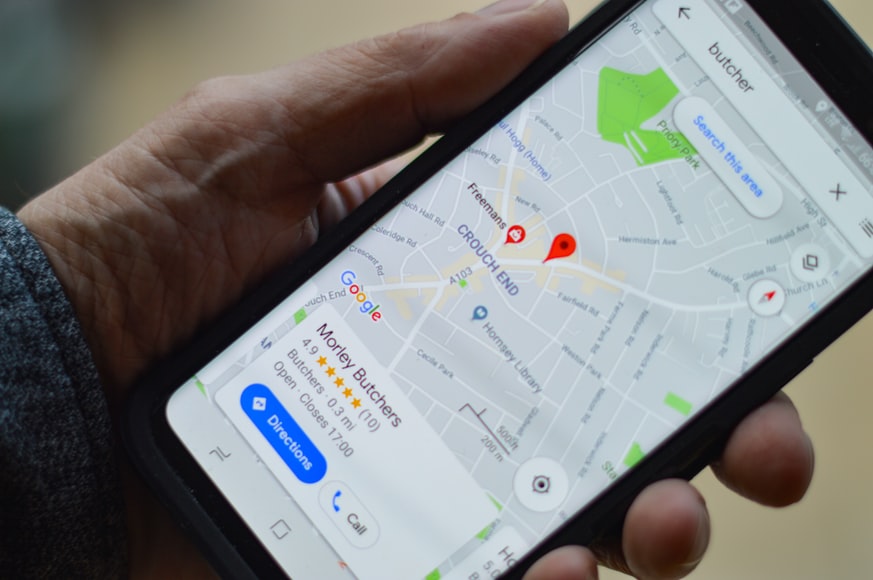
Understand the product or service that you intend to send to the field. Then, decide the areas with potential customers. Your target may be residents or other businesses. Use city, county, and state websites to get data about the people living in your target neighborhoods. The data will assist you in deciding whether the population fits your ideal client profile.

Mapping out the area helps your sales team to conduct reconnaissance before the door-to-door selling. The team can scout the locations for competition, get a clearer picture of the population, including businesses, and identify strategic meet-up points.

A sales route planner is necessary for mapping the locations. Having all this information beforehand helps boost the sales team’s confidence which yields success in door-to-door selling.

2. Make Use Of The Sales Route Planner App

After mapping your target locations, it is essential to know the routes around. You want to see the team's progress on the ground, find the shortest and most convenient routes possible, and identify new leads around the area. All of these are possible with a sales route planner App.

This route planning software helps manage the field activities in the following ways.

  • Creating shorter and faster sales routes
  • Visualize accounts. For instance, you can see which sales representative generates revenues, updates mass information, and much more.
  • Check-in after each meeting, which means you can check customer interaction immediately it happens.
  • Identify new leads around you. With the route planner app, you do not have to worry about a client canceling appointments at the last second; you can easily find other prospective leads in the area.

The route planner software connects companies and their sales representatives on the ground for effective sales maximization.

3. Train The Marketing Team

Train the Marketing Team

Whether you hire a team of sales professionals or not, it will help to train them on the task ahead. Make them understand your products and services, the audience you plan to reach, and the needs that your product can satisfy. The training should involve product demonstration, product features, and a script the team can use to talk to clients.

The sales representatives will use the training guidelines to develop their selling techniques. In addition, provide selling aids such as business cards and brochures to the representatives, and you will be sure of a rise in your firm’s sales.

4. Set And Evaluate Goals

Every business has different types of setting targets. And you have to plan accordingly. For example, some companies are doing door to door sales for branding and names. These are different types of sales. But some of the companies have serious goal setups. That also requires another map. So before making any sales, you have to map your business targets.

Setting a goal for the door to door selling is helping your team to achieve the exact target. For example, the goals might be the number of business firms you want to visit or the sales you plan to make within a specific period. Communicate your goals to the team so that each sales representative may work towards achieving them.

5. Protect Your Team

Protect Your Team

Door-to-door marketing poses a danger to the sales team. Instead, put safety procedures in place to make your team feel secure in the field. For instance, you can decide that the team moves in pairs. Investing in your sales team is a step toward maximizing sales. What are you thinking? Are you starting selling solar panels door to door? Yes, this is also possible. But your team needs to do much more hard work for it.

You can protect your team from carrying the heavy burden with them. For door to door sales, you will require little planning and small handy equipment. For example, one day, a salesman approached my door and sold cosmetics. He carried a small setup to show the customers presentations. Yes, with this, within a few moments, he shows me all the details about it along with the case studies. So he does not have to give hours for the presentations. I understand every detail.

Frequently Asked Questions 

Q1: What Types Of Advantages Will Get Through Door-To-Door Selling?

Through the door to door sales, companies are localizing their marketing efforts. As a result, a salesperson will develop more stable connections and bonds with their audiences. And this is increasing the lead generation chances. 

Q2: After The Pandemic, How Safe Is Door-To-Door Sales?

Yes, especially after the pandemic, this is a million-dollar question. Before the pandemic, this was also risky. Many times the criminals knock on the doors, forcing entry and robbing. Sometimes, the salesman is also not secure when they knock on the wrong doors. After the pandemic, if any salesperson approaches you, it is better to maintain safe distances and make the conversations.

Q3: Is Door To Door Sales Difficult?

Yes, door-to-door sales are complicated. But the suitable mapping of the business is making anything possible. When you start it, you will feel it is difficult, but after getting the right experiences, you will get to know the tricks and tips for the business.

Conclusion:

For the door to door sales, you can apply different types of techniques. But these five tips are always going to give you a better result and effects on the business. Always study the local areas before starting your business. Hence you should know and measure the field before starting running on it. So what are your ideas? Share your opinion in the comment section.

Read Also:

 

Content Rally wrapped around an online publication where you can publish your own intellectuals. It is a publishing platform designed to make great stories by content creators. This is your era, your place to be online. So come forward share your views, thoughts and ideas via Content Rally.

View all posts

Leave a Reply

Your email address will not be published. Required fields are marked *

Related

My Google Reviews

My Google Reviews: How To See, Add, & Edit Google Reviews?  

Do you want to know the answer to “how to find my Google reviews?” if your answer is a YES, then you have reached the right place! Google reviews are by far the most genuine and trustworthy source of online feedback on a physical or online business's service or product. Before purchasing a product, customers from all over the world read the review section. A report from a survey says that before buying a product or service online, 8-10 reviews are read. One thing is certain: a company's online reputation can be made or broken by online reviews. However, many individuals and business owners have difficulty viewing their Google reviews. And if you are one of them, this article is the best one for you. Keep reading to find out more about Google reviews… My Google Reviews: What Are Google Reviews?   Google Reviews are reviews and comments left by people who have used or interacted with a business or establishment and want to share their experience with others. These reviews are created by Google users. Anyone who searches for the company or reads its listing on Google Maps or Google Search will be able to access these reviews because they are published on Google's platform. Google Reviews have a significant impact on a company's credibility and reputation. They offer useful insights into the quality of the products, services, and customer experiences, as well as customer satisfaction with the company as a whole. Users can express their opinions, provide specific details about their experience, and offer recommendations or cautions to potential customers in the written comment section of each review, which includes a star rating (ranging from one to five stars). Businesses can manage and respond to reviews, interact with customers, and address any concerns or issues raised in the feedback by claiming their Google My Business listing. Businesses can demonstrate their dedication to customer satisfaction and earn the trust of potential customers through this interaction. Because they provide first-hand insights from actual customers, Google Reviews are widely used by consumers to make informed decisions about where to spend their money. Because experiences can vary, it is important to take into account multiple reviews and evaluate the overall consensus rather than relying solely on individual opinions. How To See My Google Reviews?   To see Google reviews for a specific business, you can follow these steps: Open a web browser and go to www.google.com. In the search bar, enter the name of the business you want to find reviews for. You can include the city or location for more accurate results. Press Enter or click on the "Search" button. In the search results, look for the Google Knowledge Panel on the right-hand side of the page. The Knowledge Panel typically includes information about the business, including its address, phone number, and reviews. Scroll down the Knowledge Panel until you find the "Reviews" section. Here, you will see a summary of the overall rating (in the form of stars) and the total number of reviews. To read individual reviews, click on the "Reviews" section, and you will be presented with a list of reviews left by customers. You can scroll through the reviews and click on each one to view the full review and any accompanying comments. How To See My Google Reviews Through Google Maps?   Alternatively, you can also access Google reviews through Google Maps: Open a web browser and go to www.google.com/maps. In the search bar, enter the name of the business you want to find reviews for. Again, you can include the city or location for more accurate results. Press Enter or click on the "Search" button. In the search results, click on the business listing that matches your search. The business's Google Maps listing will appear, including its location on the map and various details. Look for the "Reviews" section on the left-hand side of the screen. Here, you will see an overview of the business's rating and the total number of reviews. Click on the "Reviews" section to view the individual reviews. You can scroll through the reviews, click on each one to read the full review, and see any accompanying comments. Please note that you may need a Google account to leave reviews or interact with the reviews section. However, you can typically read reviews without having an account. How To Add My Google Reviews?   To add your own Google review for a business, you can follow these steps: Make sure you have a Google account. If you don't have one, you can create a Google account by going to accounts.google.com and clicking on "Create account." Open a web browser and go to www.google.com. In the search bar, enter the name of the business you want to review. You can include the city or location for more accurate results. Press Enter or click on the "Search" button. In the search results, find the business listing you want to review and click on it. The business's Google Knowledge Panel will appear on the right-hand side of the page. Scroll down until you find the "Write a review" button and click on it. A pop-up window will appear, allowing you to rate the business using a star rating system (ranging from 1 to 5 stars). After selecting your star rating, you can provide a written review by clicking on the text box provided. Here, you can share your experience, provide feedback, or offer recommendations to others. You can also include photos or videos related to your experience by clicking on the camera icon or the "Add photos" button. Once you are satisfied with your review, click on the "Post" button to submit it. Your review will be published on Google, contributing to the business's overall rating and providing valuable feedback to other users. Remember to write a fair and honest review based on your personal experience with the business. How To Edit My Google Reviews?   To edit a Google review you've previously posted, you can follow these steps: Open a web browser and go to www.google.com. Click on the "Sign In" button located at the top right corner of the page and log in to your Google account. Make sure to use the same account you used when writing the review. After signing in, enter the name of the business for which you want to edit the review in the search bar. Include the city or location if needed for more accurate results. Press Enter or click on the "Search" button. In the search results, find the business listing associated with your review and click on it. The business's Google Knowledge Panel will appear on the right-hand side of the page. Scroll down until you find your review. Under your review, you should see three dots or an "Edit" button. Click on these options. If you see three dots, click on them and then click on "Edit review" in the dropdown menu. If you see an "Edit" button directly, click on it. A pop-up window will appear, allowing you to make changes to your review. Edit the rating, text, or any other information you wish to modify. Once you've made the desired changes, click on the "Save" or "Update" button to save your edited review. Your updated review will then be published on Google with the changes you made. It's important to note that you can only edit your own reviews, not those written by others. How Can My Google Reviews Make A Difference?   Now that you know almost everything about Google reviews, let me tell you how it can help and make a difference. Take a look at some of these points below: 1. Influence Potential Customers   When people are researching a product or service, potential customers may be directly influenced by your reviews. Your positive review can boost their ; and influence their decision in favor of that company. Your own personal experience and advice can have a significant impact on other people's decisions. 2. Impact The Business's Reputation   Your reviews contribute to the overall reputation of the business. Positive reviews provide social proof and enhance the credibility of the business. Conversely, negative reviews can have a detrimental effect. By sharing your positive experiences, you can contribute to building a positive reputation for the business. 3. Provide Feedback To The Business   Your reviews offer valuable feedback to the business owners and management. By highlighting what you liked about their products or services, you provide insights into what they are doing well. Additionally, if you mention areas for improvement, it can help the business identify areas where they can enhance their offerings or customer experience. 4. Encourage Improvement   Constructive feedback in your reviews can motivate businesses to make improvements. When they see specific suggestions or areas that need attention, it can inspire them to take action and make necessary changes. Your review can contribute to driving positive change within the business. 5. Help Small And Local Businesses   Leaving reviews for small or local businesses can have a significant impact. These businesses often heavily rely on positive word-of-mouth and online reviews to attract customers. Your review can help them gain visibility, stand out from competitors, and thrive in their community. 6. Foster A Culture Of Quality And Customer Service   By praising businesses that deliver excellent products, services, or customer experiences, you contribute to fostering a culture of quality and customer service. Your positive reviews encourage businesses to maintain high standards and prioritize customer satisfaction, benefiting both the business and future customers. 7. Create A Sense Of Community   Engaging with businesses through reviews creates a sense of community and connection. Your reviews can foster a supportive environment where consumers share their experiences, provide recommendations, and contribute to the collective knowledge base. This helps create a vibrant online community that values transparency and shared experiences. Remember, your reviews hold power, and sharing your genuine experiences and opinions can make a difference not only for the businesses but also for other consumers seeking reliable information. Bonus: What Are The Benefits Of Google Reviews For Business?   Google Reviews offer several advantages for businesses as well as consumers. Here are some key advantages: 1. Increased Visibility   Positive reviews can improve a business's visibility in Google Search and Google Maps. Higher ratings and a greater number of reviews can enhance the business's online presence, making it more likely to appear in relevant search results and attract potential customers. 2. Trust And Credibility   Reviews from real customers help establish trust and credibility for a business. Positive reviews act as social proof, assuring potential customers that others have had positive experiences. This can encourage them to choose the business over competitors. 3. Customer Engagement   Google Reviews provide an avenue for businesses to engage directly with their customers. Responding to reviews, whether positive or negative, demonstrates attentiveness and a commitment to customer satisfaction. It allows businesses to address concerns, provide clarifications, and express gratitude for positive feedback, fostering a positive brand image. 4. Customer Insights   Reviews offer valuable insights into customer preferences, opinions, and expectations. By analyzing the feedback, businesses can gain a better understanding of their target audience, identify areas for improvement, and make informed decisions to enhance their products or services. 5. Competitive Advantage   Maintaining a high rating and positive reviews can give a business a competitive edge. Potential customers often compare businesses based on their ratings and reviews, and a positive online reputation can attract more customers, even in the presence of competitors. 6. SEO Benefits   Google Reviews contribute to search engine optimization (SEO) efforts. Positive reviews can improve a business's local search ranking, making it more likely to appear prominently in relevant search results. This can drive more organic traffic to the business's website or physical location. 7. Word-Of-Mouth Marketing   Positive reviews act as digital word-of-mouth recommendations. Customers who have had positive experiences may share their reviews with friends, family, or colleagues, potentially expanding the business's reach and attracting new customers. It is worth noting that while positive reviews offer numerous advantages, negative reviews can also provide opportunities for businesses to address issues, improve their offerings, and showcase their dedication to customer satisfaction. Responding professionally and constructively to negative reviews can help mitigate any potential negative impact. Wrapping It Up!   In case you were searching about My Google Reviews and the ways in which you can edit, see, and add them on the internet, I hope that this article has been of help to you. If there are any other queries related to the same, feel free to let me know. All that you need to do is scroll down till you reach the bottom of the page. Then leave your comments and queries in the box below. And I will be there to answer them all for you! Learn More About: How to Market a Small Business in a Big City Can You Buy Google Reviews? Know The Answer Here The Future Of VoIP Technology And Its Impact On Business Communications

READ MOREDetails
Sales Velocity

How To Measure Sales Velocity

Sales velocity is a vital metric that sheds light on the efficiency of your sales process. It helps you understand how quickly potential leads are converted into paying customers. Greater sales velocity means an organization is generating revenue faster, a positive indicator of healthy sales kinetics. However, measuring sales velocity involves an intricate understanding of individual parameters like the number of open opportunities, average deal size, win rate, and sales length. In this article, we delve into the labyrinth of sales velocity and reveal the processes to measure it accurately. Keep reading to empower your business with this substantial metric. Understanding the Concept of Sales Velocity Sales velocity demonstrates how swiftly a qualified lead converts into a closed deal. Understanding this idea is fundamental for companies wishing to increase revenue growth. It allows sales teams to identify bottlenecks within their process and address them efficiently. Increasing sales velocity can dramatically enhance your sales output and revenue generation. To give an insight into the concept of sales velocity, consider it the speed of your sales cycle. The quicker your leads move through this cycle, the higher your sales velocity. This concept provides insightful information about your sales pipeline and helps identify areas for improvement. It forms the foundation of sales forecasting, helping to create accurate sales predictions for future quarters. Accurately understanding sales velocity is not merely about measuring the speed of closing a deal. It includes a comprehensive analysis of your sales routine—from lead generation to sealing the deal. The concept gauges the efficiency of your sales process and can offer remedial measures for any shortcomings. Interpreting the Elements of Sales Velocity Four essential components determine your sales velocity: the number of opportunities, average deal size, win rate, and length of the sales cycle. These parameters collectively provide an accurate depiction of your sales velocity. The number of opportunities refers to the count of leads or prospects your sales team is working with. These open opportunities are the potential contributors to your revenue. On the other hand, the average deal size is the average value of each deal your team closes. It sheds light on the financial adequacy of your deals. Both components directly influence your sales velocity: the higher these values, the greater your sales velocity. The win rate is the percentage of opportunities that convert into actual sales. It directly correlates with the efficiency of your sales team. A higher win rate means your team is successfully persuading a majority of leads. The sales cycle length refers to the span between the first contact with a lead and closing the deal. This is inversely proportional to the sales velocity—the longer this duration, the lower will be the sales velocity. Precise Measurement of Sales Velocity To measure sales velocity, you need to calculate and analyze all four components, multiply the number of opportunities, average deal size, and win rate, and then divide the result by the length of the sales cycle. While this formula may seem complex, it yields a powerful insight into your sales dynamics. Calculating each component accurately is crucial for an exact sales velocity measurement. All these parameters are interconnected and contribute collectively to your sales velocity. Increasing one factor can compensate for a decrease in another, maintaining the overall sales velocity. Optimize Your Sales Velocity Understanding your sales velocity is one thing, but optimizing it is another. It requires strategic thinking and implementation. The first step is to conduct regular reviews of your sales velocity. Frequent auditing will spot changes in your sales velocity and allow immediate rectifications. Moreover, refining each contributing factor can lead to an optimized sales velocity. Effective marketing, lead generation, or referral programs can increase the number of opportunities. Raising the average deal size may involve upselling to existing customers or offering premium products to new customers. Understanding and measuring sales velocity can significantly boost your revenue generation. By mastering this art, you can spin the wheel of your sales pipeline in your favor, steering your business toward sustainable and substantial growth. Read Also: Types Of Objections In Sales And How To Overcome Them With An Email Delivery Test? 5 Ways To Help Your Sales Team In Door To Door Selling Top 9 Reasons Your Sales Training Isn’t Working

READ MOREDetails
Workers Compensation

Top 5 Benefits Employees And Employers Get from Workers Compensation

If you own or operate a business and do not currently have a compensation plan in the case of a workplace injury, you are not only taking a dangerous gamble, but you may also be breaking the law. Worker’s compensation is required in most places and even where it isn’t, that doesn’t absolve the employer from their responsibility. For those who aren’t sure exactly what benefit this type of business insurance provides, here are 5 examples for both you and your employees: Benefits for Employers: Worker’s compensation is also invaluable to employees, as the complications that can arise from a workplace injury are numerous. Here are some of those benefits: 1. Limited Liability Employers are typically protected from lawsuits filed by employees who are injured on the job, as long as they have worker’s comp insurance in place. This can help to limit the employer's liability and financial exposure in the event of a workplace injury. 2. Reduced Absenteeism With this insurance in place, employees can receive treatment and benefits for their injuries, which can help to reduce absenteeism and keep employees on the job. 3. Increased Productivity By providing employees with the resources and support they need to recover from their injuries, employers can help to increase productivity and reduce the impact of workplace injuries on their business. 4. Improved Employee Morale When employees feel that their employer cares about their well-being and is willing to support them in the event of an injury, it can help to improve employee morale and reduce turnover. 5. Compliance with Legal Requirements Workers comp is typically required by law, and employers who are found to be non-compliant can face penalties and fines. Maintaining coverage helps employers to avoid these penalties and stay in compliance with legal requirements. Benefits for Employees: Before you can make an educated decision on what type of coverage your company needs, the first thing you have to understand is what worker’s comp provides for your business. You can see more at. 1. Medical Treatment and Expenses Employees who are injured on the job are entitled to receive medical care and costs related to their injury. This can include things like doctor's visits, hospital stays, and physical therapy. 2. Temporary Disability Benefits If an employee is unable to work due to their injury, they may be eligible for temporary disability benefits to help replace their lost income. 3. Permanent Disability Benefits If an employee's injury results in a lifelong disability, they may receive permanent disability benefits to help compensate for their loss of earning capacity. 4. Vocational Rehabilitation Some employee compensation programs provide vocational rehabilitation services to help injured employees return to work. This can include job training, retraining, and other services to help employees regain their earning capacity. 5. Death Benefits In the event of a workplace death, the employee's dependents may be eligible for death benefits to help cover expenses and loss of income. Where to Find the Right Worker’s Compensation Coverage for Your Business There are many different types of policies, depending on the size of your company, local laws and regulations, as well as what service or product you provide. A little bit of research and a few simple questions will let you know what’s best for you and your employees. Read Also: 7 Best Employee Recognition Awards Ideas Why In-Company Training Results in Better Employees

READ MOREDetails