5 Ways To Fix Chromecast Source Not Supported Error

Published on: 01 April 2021 Last Updated on: 27 December 2024
Chromecast source not supported

Modern smart televisions are designed to connect with several external devices in order to enhance our entertainment experiences. And casting videos from your mobile devices to your Tv is one of the most popular options. You also can cast any content from your laptop or computer. But in case your television does not support this feature, you can use streaming devices for establishing the connection. Now, let’s begin to solve the issue “Chromecast source not supported”. 

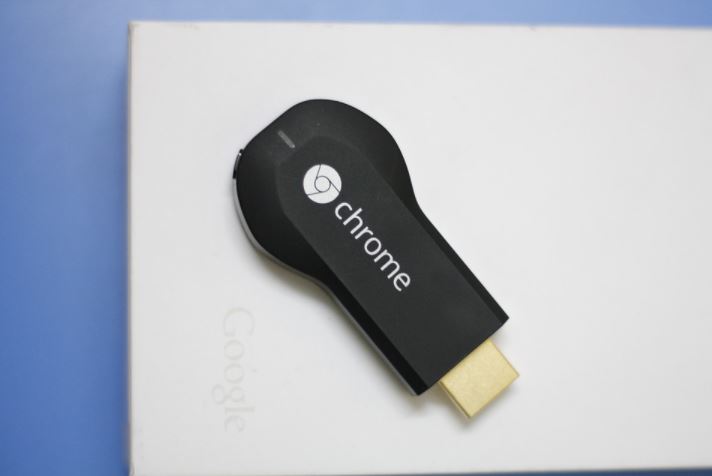
Google Chromecast is a device that fulfills a similar purpose. It is packed with many streaming applications. With the help of this device, you will be able to cast content from the Google Chrome browser as well. And in case you are using this device and facing an issue like Chromecast source not supported, here I will guide you with the techniques to eliminate them. 

Fixing Chromecast Source Not Supported Error 

Here are the ways that you can try to fix the Chromecast source not supported error in your device. There can be several reasons behind this issue, so here are all the solutions for different kinds of reasons that are causing this issue. 

1. Enable Mirroring Service

Suppose you are using The Chrome browser in your system and unable to cast to the Chromecast. Then you need to check whether the Mirror service option is enabled or not. The users mostly recommend this method as it is really effective in solving the source not supported Chromecast issue. 

Here are the steps to enable Mirror Services to eliminate the Chromecast source not supported the issue.

  • Open the search browser, Google Chrome.
  • Into the browser, type chrome://flags.
  • Hit the Enter button.
  • Press CTRL + F on your keyboard for bringing up the Find tool.
  • Type in Mirroring, that we are searching for.
  • Hit the Enter again.
  • Find Mirroring Service option.
  • On the right side, click on the drop-down menu.
  • Now select it as Enabled
  • Close the Chrome Browser completely and again Open it so that the changes are saves. 

Now you can check whether the issue is resolved or not. Try to cast something from your system to your television using Google chrome. And check whether the issue is still there or not. 

2. Restart your Chromecast, Wi-fi Router, and Computer

Restarting your Chromecast also can solve your Chromecast source not supported issue. But for added measure, it is also recommended to restart your Wi-fi router and your computer also. This will make sure that if there is an issue that is causing the error will get resolved at the same time. 

Here are the steps to do that,

  • Firstly, you need to power off your TV, with which your Chromecast is connected.
  • Unplug your Chromecast from your television.
  • Also, unplug the power cord of the Chromecast device.
  • Now leave it unplugged for 1 minute at least.
  • Now, you need to power off the router or modem, depending on whatever you are using.
  • Wait for 1 or 2 minutes. 
  • Power on your router or modem.
  • Now is the time to restart your system.
  • After your system restarts back, connect it again with the WiFi
  • Give your Chromecast sometime to reset up everything.
  • Now try to cast something and check. 

3. Turn Off all VPN and Ad Blockers

Ad blockers generally block pop-ups and prevent Javascript from running. This sometimes causes the Chromecast source not supported error. So, you can try turning off the add blockers and also any VPN if you are using them. 

Here are the steps to disable those Google Chrome browser extensions.

  • Open Google Chrome browser.
  • Click on the three-dot icon.
  • A drop-down menu will open. 
  • Select More tools.
  • Click on Extensions.
  • The Extension page will open.
  • Search for the add blocker that you are using.
  • To turn off the extension, Toggle the blue switch. 
  • Close your browser completely.
  • Reopen it and try to cast. 

4. Enable the option of Cast Media Route Provider

Though you have enabled Mirroring service options, you also can try enabling the option of Cast Media Route Provider. This will also can solve the Chromecast source not supported error that you are currently facing. 

The process is similar to the enabling process or Mirroring Service. Here are the steps. 

  • Open the Google Chrome search browser.
  • Into the browser, type chrome://flags.
  • Hit the Enter button.
  • Press CTRL + F on your keyboard for bringing up the Find tool.
  • Type in Cast Media Route that we are searching for.
  • Hit the Enter again.
  • Find Cast Media Route Provider option.
  • On the right side, click on the drop-down menu.
  • Now select it as Enabled
  • Close the Chrome Browser completely and again Open it so that the changes are saves. 

5. Check The App You Are Using To Cast

There is a reason behind the Chromecast source not supported issue, and that is the app that you are using. Maybe the particular app that you are using for casting is not working properly at that very moment. 

So what will you do in this case? 

You can check by restarting the spp. In case you are trying to cast from your desktop or laptop, you can simply close the app and start it again. But what if you are casting from your Android device? You can restart the app by using the “Application Manager.” before you start the process, there are some things that you should know. 

In case the particular app is not storing your user settings online, everything might get reset after this process. You may also need to log in with your credential once the process is completed. So, just make sure you have all those details. 

  • Open the folder, Apps.
  • Tap the icon, Settings.
  • Open the Application Manager.
  • Scroll down and search for the application with which you are facing casting issues on your TV. 
  • Tap the app.
  • The app menu will open.
  • Tap Force Stop.
  • Go to the Storage Section.
  • Tap on Clear Data.
  • Go to the Cache section.
  • Tap Clear Cache.
  • Now back to your Home screen.
  • Restart the app. 

This will solve the issues if it is caused by the app instability. 

Final Tips

In case you are done with all the above-mentioned steps and the Chromecast source not supported, the error is still there. There are some other ways you can try installing the latest version of chrome. I believe the issue will get resolves. But in case the issue persists. Lastly, you can factory reset the Chromecast device. It will lose all the previous data, and you will also need to log in again with your credentials. 

Read Also:

Content Rally wrapped around an online publication where you can publish your own intellectuals. It is a publishing platform designed to make great stories by content creators. This is your era, your place to be online. So come forward share your views, thoughts and ideas via Content Rally.

View all posts

Leave a Reply

Your email address will not be published. Required fields are marked *

Related

Job Management Software

This Is Why Every Organization Should Invest in Job Management Software

Having your staff manage your business can be expensive and not accurate. This is because you need to have a single employee attend to a specific department and ensure that everything is running as required. This can be made easy by using job management software. This is software that is made to get an organization's activities running in order. A job management software is the best to have since you will require one person to run it or even do it yourself if your business is not that big. Read more now to learn how job management software will make the best out of your organization's activities. GPS tracking Job management software can track your employees or your business's car location. This is what most employers struggle with, especially if your business involves sending packages. The car's global positional system is sent to the software through a signal. Financing made easy Recording your job's invoices on the software is helpful since you can always retrieve them anytime you require them. This is also helpful for the head of finance can always transfer the invoice through the software. This is professional, unlike paperwork which is still tedious and not accurate at times. Transparency You do not want to fire your head of staff just because they did not do enough supervision for the employees. Job management software enables you as the job owner to go through all the task details through one avenue, which is only controlled by the supervised personnel. An organization where the staff can be trusted builds confidence and makes everyone accountable and even more alert when going about their activities. Estimating and job management software helps a business to achieve its goals. Better communication For a successful and conducive workplace, you need to have the right communication channels. This is to help address the critical issues that the company may be going through. Through GPS tracking, an employer is as well able to trust the employees for that is transparent evident information of your locality. It is valuable Management software will help you achieve your goals. This is because you have a professional controlling avenue that you can trust. Your employees as well get introduced to a new and worthwhile mode of running things in the organizations. This makes the work easy and manageable too. Scheduling An organization with a work plan is probable to achieve more than one that does not. Through this software; you can be able to sort out the most important activities to accomplish. This helps you not to lag behind the timelines. Better service delivery With an organized workforce, your clients can get the best out of your services. It makes every staff beware of their responsibilities and when to execute them. Estimating and job management software help the organization save time and realize more income. Job management software is the best solution to break down your tasks, and it all help you plan towards achieving. Organizing your staff and letting each other understand their responsibilities. Read Also: What Is the Best Tax Software to Be Using in 2019? Tips to Choose the Best Inventory Management Software Best Transaction Management Software for Your Real Estate Business Start-up Business Management: How to Reduce Risk and Guarantee Success Why Contract Management Software Is Essential for Your Tech Company

READ MOREDetails
Creating A Startup Idea

Technologies For Creating A Startup Idea

  The implementation of a startup has specific needs, one of which is the need for the earliest possible entry of the product into the market. This is usually facilitated by a limited budget and the desire of startup owners to present their product to the target audience as soon as possible to take a leading market position. Below we will tell you what technologies and tools will help you with this. Top 6 Technologies For Building Startups We have compiled a list of the most worthy technological solutions that will help make the process of working on a startup as efficient as possible. React React is a JavaScript framework for creating interfaces in websites, web services, and mobile applications that provide fast development speed. Actually, thanks to this, your startup partners can love it. React is typically used in conjunction with Next.js, a lightweight development environment for static and server-side applications, Node, a server-side framework, and Express.js, a concise web framework for Node.js applications. React has a minimum input threshold and at the same time ensures top-end performance for projects, which means it is ideal for scaling. Swift And Kotlin Swift and Kotlin are modern languages for developing mobile applications for iOS and Android platforms, respectively. Both of them can be used with native SDKs, which provide developers with ample opportunities to quickly create application components. Both of these languages evolve constantly and have strong communities, which makes them a great choice for startups that plan to grow and get enriched with new features in the future. Vue.js Vue is another modern UI framework that will benefit your startup partnerships. Every part of an app or web page that was built with Vue.js acts as a separate component. This way, developers can reuse components if there is a need. This creates an excellent foundation for projects with a long life cycle, which must constantly change and improve. MEAN stack MEAN stack implies a bundle from the MongoDB database, the Express.js backend framework, the Angular.js front-end development environment, and the Node.js backend runtime. All of these tools pair perfectly with one of the trendiest programming languages, JavaScript. Thus, your startup partnership team will be able to use one language to write code for all parts of the project. RoR stack Being one of the most used frameworks, Ruby on Rails will be the Holy Grail for those who want to get the most out of startup benefits and build a scalable MVP quickly and on budget. It is an intuitive, flexible stack with a minimal entry threshold that allows developers to focus their main efforts on creating a project rather than learning how to use it. It is also ideal for creating modular applications, parts of which can be reused in the future. .NET Stack This stack for C#, F#, and other visual programming languages allows developers to create advanced application solutions using advanced tools such as LINQ, generics, and asynchronous programming. As a result, products get to market faster than many other technology stacks. Final Thoughts We hope that now you have an idea of what technologies will be most appropriate when creating a program startup. If you are looking for startup partners who will bring your business idea to life, you can stop your searches for a startup directory – you are already in the right place. Read Also: How To Become An Entrepreneur? A Checklist Of Tools For A Successful Advertising Agency Social Entrepreneurship – Entrepreneurship Strategies And Many More!

READ MOREDetails
Leverage EDI to Supercharge Data Exchange

Leverage EDI to Supercharge Data Exchange

In the present digital era, data exchange has a lot to do in turning a business triumphant and self-sufficient. The faster this process is, the better the outcome will be. The data exchange model underpins your company’s success. It encompasses a framework that enables business users to exchange information across multiple business ecosystems. For example, a manufacturing enterprise exchanges large volumes of data between distributors as well as supply chain ecosystems. In order to drive data exchange, enterprises must securely share data at the speed of business. In doing so, they must rely on electronic data exchange (EDI) technology. Not only it empowers business users to amplify data usage but also streamlines and accelerates communication. Nevertheless, a lot of companies still rely on legacy systems to kickstart B2B transactions that involve an exchange of important documents such as sales orders, purchase orders (PO), functional acknowledgment, or invoices. These systems, owing to their manual nature, can put a lot of burden on the IT teams. Further, they can slow down the processes, turning them error-prone and costly. In the end, companies become difficult to do business with. Next-gen EDI tools can be of great value here. Not only these solutions help drive data residing in the system but also those that are remotely positioned. EDI for Faster Data Exchange: Electronic data exchange platforms can help companies exchange data across the trading partner ecosystem in an automated manner. They maximize operational efficiency and enable business users to make successful business decisions. The importance of these platforms has grown in the current digital transformation age wherein, secure data exchange is deemed essential. Companies must have access to robust remote data exchange platforms to drive the exchange of data from remote collection points. By enabling secure remote exchange across their trading partner network, companies can maintain the security of data without much operational overhead. Value of EDI Integration: A lot of enterprises are choosing EDI to simplify their B2B transactions and exchange processes without sacrificing speed or complexity. But, to do so, one must have a deeper sense of understanding about the technology. Let’s explore how EDI integration works to dive deeper. EDI enables business users to take an integrated approach to deliver operational visibility, faster workflows, and improved customer service. Here are steps that play a crucial role. Step 1:   The sender transfers the document such as the purchase order. The transfer happens from an in-house system or application.  Step 2:  The purchase order is then converted into the required EDI format with aid of techniques like mapping, data transformation, and more. Step 3:  The EDI document is then allowed to run via a processor for structural accuracy. Step 4:  The data is transmitted to a VAN with the help of protocols like SFTP, HTTPS, or AS2. Step 5:  Ultimately, EDI is directed over AS2 and this allows companies to establish a connection with their trading partner ecosystem.  As the file reaches the receiver finally, it undergoes verification and authentication followed by data ingestion. In the end, the receiver transmits information and acknowledges the delivery. How Does it Help Business Drive Forward? EDI integration empowers business users drive remote data exchange and B2B transactions without complexity. It has a lot to offer, from ensuring faster business data exchange to facilitating information accuracy. Here are some of the benefits. Better Efficiency through Automation: It simplifies operations and allows secure exchange of documents residing in the system and remote data collection points using automation. Not only it increases the speed of operations but also decreases errors with ease. Better Speed:  It helps in cutting down the processing time, increasing the company’s time-to-value. Order-to-shipment cycles turn faster by 60%, and hence data exchange accelerates. Better Accuracy:  Errors in data trigger disturbances in data flow and management. EDI integration automates B2B processes, making organizations easier to do business with. When companies rely on manual methods to do so, mistakes are bound to occur. Modern solutions turn these processes more accurate, eliminating risks of errors through manual intervention. Better Security:  EDI is way faster and safer than legacy systems. It only authorizes selected personnel to access data, making processes secure than ever.  Simply put, Companies can rapidly exchange data across various business ecosystems using a next-gen EDI integration solution. Read Also: Is A Time Card App Really Necessary? Data Points To Yes! Tips to Keep Your Photos and Data Save on Your Mobile Phone Is Big Data Capable Of Predicting The Next Best-Selling Book And Author: An Analysis

READ MOREDetails