











1 In 10 Cyber Attacks Is Driven By Espionage

Published on: 29 August 2023 Last Updated on: 30 August 2023
Cyber Attacks

According to Verizon’s data breach report, 89% of cyber attacks aim to gain financial incentives. The other 11% of attacks happen to get some form of leverage through espionage.

Also known as cyber spying, such malicious attempts target businesses and governments. The goal is to access sensitive information, classified data, or intellectual property for various benefits.

Main tactics used in cyber espionage

Cyber espionage targets and exploits the exclusive nature and anonymity of information networks. As technology advances, hackers are becoming sophisticated, meaning their tactics are diversifying.

In general, their methods include:

  • Supply chain attacks. Supply chain attacks target systems rather than networks. Hackers first infiltrate an organization’s outside provider to get access to the data.
  • Watering hole attacks. Watering hole attacks involve compromising legitimate websites in high-valued industries with malware. The aim is to trick people into accessing a bad site. The goal is to hack an organization’s network by injecting harmful software into users' computers.
  • Spear phishing attacks. Spear phishing is a customized form of cyber espionage. The method targets high-profile people via email messages that look legitimate. The goal is to make recipients share personal information. This approach allows attackers to access their credit card details or passwords.
  • Zero-day vulnerabilities. A zero-day vulnerability is a tactic used to exploit software flaws overlooked by security teams. It involves implementing malicious code into the software before developers can get a chance to fix it.

How to prevent cyber espionage

Cyber espionage aims to be undetectable from start to end. Perpetrators generally use extreme measures to conceal their motives, identities, and actions. As a result, business leaders must pay attention to how they perceive their organization’s cybersecurity.

In 2020, a nation-state attack targeted several businesses and government agencies in the US. Leading software company SolarWinds got hacked, exposing nearly 18,000 SolarWinds customers, including several US government agencies. The hack compromised systems, data, and networks via a masqued software update.

A supply chain attack was the method used to conduct the attack. It involved inserting malicious code into SolarWinds’s Orion system. To prevent such attacks, every organization should implement basic prevention practices such as:
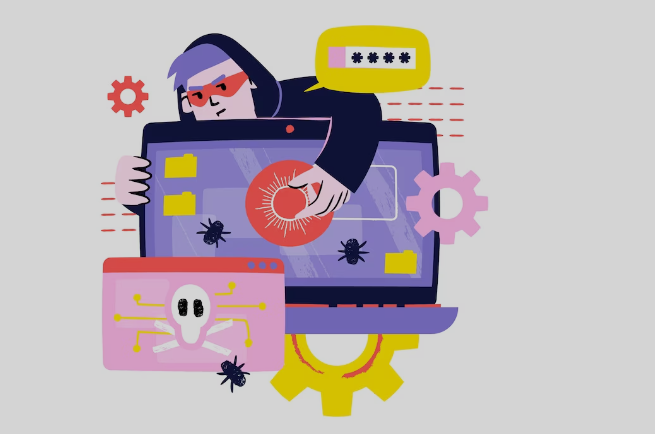
prevent cyber espionage

Risk assessment analysis

Every organization should recognize the worth of its data and who might want it. Risk assessment is the base for setting up a risk-based security strategy. Being aware of potential threats makes detecting vulnerabilities much easier.

Build a secure system infrastructure

Set a secured perimeter around your organization’s network. An excellent prevention strategy is multi-level security. A layered approach makes cyber espionage attacks more difficult to penetrate. Start by separating your corporate network from sensitive data and limiting access. Implement the zero-trust model to check user identity whenever someone accesses sensitive resources.

Develop a cybersecurity policy

When building a cybersecurity policy, include clearly defined rules around topics such as:

  • Network security. Explain security rules and implementation tactics. Include clear guidelines for accessing computer networks.
  • Network security awareness. Inform all employees about your security mechanisms and processes.
  • Employee onboarding & offboarding. Ensure all security procedures are defined, explained, and followed during the onboarding/offboarding.
  • Password control. Set strict rules on how employees must create, store, and manage passwords within your company. Restrain password reuse on multiple websites and browsers.
  • Network & system access management. Specify procedures for accessing data for remote, regular, and privileged users.
  • Data breach response. Build an action plan for what employees must do if a data breach occurs. Make sure everyone follows the security rules developed.

How to develop a company culture that values security

There’s only so much the IT department of an organization can do to spot a cyber attack. In 2022, 85% of data breach attempts were human-driven. Security awareness training remains one of the best defense mechanisms against cyber attacks.

With a strong security-focused culture, employees gain confidence to make more sensible decisions. This leads to lower security incident risks and reduced time security teams spend addressing threats. How do you build a company culture that values security?

  • Don't make security policies too technical. Make learning how to scan a file for viruses and using multiple-factor authentication (MFA) easy to understand for everyone.
  • Make sure employees understand why they shouldn't share passwords and access codes.
  • Talk about incidents that have happened to reinforce the need for security best practices. ●         Set standards, performance metrics, and goals. Track progress frequently.
  • Reward employees for their contribution. Implement an incentive plan to praise employees for improving security throughout the organization.

In conclusion, employees will fail to understand the importance of security if they believe it's the responsibility of IT. That’s why prevention practices often rely on establishing a strong security culture beforehand.

Read Also:

Arnab is a professional blogger, having an enormous interest in writing blogs and other jones of calligraphies. In terms of his professional commitments, He carries out sharing sentient blogs.

View all posts

Leave a Reply

Your email address will not be published. Required fields are marked *

Related

Microsoft 365

6 Benefits Of Microsoft 365 Security

If you’re considering investing in Microsoft 365 or need a little more convincing, read through the list of benefits below. Here, we cover details of Microsoft Office 365 security and compliance, enterprise-level mobility, and powerful solutions that help to optimize productivity – wherever your team is working. To get a clear picture of the benefits of Microsoft 365, we’ve sought the help of IT experts in the know. Microsoft Office 365 Security Features: When your employees work remotely, they carry a lot of sensitive data on their laptops and mobile devices. For business owners or managers, you want to rest assured that this data is securely stored while still being easily accessible to your workforce. The key security features included with Microsoft 365 are: Office 365 Advanced Threat Protection Azure Information Protection P1 Intune Data Loss Protection These features protect against external threats such as hackers, phishing emails, and malware and prevent sensitive customer information – email addresses or credit card details – from leaving the organization. By purchasing all these features in a single package, you will also save a significant sum of money on your monthly subscription. 1. Layered Security Approach: Microsoft 365 provides three levels of security: Threat protection. You will be protected from common external threats, such as spam, phishing emails, and malware, while also receiving cutting-edge defense from more sophisticated threats, such as zero-day ransomware. Data leak protection. As previously stated, 365 prevents sensitive data from leaving your system, providing peace of mind to any employer with a remote workforce. Control data access. You can customize your level of security regarding sensitive data by applying restrictions such as ‘do not copy’ or ‘do not forward to certain information. You can also remotely wipe data from lost or stolen devices. 2. Seamless Integration & Collaboration The best feature of Microsoft 365 is always its capability to help users collaborate. It breaks down the silos that different tools work in. Thanks to OneDrive integrating different apps and software under Microsoft 365, users can work together, document process in real-time, and do more. It allows users to communicate effectively through video, chat, and share files on a single platform. Thanks to this seamless integration, it’s easier for someone to streamline workflow and improve their productivity. Also, OneDrive and Sharepoint of Microsoft 365 make it easier for users to access data and work information from any device. The features of Teams make it easier for inter-team collaboration and communication. The efficient features of Outlook Mail, PowerPoint, and Excel Sheets are doubtlessly important in the professional environment. Also, the Microsoft 365 environment makes it easier for users to remember different apps under the Microsoft 365 umbrella. Every single app has a unique and memorable logo. Also, all the apps are easy to use. 3. Advanced Threat Protection: If you suffer a malware attack, it could spell the beginning of the end for your business by resulting in lost work hours, loss of income, and an undermining of public trust. With Microsoft 365, links are checked in real-time to warn you if it will take you to a malicious website. Email attachments are scanned for malware, and your devices are monitored for any suspicious strings of communication that might indicate the beginning of a ransomware attack. Also, users can secure the flow of emails and mailbox audit logging using Microsoft Defender for Office 365. All of this means that the future of your business won’t rely on your employees’ ability to spot a suspicious email or attachment before they can click on it. Office 365 has a threat and attack monitoring and prevention response. 4. Data Loss Prevention: Keeping all the sensitive information, your business holds secure is a difficult task and a constant battle that never goes away. With 365, you can apply data loss prevention policies to prevent sensitive information from falling into the wrong hands, encrypt devices to protect data if that device is stolen or lost, and manage all your company devices remotely; handy for when an employee leaves, and you need to wipe all company data from their phone and laptop. 5. Control Data Access: Identity and access management through the MFA and PIM gives Microsoft 365 users peace of mind. Its security features for control and access are unparalleled. It doesn’t assign the global admin role to everyone. Instead, Contosco creates three different Global Admin accounts using strong passwords. Microsoft Entra Authentication and PIM ( Privileged Identity Protection) are responsible for protecting the accounts. The Azure Information Protection Feature allows you to manage and control how data is accessed and shared across your business. You can require your employees and customers to sign in to sensitive information with a fingerprint or PIN and classify that information as ‘sensitive’ to restrict how it is shared both inside and outside the business. 6. Powerful Tools For Enhanced Productivity The apps and additional tools in the Microsoft 365 ecosystem are efficient and productive. Most apps come with amazing productivity features. Microsoft’s suite of apps includes the best word processors like Microsoft Word, Excel, Outlook, PowerPoint, and other tools with AI features. The AI-powered Designer under Powerpoint provides you with different design features. You can use Excel Insights to find out patterns in your data. The grammar assists in the writing tool and also helps to write effectively inside words. Also, the co-authoring features of Microsoft Word allow multiple users to use the same document at the same time. This enables a new gateway for seamless collaboration. Windows 10: By upgrading to Microsoft 365, you get the added bonus of standardizing your employee workstations on Windows 10. Windows 10 is the most secure Windows platform ever, coming with its own range of security innovations that significantly reduce your business’s risk profile, as well as adding cloud-based management to ensure that all your devices are properly configured. Microsoft and its suite of apps are a vast world, opening a huge world of opportunity for the professional environment. Users find more hidden tricks and techniques as they delve deep into the world of Microsoft 365. Read Also: Ways Of Protecting Your Privacy Online Top 10 Computer Security Mistakes Defending Your Modern Company Through the Use of Threat Intelligence

READ MOREDetails
Cybersecurity Features

E-Commerce Website Security: Top 14 Must-Have Cybersecurity Features

With the rise of digitization, there has been a rise in cybercrime. In fact, when a cyberattack happens, it harms a company directly and indirectly. Also, it affects its reputation in its potential customers’ eyes. In fact, you cannot count but estimate the loss that happens. Hence, it is important to ensure e-commerce website security. In this article, you will learn about the top fourteen ways to ensure e-commerce website security. However, before that, it is also important to understand the importance of ensuring security in e-commerce websites. Hence, to learn more, read on to the end of the article. Importance Of E-Commerce Website Security In 2024, most businesses are working in the online framework. Their revenues heavily depend on their websites. If they do not emphasize their website’s security, their customer base and reputation will become vulnerable. As an eCommerce website owner, you need to comply with certain payment guidelines. These include PCI/DSS (Payment Card Industry – Data Security Standard) to ensure smooth payment transactions. Moreover, you need to install security protocols to secure your data integrity. They will not only protect your customer data from hackers but also keep the search engines satisfied. Thus, security is essential for your eCommerce website. Top 14 Ways To Ensure E-Commerce Website Security The following are some of the major cybersecurity features you must ensure on your website: 1. Implement 2-factor Authentication Does not matter how frustrating it may sound. As long as you are keeping your customer’s data secure, every security method is fine. Employing 2-factor authentication may make your customers a bit agitated. They first enter the login credentials and then enter the OTP received on their number to decrease security breaches and hacks drastically. So, employ the process and safeguard your customer accounts. 2. Get HTTPs And SSL Certification To obtain HTTPS authentication businesses need an SSL certificate to be installed on a website. Before installation, you need to buy an SSL certificate. This is because it encrypts the data communication between the server and the client. Then, it passes the data over a secure network through cryptographic functions (symmetric & asymmetric). This keeps cybercriminals from intercepting the communication. Out of all the SSL certificates, the EV SSL certificates require a user to undergo a unique validation process to verify his credibility through his name, ID, address, and more. Thus, get an EV SSL to secure your Ecommerce website and obtain the highest validation level. 3. Comply With PCI-DSS Guidelines For A Secure Payment Gateway System PCI-DSS or Payment Card Industry – Data Security Standard is a body that governs a website’s right to maintain an online payment transaction system. If you are a website that sees over six million transactions every year, you must be level 1 compliant. However, if your transactions range from 20,000 per year, you are safe as a level 4 client of PCI-DSS. The compliance helps you to secure your payment gateway system. Also, it allows you to use a third-party app to accept payments and make refunds on your behalf. 4. Use A VPN As A Night Watchman When you use public networks such as Wi-Fis to access the site, it is better to use a VPN (Virtual Private Network) to watch your back and restrict other connections to manipulate the ongoing connection between the server and the client. Without a VPN, hackers can easily manipulate the payment transaction and hack credit and debit card details. VPN will secure your customers’ payment transactions even on Wi-Fi and keep their sensitive data as safe as houses. 5. Restrict Malicious Bots Using reCAPTCHA The reCAPTCHA method is extremely effective in keeping hackers at bay. Basically, ReCAPTCHA generates random questions that a bot cannot answer. There are plenty of malicious bots lurking around the internet in hopes of finding an ideal prey for cybercriminals. When they get access to your account, malicious bots can steal information, leak it, or even bring your site down. ReCAPTCHA adds an extensive layer of security that is impenetrable for a code or a bot. It restricts bad guys’ entrance by protecting login pages, signup pages, contact form pages, form submission pages, payment gateway pages, etc. 6. Start Using A Reliable Content Management System (CMS) Choosing the right CMS is important for businesses to determine whether an eCommerce website will stay safe. Mediocre CMSs are a big risk to have. They might help you save a few bucks, but you will always be vulnerable to theft. But, CMSs like WordPress and Joomla have renounced entities having customer bases in millions. Moreover, they are regular in updating security patches and always stay a step ahead of the bad guys. The only thing you need to do is keep them updated. 7. Do Not Use Unsolicited Extensions And Plugins Plugins and extensions are necessary to enhance your website’s reach. They allow you access to multiple tools and features on the internet. However, not all plugins are safe to install. These days, due to rising cybercrimes, you must be aware of what you’re installing or adding. Cybercriminals can engrave malicious codes in the plugins, and when a user installs it, they get access to his site. Before installing any plugin, make sure that its source is known. Check for its reviews and ratings across the internet. Also, check its performance reports and badges for further inquiry and self-satisfaction. 8. Perform Audits For Site Security Site security auditing does not interest a lot of merchants, but it is essential for their survival. Site security auditing includes checking whether the anti-virus is working appropriately and whether security protocols are repelling attacks or not. As a merchant, you must initiate site auditing from time to time. It will help you prevent attacks and fix bugs and technical glitches. If detected early, some security issues can be repelled; otherwise, they may harm the website if they stay for longer periods. So, keep auditing your website at regular intervals of time. 9. Install A Firewall In Your Web Application If you own a web application, the firewall can benefit you immensely. Web Application Firewall or WAF protects the website or web app by analyzing the traffic between the application and the internet. A firewall protects the user data of the application from XSS (cross-site scripting), SQL injection, cross-site request forgery, etc. A firewall is the need of the hour to suffice the mounting cyberattacks and help sustain the business. 10. Perform Data-Backup Regularly In today’s tech world, data is more important than cash in your wallet. Here, you can earn cash again. However, once you lose data, you cannot retrieve them in the same proportion. For businesses, data is their lifeline. They thrive on data and channel their operations accordingly. Since it is immensely important, protecting it is quite a task for businesses as cybercriminals are always on the lookout for data. The best way to protect your data is by creating a copy of it and saving it on the cloud. Cloud allows you to access your data anywhere at any time, making it extremely reliable. 11. Regular Software Updates Regular software updates are crucial for e-commerce website security since they come with patches that deal with vulnerabilities. Additionally, since developers always research and improve cybersecurity, new updates let you access the latest features. In fact, they protect your website from new threats like ransomware. Also, it offers protection against data breach attempts. Moreover, software updates also let your website meet the compliance requirements of the e-commerce industry. Furthermore, it also helps in improving the overall performance of your e-commerce website. 12. Strong Password Policies Firstly, if there is a strong password policy, cyber criminals will not gain unauthorized access to the website. As a result, you can also prevent financial losses that may happen to your business. Moreover, you can also save your business from reputational damage. Generally, cybercriminals and hackers use weak passwords to penetrate networks. Thereby, they stop your business’s critical processes. Hence, with a strong password policy, you can ensure e-commerce website security. 13. Use A Secure Hosting Environment A secure hosting environment protects your e-commerce website from various security threats. These include hacking, data breaches, malware, etc. Apart from that, it also helps to maintain your site’s integrity. Also, it helps you to protect sensitive information like passwords and credit card numbers. Additionally, it also offers protection against DDoS attacks Moreover, site downtime negatively affects your search engine ranking. Here, a secure hosting environment can help you a lot. 14. Focus On User Education And Training If you invest in user education and training, you can help them respond to cybersecurity threats. Basically, your users will learn to identify and respond to threats such as phishing, social engineering, and malicious attachments. Thereby, you can reduce the likelihood of cyberattacks that can compromise your e-commerce website security. As a result, you will gain more trust from your users and customers. Final Thoughts eCommerce is booming every day. New ways of marketing, selling, and attracting are in place to make life convenient for customers. On the hind side, hackers also build new ways to capture as much data as possible. Basically, they employ bots and bugs to do the dirty work. Bots can enter your website and steal customer data, whereas bugs can get attached to plugins and gain access once you install them. Keeping track of what you are installing, where you are visiting, and who you are allowing access to is of paramount importance. However, everything can get simple if you follow these fourteen steps. This way, you can frame a robust website security system. Do you have more recommendations on how to ensure e-commerce website security? Please share your ideas and opinions in the comments section below. Read Also: Everything You Need To Know About PKI In Cybersecurity Five Tips to Make Sure Your Security Software Is Actually Secure Why DRM Is the New Standard for Document Security Top 10 Computer Security Mistakes

READ MOREDetails
Portable CCTV Camera

Navigating Security: Choosing The Right Portable CCTV Camera For Your Needs

Closed-circuit television (CCTV) cameras that are portable have become indispensable for keeping an eye on and protecting a variety of locations. The correct portable CCTV camera must be chosen for outdoor activities, business, or personal use to provide the best performance and satisfy particular security requirements. This article will explore key factors to consider when choosing a portable CCTV camera, helping you navigate the plethora of available options. 1. Intended Use and Environment: Define Your Needs Clearly defining your intended usage and the location of the portable CCTV camera is the first step toward choosing the best one. Certain qualities are needed in different scenarios.  A small, inside camera can be plenty for home security, but an outdoor activity could require a tough, weatherproof gadget. A clear idea of where and how you want to use the camera will help you make decisions. 2. Resolution and Image Quality: Clarity Matters The quality of a CCTV camera's photos and videos is determined by its resolution. Sharper details from higher-resolution cameras facilitate the identification of faces, license plates, and other important elements.  Look for cameras with a minimum resolution of 1080p; for more precise monitoring needs, go for higher resolutions like 4K. One thing that cannot be compromised when it comes to security is image quality. 3. Battery Life and Power Source: Ensure Reliability Because portable CCTV cameras run on batteries, battery life is an important factor to consider. Extended periods of monitoring and fewer recharges are associated with longer battery life.  Please consider how simple it is to replace or recharge the batteries. While certain cameras use replaceable batteries, others utilize rechargeable ones. Select a camera based on your needs, tastes, and the usefulness of the intended usage. 4. Wireless Connectivity: Embrace Convenience A revolutionary development in the field of portable CCTV cameras is wireless communication. Seek out cameras that support Wi-Fi or Bluetooth, as these features let you use a smartphone or tablet to monitor and operate the camera from a distance.  This feature improves convenience by enabling real-time monitoring without requiring a direct physical connection. It also makes it simple to retrieve videos for sharing or critique. 5. Storage Options: Balance Capacity and Convenience Think about the storage capacities that the movable CCTV camera provides. The majority of cameras record video on memory cards or internal storage. Determine the camera's storage and whether it works with various memory cards.  To further secure your video, some cameras additionally include cloud storage alternatives. Select a camera based on your required storage and how long you want to keep recordings. 6. Night Vision Capability: Enhance 24/7 Security A portable CCTV camera with night vision capability is necessary for thorough surveillance, particularly in low light. The camera can take crisp pictures and films in the dark with the help of infrared (IR) LEDs or other cutting-edge night vision technologies. Examine the effectiveness and range of the night vision feature to make sure it satisfies the needs of your particular use case. 7. Motion Detection and Alerts: Stay Proactive Motion detection is an essential component that causes the camera to begin recording when movement is detected inside its range of view. You can receive real-time updates and notifications on your linked device from cameras with motion detection capabilities. This proactive feature is particularly helpful for keeping an eye on unexpected activity in certain regions or for home security. 8. Weather Resistance and Durability: Adaptability Matters Consider the weather resistance and general durability of the portable CCTV camera if you intend to use it outside or in difficult conditions. Seek for cameras with proper Ingress Protection (IP) ratings, which reflect how resistant they are to water and dust.  The longevity and dependability of the camera are increased by its sturdy construction, which makes it resistant to a range of weather conditions and environmental influences. 9. Ease of Installation and Use: Simplify Setup Select a portable CCTV camera that is user-friendly and simple to set up. Certain cameras are packaged with flexible adapters or magnetic mounts for easy and quick installation. The user experience is further improved with intuitive mobile apps or user interfaces. Select a camera based on its compatibility with your technical expertise and ease of setup and use. 10. Brand Reputation and Reviews: Validate Reliability Examine the brand's reputation and consumer feedback before deciding on a choice. Positive reviews for well-known brands increase the likelihood of dependable, high-quality products being delivered.  Consider what customers say about the camera's functionality, robustness, and customer service. You may make an informed selection using this information, which can offer insightful information. Choose the Right Portable CCTV Camera It's important to carefully analyze your unique needs and the characteristics that meet them when selecting the best portable CCTV camera. Your intended camera usage will depend on several factors, including wireless connectivity, durability, image resolution, and battery life.  By carefully weighing these factors and keeping up with emerging technology, you can choose a portable CCTV camera that improves security protocols and gives you peace of mind in various situations. Read Also: Seven Considerations To Make When Choosing Student Apartments How To Find A Locksmith To Trust With Your Home Security, Locks & Keys

READ MOREDetails