












The Importance Of Cybersecurity In The Digital Age
Published on: 27 May 2023
Last Updated on: 18 May 2026
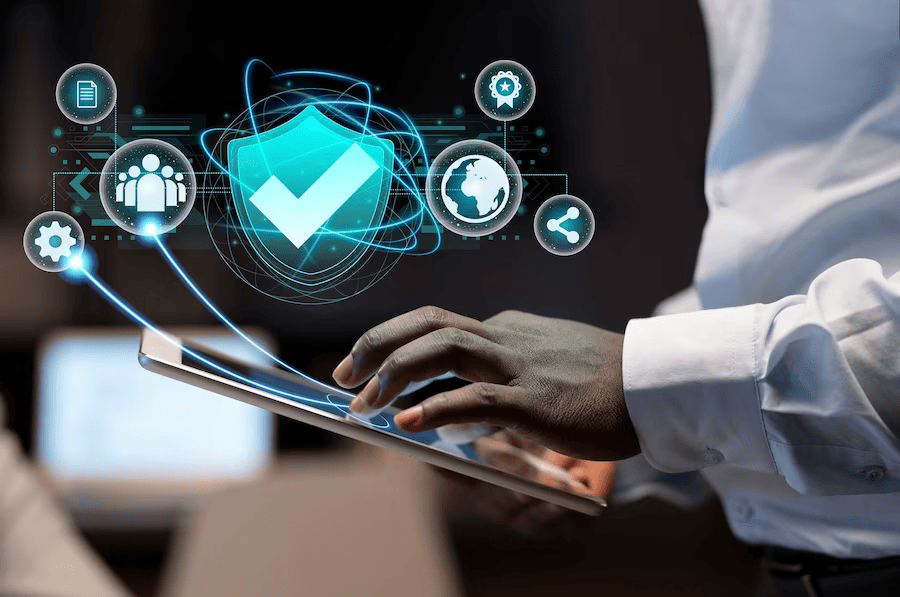
Cybersecurity has become a crucial aspect of our lives in the digital age. With technology advancing at an unprecedented rate, we are more connected than ever before. However, this increased connectivity comes with a heightened risk of cyber threats. As such, it is imperative that we understand the importance of cybersecurity and take measures to protect ourselves from potential harm.
In this article, we will delve into the risks associated with cyber threats and explore ways to protect personal information online. We will also discuss the significance of implementing cybersecurity measures in the workplace and how cyber attacks can have significant economic impacts on organizations. By understanding these issues, we can take proactive steps towards safeguarding ourselves against malicious actors seeking to exploit vulnerabilities in our interconnected world.



Popular

Technologies For Creating A Startup Idea
20 Feb 2023

How to Download Facebook Videos on Android?
07 Feb 2019

7 Rules of Effective Ecommerce Web Design
28 Jan 2021

Why Are Online Transactions Convenient?
07 Dec 2023

Recent
Related
Data Breach Prevention: Proactive Strategies For Businesses
Data breaches have become an increasingly prevalent issue for businesses across the globe, with the potential to compromise sensitive information and inflict significant reputational and financial damage. Organizations must adopt robust measures to safeguard their data assets in the face of evolving cyber threats. This article delves into proactive strategies that businesses can employ to fortify their defenses against data breaches, emphasizing the integration of cutting-edge solutions and adherence to best practices in cybersecurity. Understanding The Threat Landscape Before diving into prevention strategies, businesses must grasp the breadth and complexity of the threat landscape. Cyber threats can emanate from various sources, including malicious hackers, insider threats, and accidental disclosures. The methods used by attackers are equally diverse, ranging from sophisticated phishing schemes and malware attacks to exploiting software vulnerabilities and conducting brute force attacks. Leveraging Data Protection As A Service (Dpaas) One of the cornerstone approaches for enhancing data security involves leveraging Data Protection as a Service (DPaaS). DPaaS offers a comprehensive suite of services that cater to the critical needs of data backup, recovery, and security. By adopting DPaaS, businesses can benefit from scalable, cloud-based solutions that provide robust encryption, threat detection capabilities, and continuous monitoring of data assets. This service simplifies the complexity of data protection efforts and ensures compliance with regulatory standards and best practices in data security. Establishing A Culture Of Security Awareness A proactive data breach prevention strategy is complete with fostering a culture of security awareness among employees. Human errors remain a significant vulnerability that can lead to data breaches. Therefore, conducting regular training sessions on cybersecurity best practices, phishing awareness, and secure handling of sensitive information is imperative. Encouraging employees to adopt strong password practices, recognize suspicious emails, and report potential security incidents can significantly reduce the risk of data breaches. Implementing Strong Access Control Measures Effective access control is a critical component of data breach prevention. Businesses should adopt the principle of least privilege, ensuring that employees have access only to the information and resources necessary for their job functions. Implementing multi-factor authentication (MFA) adds a layer of security, requiring users to provide two or more verification factors to gain access to systems or data. Such measures drastically reduce the likelihood of unauthorized access, even if login credentials are compromised. Regular Updating And Patching Systems Cyber attackers often exploit vulnerabilities in outdated software and systems to gain unauthorized access to data. To combat this, businesses must implement a rigorous schedule for regularly updating and patching their IT infrastructure. This includes operating systems, applications, and network devices. Organizations can close security gaps and protect against known exploits by ensuring that all components are up to date. Employing Advanced Threat Detection And Response Advancements in technology have enabled the development of sophisticated tools for threat detection and response. Utilizing artificial intelligence and machine learning algorithms, these tools can analyze patterns, detect anomalies, and identify potential threats in real time. Automated response mechanisms can be activated in a suspected breach to contain and mitigate the impact, minimizing damage and facilitating a swift recovery. Conducting Regular Security Audits And Assessments Regular security audits and vulnerability assessments are vital for identifying weaknesses in an organization’s cybersecurity posture. These evaluations should encompass all aspects of the IT ecosystem, including network infrastructure, applications, and end-point devices. By conducting these assessments, businesses can gain insights into vulnerabilities and implement corrective measures to strengthen their defenses. Developing A Comprehensive Incident Response Plan Despite the best efforts to prevent data breaches, the possibility of an incident cannot be eliminated. Therefore, having a comprehensive incident response plan is critical. This plan should outline the steps to be taken in the event of a breach, including the immediate containment of the breach, assessment of the impact, notification of affected parties, and measures to prevent future incidents. Regular drills and simulations ensure the response team is well-prepared to act swiftly and effectively in a real-world scenario. Utilizing Secure Cloud Storage Solutions The swiftness towards cloud computing has offered businesses flexibility and scalability in managing their data. However, it also introduces new security considerations. Secure cloud storage solutions, equipped with end-to-end encryption, regular security audits, and compliance certifications, provide a robust framework for protecting data stored in the cloud. Businesses should carefully select cloud service providers that adhere to stringent security standards and offer transparency in their security practices. Engaging In Threat Intelligence Sharing Threat intelligence sharing involves exchanging information about emerging threats, vulnerabilities, and attack strategies with other organizations and security entities. This collaborative approach enhances the collective ability to anticipate, identify, and respond to cyber threats more effectively. By participating in industry-specific threat intelligence sharing platforms or joining cybersecurity consortia, businesses can gain insights into the latest threat landscape, adapt their defense mechanisms accordingly, and contribute to a broader cybersecurity ecosystem. Investing In Cybersecurity Training And Education Continuous education and training programs for IT staff and employees are vital in keeping pace with the latest cybersecurity trends, threats, and prevention techniques. Specialized training for cybersecurity teams ensures they are equipped with the knowledge and skills to implement advanced security measures and respond to incidents effectively. For the wider workforce, regular awareness sessions can help in recognizing and mitigating the risks associated with social engineering attacks, phishing, and other common cyber threats. Adopting Zero Trust Security Architecture The Zero Trust model operates on the principle that no entity, whether inside or outside the network, should be automatically trusted. This security approach requires verification for every access request, irrespective of its origin. Implementing Zero Trust involves segmenting networks, enforcing strict access controls, and continuously monitoring and validating user and device activity. This model significantly reduces the attack surface and limits the potential impact of a breach. Enhancing Data Privacy Measures Beyond protecting data from unauthorized access, it's essential to focus on privacy aspects. This includes implementing data minimization practices, where only the necessary amount of personal data is collected and stored. Furthermore, ensuring transparency in data processing activities and providing users with control over their data enhances trust and complies with privacy regulations. Data privacy measures, coupled with security practices, create a robust framework for safeguarding sensitive information. Regularly Reviewing And Updating Security Policies Cybersecurity is not a set-and-forget endeavor. As technologies evolve and new threats emerge, security policies and procedures must be regularly reviewed and updated. This includes revising access controls, data encryption protocols, and incident response plans to address new vulnerabilities and compliance requirements. A dynamic approach to policy management ensures that the organization's security posture remains strong in the face of evolving cyber threats. Final Thoughts The importance of a comprehensive and proactive approach to data breach prevention cannot be overstated. By embracing a culture of continuous improvement and integrating advanced security measures, organizations can not only protect their valuable data assets but also build trust with customers and stakeholders. The journey towards enhanced cybersecurity is ongoing, requiring vigilance, adaptability, and a commitment to excellence in safeguarding information in an ever-changing threat environment. Read Also: The Importance Of Cybersecurity In The Digital Age What Are Some Best Practices To Prevent Phishing Attacks? Learn Everything About Google Verification Code Scams In 2023
READ MOREDetails
Hybrid Work Age: Best Firmware Protection
As the world steps on a fast-paced transformation into digital, it's vital to understand and keep up with its benefits as well as the dangers that come with it. In the same way, you have learned to secure your physical house from being too vulnerable to being attacked, you must now also protect your digital devices from attackers. Living more and more in the frame of hybrid work models, the risks of firmware attacks have increased, making it a priority to take the necessary precautions to keep your devices and sensitive and valuable information secure. Especially in the age of hybrid work, it's more important than ever to be vigilant against potential firmware attacks. Since the digital world is blooming fast and at the same time it has matured from a naif use to an all life online, we must upgrade our understanding of it, to a whole other level. It is therefore imperative to be aware that dangers are real, in order to empower yourself to take proactive steps. Well done, you are doing the first step, to research and educate yourself. An enduring strategy amidst the changing nature of existence is to constantly acquire knowledge. Secondly, to assume liability for our collective contribution, towards establishing a secure online environment that can positively influence our physical reality. No different than in the real world, if your business gets attacked, you will suffer consequences. So, in all that we can control, we must act. Let’s get to know more about firmware attacks and ways to prevent them, for an easy and more relaxed life. Firmware attacks: What Are They? Firmware attacks are specific types of cyberattacks that target the software embedded in the computer's hardware. These attacks exploit security breaks in the firmware, much like thieves can find ways to break into a house. By doing so, criminals can then obtain unauthorized access to your device and take control of it. Firmware acts like a bridge between the computer's hardware and software. It controls the basic operations of the device and enables the communication between these two. If a malicious code is injected into the firmware, it is possible to have complete control of the device. This allows the hacker to perform a multitude of harmful activities, such as stealing sensitive information, modifying the device's behavior, or using the device as a launching pad for further attacks. Just to give an example, attackers can exploit the firmware in a router in order to redirect traffic to an infected website, leading to further compromise of the entire network. Dangers and consequences are real The impact of firmware attacks can be devastating for any business. Once the hackers find a way to get inside a device, it becomes possible to steal sensitive information or install malware on the network. Depending on their agenda, this can lead to financial loss, damage to reputation, and even legal repercussions. Plus, they can be hard to detect until it is too late.The risk of firmware attacks has increased quite significantly, as we are entering the age of hybrid work, where more and more people are working remotely. In order to keep a lifestyle of living the dream, it's critical to understand that the threat of firmware attacks is real and can have severe consequences. Let’s review two of the main dangers: Unauthorized access: Attackers can gain access to your device and take complete control over it: steal valuable information, use it as a platform to execute further attacks and manipulate the device's behavior. Difficult to detect: Firmware attacks are often hard to detect, as they can be deeply installed in the hardware of a device. Be aware that traditional antivirus may not be enough, leaving you vulnerable to potential threats. However, you can relax, as the good news is that there are strategies and actions you can take to prevent this from occurring. Key solutions to shield your devices To protect your devices from firmware attacks, there are several key solutions that you must consider. First, regularly updating your firmware with the latest security patches and updates is fundamental. These updates often address known vulnerabilities that attackers can exploit. Second, investing in anti-virus software that includes firmware scanning capabilities can also help detect and prevent firmware attacks. Use strong passwords and enable two-factor authentication to reinforce security, to avoid unauthorized access to your devices. In addition to these common solutions, there are several hidden protections that businesses can implement to safeguard themselves, such as: Firmware-based intrusion detection, to seek for and prevent attackers from injecting malicious code into the firmware, during the boot-up process. Implementing firmware encryption makes it considerably more difficult for attackers to insert illegitimate code into the firmware. Finally, organizations can also consider implementing firmware-based authentication, which can add an extra layer of security to the login process. Strengthen your network defenses One of the most effective ways to protect your business from firmware attacks is to take a proactive approach to network security. By implementing robust defenses and regularly updating firmware and software, you can help prevent unauthorized access and reduce the risk of a successful attack. One important step is to use firewalls and access controls to restrict traffic to and from your network. This can help prevent intruders from gaining entry through vulnerable devices and systems. You also improve network security when you regularly update firmware and software on all devices, including routers, switches, and other network appliances. In addition to these measures, stay informed about emerging threats and vulnerabilities. You can do this by subscribing to security alerts and advisories, and by following best practices for network security. Keep yourself in the loop of the latest hi-tech news. Promote cybersecurity awareness Another key aspect of protecting your business from firmware attacks is promoting cybersecurity awareness among employees. By educating staff on the best practices for security and providing regular training, you can help reduce the risk of human error and improve your overall security posture. Some important steps to consider include encouraging employees to create strong passwords, avoiding suspicious links and downloads, and using two-factor authentication whenever possible. You can also implement security policies and procedures, such as requiring regular password changes and limiting access to sensitive data. Another important element is raising awareness about the latest threats and attack methods and motivating everyone to keep themselves curious. By keeping staff informed about emerging risks and updated training on how to recognize and respond to potential attacks, you can help prevent successful breaches and protect your business from harm. Conclusion Just like how individuals need to adapt and upgrade their skills to thrive in the changing world, businesses must also take steps to protect themselves in the digital world. By understanding what firmware attacks are, their impact on organizations, and implementing the right security measures, businesses can mitigate the risks and ensure a secure hybrid work environment. Each one of us has a role to play in creating a safe and pleasant navigation experience in both the digital and planetary worlds. So, let's educate ourselves and take aligned action toward a safe world that will benefit us and all internet users. Read Also: How To Protect Yourself On Social Media What Are Some Best Practices To Prevent Phishing Attacks? Wireless Network Management: 3 Best Practices For Enterprises
READ MOREDetails
5 Tips to Improve Your Internet Privacy
Have you ever faced a cybersecurity breach or a severe hacking attempt? What was the most overwhelming feeling following the occurrence? Indeed, whenever something of such sort happens, we feel that our privacy got breached. We begin to realize that there’s no more confidentiality left, and someone else is in command of our personal affairs. The truth is that’s when we discover the true worth of maintaining our privacy. The reality, as it seems, is that individuals or companies may face a cybersecurity breach irrespective of what they do. It is simply because the technology and security systems have progressed, threats have advanced too. Somehow, those attempting such manipulation always find a way to defeat the security measures and protocols. One way to combat or at least minimize such a level of a breach is to pay extreme care to personal security. At an individual level and as an organization’s employee, a person can somewhat tackle the threat with some steps. These include being cautious when using a public computer and avoiding sharing personal information online. Another measure is to gain advanced cybersecurity expertise. In other words, you may earn a postgraduate degree in cybersecurity to defend against threats. In doing so, you will learn in detail about cyber law and security and how they apply in today’s digital age. You will also study digital forensics, focusing on the investigation of data on the devices. Only a Cyber Security Masters or Bachelors degree can provide the opportunity to earn discreet knowledge on the subject. While you do so, why not learn about some essential tips to safeguard your internet privacy? Let’s begin. 1. Be Wary of the Websites You Visit: The first rule to maintain your privacy is to be conscious of your browsing habits. It is essential to be mindful of the sites you visit not to fall into any trouble unknowingly. When we talk about websites, we generally think that avoiding them is too convenient, while this isn’t entirely true. Substandard websites or those that have ransom-ware or harmful downloadable programs in them do appear in disguise. Further, they may have engaging content, such as a compelling catch-line to lure the potential victims. Pointing them out and avoiding them is the key to keeping your privacy intact. 2. Draw Limitations on Social Media: Social media can have the most profound impact on your privacy, so we need to be careful about it. It seems just so tempting to jump on the bandwagon and share our two cents on a trendy topic. But, if you want your privacy to remain, you will need to draw out some limitations on the usage. When we say restrictions, we don’t mean that you shouldn’t engage with your acquaintances or engage with potential customers. Instead, what we mean is that you should be careful about what you post. Don’t hand out your personal information or data that could harm you in the longer run. 3. Ensure Privacy Checks Exist: Your steps for privacy should be of paramount importance to you as these guarantee confidentiality. To ensure that, it has to be conscious and constant effort to avoid facing a predicament. Besides being alert, one needs to place sufficient privacy checks, depending on their individual or organizational needs. Especially at an organization level, you will need to ensure that your employees follow online safety protocols. Each resource will need to make decisions and execute plans as per the company directives. Every individual needs to be aware of the steps to take in data theft or online breach. 4. Install Sufficient Software: It would be best to have specific programs on your computer to safeguard your crucial information from all privacy breaching attempts. Let’s try to understand it from a larger perspective. When you are securing your house, you install ample security devices and systems. The primary reason is to rule out any intrusion. Similarly, you need to install sufficient software on your machine to avoid any invasion. It includes anti-virus, anti-ransomware, and anti-spam programs that can safeguard your computer. But remember that you have adequate memory in the machine to keep running everything smoothly. Also, all programs must have complete synergy to produce the effect needed. 5. Secure Every Device: When we strive to maintain privacy, we primarily focus on securing our computer, laptop, or tablet. In doing so, we sometimes overlook our smartphones, and that’s where the problem begins. If we ponder it, it is our cell phone we use the most, so greater care is needed there. The biggest potential threat in terms of privacy when using a mobile phone is an app. Sometimes, we need an app urgently so that we can download the required program in seconds. However, it is essential to make all the devices secure to maintain comprehensive privacy. Final Thoughts: Attaining online privacy seems like an uphill task in today’s digital era. In a fast-paced world where businesses have intense competition, it is always hard to be alert about privacy. The existing threats of data breaches make it even more difficult to ensure security. But a few steps for online privacy can go a long way in ascertaining productivity and progress. So let us act wisely! Read Also: 8 VPN Facts – You Should Know About Top 10 Cybersecurity Features That Are A Must-Have In An Ecommerce Store What are the things you need to know while choosing Antivirus Software? Five Tips to Make Sure Your Security Software Is Actually Secure
READ MOREDetails