












5 Ways Technology Will Change the Hospitality Industry Post Covid-19 Pandemic
Published on: 06 November 2020
Last Updated on: 13 September 2024

With the Covid-19 pandemic in the equation, the hotel industry is no longer the same. However, it’s here to stay, just as much as the pandemic might persist in the long haul. People will continue to travel, seek business accommodation from Northampton, dine, and hold business conferences, even as the pandemic rages.
With travel restrictions, lockdowns, and social distancing measures, the hotel industry has been hit hard by the effects of the pandemic. However, it’s only a case of being down but not out. Now is the time to prepare accordingly to equalize the damage caused by the pandemic and to prevent any possible future damage caused by the same or a different emergency.
By managing insurance policies and even conserving cash in the hospitality sector, the industry can acquire a comprehensive level of preparedness that can protect it, its team, and its customers in the long run.



Popular

Technologies For Creating A Startup Idea
20 Feb 2023

How to Download Facebook Videos on Android?
07 Feb 2019

7 Rules of Effective Ecommerce Web Design
28 Jan 2021

Why Are Online Transactions Convenient?
07 Dec 2023

Recent
Related

Tech Tactics: Reestablishing Contact With Blocked Numbers
Want to know how to call someone who blocked you? Well, trust me, you are not the only one doing so! In the realm of relationships, rocky times are as inevitable as software updates on your smartphone. Disagreements, arguments, and misunderstandings are the glitches that pop up in the code of any human connection. Face it, no matter how much love you share, agreeing 100% of the time is simply impossible. Parents and children clash, siblings squabble, best friends have falling-outs, and even happily married couples lock horns from time to time. It's all part and parcel of the grand tapestry of life. Unfortunately, sometimes these conflicts escalate to the point where one party decides they're no longer "on speaking terms." In today's digital age, that often translates to a dreaded outcome: they block your number. Keep scrolling down till the end to learn more about the same… But First, How To Know If Someone Has Blocked Your Number? Imagine this: you dial a friend's number, eager to chat about the latest episode of your favorite TV show or share exciting news, but instead of the cheerful ringtone, you're greeted with an eerie silence. You've been ghosted, and not in the trendy, playful way. You suspect you might have been blocked. But how can you know for sure? Let's embark on a journey to uncover the telltale signs of a blocked number, in a casual and friendly tone. 1. Straight To Voicemail Every Time One of the first hints that your number may be on someone's blocklist is that your calls go straight to voicemail. It's as if your calls are being mysteriously rerouted to a digital voicemail dungeon, bypassing their phone's ringtone entirely. If this becomes a recurring theme when trying to reach someone, it's a good indicator that they might be actively avoiding your calls. 2. The Perpetual Text Abyss You've sent your friend a series of witty texts or heartwarming messages, but there's not a single blue bubble in sight. It's like your words have vanished into the digital void. When someone has blocked your number, your text messages won't be delivered, and you won't see those reassuring read receipts. It's like you're texting into an alternate dimension where your words simply cease to exist. 3. Mysterious Disappearance From Social Media In our interconnected world, social media is often the playground where we share our lives and keep in touch with friends. If someone has blocked your number, they might also choose to sever digital ties with you on platforms like Facebook, Instagram, or Twitter. Suddenly, you notice their profile is nowhere to be found, and your friend count just dropped by one. It's a social media ghosting that leaves you scratching your head. 4. The Ring And A Swift Hang-Up Imagine you finally get through after multiple attempts, and their phone starts ringing. But before you can exhale a sigh of relief, it abruptly goes silent, and the call ends. It's like a tease, leaving you with unanswered questions. This behavior could be a result of call-blocking apps that instantly disconnect calls from blocked numbers. It's a bit like being shut out at the door of a VIP party. 5. No Profile Picture Or Status Updates If your friend has blocked your number on messaging apps like WhatsApp or Telegram, you may notice that their profile picture and status updates have vanished. You're left staring at a generic silhouette or a blank space where their witty status once was. It's like a digital cloak of invisibility, leaving you to wonder what's going on behind the scenes. 6. Mutual Friends Report Silence In some cases, your mutual friends might be the ones to spill the beans. They may casually mention that your friend hasn't been responding to their calls or messages either. This could be a clue that your number is indeed blocked. After all, if it's not just you experiencing the silence, there's a pattern emerging. 7. The Subtle Social Snub In the world of social media, a subtle snub could also be a sign. Your friend may continue posting and engaging with others but consistently ignores your comments or messages. It's a virtual cold shoulder, and it stings just as much as the real thing. 8. The Final Frontier: Directly Asking Sometimes, the best way to settle the mystery is the simplest one: just ask. If you suspect you've been blocked, reach out through an alternative method, like email or a different phone number, and express your concern politely. Remember, communication is key in any relationship, and a sincere conversation can help clear the air and address any issues that might have led to the blocking in the first place. How To Call Someone Who Blocked You? When you're blocked, your calls divert straight to voicemail, and your heartfelt text messages remain undelivered. It feels like you're shouting into the void, with no way to reach out, and they remain blissfully unaware of your attempts to reconnect. But here's the silver lining: blocking doesn't always spell the end of the relationship. Sometimes, both parties just need some time and space to reflect on what transpired. After a cooling-off period, they may unblock you, paving the way for a much-needed heart-to-heart conversation. In some cases, a sincere apology can mend fences. The real challenge, though, is how to apologize when your number is firmly on their block list. Apologizing to someone who refuses to answer your calls or read your messages may seem impossible. Yet, owning up to your mistakes is often the right course of action. So, how do you go about it when they've blocked you? Well, fear not, for there are a few clever tricks up your digital sleeve to reestablish contact: 1. Use A Different Phone Sometimes, simplicity reigns supreme. The most straightforward approach is to use a different phone to call the person who's given you the digital cold shoulder. Phones can't block individuals; they can only block specific numbers. Therefore, dialing from an unblocked number is a surefire way to get around the blockade. While using a public pay phone used to be an option, they're not as common these days. Instead, you could ask to borrow a work phone or even a business landline, though this may require some convincing. A more effective and less complicated option is to seek help from a friend or family member. They likely know the person and the situation and may be willing to lend a hand, as long as it doesn't entangle them in the feud. 2. Dial *67 An age-old technique for disguising your number involves dialing *67 before you make the call. This method has been around for decades, and it's incredibly simple. All you have to do is input *67 before dialing the number. However, remember that you'll need to enter their number manually, as you can't select it directly from your contacts. When the call goes through, their Caller ID will display "Unknown" or "Private Number," keeping your identity under wraps. 3. Disguise Your Caller ID Both Apple and Android phones offer features to conceal your Caller ID information. By activating this setting, the recipient will see "Hidden" on their Caller ID, akin to dialing *67, but it automatically applies to every call you make. Here's how to enable it: For iPhone: If you want to know how to call someone who blocked you on your iPhone, follow the steps below: Open the “Settings” app. Select the “Phone” option. Scroll down until you see the “Show My Caller ID” option. Slide the toggle to the “Off” position. For Android: If you want to know how to call someone who blocked you on Android, follow the steps below: Open the “Settings” app. Select the “Additional Settings” option. Tap the “Caller ID” option. Choose the “Hide Number” option. 4. Change Your Phone Number Admittedly, this one's a bit extreme. Changing your phone number just to bypass a block is quite the hassle, involving updating contacts and contact information across the board. However, it's an option worth mentioning, even if it's not the most practical for a single phone call. Changing your phone number is relatively straightforward and usually free. Just call your service provider and request a new number. Keep in mind that once you change it, there's no turning back—you'll permanently lose access to your old number. How To Call Someone Who Has Blocked You On WhatsApp? In this age of digital communication, WhatsApp stands as one of the pillars of staying connected. But what happens when the digital door gets slammed in your face, and you find yourself blocked by someone you need to reach? Fear not, for we're about to embark on a journey to decode the mysteries of calling someone who has blocked you on WhatsApp. The Art Of WhatsApp Blocking First, let's decode what happens when you're blocked on WhatsApp. You'll notice a distinct lack of updates on their profile picture, a blank last-seen status, and no more read receipts for your messages. It's like they've vanished into the digital ether. But don't despair; there are ways to pierce this virtual veil. Try Sending A Message Believe it or not, sometimes a blocked contact can still receive your messages. They won't see them in real time, but the messages will be there waiting when they eventually unblock you. So, go ahead and craft that heartfelt message or apology, and press send. It's like sending a message in a digital bottle, waiting to wash up on their shore someday. The Unblocking Game Here's where the real strategy comes into play. Often, those who block you might reconsider their decision with time. Be patient; give them the space they need to cool off and reflect. It's like waiting for a cloudy sky to clear – eventually, the sun will shine again. Change Your Number Now, this one's a little more drastic. Changing your phone number can be a last resort. It's like getting a new identity in the digital world. While it guarantees a fresh start, it's not without its complications. You'll need to inform everyone in your contacts about the change, update your accounts, and wave goodbye to your old number forever. Getting blocked on WhatsApp might feel like a digital slap in the face, but there are ways to navigate around it. Be patient, craft thoughtful messages, and remember that even in the virtual realm, time can heal wounds. While changing your number is an option, it's a last-ditch effort. So, whether you're seeking reconciliation or just trying to reconnect, don't let a blocked contact hold you back in the WhatsApp world. Things To Keep In Mind While You Try To Reconnect! Now, before you embark on your mission to reconnect, there are a few crucial considerations. Here are some of the things that you should keep in mind while you try to call someone who has blocked your number: 1. Think About Why They Blocked You: Remember that blocking doesn't typically happen by accident. The person who blocked you did so deliberately for a reason. Reflect on what led to this action and whether a call will genuinely resolve the issue. Surprising someone who blocked you might not yield the desired outcome. 2. Beware of Legal Ramifications: The Truth In Caller ID Act of 2009 made it illegal to use Caller ID spoofing technology to harm or defraud someone. Depending on how the person who blocked you feels, your attempts to contact them through unconventional means could be deemed harassment. Ensure that reaching out won't lead to legal trouble. 3. Consider Alternative Communication: While a phone call might be the most direct approach, it's not always the most effective or considerate one. Explore other avenues, such as asking a mutual friend to mediate, using social media or email, or even sending a heartfelt handwritten letter. These methods respect their need for space and provide them with something to ponder while maintaining a less intrusive approach. Wrapping It Up! Reconnecting with someone who's blocked your number may seem like a daunting task, but it's not impossible. You have several strategies at your disposal, each with its own set of pros and cons. However, before attempting any of these methods, it's wise to consider whether reaching out is genuinely in the best interest of all parties involved. Sometimes, the best course of action is to exercise patience and allow time to heal wounds, knowing that they can reach out when they're ready. After all, respect for their boundaries and feelings should be your top priority. In case you wanted to know how to call someone who blocked you, I hope that this blog has been of help to you. If there are any other queries related to the same, please feel free to let me know. All that you need to do is scroll down till you reach the bottom of the page. Then leave your comments and queries in the box below. And I will be there to answer them all for you! Learn More About: How To Delete A Page In Google Docs? How To See Someone’s Imessages Without Their Phone?
READ MOREDetails
The Power of Virtual Data Rooms for Real Estate Businesses
The data room software is a popular and versatile technology. It’s highly sought after by entrepreneurs for secure work environments in today's real estate industry. VDRs effectively automate and streamline numerous business processes, offering a secure platform for managing documents while fostering transparency among colleagues and employees. Their utilization ensures the utmost safety and efficiency in real estate operations. What is a VDR? Essentially, a VDR serves as a digital hub for storing business records, files, and other valuable items containing sensitive information. Prior to the emergence of VDRs, organizations predominantly relied on conventional file storage methods, which failed to provide the requisite level of security. Presently, VDRs encompass a range of features, including: Surprisingly enough, this software serves a purpose far beyond mere file storage. It also acts as a secure environment for sharing and exchanging sensitive information with others. This process is completely safeguarded through various tracking mechanisms that meticulously monitor every action taken within the VDRs. Should there be any unauthorized attempt or an individual trying to access restricted documents contrary to the security policy, the system promptly alerts you, ensuring the utmost security of your data. Among the remarkable attributes of VDRs is their capacity to facilitate comprehensive automation of operations. While this functionality was not initially inherent in the VDR concept, developers swiftly recognized the need to automate business processes in order to maintain a competitive edge. As a result, automation has become a standard feature across all data room services, significantly enhancing efficiency and productivity within the workplace. The impregnable fortress of VDRs makes breaching their defenses an incredibly daunting task. In fact, it can be argued that breaching a company's VDR is nearly impossible, as news reports rarely surface about such incidents. This remarkable level of protection is the result of the stringent security measures employed by VDR providers. In order to instill confidence in business owners regarding the exclusive use of VDRs for preserving sensitive company information, these providers actively strive to obtain independent certifications and gain recognition from governmental authorities. And so far, their efforts have proven successful. The integration of a virtual data room into your company's infrastructure is definitely worth considering. It holds the potential to deliver substantial time savings for your staff, allowing them to redirect their efforts toward more productive and critical tasks that contribute to the growth of your business. VDR in real estate transactions In the realm of real estate transactions, high-tech innovations such as VDRs have finally found their rightful place. Modern companies operating in this field face the constant need to adapt and automate tasks that were previously handled without the desired level of security and efficiency. Entrepreneurs from around the globe, particularly those in developed nations, are increasingly recognizing the significance of integrating VDRs right from the outset of their business endeavors. This holds true not only for the real estate sector but also for other industries that shape today's economic landscape, marked by the impact of economic crises. Even traditional businesses, which have been accustomed to more conventional approaches, are now contemplating the acquisition of this advanced technology that has gained immense popularity in recent times. Perhaps you're wondering, what sets digital data rooms apart from other corporate technologies available today. The answer lies in several key factors. Embracing this technology grants you the ability to streamline an extensive array of daily tasks, ensuring optimal efficiency in your operations. By implementing such improvements in your real estate business, you can have full confidence in the proper management of your financial endeavors. As enterprises endeavor to enhance efficiency and productivity, the significance of automating workplace tasks continues to grow. Automation facilitates cost reduction, heightened productivity, and enhanced precision. Furthermore, it minimizes the time expended on routine responsibilities, allowing employees to dedicate their efforts to more critical undertakings. By providing swifter and more reliable service, automation also contributes to improving customer satisfaction. The advent of these technologies has revolutionized interdepartmental communication within organizations. Recognizing the persistent challenge posed by communication issues in the wake of technological advancements, this solution has been purposefully engineered to address this concern across companies. It stands as the exclusive program that effectively tackles this challenge head-on. It comes as no surprise that businesses are actively seeking ways to enhance communication between departments, recognizing its potential to drive efficiency, collaboration, and productivity. By fostering improved communication, the prevalence of misunderstandings and miscommunications can be minimized, cultivating an environment of trust and cooperation. The utilization of this technology ensures meticulous organization and efficient indexing of documents, thereby enabling swift and seamless retrieval when urgent tasks arise. Document indexing stands as a vital tool for modern businesses, allowing them to maintain a well-structured and easily navigable repository of information. By associating documents with relevant keywords or tags, the process of locating specific files is greatly simplified. This, in turn, guarantees secure and systematic storage, preventing the loss or misplacement of important documents. Moreover, the accuracy of search results is significantly enhanced through indexing. Furthermore, this feature can serve as an impressive asset for crowdfunding campaigns, surprising investors with its efficiency and accessibility. When compared to traditional file storage, virtual data rooms stand out in numerous aspects, particularly in terms of security. The emphasis on security is fundamental in VDRs, and you can rest assured that reputable software developers prioritize this aspect to deliver an exceptional level of protection, surpassing what conventional methods can offer. Conclusion Real estate deals have reached a stage where automating these procedures and fostering investor confidence are absolutely crucial. The cutting-edge technologies we've explored today serve as prime illustrations of what you can swiftly integrate. Not only will you enjoy all the advantages outlined in this piece, but you'll also gain a few extra perks. Remember to reach out directly to the developer if you have specific needs, as they'll gladly accommodate and potentially establish conditions for your company's accelerated growth in a highly competitive market.
READ MOREDetails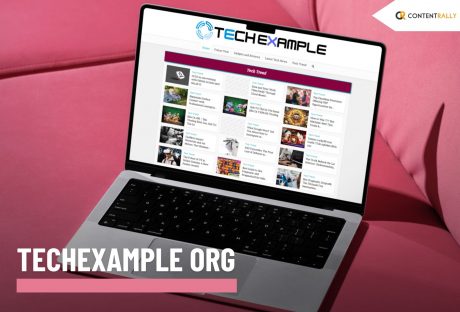
Techexample.Org: A Complete Guide To Modern Tech Learning
Users online find it very difficult to access resources that help them stay up to date with industry coding standards. Thus, they should simply go and enter Techexample org in their search bar. The platform is one of the most vibrant spaces, designed to help all tech enthusiasts. Moreover, the developers and other learners benefit equally from the knowledge and the tools that remain available on the platform. The platform creates an environment that helps people thrive in a place and ensures they truly enhance themselves. The platform equally benefits everyone, including beginners as well as the pros, who need insights for the people who provide some of the most reliable options to those who allow them to ensure the best results with the help of the platform. Thus, the platform benefits everyone with proper benefits that allow them to ensure proper results. The platform offers a wide range of resources to improve people's coding journey. This article seeks to inform people about Techexample org and how it helps users with tech education. The article also delves into what the platform offers and how it has impacted the global tech community. What Is Techexample Org And How Can It Benefit People? Techexample.org serves as an online space that remains dedicated to providing students and professionals in coding with high-quality, practical, and accessible tech enhancement materials. The platform helps in delivering tutorials, information guides, and real-world examples from a wide range of programming languages. The platform also helps with coding frameworks and the latest technologies. The platform assists with a plethora of things, like JavaScript, Python, and others, like cloud computing, as well as machine learning. Thus, the platform covers a wide range of disciplines in modern technologies. Techexample org seeks to make tech education affordable and accessible to all people with diverse skill levels. Most of the platforms help people through theories. However, Techexample org emphasizes hands-on experience with a set of things. Therefore, the users do not just understand the content, but they also learn how to apply it in a practical world scenario. People get ample help in everything, irrespective of whether it is website building, experimenting with APIs, or trying something new with artificial intelligence. The platform always helps people. Techexample org provides proper step-by-step, structured guidance to bring their ideas into reality. What Is The Mission Of TechExample.org? Techexample org focuses on democratizing technology and education. Moreover, the platform tries to reduce the gap between the complexities in technological concepts and the aspiring learners with expertise in all skill levels. Moreover, this shall open up opportunities for the learners at all levels and provide them with better opportunities for innovation. The platform provides people with accessible, high-quality technologies that allow them to understand technologies and apply them to real-world scenarios. Beginners get a kick start to the process of their learning, while experienced people can easily enhance their knowledge with the platform. Techexample org helps to understand multiple things to make people more efficient. What Are The Key Features Of TechExample.org? Techexample org has multiple key features. Moreover, here are some of the main key features of the platform. 1. Guides And Tutorials That Are Comprehensive People know Techexample org for the detailed and well-structured tutorials that are widely available on the platform. Moreover, each of the guides is made to break down the complex topics into more understandable. Thus, this allows people to understand things better and properly. Moreover, people get to acquire multiple foundational skills, such as HTML and CSS. The learners also get to know about the advanced things like data science and blockchain development. Moreover, the platform allows learners to know about things at their own pace. Most of the guides have been tailored in accordance with the needs and requirements of beginners. However, even the experts can enhance their skills to remain on par with the industry standards. 2. Real World Examples Techexample org emphasizes the practical, real-world examples. Thus, every tutorial gets served with real code snippets. The platform also provides projects and tasks that allow users to apply what they have actually learned. Thus, a tutorial on Python can also include a project that involves building a web scraper. Moreover, these hands-on activity bridges the gap between learning and execution. Thus, this will enhance the overall learning process. 3. Wider Coverage Of Technology Techexample.org covers a wide range of technologies. Thus, it ensures that it provides something for learners at all levels. Here are some of the most popular topics covered by the platform. Emerging Technologies: Quantum computing basics, Blockchain, IoT, and AI. Cloud & DevOps: AWS, Kubernetes, CI/CD pipelines, and Docker. Programming Languages: C++, Go, Python, and Java. Web Development: Node.js, HTML, React, Angular, CSS, and JavaScript. Data Science & Machine Learning: TensorFlow, Pandas, and Scikit-learn. Learners should explore multiple domains or specialize in their area of interest, and this diversity ensures that. 4. Open-Source Learning Driven By The Community Techexample org provides a collaborative work environment. Thus, users can share knowledge, contribute content, and ask relevant questions. People can learn Chrome through the platform's forums. Users, therefore, participate in discussion boards when they learn about different aspects. Users also showcase their projects and, at the same time, create a supportive ecosystem. Thus, this encourages consistent, continuous learning among people who are willing to grow constantly. 5. Accessibility Techexample org allows people to easily access the resources available on the platform. Thus, the platform remains free to use. The users can access most of the resources on the platform without paying for them. On the other hand, the platform also offers inclusivity while allowing people to learn in multiple languages and formats. Thus, the learned of diverse backgrounds easily benefit from the platform. For example, a student in a developing country and a professional working at a big company can equally benefit from the platform. 6. Background And History Of Techexample.org Amid the rising need for accessible learning, Techexample org appeared during the early 2020s phase, responding to rapid digital transformation in tech education. The platform was founded by a group of developers who were passionate about replacing the jargon-heavy resources. The developers of the platform launched the platform quietly around year 2022. The platform, moreover, aims at democratizing the resources that are available. Moreover, the platform draws the information from open source principles. Thus, the platform allows users to bridge the gaps between complex analysis and their practical application. Moreover, the platform gained immense traction in the year 2025 as multiple users started finding resources of utility on the platform. 7. Why Should People Choose Techexample org? There are multiple reasons why people should choose the platform. Moreover, here are some of the main reasons why users should choose the platform. The platform, moreover, focuses on hands-on experience instead of relying on only theory-based learning. Furthermore, the resources on the platform remain up-to-date. Thus, the users get to learn from the most recent information that is available on the internet. The users also find the platform easily navigable, as the interface of the platform is fairly simple. The platform also incorporates several open-source learning resources from diverse community-driven efforts. The users learn from feedback from people and also through collaborations. The users get access to some of the highest-quality materials and resources, without having to pay people much. 8. Impact On Tech Society The platform has democratized tech-based education while allowing people to access high-quality learning materials at a very cheap cost. Thus, users get free access to some of the most cutting-edge resources available on the internet. Moreover, the platform emphasizes hands-on learning and project-based learning. Users can learn from small-scale personal projects to large-scale projects. Also Check: Techloomz com Review – Your Friendly Guide To The World Of Technology Getting Started With Techexample.org Ready to dive in? Getting started with Techexample.org is simple: Visit The Website: Explore the resources available at Techexample.org. Choose Your Path: Find material suited to your goals by browsing technologies, skill levels, or tutorial categories. Start Learning: Build abilities by working through project tasks and following the guides step by step. Join the Community: Share ideas, get support, and interact with other learners on discussion boards and forums. Apply Your Knowledge: Advance your career, contribute to open-source work, or create your own projects using the skills you’ve gained. Things To Remember About Techexample org Techexample org serves as one of the most reliable platforms on the internet that allows users to learn several things at the same time. Moreover, the platform ensures to provide high-quality democratized resources that will enable people to learn things without facing problems with the jargon on the internet. Frequently Asked Questions Here are the answers to some of the most commonly asked questions about Techexample org. 1. What Is TechExample Org? TechExample Org is an online learning platform offering practical, accessible tutorials and hands-on guides; moreover, it covers a wide range of modern technologies. 2. Is TechExample Org Free To Use? The platform provides most of its content at no cost; furthermore, its open-access approach ensures learners can study without financial barriers. 3. Does TechExample Org Explain AI? The site includes AI as part of its emerging technology coverage; hence, learners can explore artificial intelligence through clear, structured lessons. 4. Is TechExample Org Free to Use? Its learning materials are openly available at no cost; moreover, this accessibility makes it suitable for learners worldwide.
READ MOREDetails