Published on: 20 November 2020
Last Updated on: 12 September 2024
As UAE’s healthcare sector continues to flourish, Dubai now hosts some of the most advanced innovations in the region. There are also many private and public health centers and companies spearheading and developing these technologies. The government also encourages this by supporting information and communication technology innovations in this sector as an essential element in its initiative to modernize life in the Emirates.
Unlike other countries where the private sector pushes and funds innovations, the UAE government is involved in every way. This involves developing and delivering innovations and technologies in healthcare to public and private facilities.
How Cutting Edge Technology Thrives in Dubai
Healthcare technology thrives in Dubai because the government is committed to providing the best to its citizens. For instance, in 2013, the Dubai Health Authority invested $68.5 million to digitize all its medical records.
There is also a high demand for healthcare in this Emirate. Apart from local demand, people from all over the world seek medical expertise from various hospitals in Dubai. The health facilities not only provide high-quality services but they also have the latest technologies and continue to utilize new ones.
How Technology is Improving Dubai’s Health Sector
Dubai is known for embracing technology in many industries, the health sector is one instance where innovations have thrived and continue to thrive.
Here are ways cutting edge technology is improving Dubai’s health sector.
Artificial Intelligence (AI)
Artificial Intelligence is already in use in the medical sector; it has many benefits, for instance, it can help to detect disease early. It stores patients’ records in one place and can use this information to compared past and present health conditions. This allows doctors to make a more accurate diagnosis. It can also help to detect any future health conditions; this allows for the correct steps to be taken.
AI can also be used in cardiology to monitor patients who are likely to suffer a heart attack. Regular visits to your cardiologist in Dubai are important and he might utilize AI to monitor your health and deliver individualize treatment for you. Artificial Intelligence can also be used to detect abnormal heart rhythm and blood glucose levels.
Telemedicine
Telemedicine works through communication and information technology; it involves sharing medical information, results, and images via electronic and video conferencing tools. You can consult a physician from a reputable medical center in Dubai without leaving your home. Telemedicine improves accessibility and saves waiting for time and cost of diagnosis and treatment. This improves the health sector by relieving health professions shortage in the country. It is a convenient method of linking patients and doctors by quashing geographical barriers.
Cloud Computing
Cloud computing allows health facilities to access remote servers where they can safely store patient data and other important information. Many health facilities have embraced cloud computing to store and protect data. This technology improves collaboration in the healthcare sector. It allows doctors to access patient records remotely from anywhere in the world and continue treatment without delay. These quick actions help to save patients’ lives. Cloud computing is a better and affordable storage method than traditional outdated manual storage.
Wearables
Wearable tech is a convenient and affordable way of keeping track of your health. This is important for those prone to disease or with an existing health condition. Wearables can detect irregularities before they get serious. They also detect emergencies as soon as they occur.
Wearables also keep patients engaged with their health by monitoring and having real-time data rather than waiting for doctor’s tests. This also helps when you visit a medical center in Dubai; the physician can use this information to tailor your treatment plan. Wearables are multifunctional; different types perform various functions. Some monitor respiration and heart rate while others monitor glucose levels.
Internet of Things (IoT)
The Internet of Things refers to a network of appliances, devices, and other objects fitted with computer sensors and chips to collect and relay information via the internet. Real-time monitoring through connected devices can save lives during medical emergencies like asthma attacks, diabetes, heart failure, etc. Connected devices collect medical information and relay it to a physician. Data like EGC, oxygen, blood pressure, weight, and blood sugar levels are stored in the cloud to be shared with relevant individuals like physicians.
Virtual Reality (VR)
Virtual Reality technology enables us to experience real-life through computer-generated environments. Surgeons use VR to plan complicated operations; Virtual Reality helps them to rehearse the operation beforehand which makes the surgery safer. VR also helps in phobia and PTSD therapy, pain management, reducing stress, etc.
Dubai is known for embracing cutting-edge technology in the health sector that is why people from all over the world visit the Emirate’s health facilities for medical care. This technology has made drug management, remote treatment, medical data storage, and therapy easier. Although there are skeptics, there’s no doubt that technology is beneficial in the health sector.
Read Also:
Content Rally wrapped around an online publication where you can publish your own intellectuals. It is a publishing platform designed to make great stories by content creators. This is your era, your place to be online. So come forward share your views, thoughts and ideas via Content Rally.
With the Covid-19 pandemic in the equation, the hotel industry is no longer the same. However, it’s here to stay, just as much as the pandemic might persist in the long haul. People will continue to travel, seek business accommodation from Northampton, dine, and hold business conferences, even as the pandemic rages.
With travel restrictions, lockdowns, and social distancing measures, the hotel industry has been hit hard by the effects of the pandemic. However, it’s only a case of being down but not out. Now is the time to prepare accordingly to equalize the damage caused by the pandemic and to prevent any possible future damage caused by the same or a different emergency.
By managing insurance policies and even conserving cash in the hospitality sector, the industry can acquire a comprehensive level of preparedness that can protect it, its team, and its customers in the long run.
How technology will transform the hotel industry post Covid-19
While focused on maintaining a business, the main priority of the hotel industry in this era is to protect guests and staff against the COVID-19 pandemic. With this on the table, the industry is keen on adopting cutting-edge technologies that can offer solutions without interfering with the underlying business prospects.
Across every industry, the pandemic has given birth to new norms. Mask wearing, hand-sanitizing, and social distancing have become universally accepted in all sectors including the hospitality industry. In addition to these, what more does the industry need to restore consumer confidence and revive its economy?
Across the globe, hotels have adopted scannable QR codes and contactless hotel-booking and check-in procedures instead of traditional tangible menus and catalogs. The hospitality industry can also take advantage of Google review QR code, so customers can easily rate their services online. Touchless payments, mobile room keys, in-app appointment booking, and orders have become the new norms.
With various types of technology in the offing to keep the economy rolling, the following are better placed and more relevant to the hospitality sector.
Compliance monitoring
Compliance protocols are gaining more priority as people try to remain relevant to the condition. For instance, the introduction of AI facial recognition engines with extra features to match the COVID-19 situation.
Such technologies have integrated mask-detection features that allow it to identify individuals even while wearing masks. This helps alert the management in real-time when someone accesses the premises without a mask or improperly wears one.
Another important component of compliance is thermal-camera integration. With social distancing procedures, temperature taking from a distance will become the norm going forward.
Location detection
Covid-19 pandemic has created a situation where people need to share real-time information. Some countries have already come up with location-detection apps, which passengers entering the country have to download immediately when they land at the airport.
Going forward, investing in location-sensitive apps and geofencing technology is becoming the new norm for travel brands. This will facilitate the acquisition and sharing of real-time information that can restore consumer confidence in the industry’s overall safety.
This practice will work especially for people who opt for road-trips to reinforce social distancing. For instance, hotels could install geofences that deliver push notifications to visitors within a certain radius. Importantly, the notifications could come with special offers or promotions, giving them an edge over their local competitors.
Location data could also help activate contactless check-in upon arrival at the hotels and during checkouts. Using the same technology, accommodation facilities can communicate on-site capacity limits and other conditions to their visitors in real-time. This could help avoid congestion in the facilities.
Similarly, rail and bus operators can use the same technology to alert their passengers on arrival times. This can help avoid overcrowding at stations and platforms.
Touchless communications
To enforce a new way of guest engagement during and after the pandemic, the hotel industry needs to go contactless. This would help lower the spread of the virus from surface-to-surface contact. Reliable providers are already helping boarding facilities integrate contactless technology in their Property Management System.
This technology facilitates real-time, secure communication between hotel staff and guests. The staff responds immediately to the guest’s needs even without asking for their name or room number. Another contactless option is to activate AI technology like chatbots that can communicate in multiple languages.
With contactless technology, guests would even be able to access hotel services through their mobile devices. Alternatively, they can pair their mobile devices with hotel electronics like in-room TVs. This can help them accomplish much more by just scanning a QR code.
Super sterilization and robotic technology
In addition to these technologies, the hotel industry should consider investing in super sterilization technology as well as robotic technology. Reliable tech companies are already coming up with FDA-approved solutions that would ensure surfaces remain super sanitized to prevent any chances of spread.
Similarly, robotic hotel staff will reduce person-to-person contact, aimed at minimizing the effects of the Coronavirus pandemic. Some tech companies have already invented hotel robots that can deliver water bottles, fresh towels, and other hotel amenities to hotel guests.
Apart from that, social robotics may also lead the industry to a better position with caretaking approaches. These can understand users better with unbiased approaches. Their consistent performance can be the key to the future development of the hospitality industry.
Final thoughts
Even as the hospitality industry reopens for business, we should be ready to adopt the ‘new normal.’ Besides, consumer expectation is going to be higher post-pandemic, which is why only facilities that will cater to consumer needs will be able to win brand loyalty.
The COVID-19 pandemic has undoubtedly prompted the inclusion of new technologies into hotel operations. Tech features that could have been otherwise used as novelties or extra conveniences have become a solid part of the system. Integrating them fully into the hospitality system could see the industry thrive during and after the pandemic.
Read Also:
High Technology Devices for Better Life
5 Hotel Housekeeping Tricks You Need To Clean Your Bathroom
7 Ways Technology Can Help in Customer Management and Sales
The AF 200 flying crane's primary aim is to ensure that we can completely revolutionize the wind energy industry and bring forward the most promising piece of technology you can expect from us.
We believe that when it comes to technology and high precision, it never has to be in a way that you must compromise on the working of the environment or sustainability factors.
This is why we have brought forward the most comprehensive flying crane, and we can say with conviction that this is the best one you can invest in. At AirFlight, our aim is always quality, which is what we have also focused on here.
What Are Flying Cranes Typically Used?
Flying crane helicopters have significant uses. When it comes to lifting heavy equipment from one place to a remote place, a flying crane is the only reliable to take help. Here we listed the primary purposes where a flying crane is needed.
1. Lifting And Transporting Heavy Materials
As we said that lifting heavy materials in a short time from one to another place, Flying cranes are a fantastic option. Lifting heavy construction materials, including concrete, bricks, wood, heavy bake loads, and steel.
It allows you to shift the materials for emergency purposes. That is why many construction companies use flying cranes as per their requirement.
2. Replace And Remove Rooftop Units
What you can do when you need to lift heavy unit materials from the rooftop of the tower building. You may understand that it is not possible to use any other crane to shift the material from the 80-floor building.
Here, aerial crane companies' workers and employees are the most skillful staff who know how to handle these things and how they can shift the materials without making any mistakes.
Helicopter cranes are able to spin 360 degrees and they are most efficient in mountainous terrain and congested cities.
3. Forestry Operations
Well, for forestry operations, an aerial crane is a suitable tool. To conduct everything in the forest, helicopters can assist in placing tools and picking up the wood to restore them in the nearest factory.
However, “heli-logging” is a method of logging that uses an aerial crane to lift cut trees and remove them from the operation area.
4. Utility Construction Project
Flying crane technology is able to haul huge pipelines in half time. It is a valuable tool when it comes to lattice structures, placing monopoles, and transporting materials and machinery
On the other hand, the flying car is also used to set pipe sections for cell towers in different geo-location. They are the practical choice to install towers in hill stations or hard-to-reach areas.
What Is The Unique Feature Of The Af200 Flying Crane?
It is common to wonder what is so remarkable about this particular flying crane and why it differs from the other market options. The first and most important reason that makes it one of the best is because of the efficient take-off as well as the landing. Another significant factor about the flying crane is that it is equipped with automated take-off.
This ensures that you do not have to put in manual effort for the same. Not only that, another very unique thing about the flying crane is that it is equipped with pre-programmable flying paths.
There are no two ways about the fact that one of the most beautiful things about this particular flying crane is that we have tried to decrease manual labor as much as we can. Our primary focus has always been to boost automation and ensure that ultimate efficiency is promised to our clients. AirFlight is one of the better-known brands for the most fantastic flying crane.
The Benefits Of Flying Crane
Helicopters flying cranes are capable of reaching anywhere and everywhere.
They can lift anything from swimming pools, cars, riversides, or construction palaces, etc.
A flying crane is the most convenient tool to lift materials from high-rise buildings.
After a disaster, for rescue purposes, they can be used to lift materials like rubbish or goods and shift them to remote areas.
It is capable of conducting the work in half of the time. With the help of flying cranes, many real estate companies and utility construction companies are able to install or build towers or hotels at hard-to-reach places.
Final Words
So, these are all about flying cranes. Engineers are made flying crane drawings and designs to ensure the tool can provide the best service.
If you think that you want the best flying crane and that too on a budget, you only need to get in touch with us, and we will help you. We can vouch that the AF200 flying crane is the best you will come across!
However, if you have any queries, feel free to raise your question in the comments section.
Additional:
3 New Age Engineering & Construction Technology
How New POS Technology is Advancing Merchant Processing
How Cutting Edge Technology is Helping Dubai Improve its Healthcare Services
5 Ways Technology Will Change the Hospitality Industry Post Covid-19 Pandemic
Users online find it very difficult to access resources that help them stay up to date with industry coding standards.
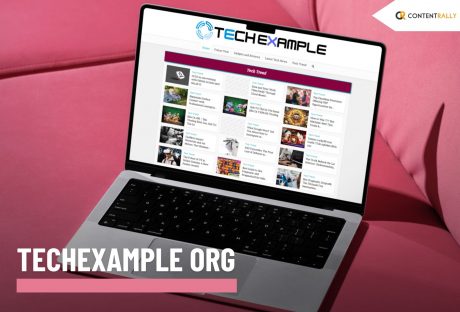
Thus, they should simply go and enter Techexample org in their search bar. The platform is one of the most vibrant spaces, designed to help all tech enthusiasts.
Moreover, the developers and other learners benefit equally from the knowledge and the tools that remain available on the platform.
The platform creates an environment that helps people thrive in a place and ensures they truly enhance themselves.
The platform equally benefits everyone, including beginners as well as the pros, who need insights for the people who provide some of the most reliable options to those who allow them to ensure the best results with the help of the platform.
Thus, the platform benefits everyone with proper benefits that allow them to ensure proper results.
The platform offers a wide range of resources to improve people's coding journey.
This article seeks to inform people about Techexample org and how it helps users with tech education.
The article also delves into what the platform offers and how it has impacted the global tech community.
What Is Techexample Org And How Can It Benefit People?
Techexample.org serves as an online space that remains dedicated to providing students and professionals in coding with high-quality, practical, and accessible tech enhancement materials.
The platform helps in delivering tutorials, information guides, and real-world examples from a wide range of programming languages. The platform also helps with coding frameworks and the latest technologies.
The platform assists with a plethora of things, like JavaScript, Python, and others, like cloud computing, as well as machine learning.
Thus, the platform covers a wide range of disciplines in modern technologies. Techexample org seeks to make tech education affordable and accessible to all people with diverse skill levels.
Most of the platforms help people through theories. However, Techexample org emphasizes hands-on experience with a set of things.
Therefore, the users do not just understand the content, but they also learn how to apply it in a practical world scenario.
People get ample help in everything, irrespective of whether it is website building, experimenting with APIs, or trying something new with artificial intelligence. The platform always helps people.
Techexample org provides proper step-by-step, structured guidance to bring their ideas into reality.
What Is The Mission Of TechExample.org?
Techexample org focuses on democratizing technology and education. Moreover, the platform tries to reduce the gap between the complexities in technological concepts and the aspiring learners with expertise in all skill levels.
Moreover, this shall open up opportunities for the learners at all levels and provide them with better opportunities for innovation.
The platform provides people with accessible, high-quality technologies that allow them to understand technologies and apply them to real-world scenarios.
Beginners get a kick start to the process of their learning, while experienced people can easily enhance their knowledge with the platform. Techexample org helps to understand multiple things to make people more efficient.
What Are The Key Features Of TechExample.org?
Techexample org has multiple key features. Moreover, here are some of the main key features of the platform.
1. Guides And Tutorials That Are Comprehensive
People know Techexample org for the detailed and well-structured tutorials that are widely available on the platform.
Moreover, each of the guides is made to break down the complex topics into more understandable. Thus, this allows people to understand things better and properly.
Moreover, people get to acquire multiple foundational skills, such as HTML and CSS. The learners also get to know about the advanced things like data science and blockchain development.
Moreover, the platform allows learners to know about things at their own pace. Most of the guides have been tailored in accordance with the needs and requirements of beginners. However, even the experts can enhance their skills to remain on par with the industry standards.
2. Real World Examples
Techexample org emphasizes the practical, real-world examples. Thus, every tutorial gets served with real code snippets. The platform also provides projects and tasks that allow users to apply what they have actually learned.
Thus, a tutorial on Python can also include a project that involves building a web scraper.
Moreover, these hands-on activity bridges the gap between learning and execution. Thus, this will enhance the overall learning process.
3. Wider Coverage Of Technology
Techexample.org covers a wide range of technologies. Thus, it ensures that it provides something for learners at all levels.
Here are some of the most popular topics covered by the platform.
Emerging Technologies: Quantum computing basics, Blockchain, IoT, and AI.
Cloud & DevOps: AWS, Kubernetes, CI/CD pipelines, and Docker.
Programming Languages: C++, Go, Python, and Java.
Web Development: Node.js, HTML, React, Angular, CSS, and JavaScript.
Data Science & Machine Learning: TensorFlow, Pandas, and Scikit-learn.
Learners should explore multiple domains or specialize in their area of interest, and this diversity ensures that.
4. Open-Source Learning Driven By The Community
Techexample org provides a collaborative work environment. Thus, users can share knowledge, contribute content, and ask relevant questions.
People can learn Chrome through the platform's forums. Users, therefore, participate in discussion boards when they learn about different aspects. Users also showcase their projects and, at the same time, create a supportive ecosystem.
Thus, this encourages consistent, continuous learning among people who are willing to grow constantly.
5. Accessibility
Techexample org allows people to easily access the resources available on the platform. Thus, the platform remains free to use.
The users can access most of the resources on the platform without paying for them. On the other hand, the platform also offers inclusivity while allowing people to learn in multiple languages and formats.
Thus, the learned of diverse backgrounds easily benefit from the platform. For example, a student in a developing country and a professional working at a big company can equally benefit from the platform.
6. Background And History Of Techexample.org
Amid the rising need for accessible learning, Techexample org appeared during the early 2020s phase, responding to rapid digital transformation in tech education.
The platform was founded by a group of developers who were passionate about replacing the jargon-heavy resources.
The developers of the platform launched the platform quietly around year 2022. The platform, moreover, aims at democratizing the resources that are available.
Moreover, the platform draws the information from open source principles. Thus, the platform allows users to bridge the gaps between complex analysis and their practical application.
Moreover, the platform gained immense traction in the year 2025 as multiple users started finding resources of utility on the platform.
7. Why Should People Choose Techexample org?
There are multiple reasons why people should choose the platform. Moreover, here are some of the main reasons why users should choose the platform.
The platform, moreover, focuses on hands-on experience instead of relying on only theory-based learning.
Furthermore, the resources on the platform remain up-to-date. Thus, the users get to learn from the most recent information that is available on the internet. The users also find the platform easily navigable, as the interface of the platform is fairly simple.
The platform also incorporates several open-source learning resources from diverse community-driven efforts. The users learn from feedback from people and also through collaborations.
The users get access to some of the highest-quality materials and resources, without having to pay people much.
8. Impact On Tech Society
The platform has democratized tech-based education while allowing people to access high-quality learning materials at a very cheap cost. Thus, users get free access to some of the most cutting-edge resources available on the internet.
Moreover, the platform emphasizes hands-on learning and project-based learning. Users can learn from small-scale personal projects to large-scale projects.
Also Check: Techloomz com Review – Your Friendly Guide To The World Of Technology
Getting Started With Techexample.org
Ready to dive in? Getting started with Techexample.org is simple:
Visit The Website:
Explore the resources available at Techexample.org.
Choose Your Path:
Find material suited to your goals by browsing technologies, skill levels, or tutorial categories.
Start Learning:
Build abilities by working through project tasks and following the guides step by step.
Join the Community:
Share ideas, get support, and interact with other learners on discussion boards and forums.
Apply Your Knowledge:
Advance your career, contribute to open-source work, or create your own projects using the skills you’ve gained.
Things To Remember About Techexample org
Techexample org serves as one of the most reliable platforms on the internet that allows users to learn several things at the same time.
Moreover, the platform ensures to provide high-quality democratized resources that will enable people to learn things without facing problems with the jargon on the internet.
Frequently Asked Questions
Here are the answers to some of the most commonly asked questions about Techexample org.
1. What Is TechExample Org? TechExample Org is an online learning platform offering practical, accessible tutorials and hands-on guides; moreover, it covers a wide range of modern technologies. 2. Is TechExample Org Free To Use? The platform provides most of its content at no cost; furthermore, its open-access approach ensures learners can study without financial barriers. 3. Does TechExample Org Explain AI? The site includes AI as part of its emerging technology coverage; hence, learners can explore artificial intelligence through clear, structured lessons. 4. Is TechExample Org Free to Use? Its learning materials are openly available at no cost; moreover, this accessibility makes it suitable for learners worldwide.














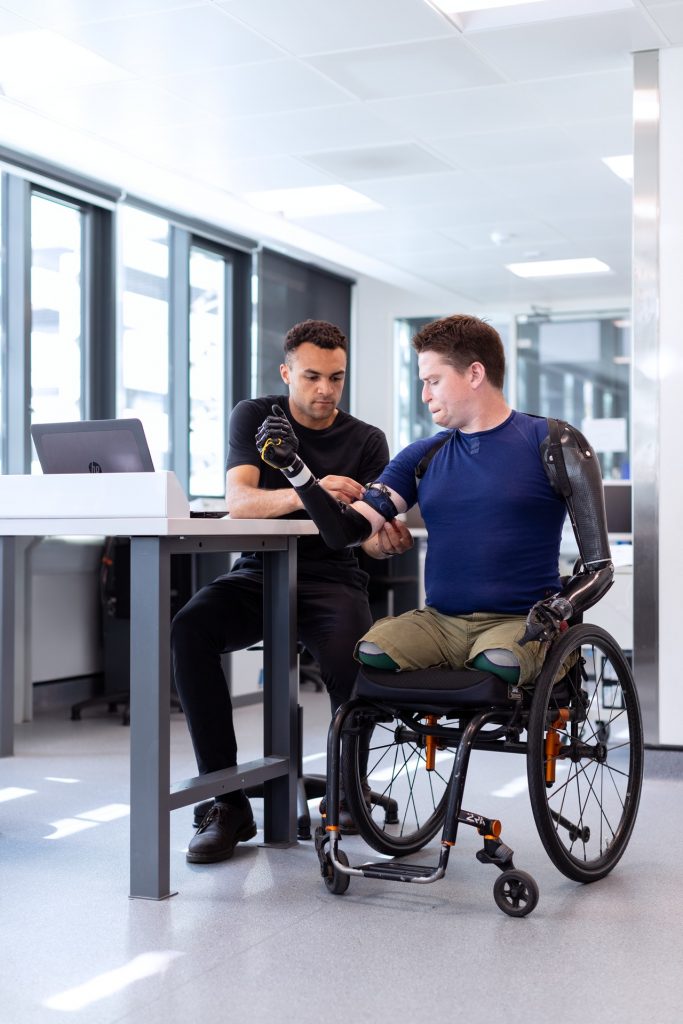 Dubai is known for embracing technology in many industries, the health sector is one instance where innovations have thrived and continue to thrive.
Here are ways cutting edge technology is improving Dubai’s health sector.
Dubai is known for embracing technology in many industries, the health sector is one instance where innovations have thrived and continue to thrive.
Here are ways cutting edge technology is improving Dubai’s health sector.