













When you want to start a visual project with a blank text prompt, it can be quite an incredibly intimidating feeling. Most creators know the exact image or video concept they really want.
However, translating that exact mental image into a highly technical string of descriptive text takes hours of trial and error.
In order to bridge this gap, a multi-faceted prompt framework has surfaced across the digital art community. If you have spent any time tracking modern design trends lately, you have likely run into the phrase MeiGen AI.
Unlike a traditional standalone artificial intelligence (AI) system, this name represents a collection of creative services, design integrations, and community prompt libraries.
In order to avoid this account confusion while protecting your creative time, you need a straight-up look at the way this network operates.
Additionally, you need a detailed understanding of the visual formulas it relies on and the way it utlizes it to speed up your content workflows.
Defining MeiGen AI: What Is The Creative Architecture?
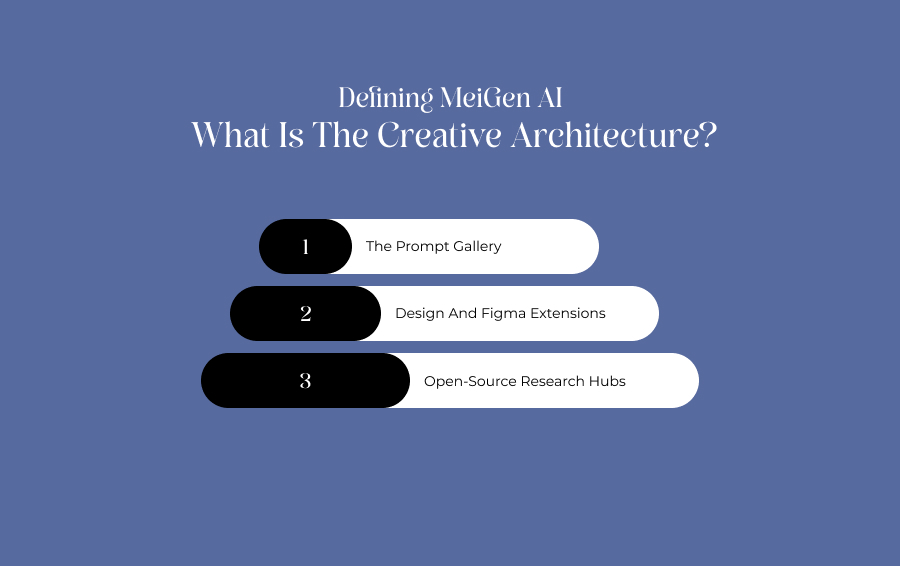
At its most fundamental level, MeiGen AI serves as an inspiration layer for visual generation. Rather than forcing users to guess which descriptive words will yield high-fidelity graphics, the platform operates on a simple, loop-based workflow:
- Discover
- Copy
- Modify
- Generate
The broader ecosystem divides its functionality across several distinctive platforms, which is why verifying the exact destination domain is vital.
The Prompt Gallery
Websites like MeiGen.ai focus heavily on community-driven directories. Users browse completed, high-resolution AI renders, inspect the exact underlying instructions that built them, and clone them for free.
Design And Figma Extensions
Related sub-services cater strictly to product designers.
These tools bundle standard automation features directly into existing interface design software. Additionally, the features the tool offers include quick background removal, asset vectorization, and rapid image upscaling.
Open-Source Research Hubs
Underneath the consumer platforms sits the official MeiGen-AI GitHub development repository.
This arm creates advanced, open-source audiovisual frameworks like InfiniteTalk, which synthesizes highly realistic, audio-driven talking head videos.
The Master Generation Formula
The core value of analyzing a MeiGen AI prompt gallery is to learn how to structure instructions to communicate effectively with complex neural networks.
Clean, high-fidelity results generally follow a strict and multi-part human formula, instead of relying on generic fluff words.
Subject + Environment + Composition + Lighting + Camera Context + Style
The Formula In Action
In case you want to create a premium visual asset for an Indian brand, you need to avoid vague sentences.
For instance, sentences such as “make a nice living room picture” will not work for you. Instead, build the string using structural boundaries using the following prompt.
Modern Indian living room with warm beige walls + luxury apartment setting + wide-angle architectural composition + soft natural afternoon sunlight + contemporary interior photography style + 24mm lens calibration.
Cross-Model Support Matrix
Because a single text string will render drastically different visual aesthetics depending on the underlying engine, the MeiGen AI prompt database classifies its content by individual model compatibility.
| AI Model Architecture | Primary Creative Domain | Best Used For |
|---|---|---|
| GPT Image | High-instruction adherence & graphic asset creation. | Complex advertising layouts, text-in-image integration, and precise branding vector bases. |
| Nano Banana | High-speed creative iteration & browser-native generation. | Rapid concept prototyping, social media marketing variations, and content mood boards. |
| Seedance | Dynamic motion synthesis & generative video paths. | B-roll background footage, cinematic commercial loops, and short-form video transitions. |
| Midjourney | Hyper-stylized, high-fidelity artistic concepts. | Editorial fashion portraits, cinematic landscapes, and highly detailed digital matte paintings. |
Figma-Specific Vector And Asset Workflows
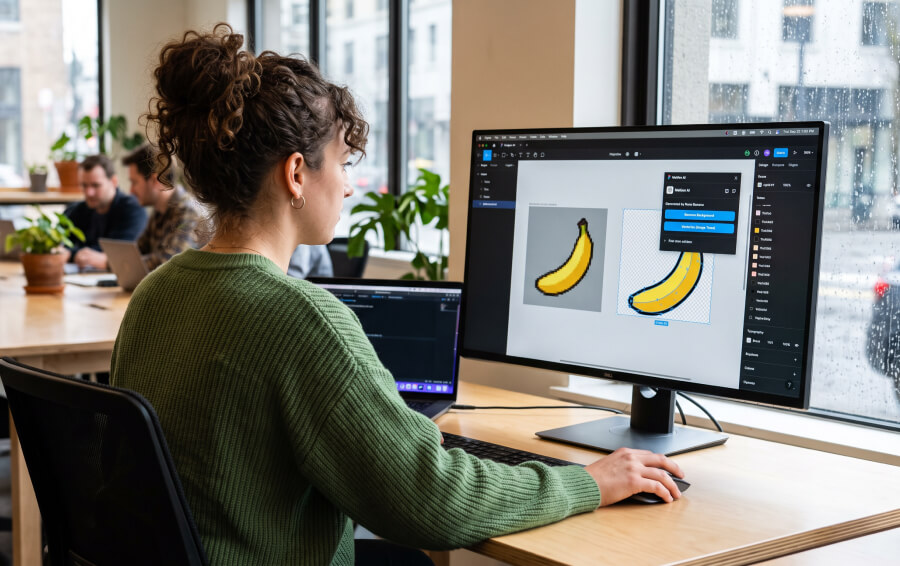
For product designers, the true utility of the MeiGen AI ecosystem shines when it transitions from an abstract web gallery into a hands-on production asset.
The deployment of the MeiGen AI Figma Community Plugin allows creators to bridge the gap between creative prompt inspiration and scalable UI design systems.
Instead of jumping back and forth between a web browser and an external photo editor, designers can run automated image manipulation routines directly on their canvas.
Real-Time Vector Isolation And Conversion
When you generate a graphic asset using specialized models like GPT Image or Nano Banana through the plugin interface, it initially lands on your canvas as a rasterized layer.
The integrated vector toolkit completely changes how you refine that asset.
Automated Background Extraction
With one click, the plugin's background removal engine isolates the primary subject.
Additionally, it cleanly crops away solid backdrops or complex textures, rendering a crisp, transparent cutout ready for application.
One-Click Image Vectorization
Once a graphic is isolated, designers can instantly run the image tracer utility.
This process transforms the flat pixels of an icon, sketch, or illustration into mathematical paths and fully editable vector layers.
Design System Scaling
The final output is converted into true vector nodes rather than a static image file.
Because of this, you can manually adjust individual anchor points, alter fills, apply brand-specific Design Tokens, and scale the asset infinitely.
Moreover, it can be done without losing visual fidelity.
Subscription Plans And Real-World Pricing Dynamics

There is no singular universal cost for the software. Since the name spans multiple independent developers and distinct service portals, the costs vary.
The budget plans vary completely on the basis on whether you are looking for simple prompt discovery or heavy cloud-based asset rendering.
The Prompt Repositories
Platforms like MeiGenAI.io and the primary MeiGen.ai gallery operate on completely free models. Users can browse thousands of templates, copy structures, and look up generation parameters without setting up a paid account.
The Design Platforms
The specialized design and vectorization toolkits operate on a multi-tiered monthly subscription or paid credit packages:
- Free/Starter Baseline: Provides a small batch of daily credits allowing casual users to test basic background removal or render low-resolution image variations.
- Paid Tiers ($5 to $30/Month): Expands access to priority high-speed cloud queues, enables high-fidelity vector conversions, unlocks full Figma plugin integration, and provides massive monthly credit allotments for professional design studios.
Technical Advantages And Structural Weaknesses
Deploying a prompt-centric design workflow carries specific functional trade-offs that content managers and digital artists must weigh carefully.
The Clear Advantages
The single biggest asset is the dramatic reduction in prompt engineering friction.
For social media managers or e-commerce startups who know exactly what visual look they want but lack a design background, inspecting a pre-rendered template cuts out the expensive learning curve.
It turns a blank canvas into an adaptable and structural blueprint.
The Core Weakness
The primary bottleneck is intense brand and domain confusion.
The word is shared across prompt directories, open-source code repositories, and individual design add-ons.
As a result, users frequently sign up for one portal expecting a video generation engine, only to find a static Figma extension.
In addition, public prompt galleries save community generations openly.
Consequently, creators looking to secure proprietary product prototypes must verify their privacy settings. This ensures their commercial concepts stay hidden from public feeds.
The Strategic Verdict
Ultimately, utilizing MeiGen AI frameworks is not about relying on a single magical software program.
Instead, it is about integrating a community-backed inspiration layer directly into your existing content production pipeline.
It is advised to use the public directories as an educational reference to master prompt variables, or deploy the plugins to eliminate repetitive masking tasks.
Accordingly, this leads to it functioning as an exceptional productivity accelerator.
However, just make sure to double-check the exact domain, read the commercial licensing terms, and test the free credit allotments. That is, before scaling it into your professional studio operations.