












What Makes FIFA Mobile Game So Preferred Among Cellular Users?
Published on: 19 April 2021
Last Updated on: 30 December 2024

Football players all around the world have found a new way to enjoy their favorite game in the form of FIFA mobile. However, have you ever thought about why they prefer FIFA mobile over all the other mobile football games in the app store and apple store?
FIFA mobile works on the majority of handheld devices. It allows the users to play with their favorite players, teams, and clubs. The primary reason for FIFA mobile to be popular among the people is that they offer this game on iOS, Androids, and Windows.



Popular

Technologies For Creating A Startup Idea
20 Feb 2023

How to Download Facebook Videos on Android?
07 Feb 2019

7 Rules of Effective Ecommerce Web Design
28 Jan 2021

Why Are Online Transactions Convenient?
07 Dec 2023

Recent
Related
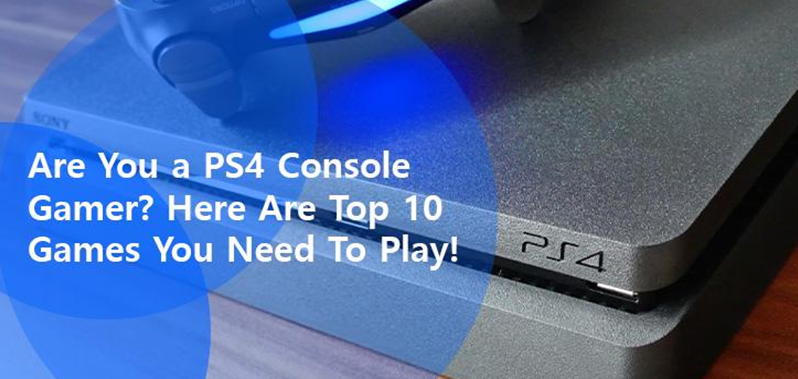
Are You a PS4 Console Gamer? Here Are The Top 10 Games You Must Play!
Doesn’t matter if you are picking up a ps4 console for the first time, or you have been playing for years. We have a list of top ten PS4 titles you must experience at least once in your life. PlayStation had players from all over the world vote for the top games of the decade and officially announced the list. Some standings might surprise you, but most will not. In any case, let’s take a look at the list and find out which ones made it to the top slots! One thing though, before you move on. If you do not already leverage a fast and stable internet connection, make sure you subscribe to one right after you finish reading this. Obvious as it is, reliable high-speed connectivity such as ensured by Spectrum Internet, is a prerequisite if you are looking forward to a seamless and immersive gaming experience. And when hooked to the Spectrum network, PlayStation Now is bound to stay connected while you keep earning points. Are You a PS4 Console Gamer? Here Are The Top 10 Games You Must Play! 10 – MARVEL’S SPIDERMAN According to the IGN review, PS4 Spiderman has delighted players at every step of the 15-hour adventure, with the surprising depth of the tale that focuses on both characters i.e. Peter Parker and Spiderman. The story is made all the more exciting by web-swinging, web-based gadgets and web-centric puns that make for plenty of thrilling action. The Insomniac Game aims to make you feel like Spiderman and does succeed in doing just that with nearly every swings across Manhattan. Swinging around feels great, though there is a slight learning curve to that. Once you have mastered the basics, it becomes fairly effortless. Your Spiderman begins to swing and leap gracefully – and you can spend hours just watching him swing around the city, without actually completing tasks - jumping off the Empire State Building or the Avengers Tower. The adrenaline rush is real! The story’s biggest Boss Battles are both front and back-loaded, leaving the middle of the game devoid of major stints, and also tend to feel repetitive in the pattern. But outside the Boss Battles, Spiderman offers a satisfactory combat system with really cool gadgets put to u 9 – UNCHARTED 4: A THIEF’S END Visually speaking Uncharted 4 is one of the best games you’ll find out there. There are moments when you are forced to wonder how they did it so beautifully for a console. The environment, character-models, the science of clothing, precision of facial expressions, none of these things ever looked better in Uncharted. In terms of lighting, Uncharted 4 has the best in fact - even during the daylight hours lighting effects come across as real. For instance, when sunlight hits Nathan’s face at an angle and changes the color of his hair. Also the lighting in the caves, and other scenes like that, all that makes it very impressive. It is a linear game but even then, Naughty Dog has managed to do many cool things e.g. the water effect. In water areas, it feels like the character is really inside the water; the texture and the feel are highly realistic. Though in some scenes that show water from the surface, it does look kind of grainy as for instance, when Sam and Nathan are on the boat in the middle of the sea and its morning time. People did expect more in terms of characters, but otherwise, the game is a huge improvement if one looks at other uncharted games - in terms of voice-over, voice quality, the camera movement, and the overall finesse. 8 – BLOODBORNE Bloodborne comes from the lineage of Dark Souls. That does not exactly make it a successor but does reflect how the two share a mystical lineage and revolve around the idea of being transported into a new world. It is an incredible game, the mechanics are great, it is intense, it is rewarding, and it is gloriously frustrating. Certainly, a ps4 console game that is highly stimulating for people who like to take up challenges. Probably the thrill and the fierceness is what got Bloodborne to the 8th position by a majority vote - both factors hugely characterize the game. The downside, however, is the load-time can get annoying, and going back to the checkpoints repeatedly does tend to become somewhat frustrating. The ps4 console game can get rather brutal and unforgiving, so we would not recommend it for beginners on PS4 or those looking for something less demanding. Also, Bloodborne is bound to take up a lot of time. Only if you have played and enjoyed the Dark Souls saga, there is a chance you may just fall in love with the game. Overall, there is a lot to discover and experience in the game and that’s what makes it unique. Many people feel the game is only for Twitch experts and not flexible for common gamers, but in reality, it all depends on your skills and perseverance whether or not you are able to persist at it despite setbacks. 7 – HORIZON ZERO DAWN Horizon Zero Dawn is a role-playing game by Guerrilla Games that comes packed with action. The story revolves around Aloy – a wild hunter in a dystopian world full of machines, strange tribal laws, and a mysterious environment. Aloy is an outcast from the Norra tribe. The prologue depicts you as that child; you grow up and experience the environment, learn different abilities and participate in a contest which is kind of a coming-of-age contest for the braves of the Norra. And following that, you set out in a vast open-world full of weird and wonderful moments. The story is pretty standard where you grow up to be the chosen one - a pretty common plot – an ordinary person becomes the savior of humanity. But the way it advances, the graphics, the battles, and the exhilarating gaming experience renders it one of the top 10. As the story progresses Aloy becomes an esteemed leader and a role model for other characters. The ps4 console game world is stunning and you would be taken aback by how spectacular everything looks in there. Magnificently lush or snowy mountains, the mechanical creatures that inhabit these mountain ranges, everything goes very well together. In essence, the story is very earthy and set in a very natural atmosphere. The ps4 console game is very user-friendly with well-implemented controls and everything easily accessible, and it is your combat approach that brings out the analytical aspect. Predominantly a stealth game, you are not big on power or rich in weapons rather it is things like the long grass that allow you to crouch and wait before you get the perfect moment to strike. The weak points in the machine characters can be unraveled with focus; they are not just resourced fodder, rather you can tame them, and take advantage of them, particularly when traveling long distances. The audio element fits perfectly in every way. All in all, this is a great one to play and should be on your bucket list. 6 – THE ELDER SCROLLS V: SKYRIM Skyrim is undoubtedly a legendary game - a pure classic! An inspiration for many RPG games, it presents the fundamentals that make the foundation of the RPG genre and is frequently compared with a newer title. Skyrim is famed for its diversity and wide-ranging mechanics, the multiplicity of factions, the range of races and an abundance of choice. It is the kind of ps4 console game you won’t get bored of easily. There is no definite ending in Skyrim, with each playthrough you can make a number of different choices and choose to be part of different factions that’ll lead you to a new outcome. You can choose to be with the Imperials or the Stormcloaks, and you can choose to destroy the dark brotherhood or side with them. In other words, diversity is woven into the very fabric of Skyrim. No matter how many times you pick up the game, you will surely experience something new that will make the ps4 console game very interesting for you. One of the most fundamental and interesting aspects of Skyrim is the “dragon shouts”, blasting your enemies to death gives you a kind of satisfaction you might not have experienced before because there is hardly a game around with similar mechanics. Having a shout with the legendary dragons gets your adrenaline kicking. It is truly epic, and rather funny at the same time as you shout at bizarre NPCs - there are 28 shouts in total. Things like this keep the spark alive for ps4 console gamers. The story is simply impressive! You are a unique hero – the Dragonborn - and it is your destiny to defeat an entity that is intent on dominating the earth. What makes this ps4 console game even more charismatic is the progression; you start as a prisoner in rags and progress from there until with the help of other characters you rise to become a full-fledge dragon slayer. The law in Skyrim and the history of the cities make it all the more exciting to play, more so because it is a world very similar to ours only a lot more intriguing. Skyrim is something you can never get bored of simply because you become one with You May Also Like: Top 6 PC Games in History Which You Should Definitely Try 10 Top Games for PC Gamers 5 – RED DEAD REDEMPTION II After a long span of 7 years, people got to experience a Rockstar Game again - one of the most highly anticipated games of 2018 – Red Dead Redemption II. Often when you start a ps4 console game, it takes time only to get to the point where you actually feel like the game is about to start now. Red Dead Redemption 2, however, presents a perfect example of a captivating intro. You are thrust into the snowy and stormy mountains, and the game opens with you chasing the score of another gang. That is indeed a genius intro for a game of this type. By putting you into the dreariest, most desperate environments, RDR2 pushes you to learn the ropes through genuine narrative. The idea is clever because it makes you appreciate what comes next. When you finally leave the harsh environment and the carriage hits the grass, everything around you looks so much more beautiful. RDR2 is proof that genuinely dynamic open worlds are possible when attention is paid to detail. The moment to moment gameplay is good; you might take a little time to get used to the shooting mechanics especially with Rockstar, but you are bound to end up feeling great. Though there is nothing revolutionary about the mechanics, the dynamism leaves you stunned. Rockstar has undoubtedly crafted one of the most realistic and dynamic gaming worlds, where everything is responsive – clothes look dirty, guns shine and the snow tracks are shot-for-shot realistic; a tress sways like crazy in the stormy weather, the towns are super realistic, you can actually indulge in a whole game of domino while playing your character, and you will have to pet the dog too so it can stop barking. Another great thing is the town always remembers, and that bears a reflection on your honor - so if you accidentally kill someone, people will talk about it and that will affect your performance. No game is perfect, but RDR2 comes real close to that possibility. Great value for money RDR2 is worth every second you spend playing it. 4 – GRAND THEFT AUTO GTA V succeeds as a game because of the lack of real-world consequences – artistic in its depiction of how the characters and consequence-free reactions combine with the consequence-free actions of the player in the open world! The story starts with Michael, Trevor and Brad robbing a bank. Unfortunately, they get into an accident and Brad dies on the spot, while Michael is also supposedly dead! Trevor somehow manages to escape. Nine years later, Michael is living under witness protection with his family, but circumstance returns him to the life of crime. That is when Trevor locates him and the two reunite. Having lost touch with old ways, Michael longs for adventure. Long story short, he gets back into the game, one that is nothing less than a police-chase action movie. T the graphics in the ps4 console game are excellent even by today’s standards. The lighting, the texture, and the animation, everything is of extremely high quality. The game even depicts a 28-day moon cycle, which isn’t something people usually notice, but this one detail reflects the developers’ commitment to quality. The gameplay is nothing less either. Motion-capture animation portrays movement realistically. There are many moments that make you laugh spontaneously at the gameplay and the movement of characters, making you fall in love with the ps4 console game even more. 3 – THE WITCHER III: WILD HUNT The ps4 console game of the Decade! High fantasy genre, and one of the most captivating games that can easily cast a spell on you and hook you on for eternity, so much so you may call it your destiny! What does it take to be the game of the decade? In one word – everything. How the ps4 console game makes you feel, how you play the game, and how you connect to it at a personal level. Playing Witcher 3 can feel kind of clunky - the small houses and the alleyways that make it hard to move around, the gluey feeling to the controls that sometimes makes you think maybe some controls are not very responsive. Yet The Witcher 3 stands tall as the game of the decade. Simply because in Witcher you create your destiny. A stunning amount of care has gone into making the story immersive and unforgettable. It is dynamic and thought-provoking, full of choice and packed with twists and turns, as well as nods to the prior game. Something interesting seems to be happening in every corner. The side quests are nothing but amazing - not something that you would take lightly. The cast and the roles, e.g. the alcoholic in the Red Baron synopsis, do not constitute a very original idea but the outcomes are surprising - twisted, knotted, morbid and something you’d never expect to happen. A simple trope, turned into a multi-hour spider web, rich in intricate details, full of immediate player choice, with none of the players ending up the same, this game hits on every emotional crest and trough. The content has an amazing number of intricacies and characterizations that take you into beautiful lands with mysterious people and new faces. Even the evil is not black and white - werewolves have emotions, and the ghost tree has a history-making it difficult to distinguish if the vampire is a friend or foe. The result is an incredibly engrossing and immersive experience for those who want to dive into the deep end and discover why they are playing it, and what it means. 2 – GOD OF WAR God of War is an excellent ps4 console game, to say the least! A technical masterpiece with a good story, interesting character arcs, and a satisfying and weighty combat system. It had a cultural impact on gaming, even though during the years leading up to GOW, top gaming publishers were adamant the single-player game was dead - too costly, unwanted, and out-of-date. But GOW slashed away that notion becoming one of the most successful games of all time. Kratos’ wife dies with a wish that her ashes should be spread on the tallest peak of the nine realms. To fulfill that, the father-son duo embarks on a journey full of adventure. Even during combat, the son is with Kratos, he can ask the son to summon animals and shoot arrows in order to stun the enemies. The third-person combat has never looked this good as with such epic visuals – the particle effect, camera movement, pauses, Kratos’ rage so perfectly captured, the careful depiction of how the combat builds, how it is framed, and the choreography that knits it all together, everything is owed credit. There is a small in-game too. Hard encounters make you see the true depth of the game – fighting three bosses at once, facing enemies with totally different abilities – all adds to the thrill making the experience inexplicable. You need skill, and precision to play this ps4 console game - it isn’t the kind of game you can get away with by button smashing, and because it is so well designed you can maintain control throughout There is a lot of mystery, puzzle-solving, and dungeon crawling as well. Overall, the ps4 console game is simply remarkable! 1 – THE LAST OF US This is a post-pandemic world that makes no sense, gives no room to people to live normal lives, and only allows essential survival, under military-rule. With survival all but uncertain things like love, connections and emotions seem to be a liability and can cost you life. In these times nobody, but Joel, the protagonist of the game, knows better the dangers of loving someone. Ellie is the emotional heart of the ps4 console game and as the game proceeds, you find yourself getting attached to her too. At launch, The Last of Us received universal praise, back in 2013, including many awards for its phenomenal storytelling, strong characters, and the presentation. The remastered version has only a slight upgrade in terms of visuals relative to the previous one - yet after seven years the ps4 console game fulfills the standards of today’s gaming world. Undoubtedly a testimony to focus on art direction, gameplay and story Keeping in mind the current events such as the Corona Virus outbreak this game seems more relevant - it shows an out-spread of infection which only, luckily, affects insects. If you have played the 2013 version, chances are you are older and wiser now and will be able to connect to the game at a deeper level. A lot of people can relate to the character of Joel, especially if they have a child of their own. Music too stands out in the presentation. People emotionally connect to this game so much that even after years it ranks number one on the official PlayStation list of the best games of the decade! Happy gaming! What are you waiting for? Hurry up, grab your consoles and play these games; get ready for a rollercoaster ride full of thrill, adventure, mystery, emotion, and fun! Read Also: Boomtown has the Best 5 Bingo Sites to Play Online, as well as Many Other Game Bonuses! 5 Addictive Time Killing Games to Play Online 3 Tips to Find the Best Mobile Crossword Game to Kill the Time
READ MOREDetails
Improving Your Minecraft Gameplay: Tips For A Better Experience
Minecraft is a 3D adventurous gameplay where players create and break building blocks. It has a lot of adrenaline possibilities for players because it is a thrilling game with something for beginners and experts. The good news is that new ways exist to enhance the gameplay to create a better gaming experience. We recommend you delve deep into the virtual world to expand your gaming horizons. We will discuss some valuable strategies and techniques to make your Minecraft experience worthwhile. Define Your Objectives Before embarking on a journey into the virtual world of Minecraft, it is crucial to have goals and objectives. Make sure that whatever you chart down is achievable. By having a clear sense of direction, you can focus and concentrate on the game and excel purposefully. One of your reasonable objectives in Minecraft building a fortified base. Eventually, the base protects you from hostile mobs and other players. Proficiency In Fundamental Crafting It is recommended that you give significant attention to adapting to the core principles of crafting used in Minecraft. An efficient command of the basics will help you acquire the necessary items and tools for successful survival and progression. Gather Your Resources As a player, you should give prime importance to the Minecraft world to uncover valuable resources. Remember that resources are crucial for constructing structures. With the right help, you can use survival instincts and determine how to succeed in the virtual reign. Gain Experience With Redstone Engineering In Minecraft, Redstone Engineering is the working knowledge of using Redstone, a special material in the game. It allows players to create complex circuits and mechanisms. Redstone can power various blocks, create automated systems, and build contraptions like traps, doors, and transportation systems. It is a powerful medium that can elevate the gameplay experience and help make complex gadgets. Make Use Of The Multiplayer Mode Minecraft multiplayer mode allows players to engage with other fellow teammates. You can team up to collaborate in the gameplay. Moreover, with multiplayer mode, you can enhance your creativity and establish strong connections within the Minecraft community. Beware Of The Lava In Minecraft, Lava is the most dangerous, and it can quickly finish you off. In the game, when you're exploring, you must check before you dig to keep yourself safe from the underlying lava. And if any misfortune strikes you and you happen to fall straight, try to swim out as fast as you can. Water Is Your Lifesaver Water is a lifesaver in real life and a great help in Minecraft. You can use water in multiple ways. For instance, you can build a safe zone around your base and keep those Monsters away. Moreover, water can travel down quickly as an elevated system. Explore The Uncharted World Of Nether Create an interest in exploring the mysterious and dark world of the Nether. This might look like a dangerous place to explore, but it's brimming with valuable resources. Everything will fall into place if you build a Nether portal and travel straight into it, but before that, be sure to have your ammunition and supplies with you. Get Your Expertise In Parkour Parker is a fun yet thrilling way to improve coordination in Minecraft. You can always practice climbing and jumping skills by overcoming obstacles in your world or finding customized Parkour maps. Mine Your Way Through Caverns Caverns are very resourceful. By digging into the ground, you can find coal, diamonds, gold, iron, and whatnot. It would be best to find natural inlets but remember to bring your flashlights, as it can be pretty dark down there. Minecarts Are Handy If you need help transporting your items and resources worldwide, there is no need to carry them when you have your minecarts around. A minecart system can be created and connected throughout your world, and you can easily take items from one place to another. Make sure to power your rail so that your mind carts are always moving. Get Yourself Sheltered One of the prime things you need to do while playing Minecraft is to protect yourself; to do that, you need to build a shelter. Not only will it be your haven from monsters and all the deadly things out there, but it will also allow you to save your items. You can do so by digging a trench in the ground or building a small cozy house. Level Up Your Minecraft Experience Don't overlook the powerful tool that can make Minecraft even better. A Minecraft VPN can transform your gameplay in amazing ways. Think of it as a shield that keeps you connected without any interruptions, making your game more stable. It also adds an extra layer of security to keep you safe online. Not only that, it lets you access content from anywhere in the world, opening up a whole new world of possibilities. Final Words Minecraft is all about strategy. To get a Minecraft gaming experience and explore new avenues, be strategic. Master the techniques mentioned above to be your champion in a wonderful game. Your creativity will help you level up. More Resources: 8 Ways For Computer Games to be Educational Techniques Creating Successful Mobile Games: What You Need To Know What Makes FIFA Mobile Game So Preferred Among Cellular Users?
READ MOREDetails
Is Quikconsole Com The Secret Weapon Every Gamer And Coder Needs In 2026?
I began my journey in the world of video games some three years ago. And I have had the time of my life since then. Just the other day, I found a website called quikconsole com! It has totally redefined my gaming experience. What makes it so awesome? Actually, it's not just a store. Consider it a major hub for everything tech-related. So, whether you want to save your gaming progress in the cloud, get coding practice tools, or simply buy the hottest products, they are all at your service here. Everything is extremely efficient and very pleasurable to operate! This is what makes it so ideal for someone like you if you happen to be similar to me! And just want to dive right into the entertainment. Honestly, it is as if a community has been made especially for us. You definitely need to have a look at it! What Is Quikconsole Com? Imagine quikconsole com as your one-stop shop for gaming. This site keeps things simple and secure so that you can shop comfortably. Unlike big, dull stores, this site is run by passionate gamers who really get what you want. So, what makes this place stand out? Mainly, they deliver your gaming stuff fast and let you track your order at every stage. Also, if you happen to be that collector who always wants those rare, limited-edition consoles that are usually sold out? They probably have them here. Plus, they create fantastic bundles for gamers who want all the gear and accessories for immediate play. Here, you will get member-exclusive offers and a satisfaction guarantee that assures you every piece is 100% authentic. However, the biggest advantage for users is the website's vibe. Right after launching it, you will find it very clean and fast, with nicely arranged categories to help you locate your item and make a payment in a flash. In a nutshell, QuikConsole.com is pretty much designed to have you playing, not waiting. Why Has It Become Such A Game-Changer? If you are a gamer, you know it is about more than just hitting buttons! It is mostly about three basic things: Streaming, Competing, Sharing stories. That is why quikconsole com was built. It is like a platform that actually "gets" what players need: speed, trust, and awesome gear. 1. 100% Authentic Gear Firstly, nobody wants to worry about fakes. At quikconsole com, every console and controller is verified as the real deal. Thus, you can shop knowing your tech is legit, whether it is a PS5 or a Switch, 2. No More "Sold Out" Stress We’ve all missed a big restock before. To help, this site uses alerts and waiting lists so everyone gets a fair shot at rare, limited-edition drops you won't find anywhere else. 3. Gaming Made Easy The website is super simple to use. You can find exactly what you want in seconds, and their "Ready to Play" bundles even pack the best games and accessories together so you can start playing immediately. What Are The Elements That Make Quikconsole.Com Unique? Now, in these three years of my gamer life, I have seen a lot of platfo0rm who just focus on pricing! However, quikconsole com is a bit different! They focus on competing on experience, reliability, and exclusivity. 1. Cool Perks And Bundles First off, they team up with big game studios to offer stuff you cannot get anywhere else. I noticed they have exclusive pre-orders and bundles. These include rare skins or even custom consoles. It makes grabbing a new game feel like a real event. 2. Support That Actually Gets It Another thing I love is their support team. Instead of talking to someone who does not know a headset from a hard drive, you talk to real gamers. Moreover, they understand things like controller drift or lag. So, they actually solve your problems fast. 3. Rewards For Staying Loyal Lastly, they really take care of their regulars. You get early access to restocks and earn points on every purchase when you use quikconsole com. Plus, the digital credits make your next game even cheaper! Custom Console Kits: Perfectly Matched To Your Playstyle What I really love about quikconsole com is that they do not just throw random junk into a box. Instead, they build clever bundles that actually match how you play. 1. Bundles For Every Vibe For instance, let’s say you are into pro gaming. Well, in that case, the platform can provide you with its "Competitive" set. It comes with super-fast controllers. If you are a parent, the "Family" pack is perfect. This is because it includes extra controllers and fun Nintendo games. Moreover, they even have a "Streaming" kit for creators and an "RPG" pack for fans of massive open-world adventures. 2. Quality You Can Trust But here is the best part: the team actually tests every single item first. This means everything in your quikconsole com order works perfectly together right out of the box. This can save you time and money. How Do They Support Subscriptions And Digital Add-Ons? quikconsole com does more than just sell hardware. They also offer cool digital extras such as game codes and top-tier subscriptions. This includes Xbox Game Pass, PlayStation Plus, Nintendo Switch Online. This way, you do not have to wait around for a physical card to arrive in the mail. Or maybe just an email to pop up! Instead, you can buy these directly and further use them immediately! For this, you just need to bring all these services together! This is what made it super easy to shop! It is truly a one-stop shop for any gamer looking to set up a new system or give their current one a serious upgrade. Your All-in-One Gaming Hub: Speed, Security, and Transparency While navigating quikconsole com, you will see everything is built on safety as well as speed! Moreover, the platform mainly focuses on these few aspects, such as: You can get real-time delivery updates through SMS or email. Secondly, the platform can offer express shipping options. However, it is only available for the selected regions. You can also get payment gateways that are safe and secure. These gateways come with multi-layer encryption. Lastly, the site can offer you a transparent return together with warranty policies. What Are The Users Saying? Quikconsole com believes that your gear should be fast, safe, and totally stress-free. Thus, they have focused on making a platform that treats you like a person, not a number. They prioritize two things: speed and honesty. Here is why people are making the switch: Insane Speed: They offer express shipping and send real-time updates to your phone so you’re never left guessing. Top-Tier Safety: Their checkout uses multi-layer encryption to keep your private info private. Zero Stress: Their return and warranty policies are clear and easy to understand—no hidden catches or annoying bots. But wait, there is more! Beyond just consoles, quikconsole com is a secret weapon for developers. Moreover, you can write, test, and launch code. The platform can provide you with a secure, cloud-hosted environment to store them. This fits right into your daily workflow. Moreover, it is the perfect flexible space for creators! Especially the ones who need a reliable place to build. Our community says it best: A Streamer Twitch: Found his PS5 here in just 3 days after missing every other drop. A verified buyer: Grabbed a "Family Bundle" for her son’s birthday with zero hassle. A developer: Loves that the support team actually knows their technical stuff. Whether you are leveling up your home setup with digital add-ons and game codes or building the next big app, quikconsole com is your one-stop shop. Everything is integrated into a single, seamless experience, so you can spend less time shopping and more time doing what you love. How To Get Started With Quikconsole com? Starting your journey at quikconsole com is very easy! You do not need to have tech experience or knowledge for this! The platform comes in a super simple guide. It can help you to get your console ready and further set up your dashboard. You can also manage your cloud storage without any headaches. Here’s how you can get started with it: Sign Up: First, create your account in just a few clicks. Connect: After that, you have to link your gaming system to the platform. Personalize: Next, you can pick your cloud settings and customize your dashboard. Stay Safe: Turn on the built-in security features for peace of mind. Everything here is so intuitive! You will not waste time reading long manuals. Instead, quikconsole com helps you jump straight into the fun part. It is like playing your favorite games. It’s all about making your life easier from the very first day. What Are The Major Benefits Of Quikconsole Com? Today’s gamers need power and safety! Quikconsole com delivers exactly that. We have built a platform that puts you in total control. This way, you can focus on winning. Check out these awesome perks: Less Lag: Enjoy smoother play with smart console tools. Safe Saves: Your game data stays locked up and secure. Track Stats: See how you’re performing right on your dashboard. Overall, Quickconsole.com is highly optimized for the gaming world, especially the US market! It can offer you response times and a scalable cloud infrastructure, with compliance-friendly security standards. The USA-focused benefits include: Better cloud access at high speed. You can find reliable infrastructure. There is enough support for gaming and development communities. Strong compliance with cybersecurity. The Roadmap For Quikconsolecom: What’s Next For Gamers? Now, even though quikconsole com is already a top-tier place to shop! The team behind the scenes is dreaming up some seriously cool new features. Moreover, they are constantly looking for fresh ways to make your gaming life easier and more fun. Here is a quick look at what might be coming your way soon: Play Before You Buy: You can easily try out new game demos right in your browser! That too, before spending a dime. Custom Gear: You might soon be able to design your own console skins or custom bundles before you check out. Cloud Power: There are even rumors of a new "QuikPlay Cloud" service. It can help you sync your game saves and stream easily. Ultimately, whether these features arrive tomorrow or a bit later, it’s clear that quikconsole com is all about innovation. They are not just selling consoles. They are building the future of how we play. It is an exciting time to be part of the community!
READ MOREDetails