











How VPN works on Windows and how you can benefit from it
Published on: 10 March 2020
Last Updated on: 21 April 2022
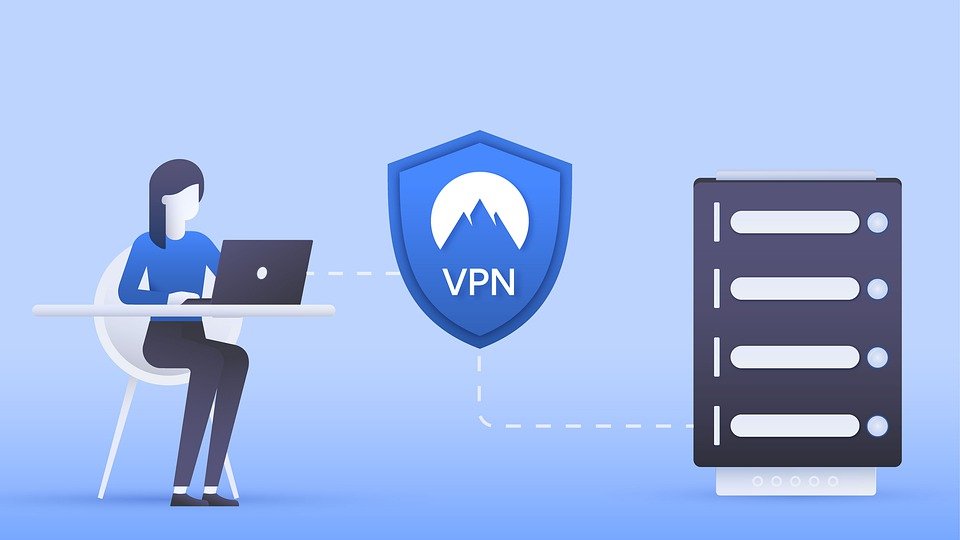
Windows is one of the most widely used operating systems in the world. It is estimated that there are more than a billion Windows users worldwide. This extensive usage means that the amount of data available on Windows systems is enormous making them a target for hacks and other kinds of cyberattacks. A recent article published by Forbes reveals that unsigned firmware in laptop cameras, network interface cards, Wi-Fi adapters, and USB hubs puts millions of Windows users at risk of data theft and ransomware attacks.
These threats and vulnerabilities make the use of a VPN for Windows imperative. Here’s how a VPN for Windows works and how people can benefit from it:


Popular

Technologies For Creating A Startup Idea
20 Feb 2023

How to Download Facebook Videos on Android?
07 Feb 2019

7 Rules of Effective Ecommerce Web Design
28 Jan 2021

Why Are Online Transactions Convenient?
07 Dec 2023

Recent

Related

5 Tips to Improve Your Internet Privacy
Have you ever faced a cybersecurity breach or a severe hacking attempt? What was the most overwhelming feeling following the occurrence? Indeed, whenever something of such sort happens, we feel that our privacy got breached. We begin to realize that there’s no more confidentiality left, and someone else is in command of our personal affairs. The truth is that’s when we discover the true worth of maintaining our privacy. The reality, as it seems, is that individuals or companies may face a cybersecurity breach irrespective of what they do. It is simply because the technology and security systems have progressed, threats have advanced too. Somehow, those attempting such manipulation always find a way to defeat the security measures and protocols. One way to combat or at least minimize such a level of a breach is to pay extreme care to personal security. At an individual level and as an organization’s employee, a person can somewhat tackle the threat with some steps. These include being cautious when using a public computer and avoiding sharing personal information online. Another measure is to gain advanced cybersecurity expertise. In other words, you may earn a postgraduate degree in cybersecurity to defend against threats. In doing so, you will learn in detail about cyber law and security and how they apply in today’s digital age. You will also study digital forensics, focusing on the investigation of data on the devices. Only a Cyber Security Masters or Bachelors degree can provide the opportunity to earn discreet knowledge on the subject. While you do so, why not learn about some essential tips to safeguard your internet privacy? Let’s begin. 1. Be Wary of the Websites You Visit: The first rule to maintain your privacy is to be conscious of your browsing habits. It is essential to be mindful of the sites you visit not to fall into any trouble unknowingly. When we talk about websites, we generally think that avoiding them is too convenient, while this isn’t entirely true. Substandard websites or those that have ransom-ware or harmful downloadable programs in them do appear in disguise. Further, they may have engaging content, such as a compelling catch-line to lure the potential victims. Pointing them out and avoiding them is the key to keeping your privacy intact. 2. Draw Limitations on Social Media: Social media can have the most profound impact on your privacy, so we need to be careful about it. It seems just so tempting to jump on the bandwagon and share our two cents on a trendy topic. But, if you want your privacy to remain, you will need to draw out some limitations on the usage. When we say restrictions, we don’t mean that you shouldn’t engage with your acquaintances or engage with potential customers. Instead, what we mean is that you should be careful about what you post. Don’t hand out your personal information or data that could harm you in the longer run. 3. Ensure Privacy Checks Exist: Your steps for privacy should be of paramount importance to you as these guarantee confidentiality. To ensure that, it has to be conscious and constant effort to avoid facing a predicament. Besides being alert, one needs to place sufficient privacy checks, depending on their individual or organizational needs. Especially at an organization level, you will need to ensure that your employees follow online safety protocols. Each resource will need to make decisions and execute plans as per the company directives. Every individual needs to be aware of the steps to take in data theft or online breach. 4. Install Sufficient Software: It would be best to have specific programs on your computer to safeguard your crucial information from all privacy breaching attempts. Let’s try to understand it from a larger perspective. When you are securing your house, you install ample security devices and systems. The primary reason is to rule out any intrusion. Similarly, you need to install sufficient software on your machine to avoid any invasion. It includes anti-virus, anti-ransomware, and anti-spam programs that can safeguard your computer. But remember that you have adequate memory in the machine to keep running everything smoothly. Also, all programs must have complete synergy to produce the effect needed. 5. Secure Every Device: When we strive to maintain privacy, we primarily focus on securing our computer, laptop, or tablet. In doing so, we sometimes overlook our smartphones, and that’s where the problem begins. If we ponder it, it is our cell phone we use the most, so greater care is needed there. The biggest potential threat in terms of privacy when using a mobile phone is an app. Sometimes, we need an app urgently so that we can download the required program in seconds. However, it is essential to make all the devices secure to maintain comprehensive privacy. Final Thoughts: Attaining online privacy seems like an uphill task in today’s digital era. In a fast-paced world where businesses have intense competition, it is always hard to be alert about privacy. The existing threats of data breaches make it even more difficult to ensure security. But a few steps for online privacy can go a long way in ascertaining productivity and progress. So let us act wisely! Read Also: 8 VPN Facts – You Should Know About Top 10 Cybersecurity Features That Are A Must-Have In An Ecommerce Store What are the things you need to know while choosing Antivirus Software? Five Tips to Make Sure Your Security Software Is Actually Secure
READ MOREDetails
What Level Is Police Body Armor?
Every year, hundreds of police officers in the United States die tragically in the line of duty. Many lose their lives since they simply forget to wear a body armor vest, although this is simply unacceptable. Criminals are always shooting at the police with different weapons. Accordingly, every police officer must have reliable body armor that can stop a deadly bullet and save his/her life. In this article, we have selected for you the complete info regarding bulletproof vests for police officers and in which store it is best to buy them at reasonable prices. Characteristics And The Level Of Police Ballistic Vest A bulletproof police vest is a means of individual protection that can defend the body from bullet and debris wounds. We all know what is body armor and A typical modern body armor vest looks like a sleeveless jacket, sometimes with a stand-up collar. Such vests are made from various materials that can stop a bullet. Modern bulletproof vests can protect against various weapons. These are handguns, rifles, and machine guns. The price of body armor depends on the threat level and materials. Weight is another important characteristic of vests because it directly influences how comfortable a person wearing the ballistic vest will feel. The police vests consist of the following elements: Carrier The body armor is usually made of microfiber. It has pockets for placing protective plates. They are front, back, and side. To adjust the size, the cover is equipped with straps, buttons, and Velcro. Plates This is the main protective element. There are many classes of plates made of Kevlar, as well as Aramid, Polyethylene, Steel, or Ceramics. It is this part that has the most weight. Plates can be easily inserted in the body armor vest pockets. Damper This is the lining on the inside of the vest. It absorbs the bullet impact energy, improves ventilation, and increases the comfort of the body armor. Generally, while on duty, patrol officers in the United States use level IIIA body armor vests for everyday wear. According to its characteristics, the level IIIA ballistic vest can stop .44 Magnum and .357 SIG Sauer bullets from longer barrel handguns, including guns with smaller calibers and from all types of steel arms. Unfortunately, level IIIA vests cannot protect police officers from rifle bullets. According to the NIJ classification, a level IIIA vest can weigh no more than 2-3 kg, including plates. However, when you insert plates into all pockets, your total load can instantly rise to 12 kg. For an unprepared person, carrying such a weight is not so easy. Concerning materials, policemen vests of level IIIA that are available at Galls are usually made of 100% Polyethylene and Aramid materials. Read Also: Over A Century Later, The Historic .303 British Is Still In Production Where To Buy The Best Bulletproof Vest? Galls have been a primary online store for all people who need the best military equipment at reasonable prices. Here, only first-class military equipment is offered. The store proposes to choose from a broad selection of body armor for policemen. Galls provide fast delivery, regular discounts, and friendly support. To purchase a body armor vest for police officers at Galls, you need to visit the police vest section of its site and search for all sorts of vests according to your current needs. The shop offers customers to choose from more than 140 types of vests. Together with ballistic vests, Gall's clients also buy ballistic helmets, various types of shields, plate carriers, etc. In addition to bulletproof vests of its own production, Galls cooperates only with the most trustworthy manufacturers of bulletproof vests. These are: Avon Protection Systems Blackhawk Paraclete Armor Express 5.11 Tactical Point Blank United Shield International The Top-Rated Police Vests At Galls Galls offer its US and international customers a varied assortment of body armor vests. Depending on their size, features, and threat level, the prices vary from $40 to over one thousand dollars. According to customers` ratings, the top-rated bulletproof vests at Galls are: Blauer Wool ArmorSkin Vest Carrier – from $43.99 Galls SE Series With IIIA Body Armor NIJ Number CIIIA-3 – $603.99 Point Blank Guardian Ballistic Vest Carrier – $398.99 Point Blank Alpha Black IIIA with Twin Elite Carriers – $2.340 Galls GL Series With IIIA Of Body Armor – $974.99 Galls Armor Threat SE Body With Level II NIJ Number CII-3 – $569.99 To Sum Up If you require getting the most reliable police vest at an affordable price, you know where to do it now. In case of any problems with online orders or if you may need to shed light on the specifications of the required ballistic vest for police, Galls encourages all customers to call them during working hours Monday-Friday at 1-866-673-7643. Moreover, clients of this online store can use a special form for emails. Don’t forget to indicate your inquiry reason. To stay informed of all the latest updates of Galls, you can subscribe to its newsletter and be one of the first to know about new items and discounts on body armor vests. Additional: 5 Uses of Natural Gas Signs Your Air Conditioner Might Be Dying The Many Uses of Industrial Vacuum Ovens
READ MOREDetails
E-Commerce Website Security: Top 14 Must-Have Cybersecurity Features
With the rise of digitization, there has been a rise in cybercrime. In fact, when a cyberattack happens, it harms a company directly and indirectly. Also, it affects its reputation in its potential customers’ eyes. In fact, you cannot count but estimate the loss that happens. Hence, it is important to ensure e-commerce website security. In this article, you will learn about the top fourteen ways to ensure e-commerce website security. However, before that, it is also important to understand the importance of ensuring security in e-commerce websites. Hence, to learn more, read on to the end of the article. Importance Of E-Commerce Website Security In 2024, most businesses are working in the online framework. Their revenues heavily depend on their websites. If they do not emphasize their website’s security, their customer base and reputation will become vulnerable. As an eCommerce website owner, you need to comply with certain payment guidelines. These include PCI/DSS (Payment Card Industry – Data Security Standard) to ensure smooth payment transactions. Moreover, you need to install security protocols to secure your data integrity. They will not only protect your customer data from hackers but also keep the search engines satisfied. Thus, security is essential for your eCommerce website. Top 14 Ways To Ensure E-Commerce Website Security The following are some of the major cybersecurity features you must ensure on your website: 1. Implement 2-factor Authentication Does not matter how frustrating it may sound. As long as you are keeping your customer’s data secure, every security method is fine. Employing 2-factor authentication may make your customers a bit agitated. They first enter the login credentials and then enter the OTP received on their number to decrease security breaches and hacks drastically. So, employ the process and safeguard your customer accounts. 2. Get HTTPs And SSL Certification To obtain HTTPS authentication businesses need an SSL certificate to be installed on a website. Before installation, you need to buy an SSL certificate. This is because it encrypts the data communication between the server and the client. Then, it passes the data over a secure network through cryptographic functions (symmetric & asymmetric). This keeps cybercriminals from intercepting the communication. Out of all the SSL certificates, the EV SSL certificates require a user to undergo a unique validation process to verify his credibility through his name, ID, address, and more. Thus, get an EV SSL to secure your Ecommerce website and obtain the highest validation level. 3. Comply With PCI-DSS Guidelines For A Secure Payment Gateway System PCI-DSS or Payment Card Industry – Data Security Standard is a body that governs a website’s right to maintain an online payment transaction system. If you are a website that sees over six million transactions every year, you must be level 1 compliant. However, if your transactions range from 20,000 per year, you are safe as a level 4 client of PCI-DSS. The compliance helps you to secure your payment gateway system. Also, it allows you to use a third-party app to accept payments and make refunds on your behalf. 4. Use A VPN As A Night Watchman When you use public networks such as Wi-Fis to access the site, it is better to use a VPN (Virtual Private Network) to watch your back and restrict other connections to manipulate the ongoing connection between the server and the client. Without a VPN, hackers can easily manipulate the payment transaction and hack credit and debit card details. VPN will secure your customers’ payment transactions even on Wi-Fi and keep their sensitive data as safe as houses. 5. Restrict Malicious Bots Using reCAPTCHA The reCAPTCHA method is extremely effective in keeping hackers at bay. Basically, ReCAPTCHA generates random questions that a bot cannot answer. There are plenty of malicious bots lurking around the internet in hopes of finding an ideal prey for cybercriminals. When they get access to your account, malicious bots can steal information, leak it, or even bring your site down. ReCAPTCHA adds an extensive layer of security that is impenetrable for a code or a bot. It restricts bad guys’ entrance by protecting login pages, signup pages, contact form pages, form submission pages, payment gateway pages, etc. 6. Start Using A Reliable Content Management System (CMS) Choosing the right CMS is important for businesses to determine whether an eCommerce website will stay safe. Mediocre CMSs are a big risk to have. They might help you save a few bucks, but you will always be vulnerable to theft. But, CMSs like WordPress and Joomla have renounced entities having customer bases in millions. Moreover, they are regular in updating security patches and always stay a step ahead of the bad guys. The only thing you need to do is keep them updated. 7. Do Not Use Unsolicited Extensions And Plugins Plugins and extensions are necessary to enhance your website’s reach. They allow you access to multiple tools and features on the internet. However, not all plugins are safe to install. These days, due to rising cybercrimes, you must be aware of what you’re installing or adding. Cybercriminals can engrave malicious codes in the plugins, and when a user installs it, they get access to his site. Before installing any plugin, make sure that its source is known. Check for its reviews and ratings across the internet. Also, check its performance reports and badges for further inquiry and self-satisfaction. 8. Perform Audits For Site Security Site security auditing does not interest a lot of merchants, but it is essential for their survival. Site security auditing includes checking whether the anti-virus is working appropriately and whether security protocols are repelling attacks or not. As a merchant, you must initiate site auditing from time to time. It will help you prevent attacks and fix bugs and technical glitches. If detected early, some security issues can be repelled; otherwise, they may harm the website if they stay for longer periods. So, keep auditing your website at regular intervals of time. 9. Install A Firewall In Your Web Application If you own a web application, the firewall can benefit you immensely. Web Application Firewall or WAF protects the website or web app by analyzing the traffic between the application and the internet. A firewall protects the user data of the application from XSS (cross-site scripting), SQL injection, cross-site request forgery, etc. A firewall is the need of the hour to suffice the mounting cyberattacks and help sustain the business. 10. Perform Data-Backup Regularly In today’s tech world, data is more important than cash in your wallet. Here, you can earn cash again. However, once you lose data, you cannot retrieve them in the same proportion. For businesses, data is their lifeline. They thrive on data and channel their operations accordingly. Since it is immensely important, protecting it is quite a task for businesses as cybercriminals are always on the lookout for data. The best way to protect your data is by creating a copy of it and saving it on the cloud. Cloud allows you to access your data anywhere at any time, making it extremely reliable. 11. Regular Software Updates Regular software updates are crucial for e-commerce website security since they come with patches that deal with vulnerabilities. Additionally, since developers always research and improve cybersecurity, new updates let you access the latest features. In fact, they protect your website from new threats like ransomware. Also, it offers protection against data breach attempts. Moreover, software updates also let your website meet the compliance requirements of the e-commerce industry. Furthermore, it also helps in improving the overall performance of your e-commerce website. 12. Strong Password Policies Firstly, if there is a strong password policy, cyber criminals will not gain unauthorized access to the website. As a result, you can also prevent financial losses that may happen to your business. Moreover, you can also save your business from reputational damage. Generally, cybercriminals and hackers use weak passwords to penetrate networks. Thereby, they stop your business’s critical processes. Hence, with a strong password policy, you can ensure e-commerce website security. 13. Use A Secure Hosting Environment A secure hosting environment protects your e-commerce website from various security threats. These include hacking, data breaches, malware, etc. Apart from that, it also helps to maintain your site’s integrity. Also, it helps you to protect sensitive information like passwords and credit card numbers. Additionally, it also offers protection against DDoS attacks Moreover, site downtime negatively affects your search engine ranking. Here, a secure hosting environment can help you a lot. 14. Focus On User Education And Training If you invest in user education and training, you can help them respond to cybersecurity threats. Basically, your users will learn to identify and respond to threats such as phishing, social engineering, and malicious attachments. Thereby, you can reduce the likelihood of cyberattacks that can compromise your e-commerce website security. As a result, you will gain more trust from your users and customers. Final Thoughts eCommerce is booming every day. New ways of marketing, selling, and attracting are in place to make life convenient for customers. On the hind side, hackers also build new ways to capture as much data as possible. Basically, they employ bots and bugs to do the dirty work. Bots can enter your website and steal customer data, whereas bugs can get attached to plugins and gain access once you install them. Keeping track of what you are installing, where you are visiting, and who you are allowing access to is of paramount importance. However, everything can get simple if you follow these fourteen steps. This way, you can frame a robust website security system. Do you have more recommendations on how to ensure e-commerce website security? Please share your ideas and opinions in the comments section below. Read Also: Everything You Need To Know About PKI In Cybersecurity Five Tips to Make Sure Your Security Software Is Actually Secure Why DRM Is the New Standard for Document Security Top 10 Computer Security Mistakes
READ MOREDetails