












Effective Strategies For Managing Peak Call Volumes In Inbound Call Centers

Published on: 14 December 2023 Last Updated on: 30 October 2024
Managing Peak Call Volumes

In the fast-paced and dynamic world of Business Process Outsourcing (BPO), managing peak call volumes in inbound call centers is a critical challenge.

Peak call volumes can arise due to various factors, such as seasonal fluctuations, marketing campaigns, or unforeseen events. To ensure seamless customer service and maintain operational efficiency during these high-demand periods, BPOs must adopt effective strategies.

In this article, we will explore non-promotional approaches to address the challenges associated with managing peak call volumes.

Data-Driven Forecasting and Planning

One of the key pillars of effective call volume management is accurate forecasting. BPOs should leverage historical data and advanced analytics tools to predict peak call times accurately. By identifying patterns and trends, BPOs can proactively allocate resources, adjust staffing levels, and streamline operations to meet the expected surge in call volumes. Implementing a data-driven forecasting model enhances the overall responsiveness of the call center, minimizing the risk of being overwhelmed during peak periods.

Flexible Workforce Management

Creating a flexible workforce is essential for managing peak call volumes. BPOs can implement strategies such as cross-training agents on multiple skill sets, enabling them to handle a variety of inquiries during high-demand periods. Additionally, adopting a flexible scheduling system that allows for real-time adjustments based on call volume fluctuations empowers call centers to efficiently manage resources. This approach ensures that staffing levels align with demand, preventing overburdened agents and long customer wait times.

Technology Integration for Efficiency

inbound call centers

Embracing cutting-edge technologies can significantly enhance the efficiency of inbound call centers during peak periods. Implementing Interactive Voice Response (IVR) systems, chatbots, and virtual assistants can help address routine inquiries, freeing up human agents to focus on more complex customer issues. Furthermore, cloud-based solutions enable scalability, allowing BPOs to quickly adapt to changing call volumes without the need for extensive infrastructure investments.

Empowering Self-Service Options

Encouraging customers to utilize self-service options can alleviate the pressure on inbound call centers during peak times. Providing easily accessible FAQs, online knowledge bases, and tutorials empowers customers to find answers to common queries independently. By promoting self-service options, BPOs not only enhance the overall customer experience but also reduce the influx of routine inquiries, enabling agents to focus on more intricate customer interactions.

Real-Time Monitoring and Adjustments

Real-time monitoring is crucial for managing peak call volumes effectively. BPOs should invest in monitoring tools that provide insights into call queue lengths, average wait times, and agent performance. With this data at their fingertips, call center managers can make informed decisions and implement on-the-fly adjustments to ensure optimal service levels. Constant vigilance and adaptability are key components of successfully navigating peak call volume scenarios.

Conclusion

In the ever-evolving landscape of BPOs, managing peak call volumes is a critical aspect of delivering exceptional customer service. By employing data-driven forecasting, fostering a flexible workforce, integrating technology for efficiency, promoting self-service options, and implementing real-time monitoring, BPOs can navigate high-demand periods seamlessly. These non-promotional strategies focus on improving operational resilience and customer satisfaction, ultimately contributing to the long-term success of inbound call centers in the BPO industry.

Read Also:

Shahnawaz is a passionate and professional Content writer. He loves to read, write, draw and share his knowledge in different niches like Technology, Cryptocurrency, Travel,Social Media, Social Media Marketing, and Healthcare.

View all posts

Leave a Reply

Your email address will not be published. Required fields are marked *

Related

privacy-security-ethics-process-mining

Process Mining and Data Privacy – Key Points to Remember

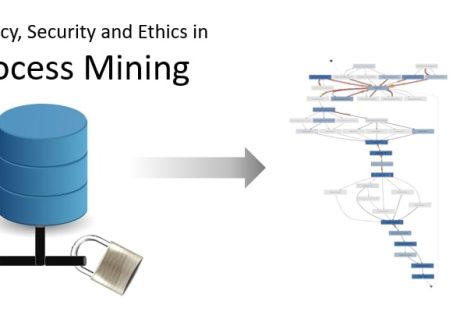
The global pandemic of 2020 was challenging for frontline workers, the public, and businesses. Besides a dwindling economy, governments and organizations suffered various setbacks, including exponential data thefts. Security incidents became more costly and harder to contain for the latter due to a drastic operational shift. As per experts, the cost of a data breach reached a record high, shelling $4.24 million per incident on average from affected ventures. As more businesses migrate to the digital world, data security becomes a reason for severe migraine for owners. Keeping the incidents and the present situation in mind, the European Union introduced the General Data Protection Regulation (GDPR) for improved data privacy controls for EU citizens. GDPR requires a thorough evaluation of every software application before its implementation to prevent possible data breaches and loss of customers, employees, and corporate data. Automatically, business process management solutions, like process mining, RPA, automated process discovery, and others, fall under the tight scrutiny of GDPR data privacy guidelines. Process Mining in Business Process Management – A Brief Overview Process mining is an intelligent technology solution enabling owners to build a reliable visual map of business processes elaborating how every task within a process is executed. It captures employee-software system interactions and converts data into event logs. This provides an overview of end-to-end processes. Process mining tools provide task and process insights to evaluate task executions for scaling improvement opportunities. These insights also support informed decision-making pertaining to process efficiencies and complexities. Process mining bridges the gap between traditional model-based processes and data-centric processes for further analysis. There are three basic types of process mining; namely, process discovery to discover a process model capturing the behavior in an event log (collection of events), conformance checking for identifying commonalities and discrepancies between a process model and an event log, and process re-engineering to improve a process model using event logs. In a human-centric process, each event comprises a case identifier, an activity name, a timestamp, and optional attributes such as resources or costs. Usually, a case identifier refers to individuals and includes much personal data. And herein lies the significance of improving data security. The Importance of Data Security in Process Mining Automated process mining relies heavily on enterprise data and captures confidential information about the company or the clients. Data collected during the mining of processes are categorized under the following datasets: Key identifiers: These datasets contain unique information identifying individuals, such as their full names and social security numbers. Quasi-identifiers: These datasets are considered indirect identification of individuals—for example, gender, age, and postal code. Sensitive attributes: Information related to salary, payment, financial statements, and others are private and sensitive for individuals or companies. Insensitive attributes: These datasets contain general or non-risky information not covered by the other features. Given the confidential and sensitive nature of the above-mentioned data, attention to cybersecurity in process mining has gained momentum recently. Also, third parties can offer the latter; therefore, choosing providers with secure products and processes is equally crucial. Any breach in data security can prove costly for the company owners and tarnish customer/client/partner relationships. But the shared responsibility of protecting critical information should rest upon employees. After all, it is said that the usual source of security incidents are current employees and, in certain instances, ex-workers. Respective teams, while handling information, should protect sensitive data at every step of task execution. In order to achieve the same, decisions regarding data transparency and usage should be made aforehand. Most specifically, such decisions involve the type of data used, data extraction methods, data accessibility, data protection, and compliance requirements. On the other hand, process mining can be leveraged to detect silent internal attacks on data. It can quickly identify abnormal behavior in the company’s internal network and indicate apparent security breaches. Therefore, data is integral to process mining, and the security of which should be the core objective of software applications and associated teams. Key Privacy Metrics in Process Mining In order to evaluate the privacy of specific data, owners should decide on particular metrics for measurement. These privacy metrics tally the security level of each data in terms of disclosure and are broadly categorized under the following sub-heads: Bounded knowledge: Data is restricted with specific rules to avoid disclosing confidential information. Need to know: The unnecessary data is eliminated from the system to prevent any breach. This metric controls data access. Protected from disclosure: Data confidentiality is observed during data mining using the classification method. Data quality metrics: These metrics measure the loss of information/benefit, while the complexity criteria validate the efficiency and scalability of different techniques within this scope. Process Mining and Data Capture – Key Points to Consider Since process mining extracts granular data at the process level, care is taken to ensure that any new process doesn’t come into conflict with personal data policies. Owners should also ascertain that software solutions for mining processes comply with the specific data security requirements. Therefore, people involved with the entire system must consider a few data capture points. Access to raw data: The process mining team requires access to corporate data to understand what’s most important for analysis. Here, the company can choose and grant access to specific datasets for further research. Choose the right strategy: Besides mining processes for raw insights, the team also translates the raw data into broad terms and updates it into dashboards. Later on, the respective team can decide what features to focus on. Filter: Occasionally, the company tracks information that doesn’t require further analysis for specific processes. In this case, the data can simply be omitted from the system. Datasets that are sensitive or do not directly impact the business analysis outcome are deleted to maintain the focus only on valid and relevant data. Pseudonymization: Encrypting the information to protect the confidentiality of sensitive information prevents users from correlating them to real data specific, like specific names, addresses, or other PII data. For instance, if the company wishes to maintain secrecy about employees directly involved with process-related tasks can follow this approach. Here, the case identifier’s name is replaced with numbers. Anonymization: This is similar to pseudonymization, where the names are replaced with unique pseudonyms instead of numbers. Hence, unauthorized users cannot identify individuals’ names or confidential information about them from the available data. Conclusion Besides handling data in bulk daily, enterprises using online systems leave behind their digital footprints. These footprints are valuable data captured by process mining to examine how employees execute each process and sub-tasks. Needless to say, mining for such insights is done with the company’s best interests in mind, namely, to optimize operations and resources and derive maximum value. However, such datasets carry sensitive information of various interested parties, any breach of which can prove highly hazardous for all. Therefore, data is the primary source for process miners to carry out their objectives, but the company must ensure the data is handled with care. Hence, data security is a significant factor in process mining. Have A Look :- How to Get Copy of a Divorce Decree 7 Secrets To Make Your Baby Fall Asleep Faster All That You Need To Keep In Mind Before Selling On Facebook

READ MOREDetails
Chiropractic Practice Management Software

4 Key Advantages Of Chiropractic Practice Management Software

As a chiropractor, you're no stranger to the challenges of running a successful practice amidst the daily grind of scheduling appointments, maintaining patient records, and managing billing. But what if there was a way to streamline all these tasks while enhancing the overall patient experience? Enter chiropractic practice management software - a game-changing solution revolutionizing how chiropractors manage their clinics. This article will explore the four key advantages of implementing this cutting-edge technology in your chiropractic practice. From an improved check-in experience to more effective communication, discover how chiropractic practice management software can elevate your practice to new heights. So, sit back, relax, and let us guide you through the transformative power of this innovative tool that's already reshaping the world of chiropractic care. 1 - Improved Registration And Check-In Experience One of the standout benefits of chiropractic practice management software is that it significantly improves staff registration and check-in experience. By leveraging chiropractic billing software, patients can input and update their information before their first appointment, ensuring greater data accuracy. Furthermore, with the incorporation of a patient portal and self-registration kiosk in the waiting room, the overall patient experience is elevated. This streamlined approach offers numerous advantages, including: paperless self-service patient intake online registration bilingual support instant pain identification and symptom tracking feedback efficient Outcome Assessment progress data collection reduced wait times quicker check-in process with minimal paperwork The time savings for office staff are also considerable, as they no longer need to manually input data from paper forms, resulting in fewer spelling and data errors. Overall, this modernized registration process leads to a more seamless and enjoyable experience for everyone involved. 2 - Patient Portal Access Imagine a world where your patients can access their health information and communicate with your chiropractic practice from the comfort of their homes or on the go. That's precisely what chiropractic practice management software offers through its patient portal feature. In today's fast-paced digital age, patients expect the convenience of interacting with their healthcare providers anytime, anywhere. With a patient portal, doctors and office staff can engage in HIPAA-compliant secure messaging, ensuring the privacy and safety of sensitive information while fostering better communication. Not only can providers exchange clinical information with each other, but they can also easily import content into patient files for seamless record-keeping. Additionally, chiropractors and staff can quickly download and provide patient summaries and clinical information. 3 - Effective Communication Effective communication is critical to successful chiropractic practice. Patients have higher expectations regarding staying connected with their healthcare providers in the digital age. That's where chiropractic practice management software comes in, offering top-notch communication features through patient portals that cater to these modern-day demands. This means no more missed appointments and access to timely notifications and reminders via text message or email. For first-time patients, email reminders can include necessary attachments and forms to complete before their initial visit. Plus, with easy-to-use online links, patients can securely fill out demographics, work information, and basic insurance details on your practice's OPR site. And let's not forget the importance of safeguarding Private Health Information (PHI) – with this software, patients can enjoy peace of mind knowing their data is secure from identity theft. 4 - Efficient Scheduling Lastly, scheduling efficiency is a game-changer in chiropractic practices, and that's where chiropractic practice management software comes in handy. With this powerful tool, your staff can easily schedule appointments and make changes more efficiently and flexibly. They can effortlessly track and manage patient appointments, fully customize the scheduling format, and personalize schedules based on provider, resource, and location. Plus, patients will appreciate receiving appointment reminders through text and email. Experience How Chiropractic Practice Management Software Can Transform Your Business In conclusion, adopting chiropractic practice management software is a smart move for any chiropractic practice looking to thrive in the digital age. With its ability to streamline registration, enhance patient portal access, improve communication, and boost scheduling efficiency, this powerful tool can transform your practice into a well-oiled machine. By meeting and exceeding patient expectations while easing your staff's workload, you'll be on the path to greater success and satisfaction for all involved. So, don't wait – we encourage you to take the leap and revolutionize your chiropractic practice with this game-changing software today. Thanks so much for reading. Additional: Simple Ways To Automate Your Small Business Processes 5 Reasons Why Having Software for Your Business Matters 5 Strategic Ways To Automate Your Internal Business Workflows

READ MOREDetails
Recover Your Lost Files from BitLocker Encrypted Drive

Recover Your Lost Files from BitLocker Encrypted Drive

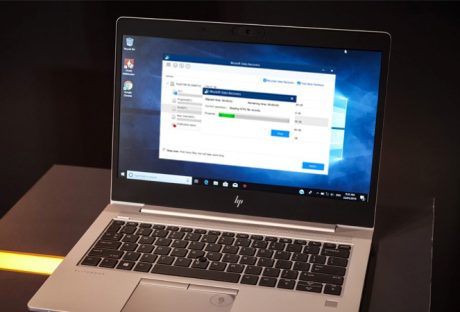
Data is an important pillar of modern society. This is why many people use third-party software to encrypt data and restrict any unauthorized access. Although this might offer high-level security to the data, at the same time, it adds difficulty at the time of data recovery. Being a digital marketer, I ensure that nobody accesses my data. To do that, I use BitLocker to encrypt all my data. One morning when I was trying to access my photos, I found that the SD card was somehow damaged, and now I cannot access my photos. This really startled me, as it was only a couple of days away or my clients' photos were delivered. I Tried data recovery software to recover the inaccessible photos, but the efforts were in vain, as the BitLocker was resisting to do. Fortunately, after several tries and integrating a couple of tricks, I was able to get back my photos. It was a great feat for me, and I thought that many individuals like me face the same problem. So, I took this opportunity to share my experience and how I was able to recover data from BitLocker encrypted drives. How to Recover BitLocker Encrypted Files? Data recovery is a complicated and time-consuming process. There is data that can be restored or recovered from simple recycle bin recovery. The data recovery process is complex. I have come up with this solution to recover BitLocker encrypted data. 1. Recover Data from BitLocker Encrypted C: Drive: As we know, C: Drive is the operating system drive.l the moment you start your system, new data keeps on adding to the system drive. So, the recovery of encrypted data depends on whether the lost un accessed files have been overwritten or not. In case of overwritten activity, you will not be able to get back your data. Instead, the data will stand corrupted. However, if the data is not overwritten and is encrypted by the BitLocker, you can recover data by following the steps given below. Once such a scenario occurs, stop using the drives to ensure data is not overwritten. Download a data recovery software. You will see the main interface with all the active drives in the system. Select the targeted drive. Initiate a scan. Select the data you're meant to recover and click “Recover”. 2. Recover Data from Encrypted Data Drive: Data drives are the drives where you store data. The D: Drive and F: drive you to see are the data drive. If you cannot access these drives, you can follow the same process. The only difference will be that you will select the drive storage instead of selecting the system storage. Download and install the data recovery software. Select the BitLocker encrypted drive. Run a scan. Select the targeted data. Click recover. 3. Recover Data from BitLocker Encrypted SSDs: Today, instead of HDD, most systems have SSDs. While we use an SSD, we have no idea that it deletes data without our permission. I know this can surprise you. But that is the truth. Windows 7 or the other later ver5sion initiates an automatic TRIM on SSDs. The only way to ensure your data is safe is to keep track of whether TRIM is enabled or not. Once you know that TRIM is Disabled, you can use the same steps to recover or access BitLocker encrypted data. Download and install the data recovery software. Select the BitLocker encrypted drive. Run a scan. Select the data you want to recover. Click recover. Conclusion: To sum it up, yes, there are easy ways in which you can recover encrypted data. In this article, I have shared the methods I used to retrieve my data. I hope that these methods work in the same way as they worked out for me. Read Also: Things to Consider While Choosing Data Recovery Software How To Empty Trash On Android?

READ MOREDetails