There are plenty of reasons why voice recognition software never took off back in the day. Perhaps the most significant one is that the hardware from years back did not sufficiently make use of the voice recognition’s potential. The same thing can be said about virtual reality; as there was no way to make a feasible virtual reality set for the household when it was introduced decades ago. Alexa is capable of being integrated into all sorts of apps, there is no telling just how far it will go.
Fortunately, modern technology has made strides over the years, which is why virtual reality has made a comeback. That said, it pales in comparison to the potential that voice assistants bring in the form of Alexa. From overall convenience to Alexa skills development,
Here are a few reasons why Alexa succeeds where others fail:
Alexa can be integrated into modern apps
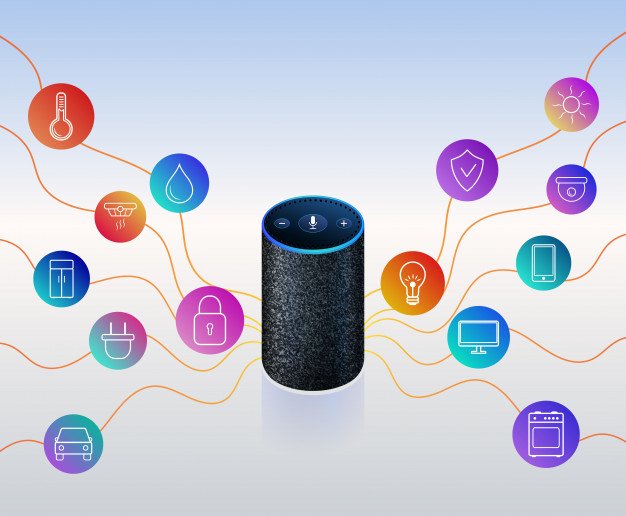
When you think of virtual assistants, they typically come packaged with their own software, as it would be strange to consider voice recognition programs without compatible software. However, Alexa has managed to elevate the experience through the use of Amazon Alexa skill development. With the right skills to deal with the issues of compatibility, it widens the competitive gap by opening the floodgates of possibility. Now that Alexa is capable of being integrated into all sorts of apps, there is no telling just how far it will go.
A brand new way to market products
Aside from having a nearly limitless potential thanks to the use of apps, Alexa can also succeed with the help of a creative streak in the marketing industry. For example, it was recently used by Tide to help market their brand of products. Tide accomplished such a feat by building Alexa skills to help it provide solutions for cleaning over two hundred types of stains. Not only is Alexa able to market Tide’s products, but it is also used creatively and in a practical sense. That said, Tide’s use of Alexa is only the tip of the iceberg as far as the overall potential goes. Who knows how far companies can take Alexa in the field of marketing?
Making things fun for your kids
Not only can Alexa be used by kids to find their favorite movies or songs, but it can also be utilized to instill a sense of responsibility. Alexa can help keep track of their progress with the help of certain apps, such as with cooking or sports. Alexa can help them devise a new recipe, or help them keep track of their exercises. The same can be said for the parents as well! It might not seem like such a big deal, but the convenience Alexa offers can help a family bond together without having to do much at all.
From the power of app integration to Alexa skills for kids, only time will tell just how much it will change the lives of families that are willing to make use of its unique capabilities. The fact that Alexa is close to becoming a technological standard is why it succeeds where others fail.
Content Rally wrapped around an online publication where you can publish your own intellectuals. It is a publishing platform designed to make great stories by content creators. This is your era, your place to be online. So come forward share your views, thoughts and ideas via Content Rally.
Most things are digital now, so people tend to overlook the necessity for printers. Despite technology, have you ever found yourself in a situation in which you needed to print a certificate or picture so badly? People still need to print things, and for that, printers are needed. Getting a printer does not fix the problem right away, though. You must know the type of printer that is right for you. With the variety of printers out there, it can be difficult to determine which printer to purchase. Nobody, especially a business owner, likes to make the wrong purchase. Here are some pointers on choosing the printer that best fits your needs.
Inkjet
Inkjet printers are some of the most affordable printers. They are small and common. They are used mainly for printing documents and pictures. Inkjet printers are improving recently, and their printed materials have been becoming difficult to differentiate from the printed materials of better types of printers. Old models of inkjet printers use inks that smudge and smear easily, but newer models use inks that do not smudge and smear easily. These improved models of inkjet printers can also print at high volumes just like better types of printers. Still, inkjet printers are ideal for offices that print only a small amount of materials every day.
Laser
Laser printers are also common, but they are way better than inkjet printers regarding printing capacity and the quality of their printed materials. Laser printers are also bigger than inkjet printers. They print quickly and do not require the replacement of ink cartridges to print continuously. They are perfect for large companies that have to print large amounts of materials. They can be used by many different employees continuously. If your office is small and does not need to print many things, a laser printer may quickly print high-quality materials for you, but it is basically a wasted investment because it is an unnecessary expense.
Copier
Some printers have extra features. Copy machines are some of the most common extra features of printers. Both inkjet printers and laser printers have copy machines. Many large companies use copy machines weekly. If you have a large company, a printer that has a copy machine might be perfect for you. In printers that have copy machines, Comparoid recommended. Even if you have a small office and happen to need a copy machine for frequent use, you might need this kind of printer. Purchasing a printer that has a copy machine is cheaper than purchasing a printer and then purchasing a copy machine separately.
Scanner
Some printers also have scanners. Scanners let you make digital copies of printed documents and printed pictures for storage and sharing. If your business involves paintings, you can also use scanners to send paintings and drawings to emails and posts. Because you can’t post paintings online without scanning them, and you can’t make real paintings online. Simply taking pictures of your paintings is not enough. Scanners are also available in both inkjet and laser printers. Printers that have scanners are accessible and affordable in the nearest shops. You can purchase one and get it to work right away.
Fax Machine
Some printers also have fax machines. Even though they are now considered old, and many people replace them with scanners, fax machines are still available on the market and used by certain companies. If you prefer to use fax machines instead of scanners, you can find fax machines that come with both inkjet printers and laser printers. Because they are old-school, fax machines are cheaper than scanners. Also, if you have older employees who do not know much about scanners, fax machines can be helpful for your office. Printers that have fax machines are common, and you can find them in most shops.
Types of printers may be different from one another, but after some deep research, you can find the printer that is best for you. Unless your business is about printing high-quality pictures, you don’t have to purchase the best printer for all printers. You only have to purchase the printer that fits your budget, but still gets your business moving forward. Choose printers wisely
Read More:
Paper Authority: Basic Tips In Purchasing A Printer
7 Ways To Stop Spending So Much On Printing In Your Business
10 Tips To Design The Perfect Business Card
Best Office Design Trends For 2018
Choosing Open Office Space Vs Cubicle Office Space
Making Your Office Safer For Workers
In less than a decade, the vaping industry instantaneously boomed from the time of e-cigarette discovery. With Hon Lik's invention, China is considered as the birthplace of modern vapes, so it’s no surprise why the country houses the best vape manufacturers in the world. The growth pace of vape businesses is remarkable and the regulation of vape products and manufacturers are hardly supervised with the emerging new products entering being introduced. It is time to speak for a high-quality Vape brand that suits every lifestyle because there are many scrupulous brands and the open secret is that not all vaping devices are created equal.
From the sourcing of new materials up to the wholesale and retail distribution, vaping companies compete to ensure the preservation of the highest quality and good reputation of their products, but fake vape manufacturers exist and the US market is now being flooded with counterfeit vape products intentionally and unintentionally. The online market is now crowded with cheap vaporizers and vape pens through rebranding and repackaging. Allow us to open your eyes in the real vape manufacturing and logistics, for you to be able to choose the best vape brand for your vaping needs and preferences.
Be Analytical and Inquisitive:
As a consumer, it’s crucial to consider everything from a vape product’s materials up to its claimed capabilities, most especially if when shopping for a new vaping device. There are important factors to remember when choosing the highest quality of desktop vaporizers, portable vaporizers, or vape pens, and one of which is the heating coil material. Many vape companies market their vapes as “made of titanium”, but there are two types of titanium which are titanium alloy and pure titanium. However, not all titanium has the same quality. In fact, the highest quality titanium (Grade 1 and Grade 2) is expensive and many manufacturers claim to use titanium but actually in just the alloy form. For instance, a Grade 2 titanium may contain iron anywhere from 0.00% to 0.30%, and the more iron means the lower quality of the titanium used. If a wax pen is labeled made of titanium but no grade of titanium is indicated, the material used is likely an unknown alloy, without testing conducted and unknown long-term health effects.
Sad to say, there are even vape companies without any intention to deceive consumers but are not exactly aware of what material that their manufacturer is currently providing. Some vendors are made to believe that their products contain pure titanium because of deceitful manufacturers looking to maximize their profit margin. Testing the titanium grade requires more of the vaped material that is generally present in a vaping device. It's a good thing that consumers can do some form of analysis before choosing a vape product when it comes to identifying pure titanium atomizers among vape products. For one, pure titanium atomizers, like Evolve Plus XL full kit device, only work with sub-ohm batteries due to their natural low resistance. Be wary if a vaporizer is labeled as Grade 1 or Grade 2 titanium yet uses a standard battery. Don't hesitate to contact the vendor and ask for a composition test, and if the company refuse to provide testing results, it's better to look somewhere else. A trusted and reputable vape manufacturer would be proud and willing to provide you with the results of a material composition test.
Also, many vendors claim their vape batteries offer a superior degree of temperature control as compared to the actual capability their product can ensure. The fact of the matter is that batteries with the capability to ensure the specificity of temperature are tricky and expensive to produce. Of course, a few brands market “temperature control” batteries that simply target a specific temperature by sending a certain voltage amount through the coil, and this depends on how long the vaper hold down the button. The temperature continually rises far beyond the target temperature and may lose the delicate effects and flavors of the active ingredients being burned off from the material, thus it is more accurate to describe these batteries as having a “temperature estimation” feature rather than labeling as “temperature control”.
Be Wise and Bold:
When choosing a brand, you can trust, it is essential to know how everything goes on the backstage. As a consumer, be vigilant and be smart in choosing the best vape for you because your health and safety are at stake. It's not good to judge a vape alone by its looks or what other customers are saying about the product. It is wise to also do an objective research. Among the hundreds of vape brands today, you can always find the best brand that best represents you, like Yocan. Yocan Technology Co, Ltd., is a leading vape manufacturer primarily based in Shenzhen China, covering professionally designed vape products, elevating smoking, feeling, thinking, and living. They are now partnered with several US authorized resellers for a faster shipping or distribution from USA warehouse to American customers. This Chinese vape manufacturer is one of the leading lifestyle brands for vape pens, wax vaporizers, atomizers, mods, and tanks.
Yocan has many authorized vendors in the United States using verification code system for all Yocan products to ensure authenticity. Yocan vapes, including accessories and replacements, are made of high-quality materials at very reasonable costs. You'll find a lot of online stores carrying Yocan products, so it is important to deal with a seller or retailer that values customer privacy and identity for a safer and more secure online transaction. Authorized Yocan resellers get the first deals on the latest and advanced Yocan units, as well as amazing discounts and promotions because of good Yocan wholesale and distribution partnership. Find an authorized reseller that offers and honors Yocan guarantees and warranties. Some resellers of Yocan products also offer “wholesale program” which is like dealing with the Chinese manufacturer directly to make transactions nearer and easier in terms of logistics, marketing, pricing, technical support, and customer service. Interested resellers just need to fill up a registration form to receive special discounts and promotions for their business.
Every Yocan product passed the highest standards of vape experts. Many customers just love the portability, durability, versatility, and affordability of Yocan products. Meticulous manufacturing and shipping are performed to ensure customers will get their items safe and secure.
You can brand has earned its spot in the electronic cigarette market not only in China but also worldwide. Customers are given assurance that every step of the production process is always kept under strict quality control. In fact, Yocan is the first vape manufacturer to pioneer the function of e-cigarette with a magnetic filter, which is a patented technology, and they promise to persistently strive to introduce innovative technology and safe products. All of the Yocan products have passed the CE, RoHS, FCC certification with top-notch quality guaranteed.
Final Thought:
Make a mark. Quit smoking and start vaping. If you are not satisfied with your current vape brand, let it go. Choose Yocan brand because it is fit for your lifestyle without breaking your bank. You only deserve the best for an ultimate vaping experience like no other. Yocan is a strong Chinese company offering high-quality vape pens, vaporizers, and vape accessories. There's always something stored for every type of vaper because the product line of Yocan is one of the best in the industry, being a trusted and reputable company that is true to their customers.
Read Also:
Can Vaping Really Help You Kick Your Smoking Habit?
Vaping In The Workplace: Legal Considerations