











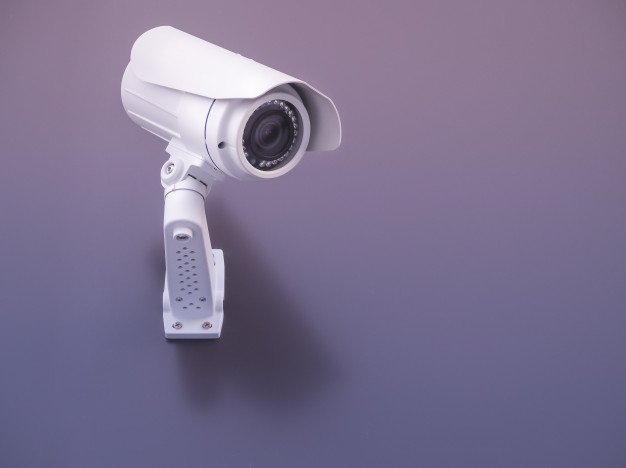
Deciphering the Myths About Home Security Cameras

Published on: 26 February 2019 Last Updated on: 04 November 2024
Security Cameras

Security cameras are the in-thing today. They are used in many homes as a way of enhancing security. However, despite the fact that they are common; there are many wrong perceptions about them.

Surveillance cameras usually play a key role to fortify your house. These home security cameras can be installed in either the indoor or outdoor areas of your home. They are used to capture the photos and footages of possible intruders.

Since home security cameras are significant in safeguarding your home, you must know the misconceptions about them. This will enable you not to pay due regard to these misconceptions. By doing this, the effectiveness of your home security system will not be affected. Here are six myths about home security cameras;

All Security Cameras Serve the Same Purpose:

Many people think that all security cameras are the same, so they can serve the same purpose. As asserted by Tech Web Space, this is not true. There are many types of security cameras. They all work differently. Each of them is designed to fulfill a distinct security need.

For instance; there are dome, bullet, and IR day/night cameras. Bullet and dome cameras can only be installed in indoor areas, while IR day/night cameras can only be put in outdoor areas. So, a dome camera is effective to monitor your staff; while an IR day/night camera is effective to prevent burglary.

Also, IP security cameras can record a video of the ongoing activities of an intruder; while other normal surveillance cameras cannot.

There is no security camera which can fulfill two roles at the same time. So, you should know your major security problem which you intend to address. With this problem in mind, you can then choose the most appropriate type of security camera.

Security Cameras Are Super Heroes:

When some people purchase a security camera, they tend to think that they have solved all their security issues. They believe that their houses will be fortified by the virtue of them possessing a security camera system. They equate home surveillance cameras to superheroes in regard to matters of security.

This is a very wrong perception. As much as you buy a security camera, you should still take other appropriate measures to safeguard your home.

Security cameras can be limited in discharging their functions. For instance; bullet and dome camera types will not function well in dim lighting. Also, when you don’t position your camera well; you may create a blind spot. This blind spot will give a leeway which will allow criminals to operate in.

It Is Very Easy to Install a Security Camera:

You cannot learn to install a security camera after watching some few DIY tutorials. Installing a security camera is a difficult task that requires some specific skills.

You will have to be equipped with basic scientific knowledge. You will also have to understand how to match the lighting conditions and the recording angle with the camera capabilities. This is not something which you can learn within a few minutes.

So, never attempt to install a security camera by yourself. You can only attempt to do so when you have received appropriate guidance. You may tamper with it right from day one. Instead, as provided for by Tweak Your Biz; you should contact your security company which will help you out with the installation.

You Can Use a Dummy Camera Instead of a Real One to Keep Off Intruders:

Of course, there are some foolish robbers who can be frightened off at the sight of a dummy home security camera. However, this trick will not work well with an experienced thief.

In fact, most thieves can detect a non-authentic camera at an arm’s length. So, never go for shortcuts. Use real home security cameras, not fake ones.

Home Security Cameras Are Expensive:

It is only in the past ages when home security cameras were a reserve of the rich. Nowadays, surveillance cameras are affordable to all and sundry.

There are many security companies today. This has enhanced market competitiveness. Different companies are using different strategies to have an edge over each other. This has significantly reduced the costs of security cameras. Moreover, their operation and installation costs are cheap.

Home Security Cameras Are Only Used to Keep Off Intruders:

Apart from preventing the entry of intruders, surveillance cameras can serve others more purposes. For instance; you can use them to monitor your employees in your servicing business. You can also use them to check on your kids’ activities when you are away from home.

Though security cameras are mainly used to prevent crime, they can improve your general living standards. With them, your daily tasks will be simpler and more effectively done.

Conclusion:

All in all, surveillance cameras will grant you immense assistance in safeguarding your home. They will keep off intruders, reduce crime rates and, prevent robbery and burglary. Therefore, you should not allow these myths to restrain you from owning one.

Read Also:

Content Rally wrapped around an online publication where you can publish your own intellectuals. It is a publishing platform designed to make great stories by content creators. This is your era, your place to be online. So come forward share your views, thoughts and ideas via Content Rally.

View all posts

Leave a Reply

Your email address will not be published. Required fields are marked *

Related

IT Security Risks

Common IT Security Risks in the Workplace

When it comes to your business, it is important to recognize some of the highest security risks that are present. Your security needs to be a top priority. To run your business, you will collect a lot of information about customers and even other businesses you work with. If a data breach happens, you could end up with a huge loss in reputation and other issues. There are a number of big IT security risks that can show up in the workplace. Recognizing these and finding ways to prevent them can keep that data safe. Some of the common IT security risks that can happen in the workplace include: 1. Insider Threats According to one study,  about 57% of the recorded data breaches were not done by outside attackers. Instead, these were done by a threat that is inside the organization. And often this is not because someone is being malicious within the company. Negligent employees who click on the wrong link or give off information carelessly were often the cause. One of the top causes of a data breach still remains human error. Companies need to maintain focus on the inside as much as the outside to ensure data stays safe. However, it is sometimes hard to detect an insider threat. In addition to watching for these insider threats, a company needs to invest in the right training for its employees. Since most of this issue comes from negligence or carelessness, rather than malicious intent, things like security awareness training may help more than anything. 2. Social Engineering Another threat to watch out for is something known as social engineering. It can affect companies as much as it will affect individuals. Humans are susceptible to manipulation, which is why many attackers will use a variety of psychological tricks to get what they want. With social engineering, the right protection software or looking for different indicators of compromise will not be enough. It is hard to really predict human behavior all the time. All it takes is for one person to click one lucrative offer that is too good to be true, and your company has to deal with a data breach. What makes it even worse is that malicious attackers can easily find new ways to trick individuals to give up private data or granting access to critical areas. There are many different types of social engineering attacks that can be used including: Spear phishing Whaling Baiting Pretexting Tailgating Scareware Vishing Since this issue can exploit the basics of human behavior, it is sometimes hard to find the best way to combat it. Even tech-savvy users have fallen victim in the past from some of these. Educating your employees about these attacks and updating your training procedures is one of the best ways to help. 3. Ransomware Another thing to be careful about is ransomware. This can be a scary type of tactic that will make even the best in IT have to do a lot of work to prevent and fix it. Basically, this is when a hacker is able to get ahold of private or sensitive information and they demand a ransom to get the information returned. Sometimes the hacker just has the information, other times they will choose to freeze up a whole system and make it impossible to use. Even when. You agree to pay the ransom, there is little chance that the data will be returned and that the hacker will leave you alone in the future. Ransomware is simply a type of malware that can infect a network or a computer. It then encrypts the files or finds another way to deny others access to them before demanding some kind of ransom in the process. Usually, the malware will not delete the files. They will be present on the network, but without the decryption key, no one can access them. There are a lot of threats that come with this kind of attack, such as the permanent deletion of the files. But whether you pay or not, the hacker is already on the system and is the one in control the whole time. There are a few things you can do to prevent this security threat. First, teach your employees about how it works and how to not open suspicious files or attachments in their emails. This can help keep the chance of ransomware off the computer. Backing up your data and keeping records off the main part is a good idea too. This will allow you to start over with the information you need, without having to play the games, and most often lose, with the hacker. 4. Consider a Cybersecurity Audit If you are worried about some of the security risks that show up in the workplace, it may be a good idea to do a full audit of your system. A cybersecurity audit allows a professional to take a look at your network and the way it is used to determine whether there are any weaknesses that could increase your risk of an attack. Getting this audit done is one of the best ways to see where your security is right now. When it is done you should have a complete report about what is working and what is not when it comes to your network. Expect there to be things wrong with the audit. This is just a chance to fix them. When the audit is done, take some time to go through all the different recommendations and suggestions and find ways to improve your network security. Even small steps in the right direction make it less likely someone will get onto the system who should not be there. 5. Keeping Your Network Safe There are a number of IT security risks that you need to be careful about when it comes to the workplace. Planning ahead, recognizing some of these issues, and completing a cybersecurity audit can help you get the right level of security you need. Read Also: Everything You Need To Know About PKI In Cybersecurity How To Make Sure You Get The Best Service From Your IT Supplier A Few Things You Should Know Before Finalizing Managed It Services

READ MOREDetails
Panini Spa

Panini Spa: The Importance of Secure Transactions and Identity

Nowadays, customers choose their credit institutions and banks based on different elements, among which: The convenience of mobile banking, Ease of use of the bank's app, Instant, in-person solutions when the need arises. It can happen that customers have the need for instant issuance of a new payment card when theirs get lost or stolen. And also, when customers open a new account, they want a card which is ready to use straight away without following too long procedures for its activation. The waiting we were used to does not exist anymore. For this reason, an instant issuance service, like the one offered by Panini Spa, is mandatory, also to increase customer loyalty. The digital era is fast moving and credit institutions should keep pace with the times. But not only that. When we talk about the digital era, we know very well what does it mean from the security identity point of view. Especially when dealing with money, it is essential that the authentication process really proves that a person really is who she/he says she/he is, before having access to an account. Panini Spa offers a wide range of different products for identity authentication, which allows for example to: Easily protect your business from fraud Automate and streamline workflows Share automatic warnings with the fraud department Comply with banking laws and regulations But all of this does not only concern financial and credit institutions like banks, but also post offices and property management companies. For instance, the first is always engaged in document dematerialization projects, whether front office or back office based and here the products and software of Panini Spa can help to deal with them. The latter can benefit from utilizing the products of Panini Spa because: Funds can be deposited the same day in order to maximize cash flow. Costs associated with deposits, bank runs, and lost checks are eliminated. Manual handling and errors are reduced. When dealing with all these important aspects of modern business, it is always essential to find the best company. Panini Spa not only provides a comprehensive suite of products and software but also support services to ensure a successful implementation and client return on investment, including training, help desk support, fulfillment parts management, depot service and advanced unit exchange (AUE). Still doubts?  Just do not hesitate to contact the professionals of Panini Spa, that will be happy to answer any question you have. Read Also: Lining Up For A Loan – How To Secure A Good Loan Are Debt Consolidation Loans Recommended For Credit Card Consolidation

READ MOREDetails
your IP has been temporarily blocked

Your IP Has Been Temporarily Blocked – How To Unblock It?

Although it doesn't happen often, the "your IP has been temporarily blocked" warning will keep you from visiting a website. The error could show if you've attempted to log in too frequently or if you've broken the site's terms of service by uploading prohibited information, for example. Therefore, to learn how to prevent this issue from happening again, read this guide post till the end. Here, you will learn ten different ways to fix this issue. How To Fix The “Your IP Has Been Temporarily Blocked” Issue? To prevent the “your IP has been temporarily blocked” error from happening again, here are the steps you can take: 1. Just Wait A website frequently temporarily blocks IP addresses. For instance, if you tried to log in too many times using invalid credentials, you may be barred or banned for 24 hours before being allowed to try again. You can either wait a day or see the website's terms of service for details now only. 2. Use VPN Websites may restrict your IP address as a result of a country ban, as was already indicated. Use a VPN to conceal your IP address in order to get around such a limitation. You will be able to access the website since it will seem as though you are visiting from somewhere else. Free VPNs are available, however commercial services are more likely to ensure that your IP address is hidden. You will be able to view the website that has blocked your access after you sign up for a VPN. Check out our list of the top 10 VPN service providers if you're unclear about how to choose a VPN service. 3. Properly Configure Your Network And Mail Servers Incorrectly placed letters or digits might potentially be the reason your IP address is blocked. Your network and mail server need to be configured correctly because of this. Contact the blacklist to get your name taken off of it. 4. Connect To A Different Wi-Fi Network You should also think about joining a fresh Wi-Fi network. A new IP address is generated while joining a Wi-Fi network. This may be a short workaround to enable you to view the website to which access has been limited. 5. Check If They Blacklisted Your IP Image Source: thryv.com Many websites are members of IP address blacklists that are open to the public. These lists are frequently gathered from well-known spammers, and banning the addresses can assist website owners to keep unwanted visitors away and stop spam abuse.  However, it's possible that one of these blacklists listed your IP address by mistake. The good news here is that you can check your IP Address on a website called WhatIsMyIPAddress.com. If it shows up on their lists after entering your IP address is automatically detected, the website will notify you. 6. Update Your OS If your computer hasn't received any updates in a while, malware might infect it and restrict your IP address. You may improve your computer's usefulness and security by upgrading it. If you use a Windows computer, here’s what you should know: First, go to Settings. Here, choose Update & Security. Then click on Windows Updates to see whether any updates are available for installation. If you use a Mac computer, then here’s what you should do: First, open System Preferences. Then, select the App Store. Finally, select Show Updates. Wait a day after the upgrade is complete before attempting to access the website that has restricted you. 7. Try Detecting Malware The problem regarding “why your IP has been banned” can stem from various malware that might have entered your system. This error is typically shown when your IP address has been compromised and your system is now transmitting spam, or even launching DoS attacks in the background. Therefore, you should scan your computer using antivirus software. To get the best internet security, I recommend using premium antivirus software that always runs in the background. Here, if you're using Windows, follow the steps explained below: First, click on Start and type "Security".  When Windows Security appears in the search results, click on it.  After selecting Virus & threat protection, do a Quick scan. 8. Change To A New IP Address If you want to, you can shift to a new IP address by temporarily changing it using your VPN software. Do this if your IP has been banned. To do so on a Windows computer, follow the steps below: First, open the Control Panel by searching for it on the Search bar from the Start menu. Then, click on Network and Internet. Here, click on Network Connections. Now, you will get a list of all the network adapters you have paired with. Select the one you are using and want to change its IP. To do so on an Apple computer, follow the steps below: Navigate to System Preferences. Here, open Network. Now, click on Advanced Button. Then, click on the TCP/ICP menu. Here, you need to add a new TCP/IP configuration. To do so, click on the + sign here. Then, select Manual and enter the new IP address. 9. Use Proxy Servers That Are Free If you don't want to spend money on a VPN, you can use a free proxy server. A proxy server is a server that stands between an internet user's request and the website or page they are trying to access. Your IP address is concealed by the proxy, enhancing your privacy and independence. Keep in mind, though, that a lot of websites and services are aware of proxy servers and will ban the IP addresses of public proxy servers. You will be informed that "the owner of this website has blacklisted your IP address" if they catch you. Remember that you should never browse with proxy servers when providing personal information. 10. Blame The Webmaster If you searched the terms of service of the website for information on why your IP address was blocked but couldn't find anything, you may contact the webmaster — particularly if it's a tiny website that interacts with its users frequently. If your IP address is being blocked, the webmaster can tell you why it’s being restricted and how to fix it. Frequently Asked Questions (FAQs): People using the internet have asked various questions similar to “why is my IP address blocked” and “unblock IP address”. Here are my answers to their queries: Q1. Why Did Instagram Block My IP Address? Ans: Instagram might have blocked your IP address because they might have blacklisted your IP address. This can happen because you might have posted content that might have violated their terms and conditions. If this is not the case, then you might have a problem with your Internet Service Provider (ISP). Q2. How Long Does An IP Ban Last? Ans: On Instagram, an IP ban might last anywhere between 24 hours to 48 hours. This depends on the severity of your actions. If it's pretty severe, then Instagram might block you permanently. Q3. Why Did Cloudflare Block My IP Address? Ans: Sometimes, many of the websites that we visit can contain harmful malicious content in them. If Cloudflare detects this, it can block your IP address from accessing that website. Unblock Your IP Now! There are various reasons why you might see the “your IP has been temporarily blocked” error. It can be because your IP has been blocked by the website, or there are various problems with your ISP. To fix this issue, you can either wait for some time or use VPN software to change your IP. In addition, you can also use free proxy servers, or contact the webmaster if you wish to. If you have any similar questions regarding this that you would like an answer to, you can reach out to me by commenting down below! Read Also: 5 Tips to Improve Your Internet Privacy Will The Internet Become A Commodity? Top 7 Torrent Applications with VPN Support

READ MOREDetails