




The Future Of VoIP Technology And Its Impact On Business Communications

Published on: 30 June 2023 Last Updated on: 05 November 2024
Future Of VoIP Technology

The Voice over Internet Protocol refers to a technology that lets you make calls on the Internet. Thus, you no longer have to use cellular connections or conventional phone lines. Modern VoIP technologies are even more competent and provide options like calling, group conferencing, and file transfer.

VoIP uses new technology like UCaaS, 5G, and AI to offer businesses more sophisticated voice solutions. These solutions will enable more efficient communications with customers and colleagues. VoIP is easy to use and flexible. It is also affordable and delivers better audio quality. Plus, its scalability means that moving phone lines around is simple.

Enhancing VoIP’s Global Reach

Virtual phone numbers are a pivotal innovation in VoIP technology, providing a seamless way for businesses and individuals to establish a local presence worldwide without the limitations of traditional geographic constraints. These numbers allow calls to be made and received over the internet, significantly simplifying global communication processes. By leveraging VoIP to operate without direct ties to physical phone lines, users can enjoy substantial reductions in the costs associated with long-distance communications and the necessity for physical infrastructure.

A key advantage of this technology is its simplicity in allowing users to effortlessly get a virtual phone number, thereby enabling businesses to easily establish a local presence in any market. This capability enhances customer trust and satisfaction by offering local contact options without incurring high international call rates. The scalability of virtual phone numbers ensures that companies can adapt their operations with minimal effort, expanding or reducing their footprint without significant commitments or alterations to their communication setups. Additionally, integrating these numbers with essential VoIP features, such as call forwarding, voicemail to email, and customizable greetings, elevates the efficiency and professionalism of business communications.

The decision to integrate a virtual phone number into a business’s communication strategy is invaluable, especially for those looking to support remote work, expand into new international markets, or track the effectiveness of marketing initiatives. This approach not only positions companies to maintain a competitive edge in a digitally connected world but also navigates the challenges of compliance with local telecommunications regulations and the need for reliable internet connectivity. Embracing virtual phone numbers through VoIP technology marks a significant stride towards fostering innovative communication solutions, underscoring the dynamic evolution of global business operations.

AI-Integrated VoIP Systems
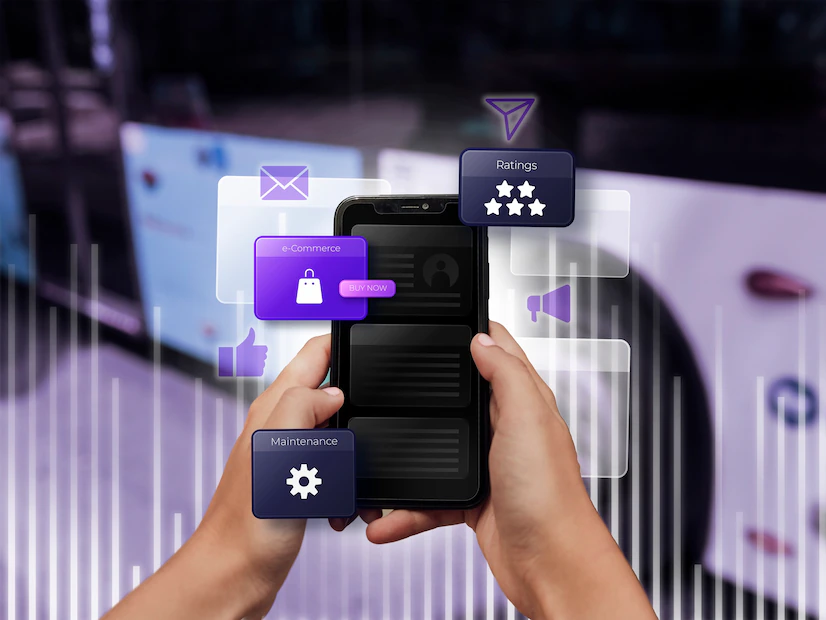
AI-Integrated VoIP Systems

Integrated with AI, VoIP systems can automatically handle certain tasks that would otherwise require human intervention. For example, AI chatbots can assist customers with simple queries and help them navigate the system. They can also handle basic conference call tasks like setting up meetings, sending reminders, inviting members, etc.

This frees customer service agents to focus on more complex inquiries and improve the overall customer experience.  AI can also be used to strengthen VoIP security. It can detect suspicious activity and prevent hacking attempts by analyzing network traffic. This ensures that businesses’ data is protected and their communication platforms remain safe from cyber threats.

VoIP technology is already transforming many industries, and it’s only expected to continue growing in popularity. AI integration with VoIP will enhance its functionality and improve how businesses communicate. Because of its features, you will find this very useful for your business.

This includes a more personalized experience, reduced fees, and increased reliability. This will boost the appeal of UC to customers and make it more attractive to small businesses.

Integration With Ucaas

VoIP allows businesses to call over the Internet instead of traditional phone lines, reducing telecommunication costs while providing the same features. Its scalability also makes it ideal for remote work. UCaaS, which includes VoIP among its many technologies, helps businesses reduce their reliance on hardware by eliminating the need for dedicated equipment. This allows them to cut their telephony costs and boost productivity simultaneously.

UCaaS also integrates team messaging, videoconferencing, and VoIP into one platform. Employees can seamlessly switch between communication channels without leaving the app. For example, if they are in the middle of a conversation on Slack and need to talk to someone on the phone, they can click and start a voice or video call with a single tap.

Streamlining communication platforms also increases employee efficiency and productivity by eliminating the need to toggle between multiple apps. This is especially important during peak contact times when teams can easily become overwhelmed by incoming calls.

The Rise Of Remote Work

The VoIP market has grown rapidly thanks to the increased adoption of cloud services, the rising popularity of mobile VoIP systems, and the rise of remote work. VoIP costs are incredibly cheap, and businesses save huge amounts when adapting to the system. One study found that companies protect 32 minutes of daily calls per team member after switching to VoIP.

VoIP works by converting voice signals into digital data segmented into smaller packets. It then sends these packets across a data line, ensuring they are recovered and timely by congestion. It also provides useful business features that bring voice calling into the modern age.

These include visual voicemail, digital faxing, call recording, and more. Employees can access these features on any mobile and desktop computer. This means they can work from anywhere – as long as they have secure and high-speed internet access.

AI-Powered Customer Service

Most business communication still takes place over the phone, and a VoIP system makes this work easier. It enables businesses to route incoming calls to the right people, allows for digital voicemails, and ensures no call or message goes unanswered. The technology also has additional features that make business communication more efficient.

For example, it offers conference calling options and customizable on-hold music, which can help keep customers engaged and improve the company’s overall customer experience. Businesses can choose from private on-premises or cloud-based VoIP systems.

Remote systems can be deployed as hardware PBX appliances or converged with other infrastructure, while a telecommunications carrier or service provider typically manages hosted systems. In either case, the systems can be stored in datacentres that are geographically relevant to their users.

This allows them to offer scalability and flexibility for businesses with remote offices or a distributed workforce. In addition, hosted systems allow for rapid deployment as traffic ebbs and flows.

The VoIP Technology: Benefits Associated

When it comes to considering the benefits, VoIP has a lot of them to offer. A primary reason why users love VoIP is due to its cost-efficiency. You can either make free calls or even if you pay for it; the cost is less. Unline cellular cells or conventional landlines; you do not have to pay a lot. 

Apart from that, the technology offers great features in comparison to usual voice calls. Based on what kind of device you deploy to make VoIP calls, accessing video calls, group calls, and everything is very easy. Obviously, standard call features such as call waiting or regular caller ID is also available.

Consolidated communication technologies are its other benefits. With a VoIP system, you get a streamlined form of communication. Typically, a user receives video, text, or audio-based communications under one roof. This is beneficial for both the business and individual users. 

Wrapping It Up

There is a great chance you have already been using VoIP technology in multiple apps. These might be FaceTime, Whatsapp, Skype, and even Telegram. But in case you don’t, computer and smartphone VoIP applications are the best starting point for leveraging internet telephony. 

Apart from these apps, you might also select VoIP for your business or residence. However, that is typically more expensive and complicated. Much of the complexity is, though, limited to its initial setup. 

So, that was all about VoIP technology and its future growth prospects. Let us know how relevant you found this article by sharing your comments below. Thank you for reading!

Read Also:

Abdul Aziz Mondol is a professional blogger who is having a colossal interest in writing blogs and other jones of calligraphies. In terms of his professional commitments, he loves to share content related to business, finance, technology, and the gaming niche.

View all posts

Leave a Reply

Your email address will not be published. Required fields are marked *

Related

Practices for Visual Regression Testing on Cloud

A Beginner’s Guide To Playwright Inspector

As the world continues to shift towards a more digital landscape, the significance of quality web applications has become progressively apparent. Given the vast array of tools and technologies at the disposal of web developers, determining an appropriate starting point can prove challenging. Debugging is the method of identifying and fixing bugs or errors in software. It is a vital aspect of web automation testing as it contributes significantly to the dependability and precision of the automated test results. Playwright is an open-source cross-browser testing framework released by Microsoft in 2020. As stated by Systems Sciences Institute, the expenditure of addressing an error or bug discovered after product release was 4 to 5 times higher than pinpointing it during the configuration phase. The detected value during the maintenance phase can be exceeded by up to 100 times. Playwright developers operate at the API level and offer comprehensive tooling through the integrated Playwright Inspector. Playwright Inspector is a powerful tool that authorizes developers to efficiently test and debug their web applications. Also, it facilitates creating automation scripts by furnishing auto code generation capabilities. Playwright Inspector allows you to inspect the Document Object Model (DOM) structure of a webpage, interact with web elements, and inspect CSS styles utilizing the Playwright API. It authorizes stepping through tests, picking locators, editing live locators, and seeing actionability logs. This blog will dive into the basics of Playwright Inspector and explore its many features. So if you're ready to take your web development skills to the next level, buckle up and dive into the world of Playwright Inspector. Before that, let's have a brief understanding of Playwright. What is Playwright? Developed by Microsoft, Playwright is an end-to-end open-source web testing and browser automation framework. Playwright offers outstanding cross-browser compatibility and convenient features. This makes it a perfect choice for automation and quality assurance purposes. The playwright is a flexible, robust, and efficient framework. It supports multiple languages like JavaScript, Java, Python, C#, and TypeScript. Playwright utilizes a single automation API. This makes it steadfast and quick and produces consistent outcomes while running cross-browser testing. It provides a powerful set of testing features. These features can be utilized to simulate end-user interactions with the web application. Also, the framework authorizes testing complex scenarios such as file uploads, login flows, and other interactions. These test scenarios can be tough to test with other testing frameworks. The software platform furnishes developers with a comprehensive selection of standard and personalized locators. This facilitates the straightforward and effective identification of elements on web pages. These locators can pinpoint elements based on a variety of attributes, including text content, position on the page, and other distinguishing features. With Playwright locators, developers can confidently identify elements on the DOM, ensuring the creation of substantial and steadfast test suites. What is a Playwright Inspector? Playwright Inspector is a Graphical User Interface based tool that helps testers and developers record scripts and debug Playwright tests. The tool helps generate boilerplate code. This can be a suitable starting point for building codes. Also, it assists developers and the Quality Assurance teams save time when writing the test script from scratch. Software developers can utilize the time saved to comprehensively understand the codebase and make informed modifications, as required, to enhance the efficacy of the testing suites. The Playwright Inspector simplifies the process of debugging web applications. It is a browser-based development tool that facilitates developers to inspect, debug, and troubleshoot web applications. The tool authorizes developers to record user interactions, capture screenshots, and inspect HTML elements, CSS styles, and JavaScript code. Playwright Inspector furnishes a console for developers and testers to run arbitrary JavaScript code in the context of the inspected page. To scale Playwright Inspector, an AI-powered test orchestration and test execution platform like LambdaTest offers an online farm of 3000+ browser and OS combinations to execute the Playwright test. You can effortlessly test your application as its scalable cloud infrastructure enables parallel test execution where you can run test cases altogether. It can also integrate with your existing testing infrastructure. It effortlessly plugs into your Playwright tool, eliminating the need for complex configurations. LambdaTest's Playwright Inspector  empowers you to debug and analyze Playwright scripts effortlessly. Inspect element properties, verify page behavior, and optimize automated tests using this user-friendly tool. Installation and Setup Instructions Installation and setup instructions are crucial for any software tool, and Playwright Inspector is no exception. As a beginner, it's essential to follow these instructions carefully to ensure that you can start using the tool without any issues. To install Playwright Inspector, first, you need to make sure that you have Node.js installed on your computer or laptop. Once you have Node.js, you can install Playwright Inspector through npm by running the command "npm i -g playwright-inspector" in your terminal. Upon successful installation, the tool can be initiated by executing the command "playwright-inspector" in your terminal. You can also use Playwright Inspector with other browsers like Firefox and Safari by installing the corresponding browser extensions. Following these instructions will give you a smooth and hassle-free experience of using Playwright Inspector, authorizing you to debug and troubleshoot your web applications with ease. How to Inspect Elements in Playwright Inspector If you are new to Playwright Inspector, you may be wondering how to inspect elements within your web page. Fortunately, Playwright Inspector comes equipped with a number of useful tools and features to assist you in efficiently identifying and inspecting elements on your web page. To start, simply launch Playwright Inspector and navigate to the web page you want to inspect. Once you are on the page, right-click on any element within the page and select "Inspect element" from the context menu. This will bring up the Playwright Inspector pane, where you can view the HTML and CSS code for the selected element. You can also view any associated styles and properties. From there, you can use the various tools and features within Playwright Inspector to further inspect and manipulate the element, making it easier than ever to identify and troubleshoot any issues within your web page. Benefits of Playwright Inspector The Playwright Inspector tool presents lots of benefits. Let us consider a few pivotal benefits of the Playwright Inspector: 1. Easy Debugging: Playwright Inspector facilitates the process of debugging Playwright scripts by furnishing a visual interface. This authorizes developers to inspect the page, make alterations to its state, and swiftly identify the cause of issues. 2. Record and Replay: The tool presents a record and replay feature that authorizes testers and QA teams to record end-user activities on the page and replay them for debugging purposes. The record and replay feature can help pinpoint issues that may occur only during specific user interactions. 3. Robust Logging: Playwright Inspector presents robust logging abilities that authorize testers and QA teams to outline the execution flow of the test script. This helps swiftly determine issues and fix them, thereby enhancing confidence in the code and application itself. 4. Intuitive Interface: The Playwright Inspector boasts an intuitive and user-friendly interface that is simple to navigate and operate, even for testers and QA teams who are new to the Playwright platform. 5. Cross-Browser Support: The Playwright Inspector facilitates the testing and debugging of applications across various platforms as it supports multiple Chromium-based browsers such as Chrome, Edge, and Firefox. This enables developers to ensure their applications perform optimally on different browsers. 6. Breakpoints: The Playwright Inspector tool is designed to enhance the testing process for software testers and QA teams. With this tool, users can set breakpoints in their test scripts, enabling them to pause test execution at specific points and thoroughly investigate the page's state. This increased level of control and visibility allows for improved efficiency and effectiveness in the testing process. Best Practices for Using Playwright Inspector The Playwright Inspector tool furnishes developers with an intuitive solution for testing web applications at scale. With the help of Inspector, developers and testers can debug their web automation scripts, view page elements and attributes, and pinpoint issues that may be causing the tests to fail. To make the most out of this tool, it is paramount to follow the best practices for using it. Here are eight best practices for using Playwright Inspector: ●        Familiarize yourself with the Inspector UI. ●        Utilize the search feature to swiftly pinpoint page elements. ●        Utilize the highlight feature to visually locate elements on the page. ●        Utilize the console to test JavaScript code and interact with the page. ●        Utilize the network tab to inspect network requests and responses. ●        Utilize the performance tab to pinpoint performance issues. ●        Utilize the snapshot feature to capture a snapshot of the current page state for later analysis. ●        Utilize the playback feature to replay test scripts and identify errors. By following these best practices, you can utilize Playwright Inspector to its full potential and optimize your web automation testing process. Conclusion Playwright Inspector is a powerful tool that can help developers troubleshoot issues and enhance the quality of their web applications. With its user-friendly interface and wide range of features, Playwright Inspector is a prominent addition to any developer's toolkit. By following the steps outlined in this beginner's guide, you can start utilizing Playwright Inspector today and take advantage of its many benefits. Whether you are a seasoned developer or just starting out, Playwright Inspector is a must-have tool for anyone looking to enhance their web development skills. Read Also: Mobile Testing With Appium On Lambdatest 10 Reliable Free Currency APIs For Your Business Using Tracking Code, Google Analytics Can Report On Data From Which Systems?

READ MOREDetails
Cloud Diffuser

How To Choose The Best Cloud Diffuser: Your Guide To Creating A Relaxing Atmosphere

In today's fast-paced world, creating a calm and soothing environment at home has become more important than ever. One effective way to achieve this is by using a cloud diffuser. Cloud diffusers not only add a touch of tranquility to any space but also provide a range of health benefits. If you're in the market for a cloud diffuser, this guide will help you select the best one for your needs. Here, we'll explore the qualities to look for in a cloud diffuser, the different types available, and some popular options like the [Weljoy Zen Raining Cloud]. With the right diffuser, you can create a relaxing atmosphere and promote a sense of wellness in your home.  What Is Meant By A Cloud Diffuser?  In order to understand the essentialities of a diffuser, one must first know what it is all about. A diffuser lets you experience the advantages of safe aromatherapy where inhalation is possible. Simply put, essential cloud diffusers help by purifying the air and making the ambiance pure.  People generally confuse cloud diffusers with humidifiers, but they are quite different. While the former mostly boosts the humidity level and improves health, cloud diffusers are exclusively meant for improving the mood. So, if you are thinking of getting a cloud diffuser for yourself, here are a few things to consider. The Qualities to Look for in a Cloud Diffuser A good cloud diffuser should have a few key qualities that set it apart from the rest. If you want the best results, it is better to search the listed qualities before purchasing. Hence, look for these features when making your selection: 1. Water Capacity The size of the water tank determines how long the diffuser can run before needing a refill. Opt for a cloud diffuser with a larger water capacity if you want to enjoy continuous mist for an extended period. Diffusers are responsible for releasing fragrance into the air, so it is a good idea to determine their water capacity.  2. Mist Output The mist output determines how much fragrance is dispersed in your space. Some cloud diffusers offer adjustable mist settings, allowing you to customize the intensity as per your preference. A lot of newbies are not acquainted with the various diffuser types available in the market. Hence, do not forget to consider the mist output as well.  3. Timer Settings The option to set timers can be a great addition to your cloud diffuser. It allows you to control the duration of diffusion, ensuring that it aligns with your daily routine. Apart from the timer, you might also want to consider the noise it produces. Generally, cloud diffusers do not produce sound, but if they do, try not to purchase them! Types of Cloud Diffusers Cloud diffusers come in various types, each with its own unique features and benefits. Here are a few popular choices: 1. Raindrop Cloud Humidifier This type of cloud diffuser mimics the appearance of raindrops falling from a cloud. It creates a soothing visual effect while diffusing your favorite essential oils. Those who find solace in raindrop sensations after a long, tiring day should definitely opt for this cloud humidifier. The good news is that it is quite cost-effective in nature.  2. Raining Humidifier With a design inspired by rain, this cloud diffuser creates a calming atmosphere. It is perfect for bedrooms, living rooms, or meditation spaces. Let’s admit, who doesn’t love rain? People with troubled sleep and extreme stress should consider buying this. Almost 94% of consumers said that after the use of this humidifier, they could experience better sleep.   3. Weljoy Zen Raining Cloud This unique cloud diffuser combines the calming effect of a rain cloud with the functionality of a night light. It provides a multi-sensory experience, making it ideal for relaxation and unwinding before bed. There is nothing to worry about for sinus patients because this cloud diffuser relieves congestion, too. Relieves symptoms of depression, stress, and anxiety, along with providing relief. Popular Cloud Diffusers When it comes to cloud diffusers, the market offers a wide range of options to choose from. Here are a few popular choices to consider: 1. Rain Cloud Humidifier and Oil Diffuser This versatile humidifier not only adds humidity to your space but also works as an essential oil diffuser. It combines the benefits of aromatherapy with the soothing visual of rain clouds. Bring it today to experience what it feels like to be in the open space on a cloudy day. With the first use, you can experience the changes in your sleep as it offers heightened mental peace.  2. Cloud Diffuser with Rain This cloud diffuser features a unique water drip design, simulating rain falling from a cloud. It creates a tranquil atmosphere that is perfect for relaxation or meditation. They are completely noiseless and promote healthy living by purifying the ambiance. Experience the calm of nature with rain-type cloud diffusers. Further, it doesn’t even block your nose or something- so sleep and relax peacefully! 3. Cloudy Melatonin This innovative cloud diffuser combines the calming effects of a cloud with the sleep-inducing properties of melatonin. It is designed to help you unwind and promote a restful night’s sleep. If somebody is seriously sick, just place it near their room, and they might feel a lot better. Most cloud diffusers come with features that relieve cough, headaches, and body pain. In conclusion A cloud diffuser can transform your space into a peaceful haven. By selecting a cloud diffuser that aligns with your needs and preferences, you can create a soothing atmosphere that promotes relaxation and well-being. Whether you choose a raindrop cloud humidifier, a Weljoy Zen Raining Cloud, or any other type of diffuser, the key is to prioritize quality and functionality. Invest in a cloud diffuser that brings you joy and enhances your overall well-being. Read Also: Hosted Mail Service That Runs on the Cloud

READ MOREDetails
Heat Pump

10 Benefits & Drawbacks Of Purchasing A Heat Pump

A heat pump Nz is a system that can give your home both warm and cold air. It is usually set up outside and runs on either heat from the ground or heat from the air around it.  Depending on where you live and how cold it gets, heat pumps can be a great alternative to furnaces. We have made a long list of the pros and cons of installing a heat pump system in your home to help you choose a new heating system.  What Are The Benefits Of Using A Heat Pump? The five benefits of a heat pump are:  1. Efficiency Heat pumps are more efficient than other ways to heat and cool your home. They use less energy and fuel to heat and cool your home, and some water pumps are up to 600 percent more efficient. They can also live for as long as 50 years.  2. Vents Let Warm And Cold Air In And Out. Getting a heat pump is a good idea because it can move both hot and cold air around your house. This could save you money because you won't have to pay to install two separate systems. 3. Great System Also, it takes up less room because there is only one system with two functions instead of two.  4. Advantages For Health Most heat pumps make less noise than a dishwasher when they are running. They also help improve the quality of the air around you by filtering the air and removing moisture. Good indoor air quality is important because it can help keep people from getting sick or having other health problems.  5. Reducing Harmful Emissions Is A Suggestion One of the best things about a heat pump is that it is good for the environment. Since the heat pump doesn't use fossil fuels, it doesn't release any harmful gases into the air.  Less carbon in the air is good for the environment. This also helps people who use their own homes save about $459 a year. What Are The Drawbacks Of Using The Heat Pump? Even though heat pumps have a lot of good points, they also have some bad ones. Here are 5 bad things about heat pumps:  1. Family With Little Upkeep Heat pumps only need a little work to keep them working. They need to have the system checked once a year, but the homeowner doesn't have to pay a professional to do it.  A heat pump's low maintenance needs are good for homeowners who want to save money on expensive home repairs. In the long run, this helps save money. But it actually does not work for homeowners who are living in extensive cold and harsh winter weather.  2. Higher Bills For Utilities Air-source heat pumps work with electricity. This means that even though you use less fuel overall, your electricity bill could still be high because of your heat pump and everything else you use electricity for.  This is especially important if you live in a place where the cost of electricity is very high. You can calculate the fuel charges, but you actually can't count the electricity bills or the utility bills.  3. Money: High Cost Up Front Heat pumps are some of the most expensive to buy at first. This could make people less likely to buy them. The cost of hardware equipment and other instruments costs are pretty High. Due to this cost, heat pump installation and maintenance are pretty costly. The price is so high because of the quality of the equipment, the complexity of the installation, the type of system, the labor, and more. 4. High Costing If you look at the pros and cons of buying a heat pump, you will see that the average cost of this type of system ranges from $12,000 to $20,000. On the other hand, it usually costs $5,000 or more to install a furnace. The average cost of installing the heating pump is high. Your heating pump may not require repeated maintenance. But if the equipment costs are pretty high, the overall cost will increase. 5. Excess Uses Of Electric Power Even though it's better for the environment if you heat your home with electricity instead of fossil fuels, electricity comes with its own risks. You won't be able to use your heat pump when the power goes out. If you live in an area where the power goes out often, you might want to avoid getting a heat pump. If you are staying in a place where frequent power cutting is experienced. You have to face immense trouble due to these issues. Wrapping Up: If you are purchasing a heat pump, these are the advantages and disadvantages of using the heat pump. But heating pumps also have limitations. These limitations are associated with the cost and the environment. Heating pumps are not suitable for harsh cold climates. I hope you get ideas about the pros and cons of purchasing the heating pump. Are you planning to purchase it or not? Additional: 5 Uses of Natural Gas Signs Your Air Conditioner Might Be Dying The Many Uses of Industrial Vacuum Ovens Tips on Keeping Your Furnace Room Up-to-date

READ MOREDetails