Published on: 18 February 2019
Last Updated on: 26 December 2025
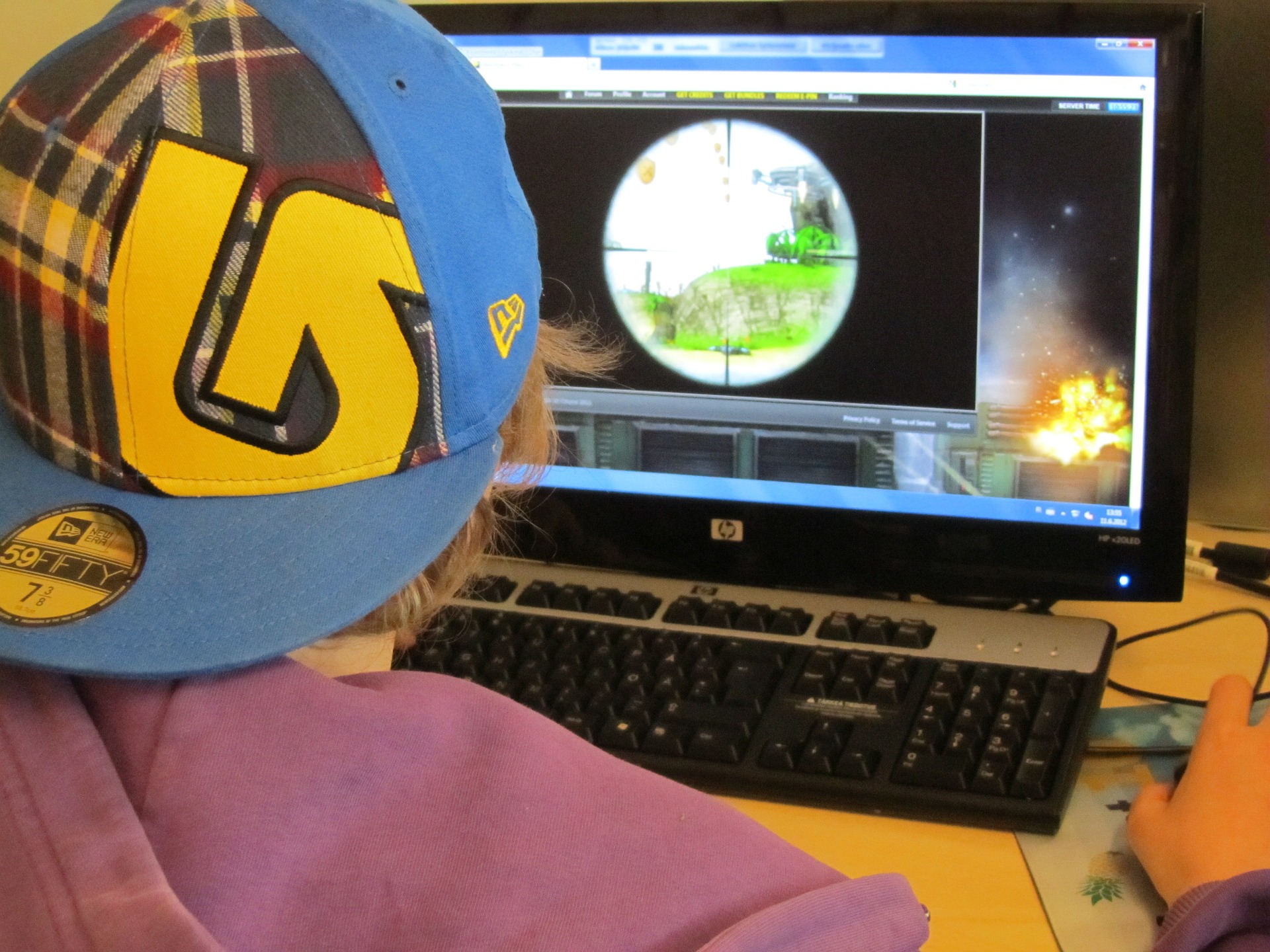
Games are enjoyed by everyone, starting from kids to adults. The abundance of smartphones has paved the way for all time gaming and getting the experience of an alternate reality. However, this has not replaced the PC games that give the ultimate experience to hard-core gamers. While the graphics of a computer can be set to higher levels, consoles lack this facility and therefore many people prefer this over the latter. Now, let’s check the top 5 PC games in history that can give you an awesome experience.
1. Warframe:
As the name suggests, warframe deals with real-time war experience. You can basically have an underwater and space combat with super ninjas. Due to its high graphic qualities and digital extremes, the user will feel the exact mystical experience that the game strives to give. Moreover, the ambience sounds and effects are perfect for letting you take in the world of adventure. The other things that you can expect in this game are the public space stations, PVP battles, an open world zone, tameable pets, and many others that make your gaming experience a superb one.
2. PUBG:
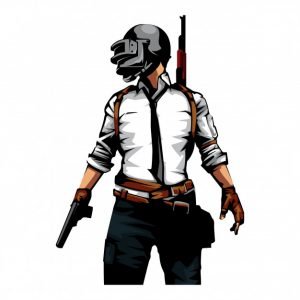
The most popular game nowadays is the PUBG which has taken a storm all across the countries. The full form of the game is Player Unknowns Battleground where 100 murders get on an island and grab whatever weapons they can find and fight for their lives. This game gives out more real-time experience which has successfully hooked the gamers’ attention. Though it is also available in play store for smartphones, PC can bring out the excellence of this game due to its big screen. Moreover, the graphics are of greater quality than that of the phones.
3. Resident Evil 2
This particular game has already stolen many gamers’ heart as it has a load of features that make them glued to their PC sets. The second part of the game is a much modern and updated version of the previous one and has a tense, challenging and exciting interface. It is a horror game where the player has to survive by fighting off the zombies in a city. All in all, this classic game has already hit the top best Pc games and one of the popular ones.
4. Battlefield:
The battlefield, as the name suggests, opens its background in the midst of a battle scene where soldiers are dying in horrible ways. It gives you the experience of a real wartime situation so that you can also feel the horror of the same. Here, the player can wear a Union Jack Gas mask, jump out of a plane in the mid-air and successfully landing on the ground, and kill a Nazi by beating them on their head with a bat. Overall the game developers have intended to provide both an atmosphere of horror and coolness by creating this contrasting picture. However, this game has fulfilled its objective by entertaining the people and has gained popularity.
5. Hitman:
Hitman has also topped the chart with all its stabbing, strangling, electrocution, and drowning. Though it is an extremely violent game, still it has found its popularity due to the real-time experience it provides and some other exciting features like killing people silently with no witness or alarms, solving puzzle box, etc.
Now, as you have gone through the top 5 Pc games, you might want to play one to get that amazing experience. Therefore, try these games and get yourself lost in another world where you can get the chance of role-playing without any fear.
6. Sim 4:
This is one of the most popular PC games series in history. If you want to avoid this complex world sometimes then this virtual game is the best to play. Here you can create the avatar and customize them as you wish. This game was released by EA on 2nd September 2014. To know more about system requirements and free download link.
Content Rally wrapped around an online publication where you can publish your own intellectuals. It is a publishing platform designed to make great stories by content creators. This is your era, your place to be online. So come forward share your views, thoughts and ideas via Content Rally.
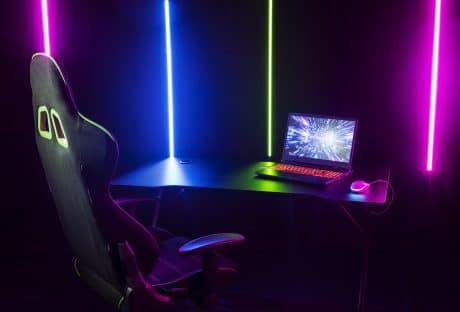
So you have your gaming setup all ready to go, but something still feels a bit off to you. It can be because the walls are bare, the cables are lying cluttered on the floor, and there is no space to keep all your gaming equipment on the table, or perhaps you just want your gaming setup to look more aesthetic.
Well, since you will spend a large part of the day (or night) in this room, it is natural to want to create a space that looks amazing and matches your vibe. Whether you’re a minimalist at heart or love a bit of RGB flair, there are plenty of ways to transform your gaming corner into a visual masterpiece. Let's dive in to explore some top ways to make your gaming setup look aesthetic.
How To Make Your Gaming Setup Look More Aesthetic?
The so-called “gamer aesthetic” was originally all about neon lights, angular shapes, and futuristic style. But during the past few years, the aesthetic has evolved past this definition to include everything from pastel colors to sleeker edges.
If you are currently in the process of putting together your gaming setup, you might want to find an aesthetic that truly fits your personality. This ensures that you not only enjoy your games but also like your surroundings when you play them.
To help you achieve this real-life gamer trophy, here are some of the top ways you can make your gaming setup match your aesthetic.
Decide on a Color Scheme
Whether you like the neon look and perks of a wireless gaming mouse or enjoy the visual comfort and natural sheen of neutral wood, you should take a moment to decide on a color scheme for your gaming setup. This ensures that you have a visual plan in your mind to act upon.
Get Furniture That Fits the Theme
Besides your color scheme, you should also pay attention to the overall style of gaming furniture. For example, if you want your chair and desk to match your mobile gaming controller, you may want something neon. But if you prefer a softer look, you may want to go with light pastels.
On the other hand, if minimalism is your aesthetic, you can consider investing in a sleek, height-adjustable standing desk with a clean, white finish. It will make your gaming setup look tidy and modern. But if you dont prefer to stand while gaming, you should get a simple, ergonomic chair in neutral colors like black or grey. This will ensure you can play comfortably without making the space look too cluttered.
However, if your aesthetic is industrial chic, you should get a metal frame desk with a wooden top, giving your gaming setup a rugged, industrial look. To complement the desk, you can install industrial-style exposed bulbs and metal shelving units. This will lend a whole raw, unfinished, industrial vibe to your whole space.
Invest in Lighting
Even when you don’t want to go with colors like hot pink or bright purple, you should invest in some ambient lighting to add a glowing layer to your gaming setup. You can start small by installing an LED lighting strip along your desk for a visual layer.
Look Into Equipment Stands
If your gaming setup is riddled with accessories all over your desk, it can make you feel tense before you can even pick up your controller. With equipment stands like those for headphones, you can keep your peripherals in designated places and maintain a cleaner desk.
Upgrade Your Rig
Most PC cases are now built with a transparent window that lets you look inside your gaming rig and see all of its components in action. By upgrading your rig with components like RGB RAM and cooling solutions, you can add a positively stunning visual layer to your gaming setup.
Browse Through Action Figures
Whether you like playing popular action RPGs or celebrated puzzle games, you can get a variety of action figures online from these titles that can add to your gaming setup’s appeal. Depending upon your budget, you can also get display cases for choice figures to show them off in style.
Explore Other Collectibles
Besides action figures from your favorite games, you can also get several other types of collectibles that include but are not limited to diecast model cars. These collectibles add more flair to your gaming setup. This touch is especially important if you stream your games with a ring light and want to show off your personality to your audience.
Many gamers choose to display items that reflect their love for specific movie franchises or sci-fi universes. High-quality replica Lightsabers are a popular choice for people who want a centerpiece that has both light and motion. These items look great on a wall mount or a desk stand when they are not in use. They provide a soft glow that complements your existing RGB setup. Having a physical piece of cinema history makes the room feel more personal. It is a simple way to bridge the gap between your digital hobby and your physical space.
Master Cable Management
From must-play battle royale titles to popular strategy games, almost all titles require you to harness the use of various gaming peripherals. This could also mean a tangled mess of cables over and around your desk. To ensure that this doesn’t affect your setup’s aesthetic, practice good cable management with zip ties and cable raceways.
Keep Clutter at Bay
While playing your games, it’s easy to neglect the integrity of your surroundings. But if you don’t pay attention to throwing away your empty snack bags or soda cans, it can create a messy sight. To avoid this possibility, opt for the simple but effective solution of getting a trash can. You should also place it near your gaming desk to properly discard any garbage without getting up.
Don’t Forget Wall Art
The gamer aesthetic often calls for people to get neon wall signs for their setup. But if that’s not your cup of tea, you can also get other types of wall art to breathe new life into your setup. With that, you can also get a wooden wall shelf to display your items and collectibles in an appealing way.
By following these suggestions, you will have a gaming setup that matches your aesthetic. This can ensure that you like being in your gaming space just as much as you enjoy playing your favorite titles.
Read More...
Metaverse Transform Gaming Sector with Unmatched Experiences
Improving Your Minecraft Gameplay: Tips For A Better Experience
Relive Your Childhood With Google Memory Game!
Doesn’t matter if you are picking up a ps4 console for the first time, or you have been playing for years. We have a list of top ten PS4 titles you must experience at least once in your life.
PlayStation had players from all over the world vote for the top games of the decade and officially announced the list. Some standings might surprise you, but most will not. In any case, let’s take a look at the list and find out which ones made it to the top slots!
One thing though, before you move on. If you do not already leverage a fast and stable internet connection, make sure you subscribe to one right after you finish reading this. Obvious as it is, reliable high-speed connectivity such as ensured by Spectrum Internet, is a prerequisite if you are looking forward to a seamless and immersive gaming experience. And when hooked to the Spectrum network, PlayStation Now is bound to stay connected while you keep earning points.
Are You a PS4 Console Gamer? Here Are The Top 10 Games You Must Play!
10 – MARVEL’S SPIDERMAN
According to the IGN review, PS4 Spiderman has delighted players at every step of the 15-hour adventure, with the surprising depth of the tale that focuses on both characters i.e. Peter Parker and Spiderman.
The story is made all the more exciting by web-swinging, web-based gadgets and web-centric puns that make for plenty of thrilling action. The Insomniac Game aims to make you feel like Spiderman and does succeed in doing just that with nearly every swings across Manhattan.
Swinging around feels great, though there is a slight learning curve to that. Once you have mastered the basics, it becomes fairly effortless. Your Spiderman begins to swing and leap gracefully – and you can spend hours just watching him swing around the city, without actually completing tasks - jumping off the Empire State Building or the Avengers Tower. The adrenaline rush is real!
The story’s biggest Boss Battles are both front and back-loaded, leaving the middle of the game devoid of major stints, and also tend to feel repetitive in the pattern. But outside the Boss Battles, Spiderman offers a satisfactory combat system with really cool gadgets put to u
9 – UNCHARTED 4: A THIEF’S END
Visually speaking Uncharted 4 is one of the best games you’ll find out there. There are moments when you are forced to wonder how they did it so beautifully for a console. The environment, character-models, the science of clothing, precision of facial expressions, none of these things ever looked better in Uncharted.
In terms of lighting, Uncharted 4 has the best in fact - even during the daylight hours lighting effects come across as real. For instance, when sunlight hits Nathan’s face at an angle and changes the color of his hair. Also the lighting in the caves, and other scenes like that, all that makes it very impressive.
It is a linear game but even then, Naughty Dog has managed to do many cool things e.g. the water effect. In water areas, it feels like the character is really inside the water; the texture and the feel are highly realistic. Though in some scenes that show water from the surface, it does look kind of grainy as for instance, when Sam and Nathan are on the boat in the middle of the sea and its morning time.
People did expect more in terms of characters, but otherwise, the game is a huge improvement if one looks at other uncharted games - in terms of voice-over, voice quality, the camera movement, and the overall finesse.
8 – BLOODBORNE
Bloodborne comes from the lineage of Dark Souls. That does not exactly make it a successor but does reflect how the two share a mystical lineage and revolve around the idea of being transported into a new world. It is an incredible game, the mechanics are great, it is intense, it is rewarding, and it is gloriously frustrating. Certainly, a ps4 console game that is highly stimulating for people who like to take up challenges. Probably the thrill and the fierceness is what got Bloodborne to the 8th position by a majority vote - both factors hugely characterize the game.
The downside, however, is the load-time can get annoying, and going back to the checkpoints repeatedly does tend to become somewhat frustrating.
The ps4 console game can get rather brutal and unforgiving, so we would not recommend it for beginners on PS4 or those looking for something less demanding. Also, Bloodborne is bound to take up a lot of time. Only if you have played and enjoyed the Dark Souls saga, there is a chance you may just fall in love with the game.
Overall, there is a lot to discover and experience in the game and that’s what makes it unique. Many people feel the game is only for Twitch experts and not flexible for common gamers, but in reality, it all depends on your skills and perseverance whether or not you are able to persist at it despite setbacks.
7 – HORIZON ZERO DAWN
Horizon Zero Dawn is a role-playing game by Guerrilla Games that comes packed with action. The story revolves around Aloy – a wild hunter in a dystopian world full of machines, strange tribal laws, and a mysterious environment. Aloy is an outcast from the Norra tribe. The prologue depicts you as that child; you grow up and experience the environment, learn different abilities and participate in a contest which is kind of a coming-of-age contest for the braves of the Norra. And following that, you set out in a vast open-world full of weird and wonderful moments.
The story is pretty standard where you grow up to be the chosen one - a pretty common plot – an ordinary person becomes the savior of humanity. But the way it advances, the graphics, the battles, and the exhilarating gaming experience renders it one of the top 10. As the story progresses Aloy becomes an esteemed leader and a role model for other characters. The ps4 console game world is stunning and you would be taken aback by how spectacular everything looks in there. Magnificently lush or snowy mountains, the mechanical creatures that inhabit these mountain ranges, everything goes very well together. In essence, the story is very earthy and set in a very natural atmosphere.
The ps4 console game is very user-friendly with well-implemented controls and everything easily accessible, and it is your combat approach that brings out the analytical aspect. Predominantly a stealth game, you are not big on power or rich in weapons rather it is things like the long grass that allow you to crouch and wait before you get the perfect moment to strike. The weak points in the machine characters can be unraveled with focus; they are not just resourced fodder, rather you can tame them, and take advantage of them, particularly when traveling long distances. The audio element fits perfectly in every way.
All in all, this is a great one to play and should be on your bucket list.
6 – THE ELDER SCROLLS V: SKYRIM
Skyrim is undoubtedly a legendary game - a pure classic! An inspiration for many RPG games, it presents the fundamentals that make the foundation of the RPG genre and is frequently compared with a newer title. Skyrim is famed for its diversity and wide-ranging mechanics, the multiplicity of factions, the range of races and an abundance of choice. It is the kind of ps4 console game you won’t get bored of easily.
There is no definite ending in Skyrim, with each playthrough you can make a number of different choices and choose to be part of different factions that’ll lead you to a new outcome. You can choose to be with the Imperials or the Stormcloaks, and you can choose to destroy the dark brotherhood or side with them. In other words, diversity is woven into the very fabric of Skyrim. No matter how many times you pick up the game, you will surely experience something new that will make the ps4 console game very interesting for you.
One of the most fundamental and interesting aspects of Skyrim is the “dragon shouts”, blasting your enemies to death gives you a kind of satisfaction you might not have experienced before because there is hardly a game around with similar mechanics. Having a shout with the legendary dragons gets your adrenaline kicking. It is truly epic, and rather funny at the same time as you shout at bizarre NPCs - there are 28 shouts in total. Things like this keep the spark alive for ps4 console gamers.
The story is simply impressive! You are a unique hero – the Dragonborn - and it is your destiny to defeat an entity that is intent on dominating the earth. What makes this ps4 console game even more charismatic is the progression; you start as a prisoner in rags and progress from there until with the help of other characters you rise to become a full-fledge dragon slayer. The law in Skyrim and the history of the cities make it all the more exciting to play, more so because it is a world very similar to ours only a lot more intriguing.
Skyrim is something you can never get bored of simply because you become one with
You May Also Like:
Top 6 PC Games in History Which You Should Definitely Try
10 Top Games for PC Gamers
5 – RED DEAD REDEMPTION II
After a long span of 7 years, people got to experience a Rockstar Game again - one of the most highly anticipated games of 2018 – Red Dead Redemption II.
Often when you start a ps4 console game, it takes time only to get to the point where you actually feel like the game is about to start now. Red Dead Redemption 2, however, presents a perfect example of a captivating intro. You are thrust into the snowy and stormy mountains, and the game opens with you chasing the score of another gang. That is indeed a genius intro for a game of this type. By putting you into the dreariest, most desperate environments, RDR2 pushes you to learn the ropes through genuine narrative. The idea is clever because it makes you appreciate what comes next. When you finally leave the harsh environment and the carriage hits the grass, everything around you looks so much more beautiful.
RDR2 is proof that genuinely dynamic open worlds are possible when attention is paid to detail. The moment to moment gameplay is good; you might take a little time to get used to the shooting mechanics especially with Rockstar, but you are bound to end up feeling great. Though there is nothing revolutionary about the mechanics, the dynamism leaves you stunned. Rockstar has undoubtedly crafted one of the most realistic and dynamic gaming worlds, where everything is responsive – clothes look dirty, guns shine and the snow tracks are shot-for-shot realistic; a tress sways like crazy in the stormy weather, the towns are super realistic, you can actually indulge in a whole game of domino while playing your character, and you will have to pet the dog too so it can stop barking.
Another great thing is the town always remembers, and that bears a reflection on your honor - so if you accidentally kill someone, people will talk about it and that will affect your performance.
No game is perfect, but RDR2 comes real close to that possibility. Great value for money RDR2 is worth every second you spend playing it.
4 – GRAND THEFT AUTO
GTA V succeeds as a game because of the lack of real-world consequences – artistic in its depiction of how the characters and consequence-free reactions combine with the consequence-free actions of the player in the open world!
The story starts with Michael, Trevor and Brad robbing a bank. Unfortunately, they get into an accident and Brad dies on the spot, while Michael is also supposedly dead! Trevor somehow manages to escape. Nine years later, Michael is living under witness protection with his family, but circumstance returns him to the life of crime. That is when Trevor locates him and the two reunite. Having lost touch with old ways, Michael longs for adventure. Long story short, he gets back into the game, one that is nothing less than a police-chase action movie.
T the graphics in the ps4 console game are excellent even by today’s standards. The lighting, the texture, and the animation, everything is of extremely high quality. The game even depicts a 28-day moon cycle, which isn’t something people usually notice, but this one detail reflects the developers’ commitment to quality.
The gameplay is nothing less either. Motion-capture animation portrays movement realistically. There are many moments that make you laugh spontaneously at the gameplay and the movement of characters, making you fall in love with the ps4 console game even more.
3 – THE WITCHER III: WILD HUNT
The ps4 console game of the Decade! High fantasy genre, and one of the most captivating games that can easily cast a spell on you and hook you on for eternity, so much so you may call it your destiny!
What does it take to be the game of the decade? In one word – everything. How the ps4 console game makes you feel, how you play the game, and how you connect to it at a personal level. Playing Witcher 3 can feel kind of clunky - the small houses and the alleyways that make it hard to move around, the gluey feeling to the controls that sometimes makes you think maybe some controls are not very responsive. Yet The Witcher 3 stands tall as the game of the decade. Simply because in Witcher you create your destiny.
A stunning amount of care has gone into making the story immersive and unforgettable. It is dynamic and thought-provoking, full of choice and packed with twists and turns, as well as nods to the prior game. Something interesting seems to be happening in every corner.
The side quests are nothing but amazing - not something that you would take lightly. The cast and the roles, e.g. the alcoholic in the Red Baron synopsis, do not constitute a very original idea but the outcomes are surprising - twisted, knotted, morbid and something you’d never expect to happen. A simple trope, turned into a multi-hour spider web, rich in intricate details, full of immediate player choice, with none of the players ending up the same, this game hits on every emotional crest and trough. The content has an amazing number of intricacies and characterizations that take you into beautiful lands with mysterious people and new faces. Even the evil is not black and white - werewolves have emotions, and the ghost tree has a history-making it difficult to distinguish if the vampire is a friend or foe. The result is an incredibly engrossing and immersive experience for those who want to dive into the deep end and discover why they are playing it, and what it means.
2 – GOD OF WAR
God of War is an excellent ps4 console game, to say the least! A technical masterpiece with a good story, interesting character arcs, and a satisfying and weighty combat system. It had a cultural impact on gaming, even though during the years leading up to GOW, top gaming publishers were adamant the single-player game was dead - too costly, unwanted, and out-of-date. But GOW slashed away that notion becoming one of the most successful games of all time.
Kratos’ wife dies with a wish that her ashes should be spread on the tallest peak of the nine realms. To fulfill that, the father-son duo embarks on a journey full of adventure. Even during combat, the son is with Kratos, he can ask the son to summon animals and shoot arrows in order to stun the enemies. The third-person combat has never looked this good as with such epic visuals – the particle effect, camera movement, pauses, Kratos’ rage so perfectly captured, the careful depiction of how the combat builds, how it is framed, and the choreography that knits it all together, everything is owed credit. There is a small in-game too. Hard encounters make you see the true depth of the game – fighting three bosses at once, facing enemies with totally different abilities – all adds to the thrill making the experience inexplicable.
You need skill, and precision to play this ps4 console game - it isn’t the kind of game you can get away with by button smashing, and because it is so well designed you can maintain control throughout There is a lot of mystery, puzzle-solving, and dungeon crawling as well. Overall, the ps4 console game is simply remarkable!
1 – THE LAST OF US
This is a post-pandemic world that makes no sense, gives no room to people to live normal lives, and only allows essential survival, under military-rule. With survival all but uncertain things like love, connections and emotions seem to be a liability and can cost you life. In these times nobody, but Joel, the protagonist of the game, knows better the dangers of loving someone. Ellie is the emotional heart of the ps4 console game and as the game proceeds, you find yourself getting attached to her too.
At launch, The Last of Us received universal praise, back in 2013, including many awards for its phenomenal storytelling, strong characters, and the presentation. The remastered version has only a slight upgrade in terms of visuals relative to the previous one - yet after seven years the ps4 console game fulfills the standards of today’s gaming world. Undoubtedly a testimony to focus on art direction, gameplay and story
Keeping in mind the current events such as the Corona Virus outbreak this game seems more relevant - it shows an out-spread of infection which only, luckily, affects insects. If you have played the 2013 version, chances are you are older and wiser now and will be able to connect to the game at a deeper level. A lot of people can relate to the character of Joel, especially if they have a child of their own. Music too stands out in the presentation. People emotionally connect to this game so much that even after years it ranks number one on the official PlayStation list of the best games of the decade!
Happy gaming!
What are you waiting for? Hurry up, grab your consoles and play these games; get ready for a rollercoaster ride full of thrill, adventure, mystery, emotion, and fun!
Read Also:
Boomtown has the Best 5 Bingo Sites to Play Online, as well as Many Other Game Bonuses!
5 Addictive Time Killing Games to Play Online
3 Tips to Find the Best Mobile Crossword Game to Kill the Time
The legendary wow is a legendary game in its genre. Already a huge amount of time MMORPGs continue to capture the minds of many people, and WoW is no exception, rather the opposite; WoW is the flagship of all games of this genre.
During the existence of the game, it has undergone a huge number of changes. But the fact remains, for most players, it is very difficult to cope with one very tedious and burdensome part of the game – this grind.
Why Playing The Legendary Wow Is A Great Entertainment Option?
Boosting a character to the maximum level and constantly going through raids and dungeons causes boredom since this is a rather languid process.
Generally, grind in every game confuses most of the players. That is why we are ready to serve you a boost in Game. Our professional team is ready to provide you with high-quality and prompt service.
Let's first list the reasons why we play MMORPG legendary wow.
For a huge number of people, this is a great way to communicate and build connections with other people. Even those who play alone can feel comfortable being part of this community;
For others, it is a kind of escapism. Someone just wants to forget about the fuss and problems and, for a while, just plunge into another world, an alternative one;
No matter how strange it may sound, many people really really want to feel a sense of pride, to get some kind of achievement;
It is our service that will be very relevant for you. We can make sure that you get great pleasure from the game.
What Is The Peculiarity Of This Service, And What Is It Bust?
Wow wotlk classic boost is a classic service bust. You can upgrade any upgraded class promptly and at the right time. The Classic Boosts are primarily there to serve as a starting point so that new players can immediately jump into the latest expansion, as well as for those who want to play with their friends as soon as possible.
In addition, Wotlks are including two upgrades that individual players can purchase. Northrend Heroic Upgradations are giving the character a chance to level up to level 70 on the non-death knight characters.
Wotlk was released on September 26, and this service is already fully available for purchase. This ensures that your character can be prepared for the most difficult content Northrend. The legendary wow is a factor in the peculiarity of the services of the gaming platform, starting to make it more entertaining.
Why Buy This Service From Us?
We are constantly improving our legendary wow services to provide a mind-blowing experience for our customers for every order.
Subscriptions are the latest trends in the games. So if you like to be in the latest trends, you should take the services.
Services and subscriptions are proving your authenticity. So if you like to prove your game authenticity, then this is the right place where you can start.
The services provide the best predictable income opportunities.
Our professional promotion teams have played WoW For quite a long time. They can provide you with this service with high quality. Increase your level of boosting, and our team of professionals will turn your character into a real killing monster.
It is also worth saying that security is also provided. Each of our boosters has VPN because we care about our customers. We also have a manager who will help you and answer your urgent and interesting questions.
Wrapping It All Up:
This platform is such a legendary wow which is keeping every player more entertained. The MMORPG is keeping every business revenue model a more streamlined option.
The loyal game subscribers are offered predictable and more stable opportunities to step up bigger and better planning for the world. Are you an authentic player? Then you can share your opinion through the comment sections and let us know about your opinion.
Read Also:
Most Popular Gaming Zones In Hyderabad That Attract Most People
Best Spider Solitaire Gaming Apps To Download In 2022
5 Tips To Build The Ultimate Gaming Setup