Published on: 28 January 2023
Last Updated on: 30 January 2023
Every year, hundreds of police officers in the United States die tragically in the line of duty. Many lose their lives since they simply forget to wear a body armor vest, although this is simply unacceptable. Criminals are always shooting at the police with different weapons.
Accordingly, every police officer must have reliable body armor that can stop a deadly bullet and save his/her life. In this article, we have selected for you the complete info regarding bulletproof vests for police officers and in which store it is best to buy them at reasonable prices.
Characteristics And The Level Of Police Ballistic Vest
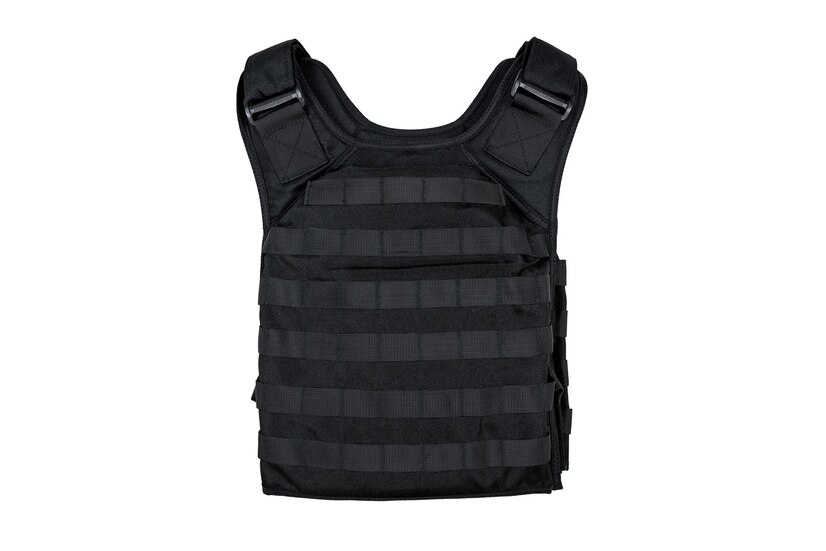
A bulletproof police vest is a means of individual protection that can defend the body from bullet and debris wounds. We all know what is body armor and A typical modern body armor vest looks like a sleeveless jacket, sometimes with a stand-up collar.
Such vests are made from various materials that can stop a bullet.
Modern bulletproof vests can protect against various weapons. These are handguns, rifles, and machine guns. The price of body armor depends on the threat level and materials. Weight is another important characteristic of vests because it directly influences how comfortable a person wearing the ballistic vest will feel.
The police vests consist of the following elements:
Carrier
The body armor is usually made of microfiber. It has pockets for placing protective plates. They are front, back, and side. To adjust the size, the cover is equipped with straps, buttons, and Velcro.
Plates
This is the main protective element. There are many classes of plates made of Kevlar, as well as Aramid, Polyethylene, Steel, or Ceramics. It is this part that has the most weight. Plates can be easily inserted in the body armor vest pockets.
Damper
This is the lining on the inside of the vest. It absorbs the bullet impact energy, improves ventilation, and increases the comfort of the body armor.
Generally, while on duty, patrol officers in the United States use level IIIA body armor vests for everyday wear. According to its characteristics, the level IIIA ballistic vest can stop .44 Magnum and .357 SIG Sauer bullets from longer barrel handguns, including guns with smaller calibers and from all types of steel arms. Unfortunately, level IIIA vests cannot protect police officers from rifle bullets.
According to the NIJ classification, a level IIIA vest can weigh no more than 2-3 kg, including plates. However, when you insert plates into all pockets, your total load can instantly rise to 12 kg. For an unprepared person, carrying such a weight is not so easy. Concerning materials, policemen vests of level IIIA that are available at Galls are usually made of 100% Polyethylene and Aramid materials.
Galls have been a primary online store for all people who need the best military equipment at reasonable prices. Here, only first-class military equipment is offered. The store proposes to choose from a broad selection of body armor for policemen. Galls provide fast delivery, regular discounts, and friendly support.
To purchase a body armor vest for police officers at Galls, you need to visit the police vest section of its site and search for all sorts of vests according to your current needs. The shop offers customers to choose from more than 140 types of vests. Together with ballistic vests, Gall's clients also buy ballistic helmets, various types of shields, plate carriers, etc.
In addition to bulletproof vests of its own production, Galls cooperates only with the most trustworthy manufacturers of bulletproof vests. These are:
Avon Protection Systems
Blackhawk
Paraclete
Armor Express
5.11 Tactical
Point Blank
United Shield International
The Top-Rated Police Vests At Galls
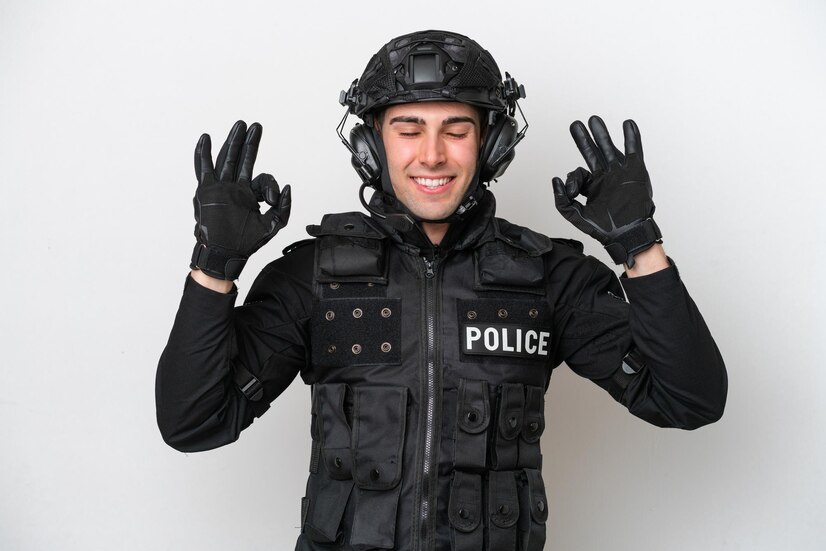
Galls offer its US and international customers a varied assortment of body armor vests. Depending on their size, features, and threat level, the prices vary from $40 to over one thousand dollars. According to customers` ratings, the top-rated bulletproof vests at Galls are:
Blauer Wool ArmorSkin Vest Carrier – from $43.99
Galls SE Series With IIIA Body Armor NIJ Number CIIIA-3 – $603.99
Point Blank Guardian Ballistic Vest Carrier – $398.99
Point Blank Alpha Black IIIA with Twin Elite Carriers – $2.340
Galls GL Series With IIIA Of Body Armor – $974.99
Galls Armor Threat SE Body With Level II NIJ Number CII-3 – $569.99
To Sum Up
If you require getting the most reliable police vest at an affordable price, you know where to do it now. In case of any problems with online orders or if you may need to shed light on the specifications of the required ballistic vest for police, Galls encourages all customers to call them during working hours Monday-Friday at 1-866-673-7643. Moreover, clients of this online store can use a special form for emails.
Don’t forget to indicate your inquiry reason. To stay informed of all the latest updates of Galls, you can subscribe to its newsletter and be one of the first to know about new items and discounts on body armor vests.
Additional:
Abdul Aziz Mondol is a professional blogger who is having a colossal interest in writing blogs and other jones of calligraphies. In terms of his professional commitments, he loves to share content related to business, finance, technology, and the gaming niche.
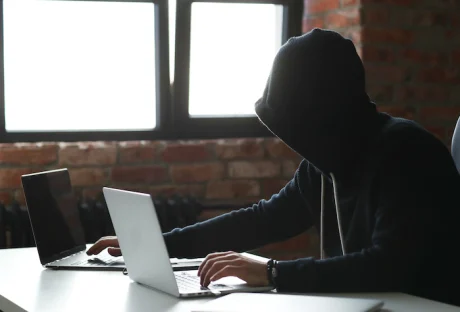
When it comes to your business, it is important to recognize some of the highest security risks that are present. Your security needs to be a top priority. To run your business, you will collect a lot of information about customers and even other businesses you work with. If a data breach happens, you could end up with a huge loss in reputation and other issues.
There are a number of big IT security risks that can show up in the workplace. Recognizing these and finding ways to prevent them can keep that data safe. Some of the common IT security risks that can happen in the workplace include:
1. Insider Threats
According to one study, about 57% of the recorded data breaches were not done by outside attackers. Instead, these were done by a threat that is inside the organization. And often this is not because someone is being malicious within the company. Negligent employees who click on the wrong link or give off information carelessly were often the cause.
One of the top causes of a data breach still remains human error. Companies need to maintain focus on the inside as much as the outside to ensure data stays safe. However, it is sometimes hard to detect an insider threat.
In addition to watching for these insider threats, a company needs to invest in the right training for its employees. Since most of this issue comes from negligence or carelessness, rather than malicious intent, things like security awareness training may help more than anything.
2. Social Engineering
Another threat to watch out for is something known as social engineering. It can affect companies as much as it will affect individuals. Humans are susceptible to manipulation, which is why many attackers will use a variety of psychological tricks to get what they want.
With social engineering, the right protection software or looking for different indicators of compromise will not be enough. It is hard to really predict human behavior all the time. All it takes is for one person to click one lucrative offer that is too good to be true, and your company has to deal with a data breach.
What makes it even worse is that malicious attackers can easily find new ways to trick individuals to give up private data or granting access to critical areas. There are many different types of social engineering attacks that can be used including:
Spear phishing
Whaling
Baiting
Pretexting
Tailgating
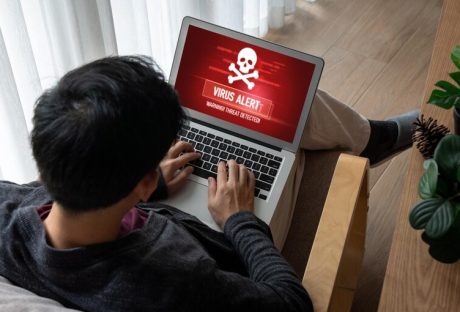
Scareware
Vishing
Since this issue can exploit the basics of human behavior, it is sometimes hard to find the best way to combat it. Even tech-savvy users have fallen victim in the past from some of these. Educating your employees about these attacks and updating your training procedures is one of the best ways to help.
3. Ransomware
Another thing to be careful about is ransomware. This can be a scary type of tactic that will make even the best in IT have to do a lot of work to prevent and fix it. Basically, this is when a hacker is able to get ahold of private or sensitive information and they demand a ransom to get the information returned.
Sometimes the hacker just has the information, other times they will choose to freeze up a whole system and make it impossible to use. Even when. You agree to pay the ransom, there is little chance that the data will be returned and that the hacker will leave you alone in the future.
Ransomware is simply a type of malware that can infect a network or a computer. It then encrypts the files or finds another way to deny others access to them before demanding some kind of ransom in the process. Usually, the malware will not delete the files. They will be present on the network, but without the decryption key, no one can access them.
There are a lot of threats that come with this kind of attack, such as the permanent deletion of the files. But whether you pay or not, the hacker is already on the system and is the one in control the whole time.
There are a few things you can do to prevent this security threat. First, teach your employees about how it works and how to not open suspicious files or attachments in their emails. This can help keep the chance of ransomware off the computer.
Backing up your data and keeping records off the main part is a good idea too. This will allow you to start over with the information you need, without having to play the games, and most often lose, with the hacker.
4. Consider a Cybersecurity Audit
If you are worried about some of the security risks that show up in the workplace, it may be a good idea to do a full audit of your system. A cybersecurity audit allows a professional to take a look at your network and the way it is used to determine whether there are any weaknesses that could increase your risk of an attack.
Getting this audit done is one of the best ways to see where your security is right now. When it is done you should have a complete report about what is working and what is not when it comes to your network. Expect there to be things wrong with the audit. This is just a chance to fix them.
When the audit is done, take some time to go through all the different recommendations and suggestions and find ways to improve your network security. Even small steps in the right direction make it less likely someone will get onto the system who should not be there.
5. Keeping Your Network Safe
There are a number of IT security risks that you need to be careful about when it comes to the workplace. Planning ahead, recognizing some of these issues, and completing a cybersecurity audit can help you get the right level of security you need.
Read Also:
Everything You Need To Know About PKI In Cybersecurity
How To Make Sure You Get The Best Service From Your IT Supplier
A Few Things You Should Know Before Finalizing Managed It Services
In today's fast-paced world, security concerns have become increasingly prevalent. Whether you're safeguarding your home, business, or personal assets, choosing the right security company can make all the difference. In this comprehensive guide, we will delve into the world of security companies, exploring their crucial role in ensuring safety and peace of mind.
What Are Security Companies?
Security companies are organizations dedicated to providing a wide range of services aimed at protecting individuals, properties, and assets from various threats. These threats can include burglary, vandalism, fire, cyberattacks, and more. Security companies near me offer both residential and commercial solutions, custom-tailored to suit the unique needs of their clients.
The Role Of Security Companies
Security companies play a pivotal role in safeguarding lives and property. Their services encompass a multitude of areas, including:
Alarm Systems
One of the primary services offered by security companies is the installation and monitoring of alarm systems. These systems act as a deterrent to potential intruders and provide immediate alerts in case of a security breach.
Surveillance Cameras
Security companies install state-of-the-art surveillance cameras to monitor and record activities in and around your premises. This visual evidence can be invaluable in case of any incidents.
Access Control
Controlling who has access to your property is crucial. Security companies offer access control systems that restrict entry to authorized personnel only, enhancing security and accountability.
24/7 Monitoring
Many security companies provide round-the-clock monitoring services. This means that trained professionals are always vigilant, ready to respond to emergencies promptly.
How To Choose The Right Security Company
Selecting the right security company is a critical decision. Here are some factors to consider:
Reputation
Research the company's reputation and read reviews from previous clients. A well-established company with a strong track record is likely to be more reliable.
Services Offered
Ensure that the company offers the specific security services you require. Different companies may specialize in different areas, such as residential or commercial security.
Licensing And Certification
Verify that the company and its employees are properly licensed and certified to provide security services. This ensures that they meet industry standards.
Customization
Choose a company that can tailor their security solutions to meet your unique needs. A one-size-fits-all approach may not provide the best protection.
Pricing
Obtain quotes from multiple security companies and compare their pricing and contract terms. Be wary of hidden fees and clauses.
The Advantages Of Professional Security
Investing in a professional security company offers numerous advantages:
Deterrence
Visible security measures, such as alarm systems and surveillance cameras, act as a strong deterrent to potential criminals.
Peace Of Mind
Knowing that experts are monitoring your property 24/7 provides unparalleled peace of mind, allowing you to focus on other aspects of your life or business.
Rapid Response
In case of an emergency, a professional security company can respond quickly and effectively, minimizing potential damage or loss.
Crime Prevention
Security companies not only react to threats but also work proactively to prevent security breaches through advanced technology and surveillance.
In a world filled with uncertainties, the role of security companies cannot be overstated. They are the guardians of our safety and peace of mind, offering customized solutions to protect what matters most. By choosing the right security company, you are taking a proactive step towards safeguarding your loved ones and assets.
Read Also:
Everything You Need To Know About PKI In Cybersecurity
Five Tips to Make Sure Your Security Software Is Actually Secure
Why DRM Is the New Standard for Document Security
Top 10 Computer Security Mistakes
As the world steps on a fast-paced transformation into digital, it's vital to understand and keep up with its benefits as well as the dangers that come with it.
In the same way, you have learned to secure your physical house from being too vulnerable to being attacked, you must now also protect your digital devices from attackers.
Living more and more in the frame of hybrid work models, the risks of firmware attacks have increased, making it a priority to take the necessary precautions to keep your devices and sensitive and valuable information secure.
Especially in the age of hybrid work, it's more important than ever to be vigilant against potential firmware attacks. Since the digital world is blooming fast and at the same time it has matured from a naif use to an all life online, we must upgrade our understanding of it, to a whole other level.
It is therefore imperative to be aware that dangers are real, in order to empower yourself to take proactive steps. Well done, you are doing the first step, to research and educate yourself.
An enduring strategy amidst the changing nature of existence is to constantly acquire knowledge. Secondly, to assume liability for our collective contribution, towards establishing a secure online environment that can positively influence our physical reality.
No different than in the real world, if your business gets attacked, you will suffer consequences. So, in all that we can control, we must act. Let’s get to know more about firmware attacks and ways to prevent them, for an easy and more relaxed life.
Firmware attacks: What Are They?
Firmware attacks are specific types of cyberattacks that target the software embedded in the computer's hardware. These attacks exploit security breaks in the firmware, much like thieves can find ways to break into a house. By doing so, criminals can then obtain unauthorized access to your device and take control of it.
Firmware acts like a bridge between the computer's hardware and software. It controls the basic operations of the device and enables the communication between these two. If a malicious code is injected into the firmware, it is possible to have complete control of the device.
This allows the hacker to perform a multitude of harmful activities, such as stealing sensitive information, modifying the device's behavior, or using the device as a launching pad for further attacks.
Just to give an example, attackers can exploit the firmware in a router in order to redirect traffic to an infected website, leading to further compromise of the entire network.
Dangers and consequences are real
The impact of firmware attacks can be devastating for any business. Once the hackers find a way to get inside a device, it becomes possible to steal sensitive information or install malware on the network. Depending on their agenda, this can lead to financial loss, damage to reputation, and even legal repercussions. Plus, they can be hard to detect until it is too late.The risk of firmware attacks has increased quite significantly, as we are entering the age of hybrid work, where more and more people are working remotely. In order to keep a lifestyle of living the dream, it's critical to understand that the threat of firmware attacks is real and can have severe consequences.
Let’s review two of the main dangers:
Unauthorized access: Attackers can gain access to your device and take complete control over it: steal valuable information, use it as a platform to execute further attacks and manipulate the device's behavior.
Difficult to detect: Firmware attacks are often hard to detect, as they can be deeply installed in the hardware of a device. Be aware that traditional antivirus may not be enough, leaving you vulnerable to potential threats.
However, you can relax, as the good news is that there are strategies and actions you can take to prevent this from occurring.
Key solutions to shield your devices
To protect your devices from firmware attacks, there are several key solutions that you must consider. First, regularly updating your firmware with the latest security patches and updates is fundamental. These updates often address known vulnerabilities that attackers can exploit.
Second, investing in anti-virus software that includes firmware scanning capabilities can also help detect and prevent firmware attacks. Use strong passwords and enable two-factor authentication to reinforce security, to avoid unauthorized access to your devices.
In addition to these common solutions, there are several hidden protections that businesses can implement to safeguard themselves, such as:
Firmware-based intrusion detection, to seek for and prevent attackers from injecting malicious code into the firmware, during the boot-up process.
Implementing firmware encryption makes it considerably more difficult for attackers to insert illegitimate code into the firmware.
Finally, organizations can also consider implementing firmware-based authentication, which can add an extra layer of security to the login process.
Strengthen your network defenses
One of the most effective ways to protect your business from firmware attacks is to take a proactive approach to network security. By implementing robust defenses and regularly updating firmware and software, you can help prevent unauthorized access and reduce the risk of a successful attack.
One important step is to use firewalls and access controls to restrict traffic to and from your network. This can help prevent intruders from gaining entry through vulnerable devices and systems. You also improve network security when you regularly update firmware and software on all devices, including routers, switches, and other network appliances.
In addition to these measures, stay informed about emerging threats and vulnerabilities. You can do this by subscribing to security alerts and advisories, and by following best practices for network security. Keep yourself in the loop of the latest hi-tech news.
Promote cybersecurity awareness
Another key aspect of protecting your business from firmware attacks is promoting cybersecurity awareness among employees. By educating staff on the best practices for security and providing regular training, you can help reduce the risk of human error and improve your overall security posture.
Some important steps to consider include encouraging employees to create strong passwords, avoiding suspicious links and downloads, and using two-factor authentication whenever possible. You can also implement security policies and procedures, such as requiring regular password changes and limiting access to sensitive data.
Another important element is raising awareness about the latest threats and attack methods and motivating everyone to keep themselves curious. By keeping staff informed about emerging risks and updated training on how to recognize and respond to potential attacks, you can help prevent successful breaches and protect your business from harm.
Conclusion
Just like how individuals need to adapt and upgrade their skills to thrive in the changing world, businesses must also take steps to protect themselves in the digital world. By understanding what firmware attacks are, their impact on organizations, and implementing the right security measures, businesses can mitigate the risks and ensure a secure hybrid work environment.
Each one of us has a role to play in creating a safe and pleasant navigation experience in both the digital and planetary worlds. So, let's educate ourselves and take aligned action toward a safe world that will benefit us and all internet users.
Read Also:
How To Protect Yourself On Social Media
What Are Some Best Practices To Prevent Phishing Attacks?
Wireless Network Management: 3 Best Practices For Enterprises













 A bulletproof police vest is a means of individual protection that can defend the body from bullet and debris wounds. We all know what is body armor and A typical modern body armor vest looks like a sleeveless jacket, sometimes with a stand-up collar.
Such vests are made from various materials that can stop a bullet.
Modern bulletproof vests can protect against various weapons. These are handguns, rifles, and machine guns. The price of body armor depends on the threat level and materials. Weight is another important characteristic of vests because it directly influences how comfortable a person wearing the ballistic vest will feel.
The police vests consist of the following elements:
A bulletproof police vest is a means of individual protection that can defend the body from bullet and debris wounds. We all know what is body armor and A typical modern body armor vest looks like a sleeveless jacket, sometimes with a stand-up collar.
Such vests are made from various materials that can stop a bullet.
Modern bulletproof vests can protect against various weapons. These are handguns, rifles, and machine guns. The price of body armor depends on the threat level and materials. Weight is another important characteristic of vests because it directly influences how comfortable a person wearing the ballistic vest will feel.
The police vests consist of the following elements:
 Galls have been a primary online store for all people who need the best military equipment at reasonable prices. Here, only first-class military equipment is offered. The store proposes to choose from a broad selection of body armor for policemen. Galls provide fast delivery, regular discounts, and friendly support.
To purchase a body armor vest for police officers at Galls, you need to visit the police vest section of its site and search for all sorts of vests according to your current needs. The shop offers customers to choose from more than 140 types of vests. Together with ballistic vests, Gall's clients also buy ballistic helmets, various types of shields, plate carriers, etc.
In addition to bulletproof vests of its own production, Galls cooperates only with the most trustworthy manufacturers of bulletproof vests. These are:
Galls have been a primary online store for all people who need the best military equipment at reasonable prices. Here, only first-class military equipment is offered. The store proposes to choose from a broad selection of body armor for policemen. Galls provide fast delivery, regular discounts, and friendly support.
To purchase a body armor vest for police officers at Galls, you need to visit the police vest section of its site and search for all sorts of vests according to your current needs. The shop offers customers to choose from more than 140 types of vests. Together with ballistic vests, Gall's clients also buy ballistic helmets, various types of shields, plate carriers, etc.
In addition to bulletproof vests of its own production, Galls cooperates only with the most trustworthy manufacturers of bulletproof vests. These are:
 Galls offer its US and international customers a varied assortment of body armor vests. Depending on their size, features, and threat level, the prices vary from $40 to over one thousand dollars. According to customers` ratings, the top-rated bulletproof vests at Galls are: