












Not Sure How to Keep Gun Safe at Home? These Tips Work!

Published on: 26 February 2020 Last Updated on: 13 September 2024
gun safe

No wonder that you own a firearm if you are a U.S. citizen who is concerned about the plagued violent crime situation of the country. Living in a world where you can encounter drug trafficking, mass shooting, and robbery anytime, you can’t imagine to sit quiet and become a victim of any one of these crimes. You have every right, according to the second amendment, to own a gun safe for your protection.

However, owning a gun is a full-fledged responsibility.

You can’t put your gun carelessly alongside the bed or on top of the table so that you can grab it in case of an emergency. Your careless attitude can put your children, family, or society at stake. You know the rise of anti-gun sentiments in the country, and the careless attitude of people has played a major role in igniting such sentiments. If you don’t want to lose your right of self-defense, you should keep your gun at a safe place – away from the range of children and wrongdoers.

To help you keep your gun safe, here are some tips:

Go for a Gun Safe:

Besides the bank, where do you think your money is safe? In a safe – right? The same goes for a gun. A gun safe is one of the most effective ways to keep your gun out of the reach of others. There are many types of safe in the market, but it is always better to look for those that not only keep your gun safe but also keep them intact and well maintained. Moreover, the safe should also have advanced locks, not like those that anyone can open with a bobby pin. If you want to buy one, you can check out the article they wrote on reviews of different safes.

Use a Trigger Lock:

Having a gun means that you have to take every possible measure to prevent any disaster. No matter whether you have kept your gun in a safe or not, you should still lock it with a trigger lock. Once you put a trigger lock on the trigger, it acts as a guard and prohibits unauthorized people from using it. But before putting on trigger lock, unload your gun to minimize the possibility of any mishap as much as you can. It is good that new guns are now manufactured with their own safety locks, but if you are still hanging with the old version of the gun, you better buy a trigger lock to avoid any unfortunate incident.

Never Keep a Loaded Gun:

Never Keep a Loaded Gun

What is the possibility of an accident if there isn’t anything in the gun? Almost zero – right? That’s why you should always keep your gun unloaded no matter what. Even if you feel threatened or vulnerable, make sure that your loaded gun is away from the range of your family or anyone else who can cause any trouble with the gun.

Conclusion:

You have every right to ensure your safety, but along with your safety, you should also take care of other’s safety. Keep guns, but safely! That’s the only way to keep our society and family safe and sound.

Read Also:

Content Rally wrapped around an online publication where you can publish your own intellectuals. It is a publishing platform designed to make great stories by content creators. This is your era, your place to be online. So come forward share your views, thoughts and ideas via Content Rally.

View all posts

Leave a Reply

Your email address will not be published. Required fields are marked *

Related

lenovo ideapad 330-15 amd

Should You Buy The Lenovo Ideapad 330-15 AMD? All Details Here

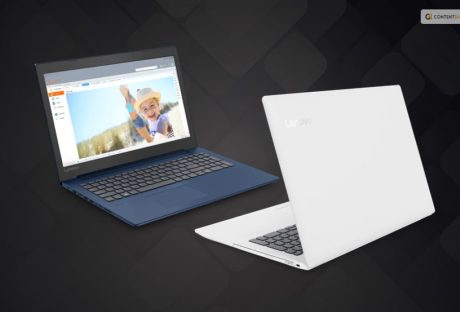
Are you in search of an affordable laptop? If your answer is a YES, then you probably have heard about Lenovo Ideapad 330-15 AMD. In case you are searching for more about this product, you have reached the right place. A much popular and budget-friendly laptop, this gadget comes with a variety of options when it is related to battery life and storage. In this article, I will be talking about the product in detail and point out how the Lenovo Ideapad 330-15 AMD can be of help to you. So, if you have been searching for its reviews and other information about this laptop, you do not have to look any further. Keep reading this article till the end to learn more… Lenovo Ideapad 330-15 AMD   Lenovo IdeaPad 330 is a cheap laptop with a comfortable keyboard and enough processing power for daily computing needs. This 15.6-inch laptop has a sturdy design and features that are uncommon for budget laptops. It even features a DVD drive, which is unusual to find on laptops these days. Sadly, a subpar display, limited battery life, and average performance ruin the fun, so we advise spending a little more on a more effective device, such as the Acer Aspire E 15. It remains one of the greatest laptops available for around $300. The product's starting price is $275, making it a cheap laptop (as of August 2021 when I published this review). Unfortunately, the Lenovo IdeaPad 330 has some drawbacks, just like most budget laptops. Keep reading this blog till the end to learn more about the same… Design And Looks   Lenovo IdeaPad 330 is an attractive low-cost laptop, and there is no doubt about that. The color palette is Platinum Grey. This color scheme is ideal for a laptop used for school or the workplace because it is on the cool side of the color spectrum. Plastic is used to make the laptop. However, the color scheme gives the impression that the keyboard deck and palm rest are made of aluminum. Like the IdeaPad 320 before it, even the horizontal Lenovo logo on the lid follows the brand's standard aesthetic. Lenovo IdeaPad 330 is a 15.6-inch display panel with two resolution options included with the IdeaPad 330. Either the HD (1366 x 768) or FHD (1920 x 1080) screen resolution is available for the laptop. The IdeaPad 330 is one of the few inexpensive laptops with a larger display than the typical 13-inch size offered by low-cost laptops. The 15.5-inch display screen of the laptop of the Lenovo IdeaPad 330 that I tested had an HD (1366 x 768) screen resolution. Lenovo IdeaPad 330 is a rectangle with rounded corners and a silver lid on which is imprinted the Chrome logo. The silver laptop lid and the dark-gray undercarriage are composed of durable plastic, and the IdeaPad's chassis is neither bulky nor heavy nor thin. Features   Now that you know a little about the gadget, it is time for you to learn about its features. Here are some of the many features of Lenovo Ideapad 330-15 AMD that you need to take a look at: 1. Productivity    Upgrade to AMD Ryzen for industry-leading graphics (on some models). The most recent AMD Ryzen CPUs were developed over the course of more than 4 years and 2 million engineering hours. The AMD Ryzen Accelerated Processing Unit was produced by AMD using that technology along with the most eagerly anticipated graphics engines. Your power, performance, and speed will be optimized whether you're working or playing. 2. Storage    You can customize the storage on your Ideapad 330 so that you only pay for the things you require. Choose a SATA HDD up to 2 TB to store thousands of files, videos, and photos. A rapid SATA SSD with a capacity of up to 256 GB offers quicker data transfer rates and quicker boot-up times. Additionally, you can create hybrid storage by combining a 128 GB SATA SSD with a 1 TB SATA HDD to get the best of both worlds. 3. Rapid Charge   Are you short on time and low on battery? The Ideapad 330 has a battery life of up to 6 hours and features Rapid Charge, which gives you up to 2 hours of use after only 15 minutes of plugged-in time. Utilize it as best you can. 4. Windows 10   With the help of Lenovo Ideapad 330-15 AMD, you can take advantage of Windows 10's best features with a brand-new update. To tell your story in video, the powerfully redesigned Photos app makes it easier and more fun: add a soundtrack, use changes, send 3D impacts, and from there, the sky's the limit. Furthermore, sharing is faster than at any other time, with instinctive settings that make it more straightforward to in a split second associate with individuals you care about most. 5. High Resolution And Sound Quality    The Ideapad 330 provides powerful visuals while on the go thanks to its 15.6-inch display with up to FHD resolution. The 330 delivers a significantly enhanced entertainment experience when paired with Dolby AudioTM. You will hear every detail if you turn up the volume without causing distortion. Specifications   ProcessorUp to AMD Ryzen™ 7 2700U Mobile Processor with Radeon™ RX Vega 10 GraphicsUp to 7th Generation AMD A9-9425 APUOS Operating systemWindows 10GraphicsUp to AMD Radeon™ 540*AMD IntegratedDisplay15.6” FHD (1920 x 1080)15.6” HD (1366 x 768)Memory16 GB onboard DDR4*4 GB onboard DDR4 + 8 GB DIMM*4 GB onboard DDR4 + 4 GB DIMM*4 GB onboard DDR4 + 2 GB DIMM*16 GB DIMM4 GB onboard DDR4*8 GB onboard DDR44 GB onboard DDR4Storage128 GB SATA SSD256 GB SATA SSD500 GB SATA HDD1 TB SATA HDD2 TB SATA HDD128 GB SATA SSD + 1 TB SATA HDDAudio2 x 2 W speakers with Dolby AudioBatteryUp to 4.5 hours*; Rapid ChargeDimensions (W*D*H)378 mm x 260 mm x 22.9 mm / 14.1" x 10.2" x 0.9"Weight2.2 kg / 4.85 lbs (starting weight)ColorPlatinum GrayBlizzard WhiteMidnight BlueChocolateOnyx BlackWiFi Bluetooth1 x 1 AC WiFi + Bluetooth 4.1PortsUSB Type-C 3.1*2 x USB 3.0 (one charging)**HDMI4-in-1 card reader (SD, SDHC, SDXC, MMC)Audio jack Wrapping It Up!   In case you were searching about the Lenovo Ideapad 330-15 AMD reviews and other specifications about the same, I hope that this review blog has been of help to you. If there are any other queries related to the same, feel free to let me know. All that you need to do is scroll down till you reach the bottom of the page. Then leave your doubts and suggestions in the comment box below. And I will be there to answer them all for you! More Resources: How to Unlock HP Laptop if you Forgot Login password? Factory Refurbished Laptops: Why Would You Buy New?

READ MOREDetails
Vampire Appliances

Vampire Appliances And Electronic Costs

Can you imagine spending a day without your electronic devices? It is possible, but it’s not convenient. Electronics help us to get our job done faster, and more effective; they entertain and keep us healthy. The only scary thing is paying off the electricity bills. During the winter season, energy bills are set to skyrocket. The worse thing is that most people keep paying for devices they don’t use during the day. Ladies and gentlemen, it’s time to learn more about the c and stop paying for nothing. Vampire Appliances And Electronic Costs: Vampire appliances are devices you leave plugged in. According to the latest statistics, every house owner in the United States pays around $200 monthly for electronics they don’t use. Yes, your favorite coffee machine, microwave, electric toothbrush, and desktop secretly ‘steal your money.’ If you want to get rid of these vampires in your house and lower your monthly electricity bill, check out these practical tips: First of all, consider replacing your current bulbs. You might want to invest in fluorescent lighting to lower your bills. It’s important to mention that they are also eco-friendly. Secondly, start using power strips. It will allow you to switch off your electronics faster and save a few bucks. Use power strips for devices such as a printer, modem, DVD player, and TV. Before you leave your flat, make sure to unplug all the electronics. Leaving your phone charger can feed the vampire and increase your bill. Also, you might want to adjust your power setting so that your desktop will go into the sleep mode every time you leave the house. These simple tips will help you save hundreds of dollars within a year. To learn more about it, check out recommendations in the infographic provided by Texas energy:   Read Also: What’s A Good USB Cable? Smart House Technology For Saving Energy Top 5 Electronics Gadgets To Buy From Amazon US The Best Personal Protection Devices To Keep You Safe 5 Key Factors To Consider Before Buying The Best Smart TV In India

READ MOREDetails
PVS 14 Monocular

What You Need to Know about Night Vision Optics?

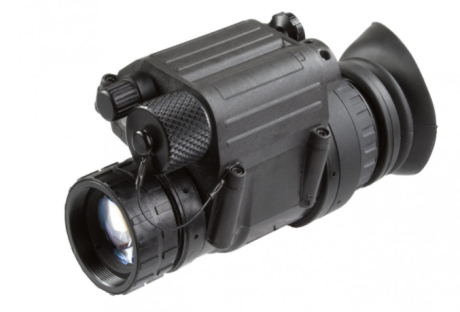
In the past time, humans hunt the animal for food and fur. But now it is also counted in sports activities in some countries. It is part of their culture. Furthermore, in some regions, people do the hunting of animals during campaigns. Also, in developed countries, several governments allow hunting zones for hunting lovers. With advancements in technology, hunting instruments are developed, and people start hunting at night. About night vision optics for hunting, vision optics make hunting easy at night by the use of monocular. Here, we will discuss a monocular named PVS 14 Monocular. Firstly, this was the choice of armed forces for night operations, but now it is also available for the public only for hunting at night. This is available on the internet and manufactured by many companies.  To know about pvs 14 Monocular, let us proceed through its details. What is PVS 14 Monocular? it is a night vision monocular designed for the most demanding night applications like hunting and night army actions for strikes. It is light in weight, rugged, and versatile device. This allows users to see at night through one eye while viewing their surroundings or targets. Another positive aspect of this monocular, its adaptability to use on the helmet and the weapon. Details About night vision optics for hunting It is initially designed for the united states military that why its quality is high in optics. Further, its application is the same for the hunters to see the animals in the night of woods without making any noise. Its shape and size are listed below. Dimensions of the products: its size is 4.5 X 2.2 X 2 inches Weight: It weighs up to one pound. Headgear specification: multipurpose unit, Handhold Monocular, Hands-free goggle optional helmet mount. IR System: Total darkness IR System Magnification: Yes, up to 2X magnify Color option: Yes, Multi Colors Field of view: 40 degree Diopter Adjustment: -6 to +2 diopters Objective Lens: 26 mm, f/1.2 Focus Range: 9.8” to infinity Power Source: 2 AA size batteries are required Night observing distance: seen clearly up to 100 meters at night Eyepieces Size: eye pupil diameter 14mm Waterproof: Yes, it is waterproof Display screen: LCD screen Further, its package includes one protective film, one mount, one blinder, a storage bag, and a user manual. What did hunters think of PVS 14 monocular? On exploring the internet for the mentioned monocular, we found mixed thoughts of hunters. A few hunters are satisfied with this product, but it has more negative reviews on the internet. The opposing view has their opinions like the rectangular screen is not appropriately mounted when mounted on the helmet, and one of them is saying that its focus is not good when it magnifies to 2X. Furthermore, many other negative reviews are available on the internet, and buyers who buy this in the past not suggested this. Read Also: Hunting Tips For Beginners

READ MOREDetails