










5 Ways Technology Will Change the Hospitality Industry Post Covid-19 Pandemic
Published on: 06 November 2020
Last Updated on: 13 September 2024

With the Covid-19 pandemic in the equation, the hotel industry is no longer the same. However, it’s here to stay, just as much as the pandemic might persist in the long haul. People will continue to travel, seek business accommodation from Northampton, dine, and hold business conferences, even as the pandemic rages.
With travel restrictions, lockdowns, and social distancing measures, the hotel industry has been hit hard by the effects of the pandemic. However, it’s only a case of being down but not out. Now is the time to prepare accordingly to equalize the damage caused by the pandemic and to prevent any possible future damage caused by the same or a different emergency.
By managing insurance policies and even conserving cash in the hospitality sector, the industry can acquire a comprehensive level of preparedness that can protect it, its team, and its customers in the long run.

Popular

Technologies For Creating A Startup Idea
20 Feb 2023

How to Download Facebook Videos on Android?
07 Feb 2019

7 Rules of Effective Ecommerce Web Design
28 Jan 2021

Why Are Online Transactions Convenient?
07 Dec 2023

Recent


Related
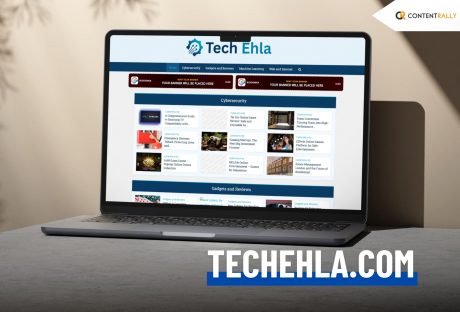
Find All The Trendy Business And Tech Topics On Techehla Com: But Is The Site Reliable?
I think it has become a daily warning/disclaimer that technology is changing fast. Like, rapidly! So, I see new platforms appear every day. Additionally, many claim to explain complex topics in simple terms. One of these is Techehla Com(TechEhla.com). It aims to help people better understand technology. Many users have questions about this site. However, finding trustworthy information can be challenging. Some misuse technology tools to represent them in the wrong way. On the other hand, others promote this content without proof. In this post, we will discuss the advantages and disadvantages of Tech Ehla and compare it with other reliable options. This will help you decide if Tech Ehla is worth your time. What Techehla Com Is All About? Techehla Com (TechEhla.com) is an online platform designed to make technology easier to understand for everyone, from beginners to professionals. The website simplifies complex tech concepts. In addition, it presents them clearly and engagingly. It covers many topics, including: Gadget Reviews How-To Guides Software Tips, Tech News Digital Learning Resources Tech Ehla wants to keep readers informed about the latest innovations and help them use technology in their daily lives. While the platform is still growing, it is a beginner-friendly and informative resource for anyone wanting to learn more about modern technology. What Techehla Com Provides? The platform focuses on four main areas: news, tutorials, product reviews, and analysis. 1. Stay Updated On Tech Trends: Firstly, you will get all the latest news on AI and automation. Additionally, you will also get helpful insights on cybersecurity and more. So, I can safely assure you that Tech Ehla’s curated news feeds keep you informed about important developments. 2. Experts Share Insights: This platform is very consistent with the articles. Additionally, it showcases webinars and interviews. Also, I really liked that these come from industry experts. Tech Ehla offers “expert-driven content.” This one simplifies complex topics into clear insights and practical guides. 3. Easy-to-Use Resources: You will find all the access to ready-made tools here. Firstly, you will get a huge amount of cheat sheets. Also, this platform will provide you with curated checklists. In fact, you will also have templates to kickstart your projects. Tech Ehla also provides detailed reviews of products and apps. These will help you choose the right tools and save time. 4. Join The Community: Connect with other learners and mentors. Tech Ehla focuses on creating “a tech-forward community” for innovation and learning. You can ask questions. Additionally, you can also share experiences. Also, you will get to receive personalized advice through forums and peer groups. There is an added feature or category in this platform called the guest contributor programs. This is of huge help as well. These categories are useful. Why? They show the platform’s goal of being a one-stop hub. However, it is hard to judge the content's quality without specific examples. Miscommunication Between Techehla Com And Ehla Technology One issue is the name confusion. Some users mix up Tech Ehla with EHLA Technology. These are not the same. EHLA stands for Extreme High-Speed Laser Application. Additionally, it is used in manufacturing. It refers to a laser coating method. People use this method to strengthen surfaces. According to TWI Global, it plays a role in modern industry. But it has no connection to online courses or learning. The pronunciation of the names can be confusing. What Are The Third Parties Claiming? Some blogs discuss tech health and share success stories. However, many of these reviews are not credible. They often lack data. Additionally, these reviews are also claiming that there is a severe lack of user numbers. In fact, there is also not enough proof of performance. These reviews can seem promotional. Their comments mostly focus on marketing instead of genuine feedback. Readers should be careful and check additional reliable sources for information. Techehla Com For Businesses And Professionals Tech Ehla Com is useful for professionals and small businesses. The platform provides information on productivity tools. Additionally, you will also receive a lot of insightful information on project management software. In addition, if you work with digital business strategies, you will find a huge help over here! Business owners can explore tech solutions that simplify their operations, such as automation systems and online marketing tools. The website also publishes reviews of new business solutions. Now I think this is of huge help. This is because all the professionals make informed choices. Tech Ehla Com supports companies in implementing more creative and effective digital processes. Mobile Compatibility And Accessibility TechEhla.com works well on mobile devices. The site adjusts to your screen. So, this makes it easy to browse on a: Smartphone Tablet Portable Device Both the desktop and mobile versions have the same speed and clean design. Pages load quickly, even on slow connections. This is because of its lightweight design. Also, it has the feature of optimized images, which helps a bit. This shows TechEhla.com’s commitment to making technology news accessible to everyone. And, this is regardless of location or device. SEO And Online Presence Of Techehla Com TechEhla.com has successfully built its online presence through SEO. The site attracts regular visitors from Google searches. Also, these articles rank for many tech-related keywords. You will see that the articles over here have a clear page structure and proper headings. Also, you will notice a pool of smart keywords being used. These help search engines understand the site. Additionally, the website features clean code and organized data, making it easy for search engines to crawl and index. Overall, TechEhla.com effectively uses SEO to improve its visibility and reach more tech enthusiasts. The site also uses backlinks and social media to boost engagement, growing into a reputable tech resource in search engines. How Does Techehla Compare To Well-Known Platforms? Comparing popular platforms can help us make better choices. The table below shows how Tech ehla.com stacks up against well-known brands.. Platform Key StrengthsWhy They Have an Edge Over TechEhla.comCoursera / edX offers structured courses designed by top universities. They clearly show instructor details, credentials, and provide verified certificates. MDN Web Docs Peer-reviewed coding resources Open-source and verified by experts IEEE Spectrum Shares high-quality industry research and tech news. The industry experts and professionals write every single article here. Wirecutter / CR Tested product reviews They show real testing methods. Also, they maintain unbiased results backed by substantial research. The Working Structure Of Techehla Com Explained Overall, Tech Ehla (TechEhla.com) is a user-friendly tech website. It helps everyone from beginners to experts. Also, they understand and use technology with ease. Additionally, the site aims to simplify complex topics. Also, it provides an ample amount of: Clear how-to guides Useful reviews Updates on the latest tech trends It’s a good resource for everyday tech tips and learning. However, for detailed or important technical decisions, it’s best to verify information with more established or trusted sources.
READ MOREDetails
The Benefits of Using PRINCE2 During Periods of Turmoil
In the past few years, the demand for software to help in effective Project Management has increased. With businesses trying to derive every ounce of productivity and efficiency, working with project management tools, platforms and software is something that all businesses strive to integrate. Successful Project Management can help a business organization in multiple ways. The major ones are- Improve coordination between the various teams and verticals responsible for execution and completion. Saving time and improving the final delivery to the customers in terms of effective time management. Cutting down on duplication of work and preventing wastages thereby contributing to a company’s bottom line. In this article, we look at one of the highest-rated Project Management software in the market right now, PRINCE2. We look at what makes it great and why your business should think about adopting this specific project management software. Many credible PRINCE2 course training modules are available on the market. PRINCE2: Meaning and Definition PRINCE2 has a long history dating back to 1975 when it was first conceptualized and implemented by the United Kingdom government for its project on Information Systems. It is an abbreviated version that stands for PROJECTS IN CONTROLLED ENVIRONMENTS. The current version that many of the leading names in the world of government and private businesses use first made its appearance in 1996. What is more surprising is the fact that even though it is software that is used by governments, it is also open for public use and exists in the public domain. The best thing about PRINCE2 is that it focuses on organization and coordination. It helps track where exactly you are in the project and the correspondent timelines and responsibilities that have been assigned. Roles and Responsibilities in PRINCE2: What you need to know When it comes to using the PRINCE2 software, one thing is certain- the primacy of the Project Manager. Being a project management software, it accords the maximum importance to the Project Manager. You can compare the overall access, the power of adding or removing individuals from the point of view of a Super Admin. The Project Manager selects the teams that will work on the project, sets the timelines according to the milestones that are to be reached and any other comments with regards to the specificities of the project. In addition to the Project Manager and the internal teams, PRINCE2 also allows for the clients to be given access. This has been done with the intention of making the clients aware of how far the project completion has progressed and acquainting them with the teams that are working on it. This helps save a lot of time and effort in terms of externally informing the client about the project status. The Project Board is another critical component of the PRINCE2 software. It helps put all the details, reports, and other items like problems and challenges that the project is likely to face. Features of PRINCE2 that make it an Excellent Project Management Software: In this section, we list down some of the major features that make PRINCE2 an attractive project management software. PRINCE2 comes with real-time tracking and updates that can allow one to exactly know the precise status of a project. This helps avoid confusion, saves the lie, and builds credibility for the organization leading the project. The software is equipped to show data and other information with the help of interactive and engaging charts, graphs, and progress bars. This helps break down the project completion and visually depict the same using graphs and charts. If you want, you can also use the PRINCE2 software as a work management tool. In other words, with so much remote work taking place, promoting coordination among the employees can be possible using the software. The Bottom Line: There is a reason why international governments and billion-dollar businesses use PRINCE2. It is simple, effective, and detailed in every sense of the term. It allows for better cross-team promotions, cuts inefficiency, and fosters collaboration to ensure projects are completed within their allotted timelines. Read Also: Tips to Choose the Best Inventory Management Software Grant Management Best Practices This Is Why Every Organization Should Invest in Job Management Software
READ MOREDetails
Flying Crane: Purpose, Benefits, And Usage
The AF 200 flying crane's primary aim is to ensure that we can completely revolutionize the wind energy industry and bring forward the most promising piece of technology you can expect from us. We believe that when it comes to technology and high precision, it never has to be in a way that you must compromise on the working of the environment or sustainability factors. This is why we have brought forward the most comprehensive flying crane, and we can say with conviction that this is the best one you can invest in. At AirFlight, our aim is always quality, which is what we have also focused on here. What Are Flying Cranes Typically Used? Flying crane helicopters have significant uses. When it comes to lifting heavy equipment from one place to a remote place, a flying crane is the only reliable to take help. Here we listed the primary purposes where a flying crane is needed. 1. Lifting And Transporting Heavy Materials As we said that lifting heavy materials in a short time from one to another place, Flying cranes are a fantastic option. Lifting heavy construction materials, including concrete, bricks, wood, heavy bake loads, and steel. It allows you to shift the materials for emergency purposes. That is why many construction companies use flying cranes as per their requirement. 2. Replace And Remove Rooftop Units What you can do when you need to lift heavy unit materials from the rooftop of the tower building. You may understand that it is not possible to use any other crane to shift the material from the 80-floor building. Here, aerial crane companies' workers and employees are the most skillful staff who know how to handle these things and how they can shift the materials without making any mistakes. Helicopter cranes are able to spin 360 degrees and they are most efficient in mountainous terrain and congested cities. 3. Forestry Operations Well, for forestry operations, an aerial crane is a suitable tool. To conduct everything in the forest, helicopters can assist in placing tools and picking up the wood to restore them in the nearest factory. However, “heli-logging” is a method of logging that uses an aerial crane to lift cut trees and remove them from the operation area. 4. Utility Construction Project Flying crane technology is able to haul huge pipelines in half time. It is a valuable tool when it comes to lattice structures, placing monopoles, and transporting materials and machinery On the other hand, the flying car is also used to set pipe sections for cell towers in different geo-location. They are the practical choice to install towers in hill stations or hard-to-reach areas. What Is The Unique Feature Of The Af200 Flying Crane? It is common to wonder what is so remarkable about this particular flying crane and why it differs from the other market options. The first and most important reason that makes it one of the best is because of the efficient take-off as well as the landing. Another significant factor about the flying crane is that it is equipped with automated take-off. This ensures that you do not have to put in manual effort for the same. Not only that, another very unique thing about the flying crane is that it is equipped with pre-programmable flying paths. There are no two ways about the fact that one of the most beautiful things about this particular flying crane is that we have tried to decrease manual labor as much as we can. Our primary focus has always been to boost automation and ensure that ultimate efficiency is promised to our clients. AirFlight is one of the better-known brands for the most fantastic flying crane. The Benefits Of Flying Crane Helicopters flying cranes are capable of reaching anywhere and everywhere. They can lift anything from swimming pools, cars, riversides, or construction palaces, etc. A flying crane is the most convenient tool to lift materials from high-rise buildings. After a disaster, for rescue purposes, they can be used to lift materials like rubbish or goods and shift them to remote areas. It is capable of conducting the work in half of the time. With the help of flying cranes, many real estate companies and utility construction companies are able to install or build towers or hotels at hard-to-reach places. Final Words So, these are all about flying cranes. Engineers are made flying crane drawings and designs to ensure the tool can provide the best service. If you think that you want the best flying crane and that too on a budget, you only need to get in touch with us, and we will help you. We can vouch that the AF200 flying crane is the best you will come across! However, if you have any queries, feel free to raise your question in the comments section. Additional: 3 New Age Engineering & Construction Technology How New POS Technology is Advancing Merchant Processing How Cutting Edge Technology is Helping Dubai Improve its Healthcare Services 5 Ways Technology Will Change the Hospitality Industry Post Covid-19 Pandemic
READ MOREDetails