


Mark Stiffler Gives You 7 Ways To Automate Your Business For Success

Published on: 03 January 2023 Last Updated on: 03 February 2026
Automate Your Business

Would your business be more successful if it had more efficient systems in place? The good news is that there are many ways to automate your business processes and save time, energy, and money. Automation makes your business run smoothly and helps you stay organized.

Mark Stiffler wants to explore seven ways to automate your business for success and plans to do so in this post.

Top 7 Ways To Automate Your Business For Success

1. Streamline Your Customer Service Processes

Automate customer service tasks such as sending emails and responding to customer inquiries. This will help you save time and energy by quickly responding to customers without manually entering data into a system or email program. You can also use automation tools such as chatbots to respond to common questions or provide customer service 24/7. This will help you create a more personalized customer experience and improve customer satisfaction.

2. Create Automated Payment Systems
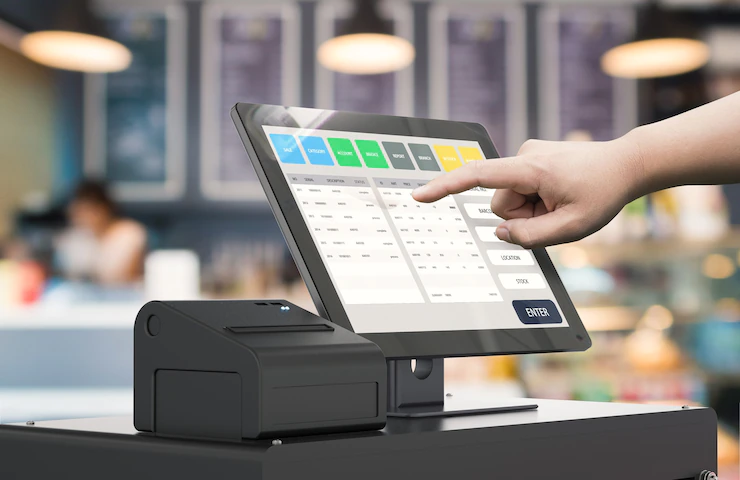
Payment Systems

Setting up automated payment systems for online products or services makes it easier for customers to purchase from you without manually entering their payment information each time they purchase. This simplifies the buying process and reduces the chances of errors or fraud, which can be costly for businesses. Without this automation,  you would be responsible for manually processing each transaction. Manually processing payments can be time-consuming and tedious, not to mention a waste of billing hours.

3. Utilize Scheduling Tools

Scheduling Tools

Scheduling tools allow you to set up automated reminders for yourself or others on your team so that important tasks don’t fall through the cracks and deadlines are met on time. Mark Stiffler says these tools can also help you better manage your time by providing an overview of upcoming events, meetings, or tasks that need to be completed promptly. Popular tools to consider include Google Calendar, Toodledo, and Asana.

Google Calendar

This free calendar application allows you to create and share events with others easily. Most companies use this as it is included in the Google Suite.

Toodledo

This powerful task management and productivity tool allow you to create reminders for yourself or others.

Asana

This project management tool allows you to track tasks, assign due dates, and organize projects with multiple members.

4. Leverage Social Media Automation Tools

social Media Automation

Social media automation tools enable you to schedule posts ahead, so you don’t have to worry about manually updating your social media accounts daily. This can save time and effort while ensuring that your accounts stay active and engaged with followers regularly. Social Media Automation Tools such as Hootsuite, Buffer, and Sprout Social are great options. Which one you choose depends on what features you need and your budget.

5. Manage Email Lists with Autoresponders

Email Lists

Autoresponders are great for managing large email lists because they allow you to send personalized messages based on user interactions with your site or emails from other sources (such as webinars).

Autoresponders can also be used for promotional purposes, such as sending out discounts or special offers at predetermined intervals throughout the year. When looking for an autoresponder, make sure to choose one that is easy to use and has the features you need, such as segmentation and personalization.

6. Analyze Data with AI Tools

Analyze Data with AI Tools

AI-based analytics tools can help provide insights into how customers interact with your website or product so that you can optimize the user experience accordingly to maximize conversions and sales over time. Additionally, these tools help identify areas where further optimization may be necessary to improve user engagement further down the road.

Popular AI tools Mark Stiffler says to consider include Google Analytics, Mixpanel, and KISSmetrics. Google Analytics is the most popular analytics tool on the market, providing detailed insights into how visitors interact with your site.

Mixpanel and KISSmetrics are other popular AI tools that provide a more in-depth look into customer behavior. They both focus on delivering real-time data and insights that can help you make better decisions about optimizing your website.

7. Implement Automated Invoicing and Billing Solutions

Automated Invoicing

By automating invoices and billing solutions, businesses can save time while reducing manual errors associated with manual entry creation processes (which often lead to false charges).

In addition, automated invoicing solutions make it easier for customers by streamlining the payment process from end to end, so they don’t have to worry about entering their payment information each time they purchase from your site or app. Favorite automated invoicing and billing solutions include FreshBooks, Harvest, and Wave. Each of these tools has features that are tailored to different types of businesses.

Conclusion

Automation is a powerful tool to help businesses succeed and save time, energy, and money. The seven ways outlined in this article are all great options for automating your business processes to stay organized while maximizing efficiency. From streamlining customer service tasks to leveraging AI-based analytics tools, automation provides many benefits for businesses looking to increase their success rate. With automated solutions like these in place, your business will be able to operate more efficiently than ever before!

Additional:

Content Rally wrapped around an online publication where you can publish your own intellectuals. It is a publishing platform designed to make great stories by content creators. This is your era, your place to be online. So come forward share your views, thoughts and ideas via Content Rally.

View all posts

Leave a Reply

Your email address will not be published. Required fields are marked *

Related

Intrapreneur

Who Is An Intrapreneur? Definition, Characteristics, Pros/Cons, More

Intrapreneurs and Entrepreneurs - they sound similar right? Yeah, they do, but their definition, meaning, and characteristics are totally different from one another. Here is what we know about entrepreneurship. Read the guide till the end to grab some rich insights. Who Is An Intrapreneur? Here is a concise definition. An intrapreneur is the one who is responsible for developing an innovative project or idea within an organization. He/she doesn’t face the outsized risks that an entrepreneur doesn’t. However, he possesses the major access to all the capabilities and resources of an established company. To be very specific, the intrapreneur gets the autonomy to work on projects having a considerable impact on organizational development. The term intrapreneur is an amalgamation of two words like “internal” and “entrepreneur.” In 1978, it was first coined by Elizabeth S. Pinchot and Gifford Pinchot II in a white paper. How Does Intrapreneurship Work? You are now well aware of what is an intrapreneur. They are the employees of an organization who are given the responsibilities of working on special ideas and projects. In addition, they are given the freedom and time to develop and grow the project that an entrepreneur would. Does this sound like they work solo? Well, not really because intrapreneurs have all the capabilities and resources of the firm at their disposal. Additionally, they have different objectives. While an entrepreneur envisions the creation of a company from level 0, the intrapreneur has a broader vision for an established entity. The visions mainly involve radical changes to company processes, products, or traditions. He applies his skills and experiences directly to implement them on the job. What Are The Characteristics Of A Good Intrapreneur I hope, by now the meaning is pretty clear to you? Now, Intrapreneurship has some roles and responsibilities which require some special characteristics. Below, I have listed some of the characteristics an efficient intrapreneur must possess. 1.They Are Passionate About Problem Solving Angels and Intrapreneurs will agree on this one. Focused intrapreneurs are the ones who are passionate about solving problems and set forth to resolve business-oriented issues. 2.They Are Curious, And Adaptable Enough When it’s the start of a business, the intrapreneur has to play roles in several sectors such as product management, engineering, and marketing. Hence, angels look for people who are curious, adaptable, and respond to learning and development. 3. They Are Transparent As an intrapreneur, the fastest and most efficient way to gain the confidence of your sponsors is by showing transparency. If any unwanted circumstance happens, then also, transparency needs to be maintained. 4. They Are Resilient Intrapreneurs starting a business simply have an idea which they have to work super hard to give a shape. That’s why they need to be highly resilient since it’s likely they would come across a plethora of obstacles throughout their journey. Pros And Cons Of Intrapreneurship Here is a critical analysis of Intrapreneurship I have explained through an evaluation of its pros and cons. Take a look at the table below: Pros Of IntrapreneurshipCons of IntrapreneurshipIt decreases the financial risk on the innovatorThe glory you enjoy is not for you only, it’s shared.Makes use of all the organizational talent and resourcesThere is high potential for conflicts with the other members.Increases the delivery of better services, products, or support.Returns are generally less in comparison to the entrepreneurs.Enlarges your reputation and develops your network.There are a myriad of risks pertaining to failureIt’s a stepping stone to entrepreneurshipYou will still have a boss monitoring you Companies Around The World Having Intrapreneurs Here are some leading tech giants around the world who support Intrapreneurship just like different types of entrepreneurs: Google Microsoft Shutterstock Intel Facebook Apple General Motors Virgin  Frequently Asked Questions (FAQs): Q1. What Does Intrapreneur Mean? An Intrapreneur is an employee who is given the support and authority to create a new service or product. Unlike entrepreneurs, they have no concern about whether or not the product would become a revenue source for the company. Q2. What Is Intrapreneur Example? One of the greatest examples of Intrapreneurship is Dreamworks Animation. It’s a media behemoth that gave classic works like Madagascar and Kung Fu Panda. They also offer classes on script writing to the animators. Q3. What Are The Types Of Intrapreneurs? The 3 types of Intrapreneur are as follows:1. Advocate, coming from a customer-facing role 2. The creator coming from an internal-facing role3. The change maker coming from an external-business-facing role.  Q4. What Is The Difference Between Intrapreneurs And Entrepreneurs? The main difference between Intrapreneur and Entrepreneur is that an entrepreneur is a ground-up-and-go person when it comes to their own money. On the other hand, an intrapreneur is someone who starts steaming from inside a large company. That’s all about Entrepreneur Vs Intrapreneur. The Bottom Line That’s all we had to say about Intrapreneurs. They are overlooked often in the realm of entrepreneurship. However, with the world-changing innovation coming up, established corporations are prioritizing them. Wanna learn how to become an intrapreneur and Intrapreneur Vs Entrepreneur in more detail? Then keep an eye out on our website as we will be coming up with a guide to that. Read More: What is an Airsoft Gun? How Gun and Security Gear Advanced through the Years Parts of a Gun: All You Need to Know About the Components of Your Firearm

READ MOREDetails
Brand Ambassador

Brand Ambassador Application – How to Find a Brand Ambassador

Having a brand ambassador who will represent your brand and company goes a long way in increasing sales and goodwill among the people. They are able to win the hearts of people due to their influence and the trust which has been placed in them. Knowing that you need an ambassador is one thing, finding one is another matter on its own. With the competitive nature of the industry, many companies require these influencers. Hence, you must employ certain methods to find these talented individuals. In this article, we will discuss one of the main ways to find a corporate ambassador. And to ensure that you exhaust every means available, we will also discuss 5 other ways to find these influencers. 1. Brand Ambassador Application Form: This is a major method that firms employ when seeking a representative. Your company’s brand ambassador program can be promoted using this method. All you need to do is publish the brand ambassador application and wait for interested ambassadors to contact you. The application form or the form’s link can be sent via targeted emails, pages on your organization’s website, post-sales messaging, etc. The ambassador application form should contain questions that query the potential influencers why they purchased your product or patronized your service and the reasons they adore your products. Furthermore, ask them if they would like to share those products consistently with their network. From the answers you get, you ought to be able to determine if the customer is fit to be your company’s representative. An interesting thing about this method of finding ambassadors is that only truly interested people will fill the form. Include a website application once you are done with your section to further streamline the top candidates. Tip: An NPS survey can be used to ask the kinds of questions contained in your application form. 2. Informal Application: This is informal in the sense that it doesn’t carry an official format. It is more or less like a referral platform that invites almost everyone to be brand representatives. Customers who join do so using a basic form published on the company’s website. After signing up, a link or code is sent to them. This code can then be shared with their network. When anyone employs the link to buy a product, the ambassador will receive an incentive. While this is informal, there is still a need for you to contact your customers personally to inform them of the ambassador program. An informal application can be sent to every customer so that they can join. Then, the top customers or those that do well in the informal program can be invited to join the formal program. The only difference is that the formal ambassadors should receive more incentives than those who belong to the informal program. 3. Search on Social Media: This is the simplest way to find influencers; however, it requires your time investment. Start with individuals that have posted about your company or brand if you know any. If you don’t know anyone like that, then you need to go through the process of searching. Run a search using your brand name or hashtags. But bear in mind that not everyone who makes use of your hashtag is suitable to be your brand influencer. Visit https://blog.hootsuite.com/how-to-use-hashtags/ to learn how to use hashtags. 4. Use Software Programs: There are some software programs you can use to help you get the best brand ambassador. This is advantageous as it saves you precious time and stress from manual searching. These programs reveal individuals that are mentioning your brand and company. They can also filter through these mentions to make the process easier. Once you find a potential ambassador, some software programs can aid you in reaching out to them. 5. Use Customer Data: This is dependent on whether you have collated customer data over time. So, you can sieve through your previous data to find out who has been loyal to your brand. You must select only loyal customers as they would be eager to promote your brand since they’ve used your products. Click here to learn more about customer data. 6. Ambassador Marketing Platforms: Since the number of influencers has been rising, many of these individuals have created platforms where they can interact and also be easily reached by brands. So, you can make use of such platforms and just go through the list of influencers there and make your pick. You can use filters to streamline your choice of what you are looking for. Conclusion: After you get your ambassadors, establish a rapport with them. Then make sure you follow their social media accounts and like and comment on their posts. You can also share their posts that will be impactful to your followers. Which of these methods will you employ? Or have you employed any of them in the past? Feel free to let us know… Read Also: How to Market a Small Business in a Big City Influencer Marketing Tool to Move from Local to Global Market 5 Steps to Building an Influencer Marketing Campaign

READ MOREDetails
Quality Assurance In Customer Satisfaction

Unpacking The Importance Of Quality Assurance In Customer Satisfaction

In the modern business landscape, the significance of quality assurance cannot be overstated. It serves as a critical component in ensuring customer satisfaction, a descriptor that goes beyond delivering a product or service that merely meets the basic requirements. Quality assurance is the process of systematic monitoring and evaluation of various aspects of a project, service, or facility to maximize the probability that minimum standards of quality are being attained by the production process. This article delves into the pivotal role that quality assurance plays in achieving customer satisfaction, and why businesses should prioritize implementing robust quality assurance strategies. Quality Assurance: What It Is And Why It's Important In essence, quality assurance is a set of practices that businesses use to deliver the best possible service or product in a given market. It involves checking and auditing products and services for quality at each step of their development process. This helps keep track of any issues or discrepancies along the way and ensures that customer requirements are met consistently. By conducting regular reviews and tests throughout the production process, any mistakes can be quickly identified and corrected. How Quality Assurance Impacts Customer Satisfaction The concept of customer satisfaction is widely acknowledged as a key indicator of a business's success. Quality assurance plays an essential role in achieving this goal since it helps to ensure that any product or service offered meets the expectations and needs of customers. This leads to higher levels of customer satisfaction, which can have a significant impact on your bottom line. Having an effective quality assurance system in place can also reduce the chances of customer dissatisfaction. By having a proactive approach to monitoring and testing products or services, businesses are better equipped to identify any issues before they become too big and start to affect customers. This allows them to take swift action and address any problems that arise. The Role Of QA In Building Trust With Customers Quality assurance is also important when it comes to building trust with customers. By having a systematic system in place that helps to ensure the highest quality of products and services, businesses can demonstrate their commitment to delivering an outstanding customer experience. This not only gives customers peace of mind but reinforces their confidence in the brand, leading to long-term loyalty and repeat business. Strategies For Quality Assurance Businesses should strive to develop comprehensive quality assurance strategies that are tailored to their specific needs. This includes compliance training for staff, frequent audits and reviews of products or services, as well as regular feedback from customers. By taking these steps, businesses can be confident that they are providing the best possible service and meeting customer expectations. Challenges Of Implementing Quality Assurance While quality assurance is essential for customer satisfaction, its implementation can be a complex and time-consuming process. It requires significant resources and an efficient workflow to ensure that it runs smoothly. Additionally, businesses may face difficulties in gathering accurate customer feedback or developing effective strategies for testing products or services. The Value Of Quality Assurance Overall, quality assurance can make a big difference in customer satisfaction and business success. It is an essential process for ensuring the highest standards of product or service, while also boosting customer confidence and loyalty to the brand. With the right strategies in place, businesses can ensure that they consistently meet customer expectations and achieve their desired outcomes. By leveraging quality assurance practices, businesses can create a competitive edge and ensure their success in the long term. The importance of quality assurance should be acknowledged, and businesses should make sure to invest sufficient resources into developing robust quality assurance strategies. This will help them stay ahead of the competition and maximize customer satisfaction. Now that it’s clear how important quality assurance is for customer satisfaction, businesses should focus on building efficient strategies that are tailored to their needs. So, if your business is looking to enhance its customer experience and increase its sales, consider investing in a quality assurance system that can help you reach and exceed your customers' expectations.

READ MOREDetails