4 Ways To Address Privacy Concerns Around Customer Data

Published on: 09 March 2024 Last Updated on: 30 October 2024
Customer Data

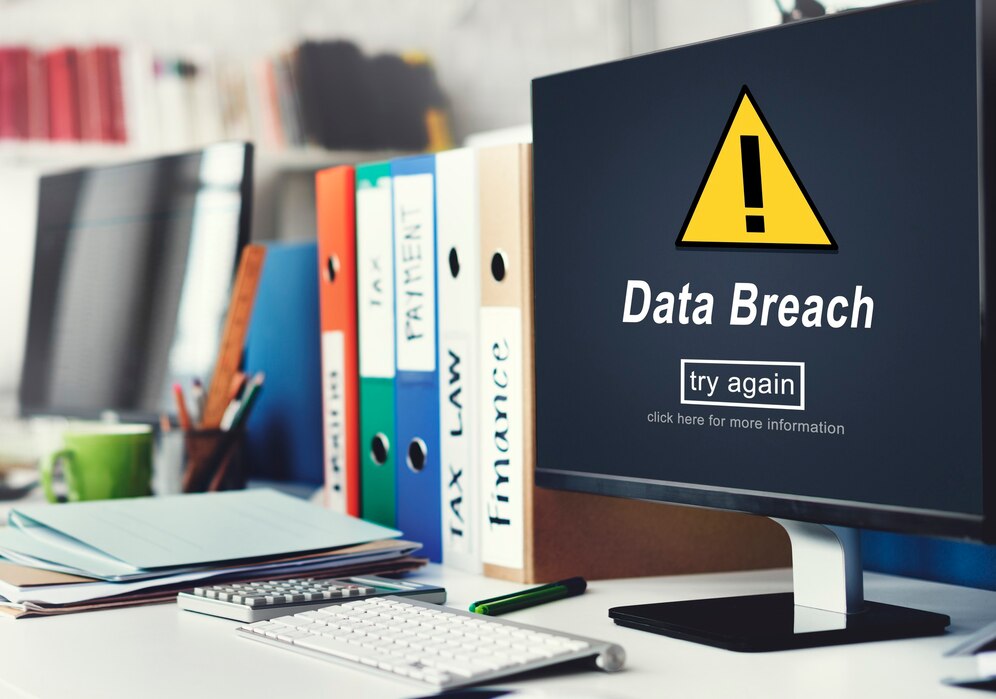
A single data breach can expose tens of millions of customers to spam, scams, identity theft, fraud, and more. It’s also a quick, easy way to destroy your brand reputation and lose a massive chunk of your customer base.

In the worst-case scenario, you could end up paying millions of dollars in fines. If serious enough, your team members or executives could even face some jail time.

But customer data still needs to be kept safe and private, even when the risks are far less grand in scale. Simply leaking your customers’ email addresses and exposing them to junk mail can erode their trust in you.

To protect your customers and assuage any customer concerns, always handle their data with care. Here are a few important ways to protect data, limit the risks, and put your customers at ease.

1. Use Zero Party Data
Use Zero Party Data

Perhaps the best way to put customers at ease about their data is to give them more control over what you know. Letting them decide what they share with you — and don’t — can protect their privacy and boost your brand reputation.

Giving customers a chance to consent or opt out of sharing first-party data when they visit your site or app is a nice touch. But if you really want to put your customers in the data driver’s seat, zero party data is the way to go.

With zero-party data, your customers and prospects respond to surveys, polls, questionnaires, and more. These inputs can be used to personalize their experience, or anonymized and aggregated to help your brand make data-driven decisions.

Either way, when customers provide this data, they usually expect some kind of user benefit. A personalized product recommendation, useful content, or a customized landing page are all ways to deliver that small reward.

2. Be Transparent

Ideally, you should tell all of your customers exactly what you collect, what you use it for, and why. As long as you’re not up to anything nefarious (you aren’t, right?) transparency should be as simple as a brief pop-up disclaimer.

In fact, transparency could help improve your credibility and customer trust in your brand. And that trust can in turn have a direct impact on your business growth and performance.

It’s particularly important not to collect any extra bits of customer data you don’t need and they haven’t agreed to share. Gathering and storing extraneous data heightens the risk to your customers if there’s a breach. In some countries, regions, or industries, it could even be illegal.

Besides all this, it can take up unnecessary room on servers, cloud storage, etc. To be on the safe side, always get permission from customers before collecting any kind of data. 

3. Anonymize and Encrypt
data breaches

Some of the worst data breaches on record have also turned out to be some of the most ridiculous. Companies have accidentally leaked massive spreadsheets with customer names, addresses, passwords, and credit card data all linked together. But even anonymizing data doesn’t necessarily give customers any real protection or privacy. It’s all too easy to put two-and-two together and figure out someone’s identity.

To ensure that data is truly safe, your company should always use the latest encryption methods and data protection protocols. Consult with experts about the best practices, software programs, and other tools to suit your company’s needs.

Data security is not the place to cut corners, so be willing to dedicate a significant portion of your budget to protecting customers. Otherwise, you risk putting them in danger of identity theft, financial loss, reputational damage, and more.

4. Train Employees and Vet Vendors

Customer data should be kept strictly confidential and only shared with employees and vendors on a need-to-know basis. Your employees need to understand how crucial it is to protect sensitive data and how exactly they need to do it.

Before handling potentially sensitive data, employees should undergo appropriate screenings and training. Train them not to share details like passwords or door codes, and limit access to sensitive cabinets, rooms, or computers.

Third-party vendors and contractors can be a potential cause of concern for data privacy. That’s why it’s important to carefully vet them, just as you would employees. The more you share data, the higher the risk of a breach or exposure along the way. If a vendor has access to your data, and its systems are compromised, your data could be leaked. Or, bad actors at the company you shared with could use the data in unsafe or inappropriate ways.

Worst-Case Scenarios

In the event that a data leak or cybersecurity event does occur, your company should have an emergency plan in place. Know what you’ll do in the event of a breach — how you’ll stop it from progressing and contain the damage.

The plan should clearly indicate roles and responsibilities and include considerations for various scenarios. Many companies, universities, and government agencies have their plans publicly available online, as a resource.

Whatever you do, never attempt to conceal a data breach from the media, your customers, or the public. You could end up facing fines, lawsuits, sanctions, jail time, and irrevocably brand-damaging press. Instead, own up to the breach immediately and let your customers know how you plan to handle it. In order to earn back their trust, you’ll have to prove you know how to do the right thing.

Read Also:
Content Rally wrapped around an online publication where you can publish your own intellectuals. It is a publishing platform designed to make great stories by content creators. This is your era, your place to be online. So come forward share your views, thoughts and ideas via Content Rally.

View all posts

Leave a Reply

Your email address will not be published. Required fields are marked *

Related

your IP has been temporarily blocked

Your IP Has Been Temporarily Blocked – How To Unblock It?

Although it doesn't happen often, the "your IP has been temporarily blocked" warning will keep you from visiting a website. The error could show if you've attempted to log in too frequently or if you've broken the site's terms of service by uploading prohibited information, for example. Therefore, to learn how to prevent this issue from happening again, read this guide post till the end. Here, you will learn ten different ways to fix this issue. How To Fix The “Your IP Has Been Temporarily Blocked” Issue? To prevent the “your IP has been temporarily blocked” error from happening again, here are the steps you can take: 1. Just Wait A website frequently temporarily blocks IP addresses. For instance, if you tried to log in too many times using invalid credentials, you may be barred or banned for 24 hours before being allowed to try again. You can either wait a day or see the website's terms of service for details now only. 2. Use VPN Websites may restrict your IP address as a result of a country ban, as was already indicated. Use a VPN to conceal your IP address in order to get around such a limitation. You will be able to access the website since it will seem as though you are visiting from somewhere else. Free VPNs are available, however commercial services are more likely to ensure that your IP address is hidden. You will be able to view the website that has blocked your access after you sign up for a VPN. Check out our list of the top 10 VPN service providers if you're unclear about how to choose a VPN service. 3. Properly Configure Your Network And Mail Servers Incorrectly placed letters or digits might potentially be the reason your IP address is blocked. Your network and mail server need to be configured correctly because of this. Contact the blacklist to get your name taken off of it. 4. Connect To A Different Wi-Fi Network You should also think about joining a fresh Wi-Fi network. A new IP address is generated while joining a Wi-Fi network. This may be a short workaround to enable you to view the website to which access has been limited. 5. Check If They Blacklisted Your IP Image Source: thryv.com Many websites are members of IP address blacklists that are open to the public. These lists are frequently gathered from well-known spammers, and banning the addresses can assist website owners to keep unwanted visitors away and stop spam abuse.  However, it's possible that one of these blacklists listed your IP address by mistake. The good news here is that you can check your IP Address on a website called WhatIsMyIPAddress.com. If it shows up on their lists after entering your IP address is automatically detected, the website will notify you. 6. Update Your OS If your computer hasn't received any updates in a while, malware might infect it and restrict your IP address. You may improve your computer's usefulness and security by upgrading it. If you use a Windows computer, here’s what you should know: First, go to Settings. Here, choose Update & Security. Then click on Windows Updates to see whether any updates are available for installation. If you use a Mac computer, then here’s what you should do: First, open System Preferences. Then, select the App Store. Finally, select Show Updates. Wait a day after the upgrade is complete before attempting to access the website that has restricted you. 7. Try Detecting Malware The problem regarding “why your IP has been banned” can stem from various malware that might have entered your system. This error is typically shown when your IP address has been compromised and your system is now transmitting spam, or even launching DoS attacks in the background. Therefore, you should scan your computer using antivirus software. To get the best internet security, I recommend using premium antivirus software that always runs in the background. Here, if you're using Windows, follow the steps explained below: First, click on Start and type "Security".  When Windows Security appears in the search results, click on it.  After selecting Virus & threat protection, do a Quick scan. 8. Change To A New IP Address If you want to, you can shift to a new IP address by temporarily changing it using your VPN software. Do this if your IP has been banned. To do so on a Windows computer, follow the steps below: First, open the Control Panel by searching for it on the Search bar from the Start menu. Then, click on Network and Internet. Here, click on Network Connections. Now, you will get a list of all the network adapters you have paired with. Select the one you are using and want to change its IP. To do so on an Apple computer, follow the steps below: Navigate to System Preferences. Here, open Network. Now, click on Advanced Button. Then, click on the TCP/ICP menu. Here, you need to add a new TCP/IP configuration. To do so, click on the + sign here. Then, select Manual and enter the new IP address. 9. Use Proxy Servers That Are Free If you don't want to spend money on a VPN, you can use a free proxy server. A proxy server is a server that stands between an internet user's request and the website or page they are trying to access. Your IP address is concealed by the proxy, enhancing your privacy and independence. Keep in mind, though, that a lot of websites and services are aware of proxy servers and will ban the IP addresses of public proxy servers. You will be informed that "the owner of this website has blacklisted your IP address" if they catch you. Remember that you should never browse with proxy servers when providing personal information. 10. Blame The Webmaster If you searched the terms of service of the website for information on why your IP address was blocked but couldn't find anything, you may contact the webmaster — particularly if it's a tiny website that interacts with its users frequently. If your IP address is being blocked, the webmaster can tell you why it’s being restricted and how to fix it. Frequently Asked Questions (FAQs): People using the internet have asked various questions similar to “why is my IP address blocked” and “unblock IP address”. Here are my answers to their queries: Q1. Why Did Instagram Block My IP Address? Ans: Instagram might have blocked your IP address because they might have blacklisted your IP address. This can happen because you might have posted content that might have violated their terms and conditions. If this is not the case, then you might have a problem with your Internet Service Provider (ISP). Q2. How Long Does An IP Ban Last? Ans: On Instagram, an IP ban might last anywhere between 24 hours to 48 hours. This depends on the severity of your actions. If it's pretty severe, then Instagram might block you permanently. Q3. Why Did Cloudflare Block My IP Address? Ans: Sometimes, many of the websites that we visit can contain harmful malicious content in them. If Cloudflare detects this, it can block your IP address from accessing that website. Unblock Your IP Now! There are various reasons why you might see the “your IP has been temporarily blocked” error. It can be because your IP has been blocked by the website, or there are various problems with your ISP. To fix this issue, you can either wait for some time or use VPN software to change your IP. In addition, you can also use free proxy servers, or contact the webmaster if you wish to. If you have any similar questions regarding this that you would like an answer to, you can reach out to me by commenting down below! Read Also: 5 Tips to Improve Your Internet Privacy Will The Internet Become A Commodity? Top 7 Torrent Applications with VPN Support

READ MOREDetails
Cybersecurity Features

E-Commerce Website Security: Top 14 Must-Have Cybersecurity Features

With the rise of digitization, there has been a rise in cybercrime. In fact, when a cyberattack happens, it harms a company directly and indirectly. Also, it affects its reputation in its potential customers’ eyes. In fact, you cannot count but estimate the loss that happens. Hence, it is important to ensure e-commerce website security. In this article, you will learn about the top fourteen ways to ensure e-commerce website security. However, before that, it is also important to understand the importance of ensuring security in e-commerce websites. Hence, to learn more, read on to the end of the article. Importance Of E-Commerce Website Security In 2024, most businesses are working in the online framework. Their revenues heavily depend on their websites. If they do not emphasize their website’s security, their customer base and reputation will become vulnerable. As an eCommerce website owner, you need to comply with certain payment guidelines. These include PCI/DSS (Payment Card Industry – Data Security Standard) to ensure smooth payment transactions. Moreover, you need to install security protocols to secure your data integrity. They will not only protect your customer data from hackers but also keep the search engines satisfied. Thus, security is essential for your eCommerce website. Top 14 Ways To Ensure E-Commerce Website Security The following are some of the major cybersecurity features you must ensure on your website: 1. Implement 2-factor Authentication Does not matter how frustrating it may sound. As long as you are keeping your customer’s data secure, every security method is fine. Employing 2-factor authentication may make your customers a bit agitated. They first enter the login credentials and then enter the OTP received on their number to decrease security breaches and hacks drastically. So, employ the process and safeguard your customer accounts. 2. Get HTTPs And SSL Certification To obtain HTTPS authentication businesses need an SSL certificate to be installed on a website. Before installation, you need to buy an SSL certificate. This is because it encrypts the data communication between the server and the client. Then, it passes the data over a secure network through cryptographic functions (symmetric & asymmetric). This keeps cybercriminals from intercepting the communication. Out of all the SSL certificates, the EV SSL certificates require a user to undergo a unique validation process to verify his credibility through his name, ID, address, and more. Thus, get an EV SSL to secure your Ecommerce website and obtain the highest validation level. 3. Comply With PCI-DSS Guidelines For A Secure Payment Gateway System PCI-DSS or Payment Card Industry – Data Security Standard is a body that governs a website’s right to maintain an online payment transaction system. If you are a website that sees over six million transactions every year, you must be level 1 compliant. However, if your transactions range from 20,000 per year, you are safe as a level 4 client of PCI-DSS. The compliance helps you to secure your payment gateway system. Also, it allows you to use a third-party app to accept payments and make refunds on your behalf. 4. Use A VPN As A Night Watchman When you use public networks such as Wi-Fis to access the site, it is better to use a VPN (Virtual Private Network) to watch your back and restrict other connections to manipulate the ongoing connection between the server and the client. Without a VPN, hackers can easily manipulate the payment transaction and hack credit and debit card details. VPN will secure your customers’ payment transactions even on Wi-Fi and keep their sensitive data as safe as houses. 5. Restrict Malicious Bots Using reCAPTCHA The reCAPTCHA method is extremely effective in keeping hackers at bay. Basically, ReCAPTCHA generates random questions that a bot cannot answer. There are plenty of malicious bots lurking around the internet in hopes of finding an ideal prey for cybercriminals. When they get access to your account, malicious bots can steal information, leak it, or even bring your site down. ReCAPTCHA adds an extensive layer of security that is impenetrable for a code or a bot. It restricts bad guys’ entrance by protecting login pages, signup pages, contact form pages, form submission pages, payment gateway pages, etc. 6. Start Using A Reliable Content Management System (CMS) Choosing the right CMS is important for businesses to determine whether an eCommerce website will stay safe. Mediocre CMSs are a big risk to have. They might help you save a few bucks, but you will always be vulnerable to theft. But, CMSs like WordPress and Joomla have renounced entities having customer bases in millions. Moreover, they are regular in updating security patches and always stay a step ahead of the bad guys. The only thing you need to do is keep them updated. 7. Do Not Use Unsolicited Extensions And Plugins Plugins and extensions are necessary to enhance your website’s reach. They allow you access to multiple tools and features on the internet. However, not all plugins are safe to install. These days, due to rising cybercrimes, you must be aware of what you’re installing or adding. Cybercriminals can engrave malicious codes in the plugins, and when a user installs it, they get access to his site. Before installing any plugin, make sure that its source is known. Check for its reviews and ratings across the internet. Also, check its performance reports and badges for further inquiry and self-satisfaction. 8. Perform Audits For Site Security Site security auditing does not interest a lot of merchants, but it is essential for their survival. Site security auditing includes checking whether the anti-virus is working appropriately and whether security protocols are repelling attacks or not. As a merchant, you must initiate site auditing from time to time. It will help you prevent attacks and fix bugs and technical glitches. If detected early, some security issues can be repelled; otherwise, they may harm the website if they stay for longer periods. So, keep auditing your website at regular intervals of time. 9. Install A Firewall In Your Web Application If you own a web application, the firewall can benefit you immensely. Web Application Firewall or WAF protects the website or web app by analyzing the traffic between the application and the internet. A firewall protects the user data of the application from XSS (cross-site scripting), SQL injection, cross-site request forgery, etc. A firewall is the need of the hour to suffice the mounting cyberattacks and help sustain the business. 10. Perform Data-Backup Regularly In today’s tech world, data is more important than cash in your wallet. Here, you can earn cash again. However, once you lose data, you cannot retrieve them in the same proportion. For businesses, data is their lifeline. They thrive on data and channel their operations accordingly. Since it is immensely important, protecting it is quite a task for businesses as cybercriminals are always on the lookout for data. The best way to protect your data is by creating a copy of it and saving it on the cloud. Cloud allows you to access your data anywhere at any time, making it extremely reliable. 11. Regular Software Updates Regular software updates are crucial for e-commerce website security since they come with patches that deal with vulnerabilities. Additionally, since developers always research and improve cybersecurity, new updates let you access the latest features. In fact, they protect your website from new threats like ransomware. Also, it offers protection against data breach attempts. Moreover, software updates also let your website meet the compliance requirements of the e-commerce industry. Furthermore, it also helps in improving the overall performance of your e-commerce website. 12. Strong Password Policies Firstly, if there is a strong password policy, cyber criminals will not gain unauthorized access to the website. As a result, you can also prevent financial losses that may happen to your business. Moreover, you can also save your business from reputational damage. Generally, cybercriminals and hackers use weak passwords to penetrate networks. Thereby, they stop your business’s critical processes. Hence, with a strong password policy, you can ensure e-commerce website security. 13. Use A Secure Hosting Environment A secure hosting environment protects your e-commerce website from various security threats. These include hacking, data breaches, malware, etc. Apart from that, it also helps to maintain your site’s integrity. Also, it helps you to protect sensitive information like passwords and credit card numbers. Additionally, it also offers protection against DDoS attacks Moreover, site downtime negatively affects your search engine ranking. Here, a secure hosting environment can help you a lot. 14. Focus On User Education And Training If you invest in user education and training, you can help them respond to cybersecurity threats. Basically, your users will learn to identify and respond to threats such as phishing, social engineering, and malicious attachments. Thereby, you can reduce the likelihood of cyberattacks that can compromise your e-commerce website security. As a result, you will gain more trust from your users and customers. Final Thoughts eCommerce is booming every day. New ways of marketing, selling, and attracting are in place to make life convenient for customers. On the hind side, hackers also build new ways to capture as much data as possible. Basically, they employ bots and bugs to do the dirty work. Bots can enter your website and steal customer data, whereas bugs can get attached to plugins and gain access once you install them. Keeping track of what you are installing, where you are visiting, and who you are allowing access to is of paramount importance. However, everything can get simple if you follow these fourteen steps. This way, you can frame a robust website security system. Do you have more recommendations on how to ensure e-commerce website security? Please share your ideas and opinions in the comments section below. Read Also: Everything You Need To Know About PKI In Cybersecurity Five Tips to Make Sure Your Security Software Is Actually Secure Why DRM Is the New Standard for Document Security Top 10 Computer Security Mistakes

READ MOREDetails
Importance Of Cybersecurity In The Digital Age

The Importance Of Cybersecurity In The Digital Age

Cybersecurity has become a crucial aspect of our lives in the digital age. With technology advancing at an unprecedented rate, we are more connected than ever before. However, this increased connectivity comes with a heightened risk of cyber threats. As such, it is imperative that we understand the importance of cybersecurity and take measures to protect ourselves from potential harm. In this article, we will delve into the risks associated with cyber threats and explore ways to protect personal information online. We will also discuss the significance of implementing cybersecurity measures in the workplace and how cyber attacks can have significant economic impacts on organizations. By understanding these issues, we can take proactive steps towards safeguarding ourselves against malicious actors seeking to exploit vulnerabilities in our interconnected world. Understanding the Risks of Cyber Threats The prevalence and severity of cyber threats highlight the need for a comprehensive understanding of their risks in order to effectively mitigate potential harm. Cybersecurity awareness is crucial in today's digital age, as cyber crime trends continue to evolve and become more sophisticated. A lack of knowledge or preparedness can lead to devastating consequences, including financial loss, reputational damage, and even physical harm. One major risk associated with cyber threats is data breaches. As organizations collect more personal information from individuals, they become prime targets for hackers seeking to steal sensitive data such as credit card numbers, social security numbers, and medical records. Another prominent threat is ransomware attacks, where malicious actors encrypt a victim's files and demand payment in exchange for restoring access. In addition to these types of attacks, there are also emerging risks related to the Internet of Things (IoT) devices that are increasingly being integrated into everyday life. Understanding these various risks is essential for developing effective cybersecurity strategies that protect against potential harm. Protecting Your Personal Information Online Effective measures to safeguard personal information online are crucial in our interconnected world, where the proliferation of digital devices and platforms has made such data vulnerable to exploitation by malicious actors. Online privacy is a critical concern that must be addressed as individuals increasingly share more information about themselves online. Unfortunately, data breaches have become commonplace events that can lead to identity theft, fraud, and financial loss for victims. Expert network security services can prevent your system from malicious attacks.  To protect one's personal information online, there are several steps that can be taken. Firstly, it is essential to use strong passwords and multi factor authentication when logging into various accounts. Secondly, individuals should be mindful of the websites they visit and refrain from sharing sensitive information on unsecured sites or public Wi-Fi networks. Thirdly, regularly monitoring one's credit reports and bank statements can help detect any suspicious activity early on. Finally, using antivirus software and keeping one's operating system up-to-date can prevent malware attacks aimed at stealing personal data. Overall, taking proactive measures to secure one's digital footprint can go a long way in mitigating the risks associated with cyber threats in today's digital age. Implementing Cybersecurity Measures in the Workplace Implementing adequate cybersecurity measures in the workplace is essential for protecting sensitive business information and avoiding costly data breaches. One of the most important steps in ensuring cybersecurity in a company is training employees on how to identify and respond to potential cyber threats. Employees should be educated on proper password management techniques, such as using strong passwords and changing them regularly, as well as being cautious when opening email attachments from unknown sources or clicking on suspicious links. Additionally, companies should establish clear cybersecurity policies that outline procedures for reporting incidents and breaches, as well as guidelines for the use of company devices and networks. In addition to employee training and policy development, there are several technical measures that can be implemented to enhance cybersecurity in the workplace. These include implementing firewalls, antivirus software, intrusion detection systems, and encryption tools to protect against unauthorized access or data theft. Regular software updates should also be conducted to ensure that vulnerabilities are patched promptly. By taking a comprehensive approach to cybersecurity, businesses can mitigate their risk of cyber attacks and safeguard critical information assets. The Economic Impact of Cyber Attacks Cyber attacks can have significant economic consequences for businesses, and it is important to understand the potential impact in order to develop effective strategies for prevention and response. The cost of recovery from a cyber attack can be substantial, with expenses related to repairing or replacing affected systems, notifying customers and stakeholders, conducting forensic investigations, and implementing improved security measures. In addition to these direct costs, there may also be long-term consequences such as damage to reputation or loss of business opportunities. The impact of a cyber attack on a company's bottom line can vary depending on factors such as the severity and duration of the attack, the type of data that was compromised, and the size and industry of the targeted organization. Small businesses are particularly vulnerable as they often lack adequate resources to invest in robust cybersecurity measures. However, even large corporations with sophisticated security systems in place may fall victim to cyber attacks. It is therefore imperative for companies across all sectors and sizes to prioritize cybersecurity as an essential aspect of their operations. By doing so, they can mitigate potential economic losses while also protecting their reputation and maintaining customer trust. Frequently Asked Questions How does cybersecurity affect the development of new technologies? Innovation and cybersecurity are two parallel concepts that have become increasingly intertwined in the digital age. The development of new technologies has brought about new security challenges, which require the implementation of effective cybersecurity measures to safeguard against cyber attacks. On one hand, innovation drives progress and economic growth, but on the other hand, it also introduces vulnerabilities that cybercriminals can exploit. Therefore, balancing security and progress is a crucial aspect of technology development. A lack of adequate cybersecurity measures can lead to data breaches, financial losses, reputational damage, and even physical harm in some cases. As such, organizations must prioritize cybersecurity alongside innovation to ensure that their technologies remain secure from evolving cyber threats while still promoting progress. What are some common misconceptions about cybersecurity? Common misconceptions about cybersecurity are prevalent and can lead to a false sense of security. Top myths include the belief that only large companies are targets for cyber attacks, that antivirus software is enough protection, and that hackers always come from foreign countries. These misunderstandings can leave individuals and small businesses vulnerable to cyber threats. Effective training techniques are necessary to increase awareness of these misconceptions and educate users on how to protect themselves against cyber attacks. Cybersecurity education should be a priority in all organizations, as it can prevent potential breaches and minimize damage if an attack does occur. By debunking misunderstandings through proper education, individuals can better understand the importance of cybersecurity in our digital age. How do individuals and organizations stay up-to-date on the latest cybersecurity threats and solutions? According to a recent report by Cybersecurity Ventures, global cybersecurity spending is expected to reach $1 trillion by 2025. As the threat landscape continues to evolve and cyber attacks become more sophisticated, individuals and organizations must stay up-to-date on the latest cybersecurity threats and solutions. Cybersecurity training programs have become increasingly popular, with many companies investing in employee education as a means of reducing risk. Additionally, cybersecurity awareness campaigns are often used to inform individuals about potential threats and best practices for staying safe online. By keeping up-to-date on the latest developments in cybersecurity and implementing proactive measures, both individuals and organizations can better protect themselves against cyber attacks. What role do government regulations play in cybersecurity? Government oversight plays a crucial role in ensuring cybersecurity. By establishing regulations and standards, governments can help protect organizations and individuals from cyber threats. Compliance with these regulations is important for industries to ensure they are meeting the necessary security requirements. The government also has the power to hold companies accountable for any breaches that occur due to negligence or non-compliance. However, it is important to note that government regulations are not always enough on their own. It is vital for organizations to take proactive steps towards securing their systems and networks, rather than relying solely on industry compliance with government regulations. How does cybersecurity impact international relations and diplomacy? In the current geopolitical landscape, cybersecurity has emerged as a critical issue that shapes international relations and diplomacy. Diplomatic responses to cybersecurity threats have become essential for maintaining global security. The increasing frequency and sophistication of cyberattacks have led to rising concerns among nations, with governments now recognizing the need to strengthen their cybersecurity measures. The impact of cybersecurity on international relations has been significant, with states using cyber capabilities as tools of foreign policy and espionage. In this context, developing effective diplomatic strategies to enhance cybersecurity cooperation between countries is crucial in safeguarding national interests and promoting global stability. Conclusion Cybersecurity has become an increasingly important issue in the digital age. With the rise of technology and connectivity, cyber threats have become more sophisticated and prevalent, posing risks to individuals and organizations alike. It is crucial for individuals to understand the potential risks associated with cyber threats and take measures to protect their personal information online. Moreover, businesses must implement robust cybersecurity measures to safeguard themselves against financial losses and reputational damage resulting from cyber attacks. One interesting statistic that highlights the importance of cybersecurity is that global cyber crime damages are projected to reach $10.5 trillion annually by 2025, according to Cybersecurity Ventures. This staggering figure underscores the need for businesses and individuals alike to prioritize cybersecurity as a critical aspect of their operations. Failure to do so can result in devastating consequences that could impact not only financial stability but also reputation and trust among customers or stakeholders. In conclusion, cybersecurity is a vital component of our digital landscape today. The risks associated with cyber threats are numerous, making it imperative for everyone within this ecosystem – from individuals to corporations –to take proactive steps towards protecting themselves against these dangers. Whether it be implementing stringent security protocols or staying vigilant about online activity, efforts towards strengthening cybersecurity will ultimately lead to a safer digital environment for all users. Read Also: 5 Ways Technology Will Change the Hospitality Industry Post Covid-19 Pandemic How New POS Technology is Advancing Merchant Processing New Technology in Business: 4 Inventions in 2019 That Are Changing the Game

READ MOREDetails