












The software development ecosystem is undergoing a massive shift. This is because traditional integrated development environments struggle to keep pace with rapid machine learning advancements.
Engineers long used static auto-completion and browser tabs to copy-paste code from external chats.
Amid this changing technical landscape, Cursor AI has made a dramatic entrance. Additionally, it is a dedicated AI coding application built directly into the editor interface.
Built as a custom fork of Microsoft’s Visual Studio Code, this platform bridges the gap between raw text input and autonomous agentic task execution.
This comprehensive analysis evaluates its architectural infrastructure, key workflow tools and cost metrics to see if it stands out from standard plugins
What The Platform Offers To Engineers
Stepping into the system immediately reveals a user environment that prioritizes deep project context without introducing unnecessary UI clutter.
Since the software is built straight onto the open-source Visual Studio Code framework, developers can migrate their entire workspace with a single click.
Every extension, theme, custom configuration and keyboard shortcut transfers instantly, eliminating the friction of setting up a new workflow from scratch.
The interface looks and feels familiar. However, it fundamentally changes the way code is generated. This tight structural integration allows teams to retain their productivity habits while scaling their technical throughput seamlessly.
Advanced Full Codebase Indexing
The true engineering baseline of Cursor AI relies on its ability to read, parse and continually index your entire repository.
Traditional AI assistants only read the specific code snippet or active file currently visible on your screen. This often leads to broken code variations.
This editor continuously:
- calculates structural relationships across your entire project directory
- maps local dependencies
- tracks database schemes
- references custom utility modules
Additionally, when you ask a technical question, the system answers with absolute structural awareness of your real-world architecture.
Innovative In-Line Code Transformations
The editor transforms repetitive editing chores through its lightning-fast inline command pipeline, accessible instantly through standard shortcuts.
By highlighting a block of code and triggering the prompt bar, programmers can dictate complex revisions using natural language text commands.
Whether you need to convert a legacy JavaScript function into a modern TypeScript module, inject robust error handling, or write extensive unit tests, the system generates diff views directly on the screen.
Developers can review, accept, or reject individual lines of code instantly without ever leaving their active window.
Breaking Down The Interface And Agentic Models
The application dashboard grants developers precise command over which machine learning models drive their active programming sessions.
The engineering team behind the platform regularly integrates top-tier open-source and proprietary text frameworks to ensure maximum processing precision.
Having direct access to multiple state-of-the-art code generation models enables teams to swap engines depending on the specific complexity of their current task.
This continuous operational flexibility keeps development teams at the absolute cutting edge of system design capability.
Multi-Model Chat Integration
The persistent sidebar panel within Cursor AI houses a powerful multi-model chat terminal designed to act as an on-demand senior pair programmer.
Creators can toggle between elite models like Claude 3.5 Sonnet, GPT-4o, and Gemini 1.5 Pro on the fly to match their processing preferences.
The interface incorporates smart token-tagging systems. Here, typing a specific symbol lets developers attach target files, full directories, or live documentation pages straight into the chat prompt context window.
Consequently, this eliminates vague answers and delivers precise, compilable scripts.
Autonomous Composer And Agent Mode
The standout evolutionary leap inside the platform is its dedicated multi-file editing canvas, widely known as the Composer interface.
While standard chatbots provide raw code output for one file at a time, this agentic system can plan and execute sweeping modifications across multiple dependent files simultaneously.
When handed a high-level goal, the AI agent enters an iterative thinking loop to create files, execute shell commands in your terminal, check for errors, and self-correct bugs automatically until the objective is fully met.
Evaluating The Technical Integration Specs
Understanding how the system interfaces with local development tools is vital for engineering teams planning an organization-wide deployment.
The core platform balances processing speed with security protocols to protect sensitive corporate source code.
| Technical Feature | Functional Integration Details |
| Base System Architecture | Open Source VS Code Fork Layout |
| Core Context Engine | Automatic Vector Codebase Indexing |
| Supported AI Models | Claude 3.5, GPT 4o, Gemini Pro |
| Agent Command Capabilities | System Terminal Execution Controls |
| Privacy Protection Options | Local Zero Data Retention Switches |
Privacy Modes And Corporate Security
For enterprises managing strict intellectual property requirements, Cursor AI provides dedicated privacy settings that prevent user code from being logged.
Activating this zero-data-retention toggle will ensure that all code snippets, prompts and file structures are processed entirely in memory and never used to train future public models.
This feature allows corporate teams to leverage advanced machine learning utilities while maintaining full compliance with data safety regulations. It also ensures the maintenance of internal security audits.
Project-Specific Rule Configurations
The system allows development teams to enforce strict coding style guidelines across their repositories by utilizing a specialized dot-file configuration system.
By saving a custom instructions file in the root folder, engineers can explicitly define structural preferences, architectural rules and formatting constraints.
The AI assistant automatically scans these parameters before producing any code modifications. As a result, it is guaranteed that all generated snippets match the naming conventions and architectural patterns of the existing codebase.
Analyzing The Current Subscription Structure
Operating a modern development environment requires the evaluation of credit allowances to prevent workflow blocks during critical shipping cycles.
Additionally, the platform runs a structured pricing tier system that is designed to accommodate individual hobbyists up to global enterprise engineering departments.
The billing framework leverages premium fast-request token posts to manage priority queues while maintaining uninterrupted backend system access for all paid plans.
The Value Of The Free Hobbyist Tier
The entry-level plan for Cursor AI is completely free to set up, giving new users full access to the base code editor workspace alongside a trial credit allocation.
Free accounts receive a one-time pool of premium requests to test advanced models such as Claude 3.5 Sonnet, along with daily autocomplete suggestions.
Once the initial premium tokens are exhausted, the editor retains its basic coding capabilities. This makes it an excellent playground for students and independent developers exploring AI-assisted programming workflows.
Moving To Pro And Business Tiers
When development velocity requires sustained daily model access, moving to the Pro subscription provides significant performance advantages. The Pro plan costs $20 monthly, offering unlimited code autocompletions.
It also offers 500 fast-tier premium requests every single month.
The Business tier scales corporate security options to $40 per user per month. In this plan, you can unlock:
- centralized team billing
- advanced administrative dashboards
- enforced privacy modes across all active workstations
Reliable Alternatives For Advanced Code Generation
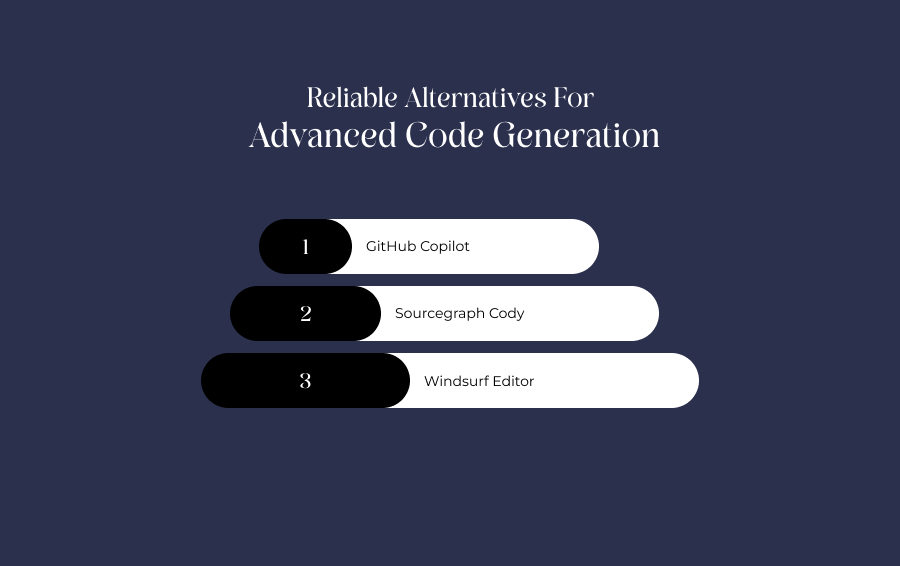
If your development uses highly specialized development environments or requires alternative enterprise licensing, examining competing options is a crucial aspect.
The broader development software market contains diverse extensions tailored for different IDE ecosystems.
- GitHub Copilot: The most widely deployed code completion extension, designed to integrate seamlessly across standard IDE platforms.
- Sourcegraph Cody: A powerful codebase intelligence tool that excels at searching, indexing, and explaining massive multi-repository enterprise code ecosystems.
- Windsurf Editor: An emerging AI native development workspace that challenges specialized configurations by focusing on deeply unified agentic execution cycles.
Navigating The Growing Workspace Efficiency Wave
This next-generation development platform completely validates the immense enthusiasm echoing across the global engineering community.
Instead of functioning as a superficial editor add-on, Cursor AI establishes a highly intuitive workspace that elevates developers into high-level system architects.
The combination of full project contextual awareness, zero-data-retention security protocols, and autonomous multi-file generation capabilities makes this tool an essential asset for modern workflows.
Ultimately, it proves that native AI integration can dramatically accelerate software ship times. And it does so without compromising code quality or bypassing standard development practices.