













If your day-to-day workflow involves wading through dense multi-page documents, you already know the sinking feeling of opening a fresh 150-page PDF.
Be it the fact that you are an academic researcher who is dissecting peer-reviewed studies or a lawyer who is auditing a corporate contract, manual screening is hectic.
Additionally, it eats away at your valuable creative hours, where you end up spending more time hunting down data than actually using it.
Now, take Humata AI into consideration. It is a cloud-based document analysis platform that is built explicitly to solve this specific issue.
Frequently described across tech communities as “ChatGPT for your local files”, the platform transforms dense and static text documents into interactive, chat-ready interfaces.
The platform utilizes advanced semantic processing along with structured text extraction. Accordingly, it acts as an on-demand research assistant that instantly reads, summarizes, and extracts precise insights from your personal data library.
But does the platform live up to its viral reputation, and how exactly does it handle data isolation, team scaling, and competitive performance?
This comprehensive, data-driven deep dive maps out everything you need to know about the software's mechanics. Besides that, it will give a detailed outline of its operational workflows, pricing structures, and real-world performance limitations.
The Overall Software Architecture Of Humata AI
Conceptually, Humata AI is a browser-native software-as-a-service (SaaS) tool that combines machine learning algorithms with a dual-pane user interface.
Instead of relying on open-source vector databases or requiring manual Python coding to string together custom language models, users simply drag and drop standard files into a secure web dashboard.
The technical architecture relies heavily on context-bounded data ingestion. When you upload a document, the system maps out the text, analyzes the conceptual links between words, and builds an isolated index.
When you ask a question, the platform queries only the specific data inside that folder. As a result, it radically mitigates the risk of structural hallucinations or artificial fabrications.
Core Technical Capabilities
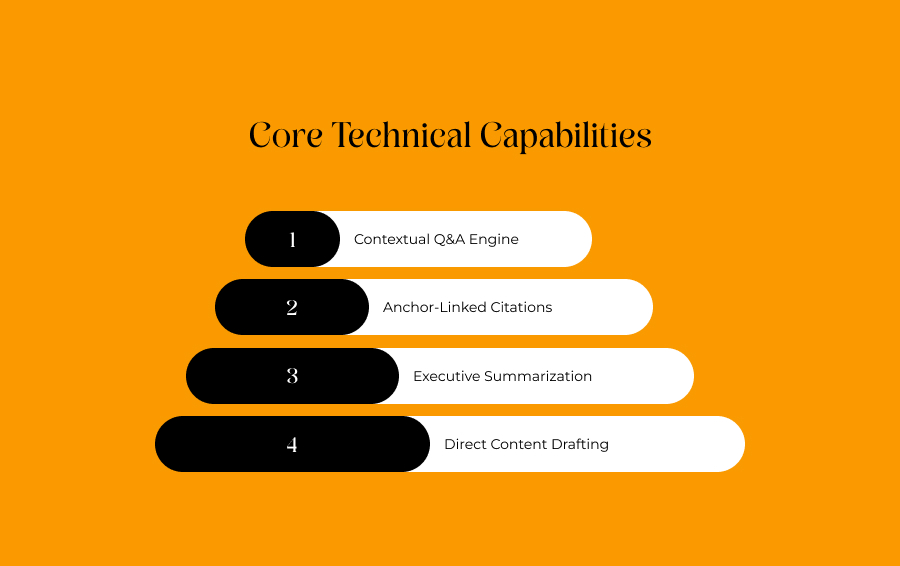
The tool goes far beyond simple keyword searches, serving as a comprehensive data retrieval pipeline. Furthermore, the platform breaks its core utility down into four primary pillars.
Contextual Q&A Engine
The foundational engine uses natural language processing to evaluate semantic intent over exact keywords.
This allows the AI to answer conceptual queries such as “identify systemic risks within section four” instead of just matching basic word phrases.
Anchor-Linked Citations
The software connects generated text responses directly to the pixel coordinates on the source PDF.
Clicking a reference marker automatically highlights the exact source paragraph instantly, making verification effortless.
Executive Summarization
The engine automatically parses structural layouts to isolate methodologies and key findings.
This allows users to evaluate the relevance of lengthy technical papers in seconds without a cover-to-cover read.
Direct Content Drafting
The system uses the underlying text database as a rigid structural blueprint for generation.
It can rapidly create clean executive summaries, blog briefs, or report notes based strictly on your uploaded files.
Subscription Plans And Real-World Pricing Dynamics
The official pricing framework tracks usage by total page count rather than raw query volume.
Additionally, this design means budgeting must account for the actual length of your documents rather than how many questions you ask.
| Pricing Tier | Base Monthly Cost | Monthly Page Allowance | Key Administrative Inclusions |
|---|---|---|---|
| Free Plan | $0 | 60 Pages | Single user chat preview, standard citations. |
| Expert Plan | $9.99 | 500 Pages | Built for independent professionals and small teams. |
| Team Plan | $49 (per user) | 5,000 Pages | Built-in OCR scanning and granular folder access controls. |
| Enterprise | Custom | Custom | Dedicated private clouds and explicit uptime SLAs. |
Note: For the Expert and Team plans, overage fees apply if you cross your monthly limit, typically tracking between $0.01 and $0.02 per extra page.
Concrete Advantages And Operational Challenges
No programmer can ever design a flawless productivity tool.
Moreover, deploying artificial intelligence to scan specialized source text carries structural realities that every professional user must evaluate.
That is, before integrating it into their daily operations.
High Efficiency And Hallucination Prevention
Here, the biggest asset is pure workspace efficiency.
The tool consolidates a split-view reader with instant page anchor links. As a result, it effectively eliminates the clunky process of jumping between a separate chatbot and a local PDF viewer.
Additionally, the tool defaults to an isolated data layout. Thus, it rarely invents external facts, which makes it exceptionally reliable for checking figures or rigid legal terms.
Visual Extraction Failures And Workflow Disconnects
However, users must be aware of specific performance bottlenecks.
Text extraction accuracy can drop sharply on the lower tiers if your PDFs feature the following:
- extremely dense and unoptimized visual diagrams
- complex multi-axis charts or handwriting
Furthermore, the system does not currently feature built-in inline editing. One thing to note is that there is no built-in text editor.
You must copy your summaries over to Google Docs or Microsoft Word, letting you refine your final report.
Alternative Solutions In The Document AI Space
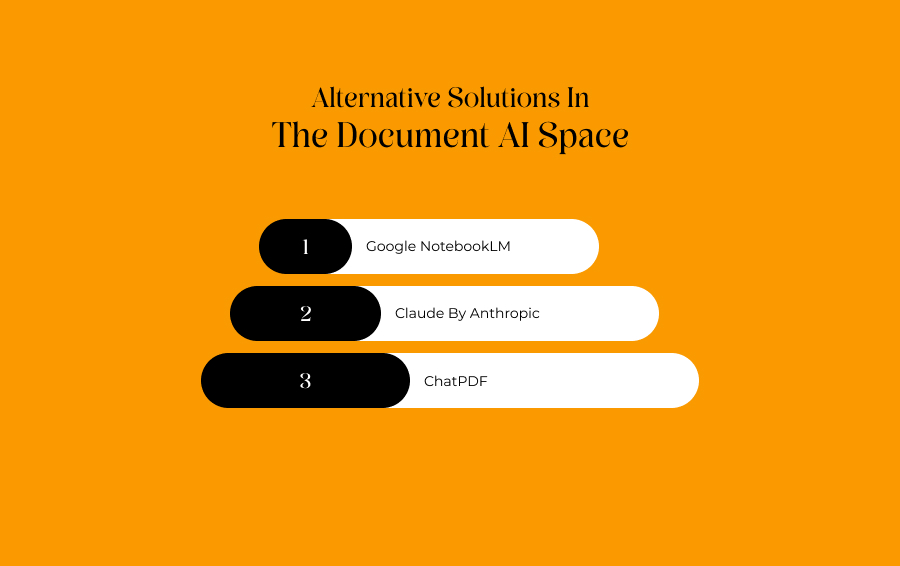
Depending on your specific operational goals, other tools in the market might supplement or replace your production pipeline.
Google NotebookLM
This platform focuses heavily on note-taking ecosystem integration.
In addition, it excels at automatically generating conversational audio overviews, multi-document study guides, and deeply interconnected research logs.
All of these are directly inside your workspace.
Claude By Anthropic
Because Claude is known for its massive, high-capacity native context windows, it is uniquely suited for large-scale thematic analysis.
It allows you to upload multiple massive text blocks into a single prompt for heavy analytical syntheses. All of that can be done without needing to organize them into folders first.
ChatPDF
When it comes to ChatPDF, it can be described as a hyper-focused, incredibly lightweight alternative built for rapid, transactional file viewing.
Ideal for quick and one-off single interactions, here you do not need a permanent team archive or structured workspace management.
A Crucial Upgrade For Modern Research
The days of manually highlighting line-by-line through thousands of pages of text are now coming to a quick close.
Humata AI serves as a prime example of how context-bounded language models can fundamentally reshape deep information synthesis.
One of the most significant tasks it performs is to free up professionals to focus on high-level analysis and critical strategy instead. All of this is done by handling the heavy lifting of reading, data isolation, and text mapping.
Though it cannot replace the actual critical thinking that is done by humans, it still stands as an invaluable asset for speeding up your research pipelines.
Ultimately, Humata AI is also helpful in organizing complex information and making hidden data instantly searchable.