












The marketing space is currently flooded with promises of “one-click viral short factories.”
Like most digital creators running multiple platforms, I have grown incredibly skeptical of these claims.
Most of these tools simply stitch generic stock footage over a robotic text-to-speech voice.
As a result, you are left with lazy and unpolished videos that social media algorithms immediately bury. To see if any of these suites could actually hold up under real studio pressure, I spent last week intensively testing Crayo AI.
I did not just run a couple of basic trial prompts. Instead, I purchased a paid plan, imported my own custom templates, cloned my voice, and ran dozens of automated visual workflows.
As a result, I was able to see exactly where the engine shines and where it hits a wall.
My testing focused entirely on the evaluation of its generation speeds, caption styling accuracy, and the hidden credit mathematics that will completely break your budget on not paying attention.
If you are trying to decide whether to integrate this platform into your workflow, here is the raw, unedited reality based on my actual dashboard experience.
First Impressions: Breaking Down The Ingestion Pipeline
The initial onboarding is remarkably lean, steering clear of the complex multi-track timelines you find in heavy desktop apps.
When you open the platform, the primary creation flow is dead simple.
If you provide a topic prompt or paste an original script, the system coordinates the asset assembly behind the scenes.
During my first test run, I typed a basic prompt tracking historical mysteries.
The automated script engine took less than ten seconds to output a structured script.
Following this, it automatically organized the text into short, punchy hooks designed for modern mobile feeds.
From there, the platform passed the script down to its vocal rendering engine.
I was pleasantly surprised to find that the default voice profiles completely bypass the stiff, mechanical tone of legacy AI tools.
Additionally, I saw that it delivers realistic breathing patterns and natural conversational pauses.
Deep Dive: The Core Modules Under Real Studio Testing
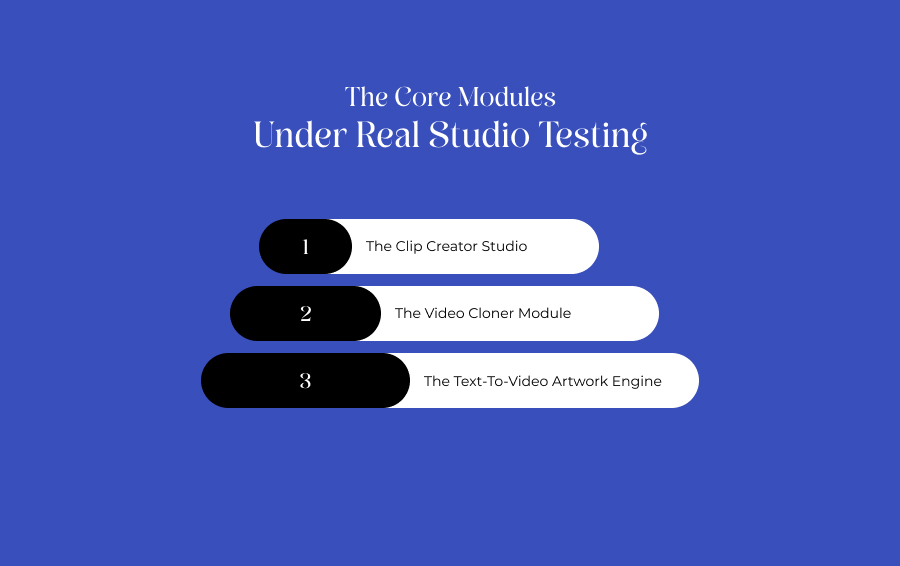
In order to thoroughly stress-test the system, I spent several days cycling content through its three primary functional spaces.
Each mode treats your source assets differently. Moreover, it offers varying degrees of manual control over the final export.
The Clip Creator Studio
This is the default faceless automation pipeline. I fed the system a pre-written motivational script, selected a narrative voice profile, and let the cloud renderer pull its own background loops.
The resulting video automatically layered the vocal track over satisfying split-screen mobile gameplay loops. This is the exact style dominating TikTok feeds right now.
The entire generation took exactly two minutes and forty seconds from prompt to downloadable file.
The Video Cloner Module
For my second test, I grabbed a public URL from a viral short-form video and pasted it into the cloner dashboard.
The tool immediately extracted the audio file, ran an internal speech-to-text pass, and analyzed the structural pacing of the hooks.
It then generated a fresh script variation that maintained the exact same pacing metrics as the source link.
This specific module is an exceptional asset for growth marketers who need to run rapid split-tests on trending viral hooks without rewriting scripts from scratch.
The Text-To-Video Artwork Engine
If you hate the look of repetitive stock background loops, the platform hosts a build-in image generator.
I used this engine to render original and highly stylized fantasy backdrops for a dark storytelling script.
While the generated artwork was visually impressive, processing custom backgrounds added an extra four minutes to my cloud queue time.
This is a significant factor to keep in mind if you are running mass distribution campaigns.
Real-World Observations: The Power And Pitfalls Of Caption Automation
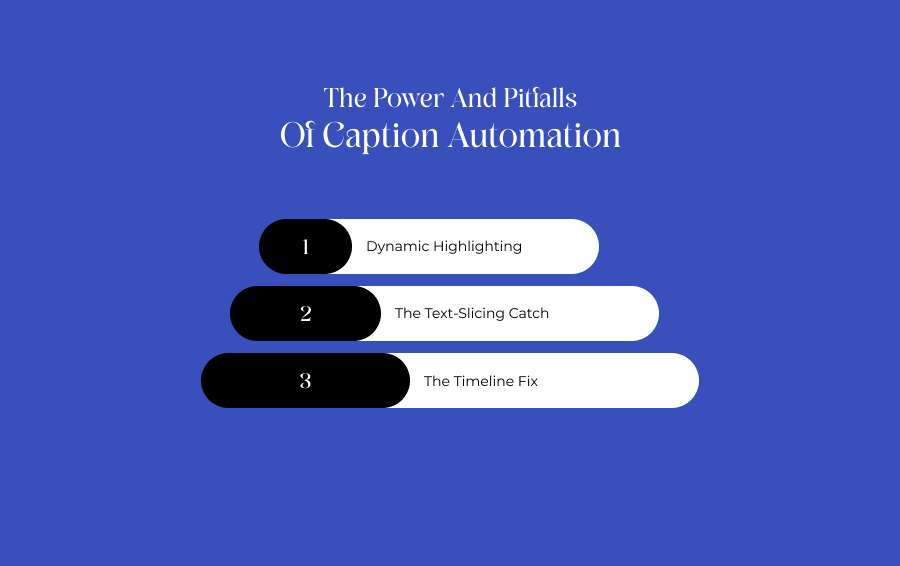
The single best feature I have encountered during my week of testing was the granular caption optimization panel.
The platform does not just overlay flat subtitles. Instead, it gives direct control over typography kinetics.
Dynamic Highlighting
I was able to customize the color mapping rules so that vital keywords automatically flashed in bright yellow the exact second they were spoken by the AI voice model.
This feature is critical for holding user attention on muted mobile feeds.
The Text-Slicing Catch
However, the automation is not flawless.
During a testing run on a dense educational script, the transcription engine completely misread where a natural sentence break occurred.
As a result, it cut off a word mid-frame.
The Timeline Fix
To resolve this particular issue, I had to manually step into the caption timeline and trim out the fluff words myself.
Fortunately, the software automatically re-synced the underlying audio file to match my edits.
As a result, this prevents a messy audio-visual desynchronization.
Token Realities: What You Actually Pay
The most critical factorm of Crayo AI you must navigate before commiting to the platform is its strict commercial pricing structure.
The app completely hidden its full pricing from the unlogged homepage, forcing you to register an account to see the true cost tiers.
My Cost And Plan Evaluation
| Testing Tier | Actual Monthly Outlay | Included Wallet Allotment | Hands-On Production Limits |
|---|---|---|---|
| The Hobby Plan | $19 per month (or $13 per month, if paid annually) | 50 workflow credits, 40 minutes of export time | Perfect for testing the ecosystem, but you will empty this limit quickly if you run long 60-second scripts |
| The Clipper Plan | $39 per month (or $27 per month if paid annually) | 4 hours of total export time, 500 AI images | The sweet spot for independent managers running three or more faceless channels simultaneously |
| The Pro Plan | $79 per month (or $55 per month if paid annually) | Max priority processing and unlimited asset rendering | Engineered specifically for professional content agencies that require zero queue delays |
(source: Pricing page of Crayo AI)
Warning on Billing Rules:
Every single purchase on the platform is completely final. There are absolutely no partial refunds if you decide the tool isn't right for your workflow halfway through the month, so I highly recommend testing the basic Hobby tier before pulling out a card for annual billing.
Comparing The Workspace: Finding The Right Match
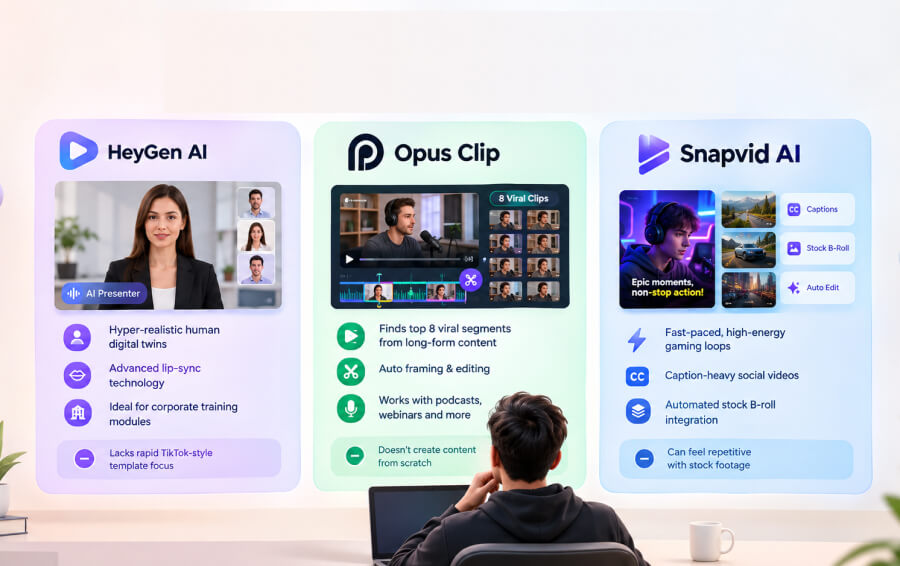
If your content strategy requires hyper-realistic human presentation or deep multi-track audio editing control, several alternatives on my studio radar might serve you better.
HeyGen AI
HeyGen AI is the industry standard for professional corporate video presenter tools.
Unlike the faceless background loops of Crayo AI, it focuses entirely on hyper-realistic human digital twins and advanced lip-sync technology.
It is a superior choice for corporate training modules, but it lacks the rapid TikTok-style template focus.
Opus Clip
If you already record long-form podcast conversations or webinars, skip original generation entirely and use Opus.
It doesn't create content from scratch.
However, its AI excels at scrubbing hours of raw footage and isolating the top eight viral segments while handling the framing for you.
Snapvid AI
A direct competitor in the faceless generation space.
While the core platform excels at fast-paced, high-energy gaming loops, Snapvid focuses on caption-heavy social videos and automated stock B-roll integration.
As a result, this makes it a smoother choice if you want to avoid a repetitive stock-footage look.
Weighing The Overall Outcome: Is It Worth Your Money?
Overall, my week with the Crayo AI Web Editor proved that the software is a highly effective, speed-first asset accelerator.
It completely eliminates the tedious hours spent masking backgrounds, syncing audio tracks, and formatting layout ratios manually.
However, you must customize your outputs.
If you rely entirely on the stock templates without modifying your fonts, highlighting your keywords, or shifting your themes, your videos will look identical to thousands of other automated channels.
As long as you actively use the timeline editor to refine your hooks and budget your monthly credits carefully, this platform serves as an incredibly powerful tool for scaling a high-volume short-form presence.