
LPG Safety Tips And Precautions For Your Home

Published on: 12 April 2021 Last Updated on: 27 December 2024
LPG Safety Tips

LPG is the need of every household as it is used as the primary fuel for cooking. Some people also use LPG for heating purposes.

It is a highly flammable gas, so it is essential for users to use it cautiously. Households and food businesses must take extreme care while using LPG for cooking and heating.

You can do many things to use LPG safely in your home. This post shares some best tips and precautions to use LPG in your home.

Buy from an authorized distributor:

Many people buy gas equipment from retail stores, but it is better to buy from an authorized distributor. The gas equipment available at the authorized franchisee is authorized by the gas company and compatible with the LPG cylinder of that company.

So, when you buy gas equipment from an authorized company distributor, the chances of malfunctioning are very low.

Transporting Gas Cylinders:

Many accidents happen during the transportation of gas cylinders. The most common reason for these accidents is the improper handling of cylinders. Many delivery boys put the cylinder on the ground with a jerk and roll it on the ground while carrying it from their vehicle to home.

This causes the collision of gas molecules inside the cylinder, which produces heat and can be dangerous. Therefore, LPG cylinders need to be handled very carefully.

Always Check the seal and gasket:

Sometimes, the seal or gasket of the cylinder is damaged, causing the gas to leak. Always check the company seal and gasket while taking the delivery of the cylinder. Ask the delivery boy to open the seal in front of you, and then you can put some water in the valve.

If you see bubbles rising from the water, the gasket is worn, causing leakage. In such a case, ask the delivery boy to replace the cylinder immediately.

Inspect Regularly:
Inspect regularly

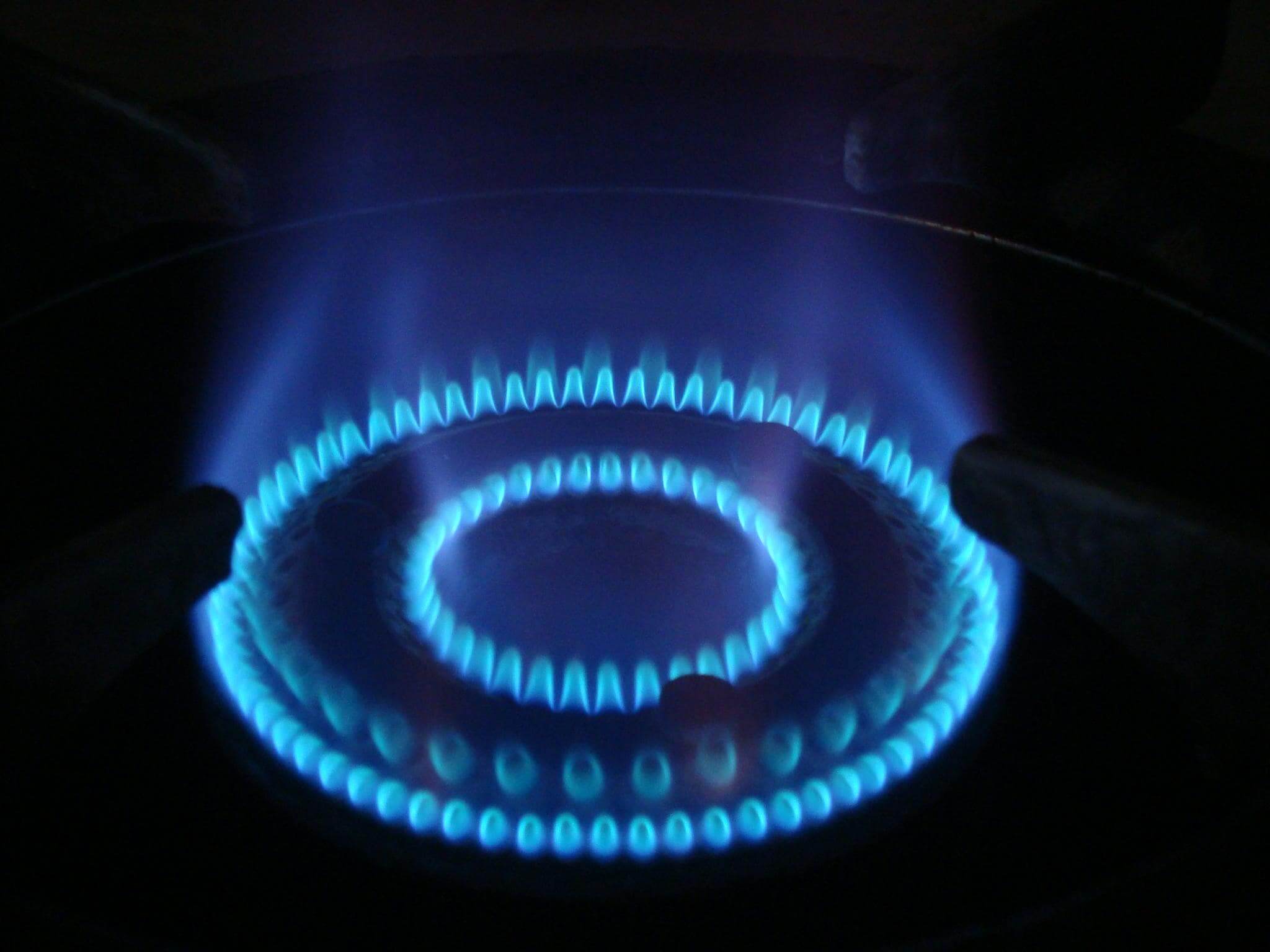
As LPG can leak from every tiny hole or crack in the gas equipment or accessories, it is essential to check it regularly. Check your gas equipment every week to ensure there are no cuts or cracks in any part of the equipment, including accessories.

In case of any problem with the gas stove, call a professional for its repair. If the accessories like a gas hose or regulator are malfunctioning, replace them immediately to prevent leakage. Also, don’t use the gas until the problem is fixed by a gas engineer.

Check the expiry date of the cylinder:

All gas cylinders are required to be retested and replaced every ten years. The expiry date is usually stamped or written on the neck of the cylinder. If the stamped expiry date is passed, the cylinder cannot be refilled. If you get a cylinder with an expiry date passed, you should immediately return and get it replaced as it can be dangerous.

Ventilation is important:

LPG users should always place the gas equipment in a ventilated area. It means your kitchen should be well-ventilated to expel the gas in case of a leakage. If your kitchen is not well-ventilated, you can install an exhaust fan in your ventilator or window to expel the smoke. It also expels any gas leaked from your gas equipment.

Place the spare cylinder carefully:

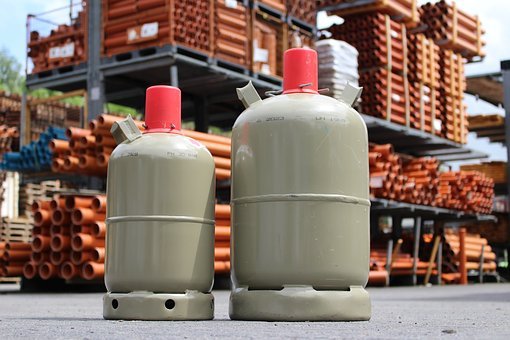
Many people have a spare cylinder in their house, and they place it in a place other than the kitchen. Some homeowners place the spare cylinder in the storeroom, while others place it in any room. However, a cylinder should only be placed in the kitchen or an open area such as a patio.

Plus is one of the best LPG gas suppliers in Queensland, Australia. They claim to offer same-day delivery or next-day delivery in Brisbane, Gold Coast, Ipswich, and Toowoomba. If you are located in any of these regions, you can choose them for LPG supplies.

Related: Pros and Cons of Oil and Gas Investment

Don’ts: Things to Avoid for LPG Safety & Precautions

Aside from following all the above-mentioned tips, remember not to forget the following tips –

Don’t Keep the Cylinder in a Horizontal Position

When you have an LPG cylinder at home, don’t keep it in a flipped position. Always keep it in an upright position to avoid accidents like gas leakage, explosion, and fire.

When you keep the cylinder laid down, gravity makes the liquid set at the bottom of the cylinder, thereby leaving no space for the vapor to form. This is something that leads to gas leakage.

Complications can also arise when the cylinder is withdrawn in a horizontal position. This makes the liquid phase evaporate inside the pipe system. It can also happen in the consumer’s equipment. This causes the pressure to increase, and start icing off the fitting, making the safety device respond to prevent overpressure.

Keep Away from Heat

Keep your LPG cylinder in a position where it doesn’t catch much heat. Also, it shouldn’t be heated under any condition. When you heat the cylinder it will cause the gas to leak at rapid speed and create a flammable vapor. This vapor is highly flammable and can catch fire at any moment.

If your LPG cylinder is constantly getting heated, it can cause the entire cylinder to weaken over time. It’s easy for a weakened cylinder to easily fail under high pressure.

Don’t Leave the Safety Valve Unchecked

All the mistakes regarding the mishandling of LPG cylinders lead to leakage and explosions. If you leave the safety valve unchecked for a long time, it’ll lead to gas leaks leading to fires, asphyxiation, and explosions. LPG gas is highly flammable, which is why you deal with all these complications if you leave the cylinder valve unchecked.

Don’t Smoke Around The Cylinder

There’s no need to point out that the cylinder has flammable gas, and there can be a leakage at any point in time. So, build a habit of not smoking close to the place where you keep the gas cylinder.

Final Words:

These are some gas safety tips for households. Using reliable gas equipment and getting supplies from an authorized distributor can enhance the safety of your house. Following the tips in this post can help homeowners to use the LPG safely and conveniently.

Also, if you notice any case of gas leakage, instantly evacuate the area. If it’s due to the cylinder knob left open, close it instantly. Also, call people who are authorized to handle such delicate situations for help.

Read Also:


A passionate writer and an avid reader, Soumava is academically inclined and loves writing on topics requiring deep research. Having 3+ years of experience, Soumava also loves writing blogs in other domains, including digital marketing, business, technology, travel, and sports.

View all posts

Leave a Reply

Your email address will not be published. Required fields are marked *

Related

your IP has been temporarily blocked

Your IP Has Been Temporarily Blocked – How To Unblock It?

Although it doesn't happen often, the "your IP has been temporarily blocked" warning will keep you from visiting a website. The error could show if you've attempted to log in too frequently or if you've broken the site's terms of service by uploading prohibited information, for example. Therefore, to learn how to prevent this issue from happening again, read this guide post till the end. Here, you will learn ten different ways to fix this issue. How To Fix The “Your IP Has Been Temporarily Blocked” Issue? To prevent the “your IP has been temporarily blocked” error from happening again, here are the steps you can take: 1. Just Wait A website frequently temporarily blocks IP addresses. For instance, if you tried to log in too many times using invalid credentials, you may be barred or banned for 24 hours before being allowed to try again. You can either wait a day or see the website's terms of service for details now only. 2. Use VPN Websites may restrict your IP address as a result of a country ban, as was already indicated. Use a VPN to conceal your IP address in order to get around such a limitation. You will be able to access the website since it will seem as though you are visiting from somewhere else. Free VPNs are available, however commercial services are more likely to ensure that your IP address is hidden. You will be able to view the website that has blocked your access after you sign up for a VPN. Check out our list of the top 10 VPN service providers if you're unclear about how to choose a VPN service. 3. Properly Configure Your Network And Mail Servers Incorrectly placed letters or digits might potentially be the reason your IP address is blocked. Your network and mail server need to be configured correctly because of this. Contact the blacklist to get your name taken off of it. 4. Connect To A Different Wi-Fi Network You should also think about joining a fresh Wi-Fi network. A new IP address is generated while joining a Wi-Fi network. This may be a short workaround to enable you to view the website to which access has been limited. 5. Check If They Blacklisted Your IP Image Source: thryv.com Many websites are members of IP address blacklists that are open to the public. These lists are frequently gathered from well-known spammers, and banning the addresses can assist website owners to keep unwanted visitors away and stop spam abuse.  However, it's possible that one of these blacklists listed your IP address by mistake. The good news here is that you can check your IP Address on a website called WhatIsMyIPAddress.com. If it shows up on their lists after entering your IP address is automatically detected, the website will notify you. 6. Update Your OS If your computer hasn't received any updates in a while, malware might infect it and restrict your IP address. You may improve your computer's usefulness and security by upgrading it. If you use a Windows computer, here’s what you should know: First, go to Settings. Here, choose Update & Security. Then click on Windows Updates to see whether any updates are available for installation. If you use a Mac computer, then here’s what you should do: First, open System Preferences. Then, select the App Store. Finally, select Show Updates. Wait a day after the upgrade is complete before attempting to access the website that has restricted you. 7. Try Detecting Malware The problem regarding “why your IP has been banned” can stem from various malware that might have entered your system. This error is typically shown when your IP address has been compromised and your system is now transmitting spam, or even launching DoS attacks in the background. Therefore, you should scan your computer using antivirus software. To get the best internet security, I recommend using premium antivirus software that always runs in the background. Here, if you're using Windows, follow the steps explained below: First, click on Start and type "Security".  When Windows Security appears in the search results, click on it.  After selecting Virus & threat protection, do a Quick scan. 8. Change To A New IP Address If you want to, you can shift to a new IP address by temporarily changing it using your VPN software. Do this if your IP has been banned. To do so on a Windows computer, follow the steps below: First, open the Control Panel by searching for it on the Search bar from the Start menu. Then, click on Network and Internet. Here, click on Network Connections. Now, you will get a list of all the network adapters you have paired with. Select the one you are using and want to change its IP. To do so on an Apple computer, follow the steps below: Navigate to System Preferences. Here, open Network. Now, click on Advanced Button. Then, click on the TCP/ICP menu. Here, you need to add a new TCP/IP configuration. To do so, click on the + sign here. Then, select Manual and enter the new IP address. 9. Use Proxy Servers That Are Free If you don't want to spend money on a VPN, you can use a free proxy server. A proxy server is a server that stands between an internet user's request and the website or page they are trying to access. Your IP address is concealed by the proxy, enhancing your privacy and independence. Keep in mind, though, that a lot of websites and services are aware of proxy servers and will ban the IP addresses of public proxy servers. You will be informed that "the owner of this website has blacklisted your IP address" if they catch you. Remember that you should never browse with proxy servers when providing personal information. 10. Blame The Webmaster If you searched the terms of service of the website for information on why your IP address was blocked but couldn't find anything, you may contact the webmaster — particularly if it's a tiny website that interacts with its users frequently. If your IP address is being blocked, the webmaster can tell you why it’s being restricted and how to fix it. Frequently Asked Questions (FAQs): People using the internet have asked various questions similar to “why is my IP address blocked” and “unblock IP address”. Here are my answers to their queries: Q1. Why Did Instagram Block My IP Address? Ans: Instagram might have blocked your IP address because they might have blacklisted your IP address. This can happen because you might have posted content that might have violated their terms and conditions. If this is not the case, then you might have a problem with your Internet Service Provider (ISP). Q2. How Long Does An IP Ban Last? Ans: On Instagram, an IP ban might last anywhere between 24 hours to 48 hours. This depends on the severity of your actions. If it's pretty severe, then Instagram might block you permanently. Q3. Why Did Cloudflare Block My IP Address? Ans: Sometimes, many of the websites that we visit can contain harmful malicious content in them. If Cloudflare detects this, it can block your IP address from accessing that website. Unblock Your IP Now! There are various reasons why you might see the “your IP has been temporarily blocked” error. It can be because your IP has been blocked by the website, or there are various problems with your ISP. To fix this issue, you can either wait for some time or use VPN software to change your IP. In addition, you can also use free proxy servers, or contact the webmaster if you wish to. If you have any similar questions regarding this that you would like an answer to, you can reach out to me by commenting down below! Read Also: 5 Tips to Improve Your Internet Privacy Will The Internet Become A Commodity? Top 7 Torrent Applications with VPN Support

READ MOREDetails
Cybersecurity Solutions

Reasons Your Business Needs Cybersecurity Solutions

Cybersecurity solutions are technologies, tools, and best practices that protect an organization's networks, systems, and data from cyber threats. These solutions can include a variety of different types of security measures, such as: Firewalls are network security systems that monitor and control incoming and outgoing network traffic based on a set of security rules and policies. Firewalls can be implemented in hardware, software, or a combination. Intrusion detection and prevention (IDP): These security technologies detect and prevent unauthorized access to a network or system. IDP systems monitor network and system activities for suspicious activity and can take action to block or alert any detected intrusions. Encryption: This is the process of converting plaintext into a coded format, known as ciphertext, to protect data from unauthorized access. Virtual Private Networks (VPNs): These secure networks encrypt and protect data as it is transmitted over the internet. Antivirus and anti-malware software: These programs detect and remove malware from a computer or network. Identity and Access Management (IAM): This is managing the identities of users, devices, and other entities in a network, as well as access to resources. Network access control (NAC): This is a security solution that helps to ensure that only authorized users and devices can access a network. Security Information and Event Management (SIEM): This is a security management solution used to collect and analyze data from multiple security systems to identify and respond to security incidents. The Essential Elements Of Cyber Security Typically Include The Following Network security: This includes firewalls, intrusion detection and prevention systems, virtual private networks (VPNs), and other security measures to protect an organization's networks from unauthorized access and cyber threats. Endpoint security: This includes using antivirus and anti-malware software, as well as other security measures, to protect an organization's endpoints (such as computers, laptops, and mobile devices) from cyber threats. Access control: This includes using identity and access management (IAM) systems to control and monitor who has access to an organization's networks, systems, and data. It can also include privileged access management, which is essentially a subset of IAM that deals with specific groups of users with the same profile type. Security awareness and training: This includes training employees to recognize and respond to security threats and promoting a culture of security within an organization. Continuous monitoring includes constant monitoring and analysis of an organization's security posture, as well as implementing proactive security measures such as threat intelligence and vulnerability management. By implementing these essential elements of cyber security, organizations can better protect their networks, systems, and data from cyber threats and minimize the potential impact of a security breach. There Are Several Reasons Why Your Business Needs Cybersecurity Solutions: Protection against cyber threats: Cybersecurity solutions can help to protect your business against a wide range of cyber threats, such as malware, ransomware, and hackers. Compliance with regulations: Many industries are subject to rules that require businesses to implement certain security measures to protect sensitive data. Cybersecurity solutions can help your business to comply with these regulations and avoid fines. Protection of sensitive information: Cybersecurity solutions can help to protect sensitive information such as customer data, financial information, and trade secrets from being stolen or compromised. Minimizing business disruption: Cybersecurity solutions can help reduce a security breach's impact on your business by quickly detecting and responding to incidents. Maintaining customer trust: Cybersecurity solutions can help to protect your customers' personal and financial information, which is critical for maintaining their trust in your business. Cost savings: Implementing cybersecurity solutions can be more cost-effective in the long run than dealing with the consequences of a security breach. Competitive advantage: Having robust cybersecurity measures in place can give your business a competitive advantage over others in your industry. Continuous improvement: Cybersecurity solutions can help you to continuously monitor and improve your security posture, to be ready for new threats. Factors To Choose The Right Cybersecurity Solution For Your Business When choosing the right cybersecurity solutions for your business, there are several factors to consider: Business needs: Consider the specific security needs of your business, such as the types of data and systems that need protection and the regulatory compliance requirements you need to meet. Scalability: Choose a solution that can easily scale to accommodate your business's growth and changing security needs. Integration: Consider how well the solution can integrate with your existing systems and infrastructure to provide a seamless security solution. Ease of use: Choose a solution that is easy to use and manage so your IT staff can effectively maintain it. Cost: Compare the prices of different solutions and consider the value the solution offers compared to the cost. Technical support: Choose a solution that provides comprehensive technical support so that you can quickly resolve any issues that may arise. Data retention and privacy: Consider the solution's data retention policies, how it handles and stores your data, and its compliance with relevant data privacy regulations. Experience and reputation: Investigate the vendor's expertise and reputation in the industry and their track record of successfully providing cybersecurity solutions to other clients. Flexibility: Look for a cybersecurity solution that can be customized to meet the specific needs of your business. By considering these factors, you can choose a cybersecurity solution that is the right fit for your business and provides the best protection for your networks, systems, and data. Read Also: What Is Zero Trust In Cybersecurity Context? 4 P's Of Security The 4 P's of security is a framework used to help organizations implement a comprehensive security strategy. The 4 P's include: 1. People This refers to the employees, contractors, and other individuals who have access to an organization's networks, systems, and data. This includes implementing security awareness and training programs, background checks, and other measures to ensure that only authorized individuals can access sensitive information. 2. Processes These refer to the policies, procedures, and guidelines that an organization has in place to manage and secure its networks, systems, and data. This includes incident response plans, security testing, and other security measures. 3. Technology This refers to the hardware, software, and other technologies that an organization uses to protect its networks, systems, and data. This includes firewalls, intrusion detection and prevention strategies, antivirus and anti-malware software, and other security measures. 4. Partners This refers to the third-party vendors, suppliers, and other partners that an organization works with. This includes ensuring that these partners have adequate security measures and comply with the organization's security policies and procedures. By focusing on these 4 P's of security, organizations can create a comprehensive security strategy that covers all security aspects, including people, processes, technology, and partners. Wrapping Up Overall, cybersecurity solutions are essential for protecting your business from cyber threats and maintaining the trust of your customers. It's important to consider your business's specific needs and implement a comprehensive cybersecurity strategy to protect your business and its assets. Read Also: Common IT Security Risks in the Workplace Everything You Need To Know About PKI In Cybersecurity Would Your E-commerce Website Pass the Cybersecurity Test? Here are 3 Things You Could be Doing Wrong

READ MOREDetails
Fire Protection

Access Control Systems And Fire Protection For Protecting Your London Company

You should have a checklist of safety precautions for your office space and employees, including an escape plan, emergency contact information, and floor plans. Employees should practice their exit routes and regularly hold meetings on safety as this is the most important thing every employer should worry about. You should have an alarm system installed, and you should have a safety plan in place. You should also maintain a clean office space as any extra items left around are as good as kindling.  Safety is essential for all companies, and the above tips will help keep your office safe. Workplace Safety Checklist Working with a workplace safety checklist is essential to ensure that all aspects of your business are protected in the event of a fire. These checklists cover everything from evacuation routes to emergency response procedures. These are the first steps to preventing a devastating fire and should be practiced at regular intervals. Practicing your workplace fire plan will reduce the risk of injuries and fatalities. Below are some of the most important steps to take to protect your business. First, identify any potential hazards. You can either develop a standard checklist or customize it to address the specific hazards your company faces. Whatever checklist you create, make sure it covers the same basic safety needs. Your employees need to know what chemicals they should avoid and what training they need. The checklist should also address mechanical safeguards and report unsafe conditions immediately. Finally, remember that the responsibility for workplace safety falls on the shoulders of supervisors and managers. In addition to implementing a prevention program, you need to make sure that your employees know how to identify and avoid hazards. Note: Fire safety requires that employees understand that it needs three things to burn: heat, flammable objects, and oxygen. Employees must also be trained in the proper use of alarms and suppression systems, report fires, and use extinguishers. It is important to have a safety plan in place so that you don't have to deal with the aftermath of a fire. Properly Installed Alarms Having a properly installed alarm system for your company is essential for protecting your assets and employees. The first step in this process is to ensure that your alarms are being monitored. It is imperative that all employees are aware of safety procedures, and a properly monitored alarm can save lives during a fire. Damaged or faulty electrical cords, outlets, and recycling materials can all contribute to the occurrence of a fire. Also, make sure that all exits are clearly marked, and that employees have unobstructed access to safety equipment. Safety training and provisions for disabled employees are also important. Once the alarm is activated, a professionally installed alarm will notify the local firehouse. This will allow first responders to get to your business sooner, minimizing the damage. In addition, a professionally installed alarm system will allow you to focus on running your company and evaluating the damage, while a firehouse responds. Using them with access control systems can be faster, safer, and more efficient if your alarm system is installed and maintained properly. The process of installing an alarm is critical to its function. Always hire a professional for installation, as this process is crucial to the functioning of the system. Note: Make sure that the alarm installation team is knowledgeable, experienced, and licensed. A reputable alarm company will send a representative to inspect your business and discuss your needs, as well as your budget. A properly installed alarm system will also provide reliable security for you and your entire company. Preparation The best way to prevent workplace fires is to take the proper precautions. While fires are generally unexpected and unplanned, most can be prevented with a few extra steps. A comprehensive safety plan outlines the steps that employees must take in the event of a fire, including how to sound an alarm, notify the firehouse, and evacuate the building's occupants. In addition, all employees and managers should be aware of these procedures. It is never a good time to forget about them! Proper preparation for safety begins with identifying the sources of fire in the workplace by clicking here. Keep flammable materials away from heat-generating equipment, cigarette butts, and running appliances. Note: Keeping work areas clean and uncluttered is key to preventing the spread of fire. Additionally, training an employee to inspect fire sprinkler gauges and control valves is critical. Make sure employees understand how to operate and maintain safety systems and how to deal with unexpected emergencies. Evacuation Plan Your company should have an evacuation plan for fire protection. A plan like the ones found here: www.ready.gov/home-fire-escape-plan, should outline the steps that your employees should take during an emergency, including a chain of command and a communications plan. The plan should include practice times so everyone can familiarize themselves with the plan. A practice drill will also allow your employees to see how it will work. If your company is large, there are likely different requirements depending on where you do business. When practicing the evacuation plan, employees should familiarize themselves with the steps to take, including the location of fire extinguishers, emergency exits, and any other information that is helpful in an emergency. Employees should also know to follow the instructions of the fire warden to stay safe. It is also important to remember not to use elevators if the fire is in a building. Also, do not leave anything inside an elevator shaft. Even though they may be convenient, they can become blocked by smoke or fire. A good fire evacuation plan should include all employees, contractors, temporary workers, and customers. Note: While it may not be appropriate to include remote workers, they need to be informed about what is going on. It is essential to create a plan for fire protection in your company that covers all scenarios. This way, all employees can remain safe and productive in an emergency. If you don't have a fire evacuation plan, you could get in trouble with the authorities. Additionals: Why Use Safety Valves? Introduction to Safety Valves Strategies For Preventing Workplace Injuries Proactively How To React When An Employee Sustains Workplace Injury What To Do About Discrimination In The Workplace: First Steps To Take

READ MOREDetails