











Why Online Gaming Companies Need Dedicated Server

Published on: 10 August 2019 Last Updated on: 13 September 2024
Dedicated Server

The term dedicated server gets chucked around a lot nowadays. It can be used to describe both physical hardware and it can also describe a non-tangible software.

In this article, we talk about the main differences in these and then focus on the more important points of physical dedicated servers.

What Do People Mean When They Say Dedicated Server?

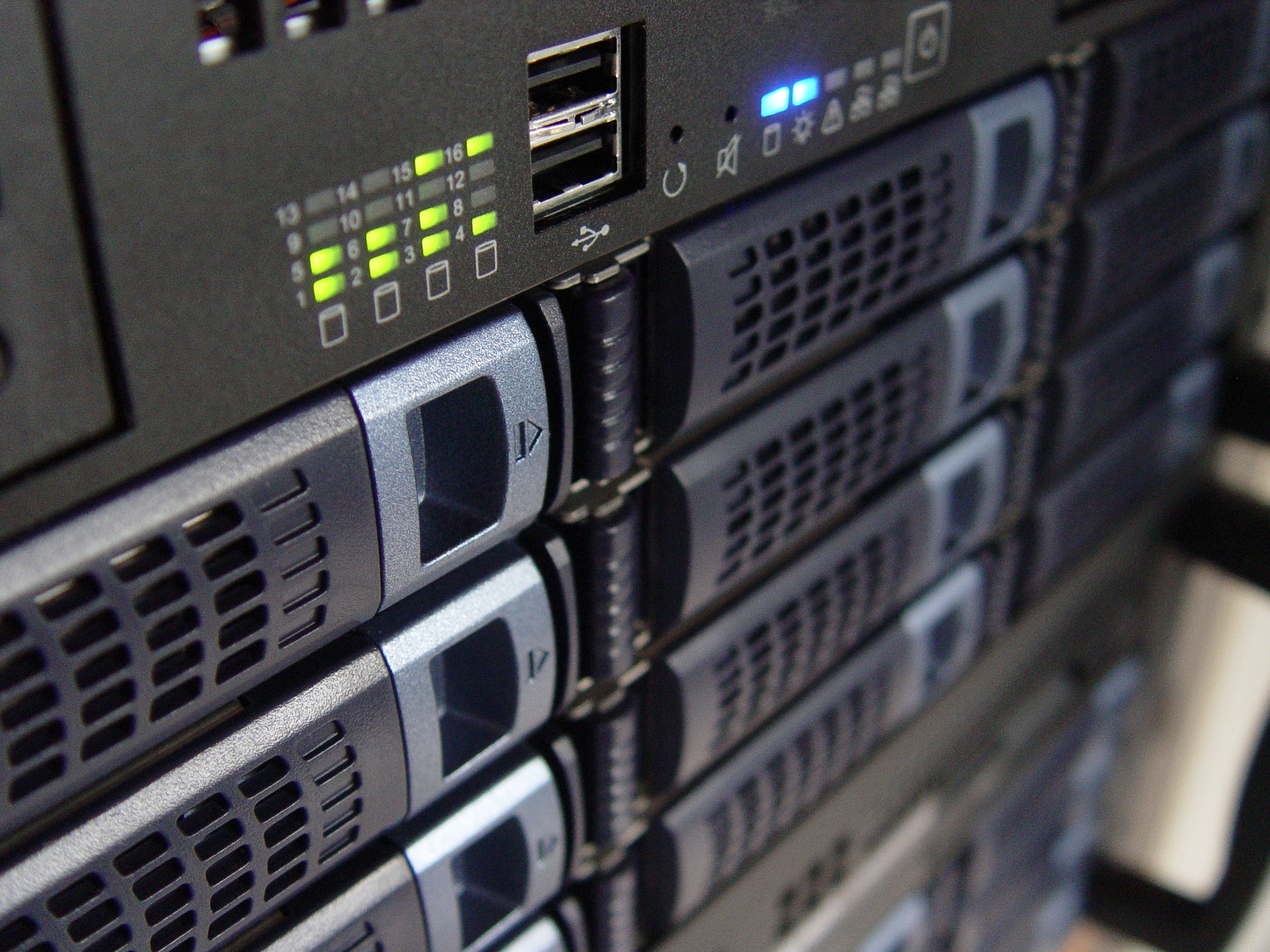
If you are talking about hardware in the hosting world then you are referring to a dedicated machine that typically lives in a data-center. Usually, this is a high powered rackmount power-hungry beast with multiple processors, storage devices and enough RAM to shake a stick at.

The alternative to this (and so not a “dedicated” server) would be a VPS. A “virtual private server” is a smaller server that runs inside a dedicated server and shares its resources with other VPS on the same machine. The benefit of a VPS is that you can get access to computing resources without having to own/rent a whole physical server.

If you are talking about a non-physical dedicated server then you are probably talking about a set of files that are run to create a persistent online gaming environment. The “dedicated” part for this comes from the fact that it is kept running all the time in order for the game logic to carry on without human intervention.

The Disadvantages of a Dedicated Server:

So all the power of a dedicated machine sounds like a dream come true for gaming companies, but with great power comes great responsibility.

If you buy and own your dedicated servers then you will be responsible for “co-locating” them. This is the term used to describe where you keep them, so choosing a suitable data-center and then ensuring that it is a safe and reliable physical environment to keep it in.

Now you have a co-located dedicated server (bought or rented) you need to ensure that it is protected from outside dangers. Every IP address in the world is routinely checked for back door entries by hackers. It’s the digital equivalent of going around your neighborhood at night and checking to see if any windows or doors are left open. Hackers love an easy entry and this process is easy to automate.

Once you are then finished with the machine, it can be a bit of a hassle getting rid of it, it can require multiple transportations in order to sell it.

The reduction in value is also another nail in the coffin for buying a dedicated server rather than renting too. Then comes maintenance, if you need to fix an owned dedicated server that is in a data-center halfway around the world you may have to pay a fee for on-site staff to do the work. Downtime for an owned machine is the responsibility of the owner and can cause a mass of problems which if renting could be sorted by shifting to another rented machine.

Why a Gaming Company Would Need a Dedicated Server:

As a gaming company, you would need a dedicated server (well you would probably need a lot for most titles released in this day of age) to handle the mass of data required for managing your players. Even if your game is not multiplayer you may still release regular updates that require syncing up with players and distributing the newly released code for your game.

If your game releases are multiplayer then your computing demand will probably be huge. If you decided to host all of the game servers in a house like game publisher Electronic Arts do (in order to control who gets hold of the server source code) then you will need to scale with the number of players.

Scaling is possible with services such as Amazon Web Services that stretch with your increased demand. You pay on a usage basis, so the more/less you use the more/less you pay. This is massively useful for gaming companies who can release titles that are the most played for a few months and then replaced within a few weeks by something better.

Keeping your gaming company’s website on a dedicated server may be a bit overkill unless you expect massive traffic. With many publishers selling their game catalog through platforms like Steam (online game buying platforms that feature games like Ark: Survival Evolved and Unturned) it has really taken the pressure off their in house systems and reduced costs in that respect for e-commerce and community features.

Dedicated servers are also important in the development of 3D assets as a large amount of computing power needed can be shared across networks. It was said that the biggest let down for the 3D special effects on the award-winning film Titanic was the lack of computing power to make realistic looking waves.

Read Also:

Content Rally wrapped around an online publication where you can publish your own intellectuals. It is a publishing platform designed to make great stories by content creators. This is your era, your place to be online. So come forward share your views, thoughts and ideas via Content Rally.

View all posts

Leave a Reply

Your email address will not be published. Required fields are marked *

Related

3d PrintingTechniques And Application In The Energy Sector

3d Printing: Techniques And Application In The Energy Sector

3D printing is manufacturing by constructing a three-dimensional object from a digital 3D model. Emerging technologies like 3D printing have brought revolutionary advancements in various industries, and the energy sector is no exception. This article focuses on the techniques and applications of 3D printing in the energy sector, highlighting its potential to transform traditional manufacturing processes, optimize efficiency, and support sustainable practices. Types Of 3D Printing Techniques For the Energy Sector There are several techniques employed in 3D printing, including Fused Deposition Modeling (FDM), Selective Laser Sintering (SLS), and Stereolithography (SLA). Each plays a significant role in rapid 3D printing services. Here's a detailed explanation of these 3D printing methods: Fused Deposition Modeling (FDM): FDM is the most famous 3D printing technique, where a thermoplastic filament is heated, and a 3D object is formed. FDM enables the production of complex shapes, intricate designs, and functional prototypes that improve energy systems. Selective Laser Sintering (SLS): SLM employs a high-powered laser to selectively fuse powdered materials, predominantly metals, generating durable and intricate components. This technique finds applications in manufacturing heat exchangers, turbines, and other robust energy system components. Stereolithography (SLA): SLA uses a liquid resin and solidifies it when exposed to a specific wavelength of light, creating precise and high-resolution objects. SLA produces custom-made energy storage systems, solar panels, and intricate electrical components for better energy utilization. Advantages Of 3D Printing In The Energy Sector There are several advantages of 3D printing, of which it has been in the leading demand. Some basic benefits are explained below:- Cost Reduction: 3D printing allows the production of intricate and complex components in a single process, eliminating the need for assembly. It reduces manufacturing, increases efficiency, and lowers production. Customization And Optimization: The flexibility of 3D printing enables the customization of energy components based on specific requirements. By optimizing shapes and structures, energy systems can be designed for optimal functionality, resulting in enhanced performance and reduced energy wastage. Supply Chain Sustainability: Traditionally, energy systems rely on extensive global supply chains. Implementing 3D printing can reduce the dependence on transportation, minimize carbon footprints, and shorten lead times, contributing to a more sustainable energy sector. Improved Efficiency: 3D printing enables the creation of lightweight components with intricate geometries, reducing energy consumption and improving overall system efficiency. This translates to enhanced energy generation, transmission, and storage capabilities. Application Areas In The Energy Sector 3D printing is applicable in some areas in the energy sector as follows:- Renewable Energy Components: 3D printing facilitates the production of wind turbine blades, 3d printed solar panels, and energy storage systems, allowing customized designs that maximize energy output and efficiency. Optoelectronic devices like photovoltaics and sensors can also benefit from 3D printing. Energy Infrastructure: 3D printing for manufacturing pipes, heat exchangers, and valves reduces costs and enhances their resistance to corrosion, heat, and pressure. Advanced materials and designs derived from 3D printing contribute to safer and more reliable energy infrastructure. Energy Efficiency Devices: Customizable and intricate designs are made possible with 3D printing in developing energy-efficient devices like heat sinks, smart meters, and sensors. These technologies enable better monitoring, optimization, and management of energy consumption. Tooling And Prototyping: 3D printing expedites the process of producing prototypes and specialized tools for testing and maintenance within the energy sector. This results in faster innovation cycles and improved productivity. How  3D Printing Works The basic steps which are followed by 3d printing  are as follows:- 1. Submission Of Design: The customer provides a 3D design file in a compatible format.STL or.OBJ, to the service provider. This design file can be created using 3D modeling software or downloaded from an online repository. 2. Pre-Printing Analysis: The service provider examines the design file to ensure its suitability for 3D printing. They check for potential issues, such as intersecting geometries or unsupported overhangs, that may affect the printing process or the final result. 3. Material Selection: Depending on the customer's requirements and the properties desired for the object, the service provider suggests suitable materials for the 3D printing process. Options can include various plastics, metals, ceramics, or composite materials. 4. Printing Process: Once the design and material considerations are finalized, the 3D printing process begins. The service provider prepares the 3D printer, loads the selected material, and starts printing. The printer follows the instructions in the design file to layer the fabric and create the desired object. 5. Post-Processing: After printing, the printed object is typically subjected to post-processing steps. It may involve removing support structures, cleaning the thing, or applying surface finishes to achieve the desired texture, color, or smoothness. 6. Quality Assurance: The service provider examines the printed object for defects or imperfections and ensures it meets customer requirements. If necessary, adjustments or corrections can be made before final delivery. Conclusion Integrating 3D printing techniques within the energy sector presents transformative opportunities for manufacturing, sustainability, and energy efficiency. The ability to customize designs, reduce costs, optimize efficiency, and shorten production timelines can revolutionize energy generation, transmission, and storage. As this technology evolves, a collaboration between 3D printing experts, energy specialists, and researchers will lead to further breakthroughs, fostering a more sustainable and efficient energy future. Read Also: Advance Copier: Printing Quality Business Cards On Your Own Computer 7 Ways To Stop Spending So Much On Printing In Your Business Digital Printing Contributes Much Towards The Progress Of The Industry

READ MOREDetails
Best Wordpress Plugins For Marketers

The Best WordPress Plugins For Marketers

With over 3 billion online users, businesses should resort to social media sites and search engines to enhance awareness and interact with customers and prospects. Ever wonder what makes the brand websites and platforms user-friendly and accessible? It is the use of plugins. A plugin is a software with functions that can be added to websites such as WordPress. One of the most sought-after content management systems (CMS), WordPress web design helps elevate your engagement and website functionality. So profound is the WordPress system that it has over 25000 plugins and is in the PHP language. WordPress is a unifying force across walks of life and business corporations, including small businesses and internationally renowned brands such as the National Football League. With that said, below are some WordPress plugins. WordPress plugins that should make it to your website: 1. SiteGround: One of the most renowned website hosting brands, SiteGround hosts millions of websites. A standout feature is The one-click WordPress install that makes it easy to run and integrate. It is user-friendly and offers a 24 x 7 support service. What makes Siteground a top choice for brands and businesses is its security and safety. Siteground understands that web hosting is the first level of security measure for your business. Get this right, and unruly predators will be at a safe distance. With Siteground, your company and brand website are managed and safeguarded from the server and the application levels. Any instances and their plugins automatically update to the latest version. A standout feature is that SiteGround is built on the Google Cloud Platform. Users get a free CDN and SG Optimizer plugin. 2. Yoast SEO: With voluminous content published by businesses through blog posts, content pages, and others, a lot of it likely gets dissolved into oblivion. But, there is a way to get your posts and pages noticed by your target audience. The tactic is SEO or Search Engine Optimization. Among the many SEO plugins, Yoast SEO features among the top-ranked ones. It thrives on-page analysis functionality and helps augment blog posts and website pages for increasing search visibility. Yoast SEO does this by taking care of nitty-gritty such as alt text descriptions. It makes your content search engine friendly through Advanced XML sitemaps. Another standout aspect is its in-depth integration with Schema.org that helps increase the chances of getting relevant results. Furthermore, Yoast SEO helps curate high-quality content through features such as Readability analysis, Multilingual options, Google preview, and others. 3. MonsterInsights: Another profound WordPress plugin is MonsterInsights. It is excellent for businesses looking to reach the next leap of sales and content traffic. More often than not, brands find it challenging to assess user behavior and activity. What makes MonsterInsights a cut-above-the-rest is its seamless integration through a quick and easy setup with Google Analytics. MonsterInsights helps you trim the fat and beat the noise to get to the statistics. Several reports assist MonsterInsights in this endeavor. The Audience Report provides a breakdown of visitors by offering information such as location, age, hobbies and interests, and others. The Behaviour Report shows how browsers arrive at the website, the keyword searches, and the pages visited. The Content Report reveals what content pieces get the highest visits and traffic. 4. Broken Link Checker: Among the several mishaps that can hamper rankings and search engine visibility are broken links. The WordPress Broken Link Checker plugin comes to the rescue. The plugin works by scanning your posts, pages, and comments to seek out broken links. You have the choice of being notified via email or the WordPress Dashboard. It even enables you to edit the broken link. Moreover, you can also check your website for broken links using brokenlinkcheck.com. 5. Sucuri: A cloud-based platform, Sucuri is a WordPress plugin that helps enhance the security and safety of all your websites and their content. Through its robust Website Firewall, your website stays secure and away from hackers and suspicious activities like Distributed Denial of Service (DDOS) attacks. The plugin incorporates real-time monitoring and checks to identify indicators that are deemed suspicious. More so, the incident response feature helps with malware removal. Furthermore, it has a backup feature that performs secure automated backups. 6. WP Review: If you are a company that sells products and services, then reviews are an integral part. Reviews are among the primary parameters that customers look at for making informed decisions. WP Review allows your brand to create product reviews. There are several ways to put forth reviews such as star ratings, percentages, or a custom scale incorporating performance, user-friendliness, quality, and other aspects. 7. Click to Tweet: With Twitter becoming a holy grail for brand engagement and content consumption, WordPress has in store a designated plugin for you, Click to Tweet. The plugin allows brands to curate tweetable content for followers, customers, and prospects. It works by enabling businesses to create a “Click to Tweet” box anywhere in the post, enhancing its shareability through retweets. 8. Akismet: While social media sites and search engines render convenience and accessibility, they can also get monstrous through spam. Cometh spam comments or malicious links, Akismet comes to the rescue. The plugin automatically filters and reviews all your comments and eliminates unwanted messages. The Words That Matter: The online community comprises over 3 billion users. It is paramount that businesses tap on the online space to enhance their awareness and engagement. There is a barrage of plugins available. Plugins are software having several functionalities that help make your website accessible and user-friendly. However, there are several types of plugins serving different purposes. SiteGround helps with web hosting, Yoast SEO helps augment search visibility, MonsterInsights helps drive up online traffic and sales, Sucuri helps with website security through its firewall. Also available are Broken Link Checker, Click to Tweet, Akismet, and a plethora of other plugins to help with awareness, safety, engagement, analytics, hosting, and others. Read Also: 4 WordPress Plugins to Make Your Blog More Powerful

READ MOREDetails
Replicating Data

Best Practices For Replicating Data

Many organizations choose to replicate their data for a variety of reasons. Some companies do it for compliance reasons, while others keep a backup of their data in an emergency. No matter the reason, these best practices should be followed to ensure data is replicated effectively, like with a proactive data observability platform. What Is Data Replication? Data replication is the process of copying data from one place to another. This can be done for various reasons, but the most common reason is keeping a backup if something goes wrong. Replicating data can be done manually or using automation tools. Types Of Data When replicating data, it's important to consider what type of data you're copying. There are two main types of data: static and dynamic. Static data doesn't often change, while dynamic data changes frequently. Depending on the data you're replicating, you'll need to follow different best practices. Best Practices For Replicating Static Data Static data is relatively easy to replicate because it doesn't change often. The best practice for replicating static data is to use a tool that can take a snapshot of the data and then repeat that data to the desired location. This way, you can be sure that all of the data has been copied and that there are no inconsistencies. Best Practices For Replicating Data Dynamic data is more difficult to replicate because it can change anytime. The best practice for replicating active information is to use a tool that can automatically replicate the data as it changes. This way, you can be sure that the replica is always up-to-date and accurate. 1. Do Your Research Before replicating data, it is essential to do your research and figure out exactly what needs to be replicated. Trying to replicate too much data can be costly and time-consuming, so it is essential only to replicate the necessary data. Once you have figured out what needs to be replicated, you can start looking into which replication method would work best for your organization. Many different replication methods are available, so choosing the right one is crucial. Some methods are better suited for certain types of data than others, so it is essential to find the right fit. One method is synchronous replication, which copies data in real-time and can be used for mission-critical applications. Another method is asynchronous replication, which copies data at set intervals and can be used for less time-sensitive applications. Finally, there is snapshot replication, which takes periodic data snapshots but does not copy changes made between snapshots. 2. Choose The Right Tools To replicate data effectively, you need to have the right tools in place. There are several software programs available that can help with copying data. When choosing a program, there are a few things to remember. First, you must ensure the program is compatible with your systems. Second, you need to ensure the program can handle the data you need to replicate. Finally, you need to ensure the program has the features you need and fits within your budget. 3. Test, Test, Test Once you have chosen your replication method and found the right software program, it is time to put it to the test. Before replicating all of your data, start with a small test sample. This will help you catch any issues early on and avoid potential problems down the road. After replicating your test sample successfully, you can move on to replicating all of your data with confidence, knowing that everything is working as it should be. Benefits Of Data Replication There are many benefits of replicating data. Perhaps the most obvious benefit is that it can help you recover from a disaster. If something happens to your primary data center, you can use the replica to restore your data and get it back up and running quickly. Replication can also improve performance by distributing workloads across multiple servers. And finally, replication can help you meet compliance requirements by providing a secondary copy of your data, like with a proactive data observability platform. Final Thoughts Replicating your data can be a great way to ensure its safety and keep a backup in an emergency. However, some best practices should be followed in order for it to be done effectively. First, research and figure out exactly what needs to be replicated. Next, choose the right tools based on compatibility, capacity, and budget concerns. Finally—and perhaps most importantly—test your setup before replicating all of your data. By following these best practices, you can ensure that replicating your data will be a smooth and successful process. Additionals: How to Manage Your Marketing DataData-Centric vs. Data-Driven OrganizationsWhat Is Virtual Data Room Pricing? A Beginners GuideWhy it is important to study Masters’ Degree in Data Analytics?

READ MOREDetails