Published on: 12 September 2023
Last Updated on: 03 June 2026
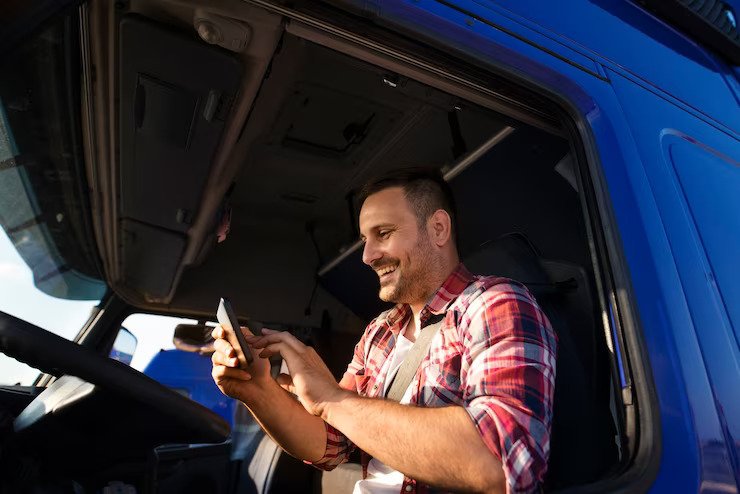
The trucking industry has seen significant advancements with the introduction of the Truck Driver App, which is revolutionizing the way truck drivers operate.
This app offers features such as GPS navigation and route optimization, real-time tracking and delivery notifications, and enhanced efficiency and productivity. By streamlining operations for truck drivers, this app not only benefits them but also fleet managers.
In this article, we will explore the various benefits of this app and its impact on the trucking industry as a whole.
GPS Navigation and Route Optimization
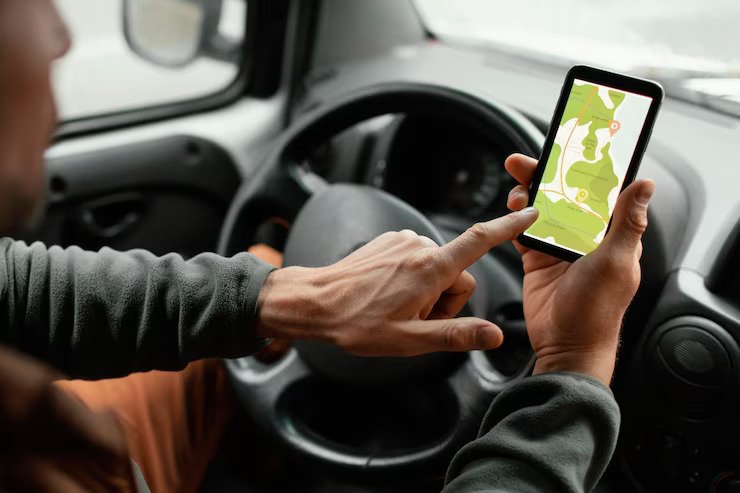
GPS navigation and route optimization are essential components of truck driver apps. These features enable drivers to efficiently navigate through unfamiliar routes and avoid traffic congestion. They are crucial for the trucking industry as they not only save time but also reduce fuel costs.
The integration of fleet management systems with GPS navigation allows companies to monitor their vehicles in real-time. This ensures that drivers take the most efficient routes. It also enables dispatchers to communicate with drivers and provide them with updated information about road conditions or any changes in delivery schedules.
Moreover, truck driver apps incorporate fuel cost optimization algorithms. These algorithms consider factors such as distance, traffic patterns, and vehicle specifications to suggest the most economical routes. By utilizing these technologies, companies can enhance their operational efficiency while minimizing fuel expenses.
Real-Time Tracking and Delivery Notifications
Real-time tracking and delivery notifications provide users with up-to-the-minute information regarding the status and progress of their shipments. This technology plays a crucial role in improving customer satisfaction by enhancing the overall experience. Customers can track their deliveries in real-time, allowing them to have an accurate estimate of when their package will arrive. This transparency not only improves trust but also gives customers the flexibility to plan their schedules accordingly.
Additionally, real-time tracking and delivery notifications contribute to cost reduction for businesses. By accurately tracking shipments, companies can identify any potential delays or issues that may arise during transit. This allows them to address problems promptly and minimize expenses associated with late deliveries or lost packages.
Furthermore, companies can optimize routes based on real-time data, reducing fuel costs and increasing operational efficiency. In conclusion, real-time tracking and delivery notifications have revolutionized the trucking industry by improving customer satisfaction through enhanced transparency while simultaneously reducing costs for businesses through accurate tracking and optimized route planning.
Enhanced Efficiency and Productivity
Enhanced efficiency and productivity in the transportation sector have been significantly influenced by advancements in tracking technology. With the introduction of truck driver apps, cost reduction and improved time management have become key benefits for trucking companies. These apps provide real-time data on vehicle locations, allowing companies to optimize routes and reduce fuel consumption. By monitoring drivers' activities, such as driving hours and rest breaks, these apps ensure compliance with regulations, further enhancing efficiency.
Furthermore, truck driver apps offer features like electronic proof of delivery and digital paperwork, reducing administrative tasks for both drivers and office staff. This streamlined process saves time and enables faster invoicing and payment processing.
Additionally, by providing insights into driver behavior such as harsh braking or idling time, these apps facilitate coaching opportunities to improve performance. Overall, the integration of truck driver apps enhances efficiency by optimizing routes, reducing costs related to fuel consumption and administration tasks, while also promoting better time management through compliance monitoring and performance improvements.
Streamlining Operations for Truck Drivers
Streamlining operations for truck drivers involves the implementation of technological solutions that optimize routes, reduce administrative tasks, and enhance performance. Fleet management software plays a crucial role in achieving these goals.
This software enables trucking companies to track and monitor their fleet in real-time, allowing them to make informed decisions about route planning and resource allocation. By analyzing data on fuel consumption, driving patterns, and vehicle maintenance needs, fleet management software helps identify areas for improvement and cost savings.
Additionally, driver communication tools facilitate seamless communication between drivers and dispatchers, ensuring efficient coordination of deliveries and reducing downtime. These tools enable drivers to receive real-time updates on route changes or traffic conditions, enabling them to make adjustments as needed. Overall, implementing fleet management software and driver communication tools improves operational efficiency by streamlining processes and enhancing communication within the trucking industry.
Benefits for Drivers and Fleet Managers
One significant advantage of implementing fleet management software and driver communication tools is the optimization of operational processes, resulting in improved efficiency for drivers and fleet managers. These technologies provide real-time data on driver performance, vehicle maintenance needs, and route planning, allowing for proactive decision-making to enhance driver safety.
By tracking driver behavior such as speed, harsh braking, and acceleration patterns, fleet managers can identify areas where drivers may need additional training to improve their safety practices. Additionally, these tools enable better monitoring of vehicle maintenance schedules, reducing the risk of breakdowns or accidents due to faulty equipment.
Moreover, the ability to plan routes more effectively helps minimize idle time and fuel consumption, leading to substantial cost savings for both drivers and fleet managers. Overall, the implementation of trucking industry apps contributes significantly to enhancing driver safety while optimizing operations for improved cost efficiency.
Ankita Tripathy loves to write about food and the Hallyu Wave in particular. During her free time, she enjoys looking at the sky or reading books while sipping a cup of hot coffee. Her favourite niches are food, music, lifestyle, travel, and Korean Pop music and drama.
One unexpected message can change the mood of an ordinary day: “Your phone number was registered with WhatsApp on a new device.”
Perhaps WhatsApp has logged you out. Maybe a friend has called to ask why you requested money. Or you can still open the app, but an unfamiliar computer appears under Linked Devices.
If you searched for “WhatsApp hacked,” you probably do not need a long explanation of encryption first. You should know your next steps and the order of your actions.
What matters most is whether you can still access WhatsApp. If you can’t access your WhatsApp account, or your mobile number shows as “non existing” you need to take quick action.
However, some people get caught in the confusion and fear. They drastically end up deleting their account. As a result, recovering their information becomes more challenging.
WhatsApp Hacked? Start With This Emergency Check
What you seeWhat to do firstWhatsApp still opens normallyCheck Linked Devices and remove anything you do not recogniseWhatsApp says your number was registered elsewhereLog back in and verify your number immediatelyYour SIM suddenly has no signalContact your mobile provider and check for a SIM swapYour phone was lost or stolenAsk the provider to block the SIM and issue a replacementFriends received money requests from your accountSecure the account, warn contacts, and preserve the messagesYou received a code but did not share itDo not share it. Someone may have attempted, but not completed a takeover
Do not spend the first few minutes emailing several support addresses or posting on social media. Start with the action that can remove the attacker’s access.
Is Your Whatsapp A/C Really “Hacked”?
Often people don’t understand what the term “hacked” actually stands for. They confuse a lot of A/C related problems with being hacked. Here is a detailed clarification on ther same:
1. Your Account Gets Kicked To Another Phone
At first open the whatsapp ap. Do not enter any specific chat. Did you get a message like this:
“Your number is now registered on a different device.”
That might not be a tech glitch. The reality could be that some else entered the 6 digit code and entered your account. Yes, that is not normal. They might have cloned your sim or sought the OTP from you by guile.
The fix is simple. Just rereguster the A/C on your device as soon as possibla. AGain, you need to be careful about sharing temporary credentials like the whatsapp OTP with anyone else in the future.
2. A Device You Don't Recognize Shows Up
This one's sneakier. WhatsApp still opens fine on your phone. To clarify, nothing looks wrong at first glance.
But under Linked Devices, there's a browser, laptop, tablet, or second phone you never added. Whoever's behind it doesn't need to lock you out. Simply put, they can just sit there reading your chats alongside you.
That's exactly why Linked Devices should be the first thing you check the moment you're worried something's off, while you can still get into the app at all.
3. Someone Created A Copycat Profile
A scammer can use your photograph and name with a different phone number. Your real WhatsApp account may remain completely secure while the copycat messages your contacts.
In that situation, tell your contacts that the other number does not belong to you. Ask them to report and block it. You should also tighten who can view your profile photo, About information, status, and last-seen activity.
4. Your Phone May Be Compromised
If other apps are behaving strangely, unknown software has appeared, or someone can access your screen and notifications, the problem may extend beyond WhatsApp. Follow a broader hacked Android phone check after securing your WhatsApp account.
Do not assume every logout is an attack, either. A service interruption or app problem can produce different symptoms. Check whether you are dealing with a wider WhatsApp not working issue before resetting anything.
What to Do If You Can Still Open WhatsApp
If the app opens normally, act before the unfamiliar session has more time to read messages or contact people.
Step 1: Check Linked Devices
On Android, open WhatsApp, tap the three-dot menu, and select Linked Devices. On iPhone, open WhatsApp, choose Settings, and then select Linked Devices.
Review every browser, computer, tablet, and phone shown on the screen. If you see one that you do not recognise, select it and tap Log Out. WhatsApp provides a separate official guide for checking and removing linked devices.
If it will not delay you, take a screenshot of the unknown device first. The device type and last-active time may help you document the incident. Security takes priority, however, so do not leave the session connected simply to gather more evidence.
Step 2: Review Recent Activity
Check your recent chats, archived conversations, calls, status updates, profile photograph, About information, and newly joined groups. Look for anything you did not send or change.
Do not delete suspicious messages immediately. Save screenshots if the attacker requested money, shared payment details, sent phishing links, or threatened someone.
Step 3: Give Your Contacts a Heads-Up
Don't just post and hope people see it. Actually call the people who matter most. Parents, close friends, anyone at work who'd normally hear from you. A status update is fine as a backup for the wider list, but it's not a substitute for a real phone call to someone who might have already gotten a message asking for money.
Something like this works as a template for the status, or for texting people through a different app:
My WhatsApp got accessed without my permission. If you've had a request for money, a verification code, personal details, or a link to click, ignore it. Call me before you act on anything that seems off.
Step 4: Lock The Account Back Down
Once the unfamiliar devices are gone, don't stop there. Turn on two-step verification, attach a recovery email, and set up a passkey if your phone supports it. We'll walk through each of these in more detail further down.
Are You Reallly Logged Out: What Are The Next Steps?
An usual scam is registerimngg your whatspp a/c to another device. Hence taking the control away from you as soon as possible.
Somepeople in this situation waits for the response from whatspp through email thinking a glitch has actually happened with them. On the contrary, whats needed at that moment is recovering the A/C immediately through whatspp.
Step 1: Re-Register Your Phone Number
Open WhatsApp and choose Log Back In or continue through the registration screen. Enter your complete phone number and request the verification code.
Enter only the code delivered to your own number. According to WhatsApp’s compromised-account recovery guidance, re-registering the account with the six-digit code automatically logs out the other devices using that WhatsApp account.
Never send this code to someone claiming to be a WhatsApp employee, mobile-provider representative, friend, employer, competition organiser, or police officer.
Step 2: Complete Two-Step Verification
WhatsApp may ask for the two-step verification method attached to the account. If you created it, enter it. If someone else changed it or you cannot remember it, use the recovery options WhatsApp displays.
Depending on the account setup, WhatsApp may require a waiting period before allowing a two-step verification reset. Do not repeatedly request codes or follow unofficial “instant recovery” services. Use only the recovery options inside WhatsApp or its official Help Centre.
Step 3: Check Linked Devices Again
Once you regain access, return to Linked Devices. Remove anything you do not recognise, even if the earlier re-registration should have disconnected other sessions. This second check confirms that your account is clean.
Step 4: Inspect What Happened During The Takeover
Review sent messages, deleted conversations, group activity, calls, profile changes, and status posts. Ask trusted contacts whether they received messages that are no longer visible on your phone.
What If Your SIM Suddenly Stops Working?
Sometimes a dead signal really is just a dead signal. In reality, the problem may be a dropped tower, a billing glitch, or nothing sinister. But if it shows up right alongside a WhatsApp logout you didn't trigger.
Then, followed by a password-reset email you didn't ask for. Or a bank alert about something you didn't do, don't wave it off as a coincidence. That combination is the signature of a SIM swap.
Grab a different phone and call your provider directly. Ask flat out whether anyone recently approved a replacement SIM, an eSIM activation, or a request to port your number elsewhere. If something went through without your say-so, tell them to reverse it and get your number back under your control.
Lost the phone entirely, or had it stolen? WhatsApp's own guidance is to contact your carrier right away so they can kill the old SIM and issue a new one. Once that replacement is live on your original number, you can re-register WhatsApp and take the account back. WhatsApp guidance for a lost or stolen device
What Not to Do After A WhatsApp Takeover
Do not share a registration code, two-step verification password, passkey prompt, QR code, or device-linking code.
Do not pay a stranger who promises to recover the account.
Do not approve an unexpected QR-code scan or pairing request.
Do not delete the account before trying the official recovery process.
Do not assume uninstalling WhatsApp removes a linked device.
Do not erase suspicious messages before saving useful evidence.
Do not wait for email support before re-registering a number you still control.
Do not click a two-step verification reset email that you did not request.
Do not blame encryption for a code, SIM, or device-linking scam.
How Whatsapp Accounts Are Taken Over In 2026
Most WhatsApp account takeovers do not involve criminals breaking the app’s end-to-end encryption. Attackers usually target the person, phone number, or device-linking process.
Verification-Code Theft
A scammer starts a WhatsApp registration using your number. The six-digit code reaches your phone, and the scammer invents a reason for you to share it. Once you provide the code, the scammer may be able to complete the registration.
False Device-Linking Requests
A scammer may ask you to scan a QR code or enter a linking code to vote in a competition, see a photograph, join an event, receive a job offer, or verify your identity. The code may actually connect the scammer’s device to your WhatsApp account.
In March 2026, Meta introduced suspicious device-linking warnings that show where a request originates and alert users when behavioural signals suggest a possible scam. Meta’s 2026 device-linking warning
SIM Swap Or Number Porting
Someone persuades or deceives a mobile provider into transferring your number to another SIM or eSIM. The attacker can then receive registration messages intended for you.
Access To An Unlocked Phone
Someone who can use your unlocked phone may link another device, read visible conversations, change settings, or intercept notifications. A strong device lock is therefore part of WhatsApp security.
Remote-Access And Malicious Apps
A scammer may convince you to install screen-sharing or remote-access software. If the app can view notifications, messages, or your screen, it may expose registration codes and other sensitive information.
Can A WhatsApp Hacker Read Your Old Messages?
The answer depends on how the account was accessed.
An unauthorised linked device may access messages made available to that linked session. That is why removing unknown linked devices is urgent.
Registering your number on another phone does not automatically unlock every historical chat stored in an encrypted backup. Access to a backup may also depend on the cloud account, backup password, encryption key, or device credentials.
WhatsApp allows users to protect eligible backups with a password or 64-digit encryption key. WhatsApp’s encrypted-backup explanation
The risk is broader if an attacker has your unlocked phone, controls your email or cloud account, installs monitoring software, or persuades you to reveal a backup password.
In that situation, change the passwords for your email, Apple, or Google account from a trusted device and review their recent login activity.
What To Check After You Recover The Account
AreaWhat to inspectLinked DevicesRemove every unfamiliar browser, phone, computer, or tabletChats and callsFind messages or calls you did not makeProfileRestore your name, photograph, About text, and privacy settingsGroupsLeave unfamiliar groups and warn affected membersEmail accountChange the password if it may also be exposedCloud backupConfirm that backup protection and recovery details belong to youMobile accountCheck for an unauthorised SIM or eSIM requestFinancial activityReview bank, card, wallet, and UPI notificationsPhone securityRemove unknown apps and install system and app updates
What If The Attacker Asked Your Contacts For Money?
Warn affected contacts as soon as the account is secure. Anyone who transferred money should contact their bank or payment provider immediately and save the transaction ID, phone number, payment details, and screenshots.
In India, victims of online financial fraud can call the national cybercrime helpline at 1930 and file a complaint through the National Cyber Crime Reporting Portal. Suspicious phone numbers, WhatsApp numbers, URLs, and social-media accounts can also be submitted through the portal’s Report Suspect facility.
WhatsApp can help with account access and abuse reporting, but it cannot reverse a bank transfer. Financial recovery must begin with the bank or payment provider.
How To Protect Whatsapp In 2026
There are a few crucial protection steps that every whatsapp user should be aware of in 2026.
Use Stronger Two-Step Verification
WhatsApp announced in August 2026 that it was upgrading two-step verification from a six-digit PIN to a longer password that can contain letters, numbers, and special characters. The feature is designed to protect the account even when someone obtains a one-time registration code. WhatsApp’s August 2026 security update
Open Settings, select Account, and choose Two-Step Verification. Add an email address you control so that you have an official recovery route. If your app still displays the older PIN interface, use it until the stronger option reaches your account.
Create A Passkey
A passkey lets WhatsApp verify you through your fingerprint, face recognition, or device screen lock instead of depending only on a code. WhatsApp reported in August 2026 that more than one billion people had set up a passkey and that users could add more than one passkey when using Android and iOS devices.
Go to Settings, select Account, and choose Passkeys.
Review Linked Devices Regularly
Do not wait for a security incident. Check Linked Devices once a month and whenever WhatsApp requests a registration or linking action you did not initiate.
Use Privacy Checkup
Open Settings, choose Privacy, and start Privacy Checkup. Review who can see your personal information, who can add you to groups, how unknown calls are handled, and what additional protection is available.
Consider Strict Account Settings
In January 2026, WhatsApp announced a lockdown-style option for users who may face sophisticated attacks. Strict Account Settings applies restrictive privacy choices and can block attachments and media from people outside your contacts.
The feature is available under Settings > Privacy> Advanced where it has been rolled out. It may be especially useful for journalists, public-facing professionals, campaign workers, executives, and people experiencing targeted harassment. WhatsApp Strict Account Settings
Protect The Phone Number Itself
Ask your mobile provider whether it offers an account PIN or additional check before issuing a replacement SIM or approving number porting. Keep the provider account password separate from other passwords.
Keep Whatsapp And The Phone Updated
Install WhatsApp only from the official Google Play Store, Apple App Store, or WhatsApp website. Keep the phone’s operating system current and avoid unofficial WhatsApp modifications.
For a wider explanation of privacy and encryption, internally link readers to ContentRally’s guide on whether WhatsApp is safe.
A WhatsApp Takeover Is Usually an Identity-Control Problem
When someone says “my WhatsApp was hacked,” the attacker has often stolen control of a registration code, linked device, SIM, or unlocked phone. Not broken WhatsApp’s encryption.
That is why the first ten minutes matter. Remove unknown devices if you are still logged in. Re-register the number if you have been logged out. Contact the mobile provider if the SIM stops working. Then warn contacts, document any fraud, and strengthen the account with two-step verification and passkeys.
Speed is important here. However, the order matters more.
Read More About:
How To Fix A Hacked Android Phone?
WhatsApp Not Working: Why It Happens And How To Fix It
When it comes to hiring a person to take care of your employees, several different options can be available, with scheduling software being one of the most common. Here are a few different types of staffing and software that you might want to consider when you are trying to hire a new employee.
With this software, you can automate the entire process of managing your business including creating a work schedule for your online staff using work scheduling app. This can include things like creating the daily work schedule, keeping track of hours worked, and everything else related to scheduling. You can also create a timecard, which is a worksheet that allows you to record how much you spent on each employee or client that you have over a given period.
Here are How You Can Manage Your Business with Scheduling Software:
1. Automatically Check processor:
The ability to automate your business is one of the primary reasons why staffing and scheduling software is so popular. This is especially important if you do not have the time to keep up with the current laws that govern the operation of your business. Having an employee time card and your employee time clock is essential in this type of business as well.
One of the best payroll software for the office that you could use would be interactive. It would allow you to quickly enter all the information that you need into the system and simply press the button to pay your employee. If the system is set up in such a way that it automatically runs your check processing, you are almost guaranteed to save a lot of time. What's more, if you can get into the habit of making payments every day or even weekly, you will find that this helps you to avoid paying someone for taking care of money if you're not going to use it for your needs.
2. Reduce Cost Training:
Staffing and payroll software is usually available for a fee, but you can get it for free from certain computer software companies. To make sure that you get all the features that you need, it would be a good idea to take the time to look around and check out different software packages, some of which can be quite large.
Of course, because these software packages are offered by many different companies, there is no single product available that will suit every individual need. The best thing you can do is to do your research and find the right package for your business, without sacrificing what is needed. Staff management software available with the best features that provide convenience for the user.
In most cases, staffing and payroll software packages will come with pre-made templates that will allow you to start with your business as smoothly as possible. Some of these can be quite helpful and can give you a better idea of how you will be handling the entire process. You might even be able to get some free or reduced-cost training for your employees in the future, depending on the type of software that you are using.
Make sure that you check out all the different available programs, so that you can check out the various features and get some ideas for pricing and what other options are available to you. Remember that the fee that you end up paying for the software is probably nothing compared to the benefits that you will get, so think about it.
3. Carefully Before Getting the Services:
One thing to keep in mind is that you don't necessarily have to use a software package to use this type of software. If you do not feel comfortable using the software in the future, you may consider buying a manual that has everything that you need, as well as tips on how to run your business.
With software available in different categories, you will have a better idea of which software to choose from and what features are available to you. The features will include things like using the software to create electronic timecards for employees, tax forms, payroll systems, and of course, payroll software itself. Wellness Wellyx most popular for providing good services for further information you can visit the above website.
Staffing and software can help you make your business run smoother by allowing you to hire more people in the fastest possible amount of time. Because there are so many different types of software available, you should have no problem finding the software that is right for your business.
Read Also:
All You Must Know About Construction Business Management Software
5 Reasons Every Business Should Invest in Automation Software
Who Are the Best Software Vendors Out There?
Are you from a country or state where you do not have access to TikTok? In that case, you might be searching for a TikTok unblocked version. With hundreds of millions of mobile device downloads, the TikTok app is currently the most downloaded app in 2023.
Rumors have been circulating over the past few months that the United States may outright ban the social network, joining several other nations that have already done so. Find out how to unblock TikTok if you want to continue using it.
What if I tell you that you have reached the right place? That's right! In this article, I will discuss the best ways to use TikTok from anywhere in the world! So without further ado, let's get started!
Is TikTok Blocked?
Users of the social networking site TikTok can share short films with people all around the world. It first came to light during the Coronavirus (Covid-19) outbreak, when most nations instituted quarantine rules.
The TikTok app had a sharp increase in downloads as a result of its capacity to keep users occupied at home during trying times. (Even if the app for a while got into the habit of disseminating rumors and theories regarding the pandemic.)
TikTok hasn't received enough notice, even though it was the sole bright spot during those gloomy times. As a result, numerous nations, including India, have completely or openly outlawed the practice.
Given that many other nations have implemented the TikTok ban that originated in India, the United States may follow suit.
Given the United States well-known anti-China policies, they can withdraw the app at any time. Sadly, the American government appears to be attacking the popular short video app, which has its headquarters in China. Australia has recently heard similar calls as well. The Australian government decided against prohibiting the app in August 2020. However, that does not guarantee they won't change their thoughts afterward.
Millions of consumers in those countries are definitely irritated by such bans because Facebook has been a source of entertainment. Most celebrities use the app, which has given rise to a number of rising stars.
Why Has The U.S. Blocked TikTok?
The Trump government tried to outlaw the social network in the US back in 2020. A federal judge thwarted the attempt. The Biden administration withdrew three of Trump's executive orders involving TikTok in June 2021, but the investigation into the company's data usage was not stopped.
The No TikTok on Government Devices Act, which prohibits the app from being used on any device owned by the federal government, was signed into law by American President Joe Biden in December 2022. ByteDance's use of TikTok to snoop on journalists is being looked into by the FBI and Department of Justice.
Montana is the only American state to file a lawsuit to prevent users from using the platform as of this writing. On May 18, 2023, the bill was signed into law. But the law is up against legal obstacles, such as a first-amendment lawsuit by TikTok.
Additionally, as part of the No TikTok on Government Devices Act, the social media network has been fully prohibited from all U.S. government-issued devices and systems as of February 27.
Here are the states that have blocked TikTok:
Alabama
Alaska
Arizona
Arkansas
Florida
Georgia
Idaho
Iowa
Kansas
Kentucky
Louisiana
Maryland
Mississippi
Montana
Nebraska
Nevada
New Hampshire
New Jersey
North Carolina
North Dakota
Ohio
Oklahoma
South Carolina
South Dakota
Tennessee
Texas
Utah
Vermont
Virginia
Wisconsin
Wyoming.
But Things Can Get Better!
Even though TikTok has been banned in several countries, the fun is still around! You can still access this social media app from anywhere.
Unrestricted internet access is a fundamental human right, and there is no easier way to unblock TikTok than by using a VPN. One button press will get you there. Once you've configured a VPN on your smartphone, you won't need to worry about TikTok prohibitions!
Use A VPN To Get TikTok Unblocked!
The usage of TikTok has been restricted (or downright prohibited) by an increasing number of nations and governmental entities, with the Montana House of Representatives being the most recent to do so. If you're seeking the easiest approach to get around a ban, consider a VPN seriously.
Thanks to these potent cybersecurity services that can conceal your real IP address and link you to a safe server in a country where TikTok is supported, you may continue to use your preferred app from anywhere in the world. The well-known cybersecurity concerns associated with TikTok use won't deter the most devoted users, though.
Virtual Private Network, or VPN, is the abbreviation for a service that encrypts your internet connection and passes it through a middle server. Between your device and the content you want to view, in this case, TikTok, this server serves as a middleman. You can use a VPN connection to access apps, websites, and services that aren't available in your home country.
How To Use A VPN For Unblocking TikTok?
If your internet service provider is blocking access to TikTok, I have you covered! Sign up for one of the VPNs recommended below and follow the instructions below.
Install the VPN app on your smartphone after downloading it. Particularly, I endorse NordVPN.
Open the VPN application and choose a region in a nation where TikTok is not restricted.
Link up with the VPN
Launch TikTok and begin using it as usual.
Can You Use A Free VPN To Unblock TikTok?
There aren't many free VPN programs that I would advise using because they're secure. Our regular recommendations are Windscribe, Proton VPN, and TunnelBear; TunnelBear is the best choice for unblocking TikTok. Proton VPN only offers three free server locations, and Windscribe has a somewhat modest server list.
All of Tunnelbear's servers are accessible on the free plan, although there is a 2 Gb bandwidth cap. You can use it to unblock TikTok if you only require it for occasional use and don't plan to watch a lot of videos.
When seeking how to unblock TikTok, proxies will certainly pop up. Proxy servers can work around nations or institutions that have blocked the app, but they don't provide any security or privacy and might track your user data. I'd usually advise using a VPN rather than a proxy to get a new IP address.
Wrapping It Up!
In case you were searching for ways to get TikTok unblocked, I hope that this article has been of help to you. If there are any other queries related to the same, please let me know. All you need to do is scroll down to the bottom of the page. Then leave your comments and queries in the box below. And I will be there to answer them all for you!
More Resources:
Tips For Creating Engaging Storytelling Videos On Tiktok
5 Marketing Tips to Help Grow Your Business on Instagram
The most downloaded app in September is China-based TikTok app