Published on: 11 June 2021
Last Updated on: 18 May 2026
Every person learning a new language through a class or instructor is told right from the beginning today not to use Google translator. It’s a powerful tool for a quick understanding of words or phrases written in another language, so many people think it’s also just as good for translating their language into something else.
However, while the power of Google makes their translator fast and comprehensive, it’s also inaccurate.
Unfortunately, instead of putting in the extra effort, a lot of students use Google anyways thinking it’s a viable shortcut. The tool gives them away because it is inherently incorrect from the perspective of a native speaker. And most language teachers tend to be native speakers.
So, cheating gets caught very quickly and exposed, which is unfortunate. Students caught this way end up embarrassed, usually drop the class or try to get out of it, and then never try to learn a new language again. Another potential translator ends up lost to what never came to be.
The Intention of Google Translate:
As an online free tool, Google Translate was basically made available to help people find information. It’s consistent with Google’s general product delivery as a search engine.
Used in that context, Google Translate works just fine. It carries the ability to roughly translate well over dozens of languages between each other and others. And that makes the tool particularly useful when just trying to understand content from a website or a message sent in another language. Even with the limitations of Google Translate, one can at least figure out what the message is basically trying to communicate.
Google Translate also comes with other benefits as well:
It’s free and has no cost to use. Just like Google’s search engine, Google Translate works just as easy to access. As long as one has Internet access, he or she can get to the tool through Google’s website, similar to other apps provided by the site.
Google has made sure all of its tools work extremely fast with very strong online support. The only problem anyone will have will be based on their own bandwidth and Internet support. It can handle thousands of queries hitting it at the same time, and the tool can handle as much as is copied into it all day long. A typical translator at best moves about 2,000 words per day, fully translated.
Google translate is able to adapt and evolve over time because it utilizes a statistical tool that lets the tool’s reference database grow with use and translations. This programmed approach creates matches between words between different languages which it then references again and again with future searches.
The Downsides of Google Translate:
The first big problem with the online translating tools is that meaning and the relationship to context are lost with Google’s software. It doesn’t know how to automatically sense, understand and build in context. As a result, anything that is even remotely structured or otherwise complex ends up looking like gibberish.
The general message will be understood most of the time, but it won’t be anything close to being accurate. This kind of sloppy translating doesn’t happen with professional translators who are worth their salt.
Google’s ability to translate is only as good as its database reference pairing words together. So, word for word, if the database has it, will match up. However, that still doesn’t help when one is trying to translate entire phrases or paragraphs correctly. The more common languages in the West tend to be stronger and better in terms of reference. Languages that are far more distant or less used will be harder or may even be non-existent in Google Translate.
Google has a poor record when it comes to grammatical accuracy. Again, this comes from the fact that Google’s reference is only at the world level, not the phrase or sentence. As a result, it will frequently produce conversions that have serious sequence and grammar problems easily visible to the native speaker.
Worse, Google doesn’t have anything built-in that can fix translation errors, even when identified. There’s no button one clicks on to tell Google the translation is wrong and how it should be fixed. Without that feedback loop, the Translate tool can’t improve on its own.
How Google Translate Should be Used:
For the average person, Google Translate works very well just to get a basic idea of what someone or a website might be saying in another language. It provides a user a quick understanding.
However, there is no place for Google Translate in the professional translating world. It fails even a basic translation passing level. On the road or traveling, Google Translate mobile can be handy as well just to figure out a quick phrase in a pinch. But for essay and document work, it should be avoided. For these types of translations, your best option will still be to hire a professional translation agency.
Read Also:
Content Rally wrapped around an online publication where you can publish your own intellectuals. It is a publishing platform designed to make great stories by content creators. This is your era, your place to be online. So come forward share your views, thoughts and ideas via Content Rally.
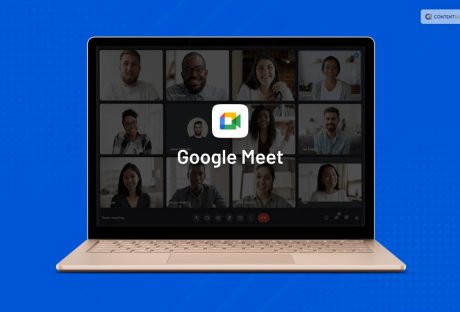
Google Meet is a popular video calling platform created by Google. Whether you are an individual or you are a business, you can connect with others on audio calls and video calls through the platform. Currently, Google Meet is mostly used for video conferences among friends, colleagues, or professionals. One person creates a meeting and sends a unique Google Meet code to others as an invitation to join.
In this article, you will learn about the Google Meet platform and the utility of the Google Meet codes that are offered through a Google Meet invitation. Furthermore, you will also learn how the Google Meeting code works on the platform. Finally, you will find out how to join a meeting on Google Meet with the help of a meeting code. Hence, to learn more about the Google Meet code, read on through to the end of the article.
What Is Google Meet?
Larry Page and Sergey Brin launched Google in 1998 as a search engine. Since then, in twenty-five years, Google covered a lot of milestones, as it is now offering platforms for advertising, cloud computing, quantum computing, computer software, social media, eCommerce, and many more.
Google created the Google Meet platform for video calling and video conferencing. Both individuals and businesses commonly use Meet for video conferences, meetings, and discussions. Although created as an extension of Google Hangouts, which is a messaging platform, Meet comes with its own sets of unique features.
To log in to Google Meet, one needs to have a Google Account. Your Google account is the same as your Gmail. You need the same during Google Hangouts login as well. Google Meet is also known for enabling users to engage in secure conversations.
Although Google sucks in certain cases when it comes to innovation, Google Meet is surely something that stands out. It is one of the most trusted platforms for holding video conferences. Even some of the biggest companies hold big video conferences through Google Meet.
What Does The Google Meet Code Mean?
According to Google Meet’s official sources, “Meet uses the same protections that Google uses to secure your information and safeguard your privacy. Meet video conferences are encrypted in transit, and our array of safety measures are continuously updated for added protection.”
This is where the Google Meet code comes to play. Once you create a meeting on Google Meet, you will get a meet code, which you will need to share with the people you want to invite to the meeting. The Meet code and the Google Meet link are encrypted and hence provide essential protection for security.
Basically, Google Meet codes act as meeting identifiers, which users use to invite and interact at meetings in which they are called upon. Every single meeting that took place on Google Meet, and all the meetings that will take place in the future, have a unique meeting code. This is done to offer security to the meeting so that someone does not get unauthorized access.
How Does The Google Meet Code Work?
If you observe the different Meet codes carefully, you will see that all of them are of ten letters that are divided into three parts in 3-4-3 order of the type xxx-yyyy-zzz. The dashes are given for ease of reading. While you enter a code on a Google Meet link, you will not need to enter the dashes, as Google Meet supports only codes of 10 characters. The link will look like this: https://meet.google.com/xxx-yyyy-zzz.
Once you click on the link that you received as an invitation on your device, you will get to a page where you will need to enter the unique code. After you enter the Meet code of ten-letter, you will get access to view and interact with the meeting. However, you will get to the meeting only after the host approves of your joining and participation.
After you get inside the meeting, you will find the Google meeting code at the bottom-left portion of the screen. To allow others to participate, you can share this code with others.
Does Google Meet Have A Time Limit?
Yes. Google Meet codes have a time limit. You cannot enter a meeting link with a meeting code after the code has expired. As per the claims of the official website of Google Meet, “Each meeting is given a unique meeting code which has an expiration time based on what Workspace product the meeting is created from.” To know more about the time limit of the Google Meet code, you can check Google Support.
How To Join A Google Meet Conference?
The following are the major ways through which you can join a Google Meet conference:
1. Using A Computer Browser
Open the Google Meet website from your website browser, or type meet.google.com on the URL. Once you get to the Google Meet page, click on the ‘New Meeting’ option. If you want to join a meeting, click on the ‘Join with a code’ option, and enter the code.
2. Using Mobile App
Download the Google Meet mobile app on your smartphone. You need to launch the application and sign in to your account. On the page, you can either create a New Meeting and if you want to join an existing meeting, you need to click on 'Join with a code.'
3. Using Mobile Browser
Open a web browser app on your smartphone, and access the Google Meet website. Check the website as a desktop site. Otherwise, the link will ask you to download the app from Play Store. To create a meeting, tap on the New Meeting option, and click on ‘Join.’
Summing Up
Hope this article was helpful for you in getting a better idea of what the Google Meet code is and how to use it. This code is unique to every meeting and actually helps to secure the meeting from unauthorized access. You will get access to the meeting only when you enter this ten-letter code after clicking on the link. Do you think Google Meet is secure and useful enough? Share with us what steps Google can take to make Meet better.
More Resources:
Best Business Meeting Agenda Examples
How To Plan A Successful Corporate Event
Looking For A Gardener: 8 Questions To Ask Before Hiring A Professional
The trucking industry has seen significant advancements with the introduction of the Truck Driver App, which is revolutionizing the way truck drivers operate.
This app offers features such as GPS navigation and route optimization, real-time tracking and delivery notifications, and enhanced efficiency and productivity. By streamlining operations for truck drivers, this app not only benefits them but also fleet managers.
In this article, we will explore the various benefits of this app and its impact on the trucking industry as a whole.
GPS Navigation and Route Optimization
GPS navigation and route optimization are essential components of truck driver apps. These features enable drivers to efficiently navigate through unfamiliar routes and avoid traffic congestion. They are crucial for the trucking industry as they not only save time but also reduce fuel costs.
The integration of fleet management systems with GPS navigation allows companies to monitor their vehicles in real-time. This ensures that drivers take the most efficient routes. It also enables dispatchers to communicate with drivers and provide them with updated information about road conditions or any changes in delivery schedules.
Moreover, truck driver apps incorporate fuel cost optimization algorithms. These algorithms consider factors such as distance, traffic patterns, and vehicle specifications to suggest the most economical routes. By utilizing these technologies, companies can enhance their operational efficiency while minimizing fuel expenses.
Real-Time Tracking and Delivery Notifications
Real-time tracking and delivery notifications provide users with up-to-the-minute information regarding the status and progress of their shipments. This technology plays a crucial role in improving customer satisfaction by enhancing the overall experience. Customers can track their deliveries in real-time, allowing them to have an accurate estimate of when their package will arrive. This transparency not only improves trust but also gives customers the flexibility to plan their schedules accordingly.
Additionally, real-time tracking and delivery notifications contribute to cost reduction for businesses. By accurately tracking shipments, companies can identify any potential delays or issues that may arise during transit. This allows them to address problems promptly and minimize expenses associated with late deliveries or lost packages.
Furthermore, companies can optimize routes based on real-time data, reducing fuel costs and increasing operational efficiency. In conclusion, real-time tracking and delivery notifications have revolutionized the trucking industry by improving customer satisfaction through enhanced transparency while simultaneously reducing costs for businesses through accurate tracking and optimized route planning.
Enhanced Efficiency and Productivity
Enhanced efficiency and productivity in the transportation sector have been significantly influenced by advancements in tracking technology. With the introduction of truck driver apps, cost reduction and improved time management have become key benefits for trucking companies. These apps provide real-time data on vehicle locations, allowing companies to optimize routes and reduce fuel consumption. By monitoring drivers' activities, such as driving hours and rest breaks, these apps ensure compliance with regulations, further enhancing efficiency.
Furthermore, truck driver apps offer features like electronic proof of delivery and digital paperwork, reducing administrative tasks for both drivers and office staff. This streamlined process saves time and enables faster invoicing and payment processing.
Additionally, by providing insights into driver behavior such as harsh braking or idling time, these apps facilitate coaching opportunities to improve performance. Overall, the integration of truck driver apps enhances efficiency by optimizing routes, reducing costs related to fuel consumption and administration tasks, while also promoting better time management through compliance monitoring and performance improvements.
Streamlining Operations for Truck Drivers
Streamlining operations for truck drivers involves the implementation of technological solutions that optimize routes, reduce administrative tasks, and enhance performance. Fleet management software plays a crucial role in achieving these goals.
This software enables trucking companies to track and monitor their fleet in real-time, allowing them to make informed decisions about route planning and resource allocation. By analyzing data on fuel consumption, driving patterns, and vehicle maintenance needs, fleet management software helps identify areas for improvement and cost savings.
Additionally, driver communication tools facilitate seamless communication between drivers and dispatchers, ensuring efficient coordination of deliveries and reducing downtime. These tools enable drivers to receive real-time updates on route changes or traffic conditions, enabling them to make adjustments as needed. Overall, implementing fleet management software and driver communication tools improves operational efficiency by streamlining processes and enhancing communication within the trucking industry.
Benefits for Drivers and Fleet Managers
One significant advantage of implementing fleet management software and driver communication tools is the optimization of operational processes, resulting in improved efficiency for drivers and fleet managers. These technologies provide real-time data on driver performance, vehicle maintenance needs, and route planning, allowing for proactive decision-making to enhance driver safety.
By tracking driver behavior such as speed, harsh braking, and acceleration patterns, fleet managers can identify areas where drivers may need additional training to improve their safety practices. Additionally, these tools enable better monitoring of vehicle maintenance schedules, reducing the risk of breakdowns or accidents due to faulty equipment.
Moreover, the ability to plan routes more effectively helps minimize idle time and fuel consumption, leading to substantial cost savings for both drivers and fleet managers. Overall, the implementation of trucking industry apps contributes significantly to enhancing driver safety while optimizing operations for improved cost efficiency.
Read Also:
10 Tips to Prevent Truck Accidents: The Complete Guide for Truck Drivers
How To Find Affordable Commercial Truck Insurance
When it comes to earning fame on TikTok, Zefoy APK is used in large numbers. This app offers free followers, likes, views, and much more.
Actually, this is a new brand discovered recently and getting popular day by day. However, becoming a public figure is not as easy as you think, as it requires lots of time, unique content, and dedication.
This is one of the best platforms for TikTok lovers because it helps you to increase your followers in no time. This app is watched by millions of people every day.
What Is Zefoy App?
Zefoy Apk is an app that helps you to increase TikTok followers and views, thus, increasing your popularity. The best part about this app is that it is completely free to use.
It will help you to increase your content views very easily. Millions of people use this app due to its dramatic features. Those individuals who love to use TikTok can consider this app because this is going to make you famous in no time. According to the reviews, the app is functional and used by large audiences.
Top Features Of Zefoy App
There are some features to consider for Zefoy App, and these are described below:
Absolutely free: The app is completely free to use, and there are no hidden charges that you will come to know after installation.
Lightweight & fast: It has a simple and easy operation that is compatible with virtually Android devices.
Safe: You don’t need to create an account in the app to get comments, views, followers, and likes on your TikTok videos. You have access to all of its services without registration.
Unlimited hearts & views: If your videos don’t get enough views and likes, you get demotivated and certainly stop making videos. So, this is where the Zefoy App comes into play. You can get real hearts and views immediately through this app.
Interface: Users are looking for tools/apps that can help them gain more supporters. Zefoy App is all you need to install and use to gain more followers.
No permission required: The app does not require any permission to open and thus, is completely safe to use in the long run.
Contain ads: The ads are the basic source of income for the developers. This helps them keep running their website smoothly.
Pros Of Zefoy App
After lots of research, below listed are the top advantages of using this app to gain more followers.
As soon as you download the app, an APK file gets stored on your memory card. So, you can install and reinstall them numerous times without downloading.
The best benefit of installing this app is that the process is very instant and saves you time.
The app is free to use.
Cons Of The Zefoy App
There are also some disadvantages of using this app that you need to consider before using it.
The app will not be updated automatically because it does have Google Play Store access.
APK files contain viruses that damage your phone and steal your data.
Google does not verify downloading apps from third-party sources. So, this can be harmful to your device.
Top Alternatives To Zefoy App For Enhanced Productivity
Looking for alternatives to the Zefoy App? I have got you covered! In this part of the article, I will explore some fantastic productivity apps that can help you streamline your daily tasks, boost efficiency, and stay organized. Discover these Zefoy alternatives and choose the one that best suits your needs.
1. Trello
Trello is a versatile project management tool that enables you to create boards, lists, and cards to organize tasks. It's perfect for teams and individuals alike. With its user-friendly interface and customizable features, Trello allows you to collaborate seamlessly and keep track of your projects effortlessly. Boost your productivity with Trello's powerful task management capabilities.
2. Todoist
Todoist is a popular task manager that helps you prioritize and organize your to-dos. With its intuitive design and cross-platform compatibility, you can access your tasks from anywhere. Set due dates, create recurring tasks, and even delegate assignments to others. Todoist's productivity features make it an excellent choice for those seeking a Zefoy alternative.
3. Notion
The notion is an all-in-one workspace that combines note-taking, project management, and knowledge sharing. It's highly customizable, allowing you to create databases, wikis, and collaborative documents. Notion's flexibility and robust integrations make it an ideal replacement for Zefoy, especially if you're looking for a comprehensive solution to manage your work and personal life.
4. Asana
Asana is a project and task management tool that simplifies team collaboration. It offers a wide range of features, including task assignments, due dates, and project timelines. With Asana, you can track the progress of your projects effortlessly and ensure that everyone stays on the same page. It's a powerful Zefoy alternative for teams striving for better productivity.
5. Microsoft To Do
Microsoft To Do is a straightforward yet effective task management app. It seamlessly integrates with other Microsoft 365 apps, making it an excellent choice for users already within the Microsoft ecosystem. Create to-do lists, set reminders, and access your tasks across devices. Microsoft To Do provides a familiar interface for efficient task management.
6. ClickUp
ClickUp is a versatile project management platform designed for teams of all sizes. It offers customizable features like task lists, calendars, and goal tracking. ClickUp also integrates with numerous third-party applications, enhancing your workflow. Whether you need simple to-do lists or complex project management capabilities, ClickUp is a robust alternative to Zefoy.
How To Download & Increase Engagement On TikTok Using Zefoy App?
To increase engagement on TikTok using the Zefoy app, you need to download the Zefoy app. The following are the steps you need to consider while downloading the for app.
Visit the homepage of the Zefoy App.
There you will view the Hearts, Live Stream, Shares, Views, Followers, etc.
You will also get the option to download the APK file or install it from Play Store.
Tap on the Download button.
A confirmation window will pop up depending on your browser preferences.
Tap on Download again and save the file on your device.
Frequently Asked Questions (FAQs):-
1. What Is An APK Download? Ans: The APK extension is used for the Android package kit and the file format used to download the Android application. You have to manually install the file if you want to install an APK. 2. Is The Zefoy App Safe To Use? Ans: Yes, the Zefoy app is safe to use. All the security threats have been removed from the app. 3. Can You Download The Zefoy App For Free? Ans: Yes, you can download the Zefoy app for free. There are no hidden charges that you will come across after downloading the app.
The Final Thoughts
Zefoy App is one of the most popular apps for increasing followers on TikTok. As already discussed above, this app is used by millions to increase their Tiktok views, likes, and followers which can indirectly help them earn money by promoting brands. Thus, this is all that you should know about this app, ping us below if you have any queries.
Read Also:
Popular Apps for Downloading HD Videos
Is Instagram Turning Into A Way of Life Now?
Dominant Mobile App Trends To Keep An Eye On














 As an online free tool, Google Translate was basically made available to help people find information. It’s consistent with Google’s general product delivery as a search engine.
Used in that context, Google Translate works just fine. It carries the ability to roughly translate well over dozens of languages between each other and others. And that makes the tool particularly useful when just trying to understand content from a website or a message sent in another language. Even with the limitations of Google Translate, one can at least figure out what the message is basically trying to communicate.
Google Translate also comes with other benefits as well:
As an online free tool, Google Translate was basically made available to help people find information. It’s consistent with Google’s general product delivery as a search engine.
Used in that context, Google Translate works just fine. It carries the ability to roughly translate well over dozens of languages between each other and others. And that makes the tool particularly useful when just trying to understand content from a website or a message sent in another language. Even with the limitations of Google Translate, one can at least figure out what the message is basically trying to communicate.
Google Translate also comes with other benefits as well:
 The first big problem with the online translating tools is that meaning and the relationship to context are lost with Google’s software. It doesn’t know how to automatically sense, understand and build in context. As a result, anything that is even remotely structured or otherwise complex ends up looking like gibberish.
The general message will be understood most of the time, but it won’t be anything close to being accurate. This kind of sloppy translating doesn’t happen with professional translators who are worth their salt.
Google’s ability to translate is only as good as its database reference pairing words together. So, word for word, if the database has it, will match up. However, that still doesn’t help when one is trying to translate entire phrases or paragraphs correctly. The more common languages in the West tend to be stronger and better in terms of reference. Languages that are far more distant or less used will be harder or may even be non-existent in Google Translate.
Google has a poor record when it comes to grammatical accuracy. Again, this comes from the fact that Google’s reference is only at the world level, not the phrase or sentence. As a result, it will frequently produce conversions that have serious sequence and grammar problems easily visible to the native speaker.
Worse, Google doesn’t have anything built-in that can fix translation errors, even when identified. There’s no button one clicks on to tell Google the translation is wrong and how it should be fixed. Without that feedback loop, the Translate tool can’t improve on its own.
The first big problem with the online translating tools is that meaning and the relationship to context are lost with Google’s software. It doesn’t know how to automatically sense, understand and build in context. As a result, anything that is even remotely structured or otherwise complex ends up looking like gibberish.
The general message will be understood most of the time, but it won’t be anything close to being accurate. This kind of sloppy translating doesn’t happen with professional translators who are worth their salt.
Google’s ability to translate is only as good as its database reference pairing words together. So, word for word, if the database has it, will match up. However, that still doesn’t help when one is trying to translate entire phrases or paragraphs correctly. The more common languages in the West tend to be stronger and better in terms of reference. Languages that are far more distant or less used will be harder or may even be non-existent in Google Translate.
Google has a poor record when it comes to grammatical accuracy. Again, this comes from the fact that Google’s reference is only at the world level, not the phrase or sentence. As a result, it will frequently produce conversions that have serious sequence and grammar problems easily visible to the native speaker.
Worse, Google doesn’t have anything built-in that can fix translation errors, even when identified. There’s no button one clicks on to tell Google the translation is wrong and how it should be fixed. Without that feedback loop, the Translate tool can’t improve on its own.
 For the average person, Google Translate works very well just to get a basic idea of what someone or a website might be saying in another language. It provides a user a quick understanding.
However, there is no place for Google Translate in the professional translating world. It fails even a basic translation passing level. On the road or traveling, Google Translate mobile can be handy as well just to figure out a quick phrase in a pinch. But for essay and document work, it should be avoided. For these types of translations, your best option will still be to hire a professional translation agency.
Read Also:
For the average person, Google Translate works very well just to get a basic idea of what someone or a website might be saying in another language. It provides a user a quick understanding.
However, there is no place for Google Translate in the professional translating world. It fails even a basic translation passing level. On the road or traveling, Google Translate mobile can be handy as well just to figure out a quick phrase in a pinch. But for essay and document work, it should be avoided. For these types of translations, your best option will still be to hire a professional translation agency.
Read Also: