












Blog

Creative Ways To Use Sample Cards
For people who love fragrances, free fragrance samples can mean a lot to them. Initially, this type of consumer may collect sample cards as a way of exploring different scents before they decide which one they like best. Unfortunately, you can easily collect too many great smelling fragrance sample cards, causing you to not know how to enjoy them all. Here are some creative ways to use scent sample cards. Use Them In Your Car If you’re out of car fragrance, instead of buying another one, you can test home fragrance samples in your car. The sample cards are easy to use, and if you spend more time in your car than you do at home, you will appreciate the free scented cards more when you use them in the car. A lot of case studies of drivers have proven that they love good-smelling ambiance while driving. Not only does it boost their confidence as drivers, but it also reduces their road stress. Thus, if you are a driver or if you know someone who drives for longer hours, make sure to gift them a free fragrance sample card. Gift Friends And Family This may seem counterproductive, but if you have drawers full of fragrance samples, you might as well get more people to test the scents out for you and yourself. Although they are free, not everyone has access to fragrance samples, so your friends and family will appreciate them as gifts. You can also use their feedback to decide if you should buy the full-size bottle or not. If you’re uncomfortable giving scented cards as gifts, you can give them as addons to your gifts. This way, when the person opens the gift, they are immediately drawn to the scent, and most will choose to use the sample card until the scent runs out. A win-win for everyone! Use Them In Your Shoes If you constantly have to remove your shoes because of the nature of your job or other reasons, you can use fragrance cards to give them a fresh smell. This way, you don’t have to suffer any embarrassment because your shoes stink. It is also a great way to test the longevity of a fragrance and determine if you should invest in it. However, in order to put them inside your shoes, you have to ensure that these cards fit just right. There’s no point in inserting a card that’s bigger in size and might be visible when you are simply walking. But trust me, fragrance cards play an important role in improving the smell of your feet. Place Scented Sample Cards In The Trash Bin No, I don’t mean to throw them away. You can use scented cards to make your trash bin smell a little nicer. Place the fragrance card underneath the trash bags to keep it away from the trash. This way, when you open the trash, you are hit with a nice scent. The trash bins at our homes are a great source of germs and bacteria. Many of the germs are attracted to the foul smell, and if you truly want to keep them away, just hang in a nice-smelling card. Some households in Southern Asia tend to follow the trick to keep the foul smell away from their kids and families. Scent Your Home Decor Fragrance sample cards tend to be trickier to use because you want to smell them and not necessarily see them. This is one reason some people have drawers full of scented cards which they don’t use. Strategically place scented cards in or close to your home decor. For example, you can hide the cards close to your planters or in terrariums. Anyone seeing your wonderful plants will be drawn to them, but they’ll love them even more when they discover the scent. You can also place scented cards and stuffed animals in your throw pillows. The fabrics will absorb and retain the home fragrance for a long time. Place Scented Cards In Your Desk Drawers Instead of keeping all your scented cards at home, you can carry some and place them in your desk drawer at work. Since fragrances tend to improve mood and clarity, this may be what you need to make your days at work even better. Who knows? You may even get more people asking for the same, and if you have a collection, you can spread the cheer! There is so much you can do to creatively use scented cards. Fortunately, you can use them in every space, so there is no limit to what you can do to make use of the free fragrance samples. Make Your Linens Comfier We all love to come back home to soft and sweetly scented blankets after a tiring day. Well, the good news is you can make them more fragrant with sample cards. If you want to make your lines fresher, consider putting them on your sheets and, on top of them, throw blankets. The fragrance will possibly snuggle up before bedtime. Investing in your home’s comfort is way more delightful when it comes to your favorite scents. A lot of people use perfumes in their lines because they want to enjoy the soothing effects. Sometimes, it's sandalwood, rose, or lavender- but all of them have a common purpose of making your surroundings smell better and sweeter. Concluding Words: Uncover A Splash of Fragrance Free fragrance smell is the key to discovering new scents and adding them to your collection without having to buy an entire bottle. Since they are rarely used, people tend to neglect them. Hopefully, the aforementioned tips have helped you gain the necessary insights into their correct usage. Unlock the secret of fresh fragrance and make your environment more exciting. So, that marks the end of this comprehensive guide. If you like reading about such stuff, keep following us and read our content. Also, do not forget to share your thoughts in the comment section below. Read Also: 9 Cool Things Every Marketer Should Have In Their Office 5 Best Types of Paper to Use for Business Cards Be The Architect of Your Holiday Cheer
READ MOREDetails
Balancing Risk And Reward In Investment Portfolios
Investing is an art and a science, requiring a soft balance between reward and risk. Although high-risk investments can lead to greater returns, they also have the potential for significant losses. Conversely, low-risk speculation typically offers more modest returns but provides a sense of security. The key to successful investing lies in understanding and managing this balance. This article delves into the intricacies of balancing risk and reward in investment portfolios, offering insights and strategies to help investors make informed decisions. The journey of balancing risk and reward is not a solo endeavor. Guidance from experienced professionals like Monty Cerf can provide valuable insights into navigating the complex world of investments. With a deep understanding of market dynamics and investment strategies, such guidance is instrumental in shaping a well-balanced portfolio. Understanding Risk And Reward The Nature Of Risk Risk in investment refers to the possibility of an asset losing its value or not performing as expected. This risk comes in various forms - market, credit, liquidity, and more. The level of risk is often tied to the potential reward; generally, higher risks are associated with higher potential returns. Reward Expectations Reward, on the other hand, is the return on investment. This could be in the form of capital gains, dividends, or interest. An investment's potential reward attracts investors, but it's crucial to weigh this against the associated risk. Balancing The Scales Diversification: The First Rule Of Balance One of the fundamental strategies for balancing risk as well as reward is diversification. By dissipating investments across multiple asset classes (stocks, bonds, real estate, etc.), geographical regions, and sectors, investors are likely to reduce the effect of poor performance in any area. Diversification doesn’t guarantee against loss, but it can significantly mitigate risk. Risk Tolerance: A Personal Benchmark Every investor has a different level of comfort with risk, known as risk tolerance. Several factors influence this, including age, investment goals, financial situation, and personal temperament. Understanding your risk tolerance is crucial in creating a portfolio that aligns with your comfort level and financial objectives. Strategic Asset Allocation Asset allocation involves dividing an investment portfolio among different asset categories. This allocation should reflect an investor's goals, risk tolerance, and investment horizon. For instance, younger investors might lean more towards stocks for long-term growth, while older investors might prefer bonds for stability and consistent income. Advanced Tactics For Seasoned Investors Rebalancing: Keeping Your Portfolio In Check Over time, market movements can cause your initial asset allocation to change. Rebalancing involves buying or selling assets in your portfolio with the aim od maintaining your original asset allocation. This keeps your risk level in check and disciplines you to buy low and sell high. The rebalancing process is crucial, especially in volatile markets, as it helps maintain the alignment of your investments with your risk tolerance and financial goals. For instance, if your portfolio has become too heavily weighted in stocks due to a market rally, you might sell some of your stock holdings to purchase more bonds or lower-risk assets, thus returning to your original asset allocation. Such a disciplined approach can help mitigate the emotional decision-making often associated with market highs and lows. It’s recommended to review your portfolio regularly, possibly annually or after significant market shifts, to determine if rebalancing is necessary. Utilizing Hedging Techniques Hedging is akin to insurance for your investments. It involves using financial instruments or strategies to offset potential losses. Options, futures contracts, and asset correlations are some ways to hedge against market volatility. However, hedging can be complex and is typically suited for more experienced investors. For example, options can be used to protect against downside risk in a stock portfolio. If you hold a significant position in a stock, buying a put option can help limit your losses if the stock price falls. Similarly, futures contracts can be used to hedge against commodity price changes or foreign exchange risks. Another strategy involves investing in negatively correlated assets, so when one asset class performs poorly, the other tends to perform well, thus balancing the overall portfolio risk. While effective, these strategies require a deep understanding of financial instruments and market dynamics and often involve additional costs. Considering Alternative Investments Alternative investments like private equity, hedge funds, and commodities can offer unique benefits and risks. They often have a low correlation with traditional asset classes, providing diversification benefits and potentially higher returns. However, they can also be less liquid and more opaque, requiring careful consideration. Private equity, for instance, involves investing in private companies and can offer the potential for significant returns; however, these investments often need to be more balanced and have a long investment horizon. Hedge funds employ a range of strategies to achieve returns, including leverage, short selling, and derivatives, which can be profitable but also carry a high level of risk. Conclusion Balancing both risk and reward in investment portfolios is a continuous process that requires diligence, research, and, sometimes, professional advice. By understanding the types of risks, determining your risk tolerance, diversifying your investments, and employing strategies like asset allocation and rebalancing, you can create a portfolio. Furthermore, ensure that it suits your investment goals while managing the level of risk you’re comfortable with. Read Also: Investing In Machinery For A More Productive Business What You Must Know About ELSS Before You Invest
READ MOREDetails
Voice Your Choice: A Quick Guide To Crafting Polls On Facebook
Companies are constantly searching for innovative approaches to connect with their target market. Engaging audiences can lead to deeper connections, which is one of the main advantages of social media and digital marketing in general. A company can create a stronger sense of trust and favorable associations with its brand by initiating an online conversation. Additionally, having frank conversations with your followers on social media gives you a better understanding of the messages that appeal to your ideal clients. Establishing communication channels with clients and potential clients is made easier with interactive content. Facebook polls are another simple way to produce interactive content and keep your audience interested. Using Facebook's poll feature is an easy and efficient way to establish this kind of connection with your audience. Now, without further ado, let's explore how to make a Facebook poll, why local businesses find the tool so useful, and what questions to ask to maximize the effectiveness of the polls you create. What Are Facebook Polls? Facebook surveys are advantageous to your company in the same manner as Facebook competitions or giveaways. Users are drawn in and encouraged to engage with your business through polls. Facebook surveys are brief, so taking part doesn't require users to spend much time on the site. Additionally, they allow respondents to view the responses of others. Finding out whether other people share your opinions or not is half the fun of answering a survey. Facebook surveys can also assist you in gathering valuable input from your audience regarding your company, the kinds of content you post, and your goods or services. Lastly, Facebook surveys can serve as a springboard for a more extensive discussion. Individuals frequently leave comments on the poll they just completed, offering their ideas or viewpoints on the subject. You have the option to reply as a brand and even initiate a conversation. Engaging in a friendly dialogue encourages followers to return to the poll to view other answers. Furthermore, it gives them a favorable impression of your company if you respond with kindness. When putting your social media marketing strategy into action, this is exactly the kind of brand-nurturing work you want to accomplish. Not every social network user has access to the Facebook poll feature. You can: Create a poll on your Instagram or Facebook Stories. Make a post in a Facebook group and hold a poll. How To Create A Poll? As part of a post in your Instagram Stories or Facebook Feed, create a poll inside a sponsored Facebook advertisement. You cannot currently add a poll to a post for your business page, even though you might see one available in Publishing Tools for your business page (it did show up for some of the accounts we tested, but not all). For this reason, the previously mentioned choices, especially Stories, are beneficial. Next up, it's time to come up with a concept for your poll now that you know where on Facebook you can post them. Facebook polls can be entertaining for your audience, and they should be. But they can also have a practical use. By conducting an audience survey, you can gather insightful data regarding the kinds of goods, content, or other initiatives that your target market would like to see from your company. To find out more about using your Facebook poll for audience research, continue reading through our list of inventive poll ideas below. Selecting the ideal location for your poll on Facebook or Instagram ought to be simpler once you've decided on its content. Is the subject of this Facebook poll exclusive to your neighborhood? Posting the article in a local Facebook group is a good idea. Keeping in mind all these pointers, make polls to boost your audience interaction and grow your business. How To Create A Poll On Instagram Stories? You can share the Facebook post on your company's Facebook page or Instagram Stories. If you think that the question is better answered by current clients than by potential ones, polls help. It makes sure it is seen by those who are already familiar with, supportive of, and involved with your company. You can now create the Facebook poll itself after deciding on its content and the preferred sharing location. Just go to your app's Story feature and select "Create" if you want to share your post there. After deciding which image, background, or video to use, you can add a poll by choosing the poll creation tool from your sticker collection. You can add your questions as well as responses to the poll to make it uniquely yours. Facebook also provides a brief video explaining how to create a poll. These polls are based on Stories, just like the ones you can make and post as Facebook ads. How To Create A News Feed Poll? If you want your audience to be from among those who appear on the news feed, here is how to share a poll on your news feed. Open Facebook and navigate to your profile. Your inventiveness is invited to fill in this familiar "What's on your mind?" box. Press within the enclosure. There will be a ton of options; look for the "Poll" option. Everything is in place! Create your question, select the options, and decide how long the poll will last. When you finally hit "Post," you're live! Real-life example: Food blogger Jane used to write, "Which dish should I make next? Is it paella or pasta?" This led to her making dishes that her audiences voted for. A delicious Paella recipe even went on to become a trend. How To Create A Poll On Facebook? To access the stories arena, tap your profile icon (the "+" sign) from the home page of Facebook. Let's now establish the mood. Select a background image, GIF, or even a quick film. Select "Poll" by tapping on the stickers icon, which resembles a square smiley. Formulate your query, select your options, and viola! The 24-hour poll has ended. Wrapping Up In the vast context of social media, polls may appear insignificant. As we've uncovered, though, they're also incredibly useful tools for feedback and engagement. They're priceless for businesses. They're entertaining as well as captivating for casual users. He, look! You are no longer a poll rookie now that you have read this guide. You are now prepared to confidently create, introduce, and interact. We hope you benefit from this guide in order to gain access to social media insights. This should also help you make more data-driven decisions. As you can see, Facebook surveys are a quick and simple approach to learn more about your audience and boost social media activity for your company. Remember these five pointers to create a Facebook poll that truly gets results: Decide where to publish your Facebook survey. Orient the content of your Facebook poll to the poll's location. Select a topic for the survey that is interesting, entertaining, as well as pertinent to your industry. Engage with people who leave comments on your survey. Apply any insights gleaned from your survey to assist you in making more informed business choices. If you have thoughts to share or questions to ask, please leave a comment below. We would love to hear from you! Learn More About: How to Get Help Through Facebook Chat Support? Why And How To Access Facebook’s Full Site In 2024 What Is Facebook Touch? Everything You Need To Know About It
READ MOREDetails
Guard Your Space: A Step-by-Step Guide to Locking Your Facebook Profile
Are you looking for ways on how to lock Facebook profile to increase the privacy of your account? Those who are not on your Facebook friends list will only be able to view a restricted portion of your profile if it is locked. Only friends on the friend list will be able to see the images and posts on the timeline, cover photos, stories, and new posts on a locked profile. Additionally, only your friends will be able to see the "Public" posts you previously made. It should be noted that there is a workaround available for the desktop version of Facebook if you would like to lock your profile. You can lock a Facebook profile using the mobile app or your browser. Moreover, this functionality is exclusive to the Android app. Continue reading to learn how to lock your Facebook profile. What Is Profile Lock Users will notice a Lock sign on your profile after you add a profile lock. This will limit the amount of photos and posts on their profile, cover image, and other areas to just their friends. Upon locking their profile, users prevent others who aren't on their friends list from viewing the profile. They won't be able to download cover photos and profile photos either. They are also unable to view the Stories that a user has added to his profile. Previously shared posts are now marked as friends instead of public when using the Lock Profile feature. The timeline review and tag review are activated. This implies that you must grant others permission to tag you in their posts. Additionally, the About section of their profile will only be partially visible to the public. Now that you are aware of how Facebook's lock your profile feature operates, let's examine how to do it on various platforms. How To Lock Facebook Profile Locking your profile has quite a few advantages. It has some drawbacks, too. If you have a security concern, you must lock your profile immediately from treats such as identity theft, data manipulation, and so on. Here are the different methods you can use to lock your profile on desktop, android, and iOS devices. How To Lock My Facebook Profile On Desktop Although there isn't a direct method to lock your app from the browser, if you can't access the mobile app, you can use the following workaround: Open the Facebook website and click the icon for your profile. To make the URL read "m.facebook.com/yourprofilename," change "www" to "m" in the URL. This will open Facebook in a mobile format on your desktop computer. The Edit Profile option should have a three-dot menu next to it. Click the Lock Profile option that appears in the three-dot menu. The following screen, which has the option to Lock Your Profile at the bottom, will walk you through the locking process, just like the Android version does. This will lock your profile for enhanced safety. iOS users can either borrow an Android device and follow the previously mentioned instructions, or they can use the desktop method to lock their facebook profiles. The procedures to unlock your Facebook profile are the same for desktop and mobile apps. There will be an Unlock Profile option in place of the Lock Profile option. Tap on it and select Unlock on the resulting screen. A description of how to unlock your profile will appear, and when you click the Unlock Your Profile option at the bottom, your profile will be unlocked. How To Lock Fb Profile on Android If you want to lock your profile using an Android device, here is what you have to do: On your Android device, open the Facebook app. Tap your profile picture on the main page. Click the Menu with three dots. From the options on the page, choose Lock Profile. On the Lock Profile Page, select the "Lock Your Profile" option located at the bottom of the page. After that, a pop-up notification stating, "You locked your profile," will show up on the screen. The posts and images on your timeline are only visible to your friends. To finish the procedure, tap OK. How To Lock Facebook Profile In iPhone Here are the steps to lock your profile for iPhone users: Navigate to Facebook and select your name from the three-line menu located in the lower right corner. Put three fingers on a dot for your name. Use the Lock Profile button to secure your profile. Press Lock Your Profile again just to be sure. You can simply exit that page to confirm that your profile has been locked. Next, sign in to your profile once more. The notification that your profile has been locked will appear there. You can manually change the Facebook privacy settings to enable lock profile mode if your page does not have profile locking. However, it is important to note that not all locations have access to this feature yet. Only a few countries allow you to lock your profile at this time. Why Is It Important To Lock Your Profile Facebook claims that hackers from Vietnam and Bangladesh compromised the company's entire privacy system in December 2020. Furthermore, they have taken Facebook users' personal information. These groups won't be able to misuse Facebook and harvest data from users' accounts all over the world thanks to this lock profile feature. To support Facebook's privacy system, users should refrain from accepting friend requests from unreliable sources and clicking on dubious links. Vanish mode was also introduced by Facebook to address privacy concerns. This model's unique feature is that once activated, it erases all chats and media files after a predetermined amount of time. It also has one more important safety feature. Facebook will instantly notify you if someone takes a screenshot of your profile. The steps to activate vanish mode are as follows. Visit the Play Store or App Store to download the most recent version of Facebook. Launch the particular chat. From the chat's bottom, swipe up. Vanish mode will be activated as a result. This causes the chat's background color to change to black, denoting that the mode is now active. Wrapping Up Facebook is a great social media platform for communication on a global scale. But now that data privacy is a global concern, it's imperative to secure your Facebook accounts permanently. Your data is protected from hackers and stalkers when you lock your profile. You will need to reenter your password on each device after locking. Facebook will add an indication to your profile once you have locked it. But keep in mind that you won't be able to publish to the public after you activate this feature. Rather, friends are limited to viewing and sharing the posts. Read Also: Here Is How To Delete A Facebook Page Easily? How To Stop Scammers On Facebook Marketplace? Facebook Settlement: What Went Down And What Was The Final Result?
READ MOREDetails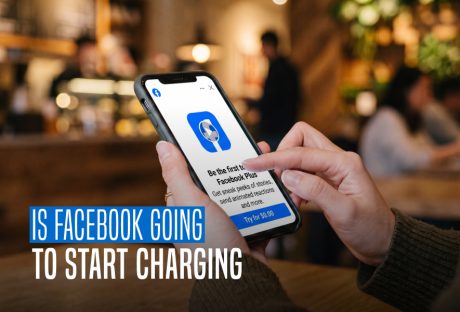
Fee Or Free: The Truth About Facebook And Charging Users
Devices with internet connectivity, including computers, tablets, and smartphones, can access Facebook. Before the development of smartphones, websites were typically only available in desktop versions. However, in order to have a fully functional experience, we can now have access to these websites on our mobile phones. But does that mean Facebook could ask for a fee soon? Is Facebook going to start charging? Here is all that we know so far. Is Facebook Going To Start Charging Regular Users? No. Facebook has not announced a general fee for opening an account, reading posts, joining groups, or using its standard features. Facebook’s official Help Centre still says that it does not charge people to use Facebook. Meta earns much of its money by showing advertisements instead. So, why do some people see payment options on Facebook? The platform now offers several paid extras. Meta Verified, creator subscriptions, Stars, advertisements, and purchases all cost money. However, you do not need any of them to maintain an ordinary Facebook account. Some regions also have a subscription that removes advertisements. People who do not want that subscription can continue using the free, ad-supported version. Therefore, the short answer to “Is Facebook going to start charging?” remains no. Facebook has added more ways to spend money, but it has not placed its main platform behind a universal paywall. Which Facebook Features Cost Money? The word “Facebook fee” can refer to several different payments. The following table separates an access fee from an optional purchase. Facebook featureDoes it cost money?What the payment coversCreating and using a standard accountNoOrdinary access remains free and supported by advertisingMeta VerifiedYes, if selectedA verification badge and additional account featuresSubscription without adsYes, in eligible regionsFacebook and Instagram without advertisementsCreator subscriptionsYes, if selectedExclusive content and benefits from a particular creatorFacebook StarsYes, if purchasedA way to support eligible creatorsBoosted posts and Facebook adsYesPaid promotion for a business, Page, product, or eventMarketplace purchasesSometimesThe item, delivery, tax, or payment-related costsMobile data and internet accessPossiblyCharges from an internet or mobile service provider Most people can continue using Facebook without paying Meta. A charge normally appears only after someone chooses a paid feature, runs an advertisement, or completes a purchase. Why Are Some Facebook Users Offered A No-Ads Subscription? Meta now follows a mixed model in certain countries. A person can use Facebook free with advertisements or pay for an experience without advertisements. Meta introduced this choice in parts of Europe and later announced a similar subscription for Facebook and Instagram users in the UK. The free option did not disappear when the paid plan arrived. The availability and price of a no-ads subscription depend on several details: The user’s country Whether the purchase happens on the web or through a mobile app The number of eligible accounts connected through Accounts Center Facebook explains these differences on its official page about the subscription for using Meta products without ads. A subscription screen can look like evidence that Facebook is becoming a paid service. In practice, it usually presents an optional way to remove ads. Users in eligible regions can still choose the free version. This development suggests that Facebook is moving toward a two-choice system in some markets: free access supported by ads and paid access without ads. It does not indicate a compulsory worldwide membership charge. History And Evolution Of Facebook Charging Facebook's fee structure has changed over time. It started off charging nothing and has since grown to be a sizable source of income for the business. Early Years (2004–2007): Facebook didn't charge for advertising at first because its main goal was to help friends connect. Introduction of Ads (2007): Facebook launched advertisements in 2007, but since the platform was still in its infancy, Facebook advertising costs were comparatively low. Targeted Advertising (2012): Facebook started to improve its advertising system in 2012, enabling companies to target particular demographics while progressively raising the cost of their ads. Facebook Mobile Advertising (2012 to 2015): the significance of mobile ads increased along with the growth of mobile usage. Advertising fees increased because businesses realized the potential of reaching consumers on their phones. Fast Growth (2015–2018): During this time, Facebook's advertising platform grew quickly, which raised competition and raised Facebook's fees. Regulation and Privacy (2018-Present): Facebook's advertising model has recently been impacted by worries about user privacy and governmental regulations. Facebook advertising is still very popular, but companies have to follow new guidelines that affect Facebook ad prices. Charges You May See While Using Facebook Facebook itself may be free, but that does not mean every activity on the platform has no cost. Meta Verified is an optional recurring subscription. It can include a verification badge, account support, and protection against impersonation. Meta describes the current eligibility rules and benefits in its Meta Verified help section. Prices may change by region and purchasing method, so avoid relying on an old price quoted in a social media post. Facebook also allows creators to offer paid monthly subscriptions. These subscriptions may provide exclusive posts, videos, badges, or other benefits. Payment supports the selected creator; it is not a fee for using Facebook itself. The same principle applies to Facebook Stars, which viewers can buy and send to eligible creators. Other possible costs include: Buying or shipping an item found through Marketplace Running an advertisement or boosting a Page post Making an in-app purchase Donating to a fundraiser Paying mobile data or internet charges These payments can occur inside Facebook, but they do not turn a free account into a paid account. Do Not Trust “Facebook Will Start Charging” Chain Messages Claims about an incoming Facebook membership fee have circulated for years. A typical post tells users to copy and share a notice to keep their account free. Another version claims that a payment will become compulsory unless the user acts before a deadline. Copying a status cannot change an account’s payment terms. Facebook would announce a major pricing change through its official Help Center, account notifications, or Meta’s newsroom. It would not rely on an unverified chain message. Treat a message as suspicious when it: Creates an urgent deadline for paying a Facebook fee Promises free access if you copy and repost a statement Requests a password, login code, or card number through a link Sends you to a website that does not use an official Facebook or Meta domain Claims that a friend can “protect” or upgrade your account Do not open unfamiliar payment links. Instead, open Facebook directly and check Accounts Center, payment activity, active subscriptions, and the Support Inbox. Scammers often build a believable story around a real Facebook feature. For example, they may mention Meta Verified and then falsely claim that every user must subscribe. Meta Verified remains optional. What Does Facebook Have To Say? Meta's Facebook has amassed popularity that is hard to rival as well as hard to tap. It goes without saying that it has had one too many of the questions: "is Facebook going start charging"? On their website, they have clearly explained what in-app expenses or any kind of charges mean from their perspective. Here is an excerpt: "No, we don't charge you to use Facebook. Instead, we charge advertisers to show ads on Meta company Products. This helps us make Facebook available to everyone without charging people for access to it. When using Facebook, keep in mind: You need Internet access to use Facebook from your computer, mobile phone or tablet, and your Internet provider may charge you for this access. Learn more about data charges and connecting to Facebook on your mobile phone or tablet. Using some Facebook features, such as text message notifications, may also lead to charges from your mobile provider. If you add your payment information to Facebook, you can do things such as make purchases from businesses, send money to friends, support creators on Facebook, and purchase ads on Facebook. If you purchase something on Facebook, we may earn a commission or transaction fee from that activity. You can also make purchases through Facebook for games, apps, and other items. Note: Facebook doesn't sell your information, and we don't share information that personally identifies you (information such as your name or email address that by itself can be used to contact you or identify who you are) unless you give us permission." What To Do If Facebook Has Charged You Unexpectedly An unfamiliar charge does not always mean Facebook has introduced an access fee. It may come from an advertisement, creator subscription, Meta Verified plan, game purchase, donation, or another transaction linked to the account. Start by checking Facebook’s payment area. Compare the date, amount, and description with your bank or card statement. You should also review subscriptions purchased through Apple’s App Store or Google Play, since mobile subscriptions may appear under the app store’s name. If you cannot identify the payment: Change your Facebook password and log out of devices you do not recognize. Turn on two-factor authentication. Review saved payment methods, advertisements, subscriptions, and purchase history. Report the charge through Facebook’s official Payments Help Center. Contact the bank or card provider if the charge appears unauthorized. Never give a login code to someone who claims they need it to cancel a charge. A genuine support representative should not ask you to send your password or two-factor authentication code through a private message. Changes Facebook Has Introduced Is Facebook going to start charging? Honestly, as we navigate the evolving world of digital advertising, it is critical to comprehend the truth about Facebook charging fees. In actuality, a variety of factors, including audience targeting and ad quality, can affect Facebook ad costs. Facebook is still a powerful platform for advertising, even though the prices might change. This is a dynamic environment where the effects of growing Facebook advertising costs can be lessened through innovation and data-driven decision-making. Businesses can continue to take advantage of the wide reach and growth potential of this platform. They can do so by remaining informed, optimizing campaigns, and fully embracing it.If you have thoughts to share or questions to ask, please leave a comment below. We would love to hear from you! Read More About: Here Is How To Delete A Facebook Page Easily? How To Stop Scammers On Facebook Marketplace? Facebook Settlement: What Went Down And What Was The Final Result?
READ MOREDetails
Unlocking The Facebook Desktop Site On Mobile: The Ultimate 2026 Workaround Guide
In today’s digital landscape, mobile design dominates the web. When you navigate to Facebook on a smartphone or a tablet, Meta automatically forces a lightweight, stripped-down mobile web version (://facebook.com). While this truncated layout saves mobile data and speeds up loading times, it deliberately hides critical administrative settings and power-user privacy configurations. In addition, it hides the advanced Meta Business tools. Fortunately, you are not locked into this restricted interface. You can bypass the standard mobile layout and load the Facebook full site directly through your smartphone’s web browser. By doing so, you get total access to the exact desktop interface used on PCs and laptops. For example, you may need to fix broken notification groups, manage a professional business page, or use messaging tools. That also without installing heavy secondary applications. As a result, the full site offers an instantaneous, zero-install solution. This comprehensive guide will break down the exact technical methods, steps, and universal browser settings. These are requires to display the detailed desktop viewport layout on any iOS or Android device. Direct Methods To Request The Facebook Full Site On Any Mobile Device Loading the desktop interface on a handheld smartphone requires overriding your browser’s default User-Agent profile. This profile will identify your device to Meta’s servers as a smartphone. Consequently, this prompts the server to push a mobile viewport. By forcing a desktop request and editing the layout URL string, you can establish a stable connection to the Facebook full site dashboard. Forcing The Desktop UI Inside Google Chrome (Android & iOS) Google Chrome makes it incredibly simple to discard mobile-optimized designs in favor of full desktop architectures. Specifically, you can use these steps to launch the Facebook full site platform. StepsDescriptionsStep 1Open the Google Chrome Mobile App on your smartphone deviceStep 2Navigate directly to the standard Facebook Home URLStep 3Tap the three-dot menu icon situated in the upper right-hand corner (Android) or lower right-hand corner (iOS) of your browser screenStep 4Scroll down through the drop-down menu and check the box or toggle next to “Desktop site”Step 5: The URL Override StepIf Chrome reloads but the URL bar still displays “://facebook.com,” tap the address bar, clear out the address, and manually type “://facebook.com” or “://facebook.com” to prevent the mobile system redirect. Activating The Full Layout Across Other Modern Browsers Because different internet browsers handle website displays in their own way, forcing the desktop version requires distinct steps depending on your app choice. Furthermore, changes implemented in 2026 have made Facebook's automatic mobile detection highly aggressive, making explicit manual workflows necessary. Apple Safari Implementation For iPhone And iPad If you use an iPhone or iPad, Safari is your default built-in internet browser. Therefore, you must use the native layout engine tools to request the complete computer view. Step 1: Open the Safari app on your phone and head to the standard Facebook sign-in page. Step 2: Look at the address bar at the bottom or top of your screen and tap the “aA” icon on the left side. Step 3: Choose Request Desktop Website from the menu that pops up. Step 4: If the page reloads but still looks like a regular phone view, tap the address bar, clear it out and manually type in “://facebook.com”. Mozilla Firefox Workflow For Android And iOS Users with a preference for running Firefox on their mobile devices, switching to the desktop view will require a simple settings toggle. Step 1: Launch Firefox and type facebook.com into the main web address bar. Step 2: Locate the main menu button, which looks like three vertical dots on the edge of your screen. Step 3: Scroll through the options and turn on the switch next to Desktop site. Step 4: If the page fails to shift to the computer view, tap the address bar and re-type the link as “://facebook.com” to force the layout change. Overriding Persistent Mobile Redirect Loops Even after adjusting your browser settings, modern site filtering systems frequently deploy background detection codes to push mobile users right back to the phone view. However, breaking out of these aggressive server loops requires cutting through saved network data that forces mobile design memory. By executing a clean environment launch or clearing out old site records, you can keep the desktop display locked in place. The Secret Computer Links Facebook frequently attempts to push mobile web users back to the simplified phone view. If your browser keeps flipping back to the mobile layout despite your settings, it means your browser has remembered your old mobile session. To completely break out of this loop, open a brand new Private or Incognito window in your browser and type one of these exact links directly into the top bar: https://www.facebook.com/home.php https://web.facebook.com/ https://www.facebook.com/?theme=desktop How To Reset Your Browser Memory If using the links above still does not work, your browser's saved site memory is overriding your manual desktop requests. Therefore, you must clear out this memory using the following simple path inside your browser settings: Open Settings: Go into your mobile browser's internal settings menu. Find Privacy Options: Locate and tap on the option labeled Clear Browsing Data. Isolate Cookies: Put a checkmark strictly next to Cookies and Site Data. Wipe Memory: Tap the final Clear or Clear Data button at the bottom of the screen. Once this memory is wiped clean, activate your browser's "Desktop site" setting before typing the Facebook web address. This stops the website from labeling your device as a phone on your very first visit. Key Benefits Of Using The Full Desktop Site On Mobile Using the full desktop layout to manage your social profile opens up a wide range of tools that phone screens block. Chat Natively Without The Messenger App The regular mobile website stops you from checking your inbox and forces you to download the separate Messenger app. Alternatively, the full desktop view completely bypasses this rule. As a result, you are allowed to read and send messages directly inside your phone's web browser. That also without downloading heavy extra applications. Deep Privacy And Post Cleanups The full layout opens up your complete Activity Log. This lets you delete old pictures and posts in bulk, view exactly who can see your profile details, and revoke permissions for sketchy third-party apps all from one dashboard. Complete Professional Page Tools Business owners and content creators cannot manage professional pages properly on a phone screen because detailed visitor stats and ad controls are hidden. On the contrary, the full site layout displays your entire business dashboard so you can schedule posts and check ad metrics effortlessly. Advanced Group Administration Similarly, group owners can easily view pending member lists, set up automatic entry rules, hand out badges, and filter out comment spam using moderation panels. Meanwhile, these are entirely missing from mobile apps. Required Browser Versions For Absolute Stability To load and handle a large computer website smoothly, your smartphone app must be reasonably updated. Therefore, check your phone’s app store to ensure your browser meets these baseline versions: Google Chrome Mobile: Version 120 or newer ensures multi-window data routing and stops the website from automatically logging you out. Apple Safari iOS: Version 17.2 or newer supports advanced hardware viewport scaling and prevents the page layout from breaking. Mozilla Firefox Mobile: Version 122 or newer successfully hides your phone identity so the site thinks you are a PC. Samsung Internet: Version 23.0 or newer allows heavy, data-dense layout elements to load up without crashing. Navigating A Desktop Layout On A Smartphone Touchscreen Operating a massive website layout designed for a physical mouse and keyboard on a small touchscreen can be tricky. However, you can make it much easier with two quick adjustments. Tweak Your Internal Text Scaling Instead of constantly pinching and zooming to read small text, use your browser's internal text tool. Specifically, in Google Chrome, go to Settings, select Accessibility, and drag the text size slider. Do this until the print is perfectly legible without breaking the website columns. Force Widescreen Horizontal View Simultaneously, turn your smartphone sideways into landscape mode. Consequently, this gives the website more horizontal room, tricking its layout into spreading out naturally across your screen. Moreover, this instantly stops text from overlapping and makes tiny links far easier to press. Quick Fixes For Common Desktop View Problems When forcing the computer view, you might run into minor layout bugs. Use this quick troubleshooting guide to fix them instantly. Stuck On Mobile View: Your browser has saved the mobile view in its temporary memory. Fix this by clearing your browser cookies and using an Incognito tab to load the site. Broken or Scrambled Layout: Your phone screen is physically too narrow to fit the text boxes side by side. Fix this by turning your phone horizontally into landscape mode to widen the screen view. Links Opening the Installed App: Your phone's internal settings are forced to open all Facebook links inside your downloaded app. Fix this by holding your finger down on the web link for two seconds and selecting Open in New Tab. Data Consumption And Battery Safety Warnings Running a full computer webpage on a small smartphone uses up a massive amount of phone resources. Since computer layouts do not compress images or pause background tasks like mobile pages do, they consume roughly five times more internet data. Additionally, they draw heavily on your phone battery. Because of this high resource drain, it is always best to use this workaround while connected to an unmetered Wi-Fi network. If you absolutely must use your mobile data plan, close the browser tab the moment you are done to stop background activity from eating up your monthly data allotment. Browser Updates And Website Layout Disclaimer Web layouts, structural layers, and browser setups are updated constantly by their respective companies. Therefore, the step-by-step instructions detailed throughout this guide are based on how mobile browsers and Facebook interact at this given time. Since Meta regularly shifts its background layouts and tracking systems to keep mobile users on mobile screens, specific menu names, buttons, or links may move in future updates. If a saved link format suddenly stops working for you, check your app store to ensure your browser app is updated to its newest possible version. Additional Reading: How To Remove Pname Com Facebook Orca? Facebook Blueprint: Building A Strong Foundation For Social Media Advertising How To Fix “Facebook Message Sent But Not Delivered” Error?: A Complete Guide
READ MOREDetails
Beyond Passwords: The Future Of Security With Facebook Authentication
A strong password is useful, but it cannot protect a Facebook account on its own. A criminal may steal it through a fake login page, malware, a data leak, or a password used on another website. The risk can extend beyond your personal profile. One Facebook account may manage business Pages, advertising accounts, customer messages, and other Meta services. Losing that account could therefore affect much more than your posts and photographs. Facebook authentication adds another check to the login process. Even if someone obtains your password, they must pass a second security step. You might approve the login with a code, a physical security key, or a trusted device. This guide explains how to set up a Facebook authentication app in 2026. It also covers passkeys, recovery codes, login alerts, linked Meta accounts, and the security measures that business users should consider. What Is A Facebook Authentication App? The phrase “Facebook authentication app” can be confusing. Facebook does not require one specific app with that name. Instead, it can connect to a third-party authenticator such as Google Authenticator, Microsoft Authenticator, or Duo Mobile. The authenticator creates a temporary six-digit code. This code changes after a short period. When Facebook detects a login from an unfamiliar browser or device, it may ask for the current code. The code comes from the authenticator app rather than through a text message. It can usually work without mobile data or a phone signal. This feature forms part of two-factor authentication, commonly called 2FA. Two-factor authentication asks for two different forms of proof: Something you know, such as your password. Something you have, such as your phone or security key. Someone who knows only your password should not be able to complete the login. How Facebook Two-Factor Authentication Works When you turn on 2FA, Facebook asks you to choose a security method. Meta currently supports authentication apps, SMS codes, and physical security keys. The options shown may depend on your account, device, and location. You will not need to enter a code every time you open Facebook. The platform can remember a trusted device. However, it may request another check when it notices a new browser, cleared cookies, private browsing, or a different location. Two-factor authentication reduces the value of a stolen password. It does not make an account impossible to hack. A convincing phishing page may try to steal both your password and the temporary code. Good login habits must therefore support the technology. Meta explains the available methods in its guide to how two-factor authentication works on Facebook. Which Facebook Authentication Method Should You Choose? Facebook offers several ways to secure a login. They do not provide the same balance of safety and convenience. Security methodHow it worksSuitable forAuthenticator appCreates changing codes on your deviceMost personal and business usersSecurity keyUses a physical USB, NFC, or Bluetooth deviceAdministrators and accounts at high riskSMSSends a code to your mobile numberA fallback when stronger methods are unavailablePasskeyUses your device PIN, fingerprint, or face scanSimple and phishing-resistant sign-in on supported devices A Facebook authentication app is a practical choice for most users. It does not depend on the mobile network. This helps when you travel or when text messages arrive late. SMS is easy to use, but it depends on your phone number. A criminal may try to take over that number through a SIM-swap attack. SMS is still better than using only a password, but it should not be your only recovery method. Security keys and passkeys provide stronger protection against fake login websites. CISA calls phishing-resistant multi-factor authentication the strongest form of MFA. Its MFA guidance explains why cryptographic login methods can resist several attacks that affect texted or typed codes. How To Set Up A Facebook Authentication App On Mobile Facebook now places its main login controls inside Accounts Center. Follow these steps on an Android phone or iPhone: Open the Facebook app. Tap Menu or your profile picture. Select Settings & privacy. Tap Settings. Open Accounts Center. Select Password and security. Tap Two-factor authentication. Choose the Facebook account you want to protect. Select Authentication app. Follow the instructions shown on the screen. Facebook may show a QR code or a setup key. If the authenticator is on the same phone, Facebook may offer to open it directly. Otherwise, scan the QR code from another device or enter the setup key manually. The authenticator will produce a six-digit code. Enter that code in Facebook to confirm that the connection works. Do not save a screenshot of the QR code. Anyone who obtains that setup information may be able to create valid codes. Treat it with the same care as a password. The menu used for 2FA is separate from Facebook Messenger. Opening Messenger settings will not take you to the account’s main authentication controls. How To Set Up Facebook Authentication On A Computer You can complete the same process through a web browser: Sign in to Facebook. Click your profile picture. Select Settings & privacy, followed by Settings. Open Accounts Center. Choose Password and security. Click Two-factor authentication. Select the Facebook account. Choose Authentication app, Security key, or Text message. Complete the verification steps. If you choose an authentication app, Facebook will display a QR code. Open the authenticator on your phone and scan it. Enter the code created by the app to finish the setup. Meta occasionally changes the location or wording of settings. However, Accounts Center > Password and security > Two-factor authentication remains the main route in the current interface. Meta provides updated instructions for securing an account with two-factor authentication. Passkeys: The Step Beyond Passwords Passkeys change how login works. Instead of typing a password, you approve the request with a device you already trust. Your phone or computer may use a fingerprint, face scan, screen lock, or PIN. A passkey contains a private cryptographic key that remains protected on your device. The genuine service holds the matching public information. A fake Facebook page cannot collect and reuse the passkey like a normal password. To check whether Facebook offers passkeys on your account: Open Settings. Go to Accounts Center. Select Password and security. Look for Passkey or Passkeys. Follow the instructions to create one. Availability can depend on the account and device. A passkey also needs a recovery plan. If you lose the device, you may need another approved login method. Meta’s Facebook passkey guide explains how supported accounts can create and use one. Save Recovery Codes Before You Need Them Two-factor authentication can create a problem if you lose your phone. Facebook provides recovery codes for this situation. After enabling 2FA: Return to Accounts Center. Open Password and security. Choose Two-factor authentication. Select your Facebook account. Open Additional methods or Recovery codes. Generate the available codes. Meta provides 10 one-time recovery codes. Each code stops working after you use it. Store them in a reputable password manager or write them down and keep them in a secure place. Do not keep the only copy on the same phone as your Facebook authentication app. If the phone is lost, both forms of access will disappear together. Avoid saving the codes in an unprotected screenshot, shared document, email draft, or group chat. You can generate a new set if you believe someone has seen the old codes. Meta’s recovery-code instructions provide the current details. Protect Connected Instagram And Threads Accounts Accounts Center can connect Facebook, Instagram, and other Meta profiles. This makes sign-in and cross-platform features easier to manage. It can also cause confusion about which account has 2FA enabled. Turning on Facebook 2FA does not mean that every connected account has the same protection. Open the two-factor authentication menu and review each listed profile separately. Check the following details: The email address and phone number connected to each account. The two-factor authentication method used by each profile. Devices that remain signed in. Connected apps and websites. Accounts you no longer recognize or use. Remove old scheduling tools, contest apps, and analytics services that no longer need access. If an employee or agency once managed a business profile, check whether that access still exists. A connected account should make your work easier. It should not become an unnoticed route into several Meta services. How Criminals Try To Bypass Facebook Authentication Two-factor authentication blocks many password attacks, so criminals often target the person instead. A message may claim that your Page has broken a rule. It might warn that Facebook will delete the Page unless you appeal within a few hours. The link leads to a fake login screen that collects your password and temporary code. Another attack sends repeated login requests. The criminal hopes that you will approve one by mistake or simply to stop the alerts. A third method targets the phone number used for SMS. Through fraud or social engineering, the attacker may convince a mobile provider to transfer the number to another SIM. Follow a few simple rules: Start Facebook logins from the official app or by typing the address yourself. Do not enter a code after opening a link from an unexpected message. Never send a login or recovery code to another person. Reject login requests you did not start. Check the Facebook Support Inbox before trusting an account warning. A genuine support worker does not need your password or one-time code. If someone asks for either, stop the conversation. Facebook Authentication For Business Pages A personal Facebook profile may control valuable business assets. These can include Pages, customer messages, advertising accounts, payment methods, and Business Portfolios. If a criminal takes over that personal profile, the damage may reach the wider business. Every person with high-level access should therefore use strong authentication. Avoid sharing one personal login among several employees. Facebook provides Page and business permissions so that people can use their own accounts. Individual access also makes it easier to remove a former employee without changing a shared password. Review these areas regularly: People with full or partial Page access. Business Portfolio permissions. Advertising accounts and payment details. Connected Instagram accounts. Active agencies and outside tools. Devices and locations with current sessions. Keep more than one trusted person with suitable control when possible. If one administrator loses access, another can still protect the business assets. Businesses should also have a response plan. Decide who will pause advertisements, remove an unknown user, contact Meta, and inform customers after a security incident. What To Do If The Authentication Code Does Not Work Authenticator codes depend on accurate time. If Facebook rejects a code, confirm that your phone sets its date and time automatically. Then wait for the app to create a fresh code and try again. Make sure you selected the correct Facebook entry inside the authenticator. People with several accounts may accidentally use the code for another profile. If the code still fails: Try a saved recovery code. Use another 2FA method already connected to the account. Check whether Facebook remains open on a trusted device. Review Meta’s 2FA troubleshooting process. Avoid making many rushed attempts. If you lose your phone, contact the mobile provider and protect your number. Use a trusted device to change your Facebook password and sign out of the missing phone. If someone changed your password or security settings, use Facebook’s official recovery page at facebook.com/hacked. Do not pay a stranger who promises to recover the account through WhatsApp, Telegram, or Messenger. Complete A Regular Facebook Security Checkup Authentication works best when you support it with a few other settings. Open Accounts Center > Password and security and review: Where you’re logged in: Sign out of devices and locations you do not recognize. Login alerts: Turn on warnings for unfamiliar devices or browsers. Saved login information: Remove phones and computers you no longer own. Password: Use a unique password that does not appear on another site. Recovery codes: Replace them after use or possible exposure. Passkeys: Add one on a trusted device if Facebook offers the option. Security Checkup: Complete the recommended account review. Do this after changing phones, travelling, hiring an agency, or removing a business administrator. You should also review the settings after receiving an unexpected login alert. Facebook’s Security Checkup brings several of these controls into one guided process. Frequently Asked Questions Can I use Facebook without an authenticator app? Yes. Facebook may let you use SMS or a physical security key instead. A passkey may also be available for supported accounts and devices. Is A Facebook Authentication App Free? Many popular authenticator apps are free. Check the developer and permissions before installing one. Download it from the official Apple App Store or Google Play Store. Will Facebook ask for a code every time? Usually, no. Facebook can recognize a trusted device. It may request a new check after you change browsers, clear cookies, use private browsing, or sign in from an unfamiliar location. Can Someone Steal An Authenticator Code? A criminal may capture a code if you type it into a fake website or send it through a message. Authenticator codes expire quickly, but an attacker may try to use one immediately. Always check the website or app before entering it. Does Facebook 2FA Protect Instagram Automatically? Not necessarily. Accounts Center lets you choose the account you want to protect. Review Facebook and Instagram separately and confirm that each has an active security method. Wrapping Up A Facebook authentication app adds an important barrier between your account and someone who has obtained your password. It works without depending on a text message and suits most personal users. For stronger protection, consider a passkey or physical security key. Keep recovery codes somewhere safe and separate from your main device. Review connected Meta accounts, active sessions, business permissions, and login alerts as well. No single setting can stop every attack. Strong Facebook security comes from several small controls working together: a unique password, a second factor, safe recovery options, careful access management, and the habit of questioning unexpected login links. Set them up before something goes wrong. Account security is far easier to manage while you still have full access. Additional Reading: How to Get Help Through Facebook Chat Support? What Is Facebook Touch? Everything You Need To Know About It Facebook Settlement: What Went Down And What Was The Final Result?
READ MOREDetails
How to Get Help Through Facebook Chat Support?
Did you know that there are 2.93 billion monthly active users on Facebook? That is a sizable number of possible friends, acquaintances, and clients. If something goes wrong, you may want to contact Facebook. Facebook Support Chat helps you do exactly that. However, it is intimidating and depressing for a Facebook user to consider competing with billions of users for social media support. Reaching out to any support team, particularly Facebook's, for assistance with removing offensive content, recovering a hacked account, or simply asking a question, can be a very confusing and time-consuming process. How Facebook Support Works In 2026 Facebook does not offer one universal customer-service chat for every user. The support option you see depends on your issue, account type, country, advertising activity, and eligibility for products such as Meta Verified. Use the route that matches your problem: ProblemBest first optionWhat to expectYou need help using a featureFacebook Help Center or Meta’s support assistantGuided answers and account-specific helpA button or feature is brokenReport a problemA technical report sent to FacebookYour account or Page has a restrictionAccount Status and Support InboxNotices, decisions, and appeal optionsAn ad, payment, or business asset has an issueMeta Business Help CenterSupport options may appear for eligible businessesYour account may be hackedFacebook’s hacked-account recovery flowSecurity checks and account recovery stepsYou received a platform warningSupport InboxA place to verify whether the notice is genuine The phrase “Facebook support chat” usually refers to one of these support routes. A live conversation with a human agent is not guaranteed for ordinary personal accounts. Meta’s official Points of support and contact page directs users to the Help Center, reporting tools, and account-specific support. Is Facebook Live Chat Available To Everyone? No. Facebook live chat is normally limited to selected business, advertising, or verified accounts. Even businesses that use Meta products may not see a Chat button every time they open the support area. To check: Open the Meta Business Help Center. Sign in to the business account connected to your Page or ad account. Choose the product or asset affected. Select Get support or a similar contact option. If your account qualifies, Facebook may show chat, email, or another contact method. Meta Verified for businesses can also provide access to personalised support, subject to eligibility and the plan available in your country. Check Meta’s current Meta Verified for Businesses information before paying for any subscription. Do not assume that a live chat option must appear. Its absence does not mean that your account is permanently blocked or that Facebook has ignored your problem. It often means that the available support route is limited to self-service articles, a report form, or the Support Inbox. Types Of Facebook Support Facebook provides a range of support options to assist users in resolving their problems. Here are a few methods to get in touch with Facebook Support if you're unsure how to do so: For users trying to solve common problems, the Facebook Help Center is a great resource. Clicking the "Help Center" option from the Facebook drop-down menu will take you to the Help Center. Answers to frequently asked questions and articles about Facebook usage can be found here. By choosing "Report a problem" from the drop-down menu under "Help," you can also report a problem you're having directly to Facebook. What Is Facebook Community? Users can find resources about creating a community on Facebook in the Facebook Community. For those seeking assistance with Facebook Groups, online events, community chats, and other topics, this forum is excellent. Other Ways To Seek Facebook Support Facebook, Meta for Business, Meta for Media, Facebook and Privacy, Developer Community Forum, Engineering at Meta, and Design at Meta are among the subjects covered by the official Facebook websites. You can find articles, tutorials, and other useful resources on these pages to assist you in troubleshooting platform issues. Additionally, you can email Facebook Support. You can send an email to the appropriate addresses, but most users lament how infrequently they receive a response. Use support@fb.com for general support inquiries. Please send any questions you may have to press@fb.com. For issues relating to law enforcement, use records@fb.com. Appeal content that has been blocked by using appeals@fb.com. Use abuse@fb.com to report content that goes against Facebook's policies. Send an email to datarequests@fb.com to find out what information Facebook has about you. To address questions about intellectual property, use ip@fb.com. Use phish@fb.com to report phishing content. How To Contact Facebook Support Through Official Channels Start from Facebook itself rather than searching for a phone number or clicking a support link sent by another person. Use The Help Center Sign in to Facebook. Click or tap your profile picture. Open Help & support. Select Help Center. Search for the exact problem, such as “account disabled,” “Page access,” “ad payment,” or “hacked account.” Facebook may also offer an automated support assistant in the Help & support area. Its availability and functions can vary by account. Report A Technical Problem If a feature is not working: Open Help & support. Select Report a problem. Choose the area affected. Describe what happened. Add a screenshot that does not reveal passwords, payment details, or security codes. Send the report. Meta explains that reports help its teams investigate broken features, although a personal reply is not guaranteed. You can review the latest instructions in its report-a-problem guidance. What To Write In A Facebook Support Request A clear report gives Facebook enough information to understand the problem without several rounds of questions. Keep the message factual and easy to scan. Include: the Page, profile, ad account, or business asset affected; the date and approximate time the problem began; the exact error message or warning; the device, browser, or app version you used; the steps that caused the problem; screenshots or a short screen recording, with private information hidden; any case number from an earlier report. Explain what you expected to happen and what happened instead. For example: “I have full control of the Page, but the Access and control menu does not show the deletion option.” Never include your Facebook password, one-time login code, full payment-card number, or recovery code in a support message. Facebook support does not need those details to investigate a normal technical issue. Where To Find Facebook Support Replies Facebook sends many account notices and report updates to the Support Inbox. It is the first place to check after submitting a problem. On the Facebook app: Tap Menu or your profile picture. Select Help & support. Tap Support Inbox. On desktop, open your profile menu, choose Help & support, and select Support Inbox. The inbox may contain account alerts, reports about content, Page decisions, and replies connected to previous requests. Meta’s Support Inbox instructions confirm that it is used for alerts and messages from Facebook. If you cannot find a reply, check that you are signed in to the same personal profile that submitted the report. A Page manager may need to switch into the relevant Page or business account before related notices appear. Avoid Fake Facebook Support Numbers And Messages Facebook does not provide a universal customer-support phone line for ordinary account problems. Numbers published on blogs, forums, or social-media posts may be outdated, automated, or unrelated to Meta. Be cautious if someone claiming to be Facebook support: sends you a private message asking for your password; asks for a login code or recovery code; requests payment to restore a profile; sends a shortened link to “verify” your Page; promises an immediate appeal through WhatsApp, Telegram, or another chat app. Do not give the person access to your account. Open Facebook directly and check your Support Inbox instead. Meta also advises users to take action if they believe they have been phished on Facebook. A genuine support request should begin inside Facebook, the Meta Business Help Center, or another official Meta website. If you received a warning by email or message, compare it with the notice shown in your Support Inbox before taking action. Support Chat Is More Accessible Now! Although we sincerely hope you never need to contact Facebook support, you might occasionally require assistance on the social media network. We've listed the standard methods for getting in touch with Facebook support when you're having problems. Facebook support chat is available to assist with any problems as well as provide guidance on new features and strategies for expanding your company's presence on the network. Additional Reading: Here Is How To Delete A Facebook Page Easily? How To Stop Scammers On Facebook Marketplace? Facebook Settlement: What Went Down And What Was The Final Result?
READ MOREDetails
Want to Know Who Isn’t Following You On Facebook? Here Is How
When you become friends on Facebook, the person in question follows you automatically. This holds true for you as well. On Facebook, if you receive a friend request and decide not to accept, reject, or unfriend the sender, the request will turn into follow automatically. You can block them on Facebook if you don't want them to follow you. People who aren't your friends or potential friends can also follow you. Let's learn about how to change your settings so that you can get followed by the general public and view who is following you at the moment. This article will answer your question on how can you see if someone is not following you on Facebook. Keeping an eye on your Facebook fans is crucial, especially if you use the social media site to market your company or brand. You can improve your company's online visibility by encouraging your followers to see interesting Facebook posts about your brand. For example, how can I see who exactly I follow on Facebook? These are the most common questions asked by the vast majority of Facebook users worldwide. Facebook has made it simple to see who follows you. However, because of the confusing site's interface, most users have trouble finding the "Following" feature. However, we are here to respond to your following woes and offer you our utmost tech support. Here is everything you need to know about finding out who is following you on Facebook, both on the web and on mobile devices. By following this step-by-step guide, you can successfully modify your settings and look over the specifics to make the most of Facebook. Are you ready to learn all about it? What Is Following On Facebook? Before we learn about how can you see if someone is not following you on Facebook, let's address the question, what is following on Facebook. It's not necessary to be friends with someone in order to view their posts in your Facebook News Feed. This is why when you follow someone who isn't a friend, you'll also see their public updates appear in your Feed as though they are. Furthermore, your public posts will show up in the News Feeds of people who follow you on Facebook, even if you are not friends with them on the social media network. It consists of the comments you leave on other people's open posts as well as the pictures and posts you upload on your own. You might not even be aware of it if you don't learn how to view your Facebook followers. Friend, Follower, Unfollowed, Or Blocked: What Is The Difference? Facebook uses several controls that can look similar but behave differently. A friend connection normally creates a two-way follow. You can still remain friends with someone while choosing not to see that person’s posts in your Feed. Meta confirms that unfollowing someone does not remove the friendship. You can read its explanation of following and unfollowing on Facebook. A follower is different from a friend. A follower may see your public posts without being connected to you as a friend. Pages also collect followers, and a person may follow a Page without interacting with every post. Unfollowing is quiet. Facebook does not send the other person a notification when you unfollow them. Blocking is stronger: it limits the person’s ability to find, contact, or interact with your profile. This means a lower friend count, a lower follower count, and fewer reactions do not prove the same thing. Someone may have unfollowed you, unfriended you, deactivated their account, or changed their privacy settings. How To See Your Current Facebook Followers The steps depend on whether you want to check a personal profile or a Facebook Page. Check Followers On A Personal Profile Open Facebook and go to your profile. Select More below your profile details. Choose Followers, if the option appears. Review the list of people who follow you but are not already your friends. Facebook may not show a Followers tab on every profile. Public follower settings, professional mode, age restrictions, and account privacy controls can affect what appears. Meta explains that people who are not your friends can follow a profile when the relevant public-following option is available. See the current Facebook follower guidance. Check Followers On A Facebook Page Switch into the Page you manage. Open the Page’s settings. Look for the followers or audience section. Review the available follower list. Meta states that Page owners can view followers from the Page’s settings. The exact label may differ between the Facebook app, desktop site, and Meta Business Suite. If you only see follower totals or insights, Facebook may not be displaying a complete name-by-name list for that account. Can Facebook Show You Who Unfollowed You? Facebook does not provide a reliable list of everyone who unfollowed your profile or Page. It may show your current followers, but it does not normally show a dated record of who left. A falling follower number can have several causes: Someone unfollowed you. A person deleted or deactivated their account. Facebook removed fake, spam, or inactive accounts. A Page follower changed their privacy settings. The follower count has not finished updating across Facebook’s systems. You can compare follower totals over time, but that will not identify one specific unfollower. For a Page, use the professional dashboard or Page insights to watch broader audience changes. Treat those figures as trends, not as a personal attendance list. Avoid browser extensions and mobile apps that promise to reveal every unfollower. Many ask for your Facebook password, access token, or permission to manage your account. Meta advises users to avoid suspicious links and protect their login details. If you already used such a tool, remove its access, change your password, and review recent login activity. How To Check One Person’s Follow Status Without An Unfollower App Facebook cannot always confirm whether one particular person still follows you. You can, however, check the visible signs without giving your account details to an outside service. Open the person’s profile and look at the relationship shown near their name. If Facebook shows Friends, you are still connected as friends. That does not prove they follow every post because a friend can unfollow your updates while keeping the friendship. If you manage a Page, search for the person in the Page’s follower list. If the name is not shown, Facebook may have removed the follow, hidden the account, or not finished updating the list. Do not treat one missing result as final proof. The safest answer often comes from the person’s recent interaction with your public content. A lack of likes, comments, or views is not proof of an unfollow. Feed ranking, notification settings, and a person’s time on Facebook can all change what they see. Who Can Follow You On Facebook In 2026? A Facebook Page is designed to have followers. A personal profile follows a different set of rules. People who are not your friends may be able to follow your profile when your public follower setting or professional mode allows it. To review the setting: Open Facebook and select Settings & privacy. Tap or click Settings. Open Followers and public content under Audience and visibility. Check who can follow you. Review who can comment on, like, or share your public posts. Some profiles now need professional mode before non-friends can follow them. Meta says that a profile’s type determines who can follow it, and professional mode can allow non-friends to follow. Read Meta’s current guidance on who can follow you. Changing this setting affects future followers. It does not reveal a complete history of people who previously followed or unfollowed you. How To Get Notified When Someone Unfollows Automatically? Manually going through your "Friends" and "Followers" lists can be very time-consuming. You have no way of knowing when someone clicks the "Unfriend" button unless you keep a close eye on the number of friends listed on your profile. Fortunately, there's a much simpler way to figure out who unfollowed you on Facebook. Presenting Who Deleted Me, an extension for Google Chrome and Firefox that performs profile checks for you. The application saves your current friends list when you log in with your Facebook credentials. It then periodically rechecks the list whenever you click on the app and notifies you of any changes, such as when someone unfriends you. It also distinguishes between friends and other individuals who have recently deactivated their accounts, which is an extra bonus. How Do I Follow Someone Without Adding Them As A Friend? To do this, go to their Timeline page and click the "Follow" button. If there isn't a "Follow" button, a user's privacy settings prevent people who aren't friends from following them. It follows that you have to friend them first. If they grant your request, you will have the ability to follow them. Why Your Facebook Follower Count May Change Follower numbers are not fixed. Facebook regularly removes accounts that are fake, abusive, or no longer active. A person may also stop following you without unfriending you. For that reason, focus on the pattern rather than one daily change. A small drop does not automatically mean that your content failed. Check whether the change happened after: a long gap between posts; a change from public to friends-only content; a Page name, category, or branding update; removal of old or inactive accounts; a change in professional mode or follower privacy settings. If you manage a business Page, compare follower changes with reach, profile visits, messages, and link clicks. These measures show whether the audience is still finding and using the Page. A follower total alone cannot explain why people stopped seeing or engaging with your content. Facebook Users In 2026 Should Remmember These! Now you can tell how can you see if someone is not following you on facebook. Warm leads on Facebook are more likely to visit your page or make a purchase. By helping you reach more people, they can also help you grow your website audience. Your following on Facebook is a crucial sign of how successful your company page is on the social media network. How can I check who is following my desktop and mobile Facebook pages and profile? This guide will help you answer that question. Now that you know how to make your Facebook profile public, you can also follow more people and grow your social media following. If you want to stop people from following you, you can also go in the opposite direction. However, ensure that the configuration best meets your needs and privacy preferences. You can change the setting if you are not satisfied with it as is. Additional Reading: What Is Facebook Touch? Everything You Need To Know About It How To Recover Deleted Facebook Messages Using Com.Facebook.orca? Facebook Blueprint: Building A Strong Foundation For Social Media Advertising
READ MOREDetails
Here Is How To Delete A Facebook Page Easily
Do you wish to know how to delete a Facebook page? This article is going to be your ultimate guide. We will walk you through the process of deleting your Facebook business page on both desktop and mobile devices with clear, detailed instructions. If you're still not entirely sure that you want to permanently delete your Facebook business page, we'll also offer you other options. But first, let's confirm that we are discussing the same topics. Your personal Facebook account, or profile on Facebook, is the one you use to interact with loved ones and watch wacky cat videos. You can share updates about your life with your Facebook friends and keep up with their activities. Depending on the pages you follow, you can even obtain your news from your news feed. On the other hand, a company typically creates a Facebook page to engage with clients, advertise goods and services, and broaden its online presence. This account is not private; rather, it is a component of a larger marketing plan. We'll go over everything you need to know about removing your Facebook business page in the section that follows. Go to the bottom of the post to find out how to remove your personal Facebook account. What You Need Before You Delete A Facebook Page Facebook no longer relies on the old “Page administrator” label alone. To delete a Page, your profile must have Facebook access with full control. Task access may let you publish posts, answer messages, view insights, or work inside Meta Business Suite. It does not give you permission to delete the Page. You can check your access before starting: Switch from your personal profile to the Page. Open Settings & privacy and select Settings. Go to Page setup and choose Page access. Find your name under People with Facebook access. Confirm that your access includes full control. If you do not have full control, ask someone who does to change your access. Meta explains the current permission levels in its Facebook Page access guide. Facebook deactivates a Page as soon as someone requests deletion. The Page then enters a 14-day recovery period. If nobody cancels the request within that time, Facebook permanently deletes it. Therefore, save any information you may need before confirming the request. Should You Delete, Deactivate, Merge, Or Remove The Page? People often delete a Page when they only want to hide it or remove it from a business account. Facebook provides several actions, and each one produces a different result. Your goalCorrect actionWhat happensHide the Page for nowDeactivate the PagePeople cannot find the Page, but you can reactivate it later.Close the Page permanentlyDelete the PageFacebook deactivates it immediately and permanently deletes it after 14 days.Combine two similar PagesMerge the PagesMeta combines eligible Pages and removes the Page being merged.Detach it from Meta Business SuiteRemove it from the business portfolioThe Page remains on Facebook but is no longer part of that portfolio.Stop one person from managing itRemove their Page accessThe Page stays active, but that person loses access. Deactivation is the safer option when a business is taking a break, changing its name, or rebuilding its content. Meta confirms that deactivating a Page does not delete it. Merging works only when Meta considers the Pages eligible, usually because they represent the same business or subject. You can review the current Facebook Page-merging requirements before choosing this option. Removing a Page from a Meta business portfolio is also different from deleting it. Use that option when your problem concerns business ownership or Meta Business Suite access rather than the public Page. How To Delete A Facebook Page In 2026 Facebook uses nearly the same deletion menu on desktop and mobile. You must switch into the Page before opening its settings. Delete A Facebook Page On Desktop Sign in to Facebook. Click your profile picture in the upper-right corner. Select See all profiles and switch to the Page you want to delete. Click the Page’s profile picture. Open Settings & privacy, followed by Settings. Select Access and control from the menu. Choose Delete Page and click Continue. Review the information shown on the screen. Facebook may offer options to download or transfer your Page information. Enter your password if Facebook asks for it. Confirm that you want to delete the Page. Delete A Facebook Page On Android Or iPhone Open the Facebook app. Tap your profile picture or the Menu button. Use the profile switcher to select the Page. Open Settings & privacy and tap Settings. Tap Access and control. Select Delete Page. Tap Continue and follow the confirmation prompts. Meta occasionally changes the position of individual menu items. However, Access and control currently contains the deletion option. You can compare your screen with Meta’s latest Page deletion instructions. Once confirmed, Facebook deactivates the Page immediately. Permanent deletion takes place after 14 days unless you reactivate it. Complete This Page Exit Audit First Deleting a Page can remove years of useful business history. A quick Page exit audit protects the information that may still have legal, marketing, or customer-service value. Before deleting the Page: Download a copy of the Page, and open the downloaded file to confirm that it contains what you need. Save important photographs, videos, posts, customer conversations, leads, reviews, and performance reports separately when necessary. Record the Page username, URL, Page ID, final follower count, and important campaign results. These details can help with old invoices, brand records, ownership questions, and future marketing reports. Review scheduled posts, active advertising campaigns, connected business tools, and any linked Instagram account. Handle each connected asset separately instead of assuming that Page deletion will remove or preserve everything. If the business has moved or changed its name, publish a final notice that points customers to the new Page, website, email address, or support channel. Tell other people with full control about the decision. This reduces the chance of someone cancelling the request or recreating a duplicate Page without knowing the original plan. Treat the Page as a business record, not simply as a social profile. Once the 14-day recovery period ends, access to its old content may not return. Deleting A Facebook Page Is Not The Same As Deleting Your Account A Page represents a business, organization, brand, or public figure. Your Facebook account contains your personal profile and provides the access used to manage Pages. Facebook gives a Page a 14-day deletion window. A personal account has a 30-day cancellation period. Combining these two time limits can cause someone to miss the Page recovery deadline. To delete a personal Facebook account in the current interface: Open Settings & privacy and select Settings. Go to Accounts Center. Select Personal details. Open Account ownership and control. Choose Deactivation or deletion. Select the account or profile. Choose Delete account and tap Continue. Meta provides the complete process in its personal Facebook account deletion guide. Check every Page you manage before deleting your account. If your profile is the only one with full control, the connected Pages may also lose their active manager. Give another trusted person full control first if any Page needs to remain online. Why Can’t I Delete My Facebook Page? A missing Delete Page button usually points to an access or profile problem. It does not always mean that Facebook has removed the feature. What you seeLikely reasonWhat to doYou cannot find “Access and control”You are using your personal profileSwitch into the Page and open its settings again.You can post but cannot delete the PageYou have task access or partial controlAsk someone with full control to upgrade your Page access.The Page appears in Business Suite onlyBusiness portfolio access and Page access are differentCheck both the portfolio permissions and the Page access list.Your access changed without your approvalAnother person with full control may have edited itContact the remaining full-control user or submit a Page access request.The app shows an older menuYour app or interface has not received the same layoutUpdate the app or complete the process through a desktop browser. Only someone with Facebook access with full control can delete a Page. Being able to create content, answer messages, run advertisements, or view reports does not prove that you have that level of access. If the Page belongs to another business or person, you cannot ask Facebook to delete it simply because you no longer want it online. The owner must give you the required access or handle the deletion. If you lost legitimate access to a Page you manage, follow Meta’s Page access recovery guidance. How To Stop Facebook From Getting Deleted? As previously mentioned, you can stop a page from being deleted for thirty days after you decide to delete it. If you decide to change your mind, simply take these actions: Click on your picture in the upper right corner of Facebook when it's open. From the dropdown menu, select Settings & privacy and then click Settings. Click "Your Facebook information." Lastly, select "View" from the menu, then click to bring up the reactivation page. Did You Receive A “Your Page Will Be Deleted” Message? A message that threatens to delete your Page is not the same as a deletion request you submitted through Facebook settings. Scammers often create urgent messages that ask Page owners to open a link, appeal immediately, enter a password, or pay a fee. Do not use the link inside an unexpected message. Open Facebook yourself and check the Support Inbox: Open the Facebook menu. Select Help & support. Open Support Inbox. Look for a matching notice from Facebook. Meta uses the Support Inbox for account alerts, reports, and platform messages. If no matching notice appears, treat the original message with caution. If you entered your password on a suspicious website, change it immediately. Review recent logins, remove unknown access, and turn on two-factor authentication. Meta also provides recovery steps for people who believe they have been phished on Facebook. Before You Delete You should download the data from your Facebook page before deleting it. To obtain your data: Navigate to that page and choose "Settings." Locate the "Download Page" option by navigating to the "General" section. Click "Download Page" after selecting "Edit." One wise move to make the most of your social media assets is to delete any outdated or irrelevant business pages. You can also collect data, automate content creation, and analyze trends with the right software. To locate the best social media software for your company, start here. A Final Check A Facebook page is different from a profile. Your user profile represents you as an individual. It's where you interact with friends and maintain control over the privacy of the information you share. A page is a public representation of a person, place, business, organization, or group that other people on Facebook can like and follow. Once you have initiated your account's deletion, Facebook gives you a 14-day window to rescind your decision. Within that timeframe, you can reinstate your account to its previous glory without losing any of your data. To do so, simply log into your account as you normally would, using any browser of your choice or via the Facebook app. After 14 days, you lose your account permanently. So before you get too curious about how to delete a Facebook page, make sure you are ready to let go permanently. With the information we just provided, you can delete any type of Facebook page that you may have created in just a few moments. Have you had any challenges deleting your Facebook page? How did you overcome it? Let us know in the comments. Additional Reading: How To Stop Scammers On Facebook Marketplace? Facebook Settlement: When It Will Pay Out and How to Verify It What Is Facebook Touch? Everything You Need To Know About It
READ MOREDetailsPopular

Technologies For Creating A Startup Idea
20 Feb 2023

How to Download Facebook Videos on Android?
07 Feb 2019

7 Rules of Effective Ecommerce Web Design
28 Jan 2021

Why Are Online Transactions Convenient?
07 Dec 2023
