Improving Your Minecraft Gameplay: Tips For A Better Experience

by

12 July 2023

Gaming

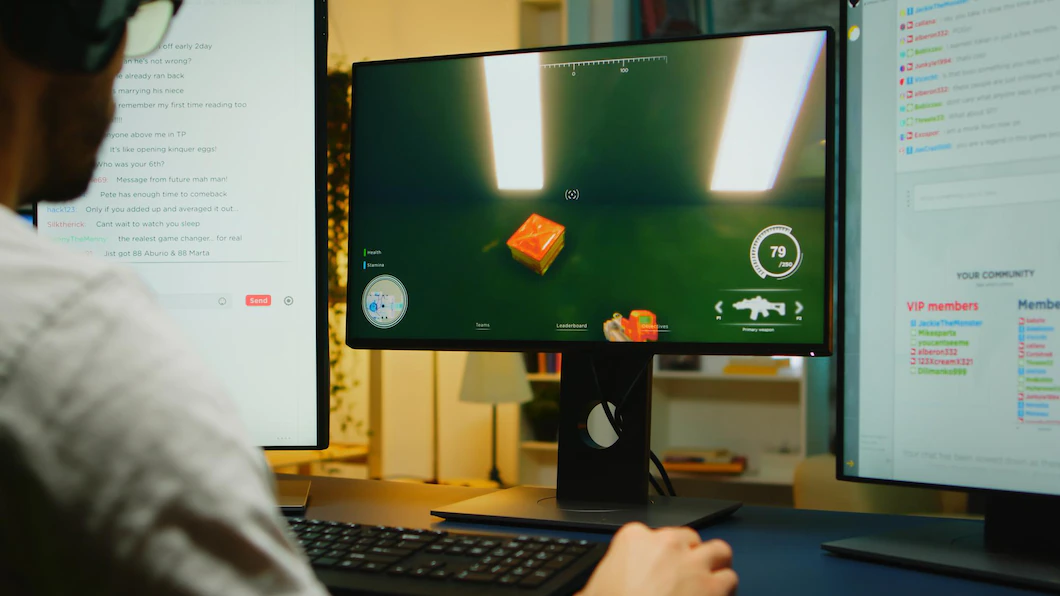
Minecraft is a 3D adventurous gameplay where players create and break building blocks. It has a lot of adrenaline possibilities for players because it is a thrilling game with something for beginners and experts. The good news is that new ways exist to enhance the gameplay to create a better gaming experience. We recommend you delve deep into the virtual world to expand your gaming horizons. We will discuss some valuable strategies and techniques to make your Minecraft experience worthwhile.

Define Your Objectives

Before embarking on a journey into the virtual world of Minecraft, it is crucial to have goals and objectives. Make sure that whatever you chart down is achievable. By having a clear sense of direction, you can focus and concentrate on the game and excel purposefully. One of your reasonable objectives in Minecraft building a fortified base. Eventually, the base protects you from hostile mobs and other players.

Proficiency In Fundamental Crafting

It is recommended that you give significant attention to adapting to the core principles of crafting used in Minecraft. An efficient command of the basics will help you acquire the necessary items and tools for successful survival and progression.

Gather Your Resources

As a player, you should give prime importance to the Minecraft world to uncover valuable resources. Remember that resources are crucial for constructing structures. With the right help, you can use survival instincts and determine how to succeed in the virtual reign.

Gain Experience With Redstone Engineering

In Minecraft, Redstone Engineering is the working knowledge of using Redstone, a special material in the game. It allows players to create complex circuits and mechanisms. Redstone can power various blocks, create automated systems, and build contraptions like traps, doors, and transportation systems. It is a powerful medium that can elevate the gameplay experience and help make complex gadgets.

Make Use Of The Multiplayer Mode

Minecraft multiplayer mode allows players to engage with other fellow teammates. You can team up to collaborate in the gameplay. Moreover, with multiplayer mode, you can enhance your creativity and establish strong connections within the Minecraft community.

Beware Of The Lava

In Minecraft, Lava is the most dangerous, and it can quickly finish you off. In the game, when you're exploring, you must check before you dig to keep yourself safe from the underlying lava. And if any misfortune strikes you and you happen to fall straight, try to swim out as fast as you can.

Water Is Your Lifesaver

Water is a lifesaver in real life and a great help in Minecraft. You can use water in multiple ways. For instance, you can build a safe zone around your base and keep those Monsters away. Moreover, water can travel down quickly as an elevated system.

Explore The Uncharted World Of Nether

Create an interest in exploring the mysterious and dark world of the Nether. This might look like a dangerous place to explore, but it's brimming with valuable resources. Everything will fall into place if you build a Nether portal and travel straight into it, but before that, be sure to have your ammunition and supplies with you.

Get Your Expertise In Parkour

Parker is a fun yet thrilling way to improve coordination in Minecraft. You can always practice climbing and jumping skills by overcoming obstacles in your world or finding customized Parkour maps.

Mine Your Way Through Caverns

Caverns are very resourceful. By digging into the ground, you can find coal, diamonds, gold, iron, and whatnot. It would be best to find natural inlets but remember to bring your flashlights, as it can be pretty dark down there.

Minecarts Are Handy

If you need help transporting your items and resources worldwide, there is no need to carry them when you have your minecarts around. A minecart system can be created and connected throughout your world, and you can easily take items from one place to another. Make sure to power your rail so that your mind carts are always moving.

Get Yourself Sheltered

One of the prime things you need to do while playing Minecraft is to protect yourself; to do that, you need to build a shelter. Not only will it be your haven from monsters and all the deadly things out there, but it will also allow you to save your items. You can do so by digging a trench in the ground or building a small cozy house.

Level Up Your Minecraft Experience

Don't overlook the powerful tool that can make Minecraft even better. A Minecraft VPN can transform your gameplay in amazing ways. Think of it as a shield that keeps you connected without any interruptions, making your game more stable. It also adds an extra layer of security to keep you safe online. Not only that, it lets you access content from anywhere in the world, opening up a whole new world of possibilities. Final Words Minecraft is all about strategy. To get a Minecraft gaming experience and explore new avenues, be strategic. Master the techniques mentioned above to be your champion in a wonderful game. Your creativity will help you level up.

More Resources:

Abdul Aziz Mondol is a professional blogger who is having a colossal interest in writing blogs and other jones of calligraphies. In terms of his professional commitments, he loves to share content related to business, finance, technology, and the gaming niche.

View all posts

Leave a Reply

Your email address will not be published. Required fields are marked *

Related

Google Memory Game

Relive Your Childhood With Google Memory Game! [Updated 2026]  

Have you been searching for Google Memory Game online? If your answer is yes and you want to know more about the same, then you will find this article to be of help. Maintaining mental health and avoiding memory issues require regular mental activity. We may employ a variety of memory games to enhance our mental health thanks to technology. You may play a number of memory games on Google without installing any additional software on your smartphone. By adding an add-on to Google Chrome, children and parents can access some Google Memory Games. Keep reading this article till the end to learn more about this game… Google Memory Game   Many people look for ways to feel festive as the Christmas season draws near. Google's Santa Tracker website or app, which provides a variety of interactive games and activities, is a well-liked holiday entertainment destination. The Google Memory Game stands out among the many options as an entertaining and instructive game that tests players' memory abilities while engulfing them in holiday-themed graphics and noises. The Google Memory Game is a well-known memory matching game that is accessible on desktop or mobile devices with an internet connection and a suitable web browser. All ages of players can enjoy the gameplay because it is straightforward yet addictive. Players are given a grid of cards, which they must flip over to reveal pictures of seasonal items like gifts, decorations, reindeer, or snowflakes. By turning over a pair of cards at a time and remembering where they are, the goal is to find matching pairs. What Makes Google Memory Game So Popular?   While there are several Android games that can make your time worthwhile, Google games have a charm of their own. As I have already mentioned, the game is simple and enjoyed by people of all ages. The game is typically divided into several levels or stages, with the level of difficulty rising as players advance. The Google Memory Game's joyful visuals and audio are what really set it apart. Holiday-themed graphics and animations are used throughout the game to create cheery and engaging gameplay. The designs are made to convey the holiday spirit and get players in the holiday spirit, with dazzling lights and cheery figures. The game might also have holiday-themed background music or sound effects, which heighten the immersion and make playing it more fun. The Google Memory Game not only offers fun, but it also teaches kids things. The game frequently incorporates amusing facts about holiday customs, geography, or cultural knowledge relating to various nations or locations throughout the world as part of Google's Santa Tracker program. Players can obtain knowledge about many nations and their customs while learning how diverse cultures celebrate the holiday season and other intriguing facts about holiday traditions. This gives the game a more educational component, making it an excellent holiday activity for families or classrooms. The Google Memory Game also encourages social sharing. Players can compete amicably or spread holiday cheer with friends and family by posting their achievements or scores on social media channels. During the holiday season, this feature encourages players to interact with one another and spread the excitement of playing the game, creating a sense of community. The Google Memory Game was previously only accessible during the holiday season as a part of Google's yearly Santa Tracker program. However, times have changed. You can now play this game online by simply searching for Google Memory Game. How To Play Google Memory Game?   Searching and playing this game is very easy. All that you need to do is head over to the Google search engine and search for “Google Memory Game” on the search bar. Among the many results, you will get to see this at the top: Now, you can click on this to start your musical memory game. To do that, click on the PLAY button. However, if you are planning to look for the tiles memory game, you need to scroll down to the next one. Named as the Memory Match, click on it to start your journey! If you are planning to play this game, let me tell you the objective of Google Memory Game. Flipping the tiles over two at a time will allow you to match up all of the pairs of tiles on the board. All of the tiles are face down as the game begins, and the player must click on two tiles to see what's on them. The two tiles remain face up and the player receives points if they are a match. The tiles are turned back over if the two do not match, and the player is docked points. https://www.youtube.com/watch?v=bQKFj1dcd4k As the number of tiles rises, the game becomes harder since the player must keep track of where each tile is supposed to go in order to match the pairs. A timer that keeps track of how long it takes a player to finish the game is another aspect of the game. On a leaderboard, players can compare their results and times with those of players from across the world. Wrapping It Up!   With the main objective of boosting the player’s mental ability and strength, Google Memory Game is one of the most popular games to play. This game is joyful and easy to play. If you were searching about playing Google Memory Game online, then I hope that this article has been of help to you. In case there are other questions related to the same topic, please do not hesitate to let me know. Let me know by leaving your queries and suggestions in the comment box below. To reach that, you need to scroll down until you reach the bottom of the page. And I will be there to answer them all for you! More Resources: 8 Ways For Computer Games to be Educational Techniques Creating Successful Mobile Games: What You Need To Know What Makes FIFA Mobile Game So Preferred Among Cellular Users?

READ MOREDetails
wow classic

Things You Need To Know About WoW Classic

WoW Classic is one of the most entertaining games in the industry. Here is a short explanation for the new leaves that don’t know about WoW Classic. WoW Classic stands for World of Warcraft Classic. The first WoW Classic was launched in 2004. Since then, it has been one of the iconic games in the gaming world. The Blizzard announced that it is thinking of bringing back the old Wow Classic for the new generation players. This created massive excitement among the new players. Recently, they have launched the demo game for the virtual ticket holder. Luckily, I was one of them and got the chance to have an early experience of the new Wow Classic game. While playing the game, I came across several things that I found different from the other games. This article aims to bring forth the things that I get to know while playing the game. Things You Need To Know About WoW Classic With the demo games, the organization soon announced that the original game is coming out soon for all the players. If you are one of the players who want to try this new game, the following things might help you understand the game better and make yourself a better WoW Classic player. 1. Slow Levelling Today, the World of Warcraft is more about how fast you can level up to have an advantage over the other. Yes, you do get a good story, nice gaming zones, but all these happens after the game is completed. This wasn’t the case in 2004. We Blizzard first launched WoW Classic in 2004; they offered only 60 levels to play with. So, I tried to ensure people level up slowly; I mean very slow. So, before you start playing the initial version of Wow Classic, remember the 2004 WOw Classic is different from the 2019 Wow Classic game. However, if you want to level up fast, you can certainly do so by investing in gold coins. The wow classic gold helps the users to buy gaming in-game Gold coins with real money. You can use these gold coins to further level up or unlock new treasures. 2. Surviving Alone In The Game Is Not Possible The 2004 Wow Classic didn't have any group finder or tools to find and play with your real-life friends. Hence, the only way to survive in this game is to have gaming friends. Wow Classic has tried making this more realistic by adding mini-feature like these. Though while using the demoi, I did find a group window. But later on, Blizzard confirmed that this is just an artifact of the current UI and will not be available with the original game. Wow Classic is all about experiencing virtual reality and making friends in the game that seem necessary for you to survive in the game. Think of this game like an “Isekai'' where you have been teleported to a new world, and the only thing you need is to survive. 3. You Will Be Flat Broke If you are one of the current Wow Classic games players and like to move at top speed hovering through the skies, you better be ready for serious gold farming. In order to move with 100% in the 2004 Classic, you need to pay more than 900 gold coins. Remember how I have mentioned that initially, this game had only 60 levels, and the developer has made it hard to level up the game. This is why moving at 100% speed costs 900 gold. 4. Dying Is The Second Nature Of The Game If you ask the older players, you will know just how lethal this game is. Unlike its competitors at that time, Wow Classic didn’t punish you by simply removing your experience points; instead, it offered a punishment of a lengthy corpse run to the land of the living. In addition to this, the level difference between you and the monster is high. While you are in the aggro radius, you can expect to come across a monster 10 level higher, giving your one-shot knockout. This created a much less face roll style to play and made the player think about a strategy to clear any dungeon. 5. But You Will Love It Despite having so many things that can make any player avoid this game, there is no doubt that Wow Classic is one of the oldest multiplayer games that offered an absolute sensation to the players. Yes, Wow Classic has certainly evolved in different forms of gaming style, but original is among some of the best games out there. Final Verdict Many people think that the Wow Classic game has lost its charm that it had 16 years ago. To some extent, I can agree with these people, but it is also true that even today, this game has a huge fan base. We hope that this article will help you further boost your Wow Classic gaming experience. If you are one of the readers who have played this game, do share your experience here. I am sure My readers will certainly find that helpful. Read Also - Top 7 Sites Like Humble Bundle in 2021 – Buy Games At Low Prices Are You a PS4 Console Gamer? Here Are The Top 10 Games You Must Play! 5 Strategies To Play and Win Rummy

READ MOREDetails
Poki unblocked GitHub

Where Can I Find The Poki Unblocked GitHub? Will I Find The Safe Version? You Can Surely Find The Answers Here! 

Rise and shine, gamers! I have some exciting news to share! You see, I have always been very blunt about my love for gaming.   Similarly, I have been very open about my love for risks and adventures! So, I couldn’t hold my excitement when I heard about the Poki unblocked GitHub news!  What Is Poki Unblocked GitHub All About?  See, I am sure you have heard of Poki.com. It is a well-known website. It offers many free games.  Additionally, you will find games here in different categories, such as   Action  Puzzles   Adventure   Racing  However, some schools and workplaces block gaming websites like Poki.com. They do this to maintain productivity.   To address this issue, some developers created “Poki Unblocked GitHub.”  They wanted to help people access these games even when Poki.com is unavailable.  There are GitHub repositories, such as “Poki-Unlocked,” that offer ways to bypass the restrictions on Poki.com.   Developers have designed and shared various tools for this.   Additionally, they have also developed code that helps users unlock the content. You will just bypass the network blocks.   This means you can access the same games available on the main Poki site, even if you're on a restricted network.  How To Get Access To The Poki Unblocked GitHub? Here are the necessary steps you need to take in order to access Poki unblocked efficiently. Let’s take a look at it:  1. Visit The Poki Unblocked Github Repository    To get started, you need to head over to the Poki Unblocked repository on GitHub.   Then, you have to think of a repository as a storage space. This will be a sort of place where all the project files and documentation hang out.   You can easily find it by searching for “Poki Unblocked GitHub” online. Additionally, you can also use a direct link if you have one.  2. Understanding The Repository Layout    Once you’re on the Poki Unblocked GitHub page, you'll notice a few options like   “Code”   “Pull Requests”   “Issues”   “Actions”   Don’t worry too much about these features. You know, unless you're diving into development.   Just focus on the “README” file or the primary code file. They usually have the important info you need.  By using this information, you will be able to access the unblocked games.  3. Read The Instructions In The Readme File    The README file typically contains important details about the project. Of course, this includes how to use it.   For Poki Unblocked, it will likely offer a link. Additionally, it can also offer a step-by-step guide for you. These will help you reach the games.   I would suggest that you take a moment to read through these instructions carefully.   If there’s a link included, give it a click to go to the games page.  4. Access The Games    After clicking the link, you’ll land on a webpage. It will resemble the original Poki.com site. But you will see that it’s hosted through GitHub.   Now you can browse through a variety of games. Also, you can start playing right away. Yes! You don’t need to go through the hassles of downloads.  No extra steps needed!   Just pick a game you want to play. Then you just have to click on it, and it’ll open in your browser. Enjoy!  What Are The Other Ways You Can Access The Poki Unblocked GitHub? There are several ways to access Poki Unblocked on GitHub, even if it's restricted. Here are some common methods:  1. Using A VPN (Virtual Private Network)    A VPN helps you reach blocked sites by hiding your IP address. Additionally, it also encrypts your internet activity.   If you want to use a VPN to unblock Poki:    Firstly, you must choose a reliable VPN provider. Some offer free trials, while others require a subscription for more features.    Then, you have to install the VPN software on your device. In addition, you have to connect to a server in a different location. I suggest that you choose one preferably in another country.    After connecting, open your browser. Then, you ned to visit the GitHub page for Poki Unblocked games.   Finally, now you should be able to access the site freely.    Additionally, I would like to add that when you use a VPN, it also increases your privacy.  So, you can enjoy enhanced security while browsing online.  2. Trying A Proxy Server    A proxy server acts as a go-between for your device and the internet. It can hide your IP address.  Additionally, it can also redirect your internet traffic. Here’s how to use a proxy for Poki Unblocked:    First, you have to look online for a reliable proxy server. Many free and paid options are available.    Then, you need to type the URL of the Poki Unblocked GitHub page into the proxy search bar.    Then, you can click the connect or go button. The proxy will retrieve the site for you.  Additionally, it will give you access to Poki Unblocked games.    You know what I think? I feel like using a proxy is simpler than using a VPN.   But I don’t always suggest this because it may not offer the same level of security or privacy.  3. Using Browser Extensions    Some browser extensions on Chrome or Firefox can help you bypass restrictions easily. Here’s how to use them to unblock Poki:    Go to the Chrome Web Store or Firefox Add-ons page and search for “website unblocker” extensions.    Install a well-reviewed extension.    Click the extension icon in your browser, then either select Poki Unblocked from the list or enter the URL manually.    Follow the instructions to start playing the games.    Also, I find the browser extensions much less reliable in comparison to VPNs or proxies.  This is mainly because they depend on the extension provider's policies.  4. Using Cloud Gaming Services    You can also use cloud gaming services. In fact, I really like this one method.  It will let you stream games from their servers. So, you won’t have to take the hassle of visiting a website. Here’s how to use cloud gaming for Poki:    Firstly, you have to sign up for a service of cloud gaming service. Some offer free trials, while others charge a fee.    Then, you need to look for Poki Unblocked, of course, within this platform.   If it’s available, you can play directly without dealing with local network restrictions.    Cloud gaming avoids traditional web filtering because you’re not accessing the blocked site directly, which makes it a good option.  Are Poki Unblocked GitHub Games Safe For Kids? The safety of unblocked Poki games for kids depends on several factors. Many games on Poki are safe and suitable for children, but there are risks when accessing the site in unblocked ways.  1. VPNs And Proxies Risks    Most free VPNs do not offer reliable security against malware or hackers. Some VPN services collect your personal data.  Additionally, it also sells that data, which can breach privacy.   Also, I want to mention that proxy sites can also insert harmful code or steal user data.   So, I would suggest that parents should research and choose legitimate VPN services.   All you have to do is look for VPNs that provide encryption. Then you can have clear privacy policies and follow no-logs practices.  2. Malware And Phishing    What else happens when you use VPNs and proxies to access unblocked gaming sites?  I will be honest here. It may expose children to malware and phishing scams.   Additionally, the illegal gaming websites can contain harmful ads or links that lead to dangerous sites. These sites might try to   Steal personal information   Install viruses  Show inappropriate content   So, you have to protect your family online. No worries. You can start by using good antivirus software.  Additionally, you can use parental control programs to block harmful websites.  3. Inappropriate Content    I know that you think many games on Poki are appropriate for children. But I can assure you, not all of them are.   Poki mostly offers educational and entertaining games. Additionally, if you take a look, you will find that they are without inappropriate content.   However, it is important to supervise kids' game choices.  The Dynamics And Accessibility To Poki Unblocked GitHub Explained  This is it! I have listed all the necessary information about this latest Poki update.  While adults can adjust well, as parents, you might have second thoughts regarding this.   But I can assure you about one thing. Technology itself is quite risky. But in today’s world, we cannot keep our kids away from it.   So, we must always focus on how much we can ensure its safety. Additionally, we can ensure that the exposure of these is in moderation.

READ MOREDetails