Published on: 20 November 2020
Last Updated on: 12 September 2024
As UAE’s healthcare sector continues to flourish, Dubai now hosts some of the most advanced innovations in the region. There are also many private and public health centers and companies spearheading and developing these technologies. The government also encourages this by supporting information and communication technology innovations in this sector as an essential element in its initiative to modernize life in the Emirates.
Unlike other countries where the private sector pushes and funds innovations, the UAE government is involved in every way. This involves developing and delivering innovations and technologies in healthcare to public and private facilities.
How Cutting Edge Technology Thrives in Dubai
Healthcare technology thrives in Dubai because the government is committed to providing the best to its citizens. For instance, in 2013, the Dubai Health Authority invested $68.5 million to digitize all its medical records.
There is also a high demand for healthcare in this Emirate. Apart from local demand, people from all over the world seek medical expertise from various hospitals in Dubai. The health facilities not only provide high-quality services but they also have the latest technologies and continue to utilize new ones.
How Technology is Improving Dubai’s Health Sector
Dubai is known for embracing technology in many industries, the health sector is one instance where innovations have thrived and continue to thrive.
Here are ways cutting edge technology is improving Dubai’s health sector.
Artificial Intelligence (AI)
Artificial Intelligence is already in use in the medical sector; it has many benefits, for instance, it can help to detect disease early. It stores patients’ records in one place and can use this information to compared past and present health conditions. This allows doctors to make a more accurate diagnosis. It can also help to detect any future health conditions; this allows for the correct steps to be taken.
AI can also be used in cardiology to monitor patients who are likely to suffer a heart attack. Regular visits to your cardiologist in Dubai are important and he might utilize AI to monitor your health and deliver individualize treatment for you. Artificial Intelligence can also be used to detect abnormal heart rhythm and blood glucose levels.
Telemedicine
Telemedicine works through communication and information technology; it involves sharing medical information, results, and images via electronic and video conferencing tools. You can consult a physician from a reputable medical center in Dubai without leaving your home. Telemedicine improves accessibility and saves waiting for time and cost of diagnosis and treatment. This improves the health sector by relieving health professions shortage in the country. It is a convenient method of linking patients and doctors by quashing geographical barriers.
Cloud Computing
Cloud computing allows health facilities to access remote servers where they can safely store patient data and other important information. Many health facilities have embraced cloud computing to store and protect data. This technology improves collaboration in the healthcare sector. It allows doctors to access patient records remotely from anywhere in the world and continue treatment without delay. These quick actions help to save patients’ lives. Cloud computing is a better and affordable storage method than traditional outdated manual storage.
Wearables
Wearable tech is a convenient and affordable way of keeping track of your health. This is important for those prone to disease or with an existing health condition. Wearables can detect irregularities before they get serious. They also detect emergencies as soon as they occur.
Wearables also keep patients engaged with their health by monitoring and having real-time data rather than waiting for doctor’s tests. This also helps when you visit a medical center in Dubai; the physician can use this information to tailor your treatment plan. Wearables are multifunctional; different types perform various functions. Some monitor respiration and heart rate while others monitor glucose levels.
Internet of Things (IoT)
The Internet of Things refers to a network of appliances, devices, and other objects fitted with computer sensors and chips to collect and relay information via the internet. Real-time monitoring through connected devices can save lives during medical emergencies like asthma attacks, diabetes, heart failure, etc. Connected devices collect medical information and relay it to a physician. Data like EGC, oxygen, blood pressure, weight, and blood sugar levels are stored in the cloud to be shared with relevant individuals like physicians.
Virtual Reality (VR)
Virtual Reality technology enables us to experience real-life through computer-generated environments. Surgeons use VR to plan complicated operations; Virtual Reality helps them to rehearse the operation beforehand which makes the surgery safer. VR also helps in phobia and PTSD therapy, pain management, reducing stress, etc.
Dubai is known for embracing cutting-edge technology in the health sector that is why people from all over the world visit the Emirate’s health facilities for medical care. This technology has made drug management, remote treatment, medical data storage, and therapy easier. Although there are skeptics, there’s no doubt that technology is beneficial in the health sector.
Read Also:
Content Rally wrapped around an online publication where you can publish your own intellectuals. It is a publishing platform designed to make great stories by content creators. This is your era, your place to be online. So come forward share your views, thoughts and ideas via Content Rally.
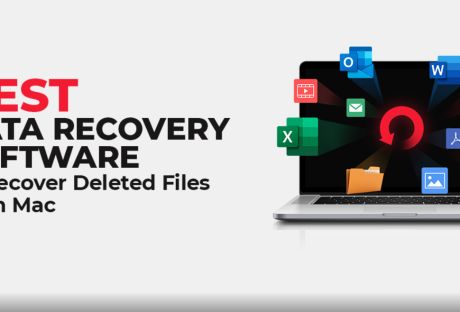
If you’re here after encountering a data loss scenario and looking for the best Mac data recovery software to get back your precious files, continue reading the article.
In this post, we’ve curated a list of the best five software to help you recover deleted files on Mac. The software you choose should be reliable and compatible with the version of the Mac you’re using.
Stellar Data Recovery Professional For Mac
If you wish to recover deleted or lost Word, PDF, or Excel files from your Mac, Stellar Data Recovery is the best software for you.
With the help of Stellar Data Recovery Professional for Mac, you can recover data from the lost volume and crashed and non-booting Mac.
Not just this, with this software, you can also monitor the health of your hard drive
This software also allows to perform disk imaging and disk cloning.
You can free download the trial version of this mac data recovery software. Scan and preview the recoverable data using the free trial. If you’re satisfied with the results, you can upgrade to the professional version that promises an added bouquet of features!
Tenorshare 4DDiG (Mac)
It is a powerful Mac data recovery software that allows users to recover unlimited photos, videos, documents, audio, etc., from Mac and external storage devices that are lost, deleted, or formatted.
Tenorshare 4DDiG (Mac) also allows raw recovery, lost file recovery, and partition recovery. You can even recover data from crashed or dead Mac using the software.
Wondershare Recoverit For Mac
Using this software to recover your lost or deleted files on Mac is quite safe. You can recover lost office files, outlook & archive files, graphics, audio, videos, and more from internal and external HDD, SD cards, memory cards, USB flash drives, etc. Furthermore, you can even create a bootable media with the standard software version that helps recover data from a crashed Mac.
This software allows data recovery from a wide range of data loss scenarios such as virus attacks, accidental emptying of Trash, hard disk drive crash, factory reset with no backup, partition error, raw state, and re-installation of the operating system. The software supports different file systems, including APFS, ExFAT, FAT16, FAT32, HFS+, NTFS, Ext2, Ext3, Ext4, and more.
Softtote Data Recovery Mac
It is an all-in-one software for Mac data recovery that helps in retrieving lost or deleted files, missing partition and formatted drives. Not just this, the software is even capable of recovering data from corrupt HDD, camera, MP4 and MP3 player, USB Flash drive, etc.
The data recovery software also offers Photo Recovery, Lost Partition Recovery, and file recovery.
Data Rescue For Mac
The function of this software goes beyond just hard drive recovery as it can also recover from different devices, like CF cards, SSDs, SD cards, USB drives, and many more. Using Data Rescue for Mac, you can easily locate, preview, and retrieve lost data, deleted files, and reformatted drives.
This software uses two scanning modes to scan your storage drive- Quick and Deep. It is possible to recover the files and view the previous scan results. You can recover photos, videos, audio, and various file formats.
How To Choose The Best Data Recovery Software?
When deciding which software to pick for Mac data recovery, consider the data loss scenario at hand. Think what type of software will be able to bring back your files efficiently and in no time.
There is a plethora of data recovery options available today. However, choosing the specific software that caters to your individual needs is a must for successfully recovering deleted files from Mac.
Other factors while choosing the software can be the OS, file systems, data loss situations, and storage devices that the software supports. Another vital parameter to consider is the software’s ease of use; DIY software will be preferred much more than the ones requiring technical proficiency.
Make sure to first download the trial version to preview the recoverable files. If you’re happy with the results, only then purchase the software. Look for the features in the software and figure out how they will benefit you. For instance- software with features like disk imaging, drive monitoring, and cloning can do wonders!
Read Also :
Review On Free Data Recovery Wizard Based On Photo Recovery
How To Free Up Space On Your Mac
What You Are Paying For With A Virtual Data Room
As an organization seeking to improve its operations, understanding the impact of analytics is essential. Businesses constantly seek ways to develop and maintain a competitive edge in this competitive world. This article will delve into the significance of performance analytics, focusing on how organizations can maximize results by implementing them effectively.
Understanding The Basics Of Performance Analytics
Performance analytics can provide meaningful insights into your business's processes, operations, and results. It consists of capturing, analyzing, and interpreting business data to drive operational improvement and policy decisions. The fundamental goal of performance analytics is to foster a data-driven approach to addressing business challenges and decisions.
Analytics involves utilizing statistical techniques, machine learning algorithms, and predictive models to extract and interpret relevant patterns and information from raw data. Such analytics applications can offer valuable insights for businesses and contribute to more informed decision-making.
Performance analytics play a significant role in determining the efficiency and effectiveness of an organization's operations. It involves monitoring and analyzing several metrics, including sales, productivity, quality, customer satisfaction, and more.
By incorporating performance analytics, businesses can uncover the reasons behind both successful and unsuccessful outcomes and thus devise strategies for continuous improvement.
Importance Of Performance Analytics In Digital Operations
An increasing number of organizations are adopting digital platforms to enhance their operations. The importance of performance analytics in digital operations cannot be overstated, as it enables the tracking, measuring, and optimizing digital activities.
With digital performance analytics, business leaders can measure the efficacy of their online marketing campaigns, website performance, customer behaviors, and overall digital efficiency. This aids in pinpointing areas of strength and weaknesses, offering an opportunity for critical decision-making and adjustments.
Digital performance analytics provide businesses with strategic information to understand and predict their audience’s behaviors. This insight aids in delivering personalized experiences that meet the needs and expectations of the customers.
Essential Performance Analytics Metrics To Monitor
Several metrics can be monitored through performance analytics. The choice of metric largely depends on the organization's strategic objectives and operational needs. The most frequently monitored metrics include revenue, costs, profits, customer retention rates, and employee productivity.
Revenue is the most traditional and straightforward metric to monitor. It provides insights into a company’s financial health and performance over time. It's an essential metric that can prompt a company to implement necessary business strategies or process changes.
Costs and profits are similarly crucial metrics. By scrutinizing costs, businesses can identify areas of unnecessary spending, and by monitoring profits, companies can track their financial growth and success.
Customer retention rates offer insights into customer loyalty and satisfaction. A drop in this metric can signify issues with product quality, customer service, or customer perceived value. Further, monitoring employee productivity can help to improve operational efficiency and drive better business outcomes.
Understanding And Utilizing The Data From Performance Analytics
Understanding and properly utilizing the data derived from performance analytics is critical for maximizing results. It involves interpreting the results and subsequently translating these findings into strategic actions and decisions that would enhance business performance.
A crucial aspect of understanding such data lies in comprehending the relationships and correlations between different datasets. This allows businesses to identify factors that positively or negatively influence their performance.
Once the data is understood, it should be utilized efficiently. Data utilization depends heavily on the nature of the decision and the level of detail required. Models and forecasts can be developed based on this data to help predict future business trends and outcomes.
It's essential to ensure that the utilization of such data aligns with the business's strategic goals. Consequently, it's crucial to remember these goals when interpreting and implementing strategies and decisions based on performance analytics.
Performance analytics offers an excellent opportunity for businesses to identify trends, measure performance, and make data-driven decisions. Understanding and efficiently implementing performance analytics can significantly improve business operations, drive growth, and maintain a competitive edge in the marketplace.
Read Also:
How You Can Invest In Your Small Business
6 Incredible Tips To Reach Your Small Business Customer
How To Apply For And Get The Employee Retention Credit (ERC) For Small Businesses
Are you tired of sharing the same server with other websites? The number of visitors to your website is growing, and you fear that your website will slow down.
Of course, you need more storage space as your website needs are outgrowing the present shared hosting plan. It’s time that you have thought about subscribing to dedicated server hosting.
With a dedicated hosting plan, you can have entire server space for your eCommerce store or website and applications - it is dedicated to you exclusively.
You don’t have to share your server and its resources with others. Instead, it allows your business to have an optimal workload and be in complete control of it.
With several dedicated server hosting providers online, you can find a suitable one with the best plans for both managed and self-managed servers. Upgrading from shared hosting to dedicated server hosting offers ultimate experience, reliability, scalability, security, and high performance.
What Is Dedicated Server Hosting?
When you hire a physical server for your website to use to itself, you call it dedicated hosting.
Other than not having to share the space with other websites, you don’t share the RAM, bandwidth, and disk space with others. You can optimize the server depending on your business needs.
By choosing the best hosting provider, you can have the ultimate dedicated server power, which can deal with the heaviest workloads. They can also support you with advanced hardware and protection against malware for guaranteed performance.
With dedicated hosting, you can choose any server management level, like managed, managed-pro, and self-managed. Through managed and managed-pro servers, the service provider takes care of the application installation, upgrades, backups, email configurations, patch management, and technical support.
As with managed pro servers, you get additional services related to the customization of database software and installation of anti-malware tools.
By opting for unmanaged hosting, you are provided only the initial software setup, and the rest of the things are managed by you based on your requirements.
Some Benefits Of Choosing A Dedicated Server Plan
Your business is developing and your website receiving more and more organic traffic. right?
This is the right time to upgrade your hosting plan to a dedicated server for completer access to system resources and benefits.
Some prominent benefits include:
Overview:
High speedInstall anything you wantHave advanced securityQuick scalability
1. High speed
With a single-tenant infrastructure, your website will experience high speed. There are no other websites to slow down your website when there are traffic spikes.
You also get to benefit from some hosting providers offering the fastest storage using SAS technology that spins the disk at 15000rpm. It helps load web pages ten times faster than before.
Your website’s performance will affect when traffic spikes and if you fail to use an appropriate hosting service. With a dedicated server, you can easily deal with sudden traffic spikes and avoid site downtime and revenue loss.
2. Install anything you want
With complete root-level access, you are permitted to install any plug-ins, library, applications, and server components. Thus you can change the hardware and software configurations by adding more storage space, processing power, and bandwidth and customize the server to suit your website requirements.
3. Have advanced security
If you want customers to come again to your website, you need to ensure that your website is secure. Opting for a dedicated hosting service, you get to have advanced security.
Most hosting service companies offer Distributed Denial of Services (DDoS) protection, which safeguards your online store or website from downtime.
4. Quick scalability
A dedicated server allows you to shift to a larger server space, as well as a smaller space, seamlessly without moving files and reconfiguring applications.
To conclude, if your business profits from shifting to a dedicated server, you should consider it.
Additionals:
SEO Website Design Tips for Small Businesses7 Advantages of Using Website Design TemplatesThe Beginners Guide To Dealing With Website DowntimeHow do you choose an SEO-friendly theme for your website?














 Dubai is known for embracing technology in many industries, the health sector is one instance where innovations have thrived and continue to thrive.
Here are ways cutting edge technology is improving Dubai’s health sector.
Dubai is known for embracing technology in many industries, the health sector is one instance where innovations have thrived and continue to thrive.
Here are ways cutting edge technology is improving Dubai’s health sector.