










Flying Crane: Purpose, Benefits, And Usage

Published on: 19 December 2022 Last Updated on: 11 February 2026
Flying Crane

The AF 200 flying crane’s primary aim is to ensure that we can completely revolutionize the wind energy industry and bring forward the most promising piece of technology you can expect from us.

We believe that when it comes to technology and high precision, it never has to be in a way that you must compromise on the working of the environment or sustainability factors.

This is why we have brought forward the most comprehensive flying crane, and we can say with conviction that this is the best one you can invest in. At AirFlight, our aim is always quality, which is what we have also focused on here.

What Are Flying Cranes Typically Used? 

Flying crane helicopters have significant uses. When it comes to lifting heavy equipment from one place to a remote place, a flying crane is the only reliable to take help. Here we listed the primary purposes where a flying crane is needed. 
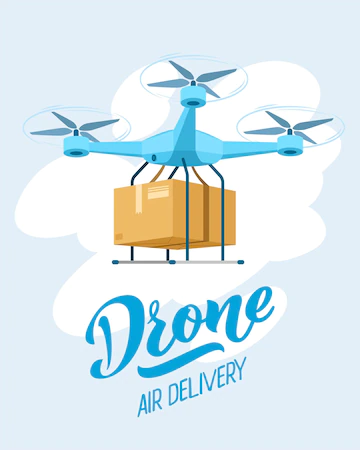
What Are Flying Cranes Typically Used

1. Lifting And Transporting Heavy Materials

As we said that lifting heavy materials in a short time from one to another place,  Flying cranes are a fantastic option. Lifting heavy construction materials, including concrete, bricks, wood, heavy bake loads, and steel. 

It allows you to shift the materials for emergency purposes. That is why many construction companies use flying cranes as per their requirement. 

2. Replace And Remove Rooftop Units

What you can do when you need to lift heavy unit materials from the rooftop of the tower building. You may understand that it is not possible to use any other crane to shift the material from the 80-floor building. 

Here, aerial crane companies’ workers and employees are the most skillful staff who know how to handle these things and how they can shift the materials without making any mistakes. 

Helicopter cranes are able to spin 360 degrees and they are most efficient in mountainous terrain and congested cities. 

3. Forestry Operations

Well, for forestry operations, an aerial crane is a suitable tool. To conduct everything in the forest, helicopters can assist in placing tools and picking up the wood to restore them in the nearest factory. 

However, “heli-logging” is a method of logging that uses an aerial crane to lift cut trees and remove them from the operation area. 

4. Utility Construction Project

Flying crane technology is able to haul huge pipelines in half time. It is a valuable tool when it comes to lattice structures, placing monopoles, and transporting materials and machinery

On the other hand, the flying car is also used to set pipe sections for cell towers in different geo-location. They are the practical choice to install towers in hill stations or hard-to-reach areas.

What Is The Unique Feature Of The Af200 Flying Crane?
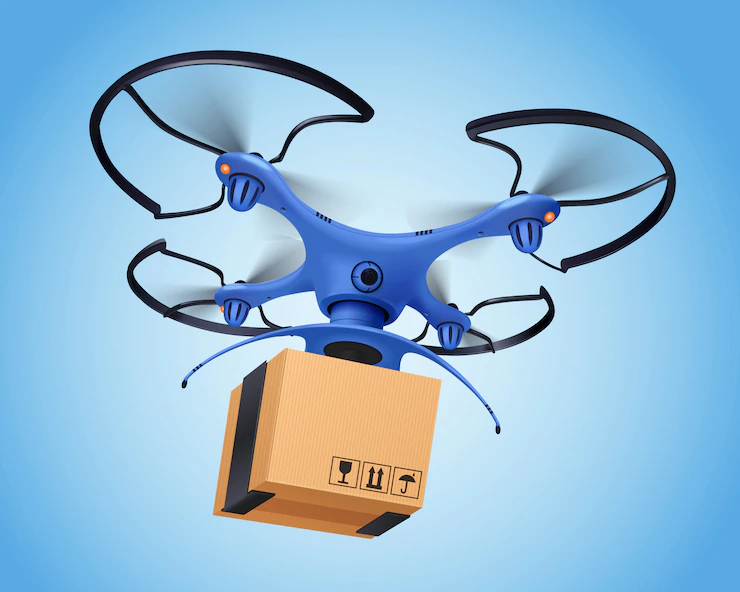
 Unique Feature Of The Af200 Flying Crane

It is common to wonder what is so remarkable about this particular flying crane and why it differs from the other market options. The first and most important reason that makes it one of the best is because of the efficient take-off as well as the landing. Another significant factor about the flying crane is that it is equipped with automated take-off.

This ensures that you do not have to put in manual effort for the same. Not only that, another very unique thing about the flying crane is that it is equipped with pre-programmable flying paths.

There are no two ways about the fact that one of the most beautiful things about this particular flying crane is that we have tried to decrease manual labor as much as we can. Our primary focus has always been to boost automation and ensure that ultimate efficiency is promised to our clients. AirFlight is one of the better-known brands for the most fantastic flying crane.

The Benefits Of Flying Crane
The Benefits Of Flying Crane
  •  Helicopters flying cranes are capable of reaching anywhere and everywhere.
  • They can lift anything from swimming pools, cars, riversides, or construction palaces, etc.
  • A flying crane is the most convenient tool to lift materials from high-rise buildings.
  • After a disaster, for rescue purposes, they can be used to lift materials like rubbish or goods and shift them to remote areas. 
  • It is capable of conducting the work in half of the time. With the help of flying cranes, many real estate companies and utility construction companies are able to install or build towers or hotels at hard-to-reach places. 

Final Words

So, these are all about flying cranes. Engineers are made flying crane drawings and designs to ensure the tool can provide the best service. 

If you think that you want the best flying crane and that too on a budget, you only need to get in touch with us, and we will help you. We can vouch that the AF200 flying crane is the best you will come across!

However, if you have any queries, feel free to raise your question in the comments section. 

Additional:

Content Rally wrapped around an online publication where you can publish your own intellectuals. It is a publishing platform designed to make great stories by content creators. This is your era, your place to be online. So come forward share your views, thoughts and ideas via Content Rally.

View all posts

Leave a Reply

Your email address will not be published. Required fields are marked *

Related

Techhence

Techhence.com Review: Free Recharge Solution Or Another Digital Mirage? 

The list of miracle sites is currently flooding the internet. Honestly, I am tired of these promises!  I mean, don’t get me wrong! I love a gift or a reward as well.   But these apps promise everything from high-paying remote jobs to free 5G data top-ups. Might as well give a kidney!  One name that has consistently climbed the search rankings in 2026 is Techhence.com.   In fact, I have been seeing a heavy promotion of this through YouTube tutorials and Instagram Reels.  Techhence claims to be a gateway for users to get free mobile recharges for major Indian carriers, like:   Jio  Airtel  Vi  However, in the world of cybersecurity, free often comes with a hidden price tag.   This article provides an objective look at Techhence com. Additionally, I will also talk about its operational model.  Finally, I will also discuss the potential risks you face when trying to claim its rewards.  What Is Techhence.com? At first glance, Techhence.com appears to be a standard technology blog or information portal.   It hosts articles about software, mobile tips, and trending apps. However, the site’s primary draw is its Free Recharge landing pages.  The site typically directs users through a series of educational articles.  Therefore, this eventually leads them to a form where they are asked to enter their mobile number and service provider.   Additionally, it markets itself as a promotional partner for telecom companies.   In fact, it even promises that by completing certain tasks, you can unlock premium data packs for free.  What Is The Process Of Claiming This Reward? This is the extended process through which you are supposed to go to claim these rewards. Let’s take a look at these:  1. Article Navigation  Firstly, you will be told to stay on a specific article for 30–60 seconds. Then, this will activate a timer.  2. Number Submission  Once the timer expires, a portal opens asking for the user's mobile details.  3. Task Verification  Then, you will be redirected to Task Walls. This is where you must download third-party apps.  Additionally, the platform might also ask you to subscribe to YouTube channels to verify their identity.  The Technical Reality: Can It Trigger A Recharge? To determine if Techhence.com is legitimate, we must analyze the infrastructure of the Indian telecom sector.   You see, I am very serious when it comes to my recharges.  I sternly believe that they are financial transactions that require a secure, authorized handshake between a vendor and the telecom provider’s internal billing system.  1. Lack Of Official Partnerships  There is no public record or official statement from Reliance Jio, Bharti Airtel, or Vodafone Idea (Vi) naming Techhence.com as a distribution partner.   I have also reviewed a lot of legitimate reward platforms like Google Opinion Rewards or Amazon Pay.  In those detailed reviews, I have mentioned that these have transparent, multi-million dollar agreements to handle these credits.   Techhence operates as an independent blog. So, this makes its technical ability to send a recharge highly unlikely.  2. The Timer And Progress Bar Tactic  The countdown timer used on Techhence is a classic psychological trick. It creates a sense of scarcity and forces the user to spend more time on the page.   This increases the site’s AdSense revenue by boosting dwell time, but the timer is often just a simple JavaScript loop that has no connection to an actual recharge server.  What Are The Various Red Flags To Consider Before You Click? While the idea of a free data pack is enticing, interacting with unverified platforms like Techhence.com carries several invisible risks.  1. Data Harvesting For Telemarketing  What do you think happens when you enter your mobile number into an unencrypted form on a third-party blog?  Then, you are essentially providing a verified lead to data brokers.   This is why many users report an immediate increase in spam calls.  In addition, I have also read a lot of reviews where they report all the automated loan offers.  In fact, I myself received a ton of WhatsApp phishing messages. Guess what? These happen shortly after visiting such portals.  2. The CPA Marketing Loop  Techhence operates primarily on a CPA (Cost Per Action) model. The owners get paid every time you download an app or fill out a survey.   The Free Recharge is the hook used to get you to perform these actions.   In the vast majority of cases, the recharge remains in a pending or verifying state forever.  Additionally, by this time, the site owners have already collected their commission for your labor.  3. SEO Manipulation And Expiring Domains  As noted by IEM Labs in their 2025 analysis, sites in this niche often use SEO cloaking.   They write generic tech articles. You know what the reason behind this is?  They do these to appear legitimate to Google’s crawlers. But their real intent is to funnel users into the recharge scam.   These sites often change domains (e.g., techhence.com to techhence.in) if they get flagged for deceptive practices.  How To Safely Reduce Your Mobile Bill? You don't need to risk your privacy on unverified websites to save on recharges.  In 2026, there are several legitimate methods. In fact, corporate backs these methods. So, you can use these to get data for free:  1. MyJio Play And Win  The MyJio app has a permanent Engage section. By playing simple branded games (e.g., from Cadbury or Oreo), you can earn 1GB to 2GB of data that is instantly credited to your account.  2. Airtel Thanks Rewards  Airtel often provides Data Coupons for users who pay their utility bills or use their UPI service.   These are found in the Rewards section of the official app.  3. Microsoft Rewards  By using the Bing search engine on your phone, you earn points.  And the best part? You can redeem these points in order to get gift cards. Then, you can use these cards on Amazon or Flipkart to pay for recharges.  4. Vi Games  Vodafone Idea offers a massive catalog of games in its app.  These games provide coins that you can redeem for small talk-time packs.  Is Techhence.com Worth It? The conclusion is clear: Techhence.com is a high-traffic blog. I am sure that the makers have designed it for ad revenue.  So, it is not a legitimate telecom provider.   Yes, I do agree that the site may provide some basic tech tips. But, I must add that its Free Recharge claims are unsubstantiated.  In fact, I also find them to be technically inconsistent with how mobile billing works.   So, I strongly suggest that you avoid providing your mobile number. Additionally, you must not download third-party APK files via Techhence.   The potential for data misuse and the loss of your digital privacy far outweighs the nonexistent free data.   Stick to the official apps of your service provider to ensure your connection and your identity remain secure.

READ MOREDetails
Gel Blasters

Gel Blasters Vs. Airsoft Guns – What To Choose For Your Next Game

If you are looking for high-adrenaline activities that will get your heart pumping – you should play airsoft or any other game that involves toy guns. If you are not into airsoft, you could opt for gel plaster guns. But – how are gel plaster guns different from airsoft guns? If you are wondering about the same thing, then you are here at the right place. Let us assess the essential differences between both toy guns and determine how the gel blaster guns are a better alternative to airsoft guns. Keep reading! What are Gel Blaster Guns? Also known as gel blasters, gel blaster guns shoot gel beads. The gel beads contain water, which makes them a safer alternative to the plastic pellets used in airsoft guns. The gel beads are ideal for CQB skirmishes as well. What are Airsoft Guns? Airsoft guns are the first type of toy guns introduced to the world. Originating from Japan, airsoft guns were made as an alternative for civilians who were prohibited from owning real guns. Despite their incredibly realistic experience, airsoft guns are essentially toys. Airsoft guns are banned in some countries due to the high velocities with which they shoot plastic pellets. The Essential Differences between Gel Blaster Guns & Airsoft Guns Both guns – the airsoft guns and gel blasters are fun to use in outdoor battle games. But – there are a few differences between both toy guns, including safety, ammunition, and legal aspects. Safety Despite the fact that airsoft guns and gel blaster guns are toy guns – these two aren’t the same when it comes to safety. The pellets used as ammunition for the airsoft guns are made of hard plastic, which makes them painful. This aspect perfectly explains why you might want to get one of the top-rated sniper gel blasters in Australia – especially – if it is your first game. Compared to gel blasters, the pellets shot by airsoft guns can cause injuries. Gel balls – on the other hand – burst upon contact, which could make it impossible for them to bruise them. Nonetheless, it is essential to mention here that irrespective of whether you are playing with airsoft guns or gel blasters, you will always want to wear your protective gear. You will want to wear full-body protection – including a helmet and gloves- for airsoft guns. If you are getting your game mode on with gel blasters, you will want to ensure eye protection. Ammunition Both toy guns use different materials for ammunition. Gel blasters use gel balls that are made of sodium polyacrylate, which perfectly explains why gel balls are known as jelly or water beads. Before you use these gel balls as ammunition, you will want to soak them in water for at least four hours. You will want to allow the gel balls to soak properly so they can reach their full momentum. On the other hand, airsoft guns use plastic pellets which are about 6mm to 8mm in size. The plastic pellets are also known as bbs. Read Also: Does Vinegar Harm Gun Bluing? Not Sure How to Keep Gun Safe at Home? These Tips Work! How Gun and Security Gear Advanced through the Years Parts of a Gun: All You Need to Know About the Components of Your Firearm

READ MOREDetails
3d PrintingTechniques And Application In The Energy Sector

3d Printing: Techniques And Application In The Energy Sector

3D printing is manufacturing by constructing a three-dimensional object from a digital 3D model. Emerging technologies like 3D printing have brought revolutionary advancements in various industries, and the energy sector is no exception. This article focuses on the techniques and applications of 3D printing in the energy sector, highlighting its potential to transform traditional manufacturing processes, optimize efficiency, and support sustainable practices. Types Of 3D Printing Techniques For the Energy Sector There are several techniques employed in 3D printing, including Fused Deposition Modeling (FDM), Selective Laser Sintering (SLS), and Stereolithography (SLA). Each plays a significant role in rapid 3D printing services. Here's a detailed explanation of these 3D printing methods: Fused Deposition Modeling (FDM): FDM is the most famous 3D printing technique, where a thermoplastic filament is heated, and a 3D object is formed. FDM enables the production of complex shapes, intricate designs, and functional prototypes that improve energy systems. Selective Laser Sintering (SLS): SLM employs a high-powered laser to selectively fuse powdered materials, predominantly metals, generating durable and intricate components. This technique finds applications in manufacturing heat exchangers, turbines, and other robust energy system components. Stereolithography (SLA): SLA uses a liquid resin and solidifies it when exposed to a specific wavelength of light, creating precise and high-resolution objects. SLA produces custom-made energy storage systems, solar panels, and intricate electrical components for better energy utilization. Advantages Of 3D Printing In The Energy Sector There are several advantages of 3D printing, of which it has been in the leading demand. Some basic benefits are explained below:- Cost Reduction: 3D printing allows the production of intricate and complex components in a single process, eliminating the need for assembly. It reduces manufacturing, increases efficiency, and lowers production. Customization And Optimization: The flexibility of 3D printing enables the customization of energy components based on specific requirements. By optimizing shapes and structures, energy systems can be designed for optimal functionality, resulting in enhanced performance and reduced energy wastage. Supply Chain Sustainability: Traditionally, energy systems rely on extensive global supply chains. Implementing 3D printing can reduce the dependence on transportation, minimize carbon footprints, and shorten lead times, contributing to a more sustainable energy sector. Improved Efficiency: 3D printing enables the creation of lightweight components with intricate geometries, reducing energy consumption and improving overall system efficiency. This translates to enhanced energy generation, transmission, and storage capabilities. Application Areas In The Energy Sector 3D printing is applicable in some areas in the energy sector as follows:- Renewable Energy Components: 3D printing facilitates the production of wind turbine blades, 3d printed solar panels, and energy storage systems, allowing customized designs that maximize energy output and efficiency. Optoelectronic devices like photovoltaics and sensors can also benefit from 3D printing. Energy Infrastructure: 3D printing for manufacturing pipes, heat exchangers, and valves reduces costs and enhances their resistance to corrosion, heat, and pressure. Advanced materials and designs derived from 3D printing contribute to safer and more reliable energy infrastructure. Energy Efficiency Devices: Customizable and intricate designs are made possible with 3D printing in developing energy-efficient devices like heat sinks, smart meters, and sensors. These technologies enable better monitoring, optimization, and management of energy consumption. Tooling And Prototyping: 3D printing expedites the process of producing prototypes and specialized tools for testing and maintenance within the energy sector. This results in faster innovation cycles and improved productivity. How  3D Printing Works The basic steps which are followed by 3d printing  are as follows:- 1. Submission Of Design: The customer provides a 3D design file in a compatible format.STL or.OBJ, to the service provider. This design file can be created using 3D modeling software or downloaded from an online repository. 2. Pre-Printing Analysis: The service provider examines the design file to ensure its suitability for 3D printing. They check for potential issues, such as intersecting geometries or unsupported overhangs, that may affect the printing process or the final result. 3. Material Selection: Depending on the customer's requirements and the properties desired for the object, the service provider suggests suitable materials for the 3D printing process. Options can include various plastics, metals, ceramics, or composite materials. 4. Printing Process: Once the design and material considerations are finalized, the 3D printing process begins. The service provider prepares the 3D printer, loads the selected material, and starts printing. The printer follows the instructions in the design file to layer the fabric and create the desired object. 5. Post-Processing: After printing, the printed object is typically subjected to post-processing steps. It may involve removing support structures, cleaning the thing, or applying surface finishes to achieve the desired texture, color, or smoothness. 6. Quality Assurance: The service provider examines the printed object for defects or imperfections and ensures it meets customer requirements. If necessary, adjustments or corrections can be made before final delivery. Conclusion Integrating 3D printing techniques within the energy sector presents transformative opportunities for manufacturing, sustainability, and energy efficiency. The ability to customize designs, reduce costs, optimize efficiency, and shorten production timelines can revolutionize energy generation, transmission, and storage. As this technology evolves, a collaboration between 3D printing experts, energy specialists, and researchers will lead to further breakthroughs, fostering a more sustainable and efficient energy future. Read Also: Advance Copier: Printing Quality Business Cards On Your Own Computer 7 Ways To Stop Spending So Much On Printing In Your Business Digital Printing Contributes Much Towards The Progress Of The Industry

READ MOREDetails