









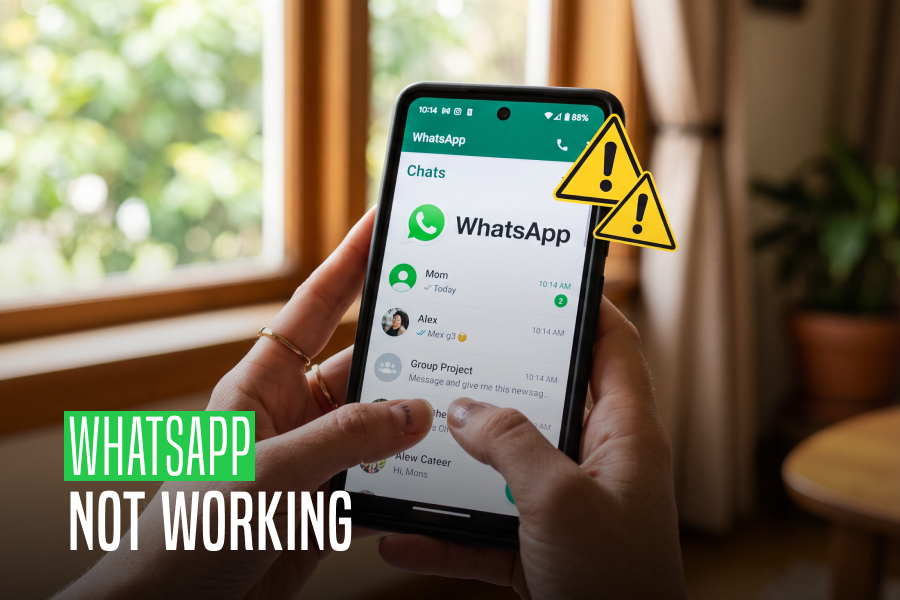
WhatsApp Not Working: Why It Happens And How To Fix It!

by

03 November 2023

Social Media

whatsapp not working

Thousands of users appear to be unable to use WhatsApp every other month. A number of users complain on Twitter about not being able to send/receive messages on the social messaging app.

One of the most widely used instant messaging apps available today is WhatsApp. Many rely on it for everyday communication. You can only imagine how annoying it can be when WhatsApp stops functioning out of the blue.

WhatsApp may stop functioning for multiple reasons. While certain WhatsApp problems are unavoidable, there are other issues that you may resolve to resume sending and receiving messages.

Are you also having trouble using WhatsApp? Do you want to know why your phone isn’t working with WhatsApp and how to fix it? We want to help. The causes of WhatsApp not functioning on your phone are listed below, along with some potential fixes.

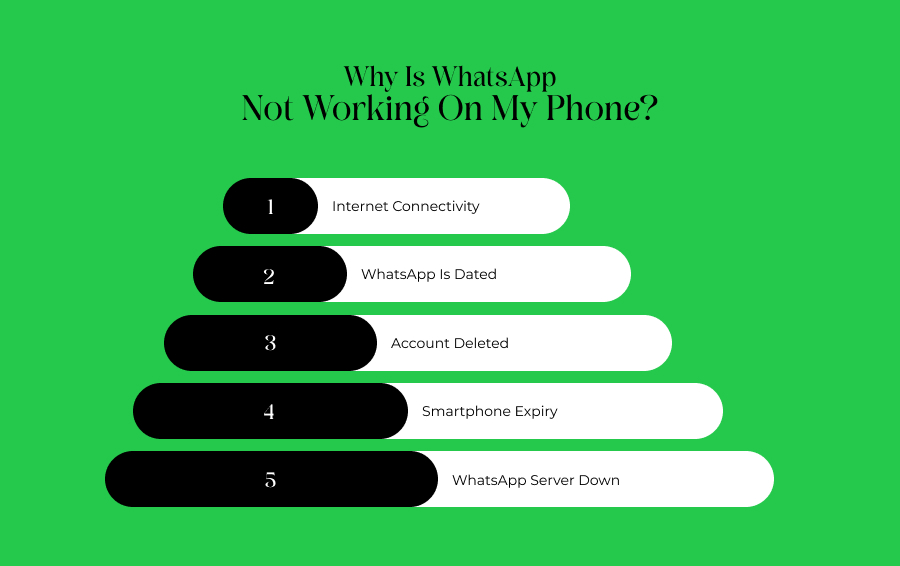
Why Is WhatsApp Not Working On My Phone?  
Why Is WhatsApp Not Working On My Phone?

Here’s a swift look at a few of the issues that could cause WhatsApp to malfunction on your phone:

  1. Internet connectivity
  2. WhatsApp is dated
  3. Account deleted
  4. Smartphone expiry
  5. WhatsApp server down

Internet Connectivity   

Internet Connectivity   

WhatsApp may not be functioning on your phone because you may have neglected to turn on the internet. Or there may be a problem with connectivity. Sending and receiving calls via the instant messaging app requires being online.

To find out if your internet is functioning, you might try using different programs or browsers. If something appears to be wrong, make sure you are connected to Wi-Fi or mobile data. You can always get in touch with your internet service provider if nothing else works.

WhatsApp Not Working: How To Enable Data Connectivity  

To allow internet connectivity on your device for WhatsApp to work, you need to keep your mobile data on. If not, you must be connected to an active Wi-Fi. Here’s how to activate your phone’s mobile data.

To enable mobile data on both iOS and Android smartphones, slide down the notification panel and hit the arrow icon. In case you cannot locate it, proceed with the steps listed below to activate the internet on your device:

  • Open Settings.
  • Go to the SIM card and mobile data or Mobile Data management section, depending upon the OS you are using.
  • Toggle the Mobile data switch.

WhatsApp Is Dated  

WhatsApp Is Dated  

Verify that your WhatsApp is up to date if everything else with your internet connection seems normal. WhatsApp frequently stops supporting older versions, which might leave your data vulnerable to hackers. WhatsApp releases new versions with enhanced security and other features frequently.

The app can stop functioning if your WhatsApp is using an outdated version for an extended period of time. You’ll receive a notification saying that in order to continue using WhatsApp, you must update. It’s time to upgrade WhatsApp if you receive a message like this when you launch it. To update WhatsApp, click the Download icon located at the bottom of the screen.

WhatsApp Not Working: Ways To Update WhatsApp   

Here’s how to manually update the app, in case you’d like to:

  • Launch the App Store and Play Store, then look up WhatsApp.
  • To update WhatsApp, click the WhatsApp search result and press the UPDATE option.
  • It is not usually necessary to update WhatsApp frequently in order to utilize the service. But to stay safe, make sure you’re using the most recent versions in order to avoid any problems.

Account Deleted   

Account Deleted

This can also be the cause of WhatsApp not functioning properly on your device. It’s possible that WhatsApp erased your account if you haven’t used it in a long time. In the event that your account is inactive for 120 days, WhatsApp retains the right to remove it.

Whatsapp claims that it takes these precautions to protect users’ security and privacy. WhatsApp won’t erase your account as long as your smartphone is connected to the internet and has WhatsApp installed. The only thing you can do in this situation if your account has been destroyed is to make a new one.

Smartphone Expiry  

Smartphone Expiry 

Each year, WhatsApp publishes a list of gadgets that violate the platform’s security and privacy guidelines. WhatsApp is forced to stop operating when the business stops providing support for these smartphones. Most of these gadgets are running outdated operating systems (OS). Recently, WhatsApp support for Apple’s first-generation iPhone SE, iPhone 6S, and iPhone 6S Plus, as well as handsets running Android 4.0.4 and earlier versions, was discontinued.

As of right now, the app is limited to Android 4.1 or later, iOS 10 or later, and KaiOS 2.5.0+ devices. You should absolutely check the status of your operating system and upgrade to the most recent version if it’s available if WhatsApp isn’t working on your phone.

WhatsApp Not Working: Checking For Updates  

Here’s how to check for updates on your iPhone and Android smartphone.

  • Open up the Settings app on your phone.
  • Look for updates to the software.
  • Select the Software update option and then click Check for updates. Install any updates that are available by downloading and installing them.

To use WhatsApp on your phone, you must have a suitable device. If your phone doesn’t fit the minimum requirements, your only option is to think about upgrading.

WhatsApp Server Down  

WhatsApp Server Down

This has to be the most obvious reason, that is beyond your control. If WhatsApp is unavailable, it won’t function on your phone. Occasionally, a glitch in WhatsApp’s servers could make it impossible for you to send or receive messages or even make phone calls. As it’s a backend problem, your only options are to verify if the servers are truly down and bide your time till WhatsApp provides a solution.

You have no choice but to wait until the massive instant messaging company resolves the problems if this is the case.

Wrapping Up  

These were the potential causes of WhatsApp not functioning on your device, along with potential fixes. The remedies provided in this post to fix WhatsApp not working are thorough. After reading over these answers in detail, you will be well-equipped to protect yourself from scenarios that could cause you distress when using WhatsApp.If you have thoughts to share or questions to ask about WhatsApp not working, please leave a comment below. We would love to hear from you!

More Resources:

Content Rally wrapped around an online publication where you can publish your own intellectuals. It is a publishing platform designed to make great stories by content creators. This is your era, your place to be online. So come forward share your views, thoughts and ideas via Content Rally.

View all posts

Leave a Reply

Your email address will not be published. Required fields are marked *

Related

Is Youtube Social Media

Is Youtube Social Media? Know Your Answer Here

Are you wondering if YouTube is a social media platform or not? Well, somebody can say that YouTube is one of the most engaging social media platforms across the entire social media network. This question is not only in your mind, but many users doubt whether YouTube is a social media platform or a video hosting site. Yes, you are right. YouTube is one of the social media sites which have been more than over the years. Recently, people are generating revenue by publishing multiple videos on the YouTube platform. At the time, users only created an account and signed in to watch multiple types of videos. But now the thing is entirely different. Here are some facts I will discuss that you need to know about YouTube so that you can clear your doubt: is youtube social media? Read below to know… YouTube: An Overview!     Everyone knows Facebook is one of the most popular social media platforms on the Internet. But in recent times, YouTube is replacing its position. As per a particular survey, we can see that YouTube has roughly active users of around 2.3 billion whereas Facebook has roughly 2.9 billion active users. As per research, we can see that YouTube has a steady growth of 73% of adult users as of 2019. At the same time, Facebook has roughly 69% of adult users, per the reports 2021. Nowadays, YouTube is not only considered one of the social media platforms but also one of the best digital marketing platforms. This means people nowadays make money by publishing multiple videos on YouTube, such as unboxing videos, vlogging, and so many others. Characteristics Of A Social Media Platform     If you want to know whether “is youtube social media platform” or not, first you need to know what characteristics a social media platform should have. Even this is not the end. These characteristics below will let you know why YouTube is considered a social media platform. Social media platforms always heavily rely on user-generated content. This means users can create content, and even they can share as well. It means users get to interact with each other at every time. No matter by replying to comments, sharing posts, or even by directing messages and so many others. Social media platform is where you can personalize your account or profile and even control your online presence. Another characteristic of Social media platforms is that it enables users to connect with a network that shares interests. Social media platform is a software tool where controversial posts get viral and engage within just a few minutes.   After going through the above-mentioned social media characteristics, will you still wonder if youtube is considered social media? I hope you are not. Despite the descriptions mentioned above, I am going to share some more YouTube features which help to clear your doubts is youtube a social media platform. Is Youtube Social Media: Know Some More Features     Recently developers have launched some interesting features where users are getting engaged regularly. That is why the rate of registered users on YouTube is increasing. Below I will share some more features which make YouTube a social media platform. 1) Subscriptions, Likes & Comments     One of the most valued features of the social media platform YouTube is "subscriptions." In this case, subscriptions offer a minimal opportunity to get interacted between viewers and creators. If a YouTube user subscribed to your channel or any creator channel, it means that the user is likened to the channel and easily gets updates about the channel. On the other hand, as a social media user, likes and comments are the most important things which can easily create interactions between fans and creators. Users can even use the comment section on YouTube, which messages people on YouTube. 2) Community Posts     You might have a question: does youtube count as social media? Well, if any social media platform or any online platform has a community posts feature, we can count that particular platform as a social media platform. In this case, the community posts feature means that you, being a creator, can share images, GIFs, and Polls to the community polls. This is another example of a user engagement feature. Do you remember users from 2008 or 2009 using community features on past social media platforms like Orkut or Facebook? Yes, this feature is the symbol of a traditional social media platform. 3) Youtube Shorts     Before you search for the answer, is youtube social media or not? First, let me tell you about a new feature on YouTube - yes I am talking about YouTube shorts. If you still didn’t yet search for them, just visit and get introduced to the new feature. YouTube Shorts is one of the platform's newest features, launched in the year 2021. Here you can upload short videos to add effects, stickers, and music. Are You Not Interested To Know The Advantages Of Youtube?     There are multiple advantages of YouTube that you have to know. Yes, so that you will be getting more interest in using YouTube and can enjoy this exciting social media platform. Below I am going to Discuss some of the advantages of YouTube. YouTube is one of the online platforms where you just will be able to see videos on mobile. In recent times, there are so many online platforms that you only experience on a desktop or hardly on a laptop. But YouTube is one of the best social media platforms you can experience on your mini device.   YouTube is one of the most popular sites on the planet where you can spread any type of message more quickly. Users generally encounter videos on Facebook Timeline or even on Twitter Timeline. But if you can share videos across the Internet and want to spread them to a wider audience, then YouTube is one of the best platforms. YouTube is the only online platform that is cost-efficient. This means you can share videos, even watch movie trailers, or even listen to songs but with cost efficiency. Thus, we can say YouTube is undeniably a cost-efficient platform. Final Thoughts     I have discussed some facts on YouTube, and I hope I have cleared your doubts: so, is youtube social media? In this era, you must thank developers for launching new features on social media platforms like YouTube, Instagram, or even Facebook. Not only that but from being a marketing platform to a video launching platform, this is the second-largest search engine which will go a long way. Who thought that YouTube could one day become the number 1 global online search engine platform? Are you still wondering that is YouTube social media? If yes, then do let me know in the comment section below. Thank you for reading till the end. Learn More About: How to Stream on YouTube Effectively? A 5-Minute Tutorial On Making YouTube Intro For Newbies 2 Easy Steps to Change YouTube Channel Name Without Changing the Gmail Name

READ MOREDetails
how to post on Reddit

How To Post On Reddit? A Step By Step Guide

Do you want to perform intelligent content marketing? If you are currently in the online content marketing sector, you have probably heard the name Reddit. But if you still have not heard about Reddit, we must inform you not to wait and start typing Reddit.com on your search engine bar. And exploring the massive source of content within a single website doesn't sound delicious? Do you know how to post on Reddit? Or see the other’s content postings? Take a look at why Reddit is the best choice. What Is Reddit? Reddit is the American social news aggregation where you can post your contents or simply read the other contents if you have an account. Along with content sharing, Reddit has its discussion platform. While you are writing content, all information can not be available on random websites. Especially when you are in content marketing or you are going to need a constant flow of new content. Along with the number of contents, Reddit maintains the quality of the content.  The information accuracy is also playing a significant role here. And for this work, there is no other alternative that is better than Reddit. Find the right content and share the quality content. So let’s see how to post on Reddit The Step By Step Reddit Posting Guide Most of the content marketers have heard about the Reddit website, but they are unaware of the content posting strategies in Reddit. And when you are not able to take help from the world's most popular content posting website, your information research-related works are becoming more challenging.  The knowledge regarding how to post on Reddit will solve all your problems regarding information gathering and sharing. Here we are elaborating the step-by-step details regarding how to make a post on Reddit. Step 1: Create Your Account In The Reddit When you first enter the website, you will get notified the website is not very attractive or user-friendly. Apart from the pictorial representation, the website is full of written content. When you want to know how to post on Reddit, you have to take your first step through the account openings. Fill up the name and password field. It’s a simple two-step process. You do not have to confirm your email id. Email id confirmation is optional here. Step 2: Pick The SubReddit  After creating your account in Reddit, you have to choose the right subreddit for your post. Let’s see how to make a subreddit for your post. In your Reddit posts, the niches are playing an important role. If you do not pick the subreddit options, your actions regarding how to post on Reddit are incomplete. For example, if you are going to sell the food item. Your Subreddit choice would be  /r/Food. Step 3: Fill The Reddit Submission Form After choosing the right subreddit for your account, you have to submit the submission form for your account. The other options are getting deleted when you select the subreddit options, and your subreddit option is starting over fresh. So when you are going to choose the subreddit for your Reddit post, be specific and pick the same niches as your content. You have to give the title, and the URL of your content, then press the submit button. And click the checkbox to enable the option to send replies to your inbox. Step 4: Submit Your Post  Now you have to reach the end step of how to post on Reddit. Click the submit option and wait for a while. Do not refresh or reload the page. Wait until your post is getting live.  Increase your post engagement level through communication. When you are going to increase your engagement level, your Reddit submission ranks will also improve.  Step 5: Cross-Posting Of Your Submission Do you know how to post on Reddit or the Reddit cross-posting rules? Every time you can not provide unique content. The same content or the same subreddit choice is self-explanatory. But if you are not going to crosspost your submission. Reddit is treating your content as a spammy one. Edit the title of your content and add /r/#subreddit#. And replace the tile of the content. This is going to add some value to your content. And it works as the acknowledging factor for your Reddit posts. How To Post Anonymously On Reddit Human error is always possible. If you want to delete your content posts, you can hide your posts. Most of the fault makers are asking about how to post anonymously on Reddit. Even if it's not expected when you are professional in content creation, you can create an anonymous account. And start to post anything from there. How To Post Pictures On Reddit Now you know how to post on Reddit, especially the contents? But how to post pictures on Reddit? Reddit mostly preferred the written contents along with the written contents. You also can spot the photos with a very simple few steps. Let’s see the easiest way to post a picture on Reddit. Step 1: First, log in to your Reddit account Step 2: Open the homepage of your account Step 3: Tap onto the upper right corner of your page under your profile picture Step 4: Click the picture icon on your Reddit post window Step 5: Choose the images that you want to post Step 6: Choose your image post community Step 7: Add image title on your post title bar Step 8: Confirm your image post How To Delete A Post On Reddit From reddit.com, you just have to follow three steps to delete your Reddit posts from your account. The Deletion process is more important than how to post on Reddit. The error chances are huge for beginners, and these three steps answers for how to delete a post on Reddit will save your time and reputation. Let’s see how you can delete a post from your Reddit account. Step 1: Click on the profile icon of your Reddit home page Step 2: Open your profile post option Step 3: You will see the list of the posts which you are making  Step 4: At the bottom of the post, you will have the option to delete the post. Choose the delete option for the post. Wrapping It Up From this article, you are getting the entire concept about using Reddit. For content sharing and viewing, Reddit is a big source of information. When you want to research any updating news, always look at the available Reddit contents. But the knowledge about how to post on Reddit is providing you a smart share and see the option. Do utilize it to start to shine from today. What is your experience with Reddit? Do not forget to share your experience with us. More Resources: The Top SEO Tools for 2021 Required Content Marketing for Your E-Commerce SEO Agencies Are the Experts at Improving Your Website Content

READ MOREDetails
Social Media

How To Protect Yourself On Social Media?

Social media can be an excellent people finder tool if somebody wants to be found. The challenge is that it can also be a dangerous place. Many people don't realize that hackers use social media accounts to steal identities and perform other criminal tasks. Everybody should take it upon themselves to understand how to protect their information. 7 Ways to Protect Your Social Media Presence From checking your connection to having a strong password, choosing settings, and making intelligent decisions, here are the seven top ways to protect your social media presence. 1. Check Your Connection Is Safe Hackers can add malware or trojan horses to your account if your PC isn't protected by anti-virus protection. These innovative virus-like programs can steal your login details. Be mindful of accessing social media pages over a WiFi network in a coffee shop or internet cafe. It's easy for hackers to access sites via these open networks. 2. Use a Creative Password Some bots can guess passwords based on commonly used ones. Never use a person's date of birth or mother's maiden name, as they're easily worked out. A creative password that's harder to hack consists of lower and uppercase letters, numbers, and special characters, with no recognizable words. Consider a password security app that generates random passwords for each login. An extra level of protection is to enable two-factor authentication, for example, a site password and a one-time password (OTP) on your smartphone. 3. Manage Privacy Settings The default setting for any new social media account is 'public.' This designation means that anyone can see anything posted, and somebody doing a Google search for your name could bring up the post. Popular settings are private, friends only, or custom. Think carefully about your intended audience. 4. Approve All Tags Friends love to tag each other, which is one of the social media's many benefits. However, not everyone wants the world to know what they're doing at any given time. Most social media apps have an option for the person to allow or reject a post that includes them. 5. Don't Automatically Accept Friend Requests Many people like to build their friend lists on social media platforms, but there is a danger. Accepting a request from a stranger could open the door to the site being hacked. Always check the profile of the person making the request; if it's brand new with only a profile picture and nothing else, it may be a bot. If a request comes through from someone who's already a friend, it could mean they've been hacked. Before accepting it, contact them via another medium to confirm the new page is legitimate. 6. Think Before You Post Before clicking the 'post' button, ask the question, 'Would my grandmother like this?' If the answer is 'no,' reconsider it. Many people believe once something is deleted from the internet, that's the end of it. Sadly, this isn't true; things can be recovered. Future employers may discover images and comments that paint a person in an unflattering light, so make wise choices. 7. Don't, or Delay Sharing Location Data 'Check-in' is a popular feature on many social media apps. While it's fun to let everyone know where you are, it also tells others with bad intentions. For example, checking into a shopping mall can let a stalker know where to find you. Alternatively, it can also let burglars know you're not currently home. Most smartphone cameras have a GPS function that stamps the image with the date, time, and location. A photo can give that data away even if you don't use the 'check in' function. Take the Time to Get Protected As hackers get better at accessing people's social media accounts, users can take steps to limit the chance of something happening. Always be sure that the pages are being viewed on a secure network. Use strong passwords that aren't easy to guess, and manage the settings early to decide who can access what. Be vigilant about being tagged and accepting random friend requests. Think carefully about what gets posted, when, and from where. Do these things, and there's a fair chance a hacker will move on to an easier target. Read Also: The Most Common Reasons Why You Cannot Log In To a Website What Are Some Best Practices To Prevent Phishing Attacks? How To Prevent A Ransomware Attack

READ MOREDetails