Published on: 17 June 2021
Last Updated on: 03 January 2025
Do you want to perform intelligent content marketing? If you are currently in the online content marketing sector, you have probably heard the name Reddit. But if you still have not heard about Reddit, we must inform you not to wait and start typing Reddit.com on your search engine bar. And exploring the massive source of content within a single website doesn't sound delicious? Do you know how to post on Reddit? Or see the other’s content postings?Take a look at why Reddit is the best choice.
What Is Reddit?
Reddit is the American social news aggregation where you can post your contents or simply read the other contents if you have an account. Along with content sharing, Reddit has its discussion platform.While you are writing content, all information can not be available on random websites. Especially when you are in content marketing or you are going to need a constant flow of new content. Along with the number of contents, Reddit maintains the quality of the content. The information accuracy is also playing a significant role here. And for this work, there is no other alternative that is better than Reddit. Find the right content and share the quality content.So let’s see how to post on Reddit
The Step By Step Reddit Posting Guide
Most of the content marketers have heard about the Reddit website, but they are unaware of the content posting strategies in Reddit. And when you are not able to take help from the world's most popular content posting website, your information research-related works are becoming more challenging. The knowledge regarding how to post on Reddit will solve all your problems regarding information gathering and sharing.Here we are elaborating the step-by-step details regarding how to make a post on Reddit.
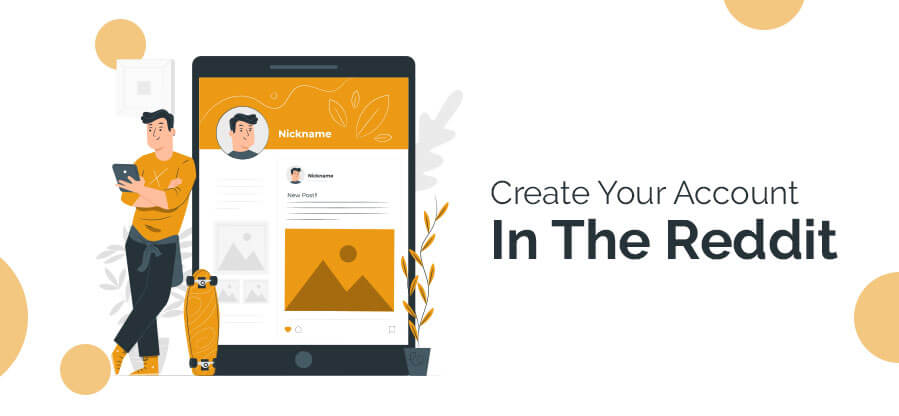
Step 1: Create Your Account In The Reddit
When you first enter the website, you will get notified the website is not very attractive or user-friendly. Apart from the pictorial representation, the website is full of written content.When you want to know how to post on Reddit, you have to take your first step through the account openings. Fill up the name and password field. It’s a simple two-step process. You do not have to confirm your email id. Email id confirmation is optional here.
Step 2: Pick The SubReddit
After creating your account in Reddit, you have to choose the right subreddit for your post. Let’s see how to make a subreddit for your post. In your Reddit posts, the niches are playing an important role. If you do not pick the subreddit options, your actions regarding how to post on Reddit are incomplete.For example, if you are going to sell the food item. Your Subreddit choice would be /r/Food.
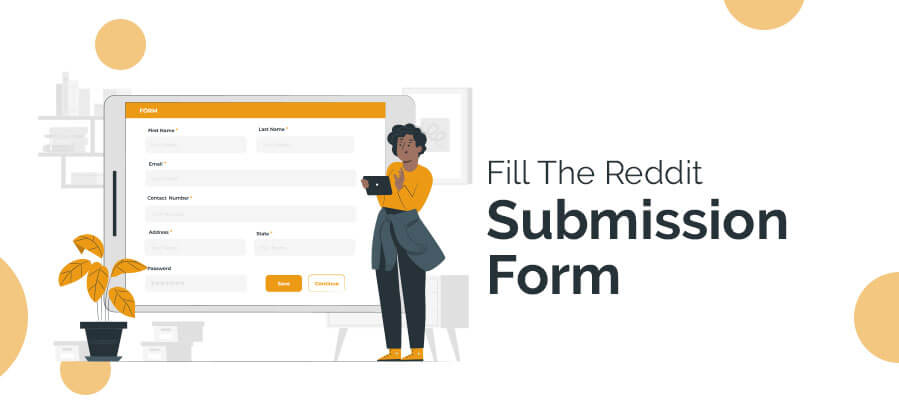
Step 3: Fill The Reddit Submission Form
After choosing the right subreddit for your account, you have to submit the submission form for your account. The other options are getting deleted when you select the subreddit options, and your subreddit option is starting over fresh. So when you are going to choose the subreddit for your Reddit post, be specific and pick the same niches as your content.You have to give the title, and the URL of your content, then press the submit button. And click the checkbox to enable the option to send replies to your inbox.
Step 4: Submit Your Post
Now you have to reach the end step of how to post on Reddit. Click the submit option and wait for a while. Do not refresh or reload the page. Wait until your post is getting live. Increase your post engagement level through communication. When you are going to increase your engagement level, your Reddit submission ranks will also improve.
Step 5: Cross-Posting Of Your Submission
Do you know how to post on Reddit or the Reddit cross-posting rules? Every time you can not provide unique content. The same content or the same subreddit choice is self-explanatory. But if you are not going to crosspost your submission.Reddit is treating your content as a spammy one. Edit the title of your content and add /r/#subreddit#. And replace the tile of the content. This is going to add some value to your content. And it works as the acknowledging factor for your Reddit posts.
How To Post Anonymously On Reddit
Human error is always possible. If you want to delete your content posts, you can hide your posts. Most of the fault makers are asking about how to post anonymously on Reddit. Even if it's not expected when you are professional in content creation, you can create an anonymous account. And start to post anything from there.
How To Post Pictures On Reddit
Now you know how to post on Reddit, especially the contents? But how to post pictures on Reddit? Reddit mostly preferred the written contents along with the written contents. You also can spot the photos with a very simple few steps.Let’s see the easiest way to post a picture on Reddit.Step 1: First, log in to your Reddit accountStep 2: Open the homepage of your accountStep 3: Tap onto the upper right corner of your page under your profile pictureStep 4: Click the picture icon on your Reddit post windowStep 5: Choose the images that you want to postStep 6: Choose your image post communityStep 7: Add image title on your post title barStep 8: Confirm your image post
How To Delete A Post On Reddit
From reddit.com, you just have to follow three steps to delete your Reddit posts from your account. The Deletion process is more important than how to post on Reddit. The error chances are huge for beginners, and these three steps answers for how to delete a post on Reddit will save your time and reputation.Let’s see how you can delete a post from your Reddit account.Step 1: Click on the profile icon of your Reddit home pageStep 2: Open your profile post optionStep 3: You will see the list of the posts which you are making Step 4: At the bottom of the post, you will have the option to delete the post. Choose the delete option for the post.
Wrapping It Up
From this article, you are getting the entire concept about using Reddit. For content sharing and viewing, Reddit is a big source of information. When you want to research any updating news, always look at the available Reddit contents. But the knowledge about how to post on Reddit is providing you a smart share and see the option. Do utilize it to start to shine from today. What is your experience with Reddit? Do not forget to share your experience with us.
Subham Saha started his career as a professional web content writer. He has more than 3 years of experience in digital marketing. He also has a great knowledge in SEO, SMO, Website development, etc. He completed his graduation in Electrical Engineering. He is very passionate about building his career in the Digital marketing industry. Subham has a great interest in reading books about Business, Economics, Psychology, Technology, and History.
Social media is vital for businesses striving to enhance brand awareness, connect with their audience, and foster meaningful engagement.
Yet, amid the sea of likes, shares, and comments, many grapple with a key question: Is our social media strategy delivering ROI? This guide demystifies the process, providing actionable insights to optimize online presence.
From defining social media's purpose for a brand to calculating ROI, implementing improvement strategies, and social media reporting, we'll navigate essential steps to unlock your social media's full potential.
The Purpose of Social Media for Brand
Before diving into metrics, clarify your social media goal. ROI varies among brands; some prioritize awareness, while others focus on lead generation or customer service. For example, Apple uses targeted Twitter ads for the latest MacBook, yielding measurable results.
Brands emphasizing customer service see resolving concerns as a key ROI factor. No one-size-fits-all approach exists; define your social media ROI based on specific goals like brand awareness, lead generation, or customer retention.
Setting Actionable Social Goals
Measuring social media ROI becomes futile without clearly defined and measurable goals. While metrics such as social shares and follower counts hold value, they frequently lack the necessary depth for a comprehensive ROI evaluation. Instead, prioritize targeted, action-oriented objectives that align closely with your business goals.
Campaign-specific goals offer a more accurate assessment of ROI. Whether it's driving email sign-ups, generating inquiries through contact forms, facilitating trials, driving purchases, or encouraging downloads, these goals involve measurable actions that contribute to the conversion funnel. You can track individual links by setting campaign-specific goals, and attributing clicks to specific campaigns and calls to action.
For instance, Instagram-based brands frequently update their bio links to coincide with ongoing promotions, utilizing URL trackers to tie clicks to specific campaigns. This level of granularity is crucial for understanding which efforts are driving tangible results.
Bonus tip: Managing various social media goals can be difficult across multiple channels. Try a social media management tool to manage all your social media marketing activities from a centralized dashboard.
Measuring Your Goals with Precision
Once you've established your objectives, the subsequent task involves precise tracking and measurement. Google Analytics proves to be a formidable tool in this regard. By scrutinizing the traffic originating from social media platforms, you can assess the impact of your campaigns.
For instance, the Google Analytics "Acquisition" report furnishes valuable information on traffic acquisition across various channels, permitting you to refine results according to conversion events like adding items to the cart or completing purchases. This meticulous tracking empowers you to attribute conversions and revenue to the success of your organic social initiatives.
Tracking Social Media Expenses
Measuring ROI requires a comprehensive assessment of your social media expenses beyond just ad spend.
Consider the following components:
- Time: Factor in the value of your time or your team's time dedicated to social media efforts.
- Tools: Include costs associated with any paid tools, subscriptions, or software utilized for social media.
- Advertising Expenditure: Calculate the total funds allocated to boosted posts, paid campaigns, and other promotional efforts.
- Creative Content Expenses: Consider the costs associated with content creation, covering design, writing, and other creative components.
- Incidental Expenditures: Incorporate any supplementary costs, such as travel expenses for events or collaborations.
How to Improve Your Social Media ROI
Measuring social media ROI is an ongoing process; continuous improvement is essential for maximizing its impact.
Here are some actionable tips to boost your social media ROI:
1. Set realistic goals for social media success.
2. Optimize your strategy by refining targeting and creative elements.
3. Stay informed on industry trends for a competitive edge.
4. Foster audience engagement through active participation and feedback.
5. Invest in social media advertising to extend reach and drive targeted results.
6. Utilize social media analytics to make data-driven decisions for strategy enhancement.
Significance of Social Media Reporting
A social media report analyzes a brand's content performance on platforms like Instagram, Facebook, YouTube, TikTok, etc. These concise reports, issued monthly, quarterly, or yearly, highlight key metrics such as top-performing posts, learnings, and numerical data like follower growth, engagement, and reach.
Effective reports adhere to SMART criteria (Specific, Measurable, Achievable, Relevant, Time-sensitive) by setting clear goals. They emphasize key insights, victories, challenges, trends, and opportunities, offering a deep understanding of content strategy impact and audience behavior.
Leveraging analytics tools simplifies data extraction, enabling comprehensive tracking and analysis of performance metrics. In 2024, best practices include establishing clear social media goals and focusing on relevant insights for a concise and engaging report.
The process of creating a monthly social media report involves -
choosing metrics aligned with your goals,
providing a high-level overview of progress,
showcasing top-performing posts,
adding analytics data, and
summarizing key learnings and takeaways.
Separating data into sections for organic and paid content on different platforms enhances clarity. The report wraps up by reviewing accomplishments, challenges, and potential opportunities, aiming to guide future strategic decisions.
Conclusion
Crafting a well-executed social media report highlights actionable insights, aligns with defined objectives, and utilizes analytics tools to thoroughly assess a brand's performance on various social media platforms. Through ongoing monitoring and optimization of your social media return on investment (ROI), you validate your spending, improve outcomes, and make informed decisions for the future.
Read Also:
The Ultimate Guide To Choosing The Right SEO Agency
Ways On How to Advertise Coupon Codes in Social Media
Creating a Sales Pipeline: Effective Steps To Do So
When WhatsApp isn't working, the issue is usually caused by a local network connection failure or an outdated app version.
Additionally, it can be caused by a rare yet impactful reason of a broader Meta server outage.
Before changing your device settings, check an external status checker like Downdetector to confirm whether a global outage is blocking traffic.
If first-party servers are fully operational, executing localized app resets and clearing the temporary cache will immediately resolve the communication block.
Why Is WhatsApp Not Working On My Phone?
Here’s a swift look at a few of the issues that could cause WhatsApp to malfunction on your phone:
1. Internet Connectivity
WhatsApp may not be functioning on your phone because you may have neglected to turn on the internet.
Or there may be a connectivity problem. Sending and receiving calls via the instant messaging app requires an internet connection.
To check whether your internet is working, try using different apps or browsers.
If something appears to be wrong, make sure you are connected to Wi-Fi or mobile data.
You can always get in touch with your internet service provider if nothing else works.
WhatsApp Not Working: How To Enable Data Connectivity
To enable internet connectivity on your device for WhatsApp to work, keep your mobile data on.
If not, you must be connected to an active Wi-Fi. Here's how to activate your phone's mobile data.
To enable mobile data on both iOS and Android smartphones, slide down the notification panel and tap the arrow icon.
If you cannot locate it, proceed with the steps listed below to activate the internet on your device:
Open Settings.
Go to the SIM card and mobile data or Mobile Data management section, depending on your OS.
Toggle the Mobile data switch.
2. WhatsApp Is Dated
Verify that your WhatsApp is up to date if everything else with your internet connection seems normal.
WhatsApp frequently stops supporting older versions, which might leave your data vulnerable to hackers.
WhatsApp frequently releases new versions with enhanced security and other features.
The app can stop functioning if you use an outdated version for an extended period.
You'll receive a notification saying that, to continue using WhatsApp, you must update.
Upgrade WhatsApp if you receive a message like this when you launch it.
To update WhatsApp, click the Download icon located at the bottom of the screen.
WhatsApp Not Working: Ways To Update WhatsApp
Here's how to manually update the app, in case you'd like to:
Launch the App Store and Play Store, then look up WhatsApp.
To update WhatsApp, click the WhatsApp search result and press the UPDATE option.
It is not usually necessary to update WhatsApp frequently in order to utilize the service.
But to stay safe, make sure you're using the most recent version in order to avoid any problems.
3. Account Deleted
This can also be the cause of WhatsApp not functioning properly on your device.
It's possible that WhatsApp erased your account if you haven't used it in a long time.
In the event that your account is inactive for 120 days, WhatsApp retains the right to remove it.
WhatsApp claims that it takes these precautions to protect users' security and privacy.
WhatsApp won't erase your account as long as your smartphone is connected to the internet and has WhatsApp installed.
The only thing you can do in this situation, if your account has been destroyed,d is to make a new one.
4. Smartphone Expiry
Each year, WhatsApp publishes a list of gadgets that violate the platform's security and privacy guidelines.
WhatsApp is forced to stop operating when the business stops providing support for these smartphones.
Most of these gadgets are running outdated operating systems (OS).
Recently, WhatsApp support for Apple's first-generation iPhone SE, iPhone 6S, and iPhone 6S Plus, as well as handsets running Android 4.0.4 and earlier versions, was discontinued.
As of right now, the app is limited to Android 4.1 or later, iOS 10 or later, and KaiOS 2.5.0+ devices.
If WhatsApp isn't working on your phone, check your operating system and upgrade to the latest version if available.
5. WhatsApp Server Down
This has to be the most obvious reason, which is beyond your control.
If WhatsApp is unavailable, it won't function on your phone.
Occasionally, a glitch in WhatsApp's servers could make it impossible for you to send or receive messages or even make phone calls.
As it's a backend problem, your only options are to verify whether the servers are truly down and wait until WhatsApp provides a solution.
If so, you have no choice but to wait until the massive instant messaging company resolves the problem.
Hardware Access Auditing: Reviewing OS-Level Media Permissions
Often, core messaging functions work perfectly, but localized sub-features like voice notes, video calls, or photo sharing remain locked down by operating system safety layers.
· Microphone & Camera Access Blocks
If your voice notes return a silent track or video calls crash immediately, your operating system has likely blocked background device access.
To fix this, go to Settings > Apps > WhatsApp > Permissions and ensure the Camera and Microphone toggles are set to Allow only while using the app.
· Media Gallery Access Scopes:
Modern operating systems utilize scoped storage rules that prevent apps from viewing your full media directory.
If you cannot attach photos to a chat, verify that your storage permissions are configured for Full Access rather than Selected Photos.
The Remedies To WhatsApp Not Working Explained
These were the potential causes of WhatsApp not functioning on your device, along with potential fixes.
The remedies provided in this post to fix WhatsApp not working are thorough.
After reading over these answers in detail, you will be well-equipped to protect yourself from scenarios that could cause you distress when using WhatsApp.
If you have thoughts to share or questions to ask about WhatsApp not working, please leave a comment below.
We would love to hear from you!
More Resources:
Ways To Fix YouTube “Something Went Wrong” Prompt
Mastering The Art Of Connecting: How To Reach Out To A Recruiter On LinkedIn
Get Rid Of Boring Instagram Theme: Learn How To Change Theme On Instagram
Local businesses large and small, and even international players looking to grow their reach, can benefit from working with a professional social media agency in Malaysia. The Malaysian market has fully accepted social media, with over 71% of internet users owning a social media account. With more and more Malaysians getting online, now is an excellent time to improve your marketing on social media.
Alas, simply posting on your social media page from your brand’s account is not enough to effectively penetrate your target market; many brands have learned this the hard way and wasted valuable time and money. Being successful at social media marketing requires an understanding of how each platform works and how each local market behaves.
Here are a few ways simple a social media agency in Malaysia can benefit your business.
Understanding the Local Market
Consumer behavior always varies within markets, segments, demographics, and beyond. Without base knowledge of the market you are entering or the consumers you are targeting, a marketing strategy will present like a shot in the dark.
For example, your target consumer base may prefer to use Facebook over Instagram, yet without that prior knowledge, you are likely to waste resources trying to promote on the wrong platform. Since Malaysian’s use of social media is not homogenous, let experts from a social media agency in Malaysia direct you to the optimal channels.
Launching the Right Campaign
Designing a social media marketing campaign is very nuanced and requires the right direction and content to support the objective. Agencies provide their clients with the added benefit of access to their team’s professional graphic designers, content writers, strategists, and more. They will help guide you on the right strategy, be it advertising, content creation, etc., and will create localized content intended for maximum reach.
Analyzing and Optimizing Campaign Performance
After launching a marketing campaign on your desired social media platform and with localized content, the next step is to measure its success. It may be a reality that your in-house marketing department does have sufficient experience with the technical know-how of each social media platform to properly analyze results and make strategic improvements.
An agency has those experts on hand to break down the campaign analysis and will work with you to make improvements for the next campaign. They will generate detailed reports that track campaign performance for you to easily understand where your money is going as well. While you may consider an agency a third party, a professional agency will take ownership of your brand and continue to improve your brand’s performance in the market.
Brands looking to expand to or grow in Malaysia will benefit greatly from utilizing social media marketing. Given the country’s diverse cultures and variety of behaviors, partnering with a social media agency in Malaysia will surely pay dividends.
Read Also:
Importance of Storytelling in Social Media Marketing
5 Unusual Social Media Tips That No One Will Know About
Social Media Marketing role in Technology
How To Improve Your Social Media Branding By Getting More Instagram Followers And Likes?













 Reddit is the American social news aggregation where you can post your contents or simply read the other contents if you have an account. Along with content sharing, Reddit has its discussion platform.
While you are writing content, all information can not be available on random websites. Especially when you are in content marketing or you are going to need a constant flow of new content. Along with the number of contents, Reddit maintains the quality of the content.
The information accuracy is also playing a significant role here. And for this work, there is no other alternative that is better than Reddit. Find the right content and share the quality content.
So let’s see how to post on Reddit
Reddit is the American social news aggregation where you can post your contents or simply read the other contents if you have an account. Along with content sharing, Reddit has its discussion platform.
While you are writing content, all information can not be available on random websites. Especially when you are in content marketing or you are going to need a constant flow of new content. Along with the number of contents, Reddit maintains the quality of the content.
The information accuracy is also playing a significant role here. And for this work, there is no other alternative that is better than Reddit. Find the right content and share the quality content.
So let’s see how to post on Reddit
 When you first enter the website, you will get notified the website is not very attractive or user-friendly. Apart from the pictorial representation, the website is full of written content.
When you want to know how to post on Reddit, you have to take your first step through the account openings. Fill up the name and password field. It’s a simple two-step process. You do not have to confirm your email id. Email id confirmation is optional here.
When you first enter the website, you will get notified the website is not very attractive or user-friendly. Apart from the pictorial representation, the website is full of written content.
When you want to know how to post on Reddit, you have to take your first step through the account openings. Fill up the name and password field. It’s a simple two-step process. You do not have to confirm your email id. Email id confirmation is optional here.
 After choosing the right subreddit for your account, you have to submit the submission form for your account. The other options are getting deleted when you select the subreddit options, and your subreddit option is starting over fresh. So when you are going to choose the subreddit for your Reddit post, be specific and pick the same niches as your content.
You have to give the title, and the URL of your content, then press the submit button. And click the checkbox to enable the option to send replies to your inbox.
After choosing the right subreddit for your account, you have to submit the submission form for your account. The other options are getting deleted when you select the subreddit options, and your subreddit option is starting over fresh. So when you are going to choose the subreddit for your Reddit post, be specific and pick the same niches as your content.
You have to give the title, and the URL of your content, then press the submit button. And click the checkbox to enable the option to send replies to your inbox.
 Now you know how to post on Reddit, especially the contents? But how to post pictures on Reddit? Reddit mostly preferred the written contents along with the written contents. You also can spot the photos with a very simple few steps.
Let’s see the easiest way to post a picture on Reddit.
Step 1: First, log in to your Reddit account
Step 2: Open the homepage of your account
Step 3: Tap onto the upper right corner of your page under your profile picture
Step 4: Click the picture icon on your Reddit post window
Step 5: Choose the images that you want to post
Step 6: Choose your image post community
Step 7: Add image title on your post title bar
Step 8: Confirm your image post
Now you know how to post on Reddit, especially the contents? But how to post pictures on Reddit? Reddit mostly preferred the written contents along with the written contents. You also can spot the photos with a very simple few steps.
Let’s see the easiest way to post a picture on Reddit.
Step 1: First, log in to your Reddit account
Step 2: Open the homepage of your account
Step 3: Tap onto the upper right corner of your page under your profile picture
Step 4: Click the picture icon on your Reddit post window
Step 5: Choose the images that you want to post
Step 6: Choose your image post community
Step 7: Add image title on your post title bar
Step 8: Confirm your image post
 From reddit.com, you just have to follow three steps to delete your Reddit posts from your account. The Deletion process is more important than how to post on Reddit. The error chances are huge for beginners, and these three steps answers for how to delete a post on Reddit will save your time and reputation.
Let’s see how you can delete a post from your Reddit account.
Step 1: Click on the profile icon of your Reddit home page
Step 2: Open your profile post option
Step 3: You will see the list of the posts which you are making
Step 4: At the bottom of the post, you will have the option to delete the post. Choose the delete option for the post.
From reddit.com, you just have to follow three steps to delete your Reddit posts from your account. The Deletion process is more important than how to post on Reddit. The error chances are huge for beginners, and these three steps answers for how to delete a post on Reddit will save your time and reputation.
Let’s see how you can delete a post from your Reddit account.
Step 1: Click on the profile icon of your Reddit home page
Step 2: Open your profile post option
Step 3: You will see the list of the posts which you are making
Step 4: At the bottom of the post, you will have the option to delete the post. Choose the delete option for the post.